

Solar is now the largest source of new power capacity in the United States, with 32.4 GWdc installed in 2024 according to SEIA and Wood Mackenzie (2025). Globally, PV additions hit roughly 553 GW in 2024, according to the IEA (2025). Yet the installer side of the business still runs on an odd mix of spreadsheets, WhatsApp threads, and 6 disconnected logins.
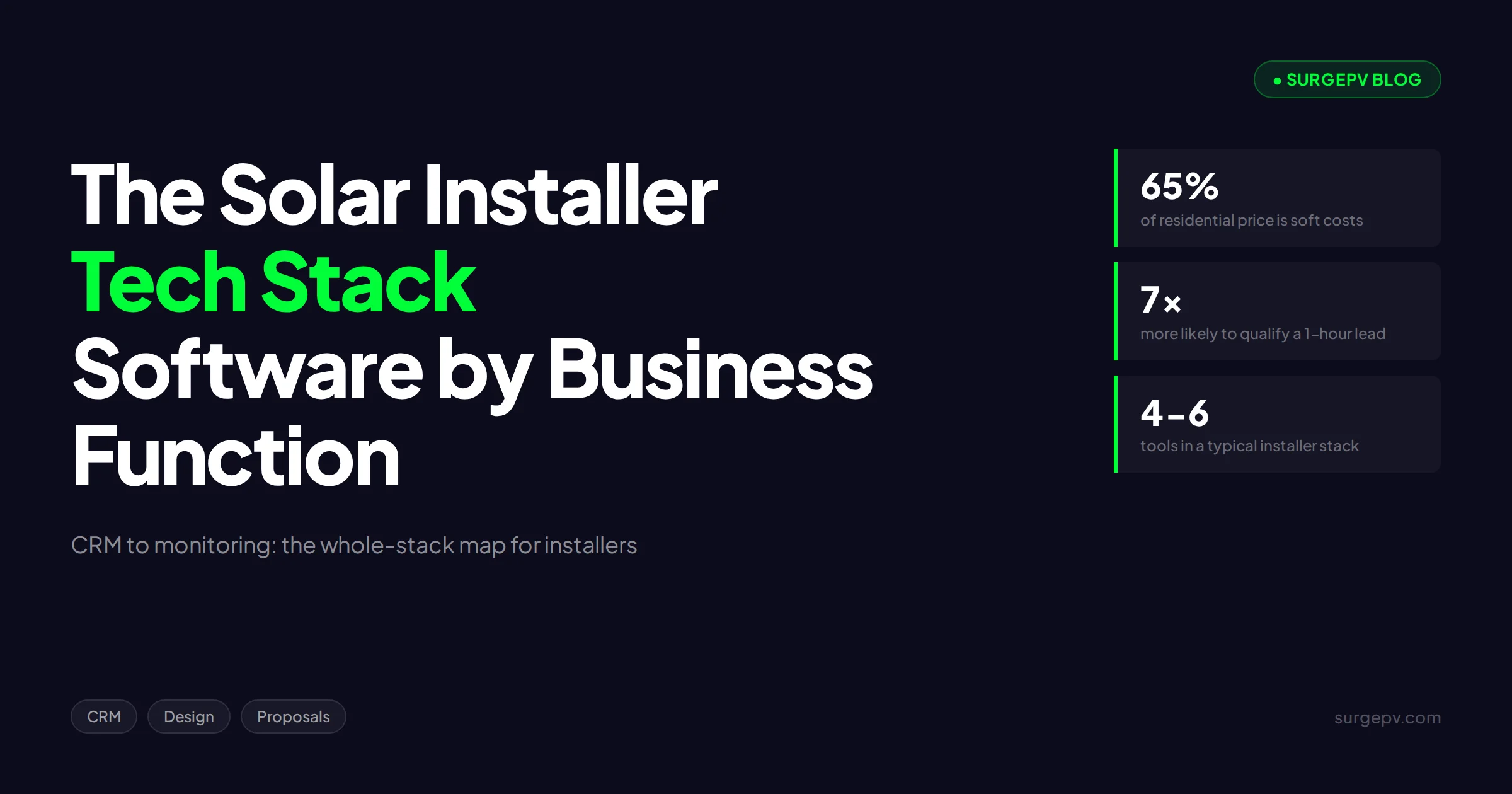
Here is the uncomfortable math behind that. Soft costs — sales, design, permitting, and overhead — account for about 65% of a US residential solar system’s price, according to NREL benchmarking (2024). Your tech stack is where soft costs live. Every hour of re-entered customer data, every re-drawn layout, every proposal that goes out 3 days late shows up in that 65%.
This guide maps the full solar installer tech stack by business function. We cover what each layer does, what it costs, when spreadsheets stop working, and where installers most often overspend. If you want depth on a single category, we have a dedicated CRM buyer guide and a solar software buyer’s guide. This post is the whole-stack map, not a single-category ranking.
Quick Answer
A solar installer tech stack is the set of software tools that runs your business across 7 functions: CRM and lead management, site survey, design and simulation, proposals and sales, project management, accounting, and monitoring. Most residential installers need 4–6 connected tools; C&I firms need 6–8. The design-proposal layer is the stack’s revenue engine, so start there and integrate outward.
In this guide:
- The 7 business functions every installer stack must cover
- What each software layer does, costs, and where it breaks
- Build-vs-buy: when all-in-one wins and when point tools win
- Integration patterns that stop double data entry
- The stack by company stage: solo, growth, and multi-crew
- The myth of the single platform that does everything
The 7 Functions of a Solar Installer Tech Stack
A solar installer tech stack covers 7 business functions: CRM and lead management, site survey, design and simulation, proposals and sales, project management, accounting, and monitoring. Each function has a different data flow, a different buyer, and a different failure mode. Mapping your stack to functions — not to vendor names — is what keeps you from buying 3 tools that do the same job.
Here is the map:
| Function | What it does | Typical tools | Monthly cost range |
|---|---|---|---|
| CRM & lead management | Captures leads, tracks pipeline, automates follow-up | HubSpot, Pipedrive, solar-specific CRMs | $50–$300 |
| Site survey | Roof measurements, photos, shade capture | Drone apps, LiDAR apps, satellite imagery | $0–$200 |
| Design & simulation | 3D layout, string sizing, shading, yield | Cloud design platforms, PVsyst-class tools | $100–$600 |
| Proposals & sales | Branded quotes, financials, e-signature | Proposal builders, e-sign tools | $50–$300 |
| Project management | Scheduling, install tasks, crew dispatch | Monday.com, BuildOps, solar PM tools | $50–$250 |
| Accounting | Invoicing, payroll, job costing | QuickBooks, Xero | $30–$100 |
| Monitoring & service | Fleet performance, alerts, O&M tickets | Inverter portals, fleet dashboards | $0–$150 |
A few observations from our own installer training work. First, the design-proposal layer is where deals are won or lost. Second, CRM and accounting are commodity categories — generic tools work fine. Third, monitoring is the most under-bought layer, and it is the one that feeds your referral engine after install.
The rest of this post walks each function, then covers how the pieces connect.
CRM and Lead Management
Your CRM captures every lead, logs every touch, and tells you which deals are stalling. It is the layer that prevents the 2 most expensive sins in solar sales: lost leads and missed follow-ups.
Speed is the whole game here. Companies that contact a lead within an hour are 7× more likely to qualify it than those that wait longer, according to Harvard Business Review research (2011). In residential solar, that window is often measured in minutes, because the homeowner requested 3 quotes.
What a solar CRM must do beyond a generic pipeline:
- Capture leads from web forms, referral partners, and door-knocking apps.
- Auto-assign leads to reps by territory or language.
- Trigger follow-up sequences when a proposal is sent but unsigned.
- Store the site address as structured data, so it can flow into your design tool.
Generic CRMs like HubSpot and Pipedrive handle the first 3 well. The solar-specific gap is the address-to-design handoff and DISCOM or utility workflow steps in markets like India. For Indian EPCs, a purpose-built option is QuickEstimate’s solar CRM, which handles subsidy and DISCOM approval tracking natively. For the full category breakdown, see our buyer guide linked in the introduction.
Site Survey and Measurement
The site survey layer turns a rooftop into usable geometry. Its job is simple: get accurate dimensions, obstructions, and shade conditions into your design tool without a second truck roll.
You have 3 approaches, and the tradeoffs are real:
- Satellite and aerial imagery. Fastest and cheapest. Works for 80% of residential quotes. Accuracy drops on new construction and heavily treed lots.
- Drone capture. Higher accuracy, captures current roof condition. Adds equipment cost and, in the US, Part 107 licensing for commercial drone work.
- On-roof measurement. The gold standard for shade and structural detail. Slowest, and it costs a truck roll every time.
The modern pattern is a hybrid. Quote from imagery, then verify with a drone or a single pre-install survey. Installers we train typically cut survey cost per signed deal by half with this pattern, because they stop sending surveyors to houses that never close.
The key requirement: whatever you capture must land in your design tool as a model, not as a PDF attachment nobody opens.
Design and Simulation
Design software is the engineering core of the stack. It takes the site model and produces a module layout, string sizing, shading losses, and an energy yield estimate. This is the layer where accuracy converts directly into trust, margin, and avoided change orders.
A residential installer needs 4 things from design software: fast 3D rooftop modeling, automatic string sizing with a real module and inverter database, physics-based shading, and a bill of materials. A cloud solar design platform platform covers these without a desktop install, and solar shadow analysis software models obstruction shading hour by hour on the actual 3D roof.
C&I work raises the bar. Lenders and tax equity want bankable simulation, which means a defensible P50/P90 yield model and hourly loss breakdowns. For proposals at that level, pair your design tool with a generation and financial modeling tool that produces payback, IRR, and NPV in the same workspace — otherwise your engineer and your finance person are maintaining 2 versions of the same project.
One field observation. The most common design error we see in training is not shading. It is string sizing done in a spreadsheet with last year’s module datasheet. A live component database kills that error class entirely.
Design, simulate, and propose from one workspace
SurgePV combines 3D design, shading, yield simulation, and branded proposals — see it on one of your real projects.
Book a DemoNo commitment required · 20 minutes · Live project walkthrough
Proposals and Sales
Proposal software turns the engineering into a document a customer can sign. It is the last step of the sale and the first impression of your company’s professionalism.
A strong solar proposal carries 5 elements: the layout visual, the production estimate, the financial picture with incentives, the equipment spec, and a signature path. Customer-ready solar proposals generates these directly from the design, which matters for 2 reasons. First, no transcription errors between the engineer’s model and the salesperson’s PDF. Second, speed — you can present the proposal on the same call where you did the design.
That speed compounds. Remember the HBR finding on 1-hour lead response. Proposal turnaround is where most installers break it. A rep who designs live on a call and sends the quote before hanging up compresses a 3-day cycle into 40 minutes.
Two features we consider non-negotiable:
- E-signature. Every day between “sent” and “signed” loses deals to a competitor who showed up second but closed first.
- Versioning. Customers negotiate. You need proposal v2 and v3 without rebuilding from scratch.
For proposal copy and variant generation, an AI assistant like Clara AI drafts customer-facing text from the project data, which saves reps from writing the same financing explanation 30 times a week.
Project Management and Field Ops
Project management software runs everything between signature and permission to operate (PTO). In solar, that is a long list: permitting, utility interconnection, equipment ordering, crew scheduling, installation, inspection, and closeout.
This layer fails differently than CRM. CRM failures are silent — a lead just disappears. PM failures are loud: crews arrive without materials, inspections fail because paperwork was wrong, customers call angry. The cost shows up as crew idle time and resubmitted permits.
What to look for in a solar PM tool:
- Job templates that mirror your real install workflow, including permit and interconnection milestones.
- Crew scheduling with a calendar your field leads will actually open.
- A customer-facing status page, which cuts “where is my project” calls by half in our experience.
- Photo and document capture from the field, attached to the job.
Generic PM tools like Monday.com work if you invest the setup time. Solar-specific platforms come with install workflows pre-built. We covered scheduling depth in our post on solar project scheduling tools, and multi-crew logistics in solar fleet management. For a ranked list of PM options, see best solar project management software.
Accounting and Finance
Accounting is the one layer where you should not buy solar-specific software. QuickBooks and Xero are mature, your accountant already knows them, and both handle job costing well enough for an installer.
The solar-specific work is configuration, not software selection:
- Set up job costing so every project tracks equipment, labor, subcontract, and permit costs separately.
- Map your chart of accounts to solar categories: equipment revenue, install labor, service and O&M, referral fees.
- Track deposits and milestone billing against project stages, since solar cash flow is lumpy by design.
The integration that matters here is proposal-to-invoice. When a deal signs, the deposit invoice should generate from the proposal total without retyping. That single connection kills the most common accounting error we see: invoices that do not match the signed contract.
Monitoring and Post-Install Service
Monitoring tracks fleet performance after PTO and feeds your service and referral revenue. It is the cheapest layer of the stack and the most neglected.
Most installers rely on whatever portal ships with the inverter. That works at 20 systems. At 200 systems, you are logging into 4 portals and missing underperforming sites for months. A fleet-level dashboard aggregates across inverter brands and alerts you when production drops below expectation.
Why this layer pays:
- Service revenue. O&M contracts and out-of-warranty repairs are high-margin work. Monitoring is how you sell and deliver them.
- Referrals. A customer who gets a proactive “we noticed your system dipped, we are on it” call refers neighbors. A customer who discovers the dip on their bill does not.
- Reputation defense. Catching a failure before the homeowner does is the difference between a 5-star review and a warranty complaint.
Start with the inverter portals. Graduate to a fleet dashboard when you cross roughly 100 installed systems, or when you start selling O&M contracts.
Build vs Buy: All-in-One vs Best-of-Breed
The central stack decision is not which vendor. It is whether you buy one platform that covers several functions or assemble separate tools for each. Neither wins universally — the tradeoff is integration cost against category depth.
| Approach | Wins when | Costs you |
|---|---|---|
| All-in-one platform | Speed matters more than depth; small team; one data model | Weaker CRM/accounting; vendor lock-in |
| Best-of-breed tools | You need category leaders; larger team; established processes | API plumbing, double entry, 6 vendor relationships |
| Hybrid (our take) | Most installers | Some integration work at the seams |
Our take after training installers across 400+ installations: go all-in-one for the design-to-proposal core, because that is where speed and accuracy convert to close rate. Go best-of-breed for CRM, accounting, and monitoring, because those categories are mature and generic leaders are genuinely better. Connect the seams with native integrations or middleware.
The exception is the early-stage installer doing under 10 installs a month. At that volume, administrative simplicity beats category depth. One platform, one login, one invoice.
We went deeper on the selection process in the buyer’s guide linked above, and on connection patterns in the solar software integration guide.
Integration: Making the Stack One System
A stack is not a list of tools. It is a data flow. The integration layer determines whether customer data moves once or gets retyped 4 times — and retyping is where errors and hours go.
The minimum viable data flow has 4 handoffs:
- CRM to design. New qualified lead creates a project with address and customer details pre-filled.
- Design to proposal. The model generates the quote with no export-import step.
- Proposal to PM. Signature triggers a new job with equipment list, contract value, and customer data attached.
- PM to accounting. Milestones trigger invoices; job costs post to the ledger.
You have 3 ways to connect tools: native integrations (best, when they exist), middleware like Zapier or Make (fine for low-volume triggers), and direct APIs (for firms with a developer or an agency budget). Budget reality: middleware runs $20–$100 per month. A custom API build starts around $2,000 and makes sense only past roughly $2M in annual revenue.
Test every integration with 3 dummy records before going live, and test in both directions. The failure that hurts is silent: the sync that worked in the demo and quietly stopped in week 3.
The Myth of the Single Platform That Does Everything
Here is the contrarian section, because vendor marketing insists otherwise: no platform does all 7 functions well. None. The all-in-one pitch — one login, one database, one vendor — is genuinely attractive, and it always has the same failure mode. The vendor is strong in the 2 functions it was founded on, and the other 5 are checkboxes built to close enterprise deals.
We see this pattern constantly in installer onboarding. A firm buys a platform for its CRM, then discovers the design module produces layouts their engineers refuse to send to customers. Or the reverse: great design tool, and the “CRM” is a spreadsheet with a login screen.
The tradeoff you are actually making is integration pain versus capability gaps. Integration pain is solvable with middleware and an afternoon. A capability gap in your design or proposal layer costs deals every single week. So optimize the revenue layers first, and accept commodity tools — even ugly ones — for the layers where commodity is fine.
Second myth, shorter: more tools do not mean more capability. We audited an installer last year running 11 subscriptions. Three did CRM-adjacent work. Two did proposals. Consolidating to 6 tools saved them $700 a month and, more importantly, one full re-entry of every customer record.
The Stack by Company Stage
What you need depends on volume. Here is the stack we recommend at 3 stages, with monthly software budgets. Treat the dollar figures as industry-observed ranges, not quotes.
Solo installer or new entrant (under 5 installs/month). Budget: $150–$400. One cloud design-proposal platform, a free or low-cost CRM tier, QuickBooks, and inverter-portal monitoring. Skip dedicated PM software; a shared calendar and a checklist template carry you this far.
Growth stage (5–20 installs/month, 1–3 crews). Budget: $500–$1,500. Now PM software pays for itself in crew utilization. Add e-signature, a real CRM with automation, and middleware to connect proposal signature to job creation. This is also where satellite-plus-drone survey starts beating truck rolls.
Multi-crew or C&I (20+ installs/month). Budget: $2,000–$5,000. Add fleet monitoring, bankable simulation, document control, and a dedicated admin to own the stack. At this stage, the stack itself is a job — assign one person ownership of integrations and data hygiene.
The mistake at every stage is buying for the stage above. The solo installer does not need fleet monitoring. The 3-crew company does not need an API build.
Conclusion
The solar installer tech stack is 7 functions, not 7 vendors. Design and proposals are the revenue engine, so buy strength there. CRM, accounting, and monitoring can be commodity tools, as long as the data flows between them without retyping. Soft costs are roughly 65% of a residential system’s price, per NREL, and your stack is the biggest lever you have on that number.
Do these 3 things this week:
- Map your current tools to the 7 functions. Flag any function with 2 overlapping tools, and any function with none.
- Time one proposal end to end. From lead entry to signed quote. Any handoff that involves retyping is an integration to fix first.
- Check your post-install layer. If you cannot see fleet underperformance without logging into 3 inverter portals, that is your next subscription — it funds itself through service work.
If your design-to-proposal layer is the weak link, book a demo and run one of your real projects through SurgePV — 3D design, shading, simulation, and the branded proposal from a single workspace.
Frequently Asked Questions
What software does a solar installer need?
A solar installer needs software across 7 business functions: CRM for lead tracking, site survey tools for roof measurements, design and simulation software for system engineering, proposal software for sales, project management for installs, accounting for finances, and monitoring for post-install service. A typical residential installer runs 4–6 of these as separate tools or 1–2 integrated platforms.
How much does a solar installer tech stack cost per month?
A residential solar installer’s tech stack typically costs $300–$1,500 per month for a small team. CRM runs $50–$300, design and proposal software $100–$600, project management $50–$200, and accounting $30–$100. C&I firms spending on simulation-grade tools and multi-user PM platforms often reach $2,000–$5,000 per month. Per-seat pricing and per-project credits change the math as you scale.
Should I buy an all-in-one solar platform or separate tools?
All-in-one platforms cut integration work and data re-entry, but rarely lead in every category. Separate best-of-breed tools give you the strongest CRM or accounting product, at the cost of API connections and double data entry. Our take: use an all-in-one for the design-to-proposal core where speed wins deals, and dedicated tools for CRM, accounting, and monitoring.
What is the most important tool in a solar tech stack?
The design and proposal layer is the highest-impact tool because it sits at the revenue moment. A fast, accurate design-proposal tool lets you quote on the sales call instead of days later. Leads contacted within an hour are 7× more likely to qualify, according to Harvard Business Review research — and slow proposals are the most common reason installers miss that window.
How do I connect my solar design software to my CRM?
Connect design software to your CRM through native integrations, middleware like Zapier or Make, or a direct API. The minimum viable integration syncs 3 things: customer and site data into the design tool, proposal status back to the CRM, and a signed-deal trigger that creates the project in your PM tool. Test data flow in both directions before going live.
When should a solar installer switch from spreadsheets to software?
Switch when you hit 2 thresholds: more than 20 active leads at once, or more than 5 installs per month. Below that, spreadsheets plus a design tool are workable. Above it, lead leakage, missed follow-ups, and re-quoted designs cost more than software subscriptions. Most installers we work with feel the pain first in proposal turnaround time, not in lead tracking.
What software do commercial solar installers need that residential installers do not?
C&I installers add 3 layers: bankable energy simulation accepted by lenders, financial modeling with PPA and tariff structures, and multi-stakeholder project management with document control. Utility interconnection tracking and commissioning documentation tools also matter more at the C&I scale, where a single project can span 6–18 months.
Where this fits
This article is part of SurgePV's Solar Business & Operations hub, which works through the topic from first principles to the decisions a project team actually has to make.


