Quick Answer
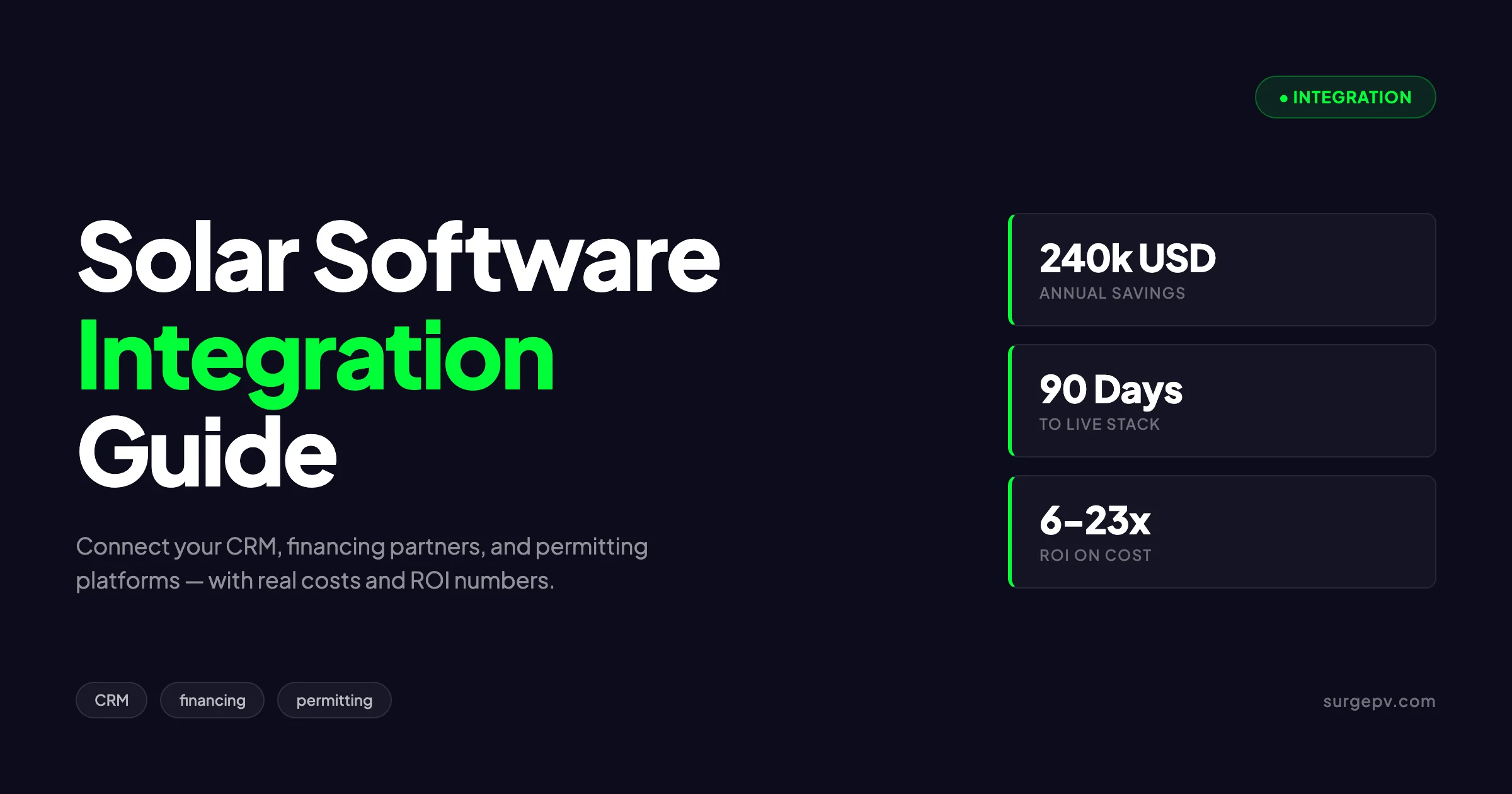
The companies that do not spend 8 to 12 hours per project on manual data transfer. Automatic Per-project total. 190 to 275 min. 27 to 38 min The integration delta is roughly 4 hours per project. The labor cost saved (240,000 USD) is more than 10 times the typical annual integration spend.
The solar software stack has fragmented in the last five years. Where installers once ran a single all-in-one tool, the modern operation chains design software, solar proposal software, CRM, financing portals, permitting platforms, project management, accounting, and field service apps. The companies that integrate these tools cleanly close 25 to 40 percent more deals per designer hour. The companies that do not spend 8 to 12 hours per project on manual data transfer.
The companies that do not spend 8 to 12 hours per project on manual data transfer. Automatic Per-project total. 190 to 275 min. 27 to 38 min The integration delta is roughly 4 hours per project. The labor cost saved (240,000 USD) is more than 10 times the typical annual integration spend.
TL;DR — Solar Software Integration
A modern solar workflow connects design software to CRM (Salesforce, HubSpot, Zoho), financing (Sunlight, GoodLeap, Mosaic), permitting (SolarAPP+, GreenLancer), and accounting (QuickBooks, NetSuite). Native integrations cost 8,000 to 25,000 USD annually for a mid-market installer and pay back within 4 to 6 months through reduced labor and faster cash collection.
This guide covers the four integration categories that matter most, the platforms that lead each category, the technical patterns that make integrations stable, and the implementation roadmap that gets you to a working integrated stack within 90 days.
Why Solar Software Integration Matters
The math behind integration is brutal once you measure it. A 100-project monthly pipeline running on disconnected tools loses an estimated 800 to 1,200 hours per year to manual data entry, lookup, and reconciliation. At 50 USD per hour loaded labor cost, that is 40,000 to 60,000 USD in pure waste before you count error correction or lost deals.
Integrated stacks compress that overhead by 80 to 90 percent. Salespeople sell from CRM. Designers design in solar PV design software. Financing happens in lender portals. Permits happen in permitting platforms. The integration layer moves data between them automatically.
Where Time Actually Disappears
| Workflow Step | Manual Time | Integrated Time |
|---|---|---|
| Lead-to-design hand-off | 30 to 45 min | 2 to 3 min |
| Design-to-proposal | 15 to 20 min | Automatic |
| Proposal-to-financing | 20 to 30 min | 5 min |
| Permit application prep | 60 to 90 min | 15 to 20 min |
| Project handoff to install | 45 to 60 min | 5 to 10 min |
| Invoice generation | 20 to 30 min | Automatic |
| Per-project total | 190 to 275 min | 27 to 38 min |
The integration delta is roughly 4 hours per project. Across 1,200 projects per year, that is 4,800 hours. The labor cost saved (240,000 USD) is more than 10 times the typical annual integration spend.
The Hidden Cost: Error Rates
Manual data transfer carries a 2 to 5 percent error rate per hand-off. A project flowing through 6 hand-offs accumulates 12 to 30 percent cumulative error probability. The errors show up as wrong panel counts on permits, mismatched system sizes between proposal and install, and customer addresses that disagree across systems.
Each error costs 200 to 2,000 USD to correct depending on when it is caught. Catching it before install costs the cheapest. Catching it after commissioning is the most expensive because it triggers truck rolls, re-permitting, or warranty disputes. Read Solar Sales Commission Structure for a complete walkthrough.
CRM Integrations: Connecting Sales to Design
The CRM is the customer system of record. Every other tool should pull customer data from the CRM rather than maintain a parallel copy. The CRM-to-design integration is the single most valuable connection in the stack because it eliminates the lead-to-design hand-off entirely.
Salesforce Integration Patterns
Salesforce dominates the upper mid-market and enterprise solar segments. It supports three integration patterns with solar design software:
Native AppExchange connectors: SurgePV, Aurora, and several other platforms publish certified Salesforce apps. Install the app, configure field mappings, and the integration runs in 2 to 5 business days. This is the recommended path for 90 percent of Salesforce-based installers.
REST API direct integration: For installers with custom Salesforce orgs or unusual data models, direct REST API calls give complete control. Expect 4 to 8 weeks of implementation and 5,000 to 15,000 USD in development cost. The result is more flexible but requires ongoing maintenance.
Middleware via Mulesoft or Workato: Larger operations use enterprise integration platforms to manage Salesforce-to-everything connections. The cost runs 30,000 to 100,000 USD annually but consolidates dozens of integrations under one governance layer.
HubSpot Integration Patterns
HubSpot has emerged as the dominant CRM for sub-100-rep solar operations. Its strengths are marketing automation, deal pipelines, and sequence-based outbound. Native HubSpot connectors exist for SurgePV, Aurora Solar, OpenSolar, and Solargraf. For software options, see 7 Best Aurora Solar Alternatives in.
The standard integration captures leads from website forms, automatically creates a deal in HubSpot, triggers a design request in the connected solar platform, and pushes the completed proposal back as a deal attachment. End-to-end automation typically takes 3 to 7 business days with native connectors.
For installers using HubSpot’s Workflows feature, the integration unlocks powerful sales sequences. Send a follow-up email 3 days after proposal delivery if the deal has not advanced. Trigger a phone task if the proposal has been viewed but not signed within 48 hours. These automations close 15 to 25 percent more deals than manual follow-up.
Zoho CRM Integration Patterns
Zoho CRM is widely used in international markets, particularly Asia-Pacific and Latin America. It offers strong native integrations with the major solar platforms plus its own ecosystem (Zoho Books, Zoho Inventory, Zoho Sign). For Asia-Pacific-specific compliance details, see Asia-Pacific solar compliance.
Zoho’s pricing makes it attractive for installers under 10 reps. The integration depth is comparable to HubSpot and the workflow automation is solid. The main limitation is the smaller third-party app ecosystem compared to Salesforce or HubSpot.
For more on the CRM tooling landscape specifically for solar, see the best solar CRM for installers post.
Field Mapping: Where Most Integrations Break
The hardest part of any CRM integration is field mapping. Solar projects carry 60 to 80 distinct data fields across address, system specs, proposal economics, and installation logistics. Mapping these fields between the CRM and design software is where 60 percent of integration project time disappears.
The fields that matter most:
| Field | Source | Destination |
|---|---|---|
| Customer name and address | CRM | Design software |
| Utility company | CRM | Design software |
| Average monthly bill | CRM | Design software |
| System size kWp | Design software | CRM |
| Annual production kWh | Design software | CRM |
| Proposal total price | Design software | CRM |
| Proposal status | Design software | CRM |
| Install date | Project mgmt | CRM |
| Final commissioning date | Field service | CRM |
Get this mapping right once and the entire stack flows. Get it wrong and you spend the next year cleaning data manually.
Financing Integrations: From Proposal to Funding
Solar financing has become as competitive as the panels themselves. Customers expect multiple financing options, instant credit decisions, and seamless document signing. Manual financing workflows lose 20 to 30 percent of deals at the contract stage.
The Big Four US Solar Lenders
Sunlight Financial, GoodLeap, Mosaic, and Service Finance dominate the US residential solar lending market. All four offer REST APIs and pre-built integrations with major solar design platforms.
Sunlight Financial focuses on prime credit residential loans. Its API supports instant pre-qualification, full credit decisions, and document e-signature. Integration takes 5 to 10 business days with most platforms.
GoodLeap (formerly LoanPal) covers a broader credit range and emphasizes solar plus storage financing. Its integration includes battery-specific underwriting that adjusts loan terms based on storage attach rates. It also offers an installer portal with project pipeline visibility.
Mosaic focuses on residential solar with strong APR rates for prime credit borrowers. Its integration includes project change order workflows that handle the common scenario of system size changes between proposal and install.
Service Finance covers home improvement broadly with solar as a major vertical. Integration setup is straightforward but the API documentation lags the others. Plan for 2 to 3 weeks of integration work.
European Solar Financing
European solar financing is more fragmented. Each country has dominant local lenders and national bank green-loan programs. The integration pattern shifts from native connectors to custom REST API integrations. Also see: European Solar Incentives. For Europe-specific compliance details, see Europe solar compliance.
EnerCare and Klarna offer pan-European solar financing with API access. KfW (Germany), Cassa Depositi e Prestiti (Italy), and ADEME (France) operate national green-loan programs accessible through bank portals rather than direct APIs. Also see: solar panel ROI in Italy. Also see: Germany solar subsidies. Also see: France solar feed-in tariffs.
The practical approach for European installers: pick 2 to 3 financing partners with API access, integrate them natively, and treat national programs as manual referral workflows. Trying to integrate 10 lender APIs across 5 countries usually fails.
PPA and Lease Provider Integrations
For installers offering power purchase agreements or leases, the integration shifts toward Sunrun, SunPower (now SunRey), Sunova, and similar PPA providers. These integrations focus on customer eligibility checks, rate-lock confirmations, and long-term performance monitoring.
The integration is bidirectional. Performance data flows from monitoring platforms back into the financing partner’s billing system to validate guaranteed production levels. A break in this data flow causes customer billing disputes 6 to 12 months later.
For the financing landscape itself, see solar financing options explained which covers the customer-facing comparison. Read more about Agricultural Solar Case Study.
Permitting Integrations: Compressing the Cycle Time
Permitting is the single longest cycle-time step in solar. Average permit-to-install delays in the US run 30 to 90 days depending on jurisdiction. Permitting integrations compress this to 1 to 14 days for supported jurisdictions.
SolarAPP+ Integration
SolarAPP+ is a US Department of Energy initiative that automates residential solar permitting. Adopted by over 1,200 jurisdictions across 30+ states, it enables instant or same-day permit issuance for code-compliant systems.
The integration pattern: complete the design in your solar platform, the platform validates code compliance using SolarAPP+ rules, the platform submits the design to the local AHJ via SolarAPP+, the AHJ issues the permit instantly or after a brief manual review.
Native SolarAPP+ integrations exist for SurgePV, Aurora Solar, and several other platforms. The integration typically takes 3 to 5 business days. The throughput improvement is dramatic: residential permit cycles drop from 14 to 30 days down to 0 to 24 hours in supported jurisdictions.
GreenLancer Integration
GreenLancer offers full-service permit packages including engineering stamps, structural reviews, and AHJ submissions. Its integration with solar design software exports the design data needed for plan sets, generates the engineering documentation, and routes everything to the appropriate AHJ. Read Rooftop Solar Structural Assessment for a complete walkthrough.
GreenLancer is especially valuable for installers entering new jurisdictions. The integration handles AHJ-specific requirements that would otherwise require local engineering knowledge. Cost runs 200 to 500 USD per project depending on complexity.
Scanifly Integration
Scanifly combines drone-based site survey with permit-package generation. The integration with design software pulls the 3D site model into the design platform, then exports the final design back to Scanifly for permit drawings.
For installers running drone surveys at scale, this integration eliminates the manual transfer of measurements between tools. The accuracy improvement reduces site-survey-related errors by 70 to 80 percent.
European AHJ Integrations
European permitting is jurisdiction-specific and largely lacks API integrations. Germany’s Bundesnetzagentur, the UK’s MCS database, France’s Consuel, and similar national bodies operate web portals rather than APIs. Read more about Battery Solar System Design UK. Read more about Community Solar Projects Germany.
The practical integration approach: generate permit-ready documents from your design platform automatically (PDFs of single-line diagrams, panel layouts, BOMs), then upload manually to the relevant national portal. Full automation is not yet possible in most European markets.
For the country-by-country permit landscape, see solar permit requirements by European country.
See What an Integrated Solar Stack Actually Does
SurgePV connects to your CRM, financing partners, and permitting platforms in days, not months. Watch a 20-minute live walk-through on one of your real projects.
Book a DemoNo commitment required · 20 minutes · Live project walkthrough
ERP and Accounting Integrations
Project economics happen in accounting software. Without an integration, finance teams reconstruct project profitability manually from spreadsheets weeks after install, which kills your ability to optimize pricing or detect margin erosion in real time.
QuickBooks Online and Desktop
QuickBooks Online dominates the small-to-mid solar installer market. Most cloud-based solar platforms offer native QuickBooks integrations covering customer creation, invoice generation, payment matching, and project profitability reporting.
The standard integration pattern: a signed proposal triggers a QuickBooks customer record and an estimate. Project milestones (deposit, install, final payment) trigger invoice generation. Payments matched in QuickBooks update project status in the solar platform.
QuickBooks Desktop integrations require an additional middleware layer (typically Webgility or similar) because Desktop lacks a real-time API. The integration is functional but adds 2 to 3 days of latency in financial reporting.
NetSuite Integration
NetSuite is the dominant ERP for installers above 100 employees. Its integration depth with solar software is greater than QuickBooks because NetSuite’s customization framework supports complex project costing, inventory management, and multi-entity reporting.
NetSuite integrations typically run 15,000 to 50,000 USD in implementation cost. The payback comes from accurate per-project margin reporting and integrated inventory management for installers carrying significant equipment stock.
Sage Intacct and Microsoft Dynamics
Sage Intacct serves a similar segment to NetSuite with stronger financial reporting and weaker operational features. Microsoft Dynamics 365 dominates manufacturing-adjacent solar businesses.
Both have native integration partners but the connector ecosystem is smaller than NetSuite’s. Plan for 25,000 to 60,000 USD in implementation cost depending on customization.
Inventory Management Integration
For installers carrying equipment inventory, integration between design software and inventory systems prevents the common scenario of designing systems with parts that are out of stock or backordered.
The integration pattern: the inventory system pushes available SKU lists into the design software’s BOM module. Designers see only available parts during the design phase. Once the proposal is signed, the system reserves inventory automatically.
Cin7, Fishbowl, and DEAR Inventory are the most common inventory platforms in the solar space. All three offer API access compatible with major solar design software.
Project Management and Field Service Integrations
The handoff from design to install is where many integrated stacks break. The design platform produces the BOM and installation plan. The field service platform schedules crews, tracks materials, and confirms completion. Without integration, this hand-off involves manual data transfer that introduces errors and delays.
ServiceTitan Integration
ServiceTitan is the dominant field service platform for residential solar. Its integration with design software covers the full project lifecycle: project creation from signed proposal, crew scheduling, materials dispatch, technician check-in, and final commissioning.
The integration eliminates the dispatcher role’s manual data entry burden. Industry data shows dispatchers process 40 to 60 percent more projects per shift after ServiceTitan integration, which translates directly to crew utilization improvement.
Jobber and Housecall Pro
Jobber and Housecall Pro serve the smaller installer segment (under 50 crews). Both offer API integrations with major solar platforms. The features are less deep than ServiceTitan but the cost is roughly one-fifth.
For installers running 30 to 100 projects per month, Jobber or Housecall Pro plus a clean integration is the most cost-effective field service stack. Above 100 projects per month, ServiceTitan starts paying for itself.
Custom Field Service Apps
Some larger installers build custom field service apps on top of platforms like Salesforce Field Service or ServiceMax. These integrations require significant engineering investment (50,000 to 200,000 USD) but deliver tailored workflows that fit the operational model exactly.
The decision criterion: build custom only if your operational model differs from off-the-shelf field service software in ways that materially affect customer satisfaction or unit economics. Most installers do not pass this test.
For broader project management context, see solar project management workflow.
API vs Native vs Zapier: Choosing the Integration Pattern
Three integration patterns cover 95 percent of solar workflow needs. Picking the right pattern for each connection determines whether your stack is reliable infrastructure or a constant fire drill.
Native Connectors
Native connectors are pre-built integrations between two specific platforms. They handle authentication, data mapping, error handling, and version updates automatically. Setup time is days. Maintenance burden is minimal.
Use native connectors when both platforms are popular enough that the vendor maintains the connector actively. Salesforce-Aurora, HubSpot-SurgePV, QuickBooks-OpenSolar all qualify.
Avoid native connectors when one of the platforms is niche or the connector is rarely updated. A “native” connector that has not been updated in 18 months is more brittle than a custom integration.
Direct API Integration
Direct API integration involves writing custom code that calls REST APIs on both sides. It gives complete control over data flow, error handling, and business logic.
Use direct API when no native connector exists, when your data model is unusual, or when the integration involves more than two systems. Cost runs 5,000 to 30,000 USD per integration plus ongoing maintenance.
The maintenance burden is the trap. Direct API integrations break when either platform updates its schema, deprecates endpoints, or changes authentication. Budget 5 to 10 percent of initial cost annually for maintenance, plus dedicated engineering time when major version updates land.
Zapier and iPaaS
Zapier and similar integration platform-as-a-service tools (Make, Tray.io, n8n) offer no-code integration between hundreds of apps. They are excellent for simple workflows: lead capture from forms, notification routing, document generation triggers.
The limitation is volume and complexity. Zapier rate limits become a problem above 10,000 tasks per month. Complex multi-step workflows are hard to debug. Mission-critical workflows on Zapier fail silently when authentication tokens expire.
Use Zapier for non-critical automations that fail gracefully. Avoid Zapier for project data, financial data, or anything where a missed sync causes customer impact.
Decision Framework
| Need | Best Pattern |
|---|---|
| Connect popular CRM to popular design software | Native |
| Connect financing API to design software | Native or Direct API |
| Move project data between systems | Direct API |
| Send Slack notifications when leads convert | Zapier |
| Trigger document generation on signature | Native or Zapier |
| Sync inventory levels in real time | Direct API |
| Aggregate data for BI reporting | iPaaS or custom ETL |
| Trigger email sequences | Zapier |
Top Integration Pitfalls
The integrations that fail share predictable patterns. Avoiding these saves the typical installer 6 to 12 months of pain.
Pitfall 1: No Integration Owner
Integrations without a named owner break and stay broken. The integration owner does not need to be technical, but someone must be accountable for monitoring health, escalating failures, and prioritizing fixes.
The cost of no owner shows up 3 to 6 months after launch. A token expires, a sync fails silently, and nobody notices for weeks. By the time someone catches the problem, hundreds of records are out of sync.
Pitfall 2: Underestimating Data Mapping
Field mapping consumes 60 to 70 percent of integration project time. Most plans budget 20 to 30 percent. The result is a project that runs 2 to 3 months late and over budget.
The fix: budget data mapping explicitly. Document every source field, destination field, transformation rule, and exception case before writing any code. The documentation itself takes longer than expected, which is the point.
Pitfall 3: No Error Handling
Integrations without error handling work great until they do not. A network timeout, a malformed record, a service outage on either side and the integration silently drops data.
The fix: every integration must have explicit error handling, retry logic, and dead-letter queues for unfixable records. Alerts should fire when error rates exceed defined thresholds. Most native connectors include this; most custom integrations skip it.
Pitfall 4: Two-Way Sync Without Conflict Resolution
Two-way data sync between two systems creates conflicts. User A updates the customer email in the CRM. User B updates the same customer email in the design platform. Which one wins?
The fix: define a system of record for each field. The CRM owns customer contact data. The design platform owns system specs. Conflicts route to a manual review queue. Without explicit ownership, two-way sync turns into a corruption engine.
Pitfall 5: No Migration Path
Integrations get built for the current state of the business. The business changes. The integration becomes a constraint that prevents adopting better tools or workflows.
The fix: design integrations with replaceability in mind. Use abstraction layers between business logic and external APIs. Document the integration’s behavior so a successor system can replicate it. Plan for the integration to be replaced within 3 to 5 years.
Implementation Roadmap: 90 Days to a Working Integrated Stack
The roadmap below is the 90-day plan that works for installers running 50 to 200 projects per month. Smaller operations compress this to 60 days. Larger operations stretch it to 180 days but follow the same sequence.
Days 1-15: CRM Integration
Connect the CRM to the design software first. Every other integration depends on a clean customer record flowing through the CRM, so this comes before everything else.
Tasks: select CRM if not already in place, install native connector, configure field mappings, run pilot with 10 to 20 projects, validate data accuracy, train sales and design teams.
Success metric: 95 percent of new leads flow from CRM to design software within 1 hour of creation.
Days 16-30: Financing Integration
Connect 1 to 3 financing partners next. Pick the partner with the highest current attach rate and the cleanest API. Add additional partners only after the first integration is stable.
Tasks: select financing partners, install or build connectors, configure pre-qualification workflow, train sales team on integrated workflow, monitor approval rates and time-to-decision.
Success metric: 80 percent of proposals include integrated financing pre-qualification within 5 minutes of generation.
Days 31-45: Permitting Integration
Connect SolarAPP+ if you operate in supported US jurisdictions. Otherwise integrate with GreenLancer, Scanifly, or your preferred permit-prep partner.
Tasks: enable SolarAPP+ in target jurisdictions, configure permit data export from design software, train permit team on integrated workflow, validate AHJ acceptance.
Success metric: 80 percent of residential permits issued within 14 days of design completion.
Days 46-60: Accounting and ERP
Connect QuickBooks or NetSuite to the design software. Focus on customer creation, invoice generation, and project profitability reporting.
Tasks: install accounting connector, configure invoice templates, set up project profitability reports, train finance team, run reconciliation against historical data.
Success metric: 100 percent of signed proposals create accounting records within 24 hours.
Days 61-75: Field Service Integration
Connect ServiceTitan, Jobber, or your field service platform. This is the most operationally complex integration because field workflows vary widely between installers.
Tasks: map field service workflow to design platform output, install or build connector, train operations team, run pilot with 20 to 30 projects, refine based on field feedback.
Success metric: 90 percent of signed proposals create scheduled installation jobs within 48 hours.
Days 76-90: Optimization and Monitoring
The integrations are live. Now stabilize them. Set up monitoring dashboards, define error response procedures, and document tribal knowledge.
Tasks: build integration health dashboard, define alerting thresholds, document runbooks for common failures, schedule quarterly review cadence with each platform vendor.
Success metric: integration error rate below 1 percent across all connections.
Cost Analysis: What Integrations Actually Cost
Integration costs cluster in three buckets: software licensing, implementation labor, and ongoing maintenance.
Software Licensing
Native connectors are usually included in your platform subscription. Some platforms charge integration premium tiers (200 to 1,000 USD per month) for advanced workflows or higher transaction volumes.
Direct API integrations have no software licensing cost beyond the underlying platform subscriptions. iPaaS tools (Zapier, Make, Workato) cost 50 to 5,000 USD per month depending on volume and complexity.
Implementation Labor
| Integration Type | Implementation Cost |
|---|---|
| Native connector setup | 1,000 to 5,000 USD |
| Direct REST API integration | 5,000 to 30,000 USD |
| Multi-system iPaaS workflow | 3,000 to 15,000 USD |
| Custom Salesforce Apex/Lightning | 15,000 to 100,000 USD |
| NetSuite custom integration | 20,000 to 80,000 USD |
The ranges are wide because data complexity, business process variation, and developer rates vary widely. Get fixed-price quotes from at least 3 implementation partners before committing.
Ongoing Maintenance
Plan for 5 to 15 percent of initial implementation cost annually for maintenance. The percentage depends on integration complexity and the rate of change in source systems.
Maintenance includes: monitoring and alerting, error response, schema updates when source systems change, periodic re-authentication, performance optimization, and gradual feature additions.
Skipping maintenance is the most common cause of integration failure 12 to 24 months after launch.
Total Cost of Ownership: Mid-Market Installer
A mid-market installer running 100 projects per month with the full integration stack typically spends:
| Category | Annual Cost |
|---|---|
| CRM subscription premium tier | 1,200 to 6,000 USD |
| Solar platform integration premium | 2,000 to 6,000 USD |
| iPaaS subscription | 600 to 6,000 USD |
| Implementation amortization (3-year) | 5,000 to 15,000 USD |
| Maintenance budget | 1,500 to 5,000 USD |
| Total | 10,300 to 38,000 USD |
Compared to the 240,000 USD in labor savings calculated earlier, the ROI is 6 to 23 times the cost.
Conclusion: Integration as Competitive Advantage
Solar software integration has shifted from optional to mandatory. Installers running disconnected stacks compete on price because they cannot compete on velocity. Installers running integrated stacks deliver proposals same-day, secure financing pre-qualification before the customer leaves the kitchen table, and pull permits within 24 hours.
Three action items for installers planning their integration strategy:
- Map your current workflow end-to-end, measuring time spent on hand-offs between tools. The number is usually 2 to 4 times higher than estimates.
- Pick one integration to build first. CRM-to-design typically delivers the fastest payback and unblocks every other integration.
- Budget for ongoing maintenance from day one. Treat integrations as infrastructure, not projects.
For more on the platform decision itself, see how to choose solar design software and solar BOM software for the materials-management side of the integration stack.
Frequently Asked Questions
Which CRM works best with solar design software?
Salesforce, HubSpot, and Zoho dominate the integrated solar market. Each has direct connectors to SurgePV, Aurora, and OpenSolar. The best choice depends on your sales team size, with HubSpot favored for under 20 reps and Salesforce for larger operations.
How long does a typical CRM integration take?
Native pre-built connectors deploy in 2 to 5 business days. Custom API integrations take 4 to 8 weeks depending on complexity. Most installers underestimate data mapping time, which usually accounts for 60 percent of the project.
Can I integrate solar financing platforms like Sunlight or GoodLeap?
Yes. Sunlight Financial, GoodLeap, Mosaic, and Service Finance offer REST APIs that integrate with most cloud-based solar design platforms. Documents, credit decisions, and stipulations flow automatically once the integration is live.
What permitting platforms integrate with solar software?
SolarAPP+, GreenLancer, and Scanifly offer the broadest integration support. SolarAPP+ in particular passes design data directly into 1,000+ AHJ jurisdictions in the US, cutting permit turnaround from weeks to under 24 hours in supported jurisdictions.
Is Zapier good enough for solar workflow automation?
Zapier handles simple use cases like lead capture and notification routing. For project data, document management, and financial workflows, native API integrations are mandatory because Zapier’s rate limits and data mapping limitations create reliability issues at volume.
What does a full integration stack cost annually?
A mid-market installer running 100 projects per month spends 8,000 to 25,000 USD annually on integration tooling. The cost includes API platform fees, integration platform-as-a-service subscriptions, and custom development for non-standard workflows.
What is the most common integration mistake?
Treating integration as a one-time project rather than ongoing infrastructure. Integrations break when source systems push updates, schemas change, or token expirations are not monitored. Successful installers budget 5 to 10 percent of integration cost annually for maintenance.
Where this fits
This article is part of SurgePV's Solar Business & Operations hub, which works through the topic from first principles to the decisions a project team actually has to make.