Residential Solar Design Software for Roof and Proposal Review
Model the homeowner's roof and obstructions, plan the array, and review shade and production assumptions. Connect the layout to the consumption profile and tariff inputs used in the homeowner proposal. Verify site dimensions, equipment and local requirements before finalizing the design.
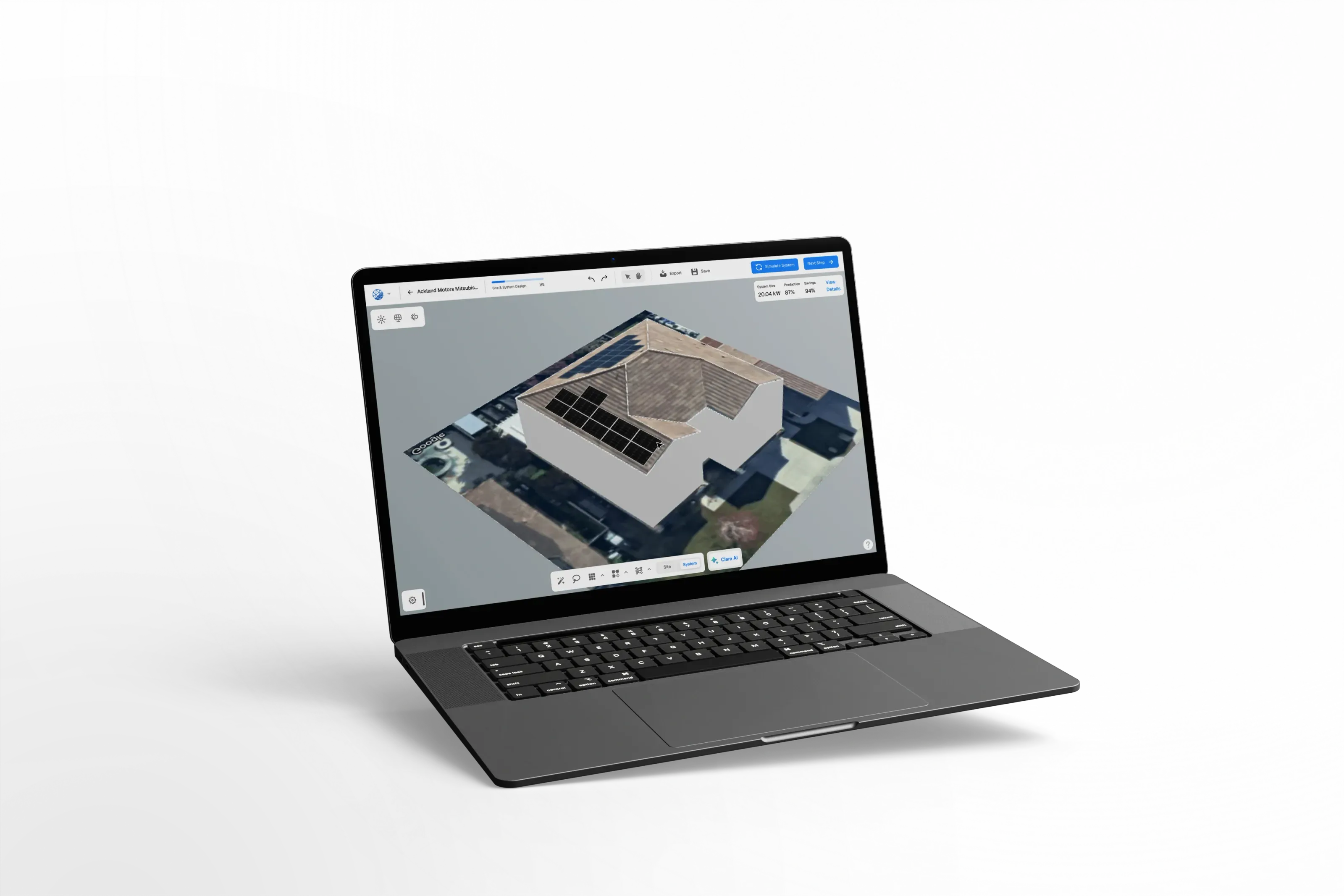
Work through the residential design process
See the roof, layout, electrical, production, and proposal decisions that belong in a complete residential workflow.
Site
Review geometry and obstructions
Yield
Document production assumptions
Quote
Connect financial inputs
Review
Confirm project requirements
Generate Accurate Roof Models in Minutes
Use available imagery to model roof planes and obstructions, then check dimensions and applicable setbacks. Review structural and electrical requirements before issuing the layout.
Review the 3D Roof Model
Model the roof from available imagery, then verify dimensions, roof planes, obstructions and usable areas against site information.
Dormer & Multi-Surface Support
Handles dormers, multi-tilt surfaces, and unusual geometries that other tools fail on. Every obstruction and setback applied correctly.
Layout and Setback Review
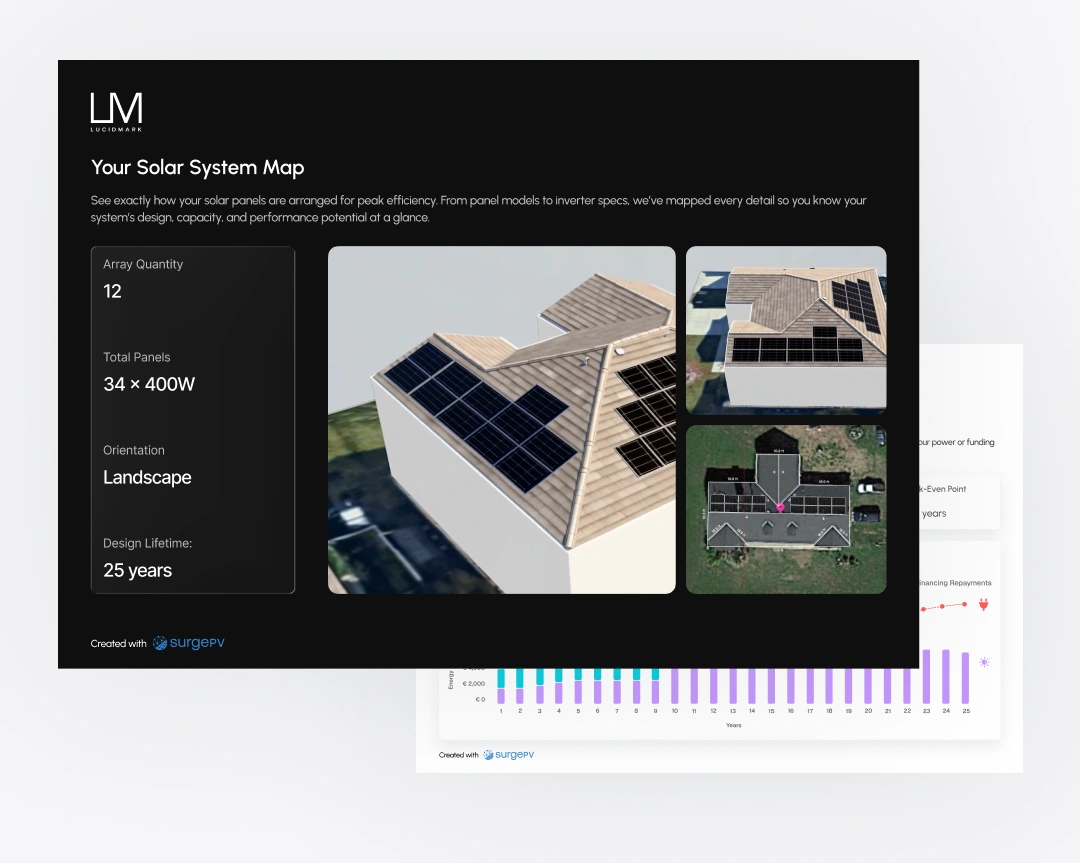
Panels are placed automatically respecting fire codes, setbacks, and aesthetic preferences - permit-ready from the start.
Analyze Shading and Optimize Energy Production
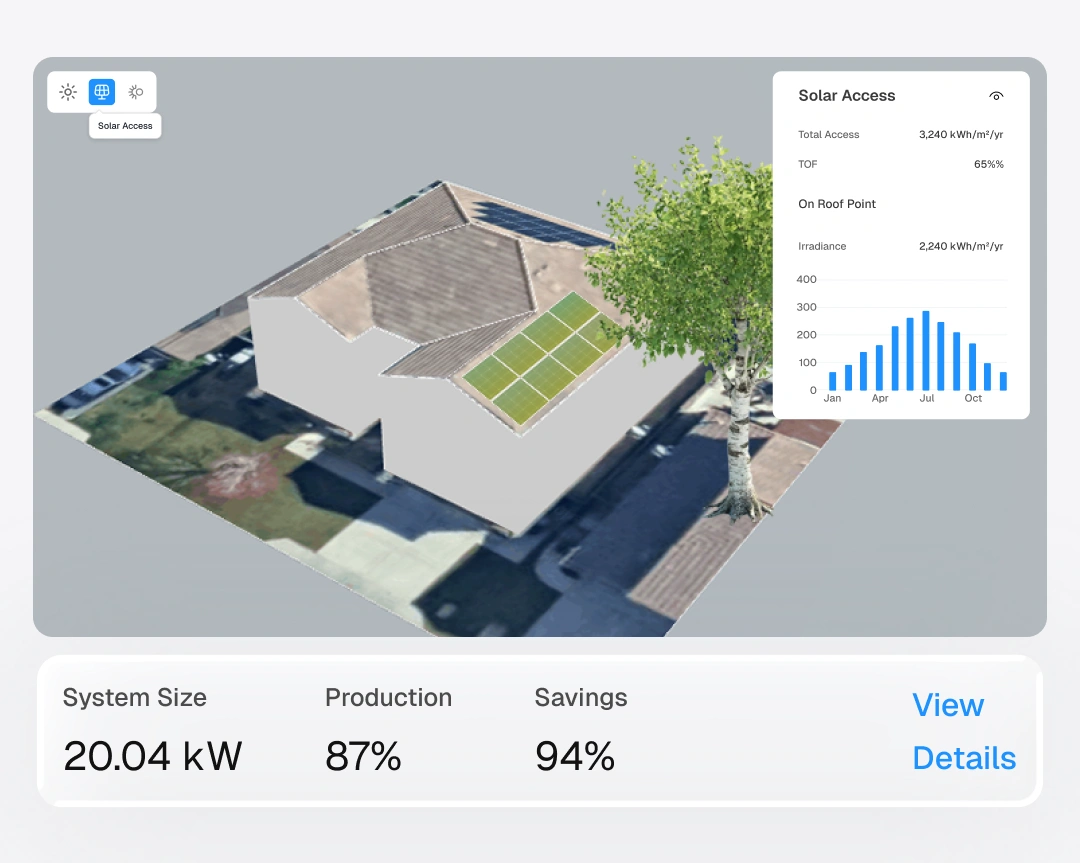
Run detailed shading simulations to visualize performance losses and optimize panel placement. Give homeowners confidence in their long-term savings before they sign.
Hour-by-Hour Shade Simulation
See exactly how shade from chimneys, trees, and neighboring buildings affects energy production throughout the year.
Irradiance & Sun Path Maps
Visualize solar irradiance on every roof surface and confirm tilt and orientation for maximum yield.
Accurate Production Estimates
Production estimates depend on weather, geometry, equipment and modeled losses. Explain those assumptions alongside the homeowner's savings estimate.
Convert Designs Into Proposals That Homeowners Sign
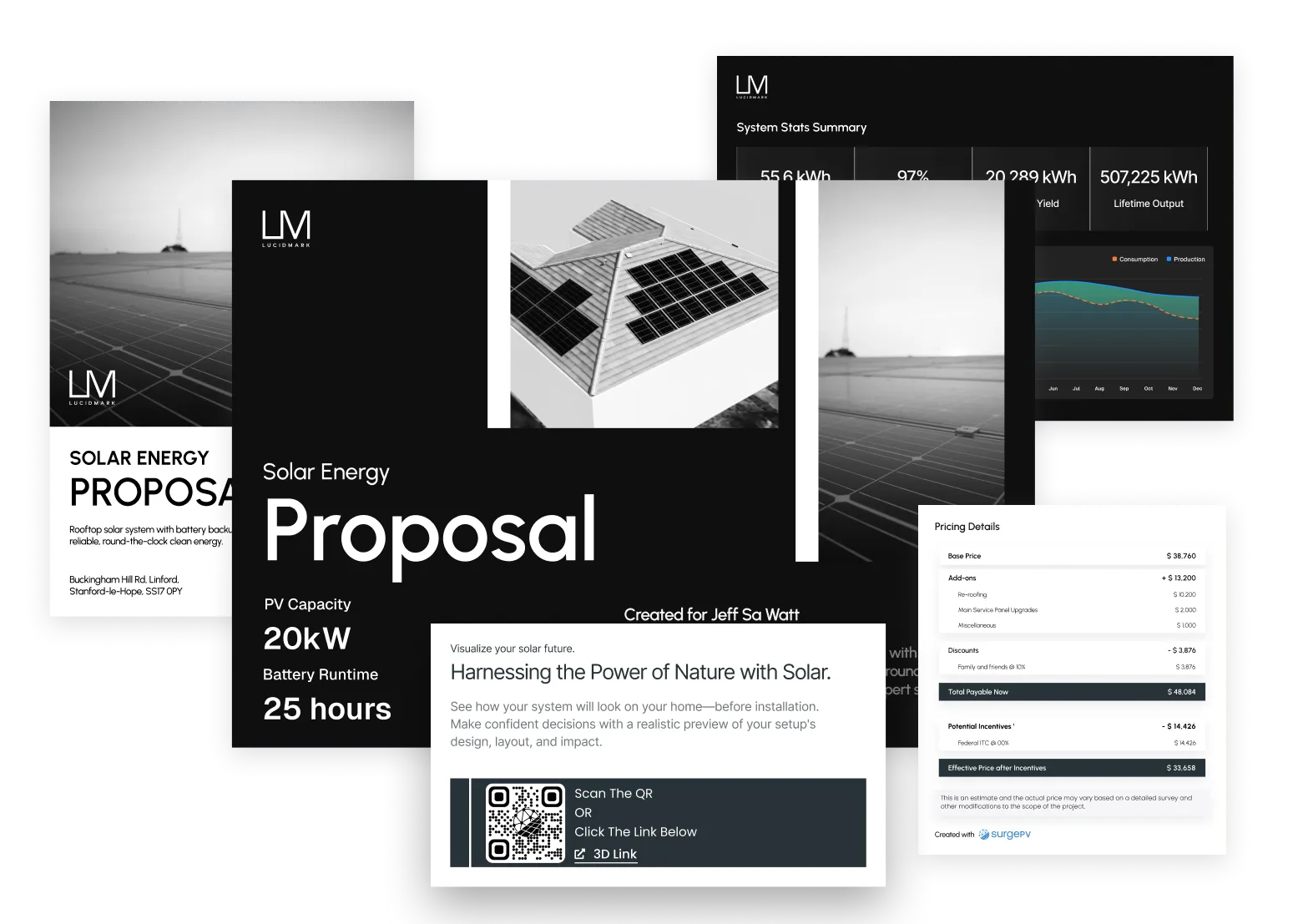
Create professional, branded proposals with solar proposal software that showcases financial savings, production forecasts, and payback timelines. Turn technical designs into presentations homeowners can understand and share with their family.
25-Year
Savings projections with utility escalation
Payback
Clear payback timelines with local incentives
Financing
PPA, loan, and lease comparison built in
Branded
Your logo, your colors, shareable on any device
Residential Design and Proposal in Four Steps
Keep site information, design review and the homeowner's questions connected. Use installation-team tools to prepare a consistent handoff from the roof model to the proposal.
Model the Roof
Enter the address and review the roof model against verified dimensions and site obstructions.
Place Panels
Auto-fill panels optimized for energy production. Setbacks and fire codes applied automatically.
Run the Numbers
Auto-calculate 25-year savings, payback period, and financing options using financial modeling with local rates and incentives.
Send the Proposal
Share a branded proposal with 3D visuals, financials, and BOM before you leave the driveway.
Evidence-first evaluation
Trusted by Residential Installers
SurgePV does not publish customer names, quotations, or performance outcomes without retained consent and substantiation. Use a representative project during a guided demonstration and validate workflow, outputs, assumptions, and fit against your own requirements.
What is the fastest way to design a residential solar system?
Start with verified roof and consumption inputs. Review geometry, module placement and shading in the design workflow, then prepare a proposal with clear production and financial assumptions.
How do solar installers create proposals during home visits?
Installers use SurgePV on a tablet or laptop to model the roof, place panels, and run shading analysis in real time. The platform auto-generates a branded proposal with 3D visuals, ROI projections, and financing comparisons that the homeowner can review and sign on the spot.
What should a residential solar proposal include?
A strong proposal includes a 3D visual of the system on the homeowner's roof, 25-year savings projections, payback period, financing options, equipment specs, and warranty details. SurgePV auto-populates all of this from the design so every proposal is complete and professional.
Project Evaluation Questions
What inputs matter for a residential project?
Prepare the site address and dimensions, roof planes and obstructions, equipment selections, electricity consumption and tariff information. Check required setbacks and structural constraints with the responsible professional.
How should homeowners interpret savings estimates?
Explain the tariff, consumption, production, degradation, incentive and financing assumptions used. Modeled savings depend on those assumptions and are not a guaranteed electricity bill.
How long will design and review take?
Time depends on imagery, roof complexity, input quality, revisions and required professional review. Use a representative project during the demo to assess your workflow.
Design More. Close More. Install More.
Bring a residential address, equipment selections and electricity-use information so the team can demonstrate the design and proposal workflow.
