

The expensive part of a crowded solar software stack is rarely the subscription total. It is the moment when the same module, array size, tariff, customer name, or project price exists in 3 places and nobody knows which version is current.
An installer may begin with a CRM record, model the roof elsewhere, simulate production in another application, rebuild the economics in Excel, and paste the result into a proposal. One late module substitution then turns into a scavenger hunt across files, exports, and messages.
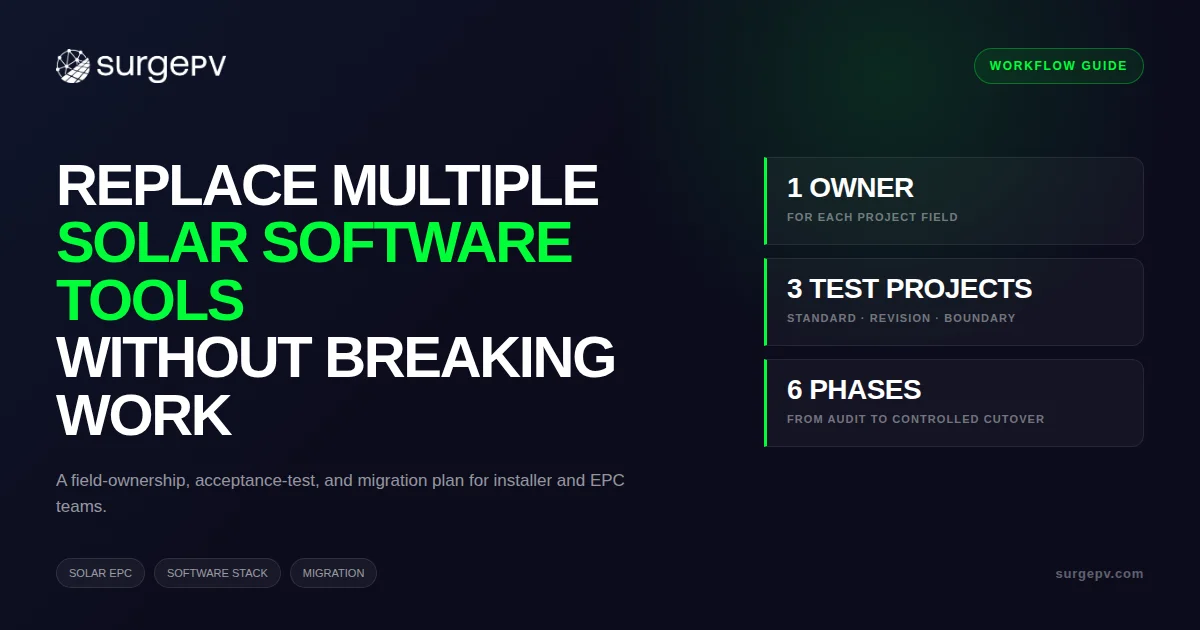
This guide explains how to replace multiple solar software tools without breaking live work. The method starts with field ownership, not vendor names. It shows where an integrated design-to-proposal workspace helps, where a specialist tool should stay, and how to prove the new workflow before retiring anything.
TL;DR — Consolidating Solar Software
PVsyst documents several dozen simulation variables, while NREL’s SAM passes modeled electrical output into annual cash flows. Consolidate the connected design-to-proposal data chain, assign 1 owner to each field, test representative projects, and retain specialist systems where their outputs remain required.
In this guide:
- How to decide whether consolidation is warranted
- How to audit duplicate entry and fragile handoffs
- Which system should own each project field
- What to replace, retain, or connect operationally
- How to test the new workflow before cutover
- How to calculate tool-sprawl costs with your data
- Where SurgePV fits, and what it does not replace
Should You Replace Multiple Solar Software Tools?
Replace multiple solar software tools when adjacent stages depend on the same project data, people re-enter that data, and revisions do not propagate reliably. Keep separate systems when they own genuinely different business records or provide specialist calculations that the replacement cannot reproduce and validate.
That direct answer matters because “all-in-one” can conceal 2 bad decisions. The first is paying for overlapping applications that repeat the same work. The second is forcing every department into a design platform that was never built to run accounting, construction, or asset operations.
Start with 5 questions:
- Does the same field get typed into more than 1 system?
- Can a revision leave an older output looking valid?
- Does one application merely format data produced elsewhere?
- Can the proposed replacement reproduce the required output on a real project?
- Is the current tool a specialist authority, or only a workaround?
The first 3 questions reveal consolidation candidates. The last 2 protect the work that should remain specialized.
| Symptom | Likely cause | Operational consequence |
|---|---|---|
| Array size differs between design and proposal | Manual transfer or stale export | Customer sees economics for the wrong system |
| BOM contains the previous module | Procurement copy was detached from design | Substitution, delay, or rework |
| Sales cannot explain a yield change | Simulation assumptions live outside the proposal | Slow revision and weak customer confidence |
| Designer updates layout but not price | Design and financial model have separate inputs | Margin or quote error |
| Multiple “final” files exist | No controlled release state | Review starts from the wrong version |
| Staff keep private spreadsheets | Shared system lacks needed fields or trust | Hidden process and departure risk |
A useful consolidation target is a connected work unit. For many installers, that unit begins with site geometry and ends with a customer proposal, plus the design-linked bill of materials. Those stages reuse roof, module, inverter, layout, shading, yield, price, and financing assumptions.
The company-wide record is wider. A lead has campaign history and consent. A purchase order has supplier terms. An installation has crew, safety, inspection, and completion records. A payment has accounting controls. Those records can exchange project identifiers without belonging inside the solar design software.
The decision is therefore not “1 tool or 7.” It is “how many authoritative systems does this workflow need, and who owns each field?” A smaller, deliberate stack may still contain several platforms. The difference is that every platform has a defined job.
Decision Rule
Consolidate overlapping creation work. Connect adjacent records through a controlled handoff. Retain specialist analysis when the project, authority, lender, or qualified engineer requires it.
Audit the Workflow Before Comparing Platforms
Do not begin the audit with a list of subscriptions. Begin with 1 recently completed project that represents your normal work. Walk it from lead qualification to signed proposal, design approval, procurement release, and installation handoff.
Record every place where a person creates, copies, checks, exports, or retypes project data. Screenshots and screen recordings are more useful than a policy document because they capture the work people actually perform.
Capture the Current Workflow
Use this audit table for each step:
| Audit field | What to record | Example |
|---|---|---|
| Trigger | Event that starts the step | Site survey approved |
| Person | Role doing the work | PV designer |
| System | Application or file used | Design platform |
| Inputs | Fields consumed | Address, roof, module, setbacks |
| Output | Artifact produced | Approved array layout |
| Next user | Recipient of the output | Sales engineer |
| Transfer | How data moves | PDF, CSV, copy/paste, message |
| Rework trigger | Change that repeats the step | Module unavailable |
| Approval | Person who accepts it | Design lead |
| Archive | Where released output lives | Project folder |
Pay special attention to invisible transfers. A designer may read an address from the CRM and type it into a mapping tool. A sales engineer may look at annual kWh in a PDF and enter the number into Excel. Procurement may count modules from a layout because it does not trust the exported BOM.
These actions often disappear from process maps because the team considers them normal. They are exactly what the audit must expose.
Measure Friction, Not Opinions
For 5 to 10 projects, capture:
- Minutes spent entering the same information again
- Minutes spent checking whether 2 values match
- Number of exports and manual file renames
- Number of revisions after the first proposal
- Number of outputs rebuilt after each revision
- Number of exceptions that require specialist work
- Number of times the team cannot identify the current version
Do not use a broad estimate such as “software wastes half a day.” Track actions with a timer or sample screen recordings. The result becomes the baseline for acceptance testing and the later cost calculation.
Find the Actual Constraint
Tool count alone is a weak metric. A 6-tool stack can work if each tool owns a distinct record and the handoffs are controlled. A 2-tool stack can fail if both applications can edit the same system price and neither signals a conflict.
Classify each failure as one of 4 types:
- Duplicate creation: a person enters the same field twice.
- Detached output: a PDF or spreadsheet no longer updates with its source.
- Unclear authority: 2 systems can change the same field.
- Missing capability: the current workflow uses a spreadsheet because no selected system performs the job.
This classification prevents a common buying error. If the problem is unclear authority, purchasing another integration may create another copy. If the problem is missing capability, removing a tool without replacing the job makes the workflow worse.
Finish the audit with a current-state map and a count of each failure type. That evidence gives vendors a concrete problem to solve and gives your team a fair basis for comparison.
Choose a System of Record for Each Solar Project Field
A system of record is the approved place where a field is created and changed. Other systems may display or use that field, but they do not become competing authorities.
This definition is deliberately field-specific. Calling one application “the company system of record” is too broad for a solar EPC. Customer consent, roof geometry, booked revenue, purchase orders, and as-built documentation have different owners and control needs.
A Practical Field-Ownership Matrix
| Data domain | Typical system of record | Who may edit | Downstream users | Consolidation note |
|---|---|---|---|---|
| Lead identity and consent | CRM | Sales operations | Design, proposals, marketing | Keep in CRM |
| Customer and site contact | CRM | Sales team | Site, design, installation | Pass a controlled copy |
| Roof geometry and obstructions | Solar design platform | Designer | Shading, layout, yield, proposal | Strong consolidation candidate |
| Module and inverter selection | Solar design platform | Designer or engineer | Strings, BOM, yield, pricing | Strong consolidation candidate |
| Approved array layout | Solar design platform | Designer | Yield, BOM, proposal, drawings | Strong consolidation candidate |
| Shading and irradiance assumptions | Simulation/design platform | Designer or analyst | Yield and proposal | Keep with model evidence |
| Energy-production result | Simulation/design platform | Qualified model owner | Finance, proposal, engineering | Retain specialist route when required |
| Sales price and customer financing | Financial/proposal workspace | Authorized sales or finance role | Proposal and CRM summary | Define approval rights |
| Proposal issue and customer acceptance | Proposal system | Sales team | CRM, operations | Keep issue history |
| Design-derived BOM | Solar design platform | Designer, then procurement review | Procurement | Release a controlled revision |
| Supplier price and purchase order | Procurement or ERP | Procurement | Accounting, delivery team | Do not move authority into design |
| Booked invoices and payments | Accounting | Finance | Management reporting | Keep in accounting |
| Crew schedule and field status | Field/construction platform | Operations | Customer, management | Keep in operations system |
| As-built and commissioning record | Document or asset system | Engineering/operations | Owner, O&M | May differ from sales design |
The matrix draws a clean boundary around the design-to-proposal chain. Roof geometry feeds module placement. Module placement feeds string sizing and BOM quantities. Layout and shading feed production. Production and project assumptions feed financial results. Those outputs feed the customer proposal.
When that chain lives in one workspace, a controlled revision can update its dependents. When it spans files, each handoff needs a reconciliation step.
Set 4 Rules for Every Important Field
For each field, document:
- Authority: which system may change it?
- Approval: which role accepts the value?
- Propagation: which outputs must reopen after a change?
- History: where is the previous approved value retained?
Consider a module substitution after the first proposal. The module model changes in the design workspace. That should reopen layout fit, string compatibility, production, BOM, price, and proposal checks. The CRM may display the new module, but it should not be the place where the engineering selection is edited.
Now consider the customer’s email address. The CRM remains authoritative. The proposal workspace uses the value, but changing it in a PDF does not update the customer record.
Separate Truth from Presentation
A proposal is often a presentation of design and financial data, not the original authority for every value shown. A PDF may be the controlled customer issue, yet the underlying array geometry belongs in the design model.
The same distinction applies to a BOM export. The released spreadsheet can authorize procurement for a named revision, but its quantities should originate from the approved design. Supplier pricing, alternates, purchase orders, and received quantities belong in procurement or ERP records.
This separation reduces arguments about which file is “final.” Each artifact is final for a specific purpose. The system-of-record matrix explains what can change it and what a revision must reopen.
Give Every Project a Stable Identifier
Use one project identifier across systems. Do not rely on customer name or street address as the only match because both can be entered differently.
The identifier should appear in exported filenames, proposal metadata, BOM revisions, specialist simulation files, and operational records. A stable ID makes a manual handoff auditable even when a live integration is unavailable.
The objective is controlled ownership, not technical elegance. A CSV transfer with defined fields, revision IDs, and acceptance checks can be safer than an automatic sync that overwrites data silently.
Decide What to Replace, Retain, or Connect Operationally
Every tool in the current stack should receive 1 of 3 decisions: replace, retain, or connect operationally. “Connect” does not imply that a live native integration exists. It means the handoff, identifier, owner, file, and reconciliation rule are documented.
Use real project evidence for the decision. Marketing feature lists are not acceptance tests.
| Current tool or job | Default decision | Replace when | Retain when | Controlled handoff |
|---|---|---|---|---|
| Manual roof-layout file | Replace | Repeatable roof work passes geometry and revision tests | Bespoke drafting is required | Approved geometry export or drawing reference |
| Separate shading calculator | Replace | Obstructions and loss results reconcile | Required method is unavailable in replacement | Model assumptions and report ID |
| String-sizing spreadsheet | Replace | Temperature and inverter constraints pass test cases | Engineer maintains unusual topology calculations | Approved string schedule and revision |
| Yield spreadsheet | Replace | Production results and assumptions reconcile | Specialist or lender method is required | Energy result, assumptions, and model version |
| Financial spreadsheet | Replace for standard offers | Payback, IRR, NPV, tariffs, and scenarios reconcile | Custom project-finance model is required | Approved energy result into finance model |
| Proposal editor | Replace | Branding and technical/financial fields flow correctly | Contract or e-sign workflow has unique needs | Controlled proposal issue |
| General CAD | Retain selectively | Repeatable output can be generated and accepted | Custom construction details remain necessary | Design export and drawing register |
| PVsyst or NREL SAM | Retain selectively | Replacement passes required model and report criteria | Advanced analysis or stakeholder requirement remains | Frozen input and result package |
| CRM | Retain | Never for its core customer-record job | Lead, consent, activity, and deal status live there | Project ID and approved proposal summary |
| Accounting or ERP | Retain | Never for booked transactions | Financial controls and ledgers live there | Contract value, invoice, and cost codes |
| Field-photo or survey app | Retain as needed | Replacement captures required evidence | Offline capture, geotag, forms, or audit evidence matter | Survey package linked by project ID |
| Procurement/inventory | Retain | Never when it controls stock and orders | Supplier, stock, PO, and receipt records live there | Released BOM revision |
| Construction scheduling | Retain | Never when crews and dependencies are managed there | Field execution has dates, resources, safety, and inspections | Approved design package and change notice |
Why Specialist Engineering Tools May Stay
PVsyst’s official documentation says its simulation handles several dozen variables and can run hourly or sub-hourly time steps. That is a different job from producing a fast customer proposal. For advanced commercial or utility-scale work, a lender, independent engineer, owner, or internal standard may require a named simulation method and report.
NREL’s System Advisor Model photovoltaic documentation describes detailed module and inverter models, shading and loss options, and system sizing. Its financial documentation covers residential, commercial, third-party, PPA, community-solar, and merchant-plant models.
These facts do not mean every rooftop proposal needs both tools. They show why a procurement decision should preserve specialist analysis when the project requires it.
Why CAD May Stay
AutoCAD is not a solar proposal platform, but it remains useful for custom engineering and drawing work. Autodesk’s Electrical toolset workflow covers projects, drawings, schematics, wires, panel layouts, reports, and printing.
If an EPC produces bespoke construction details, complex equipment arrangements, or deliverables specified in DWG, removing CAD may create a gap. The better decision may be to stop using CAD for repeatable early layouts while retaining it for controlled downstream drafting.
What SurgePV Does Not Replace
SurgePV does not replace:
- CRM and lead-management systems
- Accounting, tax, or ERP ledgers
- Dispatch and crew scheduling
- Field-photo and offline survey applications
- Payment processing
- Inventory, procurement, and purchase-order control
- Construction management and safety records
- Operating-asset monitoring or maintenance management
- Structural analysis and stamped engineering
- Every specialist utility-scale or lender-mandated study
Do not count roadmap, API or field-capture functions in a replacement case without demonstrated current availability and written scope.
That boundary makes the consolidation claim more useful. SurgePV can own verified design-to-proposal work. The other systems retain their records, with a controlled handoff at each boundary.
Build the Design-to-Proposal Workflow in One Workspace
The strongest consolidation opportunity is the work where one calculation becomes the next step’s input. In solar, the approved site model should inform layout, shading, energy production, project economics, proposal visuals, and design-derived material quantities.
A solar software workspace can reduce handoffs across those stages. The improvement does not come from having fewer browser tabs. It comes from keeping the dependent records connected to the approved design revision.
Before and After Consolidation
| Workflow stage | Disconnected workflow | Connected design-to-proposal workflow |
|---|---|---|
| Site model | Roof traced in a stand-alone file | Roof and obstruction model becomes the design base |
| Array layout | Module count exported as a screenshot | Module selection and placement remain part of the project |
| String sizing | Values copied to a spreadsheet | Strings reference selected modules and inverters |
| Shading | Loss factor typed into another model | Shading and irradiance results remain tied to site geometry |
| Production | Annual kWh copied from report | Yield result feeds the project financial workspace |
| Finance | Price and energy rebuilt in Excel | Project inputs support payback, IRR, and NPV |
| Proposal | Layout, kWh, and savings pasted into a template | Branded proposal uses project outputs |
| BOM | Quantities counted or transcribed | Design produces a BOM for review and release |
| Revision | Every downstream file is found manually | Affected checks and outputs are regenerated |
The connected workflow still needs approvals. Automation should make a change visible and traceable, not silently declare it correct.
1. Create the Site and Project Record
Start with a stable project ID and approved address. The site record should include usable imagery or survey data, roof dimensions, roof planes, obstructions, applicable setbacks, and notes about site uncertainty.
SurgePV’s solar designing workflow supports 3D rooftop modeling and module layout in a cloud workspace. If source imagery is insufficient, the designer should record that limitation and obtain better measurements. Consolidation does not make uncertain site data accurate.
2. Select Equipment and Complete the Layout
Choose modules and inverters from the available multi-region database, then complete panel placement and string sizing. The equipment identifiers must persist into downstream checks and the BOM.
A replacement test should include a module substitution with different dimensions and electrical characteristics. The layout, strings, yield, BOM, and proposal must be reviewed again. Passing a simple first design does not prove revision control.
3. Model Shading and Energy Production
SurgePV’s solar shadow analysis software uses a cloud-rendered 3D model for obstruction shading and physics-based irradiance analysis. The result should remain connected to the site model that produced it.
Energy yield is then simulated in the generation and financial workspace. Store the assumptions used, not only the annual kWh result. Weather source, losses, equipment, orientation, and shading context matter when another reviewer tries to explain a change.
4. Model the Offer
The solar financial modeling supports energy-yield simulation and payback, IRR, and net present value in the same workspace. Use approved project costs, tariff assumptions, and offer terms.
Financial editing rights should be separate from design rights when the team requires it. A designer may own geometry and equipment. A finance or sales manager may own selling price and financing assumptions. One workspace does not mean every user can change every field.
5. Generate the Customer Proposal
SurgePV’s solar proposal software creates branded PDF proposals with financial results and visuals. The proposal should identify its project and revision so the team can distinguish the controlled customer issue from a preview.
If the customer requests a different system size, return to the design record. Do not edit the capacity only in the proposal. That shortcut creates a technically polished document built on a false relationship.
6. Review and Release the BOM
The design workflow generates a BOM from the system configuration. Procurement should review part identifiers, commercial availability, required accessories, quantities, and substitution status before ordering.
The design-generated BOM is not an inventory system or purchase order. It is a controlled engineering input to procurement. Supplier terms, stock, orders, receipts, and actual costs stay in the procurement or ERP platform.
7. Verify Assistance Within Its Offered Scope
The Clara AI page describes a solar assistant. Evaluate a specific task in the offered configuration and record manual dependencies; assistance is not qualified engineering acceptance or an operations-system replacement.
Bring Your Current Solar Software Stack to a Live Review
Share 1 real project, the tools you use, and the handoff that causes rework. See which design-to-proposal stages SurgePV can consolidate and which systems should remain.
Book a DemoBring representative project inputs and required outputs
Run Acceptance Tests Before You Retire Any Tool
A successful demo proves that software can complete a prepared example. An acceptance test proves that your team can run its own work, including late changes and non-standard cases.
Create pass/fail tests before the pilot. If the criteria are written after the result, the team may excuse gaps because switching already feels inevitable.
Use 3 Representative Projects
A suggested starting test set contains:
- Standard project: the work your team completes most often.
- Revision project: a normal project with a late module, inverter, layout, price, or tariff change.
- Boundary project: a job that may require specialist analysis, custom CAD, or an operational handoff.
For a residential installer, the boundary project might include a complex multi-pitch roof or incomplete imagery. For a commercial solar EPC, it might include a large flat roof, several inverters, a custom financial case, or a deliverable required by an external reviewer.
Acceptance-Test Matrix
| Test | Action | Evidence to retain | Pass condition |
|---|---|---|---|
| Geometry | Model a surveyed site | Dimension comparison and screenshots | Differences fall within internal tolerance |
| Equipment | Select approved module and inverter | Part IDs and data sheets | Correct equipment persists downstream |
| Stringing | Complete standard and edge cases | String schedule and warnings | Constraints are visible and reviewable |
| Shading | Model known obstructions | Input model and result report | Method and assumptions are explainable |
| Yield | Reproduce approved baseline | Assumption sheet and result | Difference meets documented tolerance |
| Finance | Rebuild approved offer | Input and output comparison | Payback, IRR, NPV, and cash flows reconcile |
| Proposal | Issue a branded customer document | PDF and revision record | Technical and financial data match project |
| BOM | Export design-derived quantities | BOM and manual check | Counts and equipment match approved design |
| Revision | Substitute module after proposal | Change log and regenerated outputs | Affected outputs reopen and update |
| Permissions | Attempt edits from each role | Role test record | Unauthorized edits are prevented or detected |
| Boundary | Run a known non-fit project | Escalation record | System sends work to specialist path |
| Archive | Retrieve superseded and final outputs | Archive test | Team can identify approved and obsolete versions |
| Rollback | Return pilot project to old process | Rollback checklist | Work can continue without data loss |
Reconcile Methods, Not Only Totals
Two tools can produce similar annual kWh for different reasons. Compare equipment, orientation, shading, losses, weather inputs, time step, and calculation settings before declaring a pass.
The same rule applies to finance. A matching payback result can hide different cash-flow timing, escalation, discount rate, replacement cost, or tax treatment. Compare the input model and yearly cash flows, not only the headline metric.
NREL explains that SAM’s financial model uses electrical output from the performance model to calculate annual cash flows. That dependency is a useful acceptance pattern: validate the technical output first, then validate the financial translation.
Test Revision Propagation
The revision test is the heart of consolidation. Perform at least these changes after the first proposal issue:
- Change module model and dimensions
- Change inverter selection
- Remove a shaded roof plane
- Change system price
- Change tariff or consumption assumption
- Change proposal branding or language copy
For each change, write down which outputs should remain valid and which should reopen. A price change should not alter roof geometry. A module change may affect layout, strings, energy, BOM, price, and proposal.
The system passes only when users can see the new state, issue a controlled revision, and identify the superseded output. A regenerated PDF without change history is faster production, not full control.
Test Exceptions and Escalation
Good software should refuse or flag work outside its validated path. Include a project that requires custom structural analysis, a lender-specific simulation, a complicated electrical topology, or a detailed construction drawing.
The desired result may be an escalation, not an automated output. Document who owns the exception, what file crosses the boundary, and what approval returns to the main project record.
Include Security and Administration
Test user creation, role changes, former-employee access, project visibility, export permissions, and audit needs. A technical workflow cannot become the project record if the company cannot control who sees and changes it.
Also test normal administrative work: equipment-library updates, templates, branding, tariff maintenance, and archive retrieval. The effort required to maintain a platform belongs in the business case.
Use an Acceptance Register
For every test, record owner, date, project ID, expected result, actual result, evidence link, severity, corrective action, and retest status. A shared register turns the pilot into a decision process rather than a sequence of impressions.
Do not retire a current tool because most tests pass. Classify failures as cutover blockers, accepted gaps with a controlled workaround, or specialist routes that remain in the target stack.
Migrate Without Disrupting Live Solar Proposals
Migration should reduce risk in stages. Moving every open project on one date gives the team no clean reference when a result differs.
Use 6 phases with explicit exit gates.
Phase 1: Freeze Definitions
Agree on project IDs, equipment identifiers, status names, design approval states, proposal revision rules, and field owners. Record the current workflow baseline.
This step often exposes the real problem. If sales and engineering use “approved” to mean different things, new software will carry the ambiguity forward.
Phase 2: Clean Reusable Data
Review equipment lists, proposal templates, standard loss assumptions, tariffs, financing inputs, branding, and user roles. Remove duplicates and mark obsolete records before import or setup.
Spreadsheet migration deserves the same discipline as software development. A spreadsheet development and testing guide hosted by NIST treats documentation, maintenance, migration, integration, and system testing as lifecycle work. That is a sound approach for formulas that have become business systems.
Phase 3: Pilot New Projects
Choose a small group of new projects that represent normal work. Avoid moving the hardest job first, but do not choose only ideal roofs.
Keep the pilot team small enough to observe. Record help requests, workarounds, unexpected fields, and steps that still occur outside the platform.
Phase 4: Run in Parallel
For the acceptance set, complete old and new workflows using the same frozen inputs. Compare technical, financial, proposal, and BOM outputs.
Parallel production adds temporary labor. Budget for it. The extra work buys evidence and a rollback path.
| Parallel-run decision | Cutover requirement |
|---|---|
| Standard designs | Geometry, equipment, strings, shading, and output tests pass |
| Financial models | Assumptions and yearly cash flows reconcile |
| Proposals | Customer-facing values and revision identifiers match |
| BOM | Parts and quantities match approved design |
| Exceptions | Specialist route and owner are documented |
| Users | Role-based tasks pass without private workarounds |
| Archive | Superseded and final records are retrievable |
| Rollback | Old workflow can resume for named projects |
Phase 5: Cut Over by Project State
New leads and early-stage projects are easier to move than projects with signed proposals, purchase orders, or construction underway. Define cutover by project state, not by a vague calendar date.
For example:
- New opportunities start in the target workflow.
- Projects before first proposal may migrate after validation.
- Signed proposals remain in the old workflow until the next formal revision.
- Procurement-released and construction-stage projects keep their existing controlled records.
This approach avoids converting history simply to claim full adoption.
Phase 6: Retire and Archive
Turn off new creation in the retired tool before canceling access. Export required records, preserve readable files, document retention, and test retrieval.
Name the owner of the archive. A folder of exports without an index, project IDs, or format documentation is not a usable archive.
Keep a short period for read-only access when contract terms allow. Then remove licenses deliberately and update onboarding, process maps, security records, and training materials.
Train by Role and Failure Mode
Sales users need to revise an offer without detaching it from the design. Designers need to handle equipment changes and exceptions. Managers need to identify the current approved issue. Administrators need to control users and templates.
Training should include failure recovery. Ask users to find a superseded proposal, correct a wrong tariff, restore a project after an accidental change, and escalate an unsupported case. A polished happy path is not enough.
Calculate the Cost of Solar Software Tool Sprawl
Calculate tool-sprawl cost from your measured workflow, not from a generic productivity percentage. Include cash expense, labor, revision rework, delay, and migration cost.
Use this annual formula:
Current annual cost = subscriptions + administration + duplicate-entry labor + reconciliation labor + revision rework + attributable delay cost
Then calculate:
Target annual cost = new platform + retained tools + administration + residual handoffs + annualized migration and training
The difference is the expected annual benefit. Divide migration and one-time setup cost by monthly benefit to estimate break-even.
Use Loaded Labor Cost
Loaded hourly cost should include salary or contractor rate plus the employment and operating costs your finance team assigns. Do not use customer billing rate unless the displaced time can truly be sold at that rate.
For each activity:
Annual labor cost = projects per month × 12 × minutes per project ÷ 60 × loaded hourly cost
Separate duplicate entry from useful review. Checking a proposal against the design may remain necessary. Retyping the approved annual production number should not.
Worked Example with Reader-Replaceable Inputs
The following example is illustrative. It is not an industry benchmark.
Assume an EPC processes 12 proposals per month. Its team measures 45 minutes of duplicate entry, 25 minutes of reconciliation, and 35 minutes of revision rework per proposal. The blended loaded labor cost is $48 per hour.
| Input | Assumption |
|---|---|
| Proposals per month | 12 |
| Duplicate-entry time | 45 min/proposal |
| Reconciliation time | 25 min/proposal |
| Revision rework | 35 min/proposal |
| Total measured friction | 105 min/proposal |
| Loaded labor cost | $48/hour |
| Current overlapping subscriptions and administration | $15,600/year |
| Proposed platform plus retained tools | $10,800/year |
| One-time migration and training | $7,500 |
| Residual friction after pilot | 30 min/proposal |
Current measured labor friction:
12 × 12 × 105 ÷ 60 × $48 = $12,096 per year
Residual labor friction:
12 × 12 × 30 ÷ 60 × $48 = $3,456 per year
| Cost component | Current | Target |
|---|---|---|
| Software and administration | $15,600 | $10,800 |
| Measured workflow friction | $12,096 | $3,456 |
| Annual operating total | $27,696 | $14,256 |
| Annual operating difference | $13,440 | |
| One-time migration and training | $7,500 | |
| Illustrative break-even | About 6.7 months |
Replace every assumption with measured company data. If the new workflow saves less time, requires more retained tools, or adds administration, the result will change.
Run a Sensitivity Check
Using the same 12 proposals per month and $48 loaded hourly cost:
| Minutes removed per proposal | Annual labor value |
|---|---|
| 20 | $2,304 |
| 45 | $5,184 |
| 75 | $8,640 |
| 105 | $12,096 |
This table shows why volume matters. A small installer may choose consolidation for control and proposal consistency even when labor savings alone do not justify a large migration. A higher-volume team can reach break-even faster.
Include Costs That Are Easy to Miss
Add these when they are measurable:
- Vendor administration and license provisioning
- Internal template maintenance
- Training for each retained application
- Export storage and document retrieval
- Revision-related proposal delay
- Incorrect BOM or pricing rework
- Temporary parallel-run labor
- Data cleanup and archive creation
- Contract overlap during transition
- Specialist work that remains after consolidation
Avoid assigning a dramatic revenue value to every delayed proposal. Use actual loss data only when the CRM supports it. A conservative model that excludes uncertain upside is easier to defend.
Subscription price is one input, not the decision. Compare SurgePV pricing with the retained stack, migration effort, and measured residual work.
Know When Consolidation Is the Wrong Decision
Consolidation is wrong when it removes a validated capability, hides project risk, or pushes a specialized record into a system that cannot govern it.
The most obvious non-fit is advanced engineering. A utility-scale project may require detailed time-step simulation, complex loss modeling, lender review, electrical studies, civil design, structural calculations, geotechnical analysis, and issued construction drawings. No design-to-proposal platform should be presented as a substitute for that full scope.
Keep Specialist Simulation When Required
Retain PVsyst, SAM, or another validated specialist path when a stakeholder requires its method, report, model detail, or independent review. Freeze the design inputs passed into that tool and return the approved result with its model version and assumptions.
Do not type a specialist result into a proposal without traceability. Store the report or controlled summary and record which design revision it evaluates.
Keep CAD and Engineering Documentation Where Needed
Retain CAD for custom details, construction drawings, unusual electrical arrangements, owner templates, or authority requirements that the consolidated workflow does not satisfy. Define which design export starts CAD work and how a later design change triggers drawing review.
The handoff needs a drawing register, revision, owner, and acceptance state. Otherwise CAD remains a detached final file even after early design improves.
Keep Operational Systems in Their Domains
CRM should keep lead history, consent, tasks, and deal status. Accounting should keep invoices, payments, tax records, and the ledger. Procurement should keep suppliers, stock, POs, deliveries, and actual cost. Construction systems should keep schedule, crew, safety, inspections, punch lists, and completion.
SurgePV does not replace those functions. It can pass approved project outputs to their owners through documented operational procedures.
Keep Field Tools When the Site Demands Them
A cloud design platform does not automatically replace offline field capture, geotagged photos, measurement hardware, drone processing, survey forms, or inspection evidence. Retain the field method that produces reliable site truth.
Connect the survey package to the stable project ID. Record the survey date, collector, device or method, limitations, and approval.
Avoid Consolidation for Its Own Sake
If 2 tools have a stable handoff, low duplicate work, clear ownership, and outputs that meet requirements, replacing one may not be worth the migration risk. Fewer tools is not the final metric.
The stronger target is fewer uncontrolled copies, fewer unexplained assumptions, and faster controlled revision. A deliberate stack can contain specialist tools without becoming fragmented.
Honest Non-Fit Test
Ask the proposed platform to run the project most likely to leave its standard path. A credible evaluation identifies the boundary, preserves the specialist route, and defines the return handoff.
Evaluate SurgePV Against Your Current Stack
SurgePV is a fit when the team wants to consolidate rooftop and C&I design-to-proposal work in a cloud workspace. Evaluate it against the exact fields and outputs found in your audit.
| Workflow need | Vendor-reported workflow to verify | Evidence to request in demo | Boundary |
|---|---|---|---|
| Rooftop model and layout | 3D rooftop modeling and module layout | Build your representative site | Better source data may still be required |
| Electrical configuration | String sizing | Change equipment and recheck strings | Unusual engineering may need specialist review |
| Materials | Design-linked BOM | Substitute a module and regenerate | Procurement and inventory remain separate |
| Shading and irradiance | Physics-based analysis on 3D model | Model a known obstruction | Validate method for project requirement |
| Energy production | Energy-yield simulation | Reconcile approved assumptions and result | Specialist model may remain for advanced work |
| Project economics | Payback, IRR, and NPV | Compare yearly inputs and outputs | Accounting and custom project finance remain separate |
| Customer proposal | Branded PDF with financials and visuals | Issue and revise a real proposal | CRM, contract, and e-sign records may remain elsewhere |
| Assistance | Clara AI for design and proposal copy | Test an in-scope task and review output | Not an engineering authority or operations system |
| Access model | Cloud-only | Test users and project access | No desktop installation |
Bring a Requirements Packet to the Demo
Prepare:
- One standard project and its approved outputs
- One project with a late equipment or price revision
- One boundary project that may stay specialized
- Current system-of-record matrix
- Current tool list and renewal dates
- Measured minutes for duplicate work
- Required proposal and BOM formats
- Required technical and financial assumptions
- User roles and approval responsibilities
- Archive, export, and retention needs
During the demo, ask the specialist to build or revise the project. Do not accept a generic feature tour as proof.
Test the Product Boundary
Ask which records remain outside SurgePV and how the team should handle them today. The correct answer should retain CRM, accounting, ERP, dispatch, field operations, procurement, construction, asset management, structural analysis, and specialist engineering where needed.
Ask separately about current demonstrated functions and roadmap items; do not treat a roadmap as delivered replacement capability.
Score Evidence, Not Feature Count
Use a weighted evaluation such as:
| Criterion | Suggested weight |
|---|---|
| Required output passes on real projects | 30% |
| Revision propagation and control | 20% |
| Product fit for project mix | 15% |
| Model transparency and review | 10% |
| User roles and administration | 10% |
| Migration and training effort | 5% |
| Annual operating cost | 5% |
| Vendor support for implementation | 5% |
Adjust the weights to your company. An EPC with lender-reviewed work may assign more weight to simulation evidence. A residential sales team may assign more to proposal revision speed and user adoption.
The result should state which tools SurgePV replaces, which remain, and which handoffs change. That target stack is more useful than a promise to replace everything.
Conclusion: Consolidate the Data Chain, Not the Whole Company
The best reason to replace multiple solar software tools is not a smaller subscription list. It is a controlled project record in which design changes reach shading, yield, finance, proposal, and BOM work without hidden re-entry.
That outcome depends on governance as much as software. Each important field needs 1 owner, each released artifact needs a revision, and each project exception needs a named route. Without those rules, a new platform can become one more place where the team stores a plausible version.
Do not measure the project by licenses canceled in the first month. Measure duplicate-entry minutes removed, reconciliations avoided, revisions completed without stale outputs, and projects that reach the correct specialist without confusion. Recheck those measures after 30, 60, and 90 days.
Keep the old process available until the evidence supports cutover. Preserve active-project commitments, readable archives, and the ability to explain how every customer-facing number was produced. The cleanest migration is the one customers never notice.
Start with these actions:
- Audit 5 to 10 projects and measure duplicate entry, reconciliation, revision work, and exceptions.
- Assign one system of record to every important field, then classify each tool as replace, retain, or connect operationally.
- Run standard, revision, and boundary projects in parallel before retiring any application.
Keep the boundary explicit. SurgePV can consolidate verified design-to-proposal work. It does not replace CRM, accounting, ERP, dispatch, field evidence, procurement, construction operations, structural analysis, or every specialist engineering study.
If the design-to-proposal chain is where your team loses time and control, book a SurgePV demo. Bring one project and your current tool list. The review can focus on your actual field ownership, outputs, and non-fit cases.
The immediate next step is simple: choose one representative project and list every place its address, equipment, system size, annual production, price, and proposal revision appear. That 1-page map will show whether your main problem is duplicate creation, detached output, unclear authority, or a missing capability. It also gives a vendor something specific to prove.
Frequently Asked Questions
What software does a solar EPC need?
A solar EPC usually needs separate capabilities for customer records, site and PV design, production modeling, financial analysis, proposals, engineering documents, procurement, construction delivery, accounting, and operating assets. One platform may own several adjacent jobs, but each project field should have one named system of record.
Can one platform replace PVsyst, AutoCAD, Excel, and proposal software?
One platform can replace that combination for repeatable projects only if its design, simulation, financial, proposal, BOM, and output tests pass on the EPC’s real work. Advanced utility-scale simulation, custom construction drawings, structural analysis, or lender-specific studies may still require specialist tools and qualified review.
Which solar software should remain the system of record?
Choose the system of record field by field. A CRM should normally own lead and customer status, a solar design platform should own site geometry and the approved PV configuration, accounting should own booked financial transactions, and construction software should own field execution.
How do you calculate the cost of solar software tool sprawl?
Add annual subscription and administration costs to the loaded labor cost of duplicate entry, reconciliation, revision rework, and avoidable delays. Use measured project counts and minutes from your own workflow, then compare the current total with the proposed platform, migration, training, and retained-tool costs.
How do you migrate without disrupting live solar proposals?
Freeze field definitions, clean reusable data, pilot representative projects, and run old and new workflows in parallel. Retire a tool only after outputs reconcile, late revisions propagate correctly, users pass role-based tests, archives are accessible, and a documented rollback path exists.
What tools does SurgePV not replace?
SurgePV does not replace a CRM, accounting or ERP system, dispatch platform, field-photo application, payment system, inventory or procurement platform, construction scheduler, asset-management system, structural analysis package, or every specialist utility-scale engineering tool. It consolidates verified design-to-proposal work.
Where this fits
This article is part of SurgePV's Solar Design hub, which works through the topic from first principles to the decisions a project team actually has to make.


