

Quick Answer
Choose a solar subsidy installer only after confirming the current official scheme, applicant, connection, address, portal, DISCOM, vendor record, and equipment rules. Then verify the legal entity, local team, survey, design, gross quote, support estimate, payment milestones, construction controls, commissioning, handover, warranties, claim support, and service. No installer controls approval or disbursement.
Quick Answer
Choose a solar subsidy installer only after confirming the current official scheme, applicant, connection, address, portal, DISCOM, vendor record, and equipment rules. Then verify the legal entity, local team, survey, design, gross quote, support estimate, payment milestones, construction controls, commissioning, handover, warranties, claim support, and service. No installer controls approval or disbursement.
The solar subsidy installer India search does not lead to a permanent national licence category. The useful question is narrower: which legal entity fits this route today?
Start with the scheme and application record. Do not start with a ranked company list, advertisement, logo, review score, or discounted net price.
Stop the subsidy claim if the official route cannot be established. The project may still be evaluated as unsubsidized work, with that basis stated clearly.
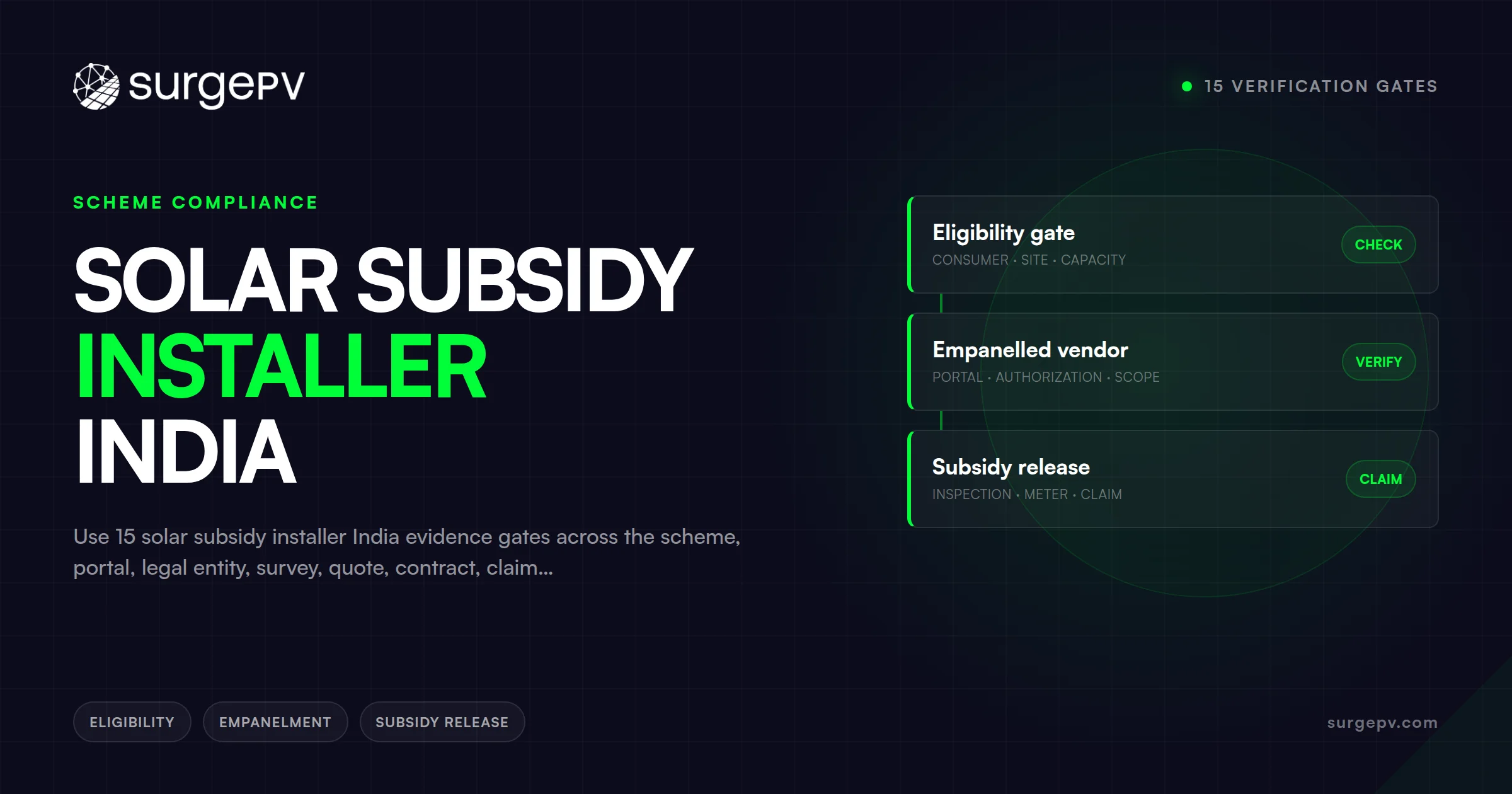
Use 15 solar subsidy installer India verification gates
Apply these gates in order. A later strength should not cure an earlier route, identity, safety, or payment failure.
| Gate | Required evidence | Stop condition |
|---|---|---|
| Official route | Current scheme, component, portal, authority, and DISCOM | Route or current availability cannot be established |
| Applicant | Eligible legal applicant, consumer, connection, address, and rights | Consumer or property evidence conflicts |
| Application | ID, current state, submitted facts, acknowledgements, and dependencies | Installer substitutes its claim for portal evidence |
| Vendor | Matching portal record, legal name, identifier, date, and scope | Name, route, location, or status differs |
| Legal entity | Constitution, GST, signatory, contract, invoice, and payee | Money or obligations flow to another unexplained party |
| Serviceability | Pincode acceptance, team, branch, partners, and escalation | Listing exists but delivery ownership is absent |
| References | Permissioned, comparable, recent project evidence | References are unverifiable or unrelated |
| Survey | Measured roof, service, structure, routes, risks, and interfaces | Quote precedes adequate site evidence |
| Design | Controlled layout, strings, SLD, BOM, checks, and assumptions | Sales estimate is presented as approved design |
| Equipment | Exact models, scheme evidence, supply, warranties, and substitutions | Brand-only or equivalent wording remains |
| Commercial | Identical RFP, gross price, tax, support estimate, and exclusions | Expected support hides total price or owner work |
| Contract | Responsibilities, changes, approvals, payment, default, and exit | Approval or disbursement is guaranteed |
| Delivery | Safety, quality, inspections, tests, and defect closure | Work proceeds from unapproved changes |
| Handover | Drawings, serials, records, credentials, warranties, and training | Final evidence remains incomplete |
| Service | Named local route, spares, escalation, continuity, and exit | Marketing claims replace operational evidence |
These are pass gates, not weighted marketing criteria. A vendor should pass every applicable gate before award.
Start with the exact official support route
The word subsidy can refer to unrelated mechanisms. Record the official name, component, authority, applicant class, geography, and date before contacting installers.
For eligible household rooftop projects, PM Surya Ghar may be the relevant central route. MNRE maintains the Grid Connected Rooftop Solar Programme page with current programme documents and portal links.
Read the residential CFA operational guidelines with later amendments and clarifications. Then verify the live application record.
Do not transfer household CFA to a commercial or industrial electricity connection. Do not transfer one state, DISCOM, licensee, portal, or vendor record to another.
Separate these routes:
- Eligible residential consumer CFA under the current central programme
- Group housing or resident welfare treatment where the current component applies
- Residential work without central CFA
- Current state or union territory support
- Agricultural pump, feeder, or land-linked components
- PM-KUSUM routes
- Commercial and industrial rooftop projects
- Ground-mounted, captive, open-access, storage, or backup projects
The PM-KUSUM solar company guide owns agricultural company selection. Its components, authorities, tenders, finance, and contribution structures differ.
A live portal does not prove that every application route is open. A guideline does not prove budget, sanction, equipment acceptance, or disbursement for one consumer.
Record the application window or current state. If uncertain, request written clarification from the responsible official channel before representing the project as supported.
Freeze the applicant and connection identity
Create one consumer identity sheet. Every portal, quote, contract, invoice, bank, inspection, and claim record should reconcile to it.
Record:
- Legal applicant or beneficiary name
- Electricity consumer name and number
- Connection category and tariff description
- Service address and pincode
- Meter, phase, voltage, and sanctioned load
- Property owner and roof rights
- Occupier, society, or landlord permissions
- Existing solar, storage, generator, or backup equipment
- Prior capacity, support, or application
- Current application ID and portal account
- Applicant bank and identity records where officially required
The applicant, consumer, owner, occupier, society, and bank-account holder may differ. The official route and contract must address those differences.
Compare the current bill with portal entries. Resolve spelling, address, account, category, load, and meter conflicts before design or payment milestones.
Do not let a salesperson alter capacity, equipment, bank, price, or claim facts without the consumer’s recorded approval. Preserve the prior and revised records.
The consumer should retain portal credentials, registered phone, email, OTP control, bank data, approvals, invoices, receipts, serials, and warranties. Installer assistance does not transfer ownership.
Never provide blank signed documents or unrestricted bank access. Limit each authorization to its named action, record, duration, and responsible person.
Use the portal as discovery, not endorsement
Begin vendor discovery through the official route for the exact connection. The National Portal provides a knowledge centre for programme participants.
MNRE also publishes a dated vendor registration process. Confirm later changes and the live portal record.
For each candidate, record:
- Portal or vendor name exactly as displayed
- Vendor identifier where shown
- Component, state, DISCOM, or licensee scope
- Registration or status shown
- Checked date and permitted screenshot or export
- Expiry, renewal, suspension, or limitation where shown
- Branch and pincode acceptance
- Contact used for confirmation
- Project acceptance or rejection in writing
A list entry does not prove that the vendor accepts a project. It does not prove local crew, stock, design competence, schedule, or service quality.
Check serviceability for the address and pincode. Ask who performs survey, design, installation, electrical work, documentation, commissioning, and service.
Reject copied logos, edited screenshots, mismatched legal names, unverifiable identifiers, expired records, or instructions to bypass the official route.
The PM Surya Ghar vendor near me guide provides deeper pincode and directory-discovery controls. This page continues from discovery into appointment and delivery.
Match the legal entity across every record
The party making the sale may not be the registered vendor or contractor. Map the complete delivery chain before signing.
Obtain the legal name, constitution, registered office, service office, tax registration, authorized signatory, contract entity, invoice entity, and bank payee. Record applicable insurance and registrations.
The GST Portal explains public taxpayer fields in its Search Taxpayer manual. GST evidence does not prove installation competence or scheme status.
Separate these roles:
- Lead source or marketplace
- Sales agent or channel partner
- Registered portal vendor
- Contracting EPC or installer
- Designer and checker
- Structural professional
- Electrician or electrical contractor
- Civil and mounting contractor
- Equipment dealer or distributor
- Finance provider
- O&M or service provider
- Manufacturer and warranty obligor
Create a role map showing who owes each deliverable. The customer should not discover a new contracting party after payment.
Match legal name across portal, quote, purchase order, contract, invoice, receipt, bank payee, warranty, and grievance route. Explain every difference in writing.
Never pay a personal account for a company obligation. Confirm account ownership through the signed contract and an independently obtained company contact.
Verify the team and subcontractors
Ask for a project organization chart before award. Names and accountable roles matter more than a general headcount claim.
Identify survey, design, structural, electrical, procurement, project, EHS, quality, documentation, commissioning, service, and escalation ownership. Record backup personnel.
For every subcontractor, request:
- Legal entity and exact scope
- Competence and applicable credentials
- Insurance and safety responsibilities
- Supervision and quality plan
- Data and portal access
- Customer communication authority
- Payment and lien controls where relevant
- Warranty responsibility
- Replacement and termination rules
Subcontracting is not automatically a defect. Hidden subcontracting and unassigned accountability are defects.
Confirm which team serves the pincode. A national sales number does not prove a surveyor, electrician, commissioning engineer, or service technician is locally available.
Define escalation if the assigned branch closes or the subcontractor changes. The contract should preserve customer records, warranties, and service continuity.
Make reference calls comparable
Request at least two permissioned recent references. Match the application route, DISCOM, system size, roof type, equipment family, commissioning stage, and service period.
Obtain contact through a customer-controlled route where lawful. Do not rely only on a number supplied inside a promotional screenshot.
Ask each reference:
- Which legal entity contracted and invoiced the work?
- Which vendor name appeared in the relevant portal record?
- Who surveyed, designed, installed, and commissioned?
- Did exact delivered equipment match the accepted quote?
- Which changes occurred, and how were they approved?
- Which authority or portal comments arose?
- Was handover complete before final payment?
- Which warranty or service ticket was tested?
- What remains unresolved?
Do not ask only whether the customer is happy. Request dated, factual process evidence without collecting unnecessary personal data.
Reviews and references cannot replace current portal, legal, technical, payment, warranty, or service evidence. Use them to test consistency and operating behavior.
Control the measured site survey
A portal record does not make the roof suitable. Require a measured survey before freezing equipment, design, price, or schedule.
Verify the bill, address, pincode, meter, phase, service voltage, load, and connection category. Record the utility route and existing equipment.
Measure roof or land geometry, orientation, slope, shading, obstructions, drainage, and access. Record waterproofing, structural condition, exposure, and corrosion evidence.
Inspect fire and maintenance access. Identify lifting, storage, barricading, fall-protection, and emergency constraints.
Trace electrical rooms, distribution boards, cable routes, earthing, lightning interfaces, point of connection, meter path, loads, monitoring, generator, and storage.
Use photographs with location and date. Link each observation to the survey plan and issue register.
Classify facts as measured, observed, supplied, verified, assumed, provisional, conflicting, missing, or requiring specialist review. Assign resolution owners.
A remote image or sales visit may support early screening. It does not replace measurements, condition checks, electrical verification, or required professional review.
Use the PM Surya Ghar installation guide for deeper execution sequencing after route and installer selection.
Require a controlled design before procurement
The design should identify project, site, source inputs, revision, capacity basis, DC and AC values, and decision status. It should name preparer, checker, and approver.
Expected records may include:
- Measured module layout
- Shading evidence and model assumptions
- Generation estimate with limits and sensitivities
- String configuration
- Single-line diagram
- Equipment and BOM schedules
- Mounting or structural basis
- Cable and protection basis
- Point of connection and export basis
- Earthing and lightning interfaces
- Monitoring and communication plan
- Authority or DISCOM requirements
- Assumption and issue register
The exact package depends on the system, route, site, and jurisdiction. Do not accept a universal deliverable list without project reconciliation.
Compare design capacity with the application and accepted equipment. A later change may require technical, scheme, portal, DISCOM, price, and schedule review.
Installer energy estimates are models, not guarantees. Record weather source, horizon, losses, availability assumptions, degradation, curtailment, downtime, and uncertainty boundaries.
Software output does not replace structural, electrical, fire, utility, scheme, tax, finance, or professional review. The accountable role must check the underlying facts.
For broader technical procurement, use the solar design principles for installers and solar design services for installers.
Verify exact equipment and scheme evidence
Do not buy brand labels. Freeze exact manufacturer, model, rating, technology, quantity, and datasheet revision.
Request applicable certification or listing evidence. Check model, manufacturer, standard, issue, status, capacity, factory or plant where relevant, effective date, and expiry.
MNRE maintains the ALMM information route. ALMM concerns specified module and cell models, not inverter approval or installer quality.
BIS describes covered product registration through its Scheme II page. Verify exact current product records where applicable.
Keep four questions separate:
- Does the exact equipment satisfy the current scheme condition?
- Does it fit the project’s engineering and environmental requirements?
- Is it available through an authorized and traceable supply chain?
- Who owes warranty, repair, replacement, labour, and transport?
Request authorized supply evidence, serial traceability, warranty document, start condition, accessories, communications, and installation conditions. Verify country or origin claims only from suitable evidence.
Define delivery inspection. Check packaging, damage, quantity, model, serial, certificate, firmware where relevant, storage, custody, and nonconformance records.
The purchase order should prohibit vague equivalents. Every substitution needs customer approval after technical, scheme, authority, warranty, price, schedule, and service review.
Issue one identical RFP
Give every qualified vendor the same request. A verbal price conversation cannot support meaningful comparison.
State the scheme route, applicant, connection, address, system basis, site evidence, and current application state. Attach the accepted survey and design requirements.
List exact equipment, BOS, mounting, civil, electrical, meter, monitoring, approval, installation, commissioning, documentation, claim support, warranties, and service scope.
Define authority fees, taxes, logistics, lifting, access, repairs, roof treatment, distribution upgrades, internet, finance, and owner work. Mark included, excluded, allowance, provisional, or unknown.
Request the same milestones, change cases, schedule rules, acceptance tests, warranty fields, data controls, and exit package. Compare only reconciled quotes.
A broad solar panel installation company India guide covers national installation-company procurement beyond supported residential routes.
Normalize gross price before support
Start from gross project consideration, not an advertised price after expected support. Show the tax basis and invoice structure.
Normalize:
| Cost class | Required detail |
|---|---|
| Modules and inverters | Exact model, quantity, unit, accessories, warranty, and tax basis |
| BOS and mounting | Conductors, connectors, protection, structure, fasteners, and coatings |
| Civil and electrical | Roof, foundation, routes, boards, earthing, meter, and reinstatement |
| Delivery | Logistics, unloading, lifting, storage, security, and damage responsibility |
| Labour and safety | Installation, supervision, testing, access, EHS, and waste |
| Design and process | Survey, design, documents, submissions, comments, and claim support |
| Monitoring and service | Hardware, connectivity, subscriptions, training, CMC, AMC, and spares |
| Finance and external | Interest, processing, insurance, authority fees, tax, and pass-through costs |
| Owner work | Repairs, upgrades, permissions, internet, access, and internal administration |
| Risk and exit | Changes, contingency, cancellation, removal, archive, and transition |
Show estimated CFA or other support on a separate line. Label its official basis, checked date, applicant assumptions, equipment assumptions, and unresolved conditions.
Keep these states separate:
- Screening estimate
- Applicant eligibility assessment
- Submitted application
- Feasibility or other intermediate state
- Sanction or approval where the route uses it
- Installed and inspected state
- Claim submitted
- Claim accepted or returned
- Funds disbursed
- Funds received and reconciled
- Reversal or correction
Do not subtract an unverified estimate from the invoice. Do not describe expected support as cash already received.
The solar subsidy calculator for installers owns calculation logic and evidence controls. This page owns the installer’s commercial representation and contract.
Tie payments to controlled evidence
Never pay a personal account. Match the payee with the contracted entity or a clearly documented authorized collection arrangement.
Use milestone evidence rather than calendar dates alone. Possible gates include signed contract, accepted design, verified equipment delivery, completed installation, passed tests, meter state, commissioning, and complete handover.
Retain an amount for defects and missing records where the contract permits. Define release evidence and deadline.
For each payment, preserve invoice, tax details, bank confirmation, receipt, milestone evidence, approver, date, amount, and remaining balance. Reconcile credit notes and changes.
Do not share OTPs or blank payment authorizations. Independently confirm any bank change using a known company contact and signed change record.
If finance applies, separate lender approval from scheme eligibility. Record borrower, lender, principal, interest, fees, security, insurance, disbursement, repayment, subsidy treatment, default, and closure.
The installer should not promise loan approval, subsidy timing, or a zero monthly outflow. Model buyer-entered scenarios with explicit assumptions.
Put every responsibility in the contract
Name the legal parties, site, connection, route, system, and application state. Attach the controlled scope, design basis, equipment schedule, price schedule, and responsibility matrix.
Allocate:
- Consumer and applicant actions
- Portal access and submissions
- Feasibility and DISCOM coordination
- Survey and specialist reviews
- Design and approvals
- Equipment procurement and custody
- Roof, civil, and electrical preparation
- Installation and EHS
- Inspection and meter coordination
- Testing and commissioning
- Portal updates and claim support
- Handover and training
- Warranties and service
- Data, archive, transition, and deletion
Distinguish installer assistance from authority decisions. An installer upload is not approval. A dashboard status should be read exactly as displayed.
Define price, taxes, payment, milestones, accepted inputs, dependencies, changes, substitutions, pauses, restart, delay, and termination. Define customer remedies and installer remedies.
State no-guarantee items. These include eligibility, approval, inspection result, meter timing, claim acceptance, disbursement amount, payment date, generation, savings, payback, and bill outcome.
Define default, cure, refund, cancellation, suspension, dispute, grievance, record access, equipment custody, and site handback. Plan exit before the first payment.
Map the official process state by state
Create a process register for the exact application. Do not compress discovery, feasibility, approval, installation, inspection, commissioning, and payment into one status.
For every state, record required input, source, owner, due date, dependency, evidence, exception, escalation, and consumer action. Preserve portal IDs and timestamps.
Possible states include:
- Consumer registration and identity confirmation
- Application creation
- Vendor discovery or selection
- Feasibility or DISCOM review
- Survey and controlled design
- Equipment and finance decision
- Installation authorization
- Procurement and construction
- Inspection and defect response
- Meter or agreement process
- Commissioning and portal update
- Invoice and certificate submission
- Claim support
- Bank or payment processing
- Grievance, correction, or closure
The actual route may differ. The controlling portal, guideline, DISCOM, and application record decide which states apply.
Define failure paths for wrong data, rejected files, portal outages, rule changes, equipment changes, and vendor changes. Add DISCOM comments, failed inspections, meter delays, bank mismatches, and claim returns.
Do not erase rejected or superseded records. Preserve the audit trail and link every correction to its reason and approval.
Build a consumer-controlled evidence register
One index should connect the customer, installer, portal, DISCOM, bank, equipment, project, and service records. Store source files rather than screenshots alone.
Give each record a stable ID. Capture title, source, owner, project, application, date, revision, status, expiry, access restriction, and linked decision.
Useful record classes include:
- Consumer, connection, address, property, and permission evidence
- Scheme, component, amendment, clarification, portal, and DISCOM evidence
- Vendor, legal entity, GST, signatory, bank, branch, and service evidence
- Survey, photograph, measurement, model, drawing, calculation, and design evidence
- Equipment, listing, certificate, procurement, serial, delivery, and warranty evidence
- Quote, contract, invoice, receipt, credit, finance, tax, and payment evidence
- Application, acknowledgement, comment, correction, inspection, meter, and claim evidence
- Construction, safety, quality, test, commissioning, defect, and handover evidence
- Monitoring, service, grievance, export, transition, retention, and deletion evidence
Link each claim to its supporting record. For example, vendor registration should point to a dated official record, not a salesperson’s text message.
Mark who supplied each document. A provider-created summary should never overwrite an authority-issued acknowledgement or customer-controlled bank record.
Define original, working, submitted, accepted, rejected, superseded, and archived states. Protect originals from editing and preserve checksums where proportionate.
Record every disclosure of personal data. Capture purpose, recipient, fields, authorization, transfer date, retention basis, and deletion state.
Test retrieval before a deadline. The consumer should find the current application, invoice, serial, inspection, warranty, and grievance evidence without installer assistance.
At handover, export the register in a usable format. Include a human-readable index and accessible source files with permissions.
Design portal-error and correction controls
Portal states can fail for ordinary reasons. The installer contract should define evidence and escalation without promising an authority result.
For a wrong consumer field, preserve the submitted value, source record, validation, correction request, acknowledgement, revised value, and approval. Do not silently change related records.
For a rejected document, retain the rejected file and message. Record the expected format, corrected file, checker, resubmission timestamp, and resulting state.
For an outage, capture the official error, time, browser or channel where relevant, attempted action, and deadline. Use only approved fallback routes.
For a rule change, identify the official notice and effective date. Assess applicant, equipment, design, price, application, contract, and schedule impacts before acting.
For a capacity or equipment change, reopen survey, design, scheme, listing, quote, payment, application, warranty, and authority decisions. Obtain customer approval.
For a DISCOM comment or failed inspection, record the exact finding, responsible role, corrective action, technical evidence, cost class, recheck, and closure.
For a bank mismatch or returned claim, compare applicant, consumer, account, name, documents, portal state, and official message. Limit access to necessary personnel.
Define escalation levels. The first level may be the installer documentation owner, followed by the accountable manager and responsible official grievance route.
Set an elapsed-time trigger for escalation, but do not label it an authority service guarantee. Pause affected customer payments if contract evidence is incomplete.
Keep the consumer informed with factual states. Avoid phrases such as approved soon, payment released, or guaranteed unless the official record supports that exact state.
Control vendor change and project continuity
A customer may need to change vendor after application, design, procurement, or installation. Confirm the current official process before making that change.
First freeze the project record. Export portal evidence, correspondence, contract, invoices, payments, design, equipment, serials, site status, defects, and open actions.
Identify who owns equipment and unfinished work. Record delivered, installed, returned, damaged, disputed, and unpaid items with photographs and joint evidence where possible.
Separate termination of the commercial contract from changes in the official application. Each can require different notices, approvals, and records.
Ask the responsible official channel whether vendor change is allowed at the current state. Preserve the question, answer, identity, date, and next action.
The replacement vendor should perform its own survey and technical review. It should not assume responsibility for concealed or undocumented work without evidence.
Reconcile equipment with current scheme conditions and the application. A different brand or model may change design, warranty, listing, price, and approval facts.
Define responsibility for defects found during takeover. Keep original installer, manufacturer, supplier, customer, and replacement-vendor duties distinct.
Transfer only necessary personal and project data. Remove former access after legal, warranty, record, and dispute needs are assessed.
Update service and warranty contacts. Preserve direct manufacturer rights even when installer relationships change.
Do not pay the replacement vendor for already completed work without reconciliation. Use a measured completion schedule, defect list, remaining scope, and new acceptance baseline.
Reconcile tax, finance, and final account
The signed quote should state price, tax basis, invoice milestones, and the treatment of later changes. Verify the supplier’s legal and tax identity.
Check that invoice descriptions, equipment, quantity, site, customer, tax fields, and amounts match the contract and accepted delivery. Resolve discrepancies before payment.
Keep expected support outside gross invoice arithmetic unless the current official mechanism and contract expressly require a different treatment. Preserve that controlling basis.
Reconcile contract price, approved changes, credit notes, invoices, receipts, finance disbursements, customer payments, support received, retention, refunds, and final balance.
If the installer arranges finance, identify the regulated or contractual lender separately. Confirm borrower, purpose, principal, interest, fees, tenure, security, insurance, and closure.
Calculate lifecycle cost under several support states. At minimum, test expected, delayed, reduced, returned, and unavailable support when those cases are plausible.
Do not combine electricity-bill estimates with loan cash flow without showing tariff, consumption, export, generation, degradation, downtime, interest, and timing assumptions.
The customer should approve every buyer-entered assumption. Keep modeled support, savings, and payback outside guaranteed contract outcomes.
Close the project with a final account statement. Both parties should see gross consideration, taxes, changes, payments, support, open retention, refunds, and remaining obligations.
Control construction safety and quality
The scheme route does not replace safe construction. Require a project EHS and quality plan before mobilization.
Address access, barricades, fall protection, lifting, electrical isolation, weather, fire, housekeeping, storage, waste, and emergency response. Induct every subcontractor.
Define toolbox talks, stop-work authority, incident reporting, first aid, rescue, and escalation. Record daily conditions and responsible supervision.
Use incoming inspection before installation. Verify models, quantities, serials, condition, certificates, storage, and custody.
Inspect layout set-out, roof condition, waterproofing, anchors or ballast, torque, corrosion protection, cable support, connectors, conductors, protection, labels, earthing, and monitoring.
Create hold and witness points. Record inspection, test, finding, severity, owner, correction, reinspection, closure, and acceptance.
Do not cover concealed work before its required evidence exists. Photograph critical routes and connections with date and location.
Treat authority comments, customer observations, equipment damage, design changes, and site discrepancies through the same controlled issue process.
The CEA publishes the 2023 electricity safety regulations. Confirm exact applicability and local inspection duties.
Commission against a written plan
The commissioning plan should identify prerequisites, responsible roles, instruments, calibration, safe energization, tests, evidence, exceptions, and acceptance authority.
Possible checks include polarity, continuity or insulation where applicable, earthing, protection, settings, isolation, meter wiring, monitoring, alarms, shutdown, and export behavior.
Test storage, backup, transfer, or generator modes only when they belong to the approved system. Use exact manufacturer procedures and safe boundaries.
Record test conditions, equipment, serial, instrument, result, expected range, witness, finding, correction, and recheck. Link the result to the final drawing revision.
A generation screenshot does not prove construction quality. A meter reading does not prove every protection and shutdown function.
Separate mechanical completion, electrical completion, energization, first generation, monitoring activation, authority inspection, meter state, and customer acceptance.
Close defects before final acceptance or list each open item with risk, restriction, owner, due date, retention, and fallback.
Use an agreed observation period if the contract needs one. Do not convert a short observation into a lifetime output guarantee.
Make handover a payment gate
Define handover contents before signing. The final invoice should not precede required records without an explicit exception.
The consumer-controlled pack may include:
- Final layout, SLD, schedules, and accepted as-builts
- Equipment models, quantities, and serials
- Invoices, receipts, certificates, and scheme evidence
- Inspection, test, and commissioning reports
- Meter, agreement, and authority records
- Portal, application, claim, and grievance records
- Monitoring ownership and recovery method
- Manuals, settings references, and training records
- Product and workmanship warranties
- Service, escalation, and spare contacts
- Photographs and concealed-work evidence
- Maintenance plan and safety information
- Open-item, change, and exception registers
Check each file opens, identifies the project, and carries the accepted revision. Preserve original portal and authority records alongside provider summaries.
Transfer monitoring administrator access to the consumer. Test password recovery, alert destinations, data export, and removal of unnecessary installer access.
The solar warranty claims guide for installers helps structure later product and workmanship claims.
Separate every warranty and service promise
One project can contain several obligors. Do not combine them into one advertised warranty period.
Separate module product, module performance, inverter, battery, mounting, workmanship, roof, waterproofing, monitoring, software, and service warranties. Identify the legal obligor.
For each promise, record start date, duration, coverage, exclusions, conditions, registration, evidence, claim channel, response definition, remedy, labour, travel, transport, removal, reinstallation, and transfer.
Distinguish scheme-required maintenance where applicable, installer warranty, manufacturer warranty, optional CMC, optional AMC, and statutory rights. They may have different terms and payees.
Verify whether an installer may submit a manufacturer claim. Preserve the customer’s direct manufacturer rights and product records.
Ask the local service team to demonstrate ticket intake. Test one noncritical ticket before final payment or portfolio rollout.
Record acknowledgement, triage, remote action, site visit, part order, resolution, reopen, customer acceptance, and closure. Measure evidence, not an undefined response promise.
Define continuity if portal status changes, the installer exits, a subcontractor leaves, or a product line is discontinued. Preserve access to warranties, serials, drawings, and service history.
Protect personal data and monitoring access
The process may collect identity, contact, connection, property, bank, invoice, portal, location, and monitoring data. Minimize collection to a qualified purpose.
Map consumer, installer, portal, DISCOM, bank, finance, subcontractor, manufacturer, monitoring, and support access. Name who decides purposes and who acts on instructions.
MeitY publishes the DPDP Rules 2025 and phased commencement materials. Check which provisions are in force on the processing date.
Before sharing, define notice, purpose, fields, recipient, access, security, retention, deletion, correction, incident, and grievance handling. Obtain suitable authorization where required.
Do not send identity or bank records through uncontrolled groups. Do not reuse application data for marketing without a lawful, disclosed basis.
Use named accounts and limited permissions. Remove sales, subcontractor, and departed-user access when their purpose ends.
Define monitoring data ownership, hosting, subscription, connectivity, export, firmware, alerts, recovery, transfer, deletion, and exit. A dashboard login is not a complete data-governance plan.
Run a paid controlled project before rollout
Societies, developers, lenders, employers, or portfolio buyers should not scale from a presentation. Use one controlled project or a small varied pilot.
Select a representative site with authorized data. Freeze the route, applicant, connection, vendor record, survey, design, equipment, contract, and acceptance plan.
Score:
- Portal and legal-name reconciliation
- Pincode and team evidence
- Survey completeness and issue closure
- Design traceability and independent checks
- Exact equipment and delivery records
- Gross-price and support-estimate separation
- Payment evidence and bank controls
- Application and comment audit trail
- Construction EHS and quality records
- Commissioning and defect closure
- Handover completeness
- Monitoring transfer and recovery
- Warranty and service ticket behavior
- Export, archive, termination, and exit
Seed ordinary failure cases. Test a wrong document, changed model, portal correction, field discrepancy, defect, support request, and account-recovery event.
Define pass thresholds before the pilot. Set stop criteria for identity mismatch, unsafe work, hidden substitution, personal payment, approval promise, missing records, or failed service ownership.
Correct and retest failures. Do not average a legal, safety, payment, scheme, or exit failure into a passing score.
Evaluate lifecycle cost and exit
Compare gross project cost plus finance, owner work, service, connectivity, subscriptions, replacements, downtime, travel, administration, and exit. Use buyer-entered assumptions.
Model support as conditional cash flow. Include delayed, reduced, returned, and unavailable cases where material. Do not use one payback result as a promise.
Record schedule clocks from accepted inputs. Separate consumer, vendor, DISCOM, authority, bank, and external pauses.
Define how a vendor change affects portal records, equipment, warranties, payments, files, and claim support. Confirm the current official process before changing parties.
The exit pack should contain project records, portal acknowledgements, design files, equipment records, serials, warranties, tickets, credentials, open items, and contact history.
Define site handback, unused material, refund, access removal, data export, retention, deletion, and successor cooperation. Test export while the relationship is healthy.
Evaluate Heaven Green under identical gates
Disclosure: SurgePV and Heaven Green Energy have a commercial relationship. This guide does not rank Heaven Green or treat its statements as independent evidence.
Heaven Green publishes a residential solar service page. Treat it as a related-party first-party statement.
Before evaluation, confirm the exact legal entity, current portal record, pincode, DISCOM, project acceptance, assigned team, and subcontractors. Request exact equipment, survey, design, gross quote, and support basis.
Apply the same reference, safety, payment, contract, construction, commissioning, handover, warranty, data, service, pilot, cost, and exit gates. Do not infer coverage or outcome.
Use the company contact route for a current project-specific response. Independently verify the response against official and legal records.
Choose another qualified installer if its evidence is stronger. Relationship, familiarity, a portal logo, or a sales promise should not alter the gates.
SurgePV remains separate software. Its first-party scope includes design, shading, generation and financial modeling, BOM, and proposals.
SurgePV is not the installer, registered vendor, scheme authority, portal, DISCOM, bank, warranty provider, or a native Heaven Green integration. Every output requires project review.
Keep nearby decisions separate
This page owns scheme-aware installer verification. Use dedicated pages for adjacent intents:
- PM Surya Ghar vendor near me owns pincode and portal discovery.
- PM Surya Ghar guide for EPCs owns installer-side programme operations.
- PM Surya Ghar proposal software owns controlled proposal-system evaluation.
- Subsidy calculator for installers owns assistance calculations.
- PM-KUSUM solar company owns agricultural route providers.
- India installation company selection owns broad national EPC procurement.
- Residential installation companies own general home installer selection.
- Commercial installation companies own commercial routes without household CFA assumptions.
- Industrial installation companies own industrial project delivery.
- Solar installer Surat owns local installer discovery for Surat evidence.
- Solar installer Rajkot owns local installer discovery for Rajkot evidence.
- Solar installer Vadodara owns local installer discovery for Vadodara evidence.
- Solar installer Navsari owns local installer discovery for Navsari evidence.
- Solar installer Junagadh owns local installer discovery for Junagadh evidence.
These boundaries prevent one portal or programme page from competing with local, agricultural, technical, software, and general company decisions.
Reject these installer red flags
Stop or pause when a candidate:
- Guarantees subsidy, approval, disbursement date, zero bill, generation, savings, or payback
- Claims one permanent national subsidy licence
- Cannot match portal, legal, tax, contract, invoice, bank, warranty, and service names
- Requests personal-account payment or cash without receipt
- Requests portal credentials, OTP, bank access, or blank signatures
- Presents altered screenshots or unverifiable vendor IDs
- Claims every pincode without named delivery ownership
- Quotes before a measured survey
- Uses brand names instead of exact models
- Hides DCR, scheme, certificate, or listing scope
- Allows undefined equivalent substitutions
- Nets expected support from gross price without a controlled basis
- Demands early full payment without milestone evidence
- Omits structural, electrical, fire, authority, or scheme responsibilities
- Starts work from an uncontrolled design revision
- Cannot show construction safety or quality records
- Treats one screenshot as commissioning evidence
- Withholds portal, monitoring, design, invoice, serial, or warranty records
- Combines all warranties under one headline period
- Has no testable local service route
- Blocks usable export, termination, or successor handover
Follow this final selection sequence
- Confirm the current official route, component, applicant, connection, address, portal, DISCOM, and application state.
- Discover candidate vendors through the correct official route without treating listing as endorsement.
- Match legal identity, GST, signatory, contract, invoice, payee, warranty, and grievance records.
- Confirm pincode acceptance, accountable teams, subcontractors, and two comparable references.
- Complete a measured survey and close blocking site, service, structure, fire, and electrical issues.
- Accept the controlled design, exact equipment, scheme evidence, supply chain, warranties, and substitution rules.
- Issue one RFP and normalize gross price, tax, support estimate, owner work, finance, lifecycle, and exit costs.
- Sign responsibilities, process states, payment evidence, changes, no-guarantee items, default, and exit terms.
- Control construction EHS, incoming materials, quality, comments, changes, tests, commissioning, and defects.
- Release final payment only against the contracted handover and open-item treatment.
- Transfer portal, monitoring, warranty, service, archive, and recovery control to the consumer.
- Test a service ticket and export before any wider rollout.
This sequence does not guarantee support or project success. It creates an auditable decision and a usable customer record.
Frequently Asked Questions
Can a solar installer guarantee subsidy approval?
No. The installer may prepare work, upload allowed records, and support corrections. The responsible portal, DISCOM, authority, inspection, scheme, and payment process control their decisions. Put support duties in the contract, preserve every acknowledgement, and treat eligibility, sanction, inspection, claim acceptance, amount, and disbursement timing as separate states.
How do I verify a subsidy installer on the portal?
Start with the official route for the exact applicant, connection, address, pincode, state, and DISCOM. Match the portal name and vendor identifier to legal, GST, quote, invoice, contract, bank-payee, and service records. Save dated evidence lawfully, then confirm current pincode serviceability and project acceptance directly.
Is portal registration an installer endorsement?
No. A portal record may satisfy a route-specific threshold on the checked date. It does not prove survey quality, design competence, local crews, stock, subcontractor control, price, schedule, references, warranty performance, service response, or project outcome. Test those matters through documents, calls, contracts, and a controlled project.
What should a subsidy solar quote show?
Require gross project price, tax basis, exact equipment, BOS, structure, civil work, electrical work, logistics, labour, and safety. Add meter, monitoring, approvals, documentation, commissioning, warranties, service, finance costs, exclusions, and owner work. Show expected support separately and distinguish estimate, sanction, claim, and received funds.
Should I pay after subtracting expected subsidy?
Follow only the current official route and signed contract for the exact application. Do not deduct an unverified estimate or pay a personal account. Tie payments to controlled evidence, state treatment if support changes or fails, preserve invoices and receipts, and never treat an installer promise as received government funds.
Which equipment evidence should the installer provide?
Request exact manufacturer, model, rating, quantity, datasheet revision, applicable listing or certificate, and scheme or DCR evidence. Add warranty terms, authorized supply evidence, serial traceability, accessories, installation conditions, and monitoring requirements. Verify scope and date. Scheme evidence, engineering fit, availability, and warranty support are separate tests.
What should happen before solar installation begins?
Complete route verification, measured survey, controlled design, structural and electrical review, exact equipment approval, contract, and payment gate. Add access, safety, quality, material inspection, authority, and change controls. Resolve blocking assumptions first. Construction should use only the accepted revision and approved substitutions.
What records belong in subsidy solar handover?
Receive final drawings, SLD, equipment schedule, serials, invoices, certificates, scheme evidence, tests, and commissioning report. Add meter, authority, portal, claim, credential, manual, warranty, contact, photograph, training, maintenance, and open-item records. Include accepted redlines or as-builts. Keep the complete consumer-controlled archive.
How do I verify local warranty and service support?
Confirm the service entity, address, people or partner, coverage, intake, hours, triage, and response definitions. Add spares, travel, labour, escalation, reports, closure evidence, and continuity. Separate product, workmanship, structure, waterproofing, monitoring, installer, manufacturer, CMC, AMC, and statutory responsibilities.
Sources
Primary research and reference material used for this desk-research article.
Where this fits
This article is part of SurgePV's Solar Incentives & Policy hub, which works through the topic from first principles to the decisions a project team actually has to make.

