

Back to Blog
solar design 19 min read

Solar Design Revision Management: Version Control for PV Projects

Solar design revision management guide: versioning schemes, revision logs, AHJ resubmittal workflows, and how to stop field crews building from stale PDFs.

Nimesh Katariya

Written by

Nimesh Katariya

General Manager · Heaven Green Energy Limited

Rainer Neumann

Edited by

Rainer Neumann

Content Head · SurgePV

Published ·Updated

Quick Answer

Solar design revision management is the discipline of tracking, naming, approving, and distributing every change to a PV system design from first proposal to final inspection. A working system combines a clear versioning scheme, a single revision log per project, controlled AHJ resubmittals, and a hard rule that field crews only build from the current issued-for-construction set.

A 6.5 kW rooftop job in Phoenix went sideways last summer for a reason that had nothing to do with equipment. The sales rep promised a layout revision after the homeowner asked to clear a vent stack. The designer made the change, exported a new plan set, and emailed it to permitting. Nobody told the install crew. They mounted 14 modules against the old PDF, the inspector flagged the setback violation, and the company ate a full re-work day plus a re-inspection fee. Total cost: about $2,300 and a one-star review.

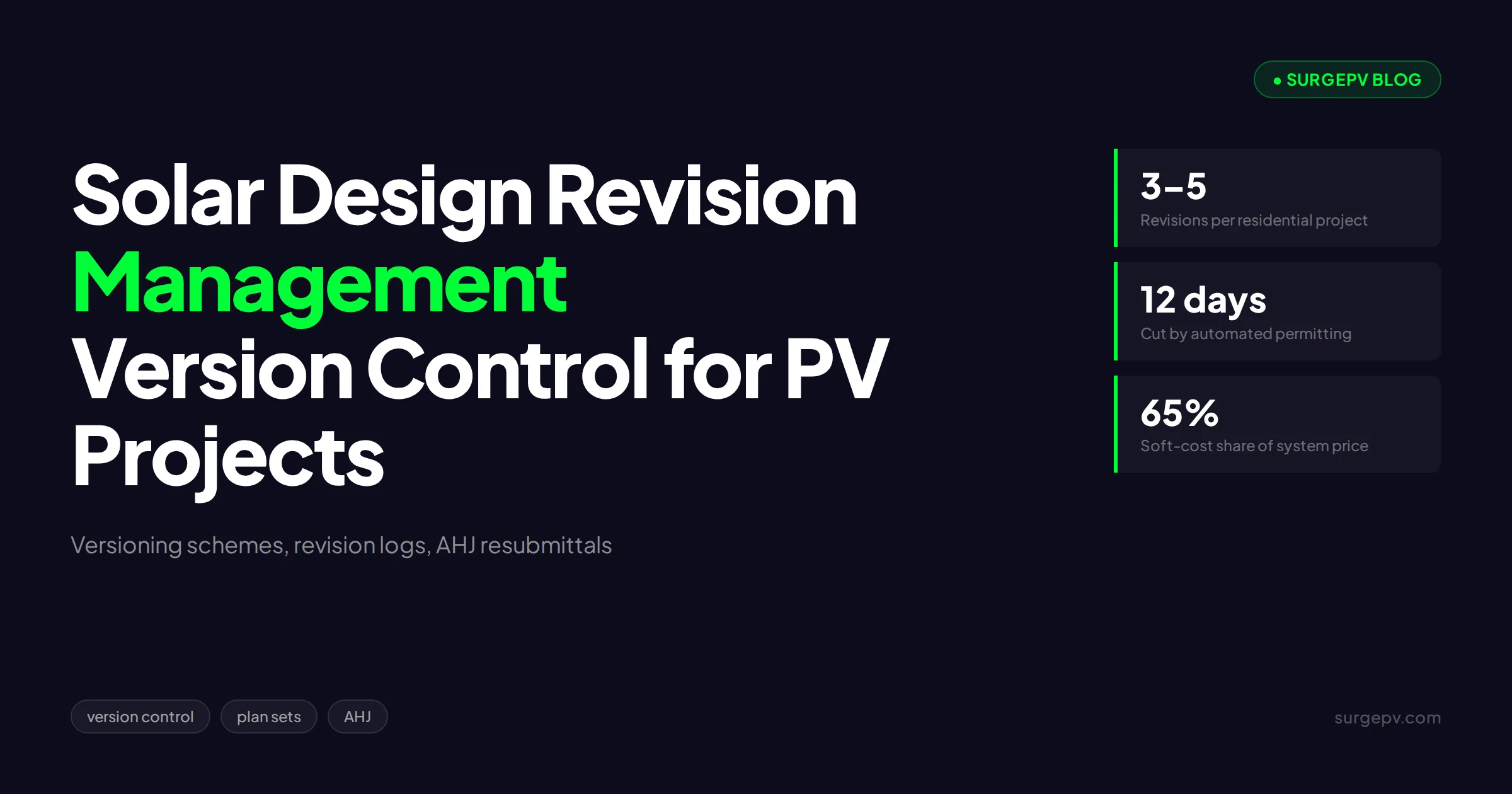
That story is not unusual. It is the default outcome when design revisions travel through email threads, desktop folders, and verbal handoffs. A typical residential PV project passes through 3 to 5 design iterations before construction, and commercial projects routinely exceed 10. Every iteration is a chance for someone — sales, design, permitting, procurement, or the crew on the roof — to act on a stale file.

This guide covers solar design revision management as an operational discipline: how to version plan sets, how to keep a revision log people actually use, how to run AHJ resubmittals without losing weeks, and how to make sure the PDF on the roof is the PDF you meant to build.

Quick Answer

Solar design revision management is the discipline of tracking, naming, approving, and distributing every change to a PV system design from first proposal to final inspection. A working system combines a clear versioning scheme, a single revision log per project, controlled AHJ resubmittals, and a hard rule that field crews only build from the current issued-for-construction set.

In this guide:

  • Why unmanaged revisions are a hidden margin killer, with real cost numbers
  • The full revision lifecycle from signed contract to permission to operate
  • Versioning schemes that work for residential and C&I projects
  • A revision log template your team will actually maintain
  • AHJ resubmittal workflows that keep permits moving
  • How to kill the stale-PDF problem on the roof
  • A 30-day rollout plan for teams starting from email chaos

Why Unmanaged Revisions Cost More Than You Think

Poor revision control shows up in your P&L as rework, resubmittal fees, and schedule slip. The direct costs are easy to measure. The indirect costs — crew idle time, re-inspection delays, customer trust — are larger and almost never tracked.

Start with the permitting side. Permitting and interconnection add weeks to project timelines and thousands of dollars to the customer price tag, and installers routinely charge a 10% to 20% price premium in jurisdictions with burdensome permitting, according to the U.S. Department of Energy (2023). Every avoidable resubmittal restarts part of that clock.

Soft costs dominate the economics. Non-hardware costs — permitting, customer acquisition, overhead, and the labor burned on rework — account for up to 65% of the total price of a residential system, according to the U.S. Department of Energy. Revision chaos lives entirely inside that 65%.

Then there is the field cost. A single re-work day for a 3-person crew runs $1,200 to $2,500 in loaded labor, truck rolls, and lost schedule, based on the industry-observed range we see across installer partners. Add a re-inspection fee of $150 to $500 and a week of schedule slip, and one stale-PDF incident costs more than a year of good software.

TL;DR — Revision Management by the Numbers

Residential PV projects pass through 3 to 5 design iterations before construction, soft costs reach up to 65% of system price according to the DOE, and a single stale-drawing rework day costs $1,200 to $2,500. A 1-page revision log and a versioning scheme prevent nearly all of it.

The Revision Lifecycle: Signed Contract to PTO

Revision management starts the day the contract is signed and ends at permission to operate (PTO). Before that, sales iterations are cheap and informal. After that, every change has cost, approval, and documentation consequences.

We break the post-contract lifecycle into 5 stages:

  1. Design freeze candidate. The layout, equipment, and electrical design the customer signed off on. This becomes Revision A (or C1 — more on naming below).
  2. Permit submittal. The plan set goes to the authority having jurisdiction (AHJ) — the city, county, or utility body that approves the design. Any change after submittal must be tracked against the submitted set.
  3. Plan check corrections. The AHJ returns comments. Each correction round produces a new revision and a formal resubmittal.
  4. Issued for construction (IFC). The approved set, released to procurement and the field. This is the only buildable document.
  5. As-built and closeout. Field deviations get captured, and the final record set goes to the utility for interconnection and PTO.

The failure mode at each stage is the same: two versions of the truth. Sales thinks the customer approved layout 3. Permitting has layout 4. The warehouse pulled equipment against layout 2. The crew is holding layout 1.

A single revision log per project kills that failure mode. Everything else in this guide supports that log.

Versioning Schemes That Actually Work for PV Projects

The best versioning scheme is the one your whole team follows without thinking. We have seen 4 schemes in the field. Only 2 survive contact with a busy install season.

SchemeExampleStrengthsWeaknessesBest for
Simple numericR1, R2, R3Easy to learnNo distinction between sales drafts and permit setsSmall residential teams
Alpha + numericA, B, C / C1, C2Separates revision series; AHJ-friendlyNeeds a written conventionResidential + light C&I
Date-based2026-07-19aSelf-documentingFilenames get long; sorting breaks across monthsSolo designers
Stage-codedPRE-03, PER-01, IFC-01, ASB-01Stage is visible in the nameMost discipline to maintainC&I and multi-crew EPCs

Our recommendation for most installers: a two-part scheme.

  • Sales phase: R1, R2, R3 for proposal iterations. These never go to permitting or the field.
  • Post-contract phase: A for the design freeze, B and C for engineering or AHJ revisions, and an explicit IFC tag on the released construction set: IFC-B means “build from this.”

Three rules matter more than the letters:

  1. Never reuse a filename. Final_v2_REAL.pdf is where mistakes breed. Every export gets a new revision ID.
  2. Date every file in ISO format inside the document title block, not just the filename.
  3. Retire superseded files the same day. Move them to an _archive subfolder or stamp them VOID. A superseded file that stays in the active folder will eventually be built.

Modern solar design software removes half of this burden by keeping one live project model in the cloud instead of scattered files. But the naming and retirement discipline still applies to every PDF you export for the AHJ, the utility, or the crew.

Building a Revision Log People Actually Use

Most revision logs die because they ask for too much. If the log takes 10 minutes to update, it will be skipped on the exact day a rushed change goes out. Design yours to take under 60 seconds.

A working log has 8 columns and nothing else:

FieldExample entry
RevisionB
Date2026-07-14
AuthorPriya S. (design)
Approved byNimesh K. (eng. lead)
Change descriptionMoved array 0.9 m south of vent stack; re-strung 14 modules
ReasonCustomer request after site visit
Documents affectedPV-1 layout, PV-3 string plan, BOM
Distributed toAHJ (resubmittal 07-15), crew lead (07-15)

Two entries in this table carry the weight: reason and distributed to. The reason code turns your log into management data — after 50 projects you can see whether revisions come from customers, AHJs, field conditions, or equipment availability, and fix the upstream cause. The distribution column is your proof that the crew received the update.

Keep the log in the same place as the plan set. A spreadsheet tab per project works. A project record in your design platform works better, because the log sits next to the live design instead of in a separate drive. For a deeper look at the underlying concept, our glossary entry on version control in solar design covers the mechanics, and the design review workflow entry covers the approval side.

Pro Tip

Add a standing agenda item to your Monday ops meeting: “open revisions.” Read out every project with a revision issued in the last 7 days and confirm the distribution column is filled. Five minutes a week closes the loop that email never does.

AHJ Resubmittals: Corrections Without Losing Weeks

Plan check corrections are where revision management earns its keep. The AHJ is a formal counterparty. Every interaction leaves a record, and every mistake costs calendar time.

The scale of the problem is national. Traditional permitting takes 1 to 6 weeks per round in many jurisdictions, which is why the DOE and NREL built SolarAPP+, an automated platform that cuts about 12 days from the permitting process, according to pv magazine USA (2024). More than 275 jurisdictions across 13 states had adopted it as of early 2025, according to pv magazine USA (2025). Our SolarAPP+ review covers where the platform works and where it does not.

For jurisdictions still on manual plan check, run resubmittals like this:

  1. Log the correction letter the day it arrives. Each numbered comment gets a line in your revision log’s notes or a linked correction tracker.
  2. Map every comment to a drawing change. No orphaned fixes. If the AHJ asked for a conductor resize on the line diagram, the revision log names the sheet.
  3. Increment the revision before editing. The revision table on the plan set updates first, then the drawing. This ordering feels backwards and prevents 90% of “wrong version submitted” errors.
  4. Cloud and delta-tag every change. Plan reviewers look for the revision clouds. Make their job easy and your resubmittal moves faster.
  5. Resubmit with a point-by-point response letter. One line per AHJ comment: what they asked, what you changed, which sheet shows it.
  6. Freeze the field until the new revision clears. The crew builds from the last approved IFC set, never from a set sitting in plan check.

If you outsource permit design or work across many AHJs, a specialist partner can absorb this workflow. Heaven Designs publishes a practical walkthrough on how to submit solar permits to an AHJ that pairs well with the resubmittal discipline above.

The Stale-PDF Problem on the Roof

Here is the uncomfortable truth: your biggest revision risk is not the AHJ. It is the laminated plan set in the crew truck.

Field crews optimize for getting racking on the roof. They print the PDF once, keep it in the truck, and build from it for weeks. If design issued a revision 10 days ago, the truck copy is a liability. We have seen this pattern across enough installations to treat it as the default, not the exception.

The fix is procedural, not technological:

  • One active directory. The current IFC set lives in exactly one place — a project folder in the cloud, or the project record in your design platform. Nowhere else.
  • Same-day retirement. When IFC-B replaces IFC-A, IFC-A leaves the active folder that day. Someone owns this task by name.
  • Morning revision check. The crew lead reads the revision number on the truck copy and confirms it against the revision log or the office before the first panel moves. Thirty seconds.
  • VOID stamps. Every printed superseded set gets stamped or torn on site. Paper does not auto-update.

What Most Solar Companies Get Wrong

Most teams treat distribution as the designer’s afterthought: export, email, done. Distribution is the point of the whole system. A revision that is approved but not confirmed received by the crew lead is an uncontrolled document. Track “distributed to” and “confirmed by” with the same rigor as the design change itself.

This is also where the choice of tools compounds. A cloud-based design platform means the current model is always the one everyone opens — there is no local copy drifting out of date. When the design updates, the solar proposal software output, the layout visuals, and the bill of materials all regenerate from the same dataset, so sales documents and construction documents stop contradicting each other.

Myth: Version Control Is Bureaucracy That Slows Sales Down

The most common objection we hear from installer-owners: “We sell speed. Revision logs and approval gates will slow the pipeline.” Our take, after watching teams on both sides of this choice, is that the opposite is true.

Unmanaged revisions do not save time. They defer the cost to the most expensive moment: after equipment is ordered, after the crew is on the roof, or after the inspector is standing in the driveway. A 60-second log entry at design time replaces a $2,000 rework day at install time.

The tradeoff is real but small. A formal approval gate adds one step between “designer finished” and “crew notified” — typically 15 minutes for a reviewer to diff the changes. On a 30-project-per-month pipeline, that is under 8 hours of review time per month against an industry-observed 2 to 4 field rework incidents the process prevents. The math is not close.

The exception: genuine sales-phase iterations. Do not force proposal drafts through an approval gate. Sales speed matters, and R-phase revisions are cheap because nothing is permitted, ordered, or built against them. The gate starts at design freeze — the moment a revision can hurt someone.

There is also a scale threshold. A 2-person shop doing 5 installs a month can run revision control on a shared spreadsheet and a group chat. Past roughly 15 concurrent projects, manual tracking breaks, and you want the revision state living inside the same tool that produces the design. When you evaluate platforms, revision handling belongs on the checklist — our guide on how to choose solar design software walks through the evaluation criteria, and the SurgePV design workspace keeps the 3D model, stringing, and BOM in one live project so every export reflects the current state.

See one project, one version, no stale PDFs

Watch how SurgePV keeps design, simulation, and proposal output in a single cloud project — so every revision updates everything downstream.

Book a Demo

No commitment required · 20 minutes · Live project walkthrough

Revisions, Change Orders, and Money

Design revisions and change orders overlap, but they are not the same document. A revision records what changed in the design. A change order records who pays for it.

The link between them: any revision that alters scope after contract signature — a battery addition, a panel upgrade, a roof repair discovered on site — should trigger a change order conversation before the design work proceeds. The weighted average cost of a solar change order is $583, and 47% of solar professionals report change orders hitting 10% to 30% of their projects, according to an Aurora Solar industry survey cited in our guide on solar change order management.

Run the two documents in parallel:

  1. Customer or site condition triggers a scope question.
  2. Change order prices it and gets signature.
  3. Revision log records the design change against the signed change order number.
  4. IFC set updates only after both exist.

Skipping step 2 is how installers donate margin. Skipping step 3 is how crews build the right scope from the wrong drawing. Clara AI can help draft the customer-facing explanation of the design change, but the approval and pricing decisions stay with your team.

A 30-Day Rollout Plan

You do not need new software to start. You need 4 decisions and 30 days of discipline.

Week 1: Decide and document (2 hours).

  • Pick a versioning scheme from the table above. Write it on one page.
  • Build the 8-column revision log template. One tab per project.
  • Name an owner: the person who retires superseded files and audits the log weekly.

Week 2: Clean the active pipeline.

  • Audit every project between contract and PTO. Identify the true current revision for each.
  • Move every superseded file to _archive. Stamp printed sets on active jobs.
  • Backfill the revision log with the last known change per project. Approximate is fine.

Week 3: Add the gates.

  • Start the design-freeze approval step: no revision goes to permitting or the field without a named approver.
  • Start the morning revision check on every active install.
  • Add “open revisions” to the Monday ops meeting.

Week 4: Measure and adjust.

  • Count revisions by reason code. Customer changes? Tighten the site survey. AHJ corrections? Fix the recurring plan-check comment in your template. Field conditions? Your survey-to-design handoff needs work.
  • Decide whether the spreadsheet still scales, or whether it is time to run projects in a platform that keeps design state and documents together. Our breakdown of the best solar design software options covers the US market if you reach that point.

Solar accounted for roughly two-thirds of new US electricity-generating capacity added in 2024, according to SEIA and Wood Mackenzie (2025). That volume means more projects per team, more revisions per project, and more cost exposure from every uncontrolled file. Process scales; memory does not.

Conclusion

Solar design revision management is not a software feature you buy. It is a 1-page convention, a 60-second log habit, and 2 gates: one before permitting, one before the field. Teams that run it stop paying for rework days, resubmittal fees, and awkward homeowner conversations. Teams that skip it keep donating margin to stale PDFs.

Start here:

  • Adopt a two-part versioning scheme this week — R-series for sales drafts, letter revisions plus an IFC tag post-contract — and retire every superseded file the same day a new one is issued.
  • Stand up the 8-column revision log and make “distributed to” a required field. An approved revision the crew never confirmed is an uncontrolled document.
  • Add the morning revision check on every job site. Thirty seconds comparing the truck copy to the revision log prevents the most expensive mistake in residential solar.

If your pipeline has outgrown spreadsheets and email, book a demo and see how SurgePV keeps design, simulation, BOM, and proposals in one cloud project — so the file on the roof is always the file you meant to build.

Frequently Asked Questions

What is solar design revision management?

Solar design revision management is the process of tracking, approving, and distributing every change made to a PV design between the signed contract and permission to operate. It covers layout changes, equipment swaps, electrical edits, and permit corrections. The goal is simple: one current version of truth, and proof of how you got there.

How many revisions does a typical solar project go through?

Residential projects typically go through 3 to 5 design iterations between the initial proposal and the issued-for-construction set. Commercial projects often exceed 10 to 15. Each revision that is not logged and distributed correctly creates a risk that someone builds or permits from the wrong file.

What is the best version naming scheme for solar plan sets?

Use a two-part scheme: R1, R2, R3 for pre-contract sales iterations and A, B, C (or C1, C2) for post-contract engineering revisions, with an explicit IFC (issued-for-construction) tag on the final buildable set. Whatever you choose, date every file, never reuse a filename, and retire superseded files to an archive folder.

How do you handle AHJ plan check corrections?

Treat every AHJ correction letter as a formal revision. Log the correction items, map each one to a drawing change, increment the revision number, and cloud the changes on the plan set. Resubmit with a response letter that answers each correction point by point. Never edit drawings without updating the revision table first.

How do you stop field crews from building off old drawings?

Give crews exactly one source for current drawings: a shared cloud folder or project app where only the current IFC set lives in the active directory. Stamp superseded PDFs as void, pull them out of the active folder the same day a new revision is issued, and have the crew lead confirm the revision number against the revision log at the morning briefing.

Is cloud solar software enough to manage design revisions?

No. Cloud tools solve file access and single-source storage, but revision management is a process, not a feature. You still need a naming scheme, an approval gate before any revision goes to permitting or the field, and a human who owns the revision log. Software without process just gives you faster access to the wrong file.

What should a solar revision log contain?

At minimum: revision number, date, author, approver, description of change, reason for change (customer request, AHJ correction, field condition, equipment availability), affected documents, and distribution status. One page per project, living next to the plan set, updated the same day any change is approved.

About the Contributors

Author
Nimesh Katariya
Nimesh Katariya

General Manager · Heaven Green Energy Limited

Nimesh Katariya is General Manager at Heaven Green Energy Limited, where he oversees solar design and project delivery operations. With 8+ years of experience and 400+ solar projects delivered across residential, commercial, and utility-scale sectors, he specialises in permit design, sales proposal strategy, and project management.

Editor
Rainer Neumann
Rainer Neumann

Content Head · SurgePV

Rainer Neumann is Content Head at SurgePV and a solar PV engineer with 10+ years of experience designing commercial and utility-scale systems across Europe and MENA. He has delivered 500+ installations, tested 15+ solar design software platforms firsthand, and specialises in shading analysis, string sizing, and international electrical code compliance.

Get Solar Design Tips in Your Inbox

Join 2,000+ solar professionals. One email per week - no spam.

No spam · Unsubscribe anytime

Book Free Demo

