

A module becomes unavailable after the customer approves the system. The designer updates the array in SketchUp, then opens another tool for yield, another file for stringing, and a spreadsheet for the bill of materials. Sales still has the proposal built from the earlier layout.
SketchUp did not cause that failure. It produced the model it was asked to produce. The problem is that a general 3D model has become the first step in a solar workflow whose later outputs do not share one project record.
This guide explains when to use solar design software instead of SketchUp, which tasks to migrate, and when a hybrid workflow is the better decision. It also gives design teams a pilot plan, a cost model, and a demo script based on their own projects.
TL;DR — Replacing SketchUp for Solar Design
SketchUp documents 3 calculation inputs for real-world shadows: location, cardinal orientation, and time zone, with date and time selected in the Shadows panel. That is useful visual context. Move recurring PV design, yield, electrical, BOM, financial, and proposal work to solar-specific software when connected revisions matter more than custom modeling freedom.
In this guide:
- How to decide whether solar design software can replace SketchUp for your work
- What SketchUp does well in a solar project
- Where plugins, exports, and recreated geometry add operational risk
- Which solar tasks to move first and which to keep
- How to pilot a replacement without losing design control
- How to calculate the business case with measured project time
- How to test a platform with one of your existing SketchUp projects
Can Solar Design Software Replace SketchUp?
Solar design software can replace SketchUp for repeatable PV sales and preliminary engineering workflows when it connects the roof model to module layout, shading, production, electrical configuration, material quantities, financial results, and proposal output. Keep SketchUp for bespoke geometry, architectural presentation, or partner handoffs that a solar platform cannot reproduce reliably.
The right question is not whether one product has more modeling commands. The buying question is which system should own the approved solar project data. A SketchUp file may be the best home for a custom architectural scene. A solar platform may be the better home for equipment-aware decisions that must flow into several deliverables.
Use 3 labels during evaluation:
| Decision | Use it when | Main control |
|---|---|---|
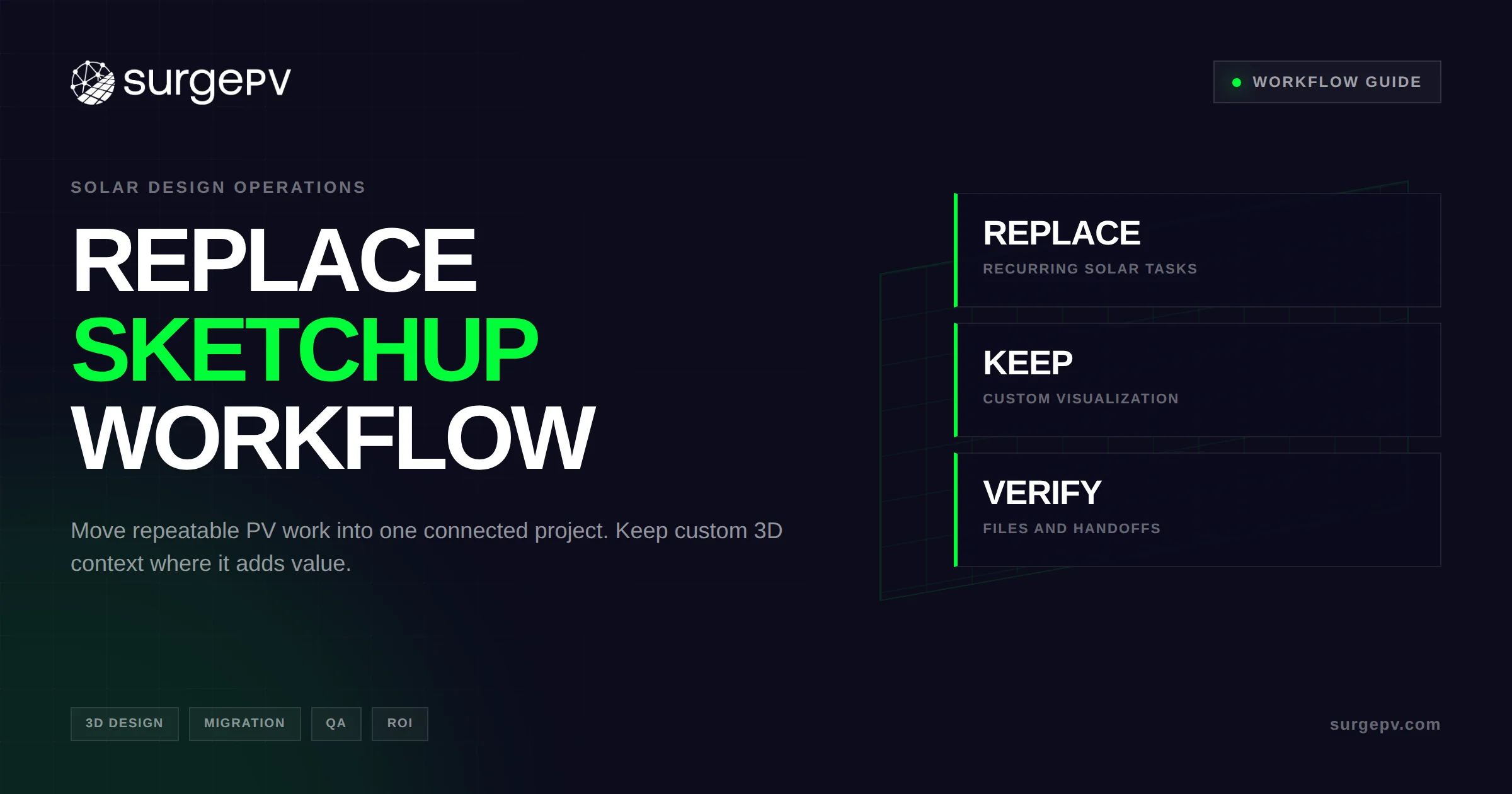
| Replace | The task repeats on most projects and drives later solar outputs | Make the solar platform the source of truth |
| Keep | The task needs bespoke modeling or a required SKP-based partner process | Name SketchUp as the owner of that exception output |
| Verify | File exchange, geometry fidelity, documentation, or a special extension matters | Test the exact workflow before contract approval |
A residential installer producing similar pitched-roof proposals may replace most of the SketchUp path. A commercial EPC coordinating a custom canopy with an architect may keep SketchUp for context while moving the array and calculations into solar PV design software.
Neither architecture removes human review. Field inputs can be incomplete. Imagery can hide a roof condition. An equipment substitution can affect fit and electrical limits. The design team remains responsible for acceptance criteria and the outputs it approves.
Define replacement by outcome. If the new platform can create and revise the solar deliverables the team needs, while exceptions have a clear owner, it has replaced the workflow. It does not need to duplicate every SketchUp command.
Set that outcome in writing before comparing products. Otherwise, an impressive rendering feature can outweigh the less visible work of keeping yield, electrical, material, and commercial outputs aligned. The written scope gives design, engineering, sales, and operations one standard for the purchase decision.
Why SketchUp Works for Solar Design
SketchUp is a flexible 3D modeler, and that flexibility explains why solar teams adopt it. Designers can create roofs, parapets, nearby buildings, vegetation, custom mounting concepts, and presentation scenes without waiting for a solar vendor to add a specific object type.
The official SketchUp geolocation and terrain documentation describes location data, imagery, site context, and terrain tools. These functions can give a designer a useful base for roof and surrounding geometry. They can also support coordination where a plain aerial image is not enough.
SketchUp’s Shadows documentation says real-world shadow calculations use latitude and longitude, cardinal orientation, and time zone. The designer selects a date and time to see how shadows appear on the model. This is valuable for visual checks and client communication.
Components and extensions can make a mature internal workflow much faster than a blank model suggests. A team may have its own module components, roof templates, naming rules, scripts, scene styles, and quality checks. That accumulated operating knowledge has value and should be included in a migration decision.
Interchange is another strength. SketchUp documents DWG and DXF import and export for supported subscriptions, including unit, scale, and entity considerations. Its interoperability guidance covers workflows with other modeling applications and several file formats.
These capabilities make SketchUp useful for:
- Modeling unusual architectural context that a solar-specific roof tool does not support
- Preparing visual scenes for customers, architects, or planning discussions
- Receiving or sending geometry in an established CAD coordination process
- Extending the model through a plugin or script that the team has tested
- Creating concepts that are wider than the PV system itself
A fair software evaluation starts by documenting those strengths. Calling SketchUp “manual” without examining templates and extensions will produce a weak business case. The goal is to preserve what works while removing repeated solar data entry.
Where a SketchUp-Based Solar Workflow Starts to Break
The pressure appears at the boundaries between tools. A roof model can look complete while the annual energy model, electrical design, purchasing list, and proposal each describe a different revision.
Some practitioners describe this problem in their own workflows. One solar design discussion asks for a faster, more solar-specific process than loading and scaling plans in SketchUp to measure roof geometry. Another practitioner discussion describes arranging arrays in PV*SOL, recreating structures in SketchUp, and exporting views to AutoCAD.
Those posts are anecdotes, not market statistics. They still expose a useful diagnostic: count how often your team recreates, exports, cleans, or rechecks the same project information.
Consider a module substitution. The replacement has different dimensions and electrical characteristics. In a disconnected workflow, the designer may need to:
- Replace or resize module components in the 3D model.
- Recheck clearances, row spacing, and obstruction conflicts.
- Rebuild or adjust the annual production model elsewhere.
- Revisit string lengths and inverter configuration.
- Change the BOM spreadsheet.
- Update the SLD or send a change request to drafting.
- Revise financial results and customer proposal visuals.
Every handoff creates a question: which file is current? The risk is not limited to typing mistakes. A designer can update every file accurately and still send an older attachment because the workflow lacks an approved source and revision state.
File translation adds its own checks. SketchUp’s CAD guidance discusses unsupported entities, units, scale, and geometry cleanup. A community report about imported geometry describes panel surfaces changing during translation. That single report does not prove a product-wide defect. It shows why teams must inspect the receiving model rather than treating “export completed” as acceptance.
The workflow has probably outgrown its current architecture when:
- Revisions require the same change in several files
- Sales waits for a specialist to produce every layout
- Yield inputs are copied from geometry by hand
- Equipment identifiers differ across design and proposal files
- BOM or SLD updates depend on someone remembering a change
- Custom plugins have no clear owner or maintenance plan
- The team cannot identify the approved project version quickly
At that point, buying another plugin may solve one step. It may also create another boundary. Map the full project path before deciding.
SketchUp vs Solar Design Software: Task-by-Task Matrix
Binary feature tables hide the real decision. SketchUp can perform many tasks manually or through extensions. Solar-specific platforms vary in scope. The table below uses operational labels instead of a generic check mark.
| Task | SketchUp-based workflow | Solar-specific workflow | Buying consequence |
|---|---|---|---|
| Roof and site geometry | Native general modeling; inputs and detail depend on the method | Native or configured solar roof workflow | Test common and difficult roofs |
| Repeated module placement | Components, arrays, scripts, or extensions | Equipment-aware automatic and manual placement may be native | Compare revision speed and fit controls |
| Obstructions and context | Flexible custom geometry | Solar-oriented obstruction objects or modeling tools | Confirm unusual shapes and field inputs |
| Time/date shadow view | Native Shadows visualization | Often part of solar shading analysis | Do not confuse a visual view with annual loss results |
| Irradiance and annual yield | External process or solar extension | Often native, with equipment and loss inputs | Inspect assumptions and validation method |
| Equipment data | Custom components or external records | Module and inverter database may be native | Check regions, versions, and editable values |
| String and inverter configuration | Manual, scripted, or external | Often native solar-domain logic | Test limits and exception handling |
| Bill of materials | Attribute report, extension, or external spreadsheet | May derive quantities from the approved design | Run a module-substitution test |
| Single-line diagram | External drafting or extension | May generate from electrical configuration | Verify symbols, notes, and engineering review needs |
| Financial model | External spreadsheet or tool | May share generation and project assumptions | Test tariff, finance, and scenario controls |
| Customer proposal | Scenes, LayOut, or external proposal tool | May combine design visuals and financial outputs | Compare brand control and revision propagation |
| Revision control | File naming and team process | Connected project record may update dependent outputs | Verify approval states and audit expectations |
| Bespoke visualization | Strong native modeling freedom | Varies by modeling envelope | Keep SketchUp when custom context is material |
| CAD/BIM interchange | Documented import/export workflows | Varies by vendor and format | Test units, layers, coordinates, and fidelity |
| Training and maintenance | Skills plus template, extension, and script upkeep | Product training plus process configuration | Count administrator and exception time |
“Native” does not mean “correct without review.” It means the function operates within the product’s intended project model. A stringing tool still needs correct equipment data and engineering acceptance. An automatically generated BOM still needs purchasing controls.
“External” is not automatically bad. A specialist yield model may be required for a specific commercial finance process. A CAD partner may own construction documentation. The issue is whether the handoff is intentional, controlled, and worth its cost.
SurgePV’s verified scope includes browser-based 3D solar roof design, automatic and manual module placement, string sizing, inverter configuration, BOM and SLD generation, solar shadow analysis software, energy simulation, financial modeling, and branded proposals. It does not justify a claim that every SKP model, plugin, or construction-document workflow can move unchanged.
During a demo, replace every generic “yes” with a test. Ask the vendor to change a module, edit an obstruction, revise an inverter choice, and show what happens to dependent outputs. The resulting evidence is more useful than a feature-count score.
What to Move Out of SketchUp First
Start with work that occurs on most projects and triggers several later changes. This produces a measurable pilot and avoids beginning with the hardest custom model in the archive.
1. Repeatable roof and array work
Move common roof geometry, obstructions, and module layout into the solar platform. The objective is not merely faster drawing. It is to make the accepted roof and array the input for shading, production, electrical decisions, and quantities.
For a deeper roof-input evaluation, use the field and imagery checks in our solar roof measurement software guide. Remote inputs still need a clear confidence rule and an escalation path for site verification.
2. Solar shading and production
SketchUp’s visual shadows answer a useful question: what will shade look like at a selected time? A solar workflow asks another question: how do irradiance, obstructions, equipment, configuration, and losses affect expected energy across the modeled period?
Move this work when teams currently rebuild geometry or transfer values into a separate energy tool. SurgePV connects physics-based irradiance and obstruction shading with its energy generation workflow. Review the assumptions rather than accepting a result because it appears beside the model.
3. Electrical configuration and design-derived outputs
String sizing and inverter configuration are good migration candidates because a module or layout revision can affect both. A connected design can then produce a revised material list and electrical diagram from the current project state.
Our guides to automating a solar BOM and automating solar SLDs explain the approval controls after generation. Software can prepare an output. Engineering and procurement still decide whether it is approved for its purpose.
4. Financial scenarios and proposals
Move financial and proposal work when sales copies system size or generation from one file into another. SurgePV’s solar yield and financial analysis supports energy yield, payback, IRR, and NPV in the same workspace. Its solar proposal software creates branded PDF proposals with financials and visuals.
The migration target is one accepted project state feeding each customer-facing output. A proposal remains a commercial document, so the team should review pricing, finance, terms, and presentation before delivery.
When to Keep SketchUp
Keep SketchUp where its modeling freedom creates real project value. Replacing a good exception tool simply to advertise a single-software policy can make the workflow worse.
Bespoke architectural context is the clearest case. An architect may need a detailed façade, canopy, terrain treatment, or planning visualization that falls outside a solar platform’s intended modeling envelope. Rebuilding that scene elsewhere can cost more than maintaining the SketchUp step.
Partner requirements matter too. If an architect or customer owns an SKP model and expects design coordination in that file, the format is part of the delivery process. Do not assume a solar platform supports native SKP import, export, or round-trip editing. Verify current documentation and test the exact files.
A validated extension workflow can also justify retention. The key word is validated. Record the extension version, owner, inputs, outputs, update policy, and fallback. A plugin known only to one designer is a continuity risk even if it is fast.
Use a hybrid workflow with explicit ownership:
| Information | Recommended owner | Handoff rule |
|---|---|---|
| Architectural context and special visualization | SketchUp | Reference the approved solar layout revision |
| Approved module layout and equipment selection | Solar platform | Do not edit a separate competing array silently |
| Shading, yield, and loss assumptions | Solar platform or named specialist tool | Record method and version |
| Stringing, BOM, and SLD | Solar platform plus professional review | Regenerate after accepted design changes |
| Financials and proposal | Connected solar project | Confirm commercial approval before issue |
| Permit or construction documents | Named engineering/CAD process | State whether solar outputs are inputs or final documents |
The hybrid path fails when both models claim to be current. Add the solar revision to the SketchUp scene name or handoff record. If the visualization changes module placement, send the change back through solar design review rather than treating the image as the new approved array.
Choose a Replacement, Hybrid, or SketchUp-Primary Architecture
Most teams fit 1 of 3 operating patterns. Select the pattern by project mix and handoffs, not by software preference.
Solar-platform primary
Use this pattern when the team delivers high volumes of residential or repeatable commercial projects. The solar platform owns the roof, array, shading, yield, electrical configuration, BOM, finance, and proposal. SketchUp is retired or used only for rare exceptions.
This model suits solar installers whose main constraint is proposal and revision throughput. It also makes training easier because new staff learn one default project path.
Hybrid with a documented exception path
Use a hybrid when most solar work is repeatable but some projects need custom visualization or partner coordination. The solar platform remains primary for PV decisions. SketchUp receives an approved layout reference and returns only the agreed context or presentation output.
This is often the practical choice for commercial solar teams. A warehouse roof may fit the standard workflow, while a carport or architectural screen needs custom geometry. The exception should be visible in project planning and pricing.
SketchUp-primary with connected specialist tools
Keep SketchUp primary when bespoke 3D context is central to most projects, extensions already provide controlled solar functions, or partners require the working model. Improve the surrounding process instead of forcing a replacement.
This option still needs governance. Define how geometry reaches yield and electrical tools, how revisions return, and who approves outputs. Standardize filenames, equipment identifiers, units, and handoff checklists.
Score the options using your own mix:
| Criterion | Solar-platform primary | Hybrid | SketchUp-primary |
|---|---|---|---|
| Repeatable roofs and arrays | Strong fit | Strong fit | Possible with templates/extensions |
| Frequent downstream revisions | Strong fit | Strong fit if ownership is clear | Higher process burden |
| Bespoke context on most projects | Verify | Good fit | Strong fit |
| Required SKP partner handoff | Verify | Strong fit | Strong fit |
| Small operations team | Simpler default path | Manageable with discipline | Depends on internal expertise |
| Existing validated extension stack | May duplicate value | Preserves selected value | Preserves full value |
Do not use the table as a universal verdict. Weight each row by project frequency, labor, risk, and customer importance.
Migrate From SketchUp Without Losing Design Control
A good migration proves the new workflow before it retires the old one. Plan for side-by-side work during the pilot, then remove duplicate steps only after acceptance.
1. Inventory the current system
List SketchUp templates, components, plugins, Ruby scripts, style files, LayOut documents, exports, and downstream tools. Add owners and current versions. Record which items are used on every project and which belong to one specialist.
2. Map the data path
Follow one project from site input to delivered proposal. Mark every manual copy, export, screenshot, email attachment, and recalculation. Include permit and construction documentation even if another department owns it.
3. Define ownership before testing
Name the proposed source for roof geometry, module layout, energy assumptions, stringing, equipment quantities, finance, proposal, and external documentation. A migration cannot fix version confusion if ownership stays ambiguous.
4. Select 3 pilot projects
Choose one routine project, one complex project, and one revision-heavy project. The routine case tests throughput. The complex case reveals modeling boundaries. The revision-heavy case shows whether connected outputs provide the expected operational value.
5. Set acceptance criteria
Write the test before rebuilding anything:
- Roof planes and obstructions match the accepted source within the team’s defined tolerance
- Module fit and setbacks meet the chosen design basis
- Shading and yield inputs are documented and results are reviewed
- String and inverter configuration passes engineering checks
- BOM quantities trace to the approved layout and electrical configuration
- SLD content is reviewed for the project’s jurisdiction and purpose
- Financial assumptions match the approved commercial case
- Proposal values and visuals describe the same revision
- Required exports open with correct units and usable geometry
6. Rebuild, then revise
Rebuilding the first design only tests first-pass work. Change a module, remove a roof plane, add an obstruction, and revise the inverter choice. Track which outputs update and which require manual action.
Test SurgePV With One of Your SketchUp Projects
Bring the current model, downstream files, and one known revision. We will walk through the connected design, shading, electrical, BOM, financial, and proposal workflow.
Book a DemoNo commitment required · 20 minutes · Live project walkthrough
7. Inspect every interchange
SketchUp’s own CAD documentation warns users to consider supported entities, units, scale, and geometry conditions. Apply the same discipline to any new platform. Open files in the receiving application, inspect representative geometry, and repeat the test after a revision.
8. Document the exception route
State when a project moves to SketchUp, who approves that decision, which data crosses the boundary, and which system stays authoritative. Include the handoff in schedules and estimates.
9. Train by role and retire duplication
Sales needs the default design and proposal path. Designers need modeling boundaries and revision rules. Engineers need assumption and approval controls. Retire old templates only after the pilot meets acceptance criteria and active projects have a transition plan.
Measure touch time, wait time, re-entry, export cleanup, revision count, and exception frequency. Those results support a purchase decision much better than a claimed percentage saving.
Calculate the ROI of Replacing a SketchUp Workflow
Use observed labor and actual subscription costs. A credible business case includes the tools you retain, the transition period, and the exceptions that remain.
Start with 3 formulas:
monthly current cost = projects × (modeling hours + transfer hours + calculation hours + revision hours) × loaded hourly rate + subscriptions + plugin administration
monthly future cost = solar platform cost + retained SketchUp cost + implementation amortization + projects × (review hours + exception hours) × loaded hourly rate
monthly net value = monthly current cost − monthly future cost
Treat any added design capacity as a separate operational benefit. It becomes cash value only when the business uses it to complete profitable work, avoid hiring, or reduce paid overtime.
Hypothetical example
The following figures illustrate the calculation. They are not industry averages.
| Input | Current workflow | Future workflow |
|---|---|---|
| Projects per month | 30 | 30 |
| Average modeled, transferred, and revised labor | 3.0 hours/project | 1.5 hours/project |
| Loaded labor rate | $55/hour | $55/hour |
| Monthly software and plugin cost | $700 | $1,400 |
| Retained SketchUp cost | Included above | $200 |
| Implementation amortization | $0 | $600/month |
Current monthly cost is 30 × 3.0 × $55 + $700 = $5,650.
Future monthly cost is 30 × 1.5 × $55 + $1,400 + $200 + $600 = $4,675.
The hypothetical monthly net value is $975. If the one-time migration expense is amortized inside the future cost, do not subtract it again when calculating payback.
Run sensitivity cases around the uncertain inputs. What happens if only half the expected labor reduction appears? What if 20% of projects still need SketchUp? What if parallel QA lasts longer than planned?
Include costs that weak models omit:
- Template and component migration
- Staff training and pilot management
- Side-by-side validation
- Retained licenses for custom projects
- Export inspection and cleanup
- Documentation and process ownership
- Vendor onboarding and account administration
The most useful output is not a single ROI percentage. It is the break-even condition. For example, calculate how many labor hours per month the platform must remove to cover its incremental cost. Then use pilot evidence to decide whether that threshold is realistic.
Run a Buyer Demo With a Real SketchUp Project
A canned project proves that a vendor’s workflow works under ideal conditions. Your existing model tests whether it works for your team.
Choose a project that includes a typical roof, at least one material obstruction, and the downstream files your staff currently maintains. Bring the SKP model, site inputs, yield file, electrical notes, BOM, SLD, financial workbook, and proposal if those exist.
Ask the vendor to perform this sequence:
- Recreate the accepted roof and obstruction geometry.
- Place the current module and configure the inverter.
- Show shading and energy assumptions, not only the final result.
- Produce the BOM, SLD, financial case, and proposal available in the platform.
- Substitute another module with different dimensions and electrical data.
- Add or change an obstruction.
- Identify every output that updates and every manual review still required.
- Demonstrate the supported export path needed by your downstream team.
Score evidence, not presentation quality:
| Test | Pass condition |
|---|---|
| Geometry | Common roof and obstruction work meets written tolerance |
| Revision | Dependent solar outputs reflect the accepted change |
| Transparency | Users can review material assumptions and exceptions |
| Handoff | Required exports open correctly in the receiving tool |
| Governance | Team can identify the current approved project state |
| Scope | Vendor states what remains external or unsupported |
Ask direct questions about native SKP support, plugin compatibility, construction documents, code logic, structural work, mobile field capture, and APIs. SurgePV should not be assumed to provide those functions unless current product material confirms them. Its current live scope is the connected browser-based solar design, analysis, electrical, BOM, financial, and proposal workflow described in this guide.
The strongest closing demo is a revision comparison. Measure how many files, exports, and manual entries the old path needs. Then measure the new path using the same change.
Document failures as carefully as passes. A platform may handle the standard roof but fail an export needed by engineering. That evidence does not always reject the product; it may define a manageable exception path. What matters is knowing the path and its cost before rollout.
Conclusion: Replace Repetition, Keep Useful Visualization
Solar design software should replace the part of a SketchUp workflow that repeats across projects and feeds later PV decisions. SketchUp can remain the right tool for custom context, exceptional geometry, or an SKP-based partner handoff.
Take these 3 actions:
- Map one current project and count every recreation, transfer, and revision.
- Mark each task replace, keep, or verify, then name its source of truth.
- Pilot a routine, complex, and revision-heavy project before retiring the old process.
SurgePV connects solar software for 3D rooftop design with shading, energy simulation, string sizing, inverter configuration, BOM and SLD generation, financial modeling, and branded proposals. That scope can remove many handoffs without pretending that a solar platform is a universal architectural modeler.
Bring an existing SketchUp project and one difficult revision to a personalized SurgePV demo. The useful result is a written map of what moves, what stays, and what your team must still review.
Do not cancel licenses or archive templates on the strength of a sales presentation. Finish the pilot, obtain sign-off from the people who own each output, and decide how active projects will transition. Preserve the files and methods required to reproduce issued work under your document-retention policy.
After rollout, review the exception list at a fixed interval. If SketchUp remains necessary on many routine projects, the platform scope or training may be incomplete. If exceptions become rare, reduce licenses and administrative work in controlled steps.
The final operating rule should be simple enough for a new designer to follow: start every standard PV project in the solar platform, move to SketchUp only for a named exception, and return any layout change through the approved solar project. That rule protects the connected outputs that justified the switch.
Assign one process owner to audit that rule against completed projects. Record avoidable handoffs, accepted exceptions, and any output that drifted from the approved design. Use those findings to adjust training and ownership.
Frequently Asked Questions
Can SketchUp design a solar PV system?
SketchUp can model a site, roof, obstructions, and module geometry. Its geolocation tools support site context and terrain, while its Shadows feature can show time-specific shadows on a geolocated model.
That can be a valid part of professional solar design. A full PV workflow usually needs more: annual energy simulation, equipment-aware electrical decisions, a bill of materials, a single-line diagram, financial analysis, and customer documents. Teams may add extensions or pass information to other applications for those tasks.
The right assessment is task-based. Document what your current SketchUp setup produces natively, what extensions produce, and what staff rebuild elsewhere. Then compare the complete workflow with a solar-specific platform.
Can solar design software fully replace SketchUp?
It can replace SketchUp for many repeatable sales and preliminary engineering workflows. Residential roof modeling, module layout, shading and production work, stringing, material quantities, financial scenarios, and proposals are common migration candidates.
Full replacement is less likely when bespoke architectural visualization is central, unusual geometry appears often, a validated extension carries important logic, or a partner requires an SKP working model. In those cases, use a hybrid workflow with explicit ownership.
Do not define “fully replace” as matching every modeling command. Define it as producing and revising every required business and engineering output within the approved scope, with a documented route for exceptions.
Is SketchUp shadow analysis the same as solar production simulation?
No. SketchUp’s official documentation describes its Shadows feature as a way to see how shadows appear at a specific location and time. It uses location, cardinal orientation, and time-zone information, with date and time controls.
Solar production simulation estimates energy over a modeled period. It typically depends on irradiance data, equipment behavior, array configuration, shading losses, and other system assumptions. A visual shadow scene can help inspect geometry, but it is not automatically an annual energy result.
During evaluation, ask the solar software provider to expose its irradiance source, loss inputs, equipment assumptions, and calculation scope. Review the method against your project requirements.
What SketchUp solar tasks should I migrate first?
Start with frequent tasks that cause repeated downstream edits. These usually include roof modeling, equipment-aware module placement, solar shading and yield analysis, string and inverter configuration, BOM and SLD output, financial modeling, and proposal generation.
Choose a normal project first, then apply a module or obstruction change. The revision shows whether the platform maintains a connected project record or merely produces another static output.
Leave rare custom visualization in SketchUp during the pilot. Moving exceptions first makes the new platform appear harder to use and hides the value of improving the default project path.
Can I keep SketchUp for visualization and use solar software for engineering?
Yes. This hybrid pattern is often the right choice for commercial projects or teams working with architects. Keep SketchUp responsible for the agreed custom context or presentation, while the solar platform owns the approved array, yield, electrical configuration, BOM, SLD, finance, and proposal.
The team must prevent competing sources of truth. Reference the approved solar revision in the SketchUp scene or handoff record. If the visualization changes module placement, route the change back through solar design review.
Also state which system owns final permit and construction documents. A preliminary SLD or layout from a solar platform may be an engineering input rather than the final issued document.
How should I test file exports and geometry fidelity?
Define the required format, units, coordinate basis, layers, object behavior, and tolerance before testing. Export a representative project, open it in the receiving application, and inspect both visible geometry and measurable dimensions.
Repeat the test after a design change. A successful first export does not prove that revisions preserve the expected structure. Record any cleanup and include that labor in the business case.
SketchUp documents format-specific considerations for CAD interchange. Apply the same caution to a solar platform. Never assume native SKP support or a lossless round trip unless current documentation and your own file test confirm it.
Do I still need design QA after switching?
Yes. Automation can remove repeated entry and make dependent outputs easier to update. It cannot guarantee that site inputs, engineering assumptions, commercial values, or exception decisions are correct.
Review roof geometry, obstructions, module fit, shading and yield inputs, string limits, inverter configuration, quantities, SLD content, financial assumptions, and proposal values. Verify any permit or construction deliverable under the responsible professional process.
The QA plan should change with the workflow. Spend less time recounting copied data and more time reviewing inputs, exceptions, and approval states.
How do I calculate the ROI of replacing a SketchUp workflow?
Measure labor across the whole project path. Include SketchUp modeling, extensions, data transfer, external calculations, revisions, export cleanup, software administration, and wait time where it affects paid work.
Compare that current cost with the solar platform subscription, implementation, training, retained SketchUp licenses, review time, and exception handling. Use pilot projects to estimate both sides.
Keep direct cash savings separate from capacity. Saved hours create capacity first. They become financial value when the business uses them for profitable projects, avoids another cost, or reduces overtime. A clear break-even hours target is often more credible than a broad ROI claim.
Where this fits
This article is part of SurgePV's Solar Design hub, which works through the topic from first principles to the decisions a project team actually has to make.


