


Do you want one tool for design, simulation, financial analysis and proposals on commercial rooftops and ground mounts? HelioScope lists all four on its Pro plan.
If the proposal depends on utility tariffs and storage dispatch (deciding when a battery charges and discharges), look at Energy Toolbase. A tariff is the utility’s published rate schedule. Energy Toolbase documents a utility-rate library. It also documents demand-charge modelling. A demand charge is the part of a bill based on your highest power use. But its own comparison table marks in-app PV layout as not included, so you pair it with a design tool.
SurgePV fits teams that want roof modeling, layout, shading, yield, financial modeling and proposals in one web application. It does not list tariff-level or storage-dispatch modelling.
OpenSolar (core app free) and PVSketch from PVComplete are the two options with a free tier on the pages we read. The vendor charges for OpenSolar API Access and connectors from 16 April 2026.
This is a desk comparison of what each vendor publishes, checked October 2026. We have not run side-by-side tests.
Criteria used: financial analysis and payment structures, utility-rate and storage modelling, proposal output and sharing, design inside the same product, and published price with trial access.
This list covers tools whose own sites document commercial proposals, or commercial and residential proposals together. Aurora Solar, Solargraf, PVsyst and RatedPower are not compared, for the reasons given in Tools We Did Not Compare. If you only need a quick quote rather than a full financial model, see our list of solar quoting software.
SurgePV publishes this page and is one of the vendors on this list.
Want to see SurgePV on your own project?
Book a guided demo and bring a real site. We walk through design, yield, finance and the proposal in one platform.
Book a Free DemoChecking cost first? See the SurgePV pricing page.
Best-For Picks by Use Case
- One tool for commercial design, simulation and proposals: HelioScope. Its pricing page lists financial analysis tools and customizable reports and sales proposals on Pro and Enterprise. It lists designs up to 5 MW (DC) on Pro.
- Proposals built on utility tariffs and storage: Energy Toolbase. ETB Developer lists more than 110,000 utility rate structures and models demand charge reduction by simulating battery dispatch. Its own table marks in-app PV layout as not included.
- Commercial design, financing models and lead tracking on one plan table: Arka360. Its plan table lists commercial design and cash, loan, lease and PPA (power purchase agreement) financing on all three plans.
- Starting with a free core app: OpenSolar says its core app is free for solar professionals. API Access and connectors are charged from 16 April 2026. PVComplete lists free and paid PVSketch plans. OpenSolar’s help center recommends keeping 3D designs under 500 kW. Confirm scope first.
- Roof modeling, layout, shading, yield, financial modeling and proposals in one web application: SurgePV. That is its published scope, with per-user prices on its pricing page.
Comparison Table
The tools are listed alphabetically. This is not a ranking. Pick by the situation above.
| Tool | Best for | Price (checked October 2026) | Free or paid | One decisive scope fact |
|---|---|---|---|---|
| Arka360 | Commercial design, financing models and lead tracking | Visible US-dollar cards: Basic $199 per month (1 user), Premium $358 per month (2 users); other tables on the page (arka360.com); see entry | Paid; trial not stated on the pages read | Commercial design and cash, loan, lease and PPA financing listed on all plans |
| Energy Toolbase | Tariff-driven proposals with storage | ETB Developer: not published; given on a booked call (energytoolbase.com) | Paid; demo call | In-app PV panel layout marked not included in its own table |
| HelioScope | Commercial design, simulation and proposals | Basic $1,620 per license per year; Pro $2,640 per license per year (helioscope.aurorasolar.com) | Paid; 14-day free trial (help center) | Financial analysis and sales proposals start at Pro; designs up to 5 MW (DC) on Pro |
| OpenSolar | Starting free | Core app free; API Access and connectors charged from 16 April 2026 (opensolar.com) | Free core app; paid services, API Access and connectors | Help center recommends 3D designs under 500 kW |
| PVComplete | Web layouts with proposals, or proposals bought per project | PVSketch: free and paid plans, amounts not stated; proposal service $40 to $199 per proposal for commercial (pvcomplete.com) | Free and paid; trial offered | PVSketch generates proposals from a web layout |
| SurgePV | Design, financials and proposals in one web app | $1,899 per user per year (1 user); see /pricing | Paid; guided demo, no self-serve trial | Roof modeling, layout, shading, yield, financial modeling, BOM output and proposals |
Every price above was read on the vendor’s own page in October 2026. Taxes, discounts and plan limits change. Confirm them with the vendor before you buy.
Tool-by-Tool Comparison
The tools are listed alphabetically. This is not a ranking. Pick by the situation above.
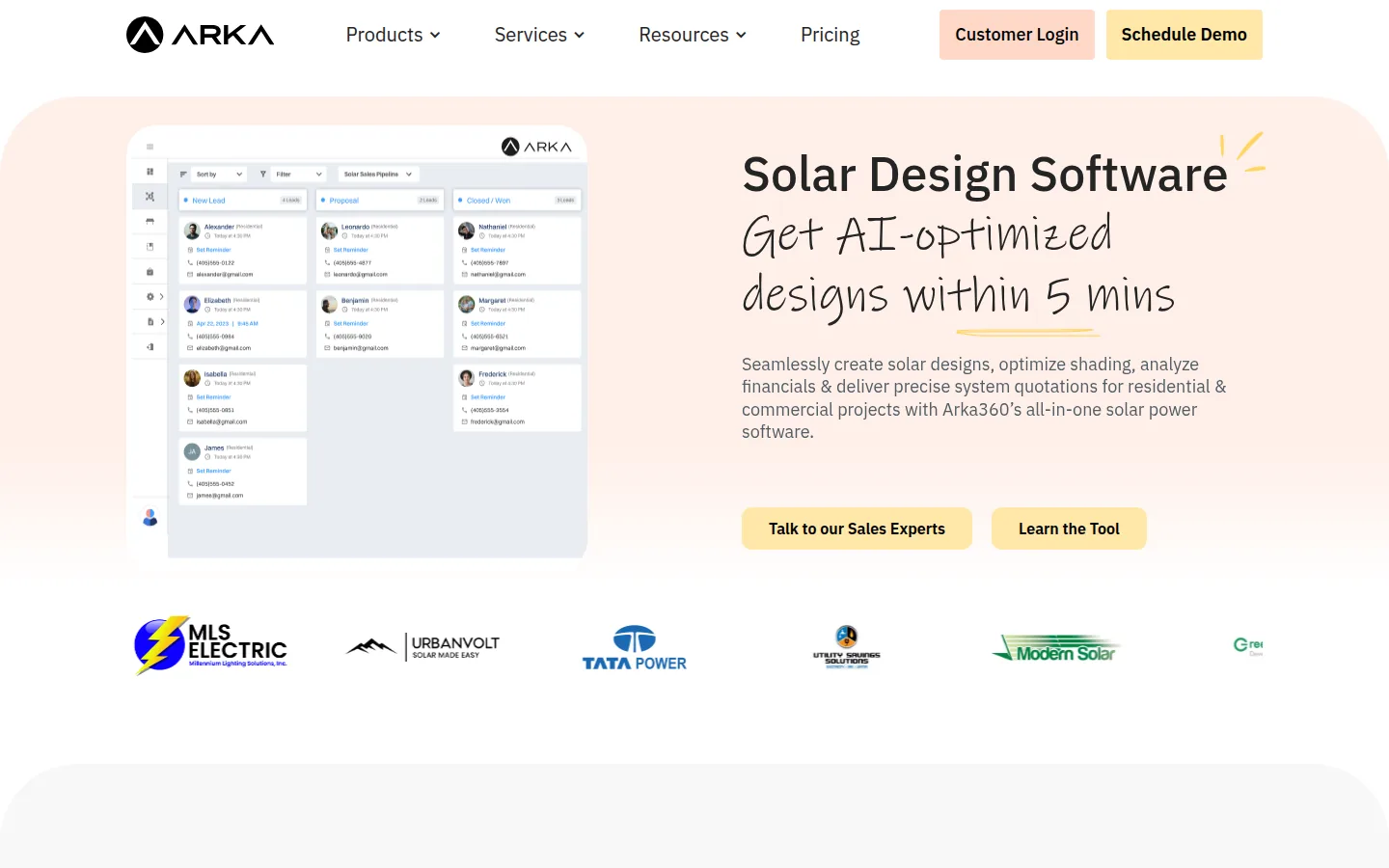
Arka360
Arka360 sells design, proposal and lead-management software for residential and commercial projects.
Best for: installers and EPC teams that want commercial design, financing models and lead tracking in one subscription.
Not the right choice if: you need one price you can confirm from the website, because the pricing page holds several price tables. Also check the plan before you commit if you need battery sizing, single-line diagrams (simple drawings of how the system is wired), CAD (computer-aided design) export or single-axis trackers. The plan table lists them from the Professional plan up, not on Basic.
What the vendor documents: the commercial page describes designing, managing and delivering commercial solar systems “from initial designs to proposal generation, permitting, and project handovers”. On the pricing page, the plan comparison table lists these on all three plans. They are commercial design, a shade report, an 8760 production report (output for every hour of the year) and PVsyst export. They also include a utility rate finder, a payback and ROI (return on investment) report and a tablet-friendly proposal tool. The table also lists adders, discounts and incentives, “Financing: Cash, loan, lease & PPA”, a web proposal, lead management and task management. A customizable proposal, site survey, CRM API and financial integration start at the Professional plan.
Price (checked October 2026): the visible US-dollar cards on the pricing page show three plans. Basic is $199 per month (includes 1 user). Premium is $358 per month (includes 2 users). Enterprise is Talk to Sales. The feature comparison calls Premium “Professional”. The page also holds rupee tables (each plus 18% GST, the goods and services tax) and a hidden dollar table for other visitors. A second set of rupee prices is on arka360.com/pricing-in. So the amount you see depends on which table is shown. Ask Arka360 for a written quote.
Limitations: the pricing page still carries a banner for a webinar on 9 January 2025, and the plan names differ between blocks. Trial access is not stated on the pages we read.
Vendor link: arka360.com.
Energy Toolbase
Energy Toolbase sells ETB Developer for modelling and proposals, plus separate controller and monitoring products.
Best for: sales teams that build commercial solar and storage proposals around utility rates, incentives and battery dispatch.
Not the right choice if: you need PV panel layout in the same tool. The comparison table on the ETB Developer page marks “In-app PV panel layout tools” as not included for ETB Developer. It lists “PV design partnerships with leading design software tools” instead. You also cannot read a price before you book a call.
What the vendor documents: ETB Developer lists up-to-date utility rates, utility cost and savings calculations, and an energy storage simulation engine. It also lists quick financial analysis that compares payment options and calculates incentives. Its FAQ says the platform “models demand charge reduction strategies by simulating battery storage dispatch”. Proposals come from templates with branding controls and a custom template builder. It also has an interactive proposal publisher, notifications when a prospect opens a proposal, and lead management. The FAQ describes ETB Developer as web-based.
Price (checked October 2026): ETB Developer has no price on the pricing page. The page says to “Book 30 minutes with our team” and that they “walk you through a demo and pricing for your team size on the call”, with no credit card needed.
Limitations: the vendor’s own pages give two rate counts. The comparison table says “120,000+ verified rates”. The FAQ says “more than 110,000 real utility rate structures”. The hardware products on the pricing page are sold separately from ETB Developer.
Vendor link: energytoolbase.com.

HelioScope
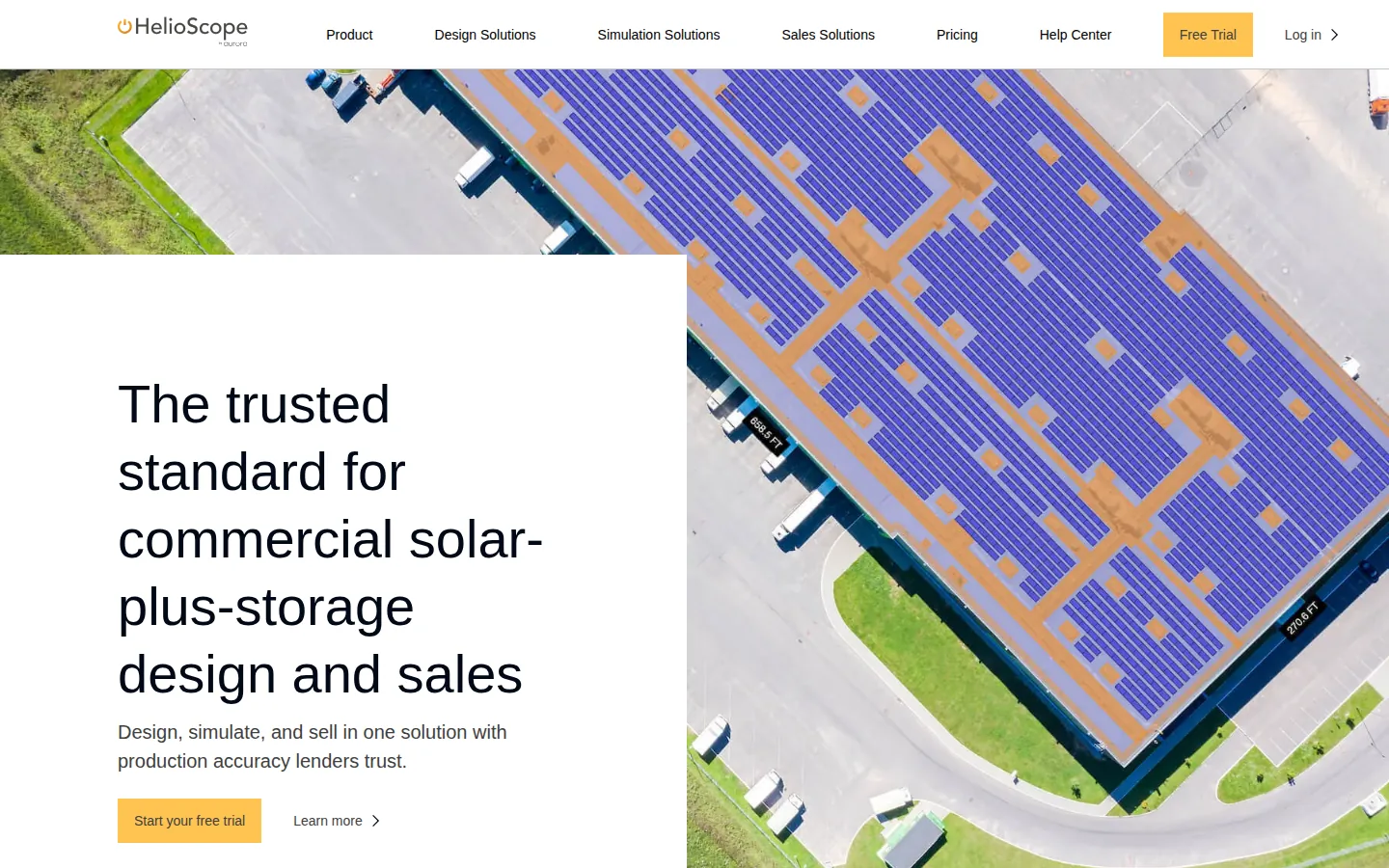
HelioScope is part of Aurora Inc.; its footer reads “an Aurora Inc. Company”.
Best for: commercial solar-plus-storage designers who want layout, an hourly production report, financial analysis and proposals in one product.
Not the right choice if: you want proposals or financial analysis on the entry plan, because the plan table lists them from Pro. You also need the Enterprise plan for designs above 5 MW (DC).
What the vendor documents: every plan lists rooftop, carport, ground mount and battery layout, CAD export, single-line diagrams and an 8760 production report. Pro and Enterprise add financial analysis tools, a utility rate editor, and customizable reports and sales proposals. They also add storage modeling and P90, P95 and P99 values (yield levels met or beaten in 90%, 95% or 99% of years). The sales page says users can adjust designs and “see how each change affects IRR, LCOE, and other key metrics”. The product page lists peak shaving modeling under Pro storage modeling. The production report includes a bill of materials (module, wire and inverter quantities). CAD files export as DXF, a common drawing file format (help article).
Price (checked October 2026): Basic is $159 per license per month or $1,620 per license per year. It includes 1 user and 10 projects per month, for designs up to 1.25 MW (DC). Pro is $259 per license per month or $2,640 per license per year, for designs up to 5 MW (DC). Enterprise is custom per-project pricing. The help center describes a standard 14-day free trial. It allows one trial per customer and has Pro-level features. Source: HelioScope pricing.
Limitations: Basic and Pro include 1 user and 120 projects per year. API access, SSO (single sign-on) and single-axis trackers are Enterprise features. HelioScope’s help center documents browser (WebGL) delivery.
Vendor link: helioscope.aurorasolar.com.
OpenSolar
OpenSolar says its core app is free for solar professionals because partners pay to be on the platform.
Best for: small installers who want to test proposals, financing options and e-signature in a core app the vendor describes as free.
Not the right choice if: you need to confirm commercial project limits before you build a process around it. The product pages we read describe residential and electrification proposals (solar, batteries, EV charging, heat pumps). They do not state commercial project sizes. But the help center article on commercial projects recommends keeping 3D designs under 500 kW. It says systems up to 5 MW have been modeled by reducing simulation complexity.
The product pages do not describe tariff-level or demand-charge modelling. But the help center describes custom tariffs with demand charges and battery control schemes.
What the vendor documents: the proposal page lists Swipe and Scroll proposals, Quick Quote and branding controls. It also lists financing where available, deposit collection, in-proposal acceptance, section view tracking where available, and an interactive 3D proposal view. The view shows shading across the day and year. It lets customers compare system options and key financial figures. The free page says the core app is free of charge. It credits partners that include manufacturers, finance companies and distributors.
Price (checked October 2026): the core app is free for solar professionals. OpenSolar’s 16 February 2026 post says charges apply from 16 April 2026 only to API Access and supported connectors. Optional Enterprise Services are paid: Support US$500 per month, Customize US$1,350 per month, and Enterprise at custom pricing. Premium imagery is pay per image (price shown in the app).
Limitations: bespoke proposals are part of the paid Customize and Enterprise services. OpenSolar’s help center returns 403 to automated clients. So we read the articles linked above in a browser.
Vendor link: opensolar.com.
PVComplete
PVComplete sells PVSketch, a web layout tool, PVCAD, an AutoCAD-based tool, and design and engineering services.
Best for: installers who want a web layout tool that generates proposals, or who prefer to buy a commercial proposal per project.
Not the right choice if: you need a published subscription price for PVSketch. The page does not state one. It is also not the right choice if you want utility-rate and storage dispatch modelling at the depth Energy Toolbase documents. The PVSketch page lists utility rates and savings calculations. It does not mention demand-charge modelling.
What the vendor documents: the PVSketch page describes a web-based layout tool for distributed generation with “free and paid plans available”. It lists savings calculations, utility rates, energy production, proposal generation and report export. It also lists export to PVCAD or an order for a plan set or stamping. The services page sells a proposal that includes a 3D shade report, bill savings and cash flow.
Price (checked October 2026): PVSketch: free and paid plans, with amounts not stated on the page. Proposal service for commercial and industrial solar with storage: $40 per proposal under 100 kW, $99 for 100 to 500 kW, $149 for 500 kW to 1 MW and $199 above 1 MW. Edits cost $15, $40, $80 and $80 each. The page says turnaround is 48 to 72 hours for 500 kW to 2 MW systems. It says the fees are added to the monthly credit card subscription. The pricing page lists the PVCAD Bundle (AutoCAD included) from $333 per month billed annually on its Distributed Generation tab.
Limitations: PVCAD is the AutoCAD-based plan-set product, and its page describes plan sets and drawings. Trial access is offered through “Start Trial” links.
Vendor link: pvcomplete.com.

SurgePV
SurgePV is our product. We publish this list and sell this software.
Best for: installers and EPC teams that want roof modeling, layout, shading, yield modeling, financial modeling, bill-of-materials output and proposals in one web application.
Not the right choice if:
- you need a self-serve trial. SurgePV offers a guided demo and does not advertise one.
- you need tariff-level utility-rate analysis or storage dispatch modelling. SurgePV’s published scope does not list them; Energy Toolbase documents both.
- you need P90, P95 and P99 values from your proposal tool. HelioScope lists them on Pro; SurgePV’s published scope does not name them.
- you need approval from a lender, authority or engineer. SurgePV outputs support design and documentation but do not replace that approval.
- you need a full CRM (customer relationship management), monitoring or ERP (enterprise resource planning) product. SurgePV’s published product scope does not list a CRM. Monitoring and ERP are outside its scope.
What the vendor documents: SurgePV’s published scope is 3D roof modeling, solar array layout, shading analysis and energy-yield modeling. It also covers financial modeling, electrical workflow support, bill-of-materials output and proposal generation. The pricing page lists unlimited projects, AI solar designing, shadow analysis, generation and financial analysis, and proposal generation under “Everything included”. For unlimited projects, confirm fair-use limits. For the proposal side, see solar proposal software. For the financial side, see the generation and financial tool.
Price (checked October 2026): $1,899 per user per year for one user, $1,499 per user per year for 3 seats, and $1,299 per user per year for 5 seats. Access starts with a guided demo.
Limitations: results depend on the source data, assumptions and equipment models you use. Pricing, product access, implementation scope and contract terms are confirmed in a written quote.
Vendor link: SurgePV solar proposals.
See SurgePV proposals on a commercial project
Book a guided demo and bring a commercial site and a recent utility bill.
Book a Free Demo
Tools We Did Not Compare
- Aurora Solar: Aurora’s Sales Mode page is written around homeowners. The site navigation lists HelioScope under Commercial. So HelioScope is the Aurora product compared here. For residential proposal tools, see our lists of solar proposal software and Solargraf alternatives.
- Solargraf: Solargraf is not compared on this page (solargraf.com returned HTTP 403 to automated reads, including a headless browser, read October 2026).
- PVsyst: the product page lists simulation and economic assessment. It does not list proposal generation. For P50 to P90 yield estimates (P90 is a yield expected to be met or exceeded in 90% of years; P50: 50%), see our bankable simulation software list.
- RatedPower: its pricing page describes its plans as for “utility-scale plants”, so it sits outside a commercial proposal comparison.
How We Ordered These Tools
The tools are listed alphabetically. The matrix records what each vendor documents, not what we saw in use. “Not stated” means the pages we read did not say. The feature may still exist. “Not included” means the vendor’s own table marks it that way. Cells quote or closely follow the vendor’s wording.
| Tool | Financial analysis | Utility rates and storage | Proposal output | Design in the same product | Price published |
|---|---|---|---|---|---|
| Arka360 | “Payback & ROI report”; “Financing: Cash, loan, lease & PPA” | “Utility rate finder”; battery sizing from Professional | “Web proposal”; customizable proposal from Professional | “Commercial design” | Visible USD cards (Basic, Premium); other tables on the page |
| Energy Toolbase | “Quick financial analysis” | “Up-to-date utility rates”; demand charge reduction through battery dispatch | Templates, interactive publisher, open notifications | Not included (“In-app PV panel layout tools”) | Not published for ETB Developer; call |
| HelioScope | “Financial analysis tools” (Pro) | “Utility Rate Editor” (Pro); storage modeling (Pro) | “Customizable reports & sales proposals” (Pro) | Layout and 8760 report on all plans | Yes, USD per license |
| OpenSolar | “key financial figures” in the 3D proposal view | Custom tariffs with demand charges; battery control schemes (help center) | Swipe, Scroll, Quick Quote | Design inside the platform | Free core app; paid API Access, connectors and services (USD) |
| PVComplete | “savings calculations” in PVSketch | “utility rates” listed | “Generate proposal and export reports” | Web layout tool | Free and paid; amounts not stated |
| SurgePV | Financial modeling | Not in published scope | Proposal generation | Roof modeling and layout | Yes, USD per user per year |
Financial analysis and payment structures. It matters because a business buyer checks the cash flow before the design. We did not rebuild any vendor’s financial model or compare calculation methods.
Utility rates and storage. It matters because savings on a commercial bill depend on tariff structure and demand charges. We did not test the accuracy of any rate library. The rate counts are the vendors’ own.
Proposal output. It matters because the proposal is the document the buyer forwards. We did not open sample proposals or compare how they look.
Design in the same product. It matters because every export between design and proposal is a place for numbers to drift. We did not test exports or handoffs between tools.
Price published. It matters because a listed price lets you plan a budget. We did not negotiate quotes, and we left out add-ons, taxes and volume discounts.
SurgePV sits in the alphabetical list like the other five. The matrix shows where it differs. SurgePV documents design, financial modeling and proposals in one web product with a published price. Energy Toolbase documents rate and storage modelling that SurgePV’s scope does not list. HelioScope documents P90 to P99 values that SurgePV’s scope does not name. So SurgePV is the best-for pick only for the one-web-application workflow.
Sources and Dates
Vendor pages were read in October 2026. Prices and features come from the vendor pages linked here and in the entries above. Each vendor page can change, so check the vendor before you buy.
- arka360.com: /pricing, /commercial-solar-design-software, /pricing-in
- aurorasolar.com: /sales-mode/
- energytoolbase.com: /pricing/, /solutions/etb-developer/
- helioscope.aurorasolar.com: /pricing/, /sell/, /product-2/, home
- help-center.helioscope.com: /hc/en-us/articles/8198806782483-Production-Report-Summary, /hc/en-us/articles/8198880711827-Export-CAD-Files, /hc/en-us/articles/52658918496275-Free-Trial, /hc/en-us/articles/8536924152339-WebGL-Not-Supported-by-Your-Browser
- opensolar.com: /free/, /sales-machine-proposal/, /post/free-platform-data-export-pricing/, /enterprise-services/, home
- pvcomplete.com: /solar-design-services/, /pvsketch/, /pricing/
- pvsyst.com: /en/products/pvsyst/
- ratedpower.com: /pricing/
- support.opensolar.com: /hc/en-us/articles/12354276533647-How-to-design-commercial-projects-in-OpenSolar, /hc/en-us/articles/12552222129551-How-to-create-a-tariff-in-OpenSolar, /hc/en-us/articles/12447137853071-How-to-create-and-apply-a-battery-control-scheme
Frequently Asked Questions
What is commercial solar proposal software?
Commercial solar proposal software turns a system design and a financial model into a document a business buyer can approve. It usually combines a production estimate and utility-rate and savings figures. It also offers a choice of payment structures such as cash, loan, lease or power purchase agreement (PPA).
What is the best commercial solar proposal software?
It depends on the job. HelioScope lists design, simulation, financial analysis and sales proposals on its Pro plan. Energy Toolbase documents utility-rate and demand-charge modelling but marks in-app PV layout as not included. OpenSolar’s core app is free. PVSketch from PVComplete lists free and paid plans. The vendor charges for OpenSolar API Access and connectors from 16 April 2026. SurgePV covers roof modeling, layout, financial modeling and proposals in one web application. Use the comparison table to match the tool to your project type.
How much does commercial solar proposal software cost?
HelioScope publishes $1,620 per license per year for Basic and $2,640 per license per year for Pro. SurgePV publishes $1,899 per user per year for one user, $1,499 per user per year for 3 seats and $1,299 per user per year for 5 seats. OpenSolar says its core app is free for solar professionals. The vendor charges for API Access and connectors from 16 April 2026. It also charges for optional services. Energy Toolbase does not publish a price for ETB Developer. Arka360’s pricing page holds several price tables. Its visible US-dollar cards show $199 per month for Basic (1 user) and $358 per month for Premium (2 users). All prices were checked in October 2026.
Does Aurora Solar do commercial proposals?
Aurora’s own site lists Sales Mode under Residential and lists HelioScope under Commercial. HelioScope is described as an Aurora Inc. company. So this page compares HelioScope for commercial work. It does not compare Aurora Solar’s residential tools.
What should a commercial solar proposal include?
A commercial proposal should show the system design and a production estimate. It should show the savings against the customer’s utility rate and a financial summary such as payback and return. It should also show the payment structures on offer, and the equipment and next steps. The financial inputs matter most. A business buyer will check them.
Related lists
For related comparisons, see best solar EPC proposal software, best commercial solar design software and best bankable solar simulation software. For the product behind the SurgePV entry, see solar proposal software, and for a wider guide to the sales process see commercial solar proposals.
