

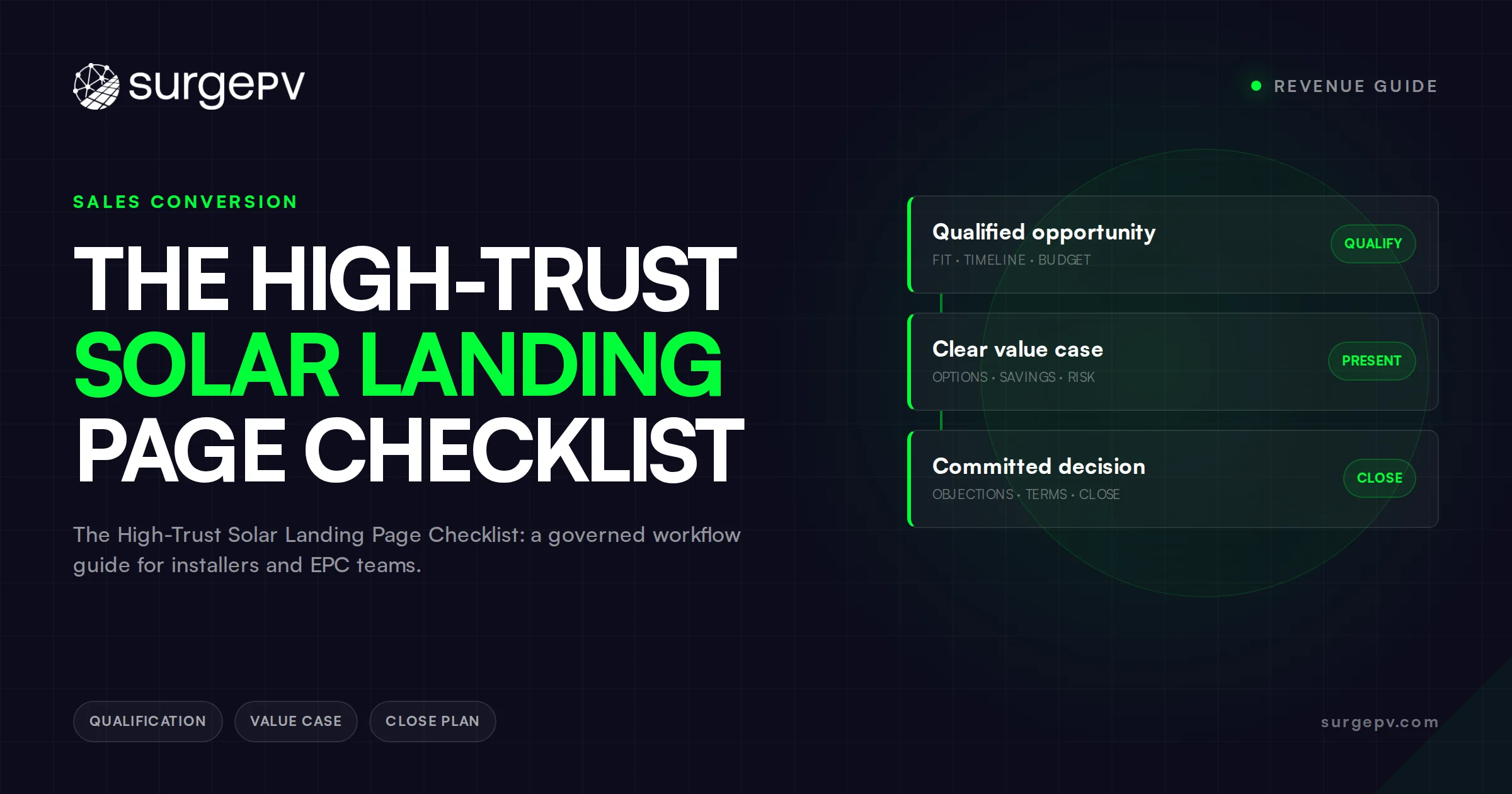
Quick Answer
A useful solar landing page gives one visitor a clear job, carries the campaign promise into visible evidence, asks only for inputs the next step can use, and explains what happens after submission. Review public pages for anatomy and routing ideas, but use your own analytics, customer records, accessibility checks, and controlled tests to judge performance.
A page screenshot can make a weak review feel precise. The reviewer circles the address field, praises the hero, counts the buttons, and calls the page “high converting.” No conversion evidence has entered the room. The screenshot only proves that certain elements were visible when someone looked.
That distinction matters for a solar landing page because the destination may ask a visitor to begin a decision involving a property, utility account, energy use, equipment, finance, or a future project. A marketer can learn plenty from visible page anatomy. They cannot inspect another company’s traffic mix, form errors, private analytics, qualified opportunities, sales outcomes, or abandoned conversations from the public page.
This solar landing page teardown therefore uses six live pages as page-job comparators, not as winners. Solar.com, PG&E, Signature Solar, the U.S. Department of Energy, the California Energy Commission, and EnergySage each serve a different visible task. The useful lesson is not “copy this hero.” It is “name the job before borrowing the component.”
The article also stays inside a narrow inventory boundary. Image selection belongs in the guide to stock photos on solar landing pages. The broader component checklist belongs in 9 solar landing page elements for qualified inquiries. Platform setup belongs in the Facebook ads guide. Lead scoring belongs in the solar lead quality guide. Here, the work is page-job selection, promise continuity, form purpose, release control, and review.
This is a marketing operating framework, not legal, privacy, accessibility, engineering, financial, tax, utility, permitting, or compliance advice. Adapt the record to the page’s markets, traffic sources, data practices, claims, contracts, review duties, and qualified owners.
What can a public solar landing page teardown prove?
A public teardown can document the page’s visible job, copy, evidence, navigation, form inputs, disclosures, and promised continuation at an observation time. It cannot prove conversion, comprehension, lead quality, revenue, accessibility conformance, claim substantiation, or cause. Those conclusions need controlled first-party data, defined events, responsible review, and a comparison method suited to the decision.
Start by separating three evidence layers. The public layer is what any visitor can observe: words, images, controls, links, input labels, notices, and post-click routes. The owner layer includes the page version, campaign source, analytics configuration, consent records, error logs, experiment allocation, and follow-up history. The outcome layer connects a declared page event to later records such as a reviewed inquiry, a scheduled consultation, or a closed opportunity.
Only the first layer is available in a public teardown. Even there, observation has limits. A page can vary by device, location, campaign parameter, account state, cookie choice, or deployment version. A reviewer may see a fallback state while the intended audience sees something else. Text loaded by a script may render differently. The review record should therefore include the URL, date, device or viewport, route into the page, and any state the reviewer could not inspect.
Use an observation ladder rather than a conversion score:
| Evidence layer | What the reviewer can record | What remains unknown | Responsible source |
|---|---|---|---|
| Public page | Visible promise, component, field, disclosure, route, and error or success cue | Private audience, event quality, experiment history, and downstream outcome | Timestamped manual review or controlled capture |
| Campaign record | Audience, ad or email version, source parameters, promise, owner, and release date | Whether the page caused a later outcome | Controlled campaign system |
| Page telemetry | Loads, interaction events, submissions, errors, and version identifiers under declared definitions | Whether an inquiry was usable or a sale was caused by the page | Analytics, tag, and application records |
| Follow-up record | Receipt, routing, contact, disposition, and next action | Counterfactual outcome without the page | CRM or controlled operating record |
| Commercial record | Proposal, agreement, project state, and attributed revenue under company rules | Universal causality or transferability to another company | Reviewed commercial systems |
A clean event count can still mislead if the event meaning changed. One page version may fire “submit” on a button click while another fires after server acceptance. A traffic source may send existing customers to one page and new prospects to another. A call-tracking number may be missing from one device. Record definitions before comparing totals.
The claim boundary matters too. The FTC’s advertising and marketing guidance states that advertising claims must be truthful, cannot be deceptive or unfair, and must be evidence-based. That general U.S. guidance does not approve a solar page or claim. It does support a disciplined release question: which current evidence allows this exact statement, in this context, for this audience?
Do not turn another company’s visible claim into evidence for your own. A competitor saying “save” or “best” proves that the words appeared, not that the underlying claim is true or available to your visitor. Treat copied claims, disclosures, and consent language as especially risky because their meaning depends on the offer, evidence, data practice, market, and responsible legal review behind them.
What jobs do six real solar landing pages perform?
The six reviewed pages visibly perform price discovery, utility routing, equipment commerce, homeowner education, public-resource navigation, and marketplace comparison. Their components make sense inside those jobs. A home-address field, program menu, category grid, question-led guide, state resource list, or ZIP-code start should transfer only when the receiving page has the same visitor task and operational continuation.
The table records what was visible on August 30, 2026. It does not rank the pages or validate their claims. Page anatomy can change after the observation date.
| Page | Visible page job | Entry or organizing device | Continuation shown | Do not assume |
|---|---|---|---|---|
| Solar.com | Property-specific price discovery | Home-address field | Home analysis, installer comparison, financing path, and contact | That its offer, claim, form, or economics apply to one installer |
| PG&E Solar | Utility resource routing | Solar and storage topic choices | Getting-started, program, aggregation, billing, and storage resources | That a utility hub is an installer lead page |
| Signature Solar | Equipment commerce and project browsing | Product categories and project paths | Product, design-form, installation, store, and support routes | That ecommerce navigation fits an appointment campaign |
| DOE homeowner guide | Question-led education | Suitability and decision questions | Tools, provider context, utility topics, finance, and consumer cautions | That an education page must force immediate capture |
| California Energy Commission | State public-resource navigation | Technology categories and expandable information | Components, safety, state projects, statistics, and related resources | That public authority language or scope transfers to a private offer |
| EnergySage | Marketplace education and comparison | Project categories and ZIP-code entry | Local offers, quote comparison, and learning routes | That a marketplace routing input belongs on every installer form |
Solar.com uses address-led price discovery
The observed Solar.com homepage opens with a home-address field and a price-oriented action. Farther down, the visible page explains a three-stage path involving home analysis, installer competition, and a later signing decision. It also presents financing examples and caveats tied to modeled figures and current inputs.
The transferable lesson is sequence visibility. The visitor can see that the address begins a property-specific path and that later stages exist. The non-transferable assumption is the entire commercial mechanism. A local installer, national dealer, lead marketplace, equipment seller, or design software company may have different providers, data sources, territories, finance routes, permissions, and customer obligations.
If your campaign promises “see solar on your roof,” the first interaction should state whether the visitor receives an automated concept, a human-reviewed preview, an appointment, or a request for more information. The address field alone does not answer that. Connect the input to an honest continuation and state what still requires review.
PG&E uses the page as a utility routing hub
The observed PG&E solar page routes visitors to getting-started information, solar programs, community-choice aggregation context, solar-bill information, and battery storage. Its visible job is broader than capturing a sales inquiry. It helps a utility customer find the branch that matches their question.
That architecture is useful when the organization truly owns several distinct service routes. It is less useful when a campaign promises one narrow action and the destination presents a full corporate menu. The marketing manager should decide whether the visitor needs a branch choice or whether the campaign already supplied enough context to take them directly to the relevant page state.
Do not borrow utility language or program structure as a universal rule. Service territory, tariff, program, aggregation, storage, and billing questions are jurisdiction-sensitive and source-sensitive. Route visitors to the current responsible utility or program source rather than converting a public-resource summary into a private guarantee.
Signature Solar uses categories and project paths for commerce
The observed Signature Solar homepage organizes equipment through product categories and “Shop by Project” routes. It also exposes support, a design-form route, installation information, and retail-store access. The page has to serve people who may arrive with a product, project, support, or buying task.
An installer landing page may not need that breadth. A campaign about a residential consultation can lose its thread if it opens into batteries, inverters, panels, mobile projects, accessories, support, and stores without a reason. Conversely, an equipment campaign may frustrate a shopper if it hides product categories behind a generic consultation form.
Transfer the idea of task-based routing, not the catalog. Before adding a menu or project cards, write the traffic sources that need each route, the inventory or service boundary behind it, and the owner who maintains availability. A route that leads to unavailable equipment or an unowned service is a broken promise even when the card looks polished.
DOE uses questions to support homeowner education
The Department of Energy says in its homeowner solar guide that there is no universal solar energy solution. The page organizes resources around suitability, potential output, providers, utility context, storage, financing, and consumer questions. Its visible job is to help a homeowner investigate before deciding.
Education can be the full page job. A visitor who clicked an explainer may reasonably want answers before sharing property or contact information. Forcing an inquiry form above every answer changes the exchange. A marketer can still offer a next step after useful education, but the page should distinguish the information available now from the project-specific work that begins after contact.
The FTC’s home-solar consumer guidance warns against quick-decision pressure and recommends comparing detailed written bids covering the system, cost, expected delivery, guarantees where offered, warranties, and workmanship. A landing page is early in that evidence chain. Its language should remain supportable when a visitor later reads the written bid.
The California Energy Commission uses public-resource navigation
The observed California Energy Commission solar page distinguishes solar thermal and photovoltaic topics, explains visible system components, links safety context, and routes to California project, statistics, and data information. It does not present itself as an installer appointment page.
This comparator exposes a common review mistake: treating every page with a solar keyword as the same page type. A public agency resource, utility hub, installer inquiry page, equipment shop, and marketplace can all be relevant to a broad query while serving different people and obligations. Their calls to action should differ because their jobs differ.
Private marketers should not imitate public authority. If a page summarizes a rule, program, incentive, safety issue, or code topic, link to the current official source and name the jurisdiction and review limit. Qualified owners still need to decide what applies to the visitor’s project and date.
EnergySage combines education with marketplace routing
The observed EnergySage homepage presents education and comparison routes across solar and related home-energy categories. It also asks for a ZIP code to begin local-offer discovery. That input fits a marketplace job because location can route the visitor into a set of available providers or offers.
One installer may already publish a service area, so asking for location at the same point may serve a different purpose. Another company may need an address later for property work but only a ZIP code now for territory screening. The useful review question is why the input is needed at this stage and what the visitor receives next.
This page also shows why “one CTA” should not become a rigid rule. A homepage supporting several project categories may need several routes. A campaign-specific page can usually be narrower because the ad or email already chose a topic. Count jobs and continuations before counting buttons.
Across all six pages, visible anatomy follows the organization behind the page. Address-led price discovery needs a property path. Utility routing needs maintained program branches. Equipment commerce needs categories and inventory. Education needs answer depth and source routes. Public navigation needs jurisdictional authority. A marketplace needs comparison and routing operations. The component is downstream of the job.
How should a solar landing page carry the campaign promise?
A solar landing page should preserve the same audience, offer, claim scope, evidence date, and next action promised in the campaign. Record the campaign version, page version, source parameters, form purpose, thank-you state, and follow-up route together. If any link changes, pause release until the responsible owner accepts the mismatch or restores continuity.
Build a campaign-to-page contract before polishing copy. The contract is a controlled record that lets another person answer what the visitor was told, what the page shows, what the form asks, and what the company does next. It should survive a new headline, a routing change, or a salesperson opening the lead record days later.
| Control | Record before release | Primary owner | Release failure |
|---|---|---|---|
| Audience and source | Campaign, audience rule, traffic source, parameters, exclusions | Marketing | Page is reviewed without knowing who will arrive |
| Promise | Exact claim, offer, qualification, evidence owner, expiry, and limitation | Marketing plus responsible claim owner | Page broadens or changes the campaign promise |
| Page version | URL, deployment id, content owner, observation capture, and rollback version | Web or marketing operations | Analytics and follow-up cannot identify what was shown |
| Evidence | Current source, jurisdiction, assumptions, reviewer, and next review event | Subject owner | Statement survives after its evidence or applicability changes |
| Form purpose | Decision supported, necessary inputs, explanation, alternative, and data owner | Marketing plus privacy and operations owners | Form collects data without a usable next action |
| Continuation | Success state, expected response, route, hours, exception, and escalation | Sales or service operations | Confirmation promises a handoff nobody owns |
| Measurement | Event definitions, quality disposition, exclusions, and review window | Analytics plus business owner | Clicks or submits are compared under incompatible meanings |
Several mismatch patterns appear in ordinary operations. An ad promises a property-specific estimate, but the page offers only a generic consultation. The page says “instant,” but a manual review happens before anything useful is sent. The form asks for an electric bill, while the receiving team cannot retrieve or interpret the upload. The thank-you message promises a call, but no route covers evenings or duplicate records.
Another mismatch appears later. A landing-page savings statement uses one assumption set, while the eventual proposal uses another. The visitor may see two different answers without any record of why. Use the campaign-to-proposal consistency checklist for the full downstream trace. This page contract should at least preserve the original statement, source, version, and limitation so the proposal owner can reconcile it.
Do not solve continuity by making every claim vague. “Learn more” and “see what you could save” can still create expectations. Name the next artifact and its status. “Request a consultation” is different from “receive a reviewed preliminary concept.” “View an illustrative estimate” is different from “get a project quote.” The words should tell the visitor what exists now and which review happens next.
Tracking parameters belong in the record, but they are not the promise. A technically perfect campaign tag does not repair a page that changes the offer. Likewise, matching copy does not prove correct tracking. Marketing, web operations, analytics, and follow-up owners each need an acceptance event because each controls a different failure.
What belongs on a solar lead form?
A solar form should request inputs needed for the promised next decision, explain effort-heavy or sensitive requests, distinguish required from optional fields, and provide an alternative when a visitor cannot supply the expected input. The form also needs usable success and error states, a named receiving route, duplicate handling, data ownership, and a reviewed retention or consent basis.
Begin with the continuation, then work backward. If the next step is a territory check, a broad location input may be enough. If the company promises a property-specific review, the responsible team may need a property identifier and later evidence about energy use or site conditions. If the next step is an educational download, a full project-intake form may be disproportionate to the exchange.
The solar marketing qualification checklist owns the deeper readiness questions for address, usage, timing, and fit. The solar lead capture software guide covers capture and routing system requirements. On the page itself, record why each input exists and what happens when it is absent, ambiguous, invalid, or unavailable.
Field review should cover meaning as well as count. “Address” might mean mailing address, project property, meter location, service point, or a place the visitor is considering. “Average bill” might mean a recent total, an annual average, a utility charge before adjustments, or a rough recollection. If the receiving workflow needs one meaning, label it. If the page can accept uncertainty, give the visitor an explicit “I don’t have this yet” route.
| Form or route condition | Immediate page response | Safe continuation to consider | Owner |
|---|---|---|---|
| Required field is empty | Identify the field and explain what is needed | Keep entered data and move focus to a clear error summary | Web and accessibility owners |
| Input format is not accepted | State the accepted format without blaming the visitor | Accept reasonable variants or offer another channel where appropriate | Web owner |
| Address cannot be resolved | Avoid declaring the property unsupported from one lookup | Manual review, map confirmation, or contact route with limits stated | Operations or service-area owner |
| Visitor lacks a bill or usage file | Explain what can and cannot happen without it | Save progress, schedule collection, or offer a less specific next step | Sales and technical owners |
| Upload fails | State whether the file was received and preserve other entries | Retry, alternate secure route, or support contact under policy | Web, security, and operations owners |
| Duplicate record is detected | Do not expose private record details | Route to controlled review and tell the visitor what happens next | CRM or intake owner |
| Service area is uncertain | Avoid a premature eligibility promise | Request enough location context for a human decision | Territory owner |
| Submission succeeds | Confirm receipt without inventing qualification | Give the next event, expected timing basis, and contact route | Follow-up owner |
W3C’s form notification tutorial says users should receive feedback when a submission succeeds or errors occur. It also says error messages should be concise, understandable, and explain how to correct mistakes. That is technique guidance, not an accessibility or legal certification. It provides a useful minimum review question: can the visitor tell what happened and what to do next?
The success state needs the same care as the form. A generic “Thanks, we’ll be in touch” leaves the visitor guessing. State what was received, whether the submission is complete, which channel may be used, and what happens if the visitor needs to correct something. Do not promise a response time unless the route, coverage hours, exception path, and measurement support it.
Privacy and consent language cannot be copied safely from a comparator. The organization has to identify what it collects, why, where it goes, who receives it, how long it is retained, which communications follow, what choices apply, and which laws or contracts govern the page. Marketing should bring the form purpose and data flow to the responsible privacy and legal reviewers rather than asking them to approve a screenshot without operational context.
Qualification also needs a visible boundary. A completed form is a submitted record, not proof that the visitor, property, project, claim, finance path, equipment, schedule, or service is suitable. The receiving team should record the disposition it actually made and the evidence used. That keeps the landing page from silently becoming an approval system.
How should a marketing manager release and test the page?
Release a solar landing page through an eight-step record: define its job, freeze the campaign promise, inventory evidence, map inputs and continuation, assign owners, test states, launch one controlled version, and review outcomes under declared definitions. Keep an observation log, exceptions, and rollback condition. An inconclusive test is valid when traffic or data quality cannot support a decision.
Use the sequence below as an operating method, not a guarantee of performance.
- Declare the page job and visitor. Write the traffic source, audience, situation, next decision, and explicit non-goals. Decide whether the page educates, routes, begins price discovery, supports comparison, sells equipment, or collects an inquiry. If it has several jobs, explain why they belong together and how a visitor chooses.
- Freeze the campaign promise. Store the exact ad, email, partner message, or link context with its version and release owner. Mark each objective claim, evidence source, jurisdiction, assumption, limitation, reviewer, and expiry. Record which claims must remain consistent in later sales and proposal material.
- Inventory the page evidence. For every proof element, identify whether it is a current source, first-party fact, illustrative explanation, model output, testimonial, certification, warranty, or commercial term. Reject decorative authority and expired claims. Confirm disclosures and image rights through their responsible owners.
- Map every input to a continuation. State why each field is needed now, what system receives it, who uses it, what happens when it is missing, and what the visitor receives. Review upload, address lookup, duplicate, territory, spam, consent, and correction paths. Cut a field that has no current responsible use.
- Assign acceptance by domain. Marketing accepts message continuity. Sales or service operations accepts routing and follow-up. The technical owner accepts project-language boundaries. Web and analytics owners accept implementation and event definitions. Privacy, accessibility, security, and legal owners complete the reviews required by the company’s context.
- Test visible and failure states. Review common viewports, keyboard use, labels, focus, contrast, validation, slow loading, blocked scripts, bad inputs, unavailable data, failed uploads, server errors, success messages, and correction routes. Confirm that the tracking event occurs at the event it claims to measure.
- Launch one identifiable version. Store the deployment id, start time, campaign sources, exclusions, rollback version, and responsible monitor. Avoid changing copy, form logic, traffic mix, and follow-up at once if the review depends on knowing which mechanism changed.
- Review the complete path. Reconcile page events with accepted submissions, routing, contact attempts, dispositions, proposal states, and data-quality issues under declared definitions. Report unknowns. Continue, revise, stop, or redesign according to the predeclared decision rule rather than searching for a favorable metric.
Visibly labelled illustrative example, not a customer case
Illustrative example: Northline Solar is a fictional installer. The numbers and names below are demonstration inputs, not benchmarks, test results, or SurgePV customer outcomes.
Northline plans a paid campaign offering a “reviewed roof concept.” The campaign manager initially sends traffic to a form headed “Get an instant solar design.” During release review, the design owner explains that a human checks the address and available property evidence before a concept is prepared. The original headline turns a reviewed process into an instant claim.
The team changes the page promise to “Request a reviewed preliminary roof concept,” explains that additional property or usage information may be needed, and separates the initial request from design acceptance. The form asks for the project address, contact route, property relationship, and a short project note. A bill upload remains optional because it is not needed to decide whether the team can begin the address review.
The success state confirms receipt and says the request will be checked before any project-specific concept is prepared. An unresolved address routes to manual review instead of producing an unsupported eligibility message. Marketing stores the campaign and page versions. Operations owns the receipt route. Design owns the boundary between a preliminary concept and a reviewed project output.
Suppose the initial observation window produces too few accepted records to compare the planned variants under the team’s decision rule. “Inconclusive” is the responsible result. The team can extend the observation, revise the question, or stop the test. It should not rename a button-click difference as proof of better lead quality.
Copy-ready Landing Page Review Record
Copy this record into the controlled system used by marketing and its review owners. Keep unknowns visible. A blank field should start a question, not invite a guess.
SOLAR LANDING PAGE REVIEW RECORD

RECORD
Review id:
Page URL:
Page job:
Explicit non-goals:
Primary visitor and situation:
Market and jurisdiction:
Traffic sources included:
Traffic sources excluded:
Campaign version:
Page/deployment version:
Observation date and viewport:
Owner:
Reviewers:

PROMISE AND EVIDENCE
Campaign promise, exact text:
Page promise, exact text:
Next action promised:
Objective claims:
Evidence source for each claim:
Source date and expiry:
Assumptions and limitations shown:
Required disclosure:
Later proposal or sales record that must remain consistent:

FORM AND DATA
Form purpose:
Field:
Why needed at this stage:
Required or optional:
Meaning shown to visitor:
Receiving system and owner:
Missing-input route:
Invalid-input route:
Alternative route:
Consent/privacy review record:
Retention and deletion owner:

CONTINUATION
Successful submission means:
Success message, exact text:
Next event and owner:
Timing statement and operating basis:
Duplicate route:
Territory exception:
Upload or address-lookup failure route:
Correction contact:
Escalation owner:

IMPLEMENTATION REVIEW
Keyboard and focus review:
Label and instruction review:
Error notification review:
Mobile and slow-load review:
Blocked-script fallback:
Analytics event definitions:
Server acceptance event:
Campaign parameter test:
Rollback version and trigger:

OBSERVATION PLAN
Decision the observation supports:
Start and stop event:
Included records:
Excluded records:
Primary event definition:
Downstream quality disposition:
Data-quality checks:
Minimum evidence rule:
Inconclusive condition:
Continue/revise/stop rule:

FINAL DECISION
Observed facts:
Unknowns:
Exceptions:
Claims the evidence cannot support:
Decision:
Decision owner and date:
Next review event:
Store the record beside the page version and campaign version. If the form or success route changes, open a new review issue or version rather than editing history until the old page appears to have had the new behavior.
Where can SurgePV help, and where does software stop?
SurgePV can support project evidence used after responsible intake, including roof modeling, array layout, shading, energy-yield and financial modeling, electrical workflow support, bill-of-materials output, and proposal generation. It does not replace a landing-page builder, CRM, consent review, accessibility testing, analytics governance, lead qualification, claim approval, or approval by responsible engineers, authorities, lenders, insurers, or utilities.
The controlled SurgePV product record states that results depend on source data, assumptions, equipment models, configuration, and review. That matters when a page offers a preliminary solar view or invites a project conversation. The visible output should identify what is modeled, which sources and assumptions control it, what remains provisional, and which responsible review comes next.
SurgePV can help the downstream team prepare current project material once it has an authorized property, source package, workflow, and review boundary. It cannot decide whether the campaign claim is substantiated, whether the form lawfully collects data, whether the page conforms to an accessibility standard, whether the analytics attribution is sound, or whether a lead should be accepted.
Use software as one controlled part of the continuation. If the landing page promises a preliminary concept, record the data needed to create it, the model status, the reviewer, and the correction route. If the later output becomes a proposal, preserve the original campaign statement and reconcile changed assumptions. The solar proposal workflow should receive controlled inputs rather than an unlabeled marketing promise.
Carry the page promise into a reviewable proposal path. See how solar design and proposal work can keep source data, assumptions, visuals, and revisions visible after the inquiry.
Explore solar proposal workflowsFrequently Asked Questions
What is the main job of a solar landing page?
The page should help one defined visitor complete one declared next step after arriving from a matching campaign promise. That step may be education, routing, price discovery, quote comparison, equipment shopping, or an inquiry. The page job should identify the evidence shown, inputs requested, continuation promised, and owner of the next event.
Can a public landing-page teardown reveal conversion performance?
No. Public HTML can reveal visible copy, form fields, navigation, evidence, disclaimers, and continuation cues at a particular time. It cannot reveal reliable traffic composition, completed submissions, qualified opportunities, sales outcomes, experiment history, tracking failures, or user research. Those require controlled first-party records and an agreed measurement definition.
How many fields should a solar lead form have?
There is no universal field count. Start with the decision or service promised after submission, then ask which inputs are necessary, lawful, understandable, and usable at that stage. Explain why sensitive or effort-heavy information is needed, provide a safe alternative when possible, and test completion plus downstream usefulness rather than field count alone.
Should an installer copy a solar marketplace landing page?
Copying the visible structure without the same business model can break the visitor’s path. A marketplace may need a ZIP code to route offers across providers, while one installer may serve a declared territory or need a different first input. Transfer the review question, not the component, claim, consent language, or commercial assumption.
Where does SurgePV fit in a landing-page workflow?
SurgePV can support current project evidence after responsible owners supply and review the source data, including roof modeling, array layout, shading, energy-yield and financial modeling, electrical workflow support, bill-of-materials output, and proposal generation. It does not replace landing-page hosting, consent, accessibility, analytics, qualification, claim approval, or external project review.
The page should leave the visitor and the company in the same reality. The visitor knows what was shown, what was requested, what happens next, and what remains conditional. The company can reconstruct the campaign, page, form, route, evidence, and later disposition without inventing a story from a dashboard total.
That is a more useful standard than copying whichever hero looked persuasive this week. Public examples can sharpen the questions. Your controlled records have to answer them.
Review the project evidence that follows the landing-page inquiry. Bring your current campaign promise, source-data questions, and proposal handoff to a guided walkthrough.
Book a SurgePV demoSources
Primary research and reference material used for this desk-research article.
Where this fits
This article is part of SurgePV's Solar Sales & Proposals hub, which works through the topic from first principles to the decisions a project team actually has to make.
