

Quick Answer
Solar project profitability tracking monitors key metrics including Performance Ratio, availability, O&M costs, and actual vs projected revenue. Leading platforms include Powerhub, AlsoEnergy, and meteocontrol. Real-time dashboards improve asset returns by 2–5% through early fault detection.
The average U.S. residential solar installer runs a 35% gross margin and a 12% net margin. That 23-point gap is not a mystery. It is unallocated soft costs. Customer acquisition, design time, permitting labor, project management, warranty reserves, and overhead eat the difference. Most installers see the 35% gross and think they are healthy. They are not tracking the full picture. See Solar Racking Design Guide for detailed guidance.
Solar project profitability tracking monitors key metrics including Performance Ratio, availability, O&M costs, and actual vs projected revenue. Leading platforms include Powerhub, AlsoEnergy, and meteocontrol. Real-time dashboards improve asset returns by 2–5% through early fault detection.
Solar project profitability tracking closes that gap. It means building a per-job profit and loss statement that captures every dollar — direct and indirect — so you know which jobs made money, which jobs lost money, and why. Without it, you are flying blind on pricing, quoting the next job using the wrong assumptions, and repeating the same margin erosion quarter after quarter.
This guide covers the full framework for 2026: cost categorization and tracking, labor allocation methods, material variance analysis, overhead allocation, job costing methodologies, and the reporting dashboards that turn data into action. Every section includes real numbers from NREL benchmarks, installer case studies, and original calculations you can apply to your own business.
Quick Answer
Solar project profitability tracking means building a per-job P&L that captures all direct costs (hardware, labor, permits) and allocates indirect costs (sales, design, overhead) to each installation. Installers who track per-job profitability improve net margins by 3-5 percentage points within two quarters by spotting estimating errors, pricing failures, and cost overruns before they compound.
In this guide:
- Cost tracking fundamentals: what to capture and how to categorize it
- Labor allocation: tracking crew and office hours by project
- Material variance: why your BOM never matches reality
- Overhead allocation: the method that determines your true margin
- Job costing methods: absorption vs. activity-based vs. standard costing
- Reporting dashboards: the weekly, monthly, and quarterly review rhythm
- A complete per-job P&L template with real numbers
- What most installers get wrong about profitability tracking
Cost Tracking Fundamentals: What to Capture Per Job
Solar project profitability tracking starts with clean cost categorization. Every dollar that leaves your business must land in one of four buckets: direct materials, direct labor, direct soft costs, or indirect overhead. Mix these buckets and your P&L becomes fiction.
The Four Cost Buckets
Direct materials are the physical components that go on the roof or in the ground. Solar modules, inverters, racking, wiring, conduit, combiner boxes, monitoring hardware, and battery units. These are the easiest costs to track because they ship with invoices and serial numbers. NREL’s Q1 2024 benchmark puts residential hardware at approximately $1.39/Wdc, or about 44% of total project cost for an 8 kWdc system.
Direct labor is the time your installation crew spends on the job site. Roof work, electrical connections, inverter mounting, commissioning, and cleanup. NREL benchmarks this at $0.21/Wdc for residential, or roughly $1,680 for an 8 kW system. But this number only captures field labor. It does not include the sales rep who spent three hours on the consultation, the designer who built the system in PV design software, or the project manager who chased the permit for six weeks. For more on this topic, see Solar Sales Commission Structure.
Direct soft costs are the project-specific non-hardware, non-labor expenses. Permitting fees, interconnection application fees, inspection fees, travel costs for site surveys, and subcontractor payments for electrical panel upgrades. These vary by jurisdiction. A project in a city with online permitting and a single AHJ might cost $800 in PII. A project across three jurisdictions with paper applications and multiple inspections might cost $3,000 for the same system size.
Indirect overhead is everything else. Office rent, administrative salaries, marketing spend, accounting, legal, insurance, software subscriptions, vehicle leases, and the owner’s draw. These costs do not attach to any single project. They must be allocated across all projects using a rational method.
NREL Cost Breakdown: Where the Money Goes
The National Renewable Energy Laboratory (NREL) publishes the most authoritative cost benchmarks for U.S. solar. Their Q1 2024 residential benchmark (NREL/TP-6A20-92536) breaks down an 8 kWdc system at $3.15/Wdc modeled market price as follows:
| Cost Category | $/Wdc | Total (8 kW) | % of Project |
|---|---|---|---|
| Solar modules | $0.40 | $3,200 | 12.7% |
| Inverters | $0.37 | $2,960 | 11.7% |
| Structural BOS (racking, mounts) | $0.32 | $2,560 | 10.2% |
| Electrical BOS (wiring, combiner, conduit) | $0.30 | $2,400 | 9.5% |
| Hardware Subtotal | $1.39 | $11,120 | 44.1% |
| Installation labor (fieldwork) | $0.21 | $1,680 | 6.7% |
| Permitting, inspection, interconnection | $0.18 | $1,440 | 5.7% |
| Customer acquisition / sales & marketing | $0.84 | $6,720 | 26.7% |
| Overhead & G&A | $0.73 | $5,840 | 23.2% |
| Supply chain / logistics | $0.06 | $480 | 1.9% |
| Sales tax | $0.06 | $480 | 1.9% |
| Soft Costs Subtotal | $1.76 | $14,080 | 55.9% |
| Total MMP | $3.15 | $25,200 | 100% |
The table reveals the central truth of solar installer economics. Hardware is less than half the project cost. Soft costs — sales, overhead, labor, permitting — are the majority. Any profitability tracking system that stops at hardware and field labor is capturing less than half the story.
Key Takeaway
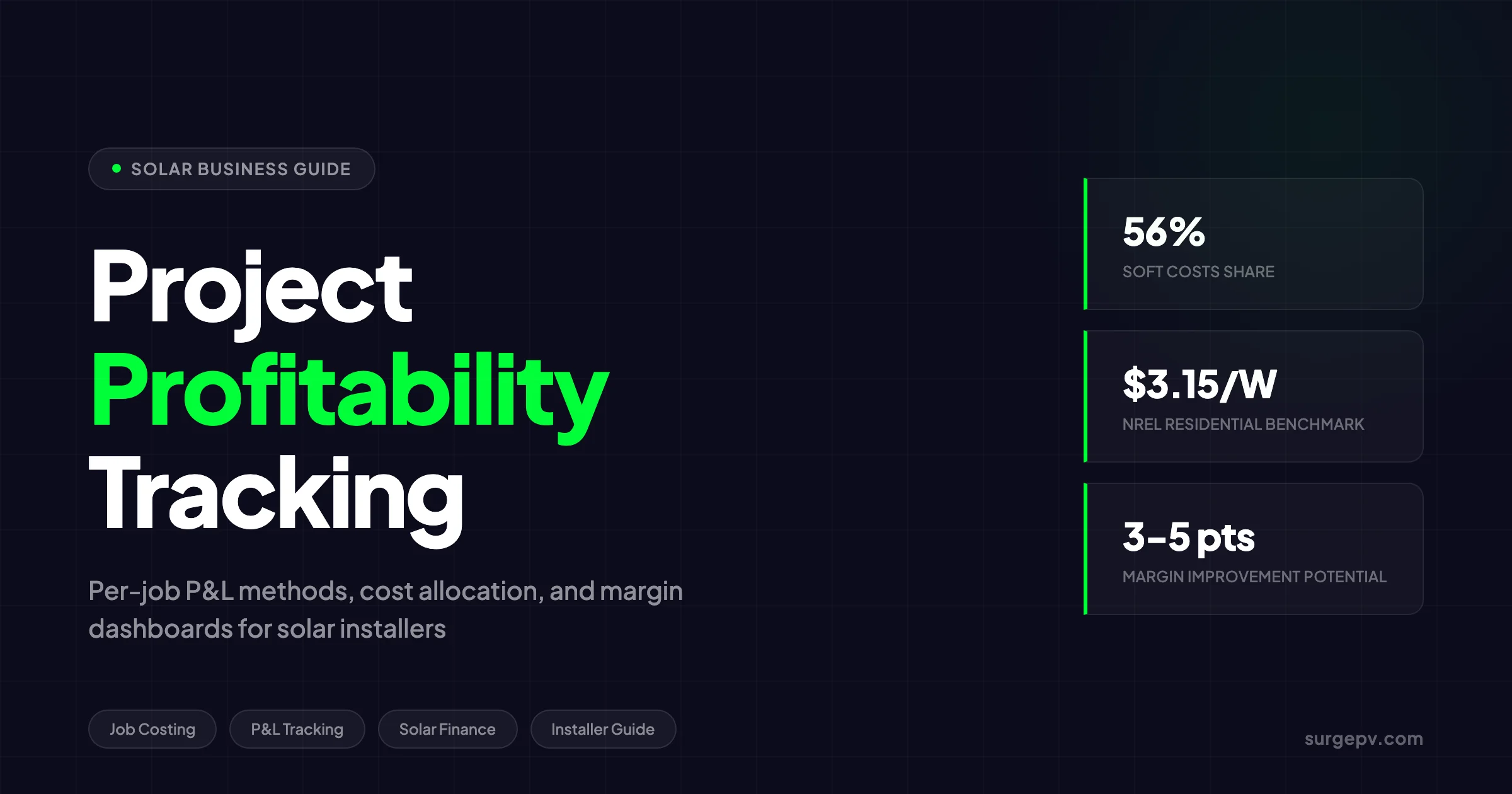
Soft costs represent 56% of total residential project cost according to NREL Q1 2024 benchmarks. A profitability tracking system that only monitors hardware and field labor misses more than half of what determines whether a job is profitable.
What to Track on Every Job
For each installation, capture the following data points in your job costing system:
Revenue:
- System sale price (before financing)
- Battery or add-on revenue
- Financing revenue or dealer fee (if applicable)
- Change order revenue
Direct Costs:
- Module cost (by model and quantity)
- Inverter cost (by model and quantity)
- Racking and mounting cost
- Electrical BOS cost (wiring, conduit, combiner, disconnects)
- Battery cost (if applicable)
- Monitoring hardware cost
- Direct labor hours by role (installer, electrician, lead)
- Direct labor cost (hourly rate x hours)
- Permitting fees paid to jurisdictions
- Interconnection fees
- Inspection fees
- Subcontractor costs
- Travel costs (mileage, tolls, per diem)
Indirect Costs (to be allocated):
- Sales labor hours spent on this job
- Design labor hours spent on this job
- Project management hours spent on this job
- Marketing cost per lead attributed to this job
- Overhead allocation
The goal is a single per-job P&L that shows revenue, every cost category, gross profit, operating profit, and net profit. We will build that template later in this guide.
Labor Allocation: Tracking Every Hour
Labor is the most under-tracked cost category in solar installation. Most installers log crew hours. Almost none log sales hours, design hours, or project management hours per job. This blind spot is where profitability leaks.
The Hidden Labor Cost Problem
A typical residential solar sale involves 8-12 hours of non-installation labor before the crew ever arrives on site. The sales consultation takes 2-3 hours including travel. System design in solar design software takes 1-2 hours. Permit preparation and submission takes 3-5 hours. Project management — scheduling, coordinating inspections, utility interconnection — takes 2-4 hours. That is 8-14 hours of labor at $40-80/hour, or $320-1,120 per job, that most installers never allocate.
At $0.84/Wdc, customer acquisition is the largest single soft cost in NREL’s benchmark. But acquisition cost is not just marketing spend. It is also the sales rep’s time, the design engineer’s time, and the permit coordinator’s time. If you spend $800 on Facebook ads to generate one lead and your sales rep spends 4 hours closing that lead at $50/hour, your true customer acquisition cost is $1,000 — not $800.
Time Tracking by Project Phase
The solution is time tracking by project phase. Every employee who touches a project logs their hours against that project. Here is the phase breakdown:
| Phase | Roles | Typical Hours (Residential) | Hourly Rate Range | Cost Range |
|---|---|---|---|---|
| Lead qualification | Sales | 0.5-1 | $25-50 | $13-50 |
| Site survey | Sales / Technician | 1-2 | $30-60 | $30-120 |
| System design | Designer / Engineer | 1-3 | $40-80 | $40-240 |
| Proposal & negotiation | Sales | 2-4 | $35-70 | $70-280 |
| Contract & financing | Sales / Admin | 1-2 | $25-50 | $25-100 |
| Permitting | Project Manager | 3-6 | $35-65 | $105-390 |
| Procurement | Operations | 0.5-1 | $30-50 | $15-50 |
| Installation | Crew / Electrician | 16-40 | $25-75 | $400-3,000 |
| Inspection & interconnection | Project Manager | 2-4 | $35-65 | $70-260 |
| Commissioning | Technician | 1-2 | $40-70 | $40-140 |
| Total Non-Install Labor | 8-18 | $263-1,060 | ||
| Total Install Labor | 16-40 | $400-3,000 |
The non-installation labor alone can reach $1,000 per residential job. On a $25,000 project, that is 4% of revenue that most installers never see on their P&L. On a $15,000 small residential job, it is 7%. This is why small jobs often show lower net margins than large jobs, even when gross margins look similar.
Pro Tip
Track time in 15-minute increments, not hourly blocks. A sales rep who logs “1 hour” for a 45-minute phone call inflates every job’s labor cost by 33%. Use a simple mobile app or spreadsheet. The accuracy of your per-job P&L depends on the accuracy of your time data.
Labor Cost per Watt Benchmark
NREL benchmarks installation labor at $0.21/Wdc for residential systems. But this is field labor only. When you add non-installation labor (design, sales, permitting, project management), total labor cost per watt rises to $0.40-0.60/Wdc for most residential installers.
Here is how to calculate your true labor cost per watt:
- Sum all labor hours logged against a project (all phases, all roles)
- Multiply by the loaded hourly rate (base pay + benefits + payroll taxes)
- Divide by system size in watts
Example: A 10 kWdc residential project logs 32 total labor hours at an average loaded rate of $55/hour. Total labor cost is $1,760. Labor cost per watt is $1,760 / 10,000W = $0.18/W. This is below NREL’s benchmark, which suggests efficient labor utilization.
Example: A 6 kWdc residential project logs 28 total labor hours at $55/hour. Total labor cost is $1,540. Labor cost per watt is $1,540 / 6,000W = $0.26/W. The smaller system size drives higher per-watt labor cost, which explains why small jobs need higher pricing or faster processes to maintain margin.
The Crew Utilization Trap
One metric that destroys profitability is low crew utilization. If you pay a three-person crew for 40 hours each week but they only work 28 hours on billable jobs, you are absorbing 12 hours of idle time per crew per week. At $55/hour loaded cost, that is $1,980 per week, or $102,960 per year, per crew.
Track crew utilization as:
Crew Utilization % = Billable Hours / Total Paid Hours x 100Target: 85% or higher. Below 75% means your scheduling, logistics, or sales pipeline has a problem that is eating margin on every job.
Material Variance: Why Your BOM Never Matches Reality
Every solar installer starts a job with a bill of materials (BOM). Every job ends with a different actual cost. The gap between budgeted and actual material cost is material variance. Tracking it per job is essential because it reveals whether your estimating is accurate, your procurement is efficient, or your crews are wasting materials.
Calculating Material Cost Variance
The standard formula is:
Material Cost Variance (MCV) = (Actual Material Cost - Budgeted Material Cost) / Budgeted Material Cost x 100Example: A job budgets $8,500 for materials (modules, inverter, racking, BOS). Actual material cost comes in at $9,100. The variance is ($9,100 - $8,500) / $8,500 = 7.1% unfavorable.
A variance under 2% is excellent. It means your estimating and procurement are tight. A variance of 2-5% is acceptable but warrants review. A variance over 5% signals a systemic problem: wrong estimating, supplier price changes, material waste, or change orders that were not properly priced.
SurgePV Analysis
Based on NREL benchmark data and installer surveys, material variance in residential solar averages 3-7% unfavorable. The primary drivers are: (1) estimating tools that use list prices instead of actual negotiated supplier prices, (2) last-minute substitutions when preferred SKUs are out of stock, and (3) material waste from poor cut lists and site planning. Installers who negotiate fixed pricing agreements with distributors and use accurate design tools reduce variance to under 2%.
For a direct comparison, see Arka 360 vs SurgePV.
The Five Causes of Material Variance
1. Estimating errors. Your BOM tool uses manufacturer list prices, but your actual invoice reflects negotiated discounts. Or your BOM assumes standard roof conditions, but the actual job requires extra flashing, longer conduit runs, or additional structural supports. The fix is to build estimating templates from actual historical costs, not list prices.
2. Supplier price changes. Module and inverter prices fluctuate. A BOM priced in January may be 5-10% different by March. The fix is to refresh BOM pricing weekly or tie estimates to supplier quotes with expiration dates.
3. Material substitutions. The specified inverter is out of stock, so you substitute a more expensive model. The specified panels are delayed, so you upgrade to a higher-wattage module at a higher price. The fix is to build substitution rules into your estimating: “If Model A is unavailable, use Model B at +$X.” Track every substitution and its cost impact.
4. Waste and overage. Poor cut lists lead to excess wiring. Poor site planning leads to extra conduit. Damaged panels during transport lead to replacement orders. The fix is to kit materials per job with precise cut lists, and to track scrap and damage by job.
5. Scope creep and change orders. The homeowner adds a battery after contract signing. The electrician discovers the main panel needs upgrading. The AHJ requires additional disconnects. The fix is to price every change order at full margin, not cost-plus. A change order that adds $3,000 in materials and labor should be priced at $4,500-5,000, not $3,300.
Tracking Variance by Category
Do not track material variance as a single number. Break it down by category:
| Category | Budgeted | Actual | Variance | % Variance |
|---|---|---|---|---|
| Modules | $3,200 | $3,400 | $200 U | 6.3% |
| Inverter | $2,400 | $2,400 | $0 | 0.0% |
| Racking | $1,600 | $1,720 | $120 U | 7.5% |
| Electrical BOS | $800 | $950 | $150 U | 18.8% |
| Battery | $0 | $2,800 | $2,800 U | N/A |
| Total | $8,000 | $11,270 | $3,270 U | 40.9% |
In this example, the total variance looks catastrophic at 40.9%. But breaking it down reveals that the battery was a change order (legitimate additional revenue, not a cost overrun), and the real problem is electrical BOS at 18.8% variance. That points to a specific estimating or procurement issue in the electrical category.
The Change Order Trap
Here is what most installers get wrong about change orders. They see a battery add-on as “extra revenue” and do not track its true cost. The battery adds $2,800 in material, 4 hours of additional labor at $55/hour ($220), and $200 in additional permitting and electrical work. Total cost: $3,220. If you price the change order at $3,500, your margin on the add-on is only 8%. If you price it at $4,500, your margin is 28%.
The rule: every change order gets its own mini-P&L. Track revenue, material cost, labor cost, and margin separately. This prevents you from celebrating “extra revenue” that is actually low-margin or no-margin work.
Overhead Allocation: The Method That Determines Your True Margin
Overhead is the cost category that separates gross margin from net margin. It is also the most contentious allocation problem in solar job costing. Allocate too little overhead to each job and your net margin looks inflated. Allocate too much and you price yourself out of the market.
What Counts as Overhead
Overhead includes all costs that cannot be directly traced to a specific project:
- Office rent and utilities
- Administrative salaries (accounting, HR, office management)
- Marketing and advertising (brand-level, not lead-specific)
- Insurance (general liability, workers compensation, vehicle)
- Software subscriptions (CRM, design, accounting, project management)
- Vehicle leases and fuel (non-job-specific)
- Professional services (accountant, lawyer, consultant)
- Depreciation on equipment and vehicles
- Owner’s salary and benefits
NREL’s Q1 2024 benchmark allocates $0.73/Wdc to overhead and G&A for residential systems. On an 8 kW system, that is $5,840. This is a national average. Your actual overhead may be higher or lower depending on your market, scale, and operational efficiency.
Three Allocation Methods
Method 1: Direct Labor Hours
Allocate overhead based on the direct labor hours spent on each project. If Project A uses 10% of total direct labor hours this month, it absorbs 10% of monthly overhead.
Overhead Allocated to Project = (Project Direct Labor Hours / Total Direct Labor Hours) x Total Monthly OverheadPros: Simple to calculate. Reflects the labor intensity of each project. Cons: Favors small, labor-intensive jobs over large, efficient jobs. A 20 kW commercial job with efficient labor gets under-allocated overhead relative to a complex 5 kW residential job.
Method 2: Project Revenue
Allocate overhead based on each project’s share of total revenue. If Project A generates 15% of monthly revenue, it absorbs 15% of monthly overhead.
Overhead Allocated to Project = (Project Revenue / Total Monthly Revenue) x Total Monthly OverheadPros: Easy to calculate from accounting data. Large, high-revenue projects absorb proportionally more overhead. Cons: Does not reflect actual resource consumption. A high-revenue project with low touch from office staff gets over-allocated.
Method 3: Activity-Based Costing (Recommended)
Activity-based costing (ABC) allocates overhead based on the actual activities that drive costs. It is more work to set up but produces the most accurate per-job P&L.
Here is how to implement ABC for a solar installer:
Step 1: Identify cost pools. Group overhead costs by the activity that drives them:
- Sales support pool: sales manager salary, CRM software, sales training
- Design support pool: design software, engineering review time, drafting tools
- Permitting support pool: permit coordinator salary, permit tracking software
- Project management pool: PM salaries, scheduling software, communication tools
- General administration pool: rent, accounting, insurance, owner salary
Step 2: Identify cost drivers. For each pool, identify what drives the cost:
- Sales support: number of proposals generated
- Design support: number of designs completed
- Permitting support: number of permit applications filed
- Project management: number of active projects
- General administration: total revenue or total labor hours
Step 3: Calculate allocation rates. Divide each cost pool by its cost driver:
- Sales support rate: $8,000/month / 40 proposals = $200 per proposal
- Design support rate: $6,000/month / 30 designs = $200 per design
- Permitting support rate: $4,500/month / 25 permits = $180 per permit
- Project management rate: $10,000/month / 20 active projects = $500 per project
- General admin rate: $12,000/month / $200,000 revenue = 6% of revenue
Step 4: Allocate to each project. A project that required 1 proposal, 1 design, 1 permit, and generated $25,000 in revenue gets:
- Sales support: $200
- Design support: $200
- Permitting support: $180
- Project management: $500
- General admin: $25,000 x 6% = $1,500
- Total overhead allocated: $2,580
On a $25,000 project, $2,580 in overhead is 10.3% of revenue. This is the true cost of running the business, and it must be recovered in pricing.
Key Takeaway
Activity-based costing reveals that overhead per residential job typically ranges from $2,000 to $4,000, or 8-16% of project revenue. Installers who use simple revenue-based allocation often under-allocate overhead to small jobs and over-allocate to large jobs, distorting true profitability.
The Break-Even Analysis
Once you allocate overhead per job, you can calculate your true break-even point. Here is a real example:
Company Profile:
- Monthly overhead: $35,000
- Average project size: 8 kWdc
- Average sale price: $25,000
- Hardware cost: $11,120 (44.5%)
- Direct labor: $1,680 (6.7%)
- Direct soft costs: $1,440 (5.8%)
- Total direct costs: $14,240 (57.0%)
- Gross margin: $10,760 (43.0%)
Break-even calculation:
- Monthly overhead: $35,000
- Gross margin per job: $10,760
- Break-even jobs per month: $35,000 / $10,760 = 3.25 jobs
This company needs to install 4 jobs per month to break even. At 5 jobs, net profit is $18,800. At 6 jobs, net profit is $29,560. At 10 jobs, net profit is $72,600.
The critical insight: every job above break-even drops almost pure gross margin to the bottom line. This is why scaling matters so much in solar installation. A company at 3 jobs per month loses money. The same company at 6 jobs per month is highly profitable, with the same pricing and the same costs.
Job Costing Methods: Absorption vs. Activity-Based vs. Standard Costing
There are three primary job costing methods used in construction and installation businesses. Each has strengths and weaknesses for solar installers.
Absorption Costing
Absorption costing assigns all manufacturing costs — direct materials, direct labor, and both variable and fixed overhead — to each job. It is the most common method in traditional manufacturing and construction.
How it works for solar:
- Calculate a predetermined overhead rate: Total Overhead / Total Direct Labor Hours
- Apply that rate to each job based on its direct labor hours
- Add direct materials and direct labor to get total job cost
Example:
- Annual overhead: $420,000
- Annual direct labor hours: 6,000
- Predetermined overhead rate: $420,000 / 6,000 = $70/hour
- Project A uses 32 direct labor hours
- Overhead allocated: 32 x $70 = $2,240
- Direct materials: $11,120
- Direct labor: $1,680
- Total job cost: $15,040
Pros: Simple to implement. Compliant with GAAP. Captures all costs. Cons: Uses a single allocation base (labor hours) that may not reflect actual overhead consumption. Can distort pricing for jobs with high material costs but low labor hours.
Activity-Based Costing (ABC)
Activity-based costing, described in the previous section, uses multiple cost pools and multiple cost drivers to allocate overhead more precisely.
Pros: Most accurate reflection of true job costs. Reveals which activities are driving overhead. Helps identify process improvements. Cons: More complex to set up and maintain. Requires detailed time tracking and activity logging. May be overkill for very small installers.
Best for: Installers doing 5+ jobs per month with dedicated office staff for sales, design, and project management.
Standard Costing
Standard costing establishes predetermined costs for materials, labor, and overhead based on historical data and engineering estimates. Actual costs are compared to standards to identify variances.
How it works for solar:
- Establish standard costs per watt for each system type:
- Standard residential (6-10 kW): $2.80/Wdc total cost
- Standard commercial (100+ kW): $1.50/Wdc total cost
- Price every job using standard costs
- Track actual costs against standards
- Analyze variances to improve standards over time
Example standard costs per watt:
| Cost Category | Standard Residential | Standard Commercial |
|---|---|---|
| Modules | $0.40 | $0.35 |
| Inverters | $0.37 | $0.25 |
| Racking | $0.32 | $0.20 |
| Electrical BOS | $0.30 | $0.18 |
| Direct labor | $0.21 | $0.12 |
| Permitting | $0.18 | $0.05 |
| Sales & marketing | $0.84 | $0.25 |
| Overhead | $0.73 | $0.30 |
| Total Standard Cost | $3.35 | $1.70 |
Pros: Simplifies estimating and quoting. Provides clear variance analysis. Enables rapid pricing for standard jobs. Cons: Requires accurate historical data to set standards. Less flexible for non-standard jobs. Standards must be updated regularly as costs change.
Best for: Installers with repeatable system designs and stable supplier relationships. Works well when 70%+ of jobs fit standard templates.
Pro Tip
Most installers should start with absorption costing and graduate to activity-based costing as they scale. A one-person installer doing 2 jobs per month does not need ABC. A 20-person company doing 15 jobs per month cannot afford not to use it. The transition point is typically 5-8 jobs per month with at least one dedicated office employee.
Which Method Should You Use?
| Installer Profile | Recommended Method | Why |
|---|---|---|
| Solo installer, 1-3 jobs/month | Simple direct costing + monthly overhead review | Complexity not justified by scale |
| Small team, 4-8 jobs/month | Absorption costing | Captures overhead without excessive tracking burden |
| Growing company, 8-15 jobs/month | Activity-based costing | Reveals true profitability and process inefficiencies |
| Large company, 15+ jobs/month | Activity-based costing + standard costing | ABC for accuracy, standards for rapid quoting |
| Commercial-focused | Standard costing by system type | Commercial jobs have more predictable cost structures |
Reporting Dashboards: The Weekly, Monthly, and Quarterly Rhythm
Data without review is useless. A profitability tracking system needs a review rhythm: weekly for jobs in progress, monthly for completed jobs, quarterly for strategic adjustments.
Weekly Dashboard: Jobs in Progress
Review every active job once per week. The goal is to catch cost overruns before they compound.
Weekly Review Checklist:
- Actual labor hours vs. budgeted hours (flag if >10% over)
- Material receipts vs. BOM (flag if >5% over)
- Change orders logged with revenue and cost
- Permitting status and delay risk
- Crew utilization rate (target: 85%+)
Weekly Metrics Table:
| Metric | This Week | Target | Status |
|---|---|---|---|
| Active jobs | 8 | 6-10 | On track |
| Jobs over labor budget | 2 | 0-1 | Flag |
| Jobs over material budget | 1 | 0-1 | On track |
| Crew utilization | 82% | 85%+ | Flag |
| Change orders pending pricing | 3 | 0 | Action needed |
Monthly Dashboard: Completed Jobs P&L
At month-end, close out every completed job and generate its final P&L. Compare actual results to the pre-sale estimate.
Monthly Review Metrics:
| Metric | This Month | Last Month | YTD Average | Target |
|---|---|---|---|---|
| Jobs completed | 6 | 5 | 5.5 | 6+ |
| Average job size | $24,500 | $23,800 | $24,100 | $25,000+ |
| Average gross margin | 41% | 39% | 40% | 40%+ |
| Average net margin | 14% | 11% | 12% | 15%+ |
| Material variance | 3.2% | 4.1% | 3.6% | under 3% |
| Labor variance | 8% | 12% | 10% | under 5% |
| Overhead per job | $2,400 | $2,600 | $2,500 | $2,500 |
| Customer acquisition cost | $1,200 | $1,350 | $1,280 | under $1,000 |
Quarterly Dashboard: Strategic Review
Quarterly reviews look for patterns across multiple jobs and inform strategic decisions.
Quarterly Analysis:
- Profitability by job type: Which system sizes, roof types, or customer segments are most profitable?
- Profitability by salesperson: Which reps quote accurately and which ones discount too aggressively?
- Profitability by region: Which jurisdictions have hidden costs (permitting delays, complex inspections)?
- Trend analysis: Are margins improving or declining? What is driving the trend?
- Pricing review: Should standard pricing be adjusted based on actual cost trends?
What Most Installers Get Wrong
Most installers review profitability annually at tax time. By then, the same estimating errors have been repeated across 50+ jobs. The installers who improve margins fastest review per-job P&L within 48 hours of project completion. They catch the $400 material overrun on Job #23 before quoting Job #24 at the same price.
The Per-Job P&L Template
Here is a complete per-job P&L template with real numbers from a hypothetical 8 kWdc residential installation:
Project: Smith Residence — 8 kWdc Residential
| Line Item | Budgeted | Actual | Variance | Notes |
|---|---|---|---|---|
| REVENUE | ||||
| System sale price | $25,000 | $25,000 | $0 | Fixed contract |
| Battery add-on | $0 | $3,500 | $3,500 F | Change order — Tesla Powerwall |
| Total Revenue | $25,000 | $28,500 | $3,500 F | |
| DIRECT COSTS | ||||
| Modules (20 x 400W) | $3,200 | $3,200 | $0 | As quoted |
| Inverter (8 kW string) | $2,400 | $2,400 | $0 | As quoted |
| Racking & mounting | $1,600 | $1,720 | $120 U | Extra flashing for tile roof |
| Electrical BOS | $800 | $950 | $150 U | Longer conduit run than estimated |
| Battery (Tesla Powerwall) | $0 | $2,800 | $2,800 U | Change order |
| Monitoring hardware | $400 | $400 | $0 | As quoted |
| Direct Materials | $8,400 | $11,470 | $3,070 U | |
| Installation labor (24 hrs) | $1,200 | $1,320 | $120 U | Extra hour for battery install |
| Electrical labor (8 hrs) | $640 | $720 | $80 U | Panel upgrade required |
| Direct Labor | $1,840 | $2,040 | $200 U | |
| Permitting fees | $600 | $650 | $50 U | Additional electrical permit |
| Interconnection fee | $200 | $200 | $0 | As quoted |
| Inspection fees | $150 | $150 | $0 | As quoted |
| Travel / mileage | $80 | $120 | $40 U | Extra trip for inspection |
| Direct Soft Costs | $1,030 | $1,120 | $90 U | |
| Total Direct Costs | $11,270 | $14,630 | $3,360 U | |
| Gross Profit | $13,730 | $13,870 | $140 F | Gross Margin: 48.7% |
| INDIRECT COSTS (Allocated) | ||||
| Sales labor (4 hrs @ $50) | $200 | $200 | $0 | Consultation + proposal |
| Design labor (2 hrs @ $60) | $120 | $120 | $0 | System design in solar design software |
| Permitting labor (5 hrs @ $45) | $225 | $300 | $75 U | Extra AHJ coordination |
| Project management (4 hrs @ $50) | $200 | $200 | $0 | Scheduling + inspection |
| Marketing allocation | $400 | $400 | $0 | Lead cost attribution |
| Overhead allocation | $2,200 | $2,200 | $0 | ABC allocation |
| Total Indirect Costs | $3,345 | $3,420 | $75 U | |
| NET PROFIT | $10,385 | $10,450 | $65 F | Net Margin: 36.7% |
This P&L reveals several important insights:
- Gross margin is 48.7% — excellent for residential. But this is inflated by the battery change order, which carried high margin.
- Without the battery change order, gross margin on the base system would be $10,370 / $25,000 = 41.5% — still healthy but closer to industry average.
- Net margin is 36.7% — unusually high. Most residential installers see 10-20% net margin. This example assumes a very efficient operation with low overhead per job.
- The tile roof and longer conduit run added $270 in material variance. If this pattern repeats across multiple jobs, the estimator needs to adjust the standard assumptions for tile roofs and long conduit runs.
Narrative: The Job That Taught a Lesson
In 2024, a mid-size installer in Texas completed what looked like a standard 10 kWdc residential job. The pre-sale estimate showed a 38% gross margin. The crew finished in two days. Everyone moved on.
Three weeks later, the bookkeeper closed the job. Actual gross margin: 19%. The cause was a cascade of small overruns that no one tracked in real time. The racking supplier had raised prices 8% two weeks before procurement, but the estimator was using a three-month-old price sheet. The homeowner’s main panel needed a $1,200 upgrade that was not in the original scope — it was treated as a “favor” rather than a priced change order. The permitting office required three revisions to the electrical diagram, adding 6 hours of designer time that was never logged against the project.
Each overrun was small. Together, they cut gross margin in half. The installer implemented weekly job cost reviews the following month. Within two quarters, average net margin improved from 9% to 14%. The lesson: small untracked overruns compound faster than large obvious ones.
The Contrarian View: Why Gross Margin Is the Wrong Metric to Watch
Most solar installers obsess over gross margin. They celebrate a 40% gross and assume the business is healthy. This is a dangerous mistake.
Gross margin — revenue minus direct materials and direct labor — tells you almost nothing about whether a job is truly profitable. It ignores the largest cost categories: sales, design, permitting labor, project management, and overhead. A job with 40% gross margin and 30% in unallocated soft costs is actually a 10% net margin job. That is barely profitable and highly vulnerable to any cost fluctuation.
The metric that matters is net margin per job after full cost allocation. This requires tracking and allocating every indirect cost. It is more work. It is also the only way to know whether your pricing is right.
What Most Guides Miss
Industry guides and software vendors promote gross margin as the key profitability metric because it is easy to calculate. The hard truth: gross margin in solar installation is a vanity metric. Net margin after full cost allocation is the only number that determines whether your business survives. Installers who track gross margin alone are flying blind on the 50-60% of costs that live below the gross profit line.
The Tradeoff Nobody Talks About
There is a tension between pricing for gross margin and pricing for net margin. If you price to achieve a 40% gross margin using only direct costs, you may still fail to cover your soft costs. If you price to achieve a 20% net margin after full allocation, your prices may be uncompetitive in markets with low-cost competitors.
The tradeoff: accurate pricing vs. competitive pricing.
Installers who price based on true fully-loaded costs often discover they need to charge 15-25% more than they currently do to hit target net margins. This creates a strategic choice: raise prices and risk losing sales, or keep prices and accept lower margins. There is no universal right answer. It depends on your market position, customer segment, and operational efficiency.
The installers who win are those who reduce soft costs faster than competitors. A 10% reduction in customer acquisition cost — through referrals, better solar proposal software, or improved sales processes — drops straight to net margin. A 10% reduction in hardware cost is split across the supply chain and may not reach your bottom line at all.
Opinion: The 30% Net Margin Target Is Realistic
Most industry sources cite 10-20% as the “normal” net margin range for residential solar installers. I think that is wrong for well-run businesses in 2026. The target should be 25-30%.
Here is why. NREL’s Q1 2024 benchmark shows customer acquisition at $0.84/Wdc — 26.7% of project revenue. This is the largest single cost category. It is also the most controllable. Installers who build referral networks, use digital design tools to reduce site visits, and leverage solar proposal software for faster closes can cut acquisition cost by 30-50%. That alone adds 8-13 percentage points to net margin.
Similarly, overhead at $0.73/Wdc is 23.2% of revenue. Scaling from 5 jobs per month to 10 jobs per month spreads the same overhead across twice as much revenue. Overhead as a percentage of revenue drops from 23% to 12%. That adds 11 percentage points to net margin.
The math is clear. An installer at 5 jobs per month with average costs has a 12% net margin. The same installer at 10 jobs per month with optimized acquisition has a 30%+ net margin. The difference is not pricing. It is operational efficiency and scale.
2026 Market Context: Why Tracking Matters More Now
The solar installation market in 2026 is more competitive and more cost-sensitive than ever. Understanding the market context explains why per-job profitability tracking has shifted from a “nice to have” to a survival tool.
The U.S. ITC Expiration
The 30% federal Investment Tax Credit (ITC) expired on December 31, 2025. Projects must have started construction by July 4, 2026, or be placed in service by December 31, 2027, to qualify under current rules. The expiration removes a major pricing cushion. Installers can no longer rely on the tax credit to mask inefficiencies in their cost structure.
In markets where the ITC drove 20-30% of sales volume, the post-ITC environment means two things. First, sales volume will compress as sticker prices rise. Second, every job must carry its full cost because there is no tax credit to absorb overruns. Per-job profitability tracking becomes essential when you cannot afford to lose money on any installation.
Customer Acquisition Cost Inflation
Customer acquisition cost (CAC) in U.S. residential solar has risen steadily. NREL benchmarks it at $0.84/Wdc, or $6,720 for an 8 kW system. Some markets see CAC above $1.00/Wdc. The drivers are well-documented: saturated markets, declining organic lead quality, and increased competition for paid leads.
Wood Mackenzie and SEIA project that CAC will remain elevated through 2026. Installers who do not track CAC per job, per lead source, and per salesperson cannot optimize their marketing spend. They are burning money on channels that produce low-margin jobs.
Hardware Cost Floor
Module prices have fallen to historic lows — under $0.15/W in some global markets. Inverter prices are stable. Racking and BOS costs have declined modestly. The era of hardware-driven margin expansion is over. Future margin improvement must come from soft cost reduction. For Global-specific compliance details, see Global net-metering-by-country.
This is why per-job tracking matters. The only remaining cost levers are labor efficiency, procurement optimization, and overhead reduction. You cannot pull those levers without knowing where the costs are.
International Market Pressure
U.S. soft costs are roughly 2x Germany’s and 3x Australia’s, according to NREL. The gap is not hardware. It is permitting fragmentation (20,000+ AHJs in the U.S.), customer acquisition practices, and overhead structure. Installers who benchmark against international best practices and track their progress per job will close this gap faster than those who rely on aggregate financials. Also see: Germany solar subsidies. Read more about Community Solar Projects Germany. For Australia-specific compliance details, see Australia comparisons/lgc-vs-stc.
Track Profitability from Design to Commissioning
SurgePV’s generation and financial tool helps installers model project costs, compare scenarios, and build accurate proposals that protect margin from day one.
Explore Financial ModelingBuilt for installers who price for profit, not just volume
Practical Guidance: Building Your Profitability Tracking System
This section provides a step-by-step implementation guide for installers who want to start tracking per-job profitability.
Step 1: Choose Your Tools
You do not need expensive software to start. A spreadsheet and discipline are enough for the first 3-6 months. Here is the minimum viable tool stack:
For 1-5 jobs per month:
- Google Sheets or Excel for per-job P&L tracking
- Simple time tracking app (Toggl, Clockify, or even a shared spreadsheet)
- Accounting software (QuickBooks, Xero) for invoice and expense tracking
For 5-15 jobs per month:
- Solar-specific project management (Scoop Solar, JobNimbus, or AccuLynx)
- Time tracking integrated with project management
- Accounting software with job costing module
- Dashboard tool (Google Data Studio, Power BI, or Excel pivot tables)
For 15+ jobs per month:
- Full ERP with job costing (SolarSuccess, NetSuite, or custom build)
- Integrated time tracking, procurement, and project management
- Business intelligence dashboard for real-time reporting
Step 2: Build Your Chart of Accounts
Create a chart of accounts that separates costs by job. Every expense should be tagged with a job number or categorized as overhead.
Example account structure:
4000 — Revenue
  4100 — System Sales
  4200 — Battery Sales
  4300 — Change Orders

5000 — Direct Costs
  5100 — Direct Materials
    5110 — Modules
    5120 — Inverters
    5130 — Racking
    5140 — Electrical BOS
    5150 — Batteries
  5200 — Direct Labor
    5210 — Installation Labor
    5220 — Electrical Labor
  5300 — Direct Soft Costs
    5310 — Permitting Fees
    5320 — Interconnection Fees
    5330 — Inspection Fees
    5340 — Travel

6000 — Indirect Costs
  6100 — Sales & Marketing
    6110 — Sales Labor
    6120 — Marketing Spend
    6130 — Lead Costs
  6200 — Design & Engineering
    6210 — Design Labor
    6220 — Engineering Review
  6300 — Project Management
    6310 — PM Labor
    6320 — Scheduling Tools
  6400 — General Overhead
    6410 — Rent
    6420 — Insurance
    6430 — Software
    6440 — Administrative Salaries
Step 3: Implement Time Tracking
Time tracking is the foundation of accurate job costing. Here is how to implement it:
- Define project phases: Lead qualification, site survey, design, proposal, permitting, procurement, installation, inspection, commissioning.
- Assign hourly rates: Each employee has a loaded hourly rate (base pay + benefits + taxes).
- Require daily logging: Every employee logs time by project and phase by end of day. Not weekly — daily. Memory decays fast.
- Review weekly: The operations manager reviews time logs weekly for accuracy and completeness.
- Allocate to jobs: At month-end, allocate logged hours to each job’s P&L.
Step 4: Track Materials by Job
Every material receipt must be matched to a job number. Here is the process:
- Create a BOM for every job before procurement begins.
- Tag every purchase order with the job number.
- Match every invoice to the PO and the job number.
- Log substitutions with reason codes (out of stock, customer request, engineer directive).
- Track scrap and waste by job for jobs where waste exceeds 2% of material cost.
Step 5: Calculate and Review Per-Job P&L
Within 48 hours of project completion, calculate the final P&L using the template from earlier in this guide. Review it in a brief meeting with the estimator, project manager, and sales rep.
Review questions:
- What was the biggest variance from estimate? Why?
- Did any change orders get underpriced?
- Were labor hours accurate, or did we underestimate any phase?
- What should we change in our estimating template for this type of job?
Step 6: Build Your Dashboard
After 2-3 months of data, build a simple dashboard with these metrics:
- Jobs completed (monthly trend)
- Average gross margin (by job type, by salesperson, by region)
- Average net margin (same breakdowns)
- Material variance trend
- Labor variance trend
- Customer acquisition cost (by lead source)
- Crew utilization rate
- Break-even jobs per month vs. actual
Update the dashboard weekly. Review it in a 15-minute standup every Monday morning.
Pro Tip
Start with one job type. Do not try to track profitability for residential, commercial, and battery-only jobs simultaneously. Pick your highest-volume category, build the tracking system, and refine it for 90 days before expanding to other categories. A partially implemented system is better than a perfectly designed system that never launches.
Frequently Asked Questions
What is solar project profitability tracking?
Solar project profitability tracking is the practice of recording, allocating, and analyzing every cost and revenue item per installation job to calculate a true per-job profit and loss statement. It separates direct costs (panels, inverters, labor, permits) from indirect costs (sales, design, overhead) and compares actual results against the pre-sale estimate.
What are typical profit margins for solar installers in 2026?
Gross margins for residential solar installers range from 20% to 40% globally, with net margins of 8% to 25% according to NREL Q1 2024 benchmarks and industry data. Australian installers average 20-35% gross and 8-15% net. Indian organized players see 8-12% gross and 3-5% net. The difference between gross and net is almost entirely soft costs — customer acquisition, permitting labor, and overhead. Also see: Best Solar Design Software India. For the latest details on India, see 5kW Solar Panel Price in India.
How do you allocate overhead costs to individual solar projects?
The most accurate method is activity-based costing: track hours spent on each project by sales, design, and project management staff, then allocate overhead proportionally. A simpler method allocates by project revenue or system size (kW). The wrong method is spreading overhead evenly across all jobs, which overcharges small residential jobs and undercharges complex commercial projects.
What is material cost variance in solar installations?
Material cost variance measures the difference between the budgeted material cost in your pre-sale bill of materials and the actual amount spent. Calculate it as (Actual Cost - Budgeted Cost) / Budgeted Cost. A variance under 2% is excellent. Over 5% signals a procurement or estimating problem that needs immediate attention.
How often should solar installers review per-job P&L?
Review per-job P&L within 48 hours of project completion for immediate lessons. Run weekly gross margin reviews for jobs in progress. Conduct monthly portfolio reviews to spot patterns across multiple projects. Annual reviews are too slow — by then, the same estimating errors have been repeated across dozens of jobs.
What are the biggest mistakes installers make when tracking profitability?
The three biggest mistakes are: (1) treating gross margin as net profit and ignoring soft cost allocation, (2) failing to track labor hours by project phase, and (3) reviewing P&L only at year-end instead of per-job. Installers who fix these three issues typically improve net margins by 3-5 percentage points within two quarters.
What software do solar installers use for job costing?
Solar installers use a mix of general ERP tools (QuickBooks, Xero with job costing modules), solar-specific platforms (SolarSuccess, Scoop Solar, JobNimbus), and custom Excel models. The best approach combines a project management system that tracks labor hours and material receipts with an accounting system that allocates overhead by activity.
How do you calculate cost per watt for a solar installation?
Cost per watt equals total project cost divided by system size in watts. For example, a $25,000 residential system at 8 kWdc has a cost per watt of $3.13/Wdc. Track this separately for hardware ($1.20-1.50/Wdc), labor ($0.40-0.70/Wdc), and total installed cost. NREL’s Q1 2024 benchmark for U.S. residential MMP is $3.15/Wdc.
What is the difference between gross margin and net margin in solar installation?
Gross margin is revenue minus direct costs (hardware, direct labor, permits). Net margin is gross profit minus all indirect costs (sales, marketing, design, overhead, warranty reserves, financing costs). A typical residential installer shows 35-45% gross margin but only 10-20% net margin. The gap is where most profitability problems hide.
How do permitting delays affect solar project profitability?
Permitting delays erode profitability through three channels: carrying costs on inventory, idle crew time, and customer cancellations. SEIA data shows a one-week delay increases cancellation rates by approximately 10%. When indirect permitting labor is included, total PII impact reaches approximately $1.00/Wdc in fragmented U.S. markets — far above the $0.18/Wdc in direct fees.
Conclusion: Three Actions to Take This Week
Solar project profitability tracking is not a quarterly exercise. It is a weekly discipline. Here are three specific actions to implement before next Monday:
-
Pick your last five completed jobs and build retroactive P&Ls. Use the template in this guide. Allocate estimated sales, design, and permitting hours. Calculate true net margin for each job. You will likely find that 1-2 of those “profitable” jobs were actually break-even or loss-making. That knowledge changes how you quote the next job.
-
Implement daily time tracking by project and phase. Choose a free tool like Clockify or Toggl. Require every employee to log hours by end of day. Review completeness weekly. After 30 days of data, you will know your true labor cost per watt — and it will be higher than you think.
-
Review your estimating template against actual material costs from the last 10 jobs. Check whether your BOM prices match your actual supplier invoices. Adjust any category where variance exceeds 3%. One accurate estimating template is worth more than a dozen sales training sessions.
The installers who thrive in 2026 will not be the ones with the lowest prices. They will be the ones who know their true costs per job and price accordingly. Start tracking today.
Related SurgePV Resources
Continue learning with these related guides for solar installers and EPCs:
- Cash Flow Management for Solar Installers
- Solar Company Overhead Reduction
- Solar Business Succession Planning
- Change Order Management for Commercial Solar
- Solar Material Procurement Strategy
For more solar business and marketing content, explore the full SurgePV blog or browse the SurgePV glossary for definitions of solar industry terms.
Solar Software Tools to Support This Work
Effective solar installer operations depend on integrated software. SurgePV’s solar design platform helps installers handle the upstream work that feeds every decision in this guide:
- Solar design software for system layouts, panel placement, and BOM generation
- Shadow analysis for site-specific irradiance and obstruction modeling
- Generation and financial tool for production forecasts and project ROI
- Solar proposal software for branded, customer-facing proposals
- Clara AI for automated design assistance and Q&A
Browse the full SurgePV platform to see how installers worldwide use the tools to design smarter, sell faster, and streamline every solar project.
Where this fits
This article is part of SurgePV's Solar Business & Operations hub, which works through the topic from first principles to the decisions a project team actually has to make.

