Quick Answer
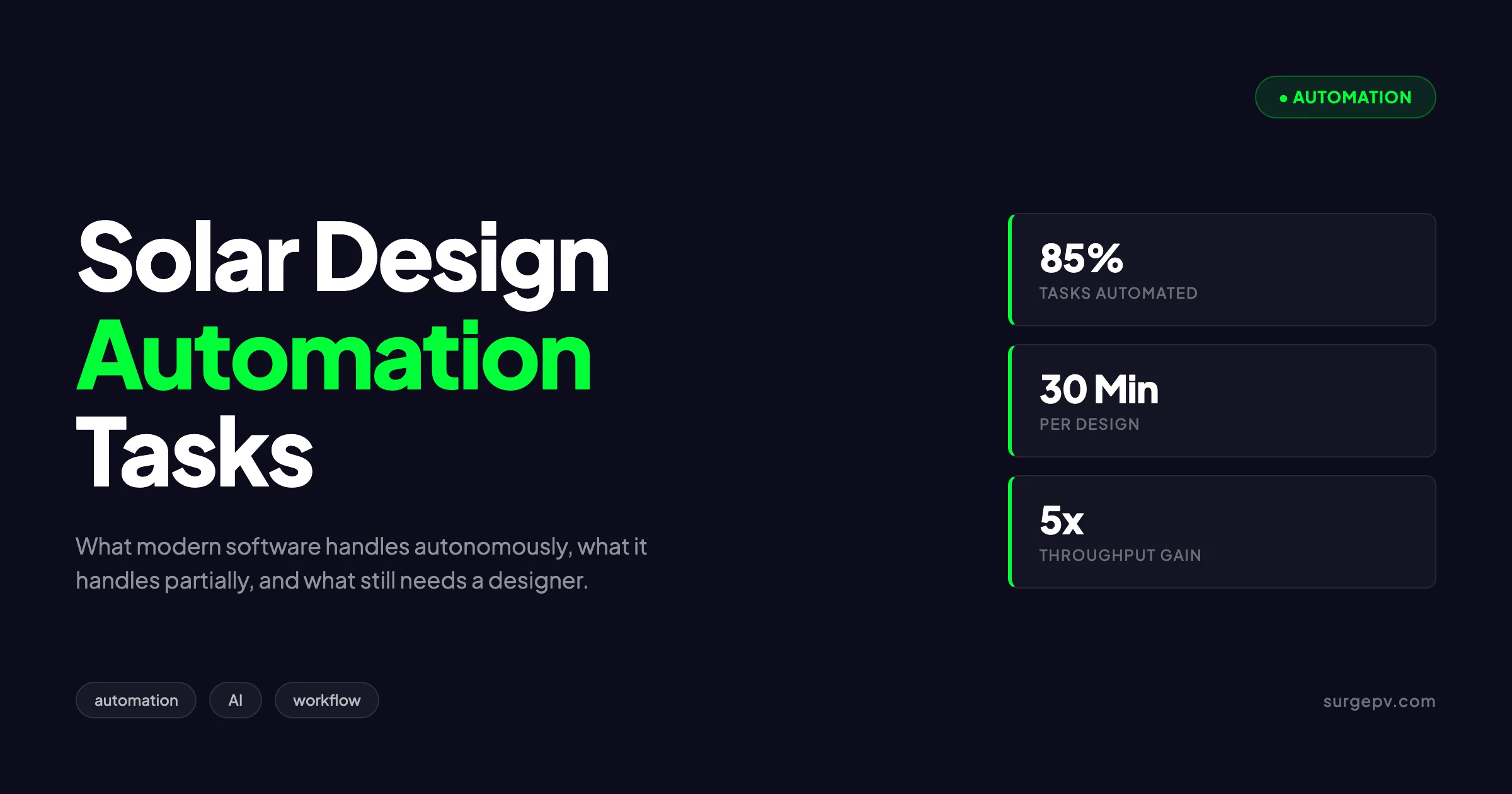
Solar design automation in 2026 is no longer a future capability. A residential design that took 90 minutes in 2020 dropped to 45 minutes by 2024. Commercial design automation lagged by 18 to 24 months but followed the same trajectory. Time per design is now a few minutes for most residential projects.
Solar design automation in 2026 is no longer a future capability. Modern platforms handle 70 to 85 percent of the design process autonomously, including roof segmentation, panel placement, shading analysis, string sizing, and BOM generation. The remaining 15 to 30 percent still requires human judgment, especially around customer-specific trade-offs and edge cases that pattern-matching does not handle well. Knowing which tasks are automated, which are partial, and which remain manual determines whether your tooling investment delivers the promised throughput gains.
Solar design automation in 2026 is no longer a future capability. A residential design that took 90 minutes in 2020 dropped to 45 minutes by 2024. Commercial design automation lagged by 18 to 24 months but followed the same trajectory. For more on this topic, see How to Design Residential Solar System.
TL;DR — Solar Design Automation in 2026
Computer vision, machine learning, and large language models have automated most repetitive solar design tasks. Residential systems under 15 kWp can be designed in 15 to 30 minutes versus 4 to 6 hours in 2020. Commercial automation is improving but still requires designer oversight on multi-MW projects. Designer headcount per 1,000 projects has dropped 60 to 70 percent over 5 years.
This guide walks through every step of the modern solar design workflow and shows what is automated, what is partial, and what still requires a designer. It also covers the underlying technology, the time-savings data, and the risks that come with high-automation workflows.
State of Solar Design Automation in 2026
The shift from manual to automated solar design happened in three waves. Each wave compressed the design cycle and changed which skills designers needed.
Wave 1: Rule-Based Automation (2015 to 2020)
Early automation captured rule-based steps: setbacks defined by code, panel spacing defined by manufacturer requirements, string sizing defined by inverter voltage windows. These rules ran as scripts on top of CAD platforms and saved roughly 30 percent of designer time.
The limitation was that everything outside the rule set required manual intervention. Roof shape detection, obstacle identification, and shading geometry remained human tasks.
Wave 2: Computer Vision and ML (2020 to 2024)
The second wave introduced computer vision for satellite imagery and machine learning for pattern recognition. Suddenly software could identify roof planes, detect chimneys and skylights, and extract pitch and azimuth from aerial photos.
This wave compressed the design cycle by another 50 percent. A residential design that took 90 minutes in 2020 dropped to 45 minutes by 2024. Commercial design automation lagged by 18 to 24 months but followed the same trajectory.
Wave 3: Generative AI and Optimization (2024 to 2026)
The current wave layers large language models and optimization algorithms on top of computer vision. The software can now generate multiple design alternatives, optimize across competing objectives (yield, cost, aesthetics), and explain trade-offs in natural language.
Clara AI and similar AI assistants represent this wave. The designer prompts the system in plain language (“optimize for aesthetics on the front roof and yield on the back”) and the system produces designs that match the intent. Time per design is now a few minutes for most residential projects.
The Composition Has Changed
A residential designer in 2020 spent their day on roof modeling, panel placement, string sizing, and proposal generation in solar proposal tools. A residential designer in 2026 spends their day on customer-specific configuration, edge-case handling, and quality control on automated outputs. The skills are different. The throughput is higher.
Tasks That Are Fully Automated Today
These tasks run end-to-end without designer input on modern platforms. The designer reviews the output but does not perform the work.
Roof Segmentation from Aerial Imagery
Computer vision models trained on millions of labeled roof images now segment roof planes with 92 to 97 percent accuracy on rectangular geometries. The model identifies edges, computes pitch from shadows and known reference points, and assigns azimuth from compass orientation.
Accuracy drops on complex roof shapes. Hip-and-valley roofs achieve 80 to 88 percent automated accuracy. Dormers and complex obstructions drop the accuracy further. Designers spot-check segments below 90 percent confidence and correct manually.
Obstruction Detection
Vents, skylights, chimneys, satellite dishes, and HVAC units are detected automatically. The system flags each obstruction with a setback ring sized to the local code. Setback rules built into the platform handle 200+ AHJ jurisdictions in the US and major European markets. Also see: European Solar Incentives. For Europe-specific compliance details, see Europe solar compliance.
This used to take 15 to 30 minutes per design. It now takes seconds and runs unattended.
Panel Placement on Standard Geometries
Auto-layout algorithms place panels on rectangular roof segments with optimal density given the panel dimensions and required setbacks. The algorithm respects rafter spacing, wind zone requirements, and the customer-specified panel orientation (portrait or landscape).
For straightforward residential roofs, automated layout matches or exceeds designer-created layouts in panel count. The designer reviews aesthetics (skipping certain rows for visual balance) but rarely changes the technical layout.
Shading Simulation
3D shadow simulation across the year is fully automated. The system imports surrounding obstructions (trees, neighboring buildings) from satellite imagery, runs the sun path for the project location, and computes hourly shading on every panel.
The output is a per-panel shading factor used in yield simulation. Manual shade analysis would take 60 to 120 minutes. Automated simulation takes 5 to 30 seconds.
For deeper context on the underlying analysis, see the solar shadow analysis software overview and the how shading affects solar panels post.
String Sizing for Standard Inverters
String sizing algorithms apply the inverter MPPT voltage window, the module Voc temperature coefficient, and the local design temperature extremes to compute valid string lengths. The algorithm respects inverter input limits, fault current ratings, and per-MPPT power balancing.
Manual string sizing requires looking up inverter datasheets, applying NEC or IEC voltage corrections, and validating power balance across MPPTs. The automated version does all of this in milliseconds.
Bill of Materials Generation
The BOM generator pulls panel counts, inverter quantities, racking lengths, wire runs, and balance-of-system components from the completed design. It applies inventory rules to suggest specific SKUs and produces a procurement-ready document.
Manual BOM generation took 30 to 60 minutes per project and accumulated transcription errors. Automated BOM generation runs in seconds with near-zero error rate.
For deeper context, see the solar BOM software post.
Single-Line Diagram Generation
Single-line diagrams are now auto-generated from the completed design. The diagram shows DC-side wiring, combiner boxes, inverter inputs, AC-side disconnects, and the utility connection point. Code-required labels and conduit fill calculations populate automatically.
Designers used to spend 45 to 90 minutes on single-line diagrams in CAD. The automated version takes 10 to 20 seconds and produces stamped engineering documents in supported jurisdictions.
Permit Drawing Package
Full permit packages including site plan, single-line diagram, panel layout, and structural attachment details generate automatically for residential projects in supported jurisdictions. The package is formatted to AHJ-specific requirements.
This task alone consumed 1 to 3 hours per project in 2020. Modern platforms produce the full package in 1 to 5 minutes.
Tasks That Are Partially Automated
These tasks have automated components but still require designer judgment to finalize. The automation handles 50 to 80 percent of the work; the designer handles the rest.
Aesthetic Layout Decisions
The software can place panels with maximum density. The customer often prefers fewer panels in a balanced visual pattern. The designer makes the trade-off between yield and aesthetics based on customer conversation.
Some platforms now offer “aesthetic mode” presets that skip rows for visual balance. The presets work for 70 percent of cases. The remaining 30 percent require designer judgment based on roof color, neighborhood norms, or HOA rules.
Complex Roof Geometry
Rectangular roofs are fully automated. Hip-and-valley roofs, multi-pitch dormers, and roofs with curved elements achieve 75 to 85 percent automated accuracy. The designer corrects the automated segmentation, especially on edges and roof transitions.
The fix typically takes 5 to 15 minutes per complex roof. The remainder of the workflow (placement, simulation, BOM) automates normally once the geometry is corrected.
Module Selection
The software recommends modules based on customer budget, available roof area, and target yield. Designer input is needed when customer preferences (specific brand, all-black aesthetic, warranty length) override the technical optimum.
Module selection automation works well for projects without strong customer preferences. For premium or aesthetic-driven projects, the designer makes the final selection call.
Inverter Architecture Decision
Microinverters versus string inverters versus optimizers is a customer-impact decision more than a technical one. The software can compute yield differences across architectures, but the customer cost-benefit analysis (warranty length, monitoring depth, future expansion) requires designer input.
For a deeper architectural comparison, see microinverters vs string inverters vs optimizers. Read more about Agricultural Solar Case Study.
Battery Storage Sizing
Storage sizing automation works well for prescribed use cases (backup, self-consumption, time-of-use arbitrage). The designer customizes when the customer has multi-objective requirements like backup plus EV charging plus grid export.
Modern platforms run optimization across the customer’s load profile, tariff structure, and resilience goals. The output is usually within 10 to 20 percent of the optimal sizing. The designer adjusts based on customer-stated priorities.
Financial Modeling
Standard financial models (cash purchase, loan, PPA, lease) generate automatically with default assumptions. The designer adjusts when the customer has nonstandard tax situations, utility rate structures, or financing terms.
The solar financial modeling handles the computation. The customer-specific assumptions still require human input.
Tasks That Still Require Human Judgment
These tasks remain primarily manual because they involve customer-specific context, business judgment, or stakes that pattern-matching does not handle reliably.
Customer Conversation and Requirements Gathering
The initial customer conversation that uncovers actual needs (budget tolerance, aesthetic priorities, future plans for EV or battery) is fundamentally human. AI-generated qualifying questions help structure the conversation, but the conversation itself remains a sales-rep task.
This will likely remain manual through the late 2020s. The conversation is part of trust-building, not just data collection.
Code Compliance Final Review
Software flags potential code violations. A designer or engineer signs off on final compliance. The signing is required by professional engineering rules in most jurisdictions and is unlikely to be delegated to software in the foreseeable future.
The automation reduces the engineer’s review time from 30 to 60 minutes per project to 5 to 10 minutes. The engineer still owns the final decision and the legal liability.
Multi-Tenant and Allocation Decisions
Commercial multi-tenant projects require allocation decisions: which tenant gets which roof area, how shared infrastructure is billed, how production is metered. These decisions involve legal contracts, lease terms, and stakeholder negotiations that software cannot handle.
Software supports these decisions with simulation and reporting. The decisions themselves remain human.
Edge Cases and Unusual Roofs
Heritage buildings, listed properties, complex hip-and-valley with dormers, asymmetric tile patterns, and damaged roofs all push beyond standard automation. The software flags these as requiring designer attention rather than producing wrong outputs.
For context on the residential edge cases, see solar for listed and heritage buildings and designing solar for clay tile roofs.
Strategic Trade-Off Calls
Should we propose a 10 kWp system at premium pricing or a 7 kWp system at lower pricing? Should we recommend battery storage now or in a future phase? These trade-offs depend on the customer’s decision-making style, the salesperson’s pipeline pressure, and competitive context. See Adding Battery Storage Services for detailed guidance.
Software produces the analysis. The strategic call remains human.
See Solar Design Automation in Action
Watch SurgePV design a real residential project end to end in a few minutes. Auto-layout, shading analysis, financial modeling, and signed proposal — all in one workflow.
Book a DemoNo commitment required · 20 minutes · Live project walkthrough
The Underlying Tech Stack
Three technologies power solar design automation in 2026. Understanding each helps explain what works well, what fails, and where the next improvements come from.
Computer Vision for Aerial Imagery
Convolutional neural networks trained on millions of labeled roof images perform the segmentation work. The training data comes from a combination of public LIDAR datasets, satellite imagery providers (Nearmap, EagleView), and proprietary datasets built by individual platform vendors.
The accuracy continues improving as datasets grow. Models that achieved 88 percent accuracy in 2022 reach 95 percent in 2026. Edge cases that previously required manual correction now run automatically.
The limitation is image quality. Cloudy or low-resolution imagery produces lower segmentation accuracy. Recent imagery captures (within 6 to 12 months of design) work better than older captures.
Optimization Algorithms
Layout optimization is fundamentally a mathematical optimization problem: maximize panel count subject to setback constraints, roof geometry, and customer preferences. Modern platforms use mixed-integer linear programming and metaheuristic algorithms to solve this in under a second.
The algorithms also handle multi-objective optimization. Maximize yield subject to a maximum cost. Maximize aesthetics subject to a minimum yield. The objective weights become a designer or customer choice.
Large Language Models
LLMs are the newest addition to the solar design stack. Their primary roles in 2026: natural-language project intake (the customer describes their needs in plain language), design intent translation (the LLM converts customer language into platform configurations), and explanation generation (the LLM explains the design rationale to customers).
Clara AI and similar tools represent this category. They are not designing systems autonomously. They are translating between human and software languages efficiently.
The limitation is hallucination. LLMs produce plausible-sounding but wrong outputs occasionally. Solar platforms guard against this by validating every LLM output against the underlying engineering models before showing it to the customer.
For broader context on AI’s role in solar, see solar energy and AI: 10 ways machine learning is transforming PV design.
Quantifying the Time Savings
The time savings from solar design automation are substantial and well-documented. Industry data from EnergySage, SEIA, and platform vendors shows consistent patterns.
Residential Design Time
| Task | 2020 Manual | 2026 Automated |
|---|---|---|
| Site survey and roof modeling | 60 to 90 min | 2 to 5 min |
| Panel placement | 30 to 45 min | 1 to 3 min |
| Shading analysis | 60 to 120 min | 5 to 30 sec |
| String sizing | 15 to 25 min | under 1 sec |
| BOM generation | 30 to 60 min | 5 to 10 sec |
| Single-line diagram | 45 to 90 min | 10 to 20 sec |
| Proposal generation | 30 to 60 min | 2 to 5 min |
| Total residential | 4.5 to 8 hours | 15 to 30 min |
The 90+ percent reduction in design time changes the unit economics of residential solar fundamentally. A designer producing 5 designs per day in 2020 produces 30 to 50 in 2026 if their pipeline supports it.
Commercial Design Time
Commercial automation lags but follows the same trajectory:
| Task | 2020 Manual | 2026 Automated |
|---|---|---|
| Site assessment | 4 to 8 hours | 30 to 60 min |
| Layout optimization | 8 to 16 hours | 1 to 3 hours |
| Shading and yield simulation | 4 to 8 hours | 15 to 60 min |
| String sizing and BOM | 4 to 8 hours | 30 min to 2 hours |
| Single-line diagram | 6 to 12 hours | 1 to 2 hours |
| Proposal generation | 4 to 8 hours | 1 to 3 hours |
| Total commercial (1 to 5 MW) | 30 to 60 hours | 4 to 12 hours |
Commercial designs still require significant designer involvement. The automation handles the mechanical work; the designer handles client-specific requirements, complex roof geometries, and financial scenario testing.
Throughput Implications
The throughput change has reshaped solar installer staffing models. Companies that previously required 1 designer per 100 residential projects per year now run 1 designer per 400 to 600 projects per year. The savings flow into larger sales teams or higher gross margins.
For installers stuck on manual workflows, the competitive disadvantage is structural. They cannot match the response speed or proposal volume of automated competitors.
Implementation: How to Adopt Automated Workflows
Moving from manual to automated workflows requires more than installing software. The transition has three components: tool selection, workflow redesign, and skill transition.
Tool Selection
The leading automation platforms in 2026 differ in their strengths. Rough mapping:
| Platform | Best For |
|---|---|
| SurgePV | End-to-end residential and commercial workflow with AI-driven design |
| Aurora Solar | Residential US market with strong sales tooling |
| HelioScope | Commercial layout and engineering simulation |
| OpenSolar | Smaller installers with hardware-referral economics |
| PVsyst | Bankability simulation with manual layout |
For a deeper comparison, see best solar design software guide and how to choose solar design software.
Workflow Redesign
The biggest mistake installers make is dropping automated tools into manual workflows. The workflow itself needs redesign to capture the throughput gains.
In 2020 workflows, the designer was the bottleneck. Sales reps queued projects for design, and designs took days. In 2026 workflows with automation, the bottleneck shifts to sales (lead generation) or installation (crew capacity). Solar installers need to rebalance team sizes accordingly.
Skill Transition
Designers transitioning from manual to automated platforms need different skills. The new skill set:
- Reviewing automated output for accuracy
- Customizing for customer-specific requirements
- Handling edge cases and unusual geometries
- Optimizing across competing objectives
- Communicating design rationale to customers
Designers who excelled at manual CAD work do not always thrive with automated tools. The reverse is also true: junior designers who started on automated platforms struggle to debug edge cases without the manual experience.
The 90-Day Adoption Plan
A typical mid-market installer adopts automated design in three phases:
Days 1 to 30: Onboard the new platform. Run 20 to 30 pilot projects with both manual and automated workflows side by side. Compare outputs for accuracy.
Days 31 to 60: Switch primary workflow to the automated platform. Maintain manual fallback for edge cases. Train designers on the new judgment-call patterns.
Days 61 to 90: Optimize the team structure for the new throughput. Reassign designers to higher-value work. Hire sales capacity to fill the design slack.
By day 90, throughput is typically 3 to 5 times the pre-automation baseline. By day 180, the team has stabilized at the new equilibrium.
Risks and Limitations
Automation creates new risks that did not exist in manual workflows. Managing these risks is a core part of running an automated solar design operation.
Risk 1: Silent Errors at Scale
Automated systems produce wrong answers fast. A bug in the panel-placement algorithm can affect hundreds of designs before anyone catches it. Manual workflows catch errors one at a time; automated workflows propagate errors instantly.
The mitigation is sample-based quality control. Review 5 to 10 percent of automated designs in detail rather than spot-checking individual decisions. Track error rates over time and investigate spikes immediately.
Risk 2: Designer Skill Atrophy
Designers using automated tools exclusively lose the manual skills needed to handle edge cases. After 18 to 24 months on automated platforms, junior designers cannot debug shading geometry or string sizing manually.
The mitigation is rotating skill development. Quarterly training sessions on the underlying engineering keep manual skills current. Edge cases routed to senior designers maintain expertise distribution.
Risk 3: Vendor Lock-In
The automation platform becomes integral to the operation. Switching to a different platform is a 6 to 12 month project that disrupts throughput.
The mitigation is data portability planning. Ensure your platform allows full project data export in standard formats. Maintain shadow records of critical project data outside the platform. Negotiate contractual data-export terms.
Risk 4: Customer Trust and Transparency
Customers want to understand why their system was sized a certain way. Automated outputs can feel opaque if the platform does not generate good explanations.
The mitigation is explanation generation. Modern platforms produce customer-facing rationale automatically. The designer reviews and personalizes before sending. Trust requires the customer to understand the design, not just receive it.
What’s Coming Next
Three automation trends are visible in 2026 and likely to mature by 2028.
Trend 1: Drone-Free Site Assessment
Current automation requires aerial imagery from satellites or drones. Recent advances in single-photo 3D reconstruction promise smartphone-based site assessment. The customer takes 8 to 12 photos of their roof and the platform generates a 3D model.
This is in early commercial deployment in 2026. Accuracy is 75 to 85 percent of LIDAR-based methods. By 2028, smartphone assessment may match LIDAR for residential projects.
Trend 2: Real-Time Design Optimization
Current optimization runs once at design time. Real-time optimization continues optimizing as the customer makes choices: change the panel brand, the system resizes; raise the budget, the system adds storage; specify a future EV, the system reserves capacity.
This is rolling out in 2026 across major platforms. By 2028, the customer experience may be entirely interactive, with the system designing live during the sales conversation.
Trend 3: Autonomous Commercial Design
Commercial design automation in 2026 still requires significant designer involvement. By 2028, ground-mount and standardized rooftop commercial designs may run with the same automation level as residential today.
The hardest commercial cases (multi-tenant allocation, complex DC architectures, demand-charge optimization) will remain manual longer because they involve business judgment that pattern-matching does not handle.
Conclusion: Automation as Operational Reality
Solar design automation in 2026 is not a future vision. It is the operational reality for installers handling more than 50 projects per month. The companies that have adopted automation produce designs in 30 minutes that used to take 6 hours, with comparable or better accuracy.
Three action items for installers planning their automation strategy:
- Audit your current design workflow and measure time per project. The number is the baseline you optimize against.
- Trial 2 to 3 automation platforms over 60 days using real projects. Compare time, accuracy, and team feedback.
- Plan the workflow redesign before installing the software. Tool change without workflow change captures only 30 percent of the available gains.
For broader context on the AI-driven design transition, see how AI is changing solar design and the Clara AI overview.
Frequently Asked Questions
Can AI design a complete solar system without human input?
Not for any project that matters. AI handles 80 to 90 percent of residential design steps autonomously, but final layout decisions, code compliance verification, and customer-facing assumptions require designer review. Fully unattended design is realistic only for ultra-simple residential roofs under 8 kWp.
What design tasks are fully automated in 2026?
Roof segmentation, obstruction detection, panel placement on rectangular planes, shading simulation, string sizing for standard inverters, and BOM generation are now fully automated in modern platforms. These tasks took 60 to 70 percent of designer time in 2019.
How accurate is automated panel placement?
Modern computer vision achieves 92 to 97 percent accuracy on rectangular roof segments with clear satellite imagery. Accuracy drops to 75 to 85 percent on complex hip-and-valley roofs, dormers, and roofs with significant obstructions.
Does automation work for commercial solar design?
Commercial design automation lags residential by 12 to 18 months. Auto-layout works well on rectangular industrial roofs and ground-mount sites. It struggles with multi-tenant allocation, complex DC architecture, and demand-charge optimization that require business context the software lacks.
Will AI replace solar designers?
AI replaces specific tasks within solar design, not designers entirely. Designer roles are shifting from manual layout work to scenario optimization, customer-specific configuration, and edge-case handling. The headcount per project drops, but the strategic value per designer increases.
What software offers the most design automation in 2026?
SurgePV’s Clara AI, Aurora Solar’s AI Studio, and HelioScope’s automated layout tools lead the market. Each takes a different approach with strengths in residential, commercial, or utility-scale automation respectively. For software options, see 7 Best Aurora Solar Alternatives in.
How long does it take to learn an automated design platform?
Designers reach proficiency in 5 to 10 days on automated platforms compared to 4 to 8 weeks on traditional CAD-based workflows. The learning curve is shorter because the platform handles repetitive tasks automatically, freeing designers to focus on judgment calls. Solar design software automates design and compliance.
Where this fits
This article is part of SurgePV's Solar Design hub, which works through the topic from first principles to the decisions a project team actually has to make.