Quick Answer
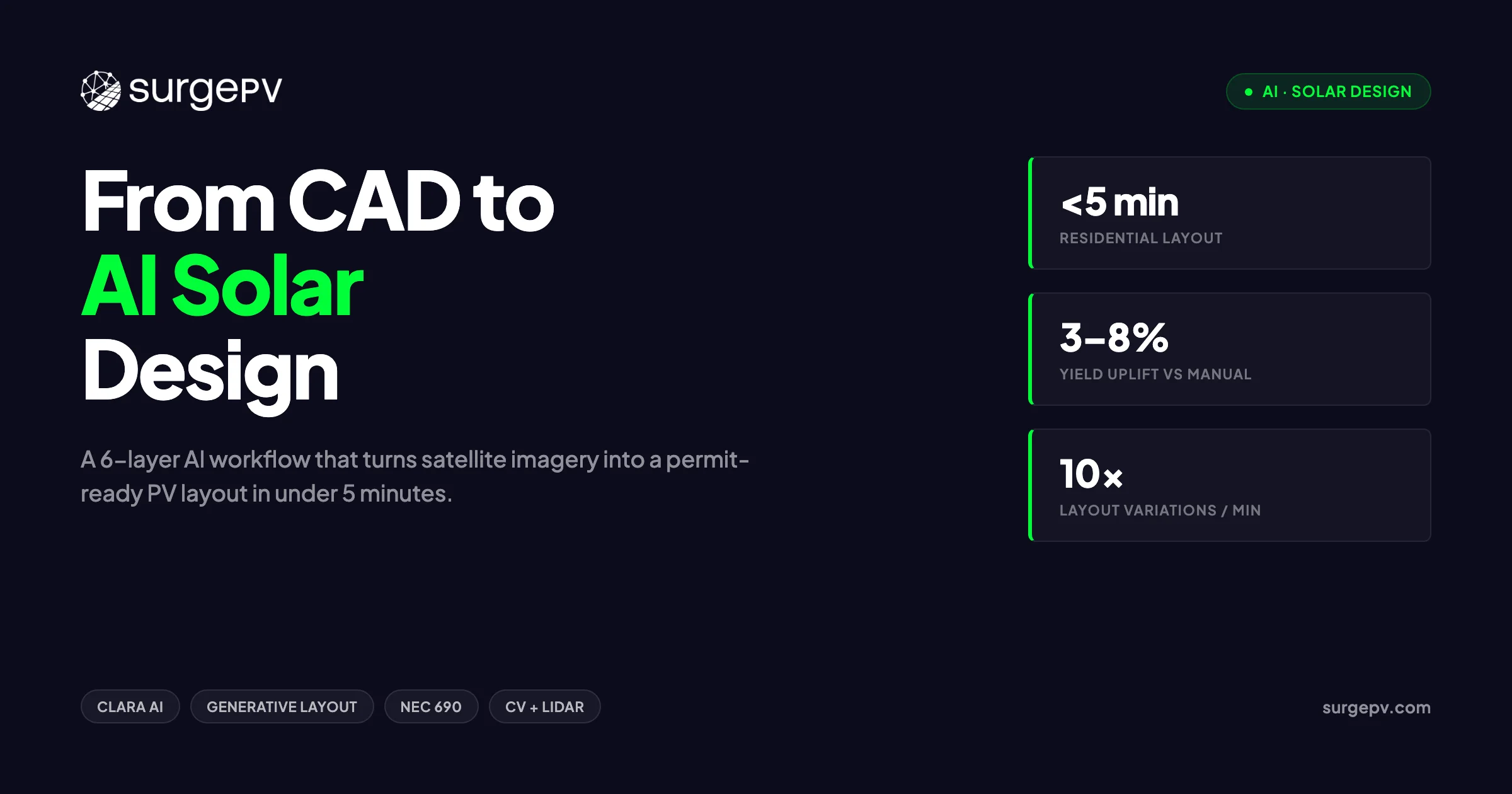
AI solar design uses computer vision for roof detection, machine learning for optimal panel placement, and automated string sizing. SurgePV's Clara AI reduces design time by 80%. AI accuracy for roof area measurement exceeds 95% compared to manual methods.
Picture a sales engineer at 9 pm, zoomed into a satellite image of a terracotta roof, manually tracing hip lines with a mouse. There are 12 more quotes in the pipeline. The meeting with the homeowner is tomorrow at 10 am. This is still the daily reality for a significant share of the installation industry, and it is a direct constraint on how fast a solar business can grow.
AI solar design uses computer vision for roof detection, machine learning for optimal panel placement, and automated string sizing. SurgePV’s Clara AI reduces design time by 80%. AI accuracy for roof area measurement exceeds 95% compared to manual methods.
See also: best solar design software US.
The solar design software market reached US$2.01B in 2025 and is projected to reach US$2.96B by 2032 at a 5.8% CAGR, according to Intel Market Research. A parallel estimate from LP Information puts the 2025 base at US$1.88B growing to US$2.81B at 6.1% CAGR. Both projections agree on the direction: demand is rising fast, and the tools that win market share will be the ones that close the gap between satellite image and permit-ready proposal in minutes, not hours. This guide breaks down exactly how that works — the six-layer AI design stack, where current tools fit inside it, where automation still fails, and an 8-point framework for evaluating whether any platform is genuinely production-ready.
TL;DR — AI Solar Design
AI tools now complete residential rooftop layouts in under 5 minutes — down from 20–40 minutes of manual CAD work. We break down the six-layer AI design stack, where each tool fits, where AI still fails, and an 8-point framework for evaluating whether an AI platform is production-ready.
In this guide:
- Why the shift from manual CAD to automated layout is happening now, not in five years
- The five steps in a typical manual residential design workflow and where errors enter
- All six layers of the AI design stack, with tool examples at each layer
- How computer vision and LiDAR build a roof model in under 15 seconds
- How generative layout produces 10 variations in 60 seconds and what that means for your revision cycle
- Where AI still gets it wrong — and why a licensed designer stays in the loop
- An 8-point buyer’s framework for evaluating any AI solar design platform before you sign
Why AI Matters in Solar Design Right Now
The Market in 2026
The solar PV design software category is not niche tooling anymore. It sits at the intersection of two compounding trends: accelerating residential and commercial PV deployment globally, and a design workforce that is not growing at the same rate as project volume. When an installation company quotes 40 projects a month with two designers, the math only works if each design takes under 30 minutes from satellite image to proposal. That threshold is forcing every serious platform toward automation. For more on this topic, see Advanced Solar PV Design Software. For Global-specific compliance details, see Global net-metering-by-country.
The two market estimates worth tracking — US$2.01B → US$2.96B at 5.8% CAGR and US$1.88B → US$2.81B at 6.1% CAGR — differ in base year methodology but converge on roughly 40–50% cumulative growth through 2032. That growth reflects real procurement: companies replacing spreadsheet-and-CAD workflows with cloud-native design platforms as they scale past 20 projects per month.
What’s Actually Changing
The word “AI” gets applied to two fundamentally different things in this category. Rules-based automation is software that executes a deterministic set of instructions: place modules at this setback, skip this keepout zone, fill valid area left to right. It is fast and reliable within its defined parameters. Generative AI is different — it frames the design as a constrained search problem and explores the solution space, producing multiple valid outputs ranked by a target metric like yield or module count. Both matter, and most platforms now combine them.
The clearest sign that the category has crossed a maturity threshold: obstruction detection and automatic keepout placement are no longer differentiators. They are table stakes. The platforms competing for installer wallet share in 2026 are differentiated on generative variation, compliance validation depth, and how directly the output connects to a proposal.
Why Installers Should Care Now
Time-to-quote correlates directly with close rate. When a homeowner requests a solar proposal, the probability of closing drops with each day of delay. A team that sends a proposal within 2 hours of a site visit wins a different conversion rate than one that takes 48 hours. Solar software that compresses the design-to-proposal window is not a productivity tool — it is a sales tool. Every hour recovered from manual layout is an hour that can be redirected toward customer communication, site assessment, or additional quotes.
The Manual CAD Workflow Most Installers Still Run
Step-by-Step Manual Flow
A standard residential design in a manual CAD-based workflow runs through five sequential steps. First, the designer opens satellite imagery in a separate window and manually traces the roof outline — hip lines, ridge lines, and all faces — into the design application. This takes 8–12 minutes on an average residential roof. Second, obstructions are placed manually: the designer eyeballs the satellite image, identifies chimneys, vents, and skylights, and draws keepout zones around each. Another 10–15 minutes. Third, modules are placed manually within valid areas, often using a snap-to-grid function. Fourth, the layout is exported to a separate simulation tool for yield calculation. Fifth, results are copied into a proposal template. Total elapsed time: 20–40 minutes for a single residential project.
Where Errors Enter
Manual tracing introduces measurement error at every step. Roof pitch estimated from satellite imagery without LiDAR data is frequently off by 1–3 degrees, which affects both structural load calculations and yield. Keepout zones drawn by eye are inconsistently sized — some designers add 12 inches of clearance around a vent; others add 18. Module placement that does not account for inter-row shading at the correct solar azimuth for the site’s latitude produces layouts that look correct but underperform by 4–6% annually. None of these errors are visible in the CAD file. They show up in year-one production data.
The Cost of a Single Revision Cycle
When a homeowner requests a layout change — different panel brand, different roof section, remove the skylight keepout — a manual workflow requires repeating steps two through five in full. That is another 15–25 minutes of billable design time. For a team handling 10 revision requests per week, that is 2.5–4 hours of lost capacity per week. Over a year, it exceeds 200 hours.
| Design Step | Manual CAD | AI-Assisted | Source |
|---|---|---|---|
| Roof modeling | 8–12 min | Under 15 sec | Aurora Solar |
| Obstruction detection | 10–15 min | Under 15 sec | Solar Builder Mag |
| Layout generation | 5–10 min | Under 60 sec | SurgePV Clara AI |
| Simulation | 3–5 min | Immediate (inline) | — |
| Proposal output | 5–8 min | Under 60 sec | — |
| Total | 20–40 min | Under 5 min | — |
The AI Design Stack — Six Layers
Why Layers Matter
Every AI solar design platform is a subset of a full six-layer stack. No single product covers all six layers equally well. When an installer evaluates a platform, the first question is not “does it have AI?” — it is “which layers does it cover, and how well does it handle the transitions between them?” A tool that does excellent roof modeling but requires an export to a separate simulation engine has a seam in the workflow. That seam costs time and introduces transcription errors.
The Six Layers Defined
The stack runs from raw site data at the bottom to permit-ready documents at the top. Each layer has a defined input, a defined output, and a specific class of algorithm or model doing the work. The layers do not have to be covered by a single platform, but the fewer handoffs required, the faster the total workflow.
Where SurgePV Sits
Clara AI covers layers 2 through 4 within a single session: rules-based auto-layout, generative variation, and in-platform compliance validation. The solar design software workflow starts with a site address, proceeds through automated roof trace and obstruction detection, and produces a reviewed layout ready for simulation without leaving the application. The simulation and proposal output (layers 5 and 6) run in the same platform window.
| Layer | What It Does | Example Tools | SurgePV Coverage |
|---|---|---|---|
| 1 — Vision | Builds roof model from satellite orthophoto, LiDAR point cloud, and obstruction classifier | Aurora Solar, Solr.ai | Satellite + auto-trace |
| 2 — Layout | Rules-based module placement with setback and structural constraints | Most platforms | Yes — Clara AI auto-layout |
| 3 — Generative | Produces multiple layout variations from a single parameter set | Aurora Solar, Clara AI | Yes — up to 10 variations |
| 4 — Validation | Checks NEC 690 / IEC 62548 compliance before export | SurgePV, Aurora Solar | Yes — in-platform |
| 5 — Forecasting | ML yield model (P50/P90), string-sizing optimisation | HelioScope, PVFARM | Yes — generation tool |
| 6 — Document | Outputs single-line diagram, permit packet, branded proposal | Most platforms | Yes — proposal module |
Computer Vision and LiDAR for Rooftop Modeling
How the Model Is Built
A computer vision rooftop model starts with a high-resolution orthophoto — satellite or aerial imagery rectified for ground-level accuracy. A convolutional neural network trained on labelled rooftop datasets segments the image into roof planes, identifies ridge and hip lines, and classifies each face by orientation and pitch. Where LiDAR point cloud data is available, it is fused with the orthophoto to give each detected plane a verified elevation and slope value. The result is a 3D wireframe of the roof that the layout engine can work against directly, without any manual tracing.
Obstruction Detection in Practice
The obstruction classifier runs as a second pass over the same image. It is trained on labelled examples of chimneys, HVAC units, vents, skylights, and roof penetrations across different roof materials, lighting conditions, and seasons. Aurora Solar’s 3D roof model completes this full process — roof geometry plus obstruction classification — in under 15 seconds. The classifier outputs bounding boxes around each detected object, which the layout engine converts to keepout zones with the appropriate NEC setback distances applied automatically. For software options, see 7 Best Aurora Solar Alternatives in.
Accuracy Limits
Computer vision models degrade in specific conditions. Dense tree canopy overhanging a roof section produces false classifications — the model may misidentify shadow patterns as obstructions or miss actual vents obscured by foliage. Dormer shadows cast at low sun angles create geometry artifacts in the plane segmentation. And satellite imagery in many regions lags physical site conditions by 12–18 months. A roof that had three vents added last summer may show only one in the training-data-era image.
The better platforms flag low-confidence detections rather than silently including them in the layout. A confidence score below a defined threshold should trigger a human review prompt before the design proceeds. When that flag is absent, errors flow silently into the permit package. Solar shadow analysis software that validates site shading conditions against the modeled geometry catches a subset of these issues, but it is not a substitute for site photos at the assessment visit.
Generative Layout: 10 Designs in 60 Seconds
What Generative Layout Actually Means
Generative layout is not random. It is a constrained search over the space of valid module placements, given a fixed set of parameters: module model, inverter type, roof geometry, setbacks, and string boundary rules. The engine generates candidate solutions, scores each one against a target function — typically annual yield, but also module count or row-to-row spacing — and returns the top N results ranked by score. The designer selects among valid options rather than building a single solution from scratch.
The distinction from rules-based automation matters because rules-based placement produces one answer. Generative placement produces many. That difference is what makes revision requests tractable: when the homeowner wants to see “what it looks like with panels only on the south face,” the designer selects a pre-generated variation rather than retracing the layout.
3–8% Yield Gain from Optimised Placement
Because the generative engine evaluates inter-row spacing, azimuth alignment, and shade avoidance simultaneously across many candidate solutions, the winning layout outperforms what a designer produces manually under time pressure. Research on AI-optimised solar layouts documents 3–8% higher annual energy yield compared to manual designs. For a 10 kW residential system producing 12,000 kWh/year, a 5% improvement is 600 kWh — roughly 6 months of an average home’s hot water consumption.
Practical Use Case — The Revision Request Scenario
A homeowner signs off on a 22-panel south-facing layout. Two days before permit submission, she calls to ask whether the system would still pencil out if the back portion near the chimney were excluded — her roofer flagged a structural concern. In a manual workflow, this is 25 minutes of redesign work and a new simulation run. With a generative tool that already produced multiple layout variations at the initial design stage, the designer pulls up a pre-scored alternative, confirms the yield is still within tolerance, and updates the proposal in under 3 minutes.
What the Installer Still Decides
The generative engine ranks layouts by a scoring function. The installer sets that function. A residential salesperson optimising for maximum system size selects different constraints than a C&I engineer optimising for a specific annual yield target with a budget ceiling. The tool produces valid options; the designer applies judgment about which option fits the customer’s financial model, aesthetic preference, and structural constraints. Generative layout shifts the work from drawing to decision-making — which is where installer expertise belongs.
Automated Obstruction Detection and Keepouts
The Old Way
Manual obstruction placement requires the designer to visually inspect a satellite image, identify each object on the roof, estimate its footprint, and draw a keepout rectangle with appropriate clearance. On a residential roof with 8–10 obstructions, this takes 10–15 minutes. The process is subjective: two designers working from the same image will produce different keepout sizes. Neither is wrong per se, but inconsistency across a project portfolio creates compliance exposure when an AHJ inspector checks setback compliance against the permit drawings.
How AI Detection Works
A trained object detection model processes the satellite image as a grid of overlapping tiles. For each tile, it outputs a class label (chimney, vent, skylight, HVAC, etc.) and a confidence score. High-confidence detections are converted to keepout polygons automatically, with setback distances drawn from the platform’s compliance rule set for the project’s jurisdiction. The full process runs in parallel with roof modeling, so by the time the layout engine begins placing modules, the keepout zones are already in place.
HelioScope C&I Extension
Aurora Solar’s HelioScope obstruction detection extension for commercial and industrial rooftops reduced obstruction placement from 10–15 minutes to 10–15 seconds in documented benchmarks. C&I roofs typically have more obstructions per square meter than residential — HVAC arrays, exhaust stacks, skylights, elevator penthouses — so the time savings per project are proportionally larger. A C&I design that required 40 minutes of manual obstruction work is now a 2-minute task.
Pro Tip
Always cross-reference AI-placed keepouts against site photos your crew took at the assessment visit. Satellite imagery can lag 12–18 months behind physical changes on the roof. A vent added last spring will not appear in the AI-detected keepout set and will cause a permit rejection if missed.
Verification Still Required
Two obstruction categories remain outside reliable AI detection. Flush-mounted vents — low-profile plastic or aluminium covers that sit less than 2 inches above the roofing material — are frequently missed by classifiers trained on higher-profile objects. Ground-level obstructions that cast shadows onto roof sections (trees, adjacent structures, parapet walls) require a separate shading analysis pass, not just image classification. Any design passing through permitting should include a checklist verification of AI-detected keepouts against field notes before submission.
ML Yield Forecasting and String-Sizing Optimisation
Why Forecasting Model Choice Matters
A yield forecast is only useful if it is reliable enough to support a financial model. The industry standard for bankable generation estimates is P50/P90 — the median and 90th-percentile probability production values. A P50 estimate with a ±15% RMSE is not bankable; a P90 estimate with ±5% RMSE is. The choice of machine learning model determines where on that spectrum a platform’s forecasts land, and the appropriate model depends on the forecast horizon.
Algorithm-to-Horizon Matching
Not all ML architectures perform equally at all time horizons. Research on solar generation ML models shows that algorithm selection should match the forecast horizon to minimise error. Day-ahead forecasts require high sensitivity to intraday cloud movement; longer-horizon forecasts benefit from models that capture stable seasonal patterns without overfitting to recent weather anomalies.
| Forecast Horizon | Best ML Model | Why |
|---|---|---|
| Day-ahead | ANN (Artificial Neural Network) | High sensitivity to intraday cloud movement and local weather transitions |
| Week-ahead | XGBoost + Random Forest hybrid | Balances bias-variance trade-off across multiple weather pattern types |
| 2-week and monthly | Random Forest | Stable seasonal patterns dominate; simpler model avoids overfitting |
String Sizing in the Same Pass
When a platform runs yield forecasting and string sizing in the same computational pass, it eliminates a manual transcription step. The string sizing algorithm uses the same irradiance model, the same temperature correction factors, and the same module IV curve data as the yield forecast. Output is a verified string configuration — number of strings, modules per string, inverter loading ratio — that does not need to be re-entered into a separate sizing tool. The PV generation and financial modeling at SurgePV runs yield simulation and string sizing within the same session, so the numbers in the proposal are derived from the same calculation run that produced the financial projections.
Where AI Still Fails — and Why a Designer Stays in the Loop
Non-Standard Module Types
AI layout and validation engines are trained predominantly on standard 60-cell and 72-cell crystalline silicon modules in portrait and landscape configurations. Bifacial modules require rear-side irradiance modeling that most platforms either omit or approximate with a static bifacial gain factor. BIPV (building-integrated photovoltaics) products — solar tiles, facades, skylights — do not conform to standard module footprints and are outside the training distribution of most layout engines. Agri-PV configurations with elevated mounting structures require terrain modeling that standard rooftop tools do not support. These cases require a designer to override or supplement the AI output. Read Bifacial Solar Panel Design Guide for a complete walkthrough.
Local Code Variation
NEC 690 governs US residential solar installations, but its requirements vary by adoption cycle — some AHJs are on the 2020 edition, others on the 2017. IEC 62548 governs many international markets, but local amendments differ by country. BS 7671 applies in the UK; AS/NZS 5033 in Australia and New Zealand. A validation layer trained on one standard will produce incorrect compliance checks when applied to a project subject to a different version. The installer is responsible for knowing which code edition the local AHJ enforces, and for verifying that the platform’s validation rules match. For UK-specific information, see Battery Solar System Design UK. For UK-specific information, see Heritage Building Solar Case Study.
Complex Rooftop Geometry
Mansard roofs, curved barrel vaults, multi-pitch configurations with 6 or more distinct faces, and roofs with narrow valleys between dormers all create geometry that challenges standard plane segmentation models. When the vision layer misidentifies a hip line or assigns two adjacent roof faces the same orientation, the layout engine places modules across a geometry that does not exist. The resulting permit drawing fails a basic visual inspection by any experienced reviewer.
Novel Site Conditions
Floating PV installations require wave motion and pontoon clearance modeling. Carport canopy installations have column spacing constraints that override standard setback rules. Ground-mount utility-scale sites require terrain slope correction across large areas where satellite elevation models have insufficient resolution. PVFARM addresses utility-scale iteration at 10–20× the speed of manual methods, but even dedicated tools have boundaries. PVX.AI handles AutoCAD-integrated terrain layout for complex ground-mount sites, but requires a trained CAD operator to configure the parameters correctly.
The Compliance Hallucination Risk
Generative AI systems — as distinct from rules-based validators — can produce outputs that look correct but contain errors that are not flagged. A layout that appears to respect setbacks may have a module corner 0.3 inches inside a required clearance zone. A string configuration that passes the platform’s validation may have an incorrect ground fault protection assignment for the specific inverter model selected. These errors are not hypothetical. They are the reason permit sets require licensed engineer review regardless of how the design was generated.
Important
No AI platform replaces a licensed electrical engineer’s stamp on a permit set. AI reduces the hours of design work before that stamp; it does not eliminate the need for it.
The role of the designer at solar installers is shifting, not disappearing. The designer who spends 35 minutes manually tracing a roof today will spend 5 minutes reviewing an AI-generated layout tomorrow. The time savings are real. The professional responsibility is unchanged.
How to Evaluate an AI Solar Design Tool: 8-Point Framework
Why Most Evaluations Go Wrong
Most platform evaluations focus on the demo. The vendor shows a clean residential rooftop in good lighting conditions, the AI traces it perfectly, and the proposal looks polished. None of that tells you how the platform performs on the awkward L-shaped roof with four dormers and a satellite dish that your team encounters twice a week. A structured evaluation framework forces the right questions before a contract is signed. For the latest details on Poland, see Solar Software Poland.
The 8 Criteria
-
Layer coverage — identify which of the six layers the platform covers natively versus which require export to third-party tools. Every seam in the workflow is a time cost and an error opportunity.
-
Compliance scope — confirm which code editions the validation engine checks, which jurisdictions are covered, and how quickly the platform updates when code editions change. NEC 690 and IEC 62548 are not static documents.
-
Accuracy benchmarks — ask for documented P50 RMSE values from backtested production data, not theoretical claims. A reputable platform should provide this for your target climate zone.
-
Module and inverter library — check library size and update cadence. A library with 12-month-old module data will produce string sizing results based on discontinued products. Ask how frequently new models are added and how legacy models are flagged.
-
Revision workflow — count the clicks required to implement a single keepout change and regenerate the proposal. This is the daily friction your designers will live with. Under 5 clicks from change to updated PDF is a reasonable benchmark.
-
Output portability — confirm that the platform exports DXF for CAD teams, PDF for permit submission, a single-line diagram, and a full permit packet. Proprietary formats that cannot be opened without the platform’s own viewer create dependency risk.
-
Pricing model — distinguish per-project credit systems from flat seat licences. Per-project pricing penalises high-volume teams and creates unpredictable monthly costs. Flat seat licences reward volume. Know which model matches your project cadence before signing.
-
Integration — assess whether the platform connects to your CRM via API and whether the proposal output syncs to your customer communication workflow. A design tool that sits in isolation from your sales process is a bottleneck, not a solution.
| Criterion | Question to Ask | Red Flag |
|---|---|---|
| Layer coverage | Which layers are native vs. export-required? | More than one export required per project |
| Compliance scope | Which NEC/IEC edition? Updated how often? | No code versioning or jurisdiction list available |
| Accuracy benchmarks | P50 RMSE for my climate zone? | “Industry-standard accuracy” without numbers |
| Module/inverter library | Size? Update frequency? | Last updated more than 6 months ago |
| Revision workflow | Clicks from keepout change to updated PDF? | More than 5 clicks for a single change |
| Output portability | DXF, PDF, single-line, permit packet? | Proprietary format only |
| Pricing model | Per-project or flat seat? | Per-project with no volume cap |
| Integration | CRM API available? | No API; CSV export only |
The customer-ready solar proposals question belongs in criterion 6: if the design tool’s proposal output requires reformatting in a separate tool, that is 10–15 minutes of post-design work on every project. Ask to see the actual PDF the system produces from a completed design, not a marketing mockup.
The Clara AI Workflow: Design, Simulate, and Propose in One Session
What Clara AI Covers in the Stack
Clara AI operates in layers 2 through 4 of the six-layer stack: automated rules-based layout, generative variation, and in-platform compliance validation. The roof modeling input (layer 1) uses satellite imagery with automatic trace. The generation simulation (layer 5) and proposal output (layer 6) run in the same platform session without export. The result is a single-session workflow from site address to signed proposal.
The Workflow Step-by-Step
- Enter the site address — the satellite image loads and the roof trace begins automatically.
- Clara AI segments the roof planes, classifies obstructions, and places keepout zones with appropriate setback distances applied.
- Select the module model and inverter from the library — both are filterable by wattage, manufacturer, and certification.
- Trigger layout generation — Clara AI produces up to 10 valid layout variations, scored by annual yield. Review each variation side-by-side.
- Accept the preferred layout — the simulation runs immediately within the same window.
- Review annual yield, string configuration, system payback, and IRR in the PV generation and financial modeling — all derived from the same calculation run.
- Generate the branded proposal with one click — the output includes layout drawings, yield chart, financial summary, and company branding.
Time Benchmark
SurgePV Clara AI completes this full workflow — from site address to a reviewed, proposal-ready layout — in under 5 minutes for standard residential projects. The manual equivalent runs 20–40 minutes. For a team processing 50 projects per month, that is 15–30 hours of recovered design capacity per month. The solar proposals output leaves the session as a finished document, not a draft requiring reformatting.
See Clara AI Run a Live Design
Book a 20-minute walkthrough and bring a real project address — we’ll run the full workflow live.
Book a DemoNo commitment required · 20 minutes · Live project walkthrough
What’s Next: Agentic Design and Auto-Permit Packets
Agentic Design Defined
Agentic design refers to multi-step orchestration where a software agent completes a sequence of design tasks autonomously, checking its own outputs against defined criteria before proceeding. In a near-term implementation, an agentic system accepts a project brief — address, system size target, module preference, budget ceiling — and completes roof modeling, layout generation, compliance validation, simulation, and financial modeling without a designer initiating each step. The designer receives a complete draft and reviews the output, rather than operating each tool in sequence.
The distinction from current automation is not speed — it is the nature of human intervention. Today, a designer runs each step and reviews the output before triggering the next. In an agentic model, the system runs all steps and flags exceptions for human review. The designer’s time concentrates on exceptions and edge cases, not routine project execution.
Auto-Permit Packets
The most immediate near-term development is automated permit packet assembly. A permit package for a residential solar installation typically includes a site plan, roof plan, single-line electrical diagram, label schedule, equipment cut sheets, and a structural attachment summary. Assembling these documents from a completed design currently takes 20–40 minutes of manual document work. Platforms moving toward full layer-6 coverage are beginning to generate the single-line diagram, label schedule, and structural attachment summary directly from the validated design file, with the designer reviewing and signing the output rather than building it from scratch.
What This Means for Installer Teams
As agentic and auto-packet capabilities mature, installation companies will likely restructure design team roles rather than reduce design headcount. Junior designers handling routine residential volume at high throughput. Senior designers and licensed engineers focused on C&I, complex geometry, and edge cases that fall outside the automation boundary. The ratio of projects per designer will increase; the average project complexity handled per designer will also increase.
What Remains Human
Three categories of work remain outside the automation boundary regardless of how capable the tools become. AHJ relationships — understanding the specific documentation preferences of a local building department, calling to clarify a code question, managing a re-submission — require human judgment and local knowledge that no platform can encode. Structural sign-off requires a licensed professional engineer’s stamp, which carries personal legal liability. Customer discussions about system design trade-offs — aesthetics vs. yield, budget vs. system size — require a human who can read the customer’s priorities and adjust the recommendation accordingly.
Conclusion
The numbers define the shift clearly: 5-minute residential layouts instead of 40-minute ones, and 3–8% higher annual yields from optimised placement. These are not projections — they are documented benchmarks from deployed tools. The workflow that was standard practice three years ago is now a competitive disadvantage for any team running more than 20 projects per month.
Three concrete next steps for any installer team evaluating AI design tools:
- Map your current workflow against the six-layer stack and identify which layers your team still handles manually. The layers you have not automated are your largest time cost and your most direct path to capacity recovery.
- Run the 8-point evaluation framework against any platform you are trialling before signing a contract. Demo conditions are optimised; your worst-case project is the real test.
- Book a live Clara AI session with a real project address — not a demo address — and measure the elapsed time from site entry to proposal PDF.
The PV design software market is consolidating around platforms that cover the full six-layer stack in a single session. The teams that adopt those platforms in 2026 will quote faster, revise cheaper, and win more of the homeowners who request proposals this week. Start with a demo and bring your hardest roof.
Frequently Asked Questions
How is AI used in solar design?
AI applies across six design layers: computer vision models the roof from satellite or LiDAR data; rules-based algorithms auto-place modules; generative engines produce multiple layout options in under 60 seconds; validation layers check NEC 690 and IEC 62548 compliance; ML models forecast generation; and document automation outputs permit-ready proposals. Most platforms cover two to four of these layers. The practical implication for installers is that “AI design tool” can mean anything from a single obstruction detector to a full six-layer workflow — layer coverage is the first question to ask.
Can AI replace a solar designer?
No — not for production work. AI handles repeatable tasks like roof tracing, keepout placement, and layout generation faster and with fewer errors than manual CAD. A qualified designer or engineer still validates compliance, handles complex geometry, and provides the licensed stamp required for permit submission. The role shifts from executing each design step manually to reviewing AI-generated outputs and managing exceptions.
How accurate is AI-generated solar layout?
AI-optimised layouts achieve 3–8% higher energy yields than manual designs because the algorithm evaluates orientation, inter-row spacing, and shade avoidance simultaneously. Accuracy drops for non-standard module types, complex rooflines, and sites outside the training data distribution. Those cases require human review before permit submission. Always ask a platform vendor for documented RMSE benchmarks from backtested production data in your climate zone before relying on their yield forecasts for financial proposals.
What is automated PV layout?
Automated PV layout is rules-based software that places solar modules on a roof model automatically, respecting setbacks, structural load zones, and electrical string boundaries without manual drawing. The designer sets the constraints — module model, inverter type, setback rules — and the tool fills the valid area and outputs a string-ready layout in seconds. The output is deterministic given the same inputs, which makes it auditable and consistent across a project portfolio.
How much time does AI save on solar design?
For residential rooftop projects, AI tools reduce layout time from 20–40 minutes of manual CAD to under 5 minutes. Obstruction detection drops from 10–15 minutes to under 15 seconds. Across a 50-project monthly volume, that recovers 15–30 hours of billable design time. The actual saving depends on project complexity — straightforward gable roofs save proportionally less than complex multi-pitch roofs with many obstructions.
What is generative AI in solar design?
Generative AI in solar design produces multiple valid layout variations from a single set of input parameters — module model, inverter type, roof geometry, and setback rules. A generative engine can output up to 10 distinct layouts in 60 seconds, letting the designer pick the option that best balances yield, aesthetics, and structural constraints. This is distinct from rules-based layout, which produces one deterministic answer; generative layout produces a ranked set of valid answers for the designer to evaluate.
Which solar design tools use AI in 2026?
Tools with documented AI features include Aurora Solar (3D roof model, obstruction detection), HelioScope (C&I obstruction detection), PVFARM (utility-scale iteration), PVX.AI (AutoCAD-integrated terrain layout), Solr.ai (computer vision), and SurgePV Clara AI (residential and C&I layout, generative variations, in-platform compliance validation). Coverage depth varies significantly across platforms — a side-by-side evaluation against the six-layer stack is the most reliable way to compare them for your specific project type.
Where this fits
This article is part of SurgePV's Solar Design hub, which works through the topic from first principles to the decisions a project team actually has to make.