Pros
Cons
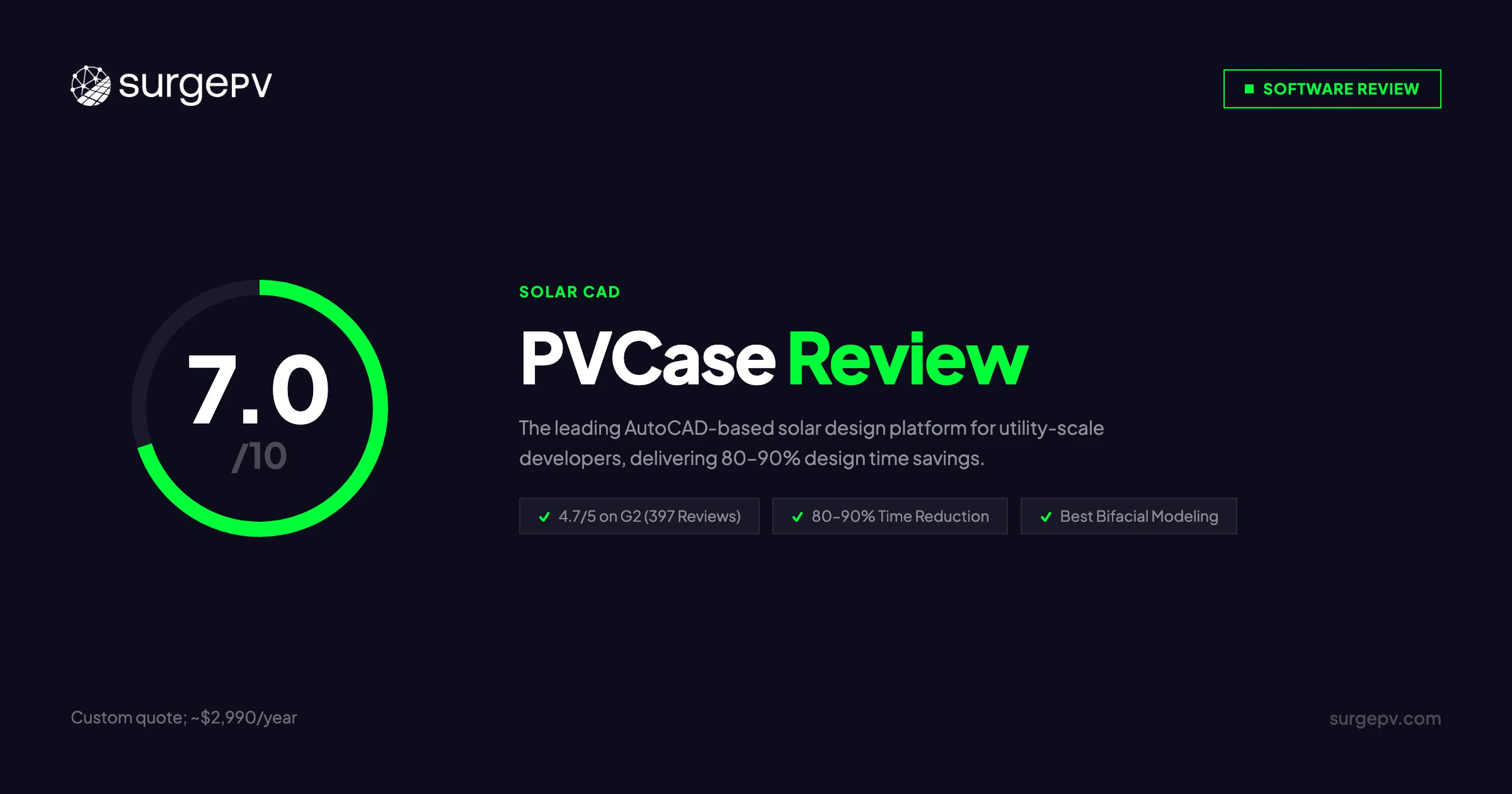
TL;DR: PVCase is the dominant AutoCAD-based platform for utility-scale solar design, serving 1,800+ customers across 80+ countries with an end-to-end suite covering site selection, design, and energy modeling. With custom pricing estimated at roughly $2,990/year per user (software plus mandatory AutoCAD), it targets engineering-led development teams working on projects above 1 MW. Based on 397 G2 reviews, users consistently praise 80–90% design time savings and exceptional support, but flag the steep learning curve, plugin loading delays, and missing electrical automation. For utility-scale developers with in-house AutoCAD expertise, PVCase is hard to beat. For commercial EPCs needing PV design software with integrated electrical engineering, proposals, and no CAD dependency, SurgePV delivers a faster, lower-cost complete workflow.
Author: Keyur Rakholiya Title: Contributing Writer, SurgePV | MD & CEO, Heaven Green Energy Limited Expertise: 1+ GW solar projects delivered, 20+ design software platforms tested, 10+ years EPC operations Published: 2026-03-08 Last Updated: 2026-03-08 Review Methodology: Official PVCase documentation, 397 G2 verified reviews (G2.com/products/pvcase), help.pvcase.com system requirements, PVCase Academy, comparison of published product information
Who This Review Is For
This PVCase review helps:
- Solar developers evaluating AutoCAD-based tools for utility-scale ground mount projects
- EPCs comparing PVCase against cloud-based alternatives for C&I rooftop work
- Engineering teams weighing PVCase Yield vs PVsyst for bankable energy modeling
- Buyers researching PVCase pricing, license costs, and total cost of ownership
Who should skip this review:
- Residential installers (PVCase is not designed for residential scale)
- Teams without AutoCAD expertise or licenses (the learning curve is real)
- Developers needing integrated financial modeling and proposal generation
What Is PVCase?
PVCase is an end-to-end solar development platform built for utility-scale and commercial projects. Founded in 2017 by David Trainavicius and engineers with direct solar development backgrounds, the company is headquartered in Vilnius, Lithuania, with teams across five continents. PVCase raised $123.6M in total funding, including a $100M Series B in July 2023, and acquired Anderson Optimization the same year to add GIS-based site selection capabilities.
Company Overview
| Detail | Info |
|---|---|
| Founded | 2017 |
| Headquarters | Vilnius, Lithuania |
| CEO | David Trainavicius |
| Employees | 373 (2024) |
| Funding | $123.6M total ($100M Series B, 2023) |
| Revenue | $53.8M (2024) |
| Customers | 1,800+ in 80+ countries |
| Annual Design Volume | 4 TW |
| G2 Rating | 4.7/5 (397 reviews) |
| Notable Clients | AES, RWE, Iberdrola, Voltalia, ib Vogt, BlueWave |
The Four-Product Suite
PVCase operates as four distinct products, each targeting a different stage of the development workflow:
- PVCase Prospect — cloud-based site selection and buildable area analysis
- PVCase Ground Mount — AutoCAD plugin for utility-scale design (1 MW+)
- PVCase Roof Mount — AutoCAD plugin for C&I rooftop design
- PVCase Yield — energy modeling and irradiance simulation
Prospect and Yield are cloud-accessible. Ground Mount and Roof Mount are desktop AutoCAD plugins requiring Windows 10 (x64) or later on physical hardware — virtual machines are not supported.
PVCase Pricing & License Cost
PVCase does not publish pricing publicly. All plans require a custom quote through sales@pvcase.com or the website demo request form.
PVCase License Price 2026
| Component | Estimated Annual Cost | Notes |
|---|---|---|
| PVCase software license | ~$990/user/year | Custom quote required |
| AutoCAD license (mandatory) | ~$2,000/user/year | Required for Ground/Roof Mount |
| Total per user | ~$2,990/user/year | Before hardware costs |
| High-end workstation | One-time cost | 3.0 GHz CPU, 12 GB+ RAM, 4 GB GPU |
These figures are based on user reports, competitive intelligence, and the existing SurgePV review data. Actual pricing varies by team size, region, and product configuration. Contact PVCase sales for an exact quote.
PVCase License Cost: Volume Discounts
PVCase offers volume licensing for larger teams. Pricing is negotiated directly with their sales team and typically improves with:
- Team size (5+ seats, 10+ seats, enterprise)
- Multi-year commitments
- Bundle deals combining multiple products (Prospect + Ground Mount + Yield)
Note on Pricing Transparency
PVCase’s contact-sales model means the full cost — including AutoCAD license, hardware requirements, and onboarding time — is often not clear until late in the sales process. Request a fully itemized quote including all required third-party licenses before signing.
Total Cost of Ownership (TCO)
| Workflow | Annual Cost Per User | Notes |
|---|---|---|
| PVCase alone | ~$990/year | Ground/Roof Mount still need AutoCAD |
| PVCase + AutoCAD | ~$2,990/year | Minimum viable stack for most users |
| PVCase + AutoCAD + proposal tool | ~$4,390/year | Add CRM/proposal software |
| SurgePV (cloud, all-in-one) | From $1,499/user/year | No AutoCAD, includes proposals |
The AutoCAD dependency is the defining TCO factor. Teams without existing AutoCAD infrastructure face both the license cost and the infrastructure investment in Windows workstations.
Is PVCase Free? Free Trial and Educational Access
Free trial: Yes. PVCase offers a 2-week trial. Duration and access scope are not publicly specified — contact the sales team to start.
Free version: No permanently free tier.
Educational licenses: Free for qualifying students and educators. PVCase Academy at academy.pvcase.com is accessible without a paid license for learning purposes.
Pro Tip
Request the free trial with a real project file from your pipeline. The 2-week window is enough to run a full Ground Mount design cycle and assess whether the AutoCAD workflow fits your team’s process before committing to a license.
PVCase Prospect: Site Selection at Scale
PVCase Prospect is the cloud-based site identification and assessment tool, acquired through the Anderson Optimization deal in 2023. It targets solar developers who need to screen large land areas before committing to detailed design.
Prospect Key Capabilities
- Automated parcel search and buildable area analysis using nationwide GIS data
- Zoning data integration with permit analysis
- LMP (Locational Marginal Pricing) data for distributed generation siting
- 3-phase lines data for interconnection screening
- Layouts (beta) for early-stage multi-parcel designs
- REST API (beta) for programmatic large-scale screening
Time savings: Site assessment that previously took weeks completes in approximately 20 minutes — 30x faster according to PVCase’s own benchmarks.
Prospect is the most accessible PVCase product for teams without AutoCAD expertise, as it runs entirely in a browser. It feeds project data directly into Ground Mount for seamless handoff.
PVCase Ground Mount: Utility-Scale Design
PVCase Ground Mount is the flagship product and the primary reason most customers choose PVCase. It is an AutoCAD plugin targeting utility-scale solar (1 MW and above).
PVCase Ground Mount Pricing vs Features
Ground Mount delivers the highest feature density in the PVCase suite. Here is what the license buys:
| Feature | Available | Notes |
|---|---|---|
| Terrain-following tracker placement | Yes | Single-axis, backtracking |
| Civil grading and cut/fill analysis | Yes | Reduces earthworks uncertainty |
| AC/DC-coupled BESS design | Yes | Standalone BESS also supported |
| Voltage drop calculations | Yes | Manual review required for losses |
| Custom stringing configurations | Yes | Flexible electrical layout |
| Central inverter SLD export | Yes | Export to AutoCAD, not automated |
| Capacity iteration | Yes | System sizing optimization |
| PVsyst export (.DAE, .PVC) | Yes | Seamless data transfer |
| PVCase Yield integration | Yes | Direct export for energy modeling |
| Automated SLD generation | No | Requires manual AutoCAD work |
| Automated wire sizing | No | Lengths provided, losses manual |
| Financial modeling | No | Not included |
| Proposal generation | No | Requires external tool |
Reported time savings: 80–90% reduction in design time, with users citing 90 hours saved per design on complex utility-scale projects.
One G2 reviewer described the impact directly: “Extremely intuitive and easy-to-use tool, which substantially reduces the time needed to create detailed projects.”
AutoCAD Integration for Ground Mount
Ground Mount is a native AutoCAD plugin compatible with AutoCAD 2019 through 2026. The integration enables:
- Direct access to AutoCAD’s drawing environment and layer management
- Industry-standard DWG output accepted by all AHJs and lenders
- Familiar environment for engineering teams already working in AutoCAD
- Automatic conversion of legacy 2D drawings to intelligent PVCase frames
The trade-off is direct: teams without AutoCAD proficiency face a 6–8 week learning curve learning both AutoCAD and PVCase simultaneously.
PVCase Roof Mount: C&I Rooftop Design
PVCase Roof Mount targets commercial and industrial rooftop projects. Like Ground Mount, it is an AutoCAD plugin.
Roof Mount Key Capabilities
- Direct Airteam drone integration for 3D building model imports
- Shading analysis for layout optimization
- Leapfrog stringing pattern to minimize voltage drop
- Semi-automated cable path routing
- PanelClaw mounting system integration (K2 Systems support upcoming)
- PVsol import (.pvprj files) for teams migrating from PVsol
Reported time savings: Minimum 80% on layout generation. Roof modeling time cut by 90% when using the Airteam drone integration.
One customer testimonial captures the scale of the impact: “A 1 MW rooftop project that previously took 2 weeks now takes one morning.”
Roof Mount vs Ground Mount
Roof Mount is less mature than Ground Mount and has fewer third-party integrations. It shares the same AutoCAD dependency and Windows requirement. Teams primarily doing C&I rooftop work should weigh whether the AutoCAD investment is justified vs cloud-based alternatives that handle rooftop design without desktop software.
PVCase Yield: Energy Modeling
PVCase Yield is the energy simulation module. It integrates directly with Ground Mount and Roof Mount outputs, removing the need to manually rebuild geometry in a separate simulation tool.
Yield Technical Capabilities
- Advanced ray tracing for precise irradiance and shading calculations
- 8760-hour annual energy analysis (industry standard for bankability)
- Best-in-class bifacial module modeling, validated by Imec and EnergyVille in blind tests
- Single-axis tracker GCR optimization
- Complex terrain assessment for non-flat sites
- CdTe thin-film module support
- Integration with PVGIS and SolarAnywhere for weather data
The Imec/EnergyVille validation is meaningful. Most platforms claim “PVsyst-comparable accuracy” without third-party verification. PVCase Yield has external validation data to back the claim.
Yield vs PVsyst
PVCase Yield is positioned as a faster alternative to PVsyst for most commercial and utility projects, with results feeding directly from the PVCase design workflow. For projects above 50 MW or those with lenders explicitly requiring PVsyst reports, users typically run both: Yield for daily iteration and PVsyst for final bankability reports.
PVCase Academy and Support
PVCase’s support quality is one of its most consistently praised attributes across 397 G2 reviews.
PVCase Academy
PVCase Academy (academy.pvcase.com) is the official training platform:
- Video instruction libraries covering Ground Mount workflows end to end
- Downloadable PDFs and getting started guides
- Available in English and Spanish
- Roof Mount and Yield content in development
- 100% of users surveyed rated the learning experience as exceptional
Educational access is free for students and qualifying educators. This makes PVCase a common choice for university solar engineering programs.
Support Channels
- 24/7 support via email (support@pvcase.com), live chat, and help center
- Comprehensive documentation at help.pvcase.com
- Weekly software updates with release notes
- Regional support teams covering APAC, North America, and Europe
- Video tutorials and troubleshooting guides
G2 users consistently rate support highly: “Weekly updates and customer service, as well as technical support, are exceptional.”
Evaluating Solar Design Software for Your EPC?
See how SurgePV compares to PVCase — automated SLD generation, no AutoCAD required, cloud-based workflows from design to signed proposal.
Book a DemoNo commitment required · 20 minutes · Live project walkthrough
User Reviews & Feedback
PVCase has 397 verified G2 reviews with an overall rating of 4.7/5 — the highest in the CAD-based solar design category. The 2025 G2 Best CAD & PLM Software award reflects consistent user satisfaction over multiple years.
Top Praised Features
| Rank | Feature | Notes |
|---|---|---|
| 1 | Speed and automation | 80–90% time reduction, frequently cited |
| 2 | AutoCAD integration | Familiar environment for CAD-trained teams |
| 3 | Customer support | “Exceptional” — consistent across reviews |
| 4 | Engineering precision | Millimeter-level terrain and electrical accuracy |
| 5 | Cut/fill analysis | Reduces earthworks uncertainty early in development |
Top Criticisms
| Rank | Issue | Severity |
|---|---|---|
| 1 | Plugin loading time (up to 1 minute) | Medium |
| 2 | AutoCAD dependency | High for non-CAD teams |
| 3 | Steep learning curve | High for non-CAD users |
| 4 | No financial modeling | High for teams needing proposals |
| 5 | Performance lag in data-rich views | Medium |
| 6 | License cost barrier for small businesses | High for small teams |
| 7 | Hard-coded settings in some modules | Low–Medium |
Direct User Quotes
“Sometimes opening the PVCase plug-in takes quite a bit of time compared to other software — waiting time on the order of a minute.” — G2 Reviewer
“The absence of financial and other reports is a limitation.” — G2 Reviewer
“Customers now ‘PVcase’ projects as a verb — meaning mega-speed development.” — G2 Reviewer
80% of G2 reviewers rated ease of use as excellent, which is notable given the CAD complexity involved. Support consistently draws the highest praise.
Pros & Cons
Pros
1. Proven Time Savings at Scale
80–90% design time reduction for Ground Mount, 60–70% for Roof Mount, verified across 397 G2 reviews. One documented case: 90 hours saved per design on complex terrain. The time savings translate directly to higher project throughput without adding headcount.
2. End-to-End Platform
PVCase covers the full development lifecycle: Prospect (site selection) → Ground Mount or Roof Mount (design) → Yield (energy modeling). Data moves between products without manual re-entry. No other platform offers this complete a workflow for utility-scale development.
3. Best-in-Class Bifacial Modeling
PVCase Yield’s bifacial accuracy is validated by Imec and EnergyVille — not self-certified. For bankable utility-scale projects where bifacial gain estimates affect project finance, this external validation matters.
4. Native BESS Integration
AC/DC-coupled BESS and standalone battery storage are supported natively in Ground Mount. Most competing design tools require separate workflows or external tools for BESS design.
5. Exceptional Support and Training
100% exceptional rating for PVCase Academy. Weekly software updates. 24/7 support with regional teams. For a product with a steep learning curve, this training infrastructure is the difference between a 4-week onboarding and an 8-week one.
6. Scale and Market Credibility
1,800+ customers. 80+ countries. 4 TW designed annually. AES, RWE, and Iberdrola as reference customers. For large developers evaluating vendor stability, PVCase’s scale provides confidence.
Cons
1. AutoCAD Dependency (High Impact)
Ground Mount and Roof Mount require an active AutoCAD license. That is $2,000/year per user added to the PVCase cost, plus workstation hardware requirements (3.0 GHz CPU, 12 GB+ RAM, 4 GB GPU with DirectX 11). No virtual machine support limits IT flexibility. Cloud-based alternatives like SurgePV eliminate this infrastructure requirement entirely.
2. No Automated Electrical Engineering (High Impact for EPCs)
PVCase provides cabling layouts and device placement in 3D, but does not generate automated SLDs, wire sizing calculations, or conduit fill outputs. EPCs still spend 2–3 hours per project on manual AutoCAD electrical work after completing the PVCase design. This is the most significant gap for commercial EPC workflows.
3. No Financial Modeling or Proposals
PVCase has no built-in financial reporting, ROI calculation, or proposal generation. For development teams that sell projects, a separate tool is required — adding cost and workflow friction. See customer-ready solar proposals for options.
4. Steep Learning Curve
Non-CAD users face 6–8 weeks before reaching full productivity. Teams new to AutoCAD must learn two systems simultaneously. This is a genuine onboarding cost, not just a training inconvenience.
5. No Component Database
Users must manually input all module and inverter specifications. Most competing solar design tools platforms include databases of thousands of certified components. Manual input slows setup and introduces data entry risk.
6. Performance Issues
Plugin loading of up to 1 minute was cited by multiple G2 reviewers. Lag in data-rich views affects productivity on large utility-scale files. High hardware requirements mean older workstations may need upgrades.
PVCase vs SurgePV
PVCase and SurgePV target different segments of the solar market. Understanding where each performs better prevents buying the wrong tool.
Feature Comparison
| Feature | PVCase | SurgePV | Winner |
|---|---|---|---|
| Deployment | Desktop (AutoCAD plugin) | Cloud-based (browser) | SurgePV |
| Primary market | Utility-scale (1 MW+) | Commercial EPC (100 kW–10 MW) | Different targets |
| AutoCAD required | Yes ($2,000/year) | No | SurgePV |
| Automated SLD generation | No — manual AutoCAD | Yes — 5–10 minutes | SurgePV |
| Automated wire sizing | No | Yes — instant | SurgePV |
| Conduit fill calculations | No | Yes | SurgePV |
| Proposal generation | No — external tool needed | Yes — integrated | SurgePV |
| Financial modeling | No | Yes — generation & financial tool | SurgePV |
| Shadow analysis | Yes (Yield module) | Yes — shading analysis software | Tie |
| Bifacial modeling | Yes (Imec-validated) | Yes | Tie |
| BESS design | Yes (AC/DC/standalone) | Yes | Tie |
| Site selection | Yes (Prospect) | No | PVCase |
| Carport solar design | No | Yes (only platform) | SurgePV |
| Tracker support | Single-axis | Single and dual-axis | SurgePV |
| Cloud collaboration | No | Yes | SurgePV |
| Learning curve | 6–8 weeks (non-CAD) | 2–3 weeks | SurgePV |
| Annual cost per user | ~$2,990 | From $1,499 | SurgePV |
| Pricing transparency | Custom quote only | Public tiers | SurgePV |
| Support quality | Exceptional (4.7/5) | 3-min avg response | Tie |
Workflow Time: 100 kW Commercial Project
| Step | PVCase Stack | SurgePV |
|---|---|---|
| Site assessment | Prospect (20 min) | Not included |
| Roof design | Ground/Roof Mount (2–3 hours) | 30 min |
| Shading simulation | Yield export (1 hour) | Included |
| SLD generation | Manual AutoCAD (2–3 hours) | 5–10 min (automated) |
| Proposal | External tool (1 hour) | 15–20 min (integrated) |
| Total | 6–8 hours | 50–60 min |
| Extra tools needed | AutoCAD + proposal software | None |
For a commercial EPC processing 50 projects per month, the 5–7 hour difference per project amounts to 250–350 hours saved monthly. At $75/hour engineering cost, that is $18,750–$26,250/month in recovered capacity.
Annual Cost Comparison
| Scenario | Annual Cost |
|---|---|
| PVCase + AutoCAD (1 user) | ~$2,990 |
| PVCase + AutoCAD + proposal tool | ~$4,390 |
| SurgePV (3 users, all-inclusive) | From $1,499/user |
| PVCase + AutoCAD + proposals (3 users) | ~$13,170 |
PVCase Alternatives
SurgePV — Cloud-based solar design software for commercial EPCs (100 kW–10 MW). Automated SLD generation, integrated proposals, shadow analysis, no AutoCAD required. Best for teams needing a complete design-to-signed-proposal workflow. From $1,499/user/year with transparent public pricing.
RatedPower — Cloud-based utility-scale design platform. Like PVCase Prospect, it handles large ground mount projects without AutoCAD. Better fit for teams that want cloud collaboration on utility-scale work but lack AutoCAD infrastructure. Pricing also requires a custom quote.
PVsyst — The industry standard for energy modeling and bankability reports. Not a design tool — it requires manual geometry input. PVCase Yield is faster for design iteration, but some lenders still require a native PVsyst file for final validation. See the PVsyst review for a full breakdown.
Aurora Solar — Cloud-based platform dominant in US residential. Handles C&I rooftop but lacks the utility-scale depth of PVCase. No AutoCAD required. Better for residential-to-commercial EPCs than for pure utility developers.
HelioScope — Browser-based simulation and design tool for C&I solar. No AutoCAD needed. Strong shading analysis. Does not cover site selection or utility-scale ground mount at PVCase’s depth.
Arka360 — Cloud-based platform with built-in CRM, targeting India and US residential/C&I. No AutoCAD. Includes proposals. Does not match PVCase on utility-scale depth. See the Arka360 review for comparison.
Who Should Use PVCase?
PVCase Is the Right Tool When:
1. Utility-Scale Ground Mount (1 MW–100 MW+) Complex terrain, precise tracker placement, grading analysis, and BESS design. PVCase Ground Mount is purpose-built for this. Teams designing large-scale projects with in-house AutoCAD expertise will see the 80–90% time savings.
2. Engineering Teams with Existing AutoCAD Infrastructure If your team already uses AutoCAD for structural or civil work, adding PVCase as a plugin has low friction. The $2,000/year AutoCAD cost is already sunk.
3. Development Teams Needing Site-to-Design Handoff PVCase Prospect to Ground Mount to Yield is the cleanest utility-scale workflow available. Data flows between products without manual re-entry — a genuine advantage over using three separate tools.
4. Projects Where Bifacial Accuracy Is Bankability-Critical The Imec/EnergyVille validation for PVCase Yield provides third-party credibility that most platforms cannot match.
SurgePV Is the Better Fit When:
1. Commercial EPC Projects (100 kW–10 MW) Complete electrical documentation, automated SLD, integrated proposals, and shadow analysis without AutoCAD. Purpose-built for the commercial EPC workflow.
2. Teams Without AutoCAD Expertise No CAD required. 2–3 week onboarding vs 6–8 weeks. No $2,000/year AutoCAD license cost.
3. Teams Needing Integrated Proposals and Financial Modeling SurgePV’s generation and financial tool and solar proposal capabilities mean design-to-signed-proposal without switching tools.
4. Carport Solar Design SurgePV is the only platform with native carport solar design support. PVCase does not handle carport geometry.
5. Cloud Collaboration Remote teams, multi-office EPCs, and teams on non-Windows hardware need browser-based access. PVCase Ground Mount and Roof Mount do not provide this.
Compare PVcase
See our best utility-scale solar design software rankings.
Looking to escape the PVcase + AutoCAD stack?
SurgePV delivers PVcase’s layout speed without the AutoCAD requirement — no plugin installs, no Windows lock-in, no $2,000/yr CAD license. See the PVcase → SurgePV migration guide.
Book a DemoNo commitment · 20-min walkthrough · Live utility-scale demo on the call
Frequently Asked Questions
What is PVCase?
PVCase is an end-to-end solar development platform with four products: Prospect (cloud site selection), Ground Mount (utility-scale AutoCAD plugin), Roof Mount (C&I rooftop AutoCAD plugin), and Yield (energy modeling). Founded in 2017 in Lithuania, it serves 1,800+ customers in 80+ countries and processes 4 TW of solar designs annually.
How much does PVCase cost?
PVCase requires a custom quote. Estimated cost: approximately $990/year for the software license. However, Ground Mount and Roof Mount require a separate AutoCAD license at approximately $2,000/year, bringing total cost to roughly $2,990/user/year. Contact sales@pvcase.com for an exact quote. A 2-week free trial is available.
What is the PVCase license cost and how does licensing work?
PVCase licenses are managed through the PVCase License Manager application. Licenses are seat-based, tied to physical Windows installations, and require internet connectivity for validation. Virtual machine installations are not supported. Educational licenses are free for qualifying students and educators. Volume pricing is available for teams of 5 or more.
Does PVCase include automated electrical engineering?
Not in the traditional sense. PVCase provides 3D cabling layouts and electrical device placement, but does not generate automated SLDs, automated wire sizing, or conduit fill calculations. EPCs still need manual AutoCAD work (2–3 hours per project) to produce permit-ready electrical documentation. For automated SLD generation, SurgePV completes this in 5–10 minutes with no AutoCAD required.
What is PVCase Yield and how accurate is it?
PVCase Yield is the energy modeling module using advanced ray tracing and 8760-hour simulation methodology. Bifacial modeling accuracy has been independently validated by Imec and EnergyVille. For most utility-scale and C&I projects, Yield provides bankable accuracy. Some lenders on large projects above 50 MW still require native PVsyst reports — in those cases, PVCase Yield handles design iteration and PVsyst handles final validation.
What is PVCase Prospect?
PVCase Prospect is the cloud-based site selection tool acquired from Anderson Optimization in 2023. It screens parcels for solar suitability using GIS data, zoning information, LMP pricing, and interconnection data. Site assessment that previously took weeks completes in approximately 20 minutes. It feeds directly into PVCase Ground Mount for seamless project handoff.
Is PVCase suitable for ground mount solar design?
Yes — it is one of the strongest tools for utility-scale ground mount design (1 MW+). Terrain-following tracker placement, civil grading, cut/fill analysis, and BESS integration are all native. Users report 80–90% design time savings. For commercial ground mount projects under 1 MW where AutoCAD is not already in use, a cloud-based alternative like SurgePV may offer better total value.
How does the PVCase Ground Mount pricing compare to its features?
At approximately $990/year (plus $2,000/year AutoCAD), Ground Mount is the most feature-complete solar CAD tool available for utility-scale work. Features that justify the cost: terrain-following trackers, BESS design, cut/fill analysis, PVsyst export, and seamless Yield integration. Features not included at any price: automated SLD generation, automated wire sizing, financial modeling, and proposals. Teams with pure utility-scale design needs will find the cost justified. EPCs needing a complete workflow will need to budget for additional tools.
What does PVCase Academy offer?
PVCase Academy at academy.pvcase.com is the official training platform with video courses and downloadable PDFs covering Ground Mount workflows. Available in English and Spanish. 100% of surveyed users rated it exceptional. Educational licenses are free. Roof Mount and Yield content are in development.
What AutoCAD versions does PVCase support?
PVCase Ground Mount and Roof Mount are compatible with AutoCAD 2019 through 2026. The software requires Windows 10 (x64) or later on a physical machine (not a virtual machine), with minimum specs of 3.0 GHz CPU, 12 GB RAM, and a 4 GB GPU supporting DirectX 11.
Final Verdict
PVCase earns its 4.7/5 G2 rating. For utility-scale solar development teams with AutoCAD expertise, it is the most complete and time-saving platform available. The Prospect-to-Ground Mount-to-Yield workflow, combined with industry-leading bifacial modeling and exceptional support, makes a strong case for large-scale developers.
The limitations are real and specific. No automated electrical engineering, no proposals, and mandatory AutoCAD add cost and complexity that commercial EPCs should not accept when cloud-based alternatives handle these natively.
Decision Framework
Choose PVCase when:
- Projects are consistently above 1 MW (utility-scale ground mount)
- Your team already has AutoCAD infrastructure and expertise
- Terrain complexity and precision design control are priorities
- You need site-to-design-to-energy-model workflow continuity
- Bifacial validation and bankable accuracy are required
Choose SurgePV when:
- Projects are in the 100 kW–10 MW commercial range
- You need automated SLD, wire sizing, and permit-ready electrical output
- Integrated proposals and financial modeling matter for your sales process
- Your team lacks AutoCAD expertise or wants to eliminate the $2,000/year cost
- Carport solar is part of your project mix
- Cloud-based access and collaboration are operational requirements
Value Summary
| Factor | PVCase | SurgePV |
|---|---|---|
| Utility-scale precision | Excellent | Good |
| Commercial EPC workflow | Limited | Excellent |
| Annual cost per user | ~$2,990 | From $1,499 |
| Onboarding time | 6–8 weeks | 2–3 weeks |
| Electrical automation | No | Yes |
| Proposal generation | No | Yes |
| Cloud access | Prospect/Yield only | Full |
For utility-scale developers, PVCase is a sound investment. For commercial EPCs building a complete design-to-sale workflow without AutoCAD, SurgePV offers faster onboarding, lower cost, and all the electrical and proposal capabilities PVCase lacks.
Take the Next Step
See how SurgePV handles commercial solar design from site layout through signed proposal — without AutoCAD, without switching tools.
- Book a demo — Compare PVCase vs SurgePV with your actual project types
- View pricing — Transparent, all-inclusive pricing starting at $1,499/user/year
- Explore solar design features — Full design, simulation, and proposal capabilities
- Shadow analysis tool — 8760-hour shading with documented accuracy
Related Resources
Platform Comparisons:
- PVsyst Review — Full analysis of PVsyst vs PVCase Yield for energy modeling
- Arka360 Review — Cloud-based design platform comparison
Feature Deep Dives:
- Solar Designing — Complete design capabilities overview
- Solar Proposals — Integrated proposal generation for commercial EPCs
- Shadow Analysis Software — Shading analysis methodology and accuracy
- Energy and financial modeling tool — ROI and financial modeling for bankable projects
Educational:
- Best Solar Design Software — Complete platform comparison guide for 2026
This PVCase review was written by Keyur Rakholiya, Contributing Writer at SurgePV and MD & CEO of Heaven Green Energy Limited, using the cited public sources. All PVCase information is sourced from official documentation (pvcase.com, help.pvcase.com, academy.pvcase.com) and 397 verified G2 user reviews (G2.com/products/pvcase). Pricing estimates are based on user reports and competitive intelligence — contact PVCase sales for exact figures. We disclose that SurgePV publishes this review and disclose our company affiliation transparently.
Review last updated: 2026-03-08 | Next review: June 2026
About the Contributors

Editorial contributor · SurgePV
Rainer Neumann is credited as an editorial contributor on SurgePV content. This profile does not assert engineering credentials, project totals, software-testing experience, education, speaking engagements, or media citations because independent verification evidence is not retained in the publication record.

CEO & Co-Founder · SurgePV
Keyur Rakholiya is identified by SurgePV as its CEO and a company co-founder. His SurgePV author page lists only role information that can be tied to the public profile below; credentials, project totals, testing claims, media appearances, and speaking engagements are not asserted without retained evidence.
