Pros
Cons
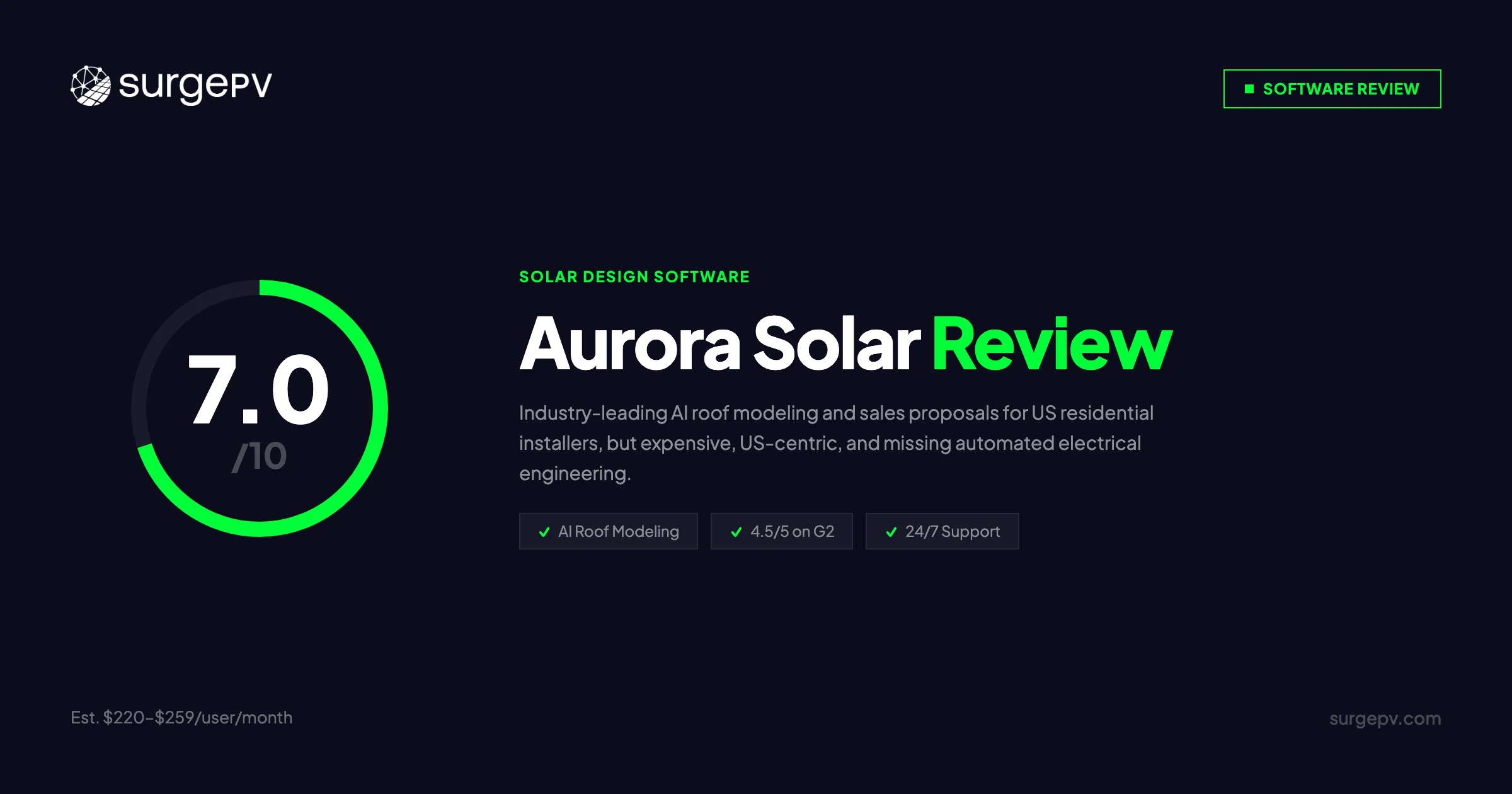
TL;DR: Aurora Solar is a cloud-based solar design and sales platform built primarily for US residential installers. At an estimated $2,640–$6,000+/user/year, it delivers industry-leading AI roof modeling and polished proposals — but lacks automated electrical engineering that commercial EPCs need. Based on 247 verified G2 reviews, users praise the platform’s 3D modeling speed (9.5/10 G2 score) and 24/7 support (9.0/10), but report significant gaps when moving beyond standard residential grid-tie work. For pure residential sales teams, Aurora delivers strong ROI. For commercial EPCs needing automated SLD generation, carport design, and transparent solar proposal generation pricing, SurgePV — the leading solar design tools — offers a more complete engineering workflow at a fraction of the cost.
Author: Keyur Rakholiya Title: Contributing Writer, SurgePV | MD & CEO, Heaven Green Energy Limited Expertise: 1+ GW solar projects delivered, 20+ design software platforms tested, 10+ years EPC operations Published: 2026-03-08 Last Updated: 2026-03-08 Review Methodology: Official Aurora Solar documentation, 247 G2 verified reviews (G2.com/aurora-solar), 52 Capterra reviews, comparison of published product information
Who This Review Is For
This Aurora Solar review is written for:
- Solar EPCs evaluating Aurora for residential or commercial project workflows
- Installers comparing Aurora Solar vs SurgePV, OpenSolar, or HelioScope
- Commercial teams assessing electrical engineering capabilities before committing
- Small installers questioning whether Aurora’s pricing fits their volume
Skip this review if you only need utility-scale simulation (PVsyst or SAM are better fits) or if you’re purely India-focused (see the Arka360 review).
What Is Aurora Solar?
Aurora Solar is a cloud-based solar design, sales, and delivery platform founded in 2013 and headquartered in San Francisco, California. The company has raised $537 million in total funding — including a $200 million Series D in February 2022 that valued it at $4 billion. It serves 7,000+ companies globally and has processed over 20 million project designs.
Aurora markets itself as the “World’s #1 Solar Design Software,” with primary strength in US residential solar. The platform covers the full workflow from site assessment through signed contract: AI-powered 3D modeling, shading analysis, financial projections, proposal generation, and CRM integration.
In July 2024, Aurora acquired Lyra Solar, a residential design tool, expanding its residential capabilities further. The company also acquired HelioScope in an earlier move to enter the commercial simulation market.
Aurora Solar Company Background
| Detail | Info |
|---|---|
| Founded | 2013 |
| Headquarters | San Francisco, California, USA |
| CEO | Christopher Hopper |
| Total Funding | $537 million |
| Series D (Feb 2022) | $200 million at $4 billion valuation |
| Customers | 7,000+ organizations worldwide |
| Designs Completed | 20M+ (up to 100,000 projects/week) |
| Recognition | TIME’s Top 100 American GreenTech Companies 2024 |
| Primary Market | US residential solar |
Aurora’s target customer is a US solar installer with 10–200 employees and $5M–$50M annual revenue. It’s built for organizations where non-technical sales reps need to create designs and proposals without deep engineering knowledge.
Aurora Solar Pricing & License Cost
Aurora Solar does not publish tier pricing on its website. All pricing requires contacting sales, which many reviewers flag as a friction point during evaluation.
Aurora Solar Pricing 2026
Based on publicly available data and user reports, here is what prospective buyers can expect:
| Plan | Estimated Monthly | Estimated Annual | Who It’s For |
|---|---|---|---|
| Foundation (Self-Serve) | ~$200–$300/user | ~$2,400–$3,600/user | Residential design teams, LIDAR 3D, basic proposals |
| Build (Self-Serve) | ~$300–$400/user | ~$3,600–$4,800/user | Pricing automations, Sync API, advanced permissions |
| Grow (Enterprise) | Custom | Contact sales | Aurora AI, Contract Manager, Expert Design Service |
| Scale (Enterprise) | Custom | Contact sales | Full enterprise features, volume licensing |
A credit-based alternative exists for low-volume users:
- $0.10 per credit (150 credits = $15)
- One-time $3,000 bundle: 30,000 credits, valid 1 year
- Residential design: estimated 5–50 credits per project
Pricing Transparency Warning
Aurora does not display pricing publicly. You must contact sales to get a quote. This makes comparison shopping harder and slows down purchasing decisions — a criticism that appears in multiple G2 reviews.
Total Cost of Ownership
Commercial EPCs frequently discover they need supplementary tools alongside Aurora, which significantly increases total cost:
| Workflow | Annual Cost |
|---|---|
| Aurora Foundation (estimated) | ~$2,640–$3,600/user/year |
| Aurora + AutoCAD (for SLDs) | ~$4,640–$5,600/user/year |
| Aurora + PVCase (for electrical) | ~$3,630–$4,590/user/year |
| SurgePV all-in-one | From $1,499/user/year |
Hidden Cost Alert
Aurora’s API access is locked to Enterprise tier. Teams needing custom integrations at mid-market scale will face additional costs or have to upgrade plans. LIDAR imagery credits (Nearmap, Eagleview) may also carry per-project fees beyond the base subscription.
Is Aurora Solar Free? Aurora Solar Free Trial
Aurora Solar does not offer a standard free trial with full platform access. Here is what is available:
Credit-based access: Pay $3,000 upfront for 30,000 credits (valid 1 year). This gives access to individual designs without a monthly seat subscription. A residential project costs roughly 5–50 credits — meaning the $3,000 bundle covers hundreds to thousands of designs before expiration.
Aurora trial: Some prospective customers report being able to arrange limited access through Aurora’s sales team. Contact sales directly to request a structured evaluation.
What a trial typically covers:
- AI roof modeling with LIDAR imagery
- 3D panel layout and shading analysis
- Financial modeling
- Proposal generation
What requires paid Enterprise access:
- Aurora AI automated roof modeling (Grow tier)
- Contract Manager (Grow tier)
- Sync API (Build tier and above)
- Expert Design Service
If your evaluation depends on Aurora AI or Contract Manager, ensure your trial arrangement includes those features before committing.
Core Features & Capabilities
AI-Powered Roof Modeling
Aurora’s strongest feature. The platform uses computer vision and machine learning to automatically generate 3D roof models from satellite, LIDAR, or drone imagery. Over 1.6 million AI roof model runs have been completed.
What it does well:
- Detects roof planes, tilt angles, azimuth, and obstructions automatically
- Creates usable 3D models in 15 seconds to 5 minutes
- Integrates with Nearmap and Eagleview for high-resolution LIDAR data
- Has resolved measurement disputes in favor of the installer: “In every instance, Aurora was correct when customers disputed measurements” (G2 reviewer)
Where it falls short:
- Tree and vegetation representation is not always accurate
- Unusual roof configurations can produce terrain analysis errors
- Some users report obstructions being missed in automated models
- Remote areas with limited imagery quality reduce accuracy
Shading Analysis — Aurora Shade Report
Aurora’s shade analysis covers all 8,760 hours in a year (hourly intervals), using NREL-validated calculation engines. The reported margin of error is 2–3%, with sub-module shading detail and P50 performance metrics as standard output.
64% of G2 reviewers cite shading accuracy as a positive. The reports are described as bankable — accepted by lenders and financiers for project financing.
Pro Tip
If your project requires P75 or P90 exceedance metrics (common for debt financing of larger projects), verify Aurora’s output format with your specific lender before committing. Aurora primarily reports P50, while some commercial lenders require P90 specifically.
Sales & Proposals
This is Aurora’s second major strength. The platform generates interactive, web-based proposals that are mobile-optimized and fully branded.
Proposal capabilities:
- 3D system visualizations embedded in proposals
- Energy savings projections with utility bill analysis
- Multiple financing scenarios: cash, loan, lease, PPA
- Side-by-side system comparisons
- E-signature integration (HelloSign, DocuSign)
What users report:
- Design-to-proposal time: down from 3–4 hours to 30 minutes
- Close rate improvement: one installer reported 30% to 65%
- Proposal generation: from 1–2 hours to under 20 minutes
73% of G2 reviewers mention proposal quality positively. For sales-led residential organizations, this is a real operational advantage.
Financial Modeling
Aurora’s generation and financial tool covers NPV, IRR, and payback period calculations. It integrates live utility rate data via GenabilityAPI and UtilityAPI, and supports multiple financing options in a single proposal.
The 2026 update added consumption prediction — estimating energy usage from utility data without requiring customer bills. This speeds up the design process for sales teams.
Electrical Design (Notable Gap)
This is where Aurora consistently receives mixed reviews from commercial EPCs.
What Aurora includes:
- String layout design
- Inverter selection and configuration
- Rapid shutdown circuit configuration
- NEC-compliant wiring guidance
- Electrical constraint validation against its component database
- “Electrical Line Diagram” as an add-on export
What Aurora does not automate:
- Full Single Line Diagram (SLD) generation for permits
- Wire sizing calculations
- Conduit sizing and fill calculations
- Voltage drop analysis
- Conduit schedules and protection device specifications
Multiple G2 reviewers specifically mention needing AutoCAD or PVCase to complete permit-ready electrical documentation. This is not a minor gap — permit authorities require complete SLDs for commercial projects, and producing them manually adds 2–3 hours per project.
Integrations
Aurora’s CRM integrations are a genuine strength for sales-focused teams:
- Salesforce: Two-way sync, automatic project creation, changes reflected in both platforms
- HubSpot: Direct project creation from CRM records
- Zoho CRM and Copper CRM: Supported
- E-signature: HelloSign, DocuSign
- Solar distribution: CED Greentech, EnergyToolbase
- Mapping: Nearmap, SolarAPP+
- Financing: Mosaic
The Sync API provides 29 endpoints for custom integrations — but API access is locked to the Enterprise tier. Mid-market teams wanting custom integrations without Enterprise pricing face a barrier.
Tired of Paying for Aurora + AutoCAD?
SurgePV delivers automated SLD generation, carport design, and complete electrical engineering — all in one platform, starting at $1,499/user/year.
Book a DemoNo commitment required · 20 minutes · Live project walkthrough
User Reviews & Feedback
G2 Category Scores
| Category | Score (out of 10) |
|---|---|
| 3D Visualization | 9.5 |
| Energy Yield Assessment | 9.2 |
| Design & Engineering | 9.1 |
| Customer Support | 9.0 |
| Overall (G2 rating × 2) | 9.0 |
Overall G2: 4.5/5 (247 reviews) — “Leader” badge Capterra: 4.4/5 (52 reviews) TrustRadius: 8.1/10 (89 reviews)
Top Praised Features
| Rank | Feature | G2 Mention Rate |
|---|---|---|
| 1 | AI Roof Modeling | 87% |
| 2 | Proposal Quality | 73% |
| 3 | Ease of Use | 68% |
| 4 | Shading Accuracy | 64% |
| 5 | Customer Support | 59% |
Top Criticisms
| Rank | Issue | G2 Mentions | Severity |
|---|---|---|---|
| 1 | Limited electrical engineering (no SLD automation) | Frequent | ⚠️ CRITICAL for commercial EPCs |
| 2 | Steep learning curve for commercial workflows | Frequent | High |
| 3 | Pricing and cost concerns | Frequent | High |
| 4 | API access restricted to Enterprise | Moderate | Medium |
| 5 | Performance on very large projects (100+ MW) | Occasional | Medium |
Direct User Feedback
“In every instance, Aurora was correct when customers disputed measurements.” — G2 reviewer, residential installer
“Designing roof planes is very hard, unless you know what you’re doing.” — G2 reviewer, commercial designer
“Incredibly limited and really insufficient for complex projects beyond US grid-tie residential.” — Capterra reviewer, commercial EPC
“Close rates jumped from 30% to 65% after switching to Aurora proposals.” — G2 reviewer, sales-focused installer
The split is consistent: sales teams love it, commercial EPCs hit limitations.
Pros & Cons
✅ Pros
1. AI Roof Modeling — Best in Category ⭐
87% of G2 reviewers mention this feature positively. Aurora’s AI creates usable 3D models in under 15 seconds from satellite or LIDAR imagery — cutting per-design time by 40–55 minutes compared to manual modeling. The component database covers 80,000+ modules, inverters, and racking systems with automatic NEC compliance checking.
2. Proposal Quality That Converts
73% G2 mention rate for proposals. Users report close rate improvements from 30% to 65% in documented cases. Proposals are interactive, mobile-optimized, and support multiple financing scenarios in a single shareable link. For residential sales organizations, this is measurable revenue impact.
3. 24/7 Support (Rated 9.0/10 on G2)
59% of reviewers praise the support. Responsive phone, chat, and email support with high availability — an advantage for installers who work outside standard business hours. Dedicated Enterprise support is available for larger accounts.
4. Bankable Shading Accuracy
NREL-validated calculation engines with a reported 2–3% margin of error. Shading reports are described as bankable for lenders. For residential and small commercial projects requiring financing, this level of validation matters.
5. Strong CRM Integrations
Native two-way Salesforce and HubSpot sync removes manual data entry for sales teams. CRM leads automatically generate Aurora projects and vice versa. For organizations already using these CRMs, this saves meaningful time per deal.
6. Market Track Record
7,000+ companies and 20 million designs give Aurora a validation advantage in enterprise sales conversations. G2 “Leader” badge, TIME’s Top 100 GreenTech 2024.
⚠️ Cons
1. No Automated Electrical Engineering ⚠️ CRITICAL for EPCs
The most common commercial EPC complaint. Aurora lacks automated SLD generation, wire sizing, conduit calculations, and voltage drop analysis. Multiple G2 reviews specifically mention needing AutoCAD ($2,000/year) or PVCase ($990/year) to produce permit-ready electrical documentation. This adds $1,000–$2,000/year in software cost and 2–3 hours per project in manual work.
2. Pricing Opacity
No public pricing. Contact-sales-only model adds friction to evaluation. Some Capterra reviewers describe Aurora as prohibitively expensive for small companies or those doing complex non-standard projects. One reviewer cited “R13,000 in the first month for testing” as unacceptably high for evaluation.
3. No Carport, Tracker, or East-West Racking ⚠️
Aurora does not natively support solar carport design, single-axis or dual-axis trackers, or East-West racking optimization. Workarounds are possible but add time and introduce accuracy concerns. If any significant portion of your portfolio is commercial structures, Aurora is the wrong tool.
4. US-Centric Coverage
Aurora is strongest in the US residential market. International teams, particularly outside the US, Australia, and Japan, will find utility rate data, regulatory databases, and imagery coverage to be limited.
5. API Locked to Enterprise
Custom integrations require Enterprise tier. Mid-market teams wanting to connect Aurora to internal systems or build custom workflows face either paying for Enterprise pricing or maintaining manual data processes.
6. Learning Curve for Commercial Work
Residential workflows are accessible to non-technical staff — a stated strength. Commercial workflows are a different story. G2 reviewers note that advanced features require significant training time, which directly affects time-to-productivity for new commercial team members.
Aurora Solar vs SurgePV
Feature Comparison
| Feature | Aurora Solar | SurgePV | Winner |
|---|---|---|---|
| AI Roof Modeling | Best-in-class (under 15 sec) | Strong (fast, accurate) | Aurora Solar |
| Shading Analysis | NREL-validated, P50 | ±3% vs PVSyst, 8,760-hour | Tie |
| Automated SLD Generation | No (requires AutoCAD) | Yes (5–10 min, permit-ready) | SurgePV |
| Wire Sizing & Voltage Drop | No | Yes (automated) | SurgePV |
| Carport Solar Design | No (workarounds only) | Yes (native support) | SurgePV |
| Solar Tracker Support | No | Yes (single & dual-axis) | SurgePV |
| P50/P75/P90 Bankability | P50 only | P50/P75/P90 (all three) | SurgePV |
| Interactive Proposals | Yes (excellent) | Yes (interactive + PDF) | Tie |
| CRM Integration | Salesforce, HubSpot (strong) | External CRM integration | Aurora Solar |
| Geographic Coverage | Primarily US | US + India + International | SurgePV |
| Pricing Transparency | Contact sales only | Public pricing | SurgePV |
| Base Annual Cost/User | ~$2,640–$6,000+ | From $1,499 | SurgePV |
Workflow Time Comparison: 100 kW Commercial Project
| Step | Aurora Solar Stack | SurgePV |
|---|---|---|
| Roof modeling (AI) | 15 sec–5 min | Fast (included) |
| Shading analysis | Included | Included |
| SLD generation | 2–3 hours (AutoCAD, manual) | 5–10 min (automated) |
| Wire sizing & conduit | Manual (external tool) | Automated (included) |
| Proposal generation | 30 min | 15–20 min |
| Total | 3–4 hours | 45–60 min |
| Additional tools needed | AutoCAD or PVCase | None |
Annual Cost Comparison
| Scenario | Annual Cost |
|---|---|
| Aurora Foundation (estimated) | ~$2,640–$3,600/user |
| Aurora + AutoCAD (commercial EPCs) | ~$4,640–$5,600/user |
| Aurora + PVCase (alternative to AutoCAD) | ~$3,630–$4,590/user |
| SurgePV (all-inclusive) | From $1,499/user |
For a team of 5 designers, switching from Aurora + AutoCAD to SurgePV saves $15,000–$20,000/year in software alone — before accounting for the time recovered from manual SLD work.
Best Aurora Solar Alternatives in 2026
Aurora Solar costs $2,640–$6,000+ per user per year.
For a team of three designers, that’s up to $18,000 annually — before AutoCAD for permit SLDs, before your CRM, before any of the tools Aurora doesn’t include. And if your work touches commercial projects requiring full electrical documentation? Add $2,000/year per AutoCAD seat on top.
If you’re evaluating alternatives, you’re probably asking one of these:
- “Is Aurora worth this price for what we actually use?”
- “We do commercial and carport work — why won’t Aurora support it?”
- “We’re outside the US — why does half the platform not work for us?”
Here’s what your options actually look like.
SurgePV — Built for What Aurora Doesn’t Do
Aurora was designed for US residential sales teams. SurgePV was built for the projects that fall outside that lane: commercial rooftop, carport solar, ground-mount, international markets, teams that need permit-ready electrical documentation without paying a drafter.
The concrete differences that matter:
- Automated SLD generation — 1.5–2.5 hours saved per project, no AutoCAD required
- Native carport, tracker, and East-West racking support — structures Aurora hard-walls
- International utility data for 50+ countries — not US-only
- Transparent published pricing — no sales call to find out what you’ll pay
For pure residential US teams closing at high volume with non-technical sales reps, Aurora’s AI modelling speed is a genuine advantage worth paying for. For everyone else, the $2,640+ price tag is buying optimisations that don’t match your workflow.
→ Compare SurgePV vs Aurora Solar pricing and features
OpenSolar — Genuinely Free, With Real Trade-offs
OpenSolar is free — unlimited users, unlimited projects, all core features included. The revenue model is partner-funded (hardware distributors pay, not you), which explains both the price and the data privacy questions worth understanding before committing your project pipeline to it.
What you give up: LiDAR-grade shading accuracy, US SLD generation, any project above 500 kW. What you get: a fully functional residential and light commercial platform at zero subscription cost. For early-stage businesses and international teams in markets where SLD generation isn’t required, it’s a legitimate option.
HelioScope — Aurora’s Own Simulation Engine, Sold Separately
Aurora acquired HelioScope and now sells both platforms. If you’re evaluating Aurora primarily for C&I simulation accuracy, it’s worth knowing HelioScope — at $159–$259/month — was built specifically for engineering-grade commercial simulation with DNV GL validation. No proposals, no CRM, no SLD. For teams doing complex C&I work who don’t need residential sales tools, HelioScope is the more focused tool at a lower price.
Arka360 — India-First With Built-in CRM
The only major solar platform with a native CRM built in. Strong for India-based residential installers. Doesn’t match Aurora’s AI modelling speed or proposal polish, but at $199/month with transparent self-serve pricing, it’s a direct alternative for cost-sensitive teams who don’t need Aurora’s US residential features.
Scanifly — When Your Workflow Starts With a Drone
Scanifly specialises in drone-based site assessment and shading analysis. If your design workflow depends on drone data rather than satellite or LiDAR imagery — particularly for complex commercial rooftops — Scanifly handles that process with more precision than Aurora’s imagery-based approach.
See the full best solar design software comparison for a complete platform ranking across 12 tools.
Who Should Use Aurora Solar?
Aurora Solar Is the Right Fit When:
1. You do primarily US residential solar (100–500 installs/year)
Aurora was built for this exact market. If 80%+ of your work is standard grid-tie residential rooftop in the US, Aurora’s AI modeling speed, proposal quality, and CRM integrations deliver measurable ROI. The reduced design time (40–55 minutes saved per design) and improved close rates justify the cost at volume.
2. Non-technical sales reps are designing and selling
Aurora’s guided workflows and accessible UI allow people without engineering backgrounds to produce designs and proposals that close deals. This is a real differentiator for organizations where the same person handles sales and design.
3. You’re already using Salesforce or HubSpot
Native two-way CRM sync is a genuine operational advantage. If your sales team lives in Salesforce, Aurora’s integration removes manual handoffs and reduces double data entry.
4. Brand recognition matters for enterprise sales
7,000+ companies, 20M+ designs, and G2 “Leader” status help in enterprise procurement conversations.
Look Elsewhere When:
1. You need complete automated electrical documentation
If permit packages require full SLDs, wire sizing, and conduit schedules — and you can’t afford to add 2–3 hours of manual AutoCAD work per project — Aurora is not the right tool. SurgePV or PVCase handle this natively.
2. Carports, trackers, or East-West racking are part of your portfolio
Aurora does not support these. If any portion of your business involves commercial structures, you’ll hit a hard wall with Aurora.
3. You’re operating internationally outside the US
Aurora’s utility data, imagery coverage, and regulatory databases are built for the US market. International teams will find consistent gaps.
4. Budget is under $200/month
Aurora’s pricing (estimated $220+/user/month) exceeds this threshold. OpenSolar at $199/month or Arka360 at $199/month are more accessible options for low-volume or early-stage operations.
5. You want pricing without a sales call
If transparent, self-serve pricing matters to your evaluation process, Aurora’s contact-sales-only model will frustrate you. SurgePV publishes pricing at surgepv.com/pricing.
Compare Aurora Solar
See how Aurora Solar stacks up in detailed side-by-side comparisons:
Looking for the best in class? See our best solar design software rankings.
Thinking about switching from Aurora Solar?
SurgePV covers residential, C&I, and utility-scale design in one platform — without paying the Aurora premium. See the step-by-step migration guide or talk to our team.
Book a Demo20-minute walkthrough · No commitment · We’ll model one of your real projects on the call
Frequently Asked Questions
What are Aurora Solar reviews saying in 2026?
Based on 247 G2 reviews, Aurora Solar receives consistent praise for AI roof modeling (87% mention rate), proposal quality (73%), and 24/7 support (59%). The most recurring criticisms are limited electrical engineering automation for commercial workflows, high pricing, and a learning curve for complex projects. Overall G2 rating: 4.5/5.
Does Aurora Solar offer a free trial?
Not in the traditional sense. Aurora offers a credit-based access option — a $3,000 upfront payment provides 30,000 credits valid for one year. For full-platform demos or negotiated trial access, contact Aurora’s sales team directly. There is no self-serve free tier.
What is Aurora Solar pricing in 2026?
Aurora does not publicly list prices. Estimated subscription costs are $220–$259/user/month ($2,640–$6,000+/user/year). A credit-based option is available at $0.10/credit with a $3,000 entry bundle. Contact Aurora sales for exact tier pricing. Budget for potential supplementary tools (AutoCAD ~$2,000/year) if your workflow includes commercial electrical documentation.
What is the Aurora shade report?
Aurora’s shade report uses an 8,760-hour annual shading methodology with NREL-validated calculation engines. It outputs P50 performance metrics with sub-module detail. The reported margin of error is 2–3%. Reports are widely accepted by lenders for residential and small commercial financing.
Is Aurora Solar good for commercial projects?
Partially. Aurora handles commercial design (100 kW–10 MW) with strong shading analysis and proposals. The gap is electrical engineering: SLDs, wire sizing, and conduit calculations are not automated and often require supplementary tools. For straightforward commercial projects without heavy permit documentation needs, Aurora works. For EPCs doing high-volume commercial work, the manual electrical burden adds significant cost and time.
Is Aurora Solar expensive compared to alternatives?
Yes, relative to the category. At $2,640–$6,000+/user/year before supplementary tools, Aurora sits at the premium end. OpenSolar costs roughly $2,388/year. SurgePV starts at $1,499/user/year with complete electrical engineering included. For commercial EPCs who need AutoCAD alongside Aurora, total cost runs $4,600–$5,600+/user/year.
Can Aurora Solar design carport solar structures?
No. Aurora does not natively support carport solar design, single-axis or dual-axis trackers, or East-West racking optimization. SurgePV is the only platform with native carport design support in this category.
What CRM does Aurora Solar integrate with?
Aurora integrates natively with Salesforce (two-way sync), HubSpot, Zoho CRM, and Copper CRM. The Sync API (29 endpoints) enables custom integrations but is restricted to the Enterprise tier.
Final Verdict
Aurora Solar is a strong platform — but it is specifically strong for US residential solar companies that prioritize design speed and sales conversion over engineering depth.
Strengths in summary:
- Best AI roof modeling in the category (9.5/10 G2 visualization score)
- Proven proposal quality with documented close rate improvements
- 24/7 support consistently rated at 9.0/10
- Market scale: 7,000+ customers and 20M+ designs
- Strong native CRM integrations for Salesforce/HubSpot users
Limitations in summary:
- No automated electrical engineering — commercial EPCs pay extra in both time and software
- No commercial structures: carports, trackers, East-West racking
- Pricing opacity and premium cost relative to alternatives
- US-centric — gaps for international teams
- API locked to Enterprise tier
The Decision Framework
Choose Aurora Solar when:
- 80%+ US residential workflows
- Sales-led organization where non-technical staff design
- Existing Salesforce or HubSpot investment
- Volume justifies $2,640–$6,000+/user/year
- Brand recognition matters in your customer conversations
Choose SurgePV when:
- Commercial projects requiring permit-ready SLDs and wire sizing
- Carport, tracker, or East-West racking in your portfolio
- International market coverage (India + US + Europe)
- Transparent, all-inclusive pricing matters
- P75/P90 bankability metrics required by financiers
- You want solar design software that covers the full engineering workflow without supplementary tools
Value Analysis
For a 5-person residential team doing 200 installs/year, Aurora’s design speed and proposal quality likely generate returns that offset the cost. For a 5-person commercial EPC team, adding AutoCAD and the time cost of manual electrical work turns Aurora from a $13,000–$30,000/year investment into a $35,000–$50,000/year operational burden when labor is included.
Run the numbers for your specific mix before committing.
Take the Next Step
See how SurgePV’s complete electrical engineering and commercial structures compare to Aurora Solar for your specific project types.
- Book a demo — Live walkthrough with your project type
- View pricing — Transparent, public pricing with no sales call required
- Explore solar proposals — See SurgePV’s proposal generation
- PV shade analysis — Compare shading analysis capabilities
Switching from Aurora Solar? SurgePV provides dedicated onboarding and migration support for teams moving from Aurora, including template recreation and team training.
Related Resources
Platform Comparisons:
- Arka360 Review — India-focused all-in-one with built-in CRM
- HelioScope Review — Aurora’s simulation engine, sold separately
- Best Solar Design Software 2026: 12 Tools Ranked — Complete platform comparison
Feature Deep Dives:
- Solar Designing — Full design capability overview
- Solar Proposals — Proposal generation and customization
- Shadow Analysis — Shading analysis methodology
- PV generation and financial modeling — ROI and financial modeling
This Aurora Solar review was written by Keyur Rakholiya, Contributing Writer at SurgePV and MD & CEO of Heaven Green Energy Limited, using the cited public sources. All Aurora Solar data is sourced from official documentation (aurorasolar.com), 247 verified G2 reviews (G2.com/aurora-solar), and 52 Capterra reviews. We are affiliated with SurgePV and disclose that affiliation transparently.
Review published: 2026-03-08 | Next review: June 2026
Ready to See the Difference?
SurgePV gives you design, simulation, SLDs, proposals, and financials — all in one cloud-based platform built for solar professionals.
Try SurgePV Free
Cloud-based solar design software with 3D modeling, shading analysis, and automated proposals. No installation required.
Book a DemoNo commitment required · 20 minutes · Live project walkthrough
About the Contributors

CEO & Co-Founder · SurgePV
Keyur Rakholiya is identified by SurgePV as its CEO and a company co-founder. His SurgePV author page lists only role information that can be tied to the public profile below; credentials, project totals, testing claims, media appearances, and speaking engagements are not asserted without retained evidence.

Editorial contributor · SurgePV
Rainer Neumann is credited as an editorial contributor on SurgePV content. This profile does not assert engineering credentials, project totals, software-testing experience, education, speaking engagements, or media citations because independent verification evidence is not retained in the publication record.
