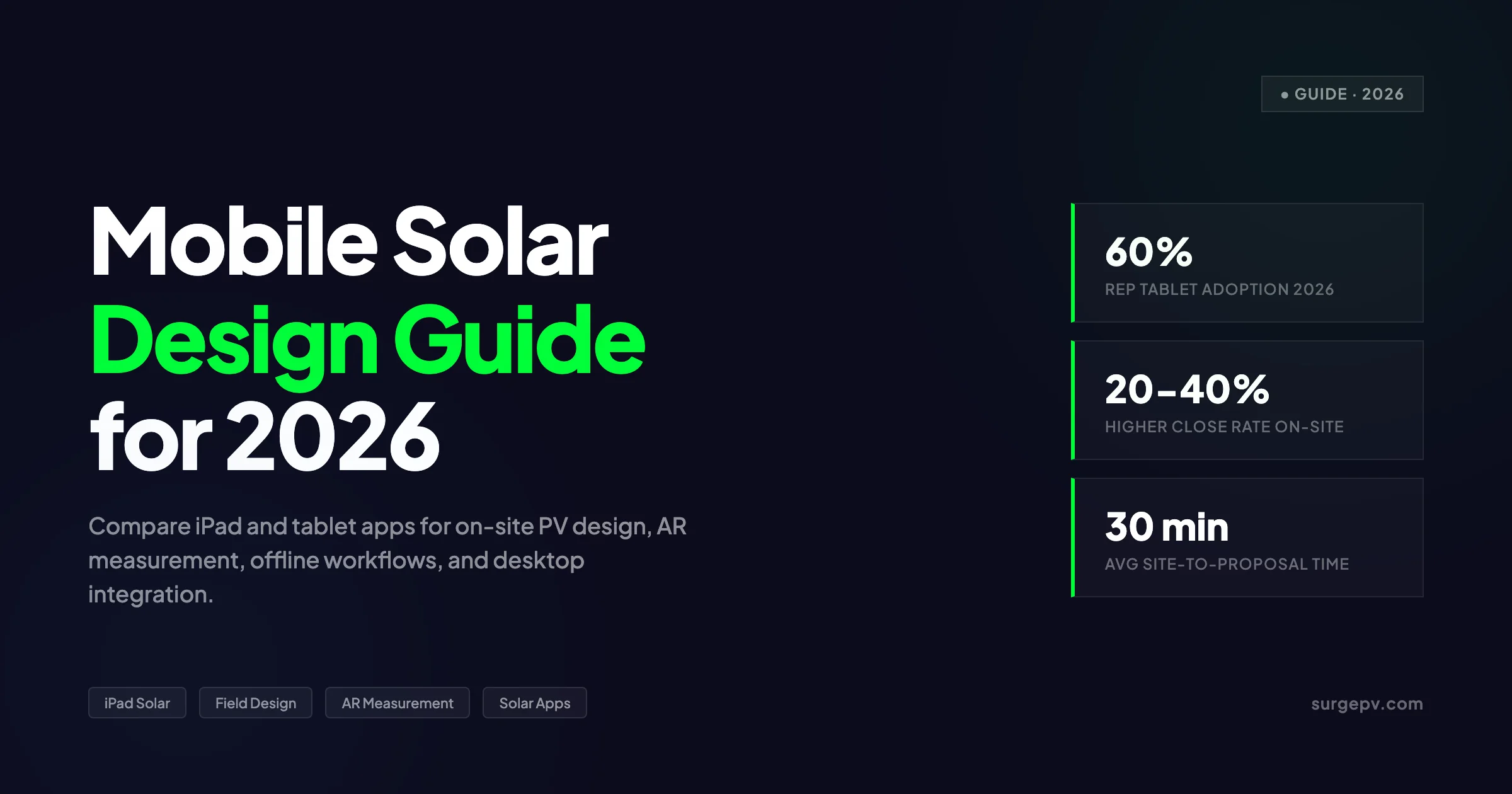
The solar site visit is changing. Five years ago, a rep arrived with a clipboard, a camera, and a promise to email a proposal in three days. In 2026, the same rep pulls out an iPad, captures roof dimensions with AR, runs a 3D shading analysis, and presents a finalized proposal before walking back to the car.
Mobile solar design is not a niche anymore. It is how competitive installers win deals. The teams that design on-site close at higher rates because they eliminate the delay between survey and proposal. They also catch site issues — chimney shading, roof condition, electrical panel constraints — while the customer is still engaged.
This guide covers mobile solar design in 2026: which apps work on tablets and phones, what hardware you need for field surveys, how offline capability affects rural workflows, and how mobile tools integrate with desktop platforms for engineering handoff.
Mobile solar design lets installers measure roofs, model systems, run shading analysis, and generate customer proposals on-site using tablets or smartphones — reducing the sales cycle from days to minutes.
TL;DR — Mobile Solar Design 2026
The leading mobile solar design apps are Solar Ladder (touchscreen-native 3D), iSolergo (free iPad survey), and OpenSolar (free full-featured web). Tablets (iPad or Android, 10-inch minimum) are the standard field device. Key capabilities: AR roof measurement, GPS-integrated mapping, offline design sync, and on-site proposal generation. AI-powered tools like Aurora AI cut roof modeling time to under 15 seconds. Mobile-optimized workflows increase close rates 20-40% by eliminating the gap between site visit and proposal delivery.
In this guide:
- The mobile solar design app landscape in 2026
- Tablet vs phone: which device works for field design
- Key features: AR measurement, GPS mapping, offline sync
- On-site measurement accuracy vs desktop tools
- Integration with desktop platforms and CRMs
- AI-powered mobile design: what actually works
- Hardware kits for professional field surveys
- How to choose a mobile solar design tool for your team
Latest Updates: Mobile Solar Design 2026
Mobile solar design tools advanced substantially between 2024 and 2026. Three shifts are changing how installers work in the field.
Market Context
| Trend | 2024 | 2026 |
|---|---|---|
| Tablet adoption among solar sales reps | ~35% | ~60% |
| Average site survey time | 45-60 minutes | 20-30 minutes |
| Proposals generated on-site | ~15% | ~40% |
| AI roof modeling availability | Limited | Standard in major tools |
| AR measurement accuracy | 3-5% error | 1-2% error |
Technology Shifts
-
LiDAR-enabled tablets. iPad Pro and select Android tablets now include LiDAR sensors that enable sub-centimeter AR measurements. This eliminates manual roof dimensioning for many residential sites.
-
AI roof modeling from photos. Tools like Aurora AI and Arka 360 can generate complete 3D roof models from a handful of smartphone photos or drone imagery, reducing modeling time from 30 minutes to under 2 minutes.
-
Virtual + physical hybrid surveys. The standard workflow is shifting to a split model: the homeowner submits photos and basic site data via a web link before the visit, and the field rep verifies and refines the design on-site.
The Mobile Solar Design App Market
Mobile solar design apps fall into three categories: native tablet apps, mobile-friendly web platforms, and hardware-integrated field tools.
Native Tablet Apps
These apps are built specifically for touchscreen devices and typically offer the best field experience.
Solar Ladder
- Platform: iPad, Android tablets
- Best for: Mobile 3D design and sales on-site
- Key features: Touchscreen-optimized 3D engine, instant Sun Access shade heatmaps, GPS-integrated mapping, auto-generated BOM and proposals
- Price: Subscription-based
iSolergo
- Platform: iOS, Android
- Best for: Free preliminary site survey
- Key features: Uses tablet GPS, gyroscope, and camera for auto-detected location, roof orientation, and tilt. Large multi-brand module and inverter database.
- Price: Free
RAULI APP
- Platform: Any mobile device (web-based)
- Best for: Mounting and structural design
- Key features: Flat roof, pitched roof, and facade system design. Wind and snow load calculations by location. Detailed PDF exports.
- Price: Free
Mobile-Friendly Web Platforms
These are cloud-based tools that work on tablets via browser.
OpenSolar
- Platform: Any device with browser
- Best for: Free end-to-end design and CRM
- Key features: 3D design with premium imagery, automated proposals, financing tools, permitting support, offline capability with sync
- Price: Free (no design caps)
Aurora Solar
- Platform: Browser (iPad-optimized)
- Best for: Sales presentations and accurate modeling
- Key features: Industry-leading AI roof modeling (sub-15 seconds), lender-grade accuracy, 24/7 support
- Price: ~$159-300/month per user
Arka 360
- Platform: Browser with native CRM
- Best for: Unified mobile-to-desktop workflow
- Key features: Virtual survey links for homeowners, AI auto-layout, integrated CRM, PE-stamped permit packages
- Price: Tiered plans
Hardware-Integrated Field Tools
Solmetric SunEye
- Platform: Dedicated hardware + app
- Best for: Professional shade analysis
- Key features: Captures sun-path data directly at site, validates solar access, justifies panel placement with objective data
- Price: Hardware purchase (~$2,000)
| App | Type | Best For | Offline | Proposal Gen | Price |
|---|---|---|---|---|---|
| Solar Ladder | Native tablet | 3D field design | Partial | Yes | $$ |
| iSolergo | Native tablet | Free survey | Yes | No | Free |
| RAULI APP | Web | Structural design | No | PDF only | Free |
| OpenSolar | Web | Full workflow | Yes | Yes | Free |
| Aurora Solar | Web | Sales + accuracy | No | Yes | $$$ |
| Arka 360 | Web + CRM | Virtual surveys | Limited | Yes | $$ |
Tablet vs Phone: Which Works for Field Design?
The device choice matters more than most teams assume.
Tablets (iPad or Android, 10-inch+)
Advantages:
- Screen size allows full panel layout visualization
- LiDAR sensors (iPad Pro) enable AR measurements
- Battery life supports full-day field work
- Professional appearance in customer-facing presentations
- Stylus support for precise annotation
Disadvantages:
- Higher cost ($400-1,200)
- Requires bag or case for protection
- Heavier than phones for extended carrying
Verdict: Tablets are the standard for mobile solar design in 2026. The screen real estate is necessary for accurate layout and professional proposal presentation.
Smartphones
Advantages:
- Always carried — no additional device to manage
- Quick photo capture and AR measurements
- Better for remote communication (calls, messaging)
Disadvantages:
- Screen too small for detailed design work
- Difficult to present proposals to customers
- Battery drains faster under heavy app use
- No stylus support on most models
Verdict: Phones work for preliminary assessment and data capture but are insufficient for full system design. Use phones for quick checks and tablets for design work.
Recommended Field Kit
Minimum kit ($600-800):
- iPad or Android tablet (10-inch, 64GB+)
- Laser distance meter ($50-150)
- Protective case with stand ($30-50)
Professional kit ($1,500-2,500):
- iPad Pro with LiDAR ($1,000-1,300)
- Laser distance meter with Bluetooth ($200-300)
- Digital inclinometer ($50-100)
- Solmetric SunEye ($2,000) or drone ($800-1,500)
- Rugged case and screen protector ($50-80)
Key Features of Mobile Solar Design Apps
AR Roof Measurement
AR measurement uses the device’s camera and sensors to calculate roof dimensions without a tape measure.
How it works: The user points the camera at roof edges, and the app uses LiDAR (iPad Pro) or photogrammetry (standard tablets) to calculate lengths, widths, and heights.
Accuracy:
- LiDAR-enabled tablets: 1-2% error
- Standard AR (photogrammetry): 3-5% error
- Manual tape measure: 0.5-1% error (but slower)
Apps with AR measurement: Solar Ladder (native), iSolergo (camera-based), various third-party AR measurement apps that export to design tools.
GPS-Integrated Mapping
GPS determines site location automatically, which feeds into:
- Solar irradiance data lookup
- Local weather station selection
- Utility rate territory identification
- Permitting jurisdiction determination
Accuracy: 3-5 meters for standard GPS, 1-2 meters with WAAS/EGNOS correction. Sufficient for production modeling but verify address manually for permit documentation.
Offline Capability
Offline capability is critical for rural sites with poor cellular coverage.
Full offline support: iSolergo (after library download), OpenSolar (cached projects)
Partial offline support: Solar Ladder (cached maps, limited design), most cloud platforms (viewing only)
No offline support: Aurora Solar (requires connection for AI modeling)
Workaround for cloud tools: Preload satellite imagery, complete the design in airplane mode, and sync when you return to connectivity. This works for basic layouts but not for AI-generated roof models.
On-Site Proposal Generation
The most impactful mobile capability is generating a complete proposal while still on the customer’s property.
Typical on-site workflow:
- Arrive and introduce yourself (2 minutes)
- Walk the property, capture roof photos and measurements (10 minutes)
- Input site data into tablet app: dimensions, orientation, shading obstructions (5 minutes)
- AI generates roof model and panel layout (1-2 minutes)
- Review production estimate and financial model with customer (10 minutes)
- Generate and email proposal before leaving (2 minutes)
Total time: 30 minutes from arrival to proposal delivery.
Installers using this workflow report 20-40% higher close rates compared to teams that schedule follow-up meetings for proposal presentation.
Integration with Desktop Platforms
Mobile design is the starting point, not the endpoint. Most projects require engineering review, permit documentation, and final system specifications that are better done on desktop.
Cloud Sync (Native Integration)
How it works: Designs created on tablet sync automatically to the cloud platform, where desktop users can access them immediately.
Best implementations: OpenSolar (real-time sync across all devices), Aurora Solar (cloud-native, all changes instant), Solargraf (Enphase ecosystem sync)
Limitations: Requires internet connectivity for sync. Large 3D models may take time to upload on slow connections.
Export/Import Workflows
How it works: Mobile app exports project files (PDF, CSV, DXF, or proprietary format) that desktop software imports.
Common formats:
- PDF: Universal, read-only, good for proposals
- CSV: Data tables, importable to Excel or CRM
- DXF/DWG: CAD files for engineering refinement
- JSON/XML: Structured data for custom integrations
Best for: Teams using specialized desktop tools (AutoCAD, PV*SOL, PVsyst) that do not have native mobile apps.
API Integration
How it works: Mobile tools push data directly into CRMs, project management systems, or desktop design platforms via API.
Examples:
- Arka 360 pushes survey data into its native CRM
- OpenSolar offers API access for custom integrations
- Solargraf syncs with Enphase Installer Portal
Best for: Larger teams with custom tech stacks and development resources.
Handoff Best Practices
-
Standardize data fields. Ensure mobile and desktop tools use the same naming conventions for roof dimensions, azimuth, tilt, and electrical parameters.
-
Include photos with every project. Mobile apps should attach site photos to the project file so desktop engineers can verify conditions without revisiting.
-
Flag items for review. Mobile users should mark uncertain measurements, shading concerns, or electrical panel limitations for desktop engineers to verify.
-
Version control. When desktop engineers modify a mobile-created design, track changes so field reps know what changed and why.
Pro Tip — Use Mobile for Speed, Desktop for Precision
The most effective workflow is a split model: mobile for rapid on-site design and customer engagement, desktop for engineering validation, permit documentation, and final specification. Attempting to do everything on a tablet slows down both workflows. Set clear handoff rules: mobile designs are preliminary proposals; desktop designs are construction documents.
AI-Powered Mobile Solar Design
Artificial intelligence is the biggest change in mobile solar design since tablets replaced clipboards.
AI Roof Modeling
Aurora AI generates 3D roof models from satellite imagery in under 15 seconds. The user enters an address, and the AI produces a complete roof geometry including pitch, azimuth, and obstruction detection.
Accuracy: Within 2-3% of manual measurements for standard roof shapes. Complex roofs with multiple dormers or irregular shapes may require manual refinement.
Arka 360 AI auto-layouts panels on the AI-generated roof model, optimizing for production while respecting setbacks and obstructions.
AR Measurement from Photos
Advanced AR tools use smartphone cameras to measure roof dimensions without LiDAR:
- User takes photos of each roof face from ground level
- AI detects roof edges, valleys, ridges, and obstructions
- App calculates dimensions using perspective geometry
- Results display as an annotated 3D model
Accuracy: 2-4% for standard gable and hip roofs. Less accurate for flat roofs or complex geometries.
Automated Shade Analysis
Some mobile apps now estimate shading from photos:
- User captures panoramic photos of the horizon from the roof
- AI identifies tree lines, neighboring buildings, and obstructions
- App generates a simplified shade report with monthly loss estimates
Limitations: Photo-based shade analysis is less accurate than dedicated tools like Solmetric SunEye or drone-based 3D modeling. Use it for preliminary estimates only, not for bankable production calculations.
Virtual Surveys
Virtual surveys let homeowners collect site data before the rep arrives:
- Installer sends a web link to the homeowner
- Homeowner uploads roof photos, confirms address, and answers basic questions
- AI generates a preliminary roof model and layout
- Field rep verifies and refines on-site
Benefits: Reduces site survey time by 50-70%. Identifies obviously unsuitable sites before scheduling a visit. Lets reps prepare customized proposals in advance.
Limitations: Homeowner photo quality varies. Some sites require physical inspection for structural or electrical assessment.
Mobile Solar Design: Accuracy Comparison
A common concern is whether mobile tools match desktop accuracy. Here is the data.
| Measurement | Mobile Tool | Desktop Tool | Difference |
|---|---|---|---|
| Roof length/width (AR) | 1-2% error | 0.5-1% (laser) | Negligible for design |
| Roof tilt (gyroscope) | 1-2° error | 0.5° (inclinometer) | Negligible for production |
| Azimuth (compass/GPS) | 2-5° error | 1-2° (dedicated compass) | ±1-2% production impact |
| Shading (photo-based) | 5-10% error | 2-3% (SunEye/drone) | Significant for production |
| Production estimate | ±3-5% | ±2-4% | Comparable |
Bottom line: Mobile tools are accurate enough for sales proposals and preliminary design. For bankable documents and utility interconnection applications, verify critical measurements with dedicated instruments.
Design Anywhere with SurgePV
Cloud-based solar design that works on tablet, laptop, and desktop. Start a project on-site, refine it in the office, and present proposals from any device — all in one synchronized workflow.
Book a DemoNo commitment required · 20 minutes · Live project walkthrough
How to Choose a Mobile Solar Design Tool
For Solo Installers and Small Teams (1-5 reps)
Priority: Cost and simplicity.
Recommendation: OpenSolar (free, full-featured) or iSolergo (free, native iPad). Both handle basic design, proposal generation, and offline work without subscription costs.
Key features:
- Free or low-cost
- Works on existing tablets
- Basic offline support
- Simple proposal output
For Growing Sales Teams (5-20 reps)
Priority: Speed and close rates.
Recommendation: Solar Ladder for tablet-native 3D design, or Aurora Solar for teams that need lender-grade accuracy and CRM integration.
Key features:
- Fast on-site proposal generation
- AI roof modeling
- CRM integration
- Multi-user management
For Commercial EPCs
Priority: Engineering accuracy and desktop handoff.
Recommendation: Use mobile tools for site data capture only, then import into desktop engineering platforms. Arka 360 offers the smoothest mobile-to-desktop workflow with its virtual survey links and integrated CRM.
Key features:
- Export to CAD/engineering formats
- Three-phase system support
- Structural and electrical verification
- Permit documentation generation
Conclusion
Mobile solar design is now standard practice, not experimental technology. The installers who adopt tablet-based workflows close more deals because they eliminate the delay between site visit and proposal. They also catch site issues early and present more professional, data-driven proposals to customers.
The tool choice depends on your scale and priorities. Free options like OpenSolar and iSolergo handle the basics for small teams. Premium tools like Solar Ladder and Aurora Solar add AI modeling, CRM integration, and proposal automation for growing sales organizations. Commercial teams should use mobile for capture and desktop for engineering validation.
Three actions to take this week:
- Equip every field rep with a tablet. A $400 tablet pays for itself with one additional closed deal per month.
- Standardize your mobile-to-desktop handoff. Define which decisions happen on-site and which require engineering review.
- Test AI roof modeling on your next 10 sites. Compare AI-generated dimensions to manual measurements and calibrate your trust level.
Mobile design will become the default workflow for residential solar sales within two years. The question is not whether your team will adopt it, but whether you adopt it before your competitors do.
For cloud-based solar PV design software that works on any device — tablet, laptop, or desktop — SurgePV’s solar design platform lets you start projects on-site and refine them in the office. With built-in shading analysis software and automated proposal generation, you can measure, design, and present from a single device. Check solar software pricing or book a demo to see the mobile workflow in action.
Frequently Asked Questions
What is the best mobile app for solar design on iPad?
Solar Ladder is the most tablet-native solar design app with a touchscreen-optimized 3D engine, GPS-integrated mapping, and instant shade heatmaps. iSolergo is the best free iPad option using the device’s gyroscope and camera for auto-detected roof analysis. For teams already using OpenSolar, its tablet-friendly web interface provides full design and proposal capabilities at no cost. Aurora Solar works well on iPad via browser for sales presentations but is not a native field app.
Can you design a solar system on a phone?
Yes, but with limitations. Phone screens are too small for detailed panel layout and electrical design. Mobile phones work well for preliminary site assessment: capturing roof photos, recording dimensions via AR measurement apps, checking compass orientation, and accessing quick production estimates. For actual system design, tablets (iPad or Android) provide the screen real estate needed for accurate layout, shading analysis, and proposal review with customers on-site.
Do solar design apps work offline?
Some do, with varying capabilities. iSolergo works fully offline once component libraries are downloaded. OpenSolar supports offline design with sync when connectivity returns. Solar Ladder caches site data and maps for offline use. Most cloud-based tools like Aurora Solar require an internet connection for full functionality, though some allow limited offline sketching. For rural site visits with poor connectivity, choose a tool with explicit offline support or preload all project data before leaving the office.
How accurate is mobile solar measurement compared to desktop?
Measurement accuracy depends on the tool and technique, not the device. GPS-based location detection on tablets is accurate to 3-5 meters, sufficient for production estimates. AR measurement apps (using LiDAR on iPad Pro or ARCore on Android) achieve 1-2% accuracy for roof dimensions — comparable to manual tape measurements. Compass and gyroscope-based tilt detection is accurate to 1-2 degrees. For bankable designs, always cross-check critical measurements with a laser distance meter or drone survey. Mobile tools excel at speed and customer engagement, not replacing precision instruments.
What hardware do I need for mobile solar site surveys?
The minimum kit is a tablet (iPad or Android, 10-inch screen recommended), a laser distance meter for precise roof measurements, a digital inclinometer for tilt verification, and a compass app for azimuth. Advanced kits add a Solmetric SunEye for professional shade analysis, a drone for aerial imagery and 3D modeling, and a thermal camera for hotspot detection. Many installers now use just a tablet and laser meter, relying on software for shading and production modeling rather than dedicated hardware.
Can mobile solar apps generate proposals on-site?
Yes, this is one of the primary use cases for mobile solar design. OpenSolar, Solargraf, and Solar Ladder all generate customer-facing proposals directly from the tablet. The typical workflow is: arrive on-site, measure the roof, input parameters into the app, run the design and production simulation, and present the proposal before leaving the property. This ‘one-visit close’ workflow eliminates follow-up appointments and increases conversion rates by 20-40% according to industry data.
How do mobile solar apps integrate with desktop software?
Integration approaches vary. Cloud-native platforms like OpenSolar and Aurora Solar sync designs automatically across devices via their web platform. Solar Ladder exports to standard formats (PDF, DWG) for import into desktop CAD tools. Some CRM-integrated tools like Arka 360 push mobile survey data directly into desktop design workflows. The ideal integration allows a field rep to start a design on-site and hand it to an engineer in the office for refinement without re-entering data. Look for tools with API access or native cloud sync.
What is AI-powered mobile solar design?
AI-powered mobile solar design uses machine learning to automate tasks previously done manually. Examples include: Aurora AI generating 3D roof models from satellite imagery in under 15 seconds; AR measurement apps calculating roof dimensions from camera input; automated panel layout optimization that maximizes production while respecting setbacks; and shade analysis from smartphone photos without dedicated hardware. AI reduces site survey time from 45 minutes to 10-15 minutes and enables less technical sales reps to produce accurate preliminary designs.
Where this fits
This article is part of SurgePV's Solar Design hub, which works through the topic from first principles to the decisions a project team actually has to make.