

Quick Answer
Solar backup power systems require battery capacity for 1–3 days of critical loads (refrigerator, lights, internet = 5–10 kWh/day), a hybrid inverter with UPS mode, and an automatic transfer switch. LFP batteries are preferred for backup due to safety and long cycle life. Typical system cost: $10,000–$25,000.
Backup power solar battery design is the process of sizing solar panels, battery storage, and inverters to keep critical loads running during grid outages. It starts with a load inventory, applies autonomy math to set kWh targets, then selects inverters and transfer switches that meet NEC 705 and IEEE 1547-2018 requirements. For more on this topic, see Adding Battery Storage Services.
Solar backup power systems require battery capacity for 1–3 days of critical loads (refrigerator, lights, internet = 5–10 kWh/day), a hybrid inverter with UPS mode, and an automatic transfer switch. LFP batteries are preferred for backup due to safety and long cycle life. Typical system cost: $10,000–$25,000.
Solar backup power systems require battery capacity for 1–3 days of critical loads (refrigerator, lights, internet = 5–10 kWh/day), a hybrid inverter with UPS mode, and an automatic transfer switch. LFP batteries are preferred for backup due to safety and long cycle life. Typical system cost: $10,000–$25,000.
Every installer has seen it: a homeowner expects the lights to stay on for three days, but the battery was sized for four hours of evening offset. The gap between expectation and reality usually comes down to skipped steps — no load worksheet, no autonomy calculation, no weather-adjusted recharge modeling. This guide closes those gaps with a complete workflow you can use before you quote.
TL;DR
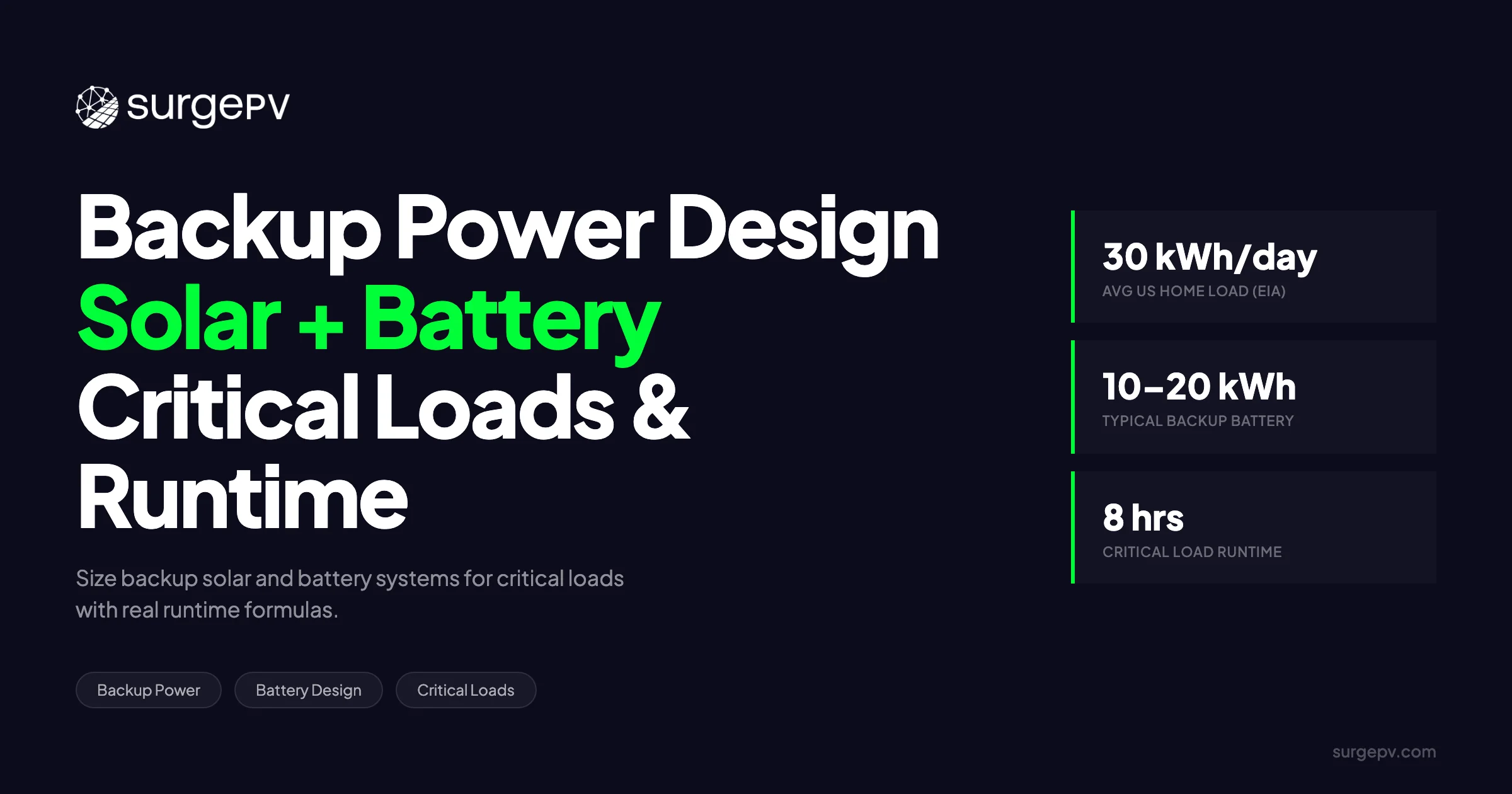
NREL’s 2024 residential storage study estimates that 24-hour whole-home backup requires roughly 30 kWh of battery capacity. Installers typically size systems for 1–3 days of essential-load autonomy using a formula chain that folds in depth of discharge, round-trip efficiency, and inverter tare losses.
What You’ll Learn
This guide covers the complete workflow for designing residential solar battery backup systems — from the first load audit to the final runtime presentation. You will learn how to classify loads per NFPA 110 and build a critical load worksheet with real appliance data, including surge factors and duty cycles that most rough estimates ignore. You will see the complete autonomy formula chain from daily kWh to final battery target, with worked examples that show exactly where hidden losses creep in.
You will also understand why grid-forming inverters matter for motor starting during outages, and how to match inverter surge ratings to locked-rotor amp specifications. We cover transfer switch selection — manual, automatic, static, and smart — with switching times and cost tiers that help you match hardware to the homeowner’s budget and tolerance for interruption. The section on NEC 705.12 busbar limits shows how to avoid the most common permitting failure in battery retrofit projects.
The chemistry section compares LFP and NMC side by side for standby-heavy backup designs, with thermal runaway thresholds and cycle life data that inform safe installation decisions. You will learn how to model multi-day outages with cloudy-weather solar recharge, and how to present three-scenario runtime estimates to homeowners without overpromising. The modeling section introduces NREL’s free tools — REopt, PVWatts, and SAM — and explains when to use each one.
Finally, you will see where to use solar design software to validate backup runtime claims before you quote, and how to integrate those results into solar proposal software for professional client presentations. By the end of this guide, you will have a repeatable sizing process that produces accurate quotes, fewer callbacks, and homeowners who trust the runtime numbers you deliver. Every section includes tables, formulas, or worked examples you can apply on your next project.
How Backup Power Solar Battery Design Works
Backup power solar battery design is not guesswork. It is a structured engineering process that matches energy supply to a defined set of loads over a defined period of time. The system must generate power, store it, convert it to usable AC voltage, and deliver it safely to the loads that matter most — all while the grid is down. Also see: Us Residential Solar Market Trends 2026. For United States-specific compliance details, see United States arizona/phoenix. For United States-specific compliance details, see United States california/los-angeles.
The core question is simple: how many kilowatt-hours does the homeowner need, and for how long? Answering that question accurately separates a system that performs from one that disappoints.
System Components and Energy Flow
A backup power solar battery system has four primary hardware layers:
- Solar array — Generates DC power during daylight hours. During an outage, this is the only energy source replenishing the battery.
- Charge controller / hybrid inverter — Regulates DC voltage from the array, charges the battery, and inverts DC to AC for household loads.
- Battery bank — Stores excess solar production for use when generation stops.
- Critical load panel — A separate electrical panel (or a smart panel) that feeds only the circuits designated for backup. For more on this topic, see DC Bus Voltage Optimization.
Energy flows in one direction during an outage: solar array → inverter/charger → battery → critical loads. Any surplus solar production above what the loads consume goes into the battery. Once the battery is full, the inverter must curtail array production to avoid overcharging.
The gateway or energy management system sits between these layers and decides which loads receive power. It monitors battery state of charge, solar production, and grid status in real time. When the grid drops, the gateway signals the inverter to island the home and begins managing the load priority list. Advanced systems perform automatic load shedding — turning off lower-priority circuits when battery state of charge drops below a threshold. For example, a system might shed the water heater at 60% SOC, the dishwasher at 40%, and all but life-safety loads at 20%. Without this layer, a homeowner might drain the battery on a pool pump while the refrigerator warms up. Some gateways also provide remote monitoring through mobile apps, allowing installers to diagnose issues and homeowners to track runtime estimates during an outage.
Grid-Tied vs Hybrid vs Off-Grid Configurations
Not every battery system provides backup. The configuration determines whether the battery is purely for economic arbitrage, emergency power, or full energy independence.
| Configuration | Backup Capability | Solar Array Required | Battery Role | Typical Use Case |
|---|---|---|---|---|
| Grid-tied with battery | Yes, critical loads only | Yes | Backup + TOU shifting | Urban/suburban homes with occasional outages |
| Hybrid (grid-interactive) | Yes, whole-home or critical | Yes | Daily cycling + backup | Areas with frequent outages or time-of-use rates |
| Off-grid | Full independence | Yes, oversized | Sole energy source | Remote locations or intentional energy independence |
Grid-tied systems with battery backup shut down during outages unless they include a secure power supply (SPS) outlet or a dedicated backup circuit. Hybrid inverters automatically island the home from the grid and switch to battery power in under 100 milliseconds. Off-grid systems never connect to the utility and must be oversized to cover worst-case weather periods.
Most residential installations today are hybrid configurations. They earn revenue or savings from daily time-of-use shifting while keeping backup capacity in reserve. During normal operation, the battery charges from excess solar production or from the grid during off-peak hours. When rates spike in the evening, the battery discharges to offset peak pricing. During an outage, that same stored energy switches instantly to backup mode. This dual-use model improves project economics compared to backup-only systems that sit idle 350 days per year. For a deeper comparison of these system types, see our guide to on-grid vs off-grid vs hybrid solar. See our guide on Agricultural Solar Case Study for more.
Design Tip
Always size the solar array for recharge during the worst solar month, not the average. A battery sized for two days of autonomy will fail on day three of a winter outage if the array only produces 30% of its summer peak.
Critical Load Calculation and Classification
Battery sizing starts with the load. Not the roof area, not the budget — the load. Until you know what must stay on and how much energy it consumes, any battery recommendation is arbitrary.
The process has three parts: classify loads by priority, build a worksheet with real wattage and duty cycle data, and sum the results into a daily kWh target. This section walks through each step with tables and a worked example.
NFPA Load Tiers: Life-Safety, Essential, Important, Non-Critical
NFPA 110, the standard for emergency and standby power systems, provides a tiered framework for load classification. While NFPA 110 is written for generator-based systems, the same logic applies to battery backup design.
| Tier | Examples | Priority in Backup Design |
|---|---|---|
| Life-safety | Medical devices, egress lighting, fire alarms, sump pumps in flood zones | Must remain on under all conditions; size battery for indefinite runtime or add generator |
| Essential | Refrigerator, communications, well pump, garage door, security system | Core backup target; these define the minimum daily kWh |
| Important | HVAC (one room), water heater, desktop computers | Include if budget and capacity allow; use load shedding to drop if SOC drops |
| Non-critical | Pool pumps, EV chargers, whole-house A/C without soft starter, electric dryers | Exclude from backup panel or add smart controls to cut automatically |
Life-safety loads are non-negotiable. If a homeowner depends on a CPAP machine or has a battery-backed medical device, that load drives the minimum inverter size and the longest autonomy target. Essential loads form the baseline for most residential battery designs. Important loads are where trade-offs happen — a homeowner might accept one room of cooling but not whole-house climate control. Non-critical loads should not be on the backup panel unless the system is oversized or dynamically managed.
Building the Load Worksheet
The worksheet converts appliance nameplates into daily energy consumption. Rated watts alone are not enough. You need surge factor, duty cycle, and runtime hours to get accurate results.
| Appliance | Rated Watts | Surge Factor | Duty Cycle % | Daily Runtime (hrs) | Daily kWh |
|---|---|---|---|---|---|
| Refrigerator (modern) | 150 | 2.0× | 33% | 8 | 1.20 |
| LED lighting (whole home) | 60 | 1.0× | 25% | 6 | 0.36 |
| Well pump (1/2 HP) | 750 | 3.0× | 10% | 2.4 | 1.80 |
| Garage door opener | 350 | 1.5× | 2% | 0.5 | 0.18 |
| Wi-Fi router + modem | 20 | 1.0× | 100% | 24 | 0.48 |
| Phone chargers (4×) | 40 | 1.0× | 25% | 6 | 0.24 |
| Microwave | 1,000 | 1.0× | 5% | 1.2 | 1.20 |
| TV + streaming device | 120 | 1.0× | 40% | 9.6 | 1.15 |
| Security system | 15 | 1.0× | 100% | 24 | 0.36 |
| Smoke/CO detectors (hardwired) | 5 | 1.0× | 100% | 24 | 0.12 |
| Total Essential | ~2,500 W peak | — | — | — | ~7.09 kWh |
The surge factor matters for inverter sizing, not daily kWh. A refrigerator that draws 150 W continuously needs 300 W for a fraction of a second when the compressor starts. The inverter must deliver that surge without tripping offline.
Duty cycle is the percentage of time an appliance runs within a 24-hour period. A refrigerator does not run continuously; it cycles on and off based on internal temperature and ambient conditions. In a 75°F kitchen, a modern refrigerator might run 6–8 hours total across a 24-hour period. In a 90°F garage, the same unit could run 10–12 hours, nearly doubling its energy consumption. Well pumps run even less — only when pressure in the tank drops. A typical residential pressure tank holds 10–20 gallons of drawdown; a family of four might trigger the pump only 8–12 times per day for 1–2 minutes each time.
For the most accurate worksheet, use a plug-in power meter (such as a Kill-A-Watt or similar device) to measure actual consumption over 24–48 hours. Nameplate ratings often overstate reality. A desktop computer with a 600 W power supply rarely draws more than 150 W during normal use. A 1,500 W space heater always draws 1,500 W, but the duty cycle depends on thermostat settings and insulation quality.
If you are designing multiple systems per month, manual worksheets become a bottleneck. Solar software with integrated load profiling can import appliance libraries and auto-calculate duty cycles by climate zone, cutting worksheet time from 30 minutes to under 5.
Worked Example: 4-Bedroom Home Essential Load Profile
Consider a 4-bedroom home in a suburban area with public water (no well pump) and natural gas heating. The backup panel serves the kitchen, one bathroom, the living room, and the modem closet.
- Refrigerator: 150 W × 8 hrs = 1.20 kWh
- LED lighting (12 fixtures): 60 W × 6 hrs = 0.36 kWh
- Gas furnace (blower only): 300 W × 12 hrs = 3.60 kWh
- Wi-Fi + modem: 20 W × 24 hrs = 0.48 kWh
- Phone/laptop charging: 40 W × 4 hrs = 0.16 kWh
- TV + streaming: 120 W × 4 hrs = 0.48 kWh
- Microwave (2× 10 min): 1,000 W × 0.33 hr = 0.33 kWh
- Garage door (2 cycles): 350 W × 0.08 hr = 0.03 kWh
Daily essential load: ~6.64 kWh
The highest surge load is the refrigerator at 300 W, but the gas furnace blower may surge to 600–900 W on startup. The inverter must handle the sum of all continuous loads plus the highest individual surge, not the sum of all surges simultaneously.
For this profile, a 10–15 kWh battery with a 5 kW inverter provides 1.5–2 days of autonomy before recharge. If the homeowner wants to add a window A/C unit (800 W continuous, 2,400 W surge), both the inverter and battery must step up accordingly. The new essential load becomes roughly 9.5 kWh/day, and the surge requirement jumps to 2,900 W. A 5 kW inverter still handles the continuous load comfortably but is now closer to its surge limit. Battery capacity should increase to 20 kWh to maintain the same 2-day autonomy target.
When reviewing load worksheets with homeowners, ask three questions: What medical or life-safety devices must stay on? What comfort loads are you willing to sacrifice? And what is the longest outage you have experienced in this neighborhood? The answers often reveal that a smaller essential-load panel is more practical than a whole-home backup system costing twice as much.
Battery Sizing and Autonomy Math
Once the daily load is known, the next step is translating it into a battery capacity target. This is where most informal sizing goes wrong. A homeowner says, “I use 30 kWh per day,” and someone recommends a 13.5 kWh battery because it sounds large. But 13.5 kWh of raw capacity is not 13.5 kWh of usable backup energy.
The autonomy formula chain accounts for depth of discharge, round-trip efficiency, temperature derating, and inverter tare losses. Skip any of these factors and the system underperforms.
The Autonomy Formula Chain
The chain has four steps, each applying a real-world derating factor:
Step 1: Daily critical load kWh
Use the worksheet total from the previous section. For this example, assume 12 kWh/day — a slightly higher-load home with a small HVAC unit or medical equipment included.
Step 2: Required energy before derating
Multiply daily load by the target autonomy days. For 2 days of backup:
12 kWh/day × 2 days = 24 kWh requiredStep 3: Adjust for usable battery energy
Not all stored energy is available. Lithium batteries have a depth of discharge (DoD) limit, and every charge/discharge cycle loses energy to heat through round-trip efficiency (RTE).
Usable energy = Total kWh × DoD × RTE × temperature derating| Factor | Typical Value | Effect on Sizing |
|---|---|---|
| Depth of discharge (DoD) | 0.90–1.00 (LFP), 0.90–0.95 (NMC) | Higher is better; LFP allows deeper discharge safely |
| Round-trip efficiency (RTE) | 0.90–0.95 | 5–10% energy lost as heat in the inverter and battery |
| Temperature derating | 0.90–0.95 (below 10°C) | Cold batteries store and deliver less energy |
Using conservative values (DoD = 0.90, RTE = 0.92, no temperature penalty). Some designers use optimistic nameplate values and deliver systems that underperform by 25–30% in the field. The table below shows why conservatism matters:
Raw battery = 24 kWh ÷ (0.90 × 0.92) = 24 ÷ 0.828 ≈ 29 kWhStep 4: Add buffer for inverter tare and battery aging
Inverters consume power just to stay on — typically 20–50 W for residential units, or 0.5–1.2 kWh per day. Battery capacity also degrades 1–3% per year. A 10–20% buffer covers both.
Practical target = 29 kWh × 1.15 ≈ 33–34 kWhA homeowner who wants 2 days of backup for a 12 kWh/day load needs roughly 33–34 kWh of installed battery capacity — not 24 kWh, not 13.5 kWh. Installers who skip the buffer step often find themselves explaining why the “24-hour battery” only lasted until 2 AM on the second night.
Temperature deserves special attention. Lithium-ion batteries lose 10–20% of usable capacity below 10°C (50°F) unless they have active heating. Batteries installed in unconditioned garages in Minnesota or Colorado will underperform in January. Some manufacturers include internal heating pads that maintain cell temperature above 5°C, but these consume 50–100 W themselves — another load on the system.
Worked Scenario: 12 kWh/Day Essential Load, 2-Day Autonomy
| Parameter | Value |
|---|---|
| Daily critical load | 12 kWh |
| Target autonomy | 2 days |
| Raw energy required | 24 kWh |
| DoD | 90% |
| RTE | 92% |
| Temperature derating | 95% (cool climate) |
| Subtotal before buffer | 24 ÷ (0.90 × 0.92 × 0.95) = 24 ÷ 0.7866 ≈ 30.5 kWh |
| Buffer (15%) | 30.5 × 1.15 ≈ 35 kWh |
| Final battery target | ~35 kWh |
This target would be met by three Tesla Powerwall 3 units (13.5 kWh each, 40.5 kWh total) or two Enphase IQ Battery 5Ps (5 kWh each, insufficient — would need a third). The specific product choice depends on inverter compatibility, space constraints, and the homeowner’s cycling intentions.
For commercial projects with larger loads and longer autonomy targets, the same formula chain applies at scale. See our detailed guide on commercial battery storage sizing for multi-megawatt examples.
Runtime Reality Check: Summer vs Winter Solar Recharge
Autonomy calculations assume no solar recharge. In reality, the array contributes energy every day the sun shines. But solar production varies dramatically by season.
| Month | Typical Production vs Summer Peak | Effective Array Size (5 kW nominal) |
|---|---|---|
| June (summer) | 100% | 5.0 kW |
| March/September | 75–85% | 3.8–4.3 kW |
| December (winter) | 30–50% | 1.5–2.5 kW |
During a multi-day winter outage, a 5 kW array might only produce 5–8 kWh per day — enough to extend a 30 kWh battery by a few hours, not a full day. Designers should model the worst-case production month when promising runtime to homeowners.
If the homeowner demands multi-day autonomy without generator backup, the battery must carry the full load. Solar recharge is a bonus, not a guarantee.
NREL Benchmark
NREL’s 2024 residential storage study found that whole-home backup for 24 hours requires roughly 30 kWh of battery capacity, assuming average U.S. residential consumption patterns. Essential-load-only backup typically requires 10–20 kWh for 1–3 days of autonomy.
Inverter and Transfer Switch Selection
Battery capacity means nothing if the inverter cannot start the loads or if the transfer switch takes too long to engage. This section covers inverter architecture, motor starting math, and transfer switch selection — the three areas where backup designs most often fail in the field.
Grid-Forming vs Grid-Following Inverters in Island Mode
The inverter is the brain of the backup system. Its behavior during an outage depends on whether it is grid-following (GFL) or grid-forming (GFM).
| Behavior | Grid-Following (GFL) | Grid-Forming (GFM) |
|---|---|---|
| Voltage source | No — follows grid or battery reference | Yes — sets voltage and frequency independently |
| Island mode capability | Limited; needs stable reference | Full; creates its own microgrid |
| Motor starting | Poor; may trip on LRA surge | Excellent; delivers inrush current directly |
| Typical products | Standard string inverters, many hybrid inverters | Sol-Ark, Schneider XWPro, Victron MultiPlus |
Grid-following inverters act as current sources. They push power into an existing voltage reference — usually the grid. When the grid disappears, they need another reference, typically from a battery management system. This works for resistive loads like lights and electronics, but struggles with inductive motor starting.
Grid-forming inverters act as voltage sources. They create their own AC waveform, setting frequency and voltage independently. This is what the grid itself does. When a refrigerator compressor or well pump demands 3–5× its running current at startup, a GFM inverter can deliver that surge without dipping voltage below the tolerance of other connected loads.
Most modern hybrid inverters from Tesla, Enphase, and SolarEdge use GFL architecture but simulate GFM behavior during islanding through rapid switching algorithms. The result is acceptable for most residential loads but may still struggle with large central A/C compressors. For sites with heavy motor loads or whole-home backup, explicitly GFM inverters like the Sol-Ark 15K or Schneider XWPro are preferred.
The practical difference shows up during the first seconds of an outage. A GFL inverter may take 2–5 seconds to stabilize voltage after the grid disconnects. During that window, anything drawing power sees a brief flicker or sag. A GFM inverter transitions without interruption because it was already defining the voltage reference. For homes with medical equipment, aquariums, or home offices with active work, that transition time matters.
For a full comparison of hybrid inverter architectures, read our hybrid inverter guide. For France-specific information, see Floating Solar Farms France.
Motor Starting Surge: LRA Matching and BMS Peak Limits
The most common cause of backup system failure is an inverter that cannot handle the locked-rotor amps (LRA) of a motor load.
Step 1: Size the inverter for continuous load plus headroom
Inverter continuous rating ≥ total running load × 1.2–1.3For the 4-bedroom example with a 2,500 W peak running load:
2,500 W × 1.25 = 3,125 W minimum inverter sizeA 5 kW inverter provides comfortable margin.
Step 2: Verify surge rating against LRA
Find the LRA from the motor nameplate or NEC Table 430.251(A). Multiply by voltage and power factor (typically 0.85–0.95 for residential motors):
Surge power (W) = LRA (A) × voltage (V) × power factorExample: A 1/2 HP well pump with LRA of 30 A at 240 V:
30 A × 240 V × 0.90 = 6,480 W surgeThe inverter must have a surge rating above 6,480 W for at least 1–3 seconds. Many 5 kW inverters surge to 7–10 kW briefly. Check the datasheet — not all do.
Step 3: Check battery BMS peak current
Many installers size the inverter correctly but forget the battery side of the equation. The battery must be able to deliver the DC current the inverter demands during surge:
DC Amps ≈ AC surge (W) ÷ (DC bus voltage × inverter efficiency)Example: 6,480 W surge, 48 V battery, 0.95 inverter efficiency:
6,480 ÷ (48 × 0.95) = 6,480 ÷ 45.6 ≈ 142 AA single 48 V battery module with a 100 A BMS cannot deliver this. You need parallel modules or a higher-voltage battery (400 V systems reduce current demand proportionally).
Manual, Automatic, and Static Transfer Switches
The transfer switch moves the load between grid and backup power. Switching time, cost, and use case vary significantly.
| Type | Switching Time | Cost Tier | Best Use Case |
|---|---|---|---|
| Manual transfer switch (MTS) | Minutes (requires user) | $ | Remote cabins, budget installations, sites with infrequent outages |
| Automatic transfer switch (ATS) | under 100 ms | $$ | Whole-home or critical-load panels; standard for battery backup |
| Static transfer switch (STS) | Sub-cycle (under 4 ms) | $$$ | Medical equipment, servers, sensitive electronics |
| Smart panel (Span, Schneider) | Programmable by circuit | $$$$ | Dynamic load shedding; priority-based circuit management |
An ATS is the default choice for residential battery backup. It senses grid loss, signals the inverter to island, and transfers the load within 100 milliseconds — fast enough that digital clocks do not reset. The sensing mechanism is usually a voltage relay that monitors the utility line. When voltage drops below 60–80% of nominal for more than 1–2 cycles, the relay triggers the transfer. Re-transfer to grid happens after the utility stabilizes for a programmed delay (typically 30 seconds to 5 minutes) to avoid chattering during brief flickers.
Generator-compatible ATS units add another layer of complexity. If the homeowner plans to supplement battery backup with a standby generator, the ATS must handle three sources: grid, battery, and generator. These three-source switches cost more and require careful sequencing to prevent backfeeding. The standard sequence is grid → battery → generator, with the generator only starting if battery SOC drops below a setpoint.
Smart panels represent the next generation. They replace the critical load panel entirely and allow programmable priorities by circuit. When battery SOC drops to 50%, the panel can turn off the water heater while keeping the refrigerator and lights on. This extends effective autonomy without increasing battery size.
Battery Chemistry and Safety Standards
Battery chemistry determines how much of the installed capacity is usable, how long the battery lasts, and what happens if something goes wrong. For backup-heavy applications — where the battery may sit at high state of charge for months between outages — chemistry selection is critical.
LFP vs NMC for Standby-Heavy Backup Applications
Lithium iron phosphate (LFP) and nickel manganese cobalt (NMC) are the two dominant lithium-ion chemistries in residential storage. Their trade-offs matter for backup design.
| Chemistry | Depth of Discharge | Cycle Life | Thermal Runaway Threshold | Energy Density | Best Use Case |
|---|---|---|---|---|---|
| LFP (LiFePO₄) | 95–100% | 4,000–8,000 cycles | ~270°C | Lower (~90–110 Wh/kg) | Backup-heavy, safety-critical, indoor installation |
| NMC (LiNiMnCoO₂) | 90–95% | 2,000–5,000 cycles | ~150–210°C | Higher (~150–200 Wh/kg) | Daily cycling, space-constrained installs, TOU arbitrage |
LFP batteries tolerate sustained high states of charge better than NMC. For a backup system that cycles rarely, this translates to longer calendar life and lower degradation. The higher thermal runaway threshold (270°C vs 150–210°C) also makes LFP the safer choice for indoor installations, attached garages, or enclosed utility rooms.
NMC offers higher energy density, meaning more kWh per cubic foot. This matters in space-constrained applications like apartment installations or retrofit projects where wall space is limited. NMC also performs slightly better in cold temperatures, though both chemistries require temperature management below freezing.
For standby-heavy backup designs — where the battery’s primary job is to sit ready for an outage — LFP is the safer, longer-lived choice. Calendar life — how long a battery lasts regardless of cycling — is particularly important for backup systems. An NMC battery kept at 100% SOC for months at a time will degrade faster than one that cycles daily. LFP chemistry is more tolerant of sustained high states of charge, making it the better fit for systems that may only cycle 20–50 times per year.
Cost per kWh over lifetime tells the same story. An LFP battery with 6,000 cycles at 95% DoD delivers roughly 5,700 equivalent full cycles of usable energy. An NMC battery with 3,000 cycles at 90% DoD delivers 2,700 equivalent full cycles. Even if the LFP unit costs 20% more upfront, its lifetime cost per kWh is often 30–40% lower.
NEC 705/706, IEEE 1547-2018, and UL 9540A Compliance
Backup battery systems must comply with electrical and fire safety codes. The following checklist covers the major requirements:
| Code / Standard | Key Requirement | Design Impact |
|---|---|---|
| NEC 705.12 | 120% busbar rule for load-side connections | Main panel busbar rating must accommodate solar + battery breaker without exceeding 120% of busbar ampacity |
| NEC 705.13 | Power Control Systems (PCS) for current limiting | Allows exceeding 120% rule if a listed PCS limits export current |
| NEC 706 | ESS labeling, disconnecting means, overcurrent protection | Requires visible disconnect within 1.5 m of battery; arc-fault and ground-fault protection |
| IEEE 1547-2018 | TRD ≤ 5%, mandatory ride-through | Inverter must not disconnect during minor grid disturbances; total harmonic distortion limited |
| UL 9540A | Unit-level fire safety test | Battery system must pass cell-to-unit fire propagation test for residential approval |
The 120% busbar rule is the most common permitting hurdle. A 200 A main panel with a 200 A main breaker can accept a maximum of 40 A of new solar and battery breakers on the load side (200 A × 1.2 = 240 A; 240 A − 200 A = 40 A). If the design requires more, options include a supply-side connection, a panel upgrade, or a listed PCS under NEC 705.13.
IEEE 1547-2018 mandates that inverters ride through grid disturbances rather than immediately disconnecting. This prevents a single fault from cascading into a widespread outage but requires inverter firmware that supports the standard’s voltage and frequency ride-through curves.
UL 9540A is a fire safety test, not a pass/fail certification. It measures how a battery system behaves when a single cell is driven into thermal runaway. Installers should verify that the specific battery model being quoted has UL 9540A test data available, especially for indoor installations.
Installation spacing matters as much as chemistry. NEC 706 requires a minimum clearance around battery enclosures for ventilation and firefighter access — typically 3 feet in front of the unit and 1 foot on the sides. Some jurisdictions add local amendments requiring sprinklers, thermal barriers, or outdoor mounting for NMC systems above a certain capacity. Always check with the local Authority Having Jurisdiction (AHJ) before finalizing battery placement in the design.
Advanced Modeling and Design Tools
Paper calculations are necessary but not sufficient. Weather variability, load unpredictability, and multi-day outage scenarios require software modeling. This section covers scenario planning, validation tools, and how to present runtime estimates to homeowners with confidence.
Multi-Day Outage Modeling with Cloudy-Weather Scenarios
The autonomy formula assumes no solar recharge. In practice, arrays produce some energy even on cloudy days. The table below shows practical battery targets for different outage lengths and backup strategies.
| Outage Length | Battery Only | With Solar (50% Winter Production) | With Solar + Generator |
|---|---|---|---|
| 24 hours | 30 kWh | 20 kWh + 5 kW array | 15 kWh + 2 hr generator run |
| 48 hours | 60 kWh | 40 kWh + 5 kW array | 25 kWh + 4 hr generator run |
| 72 hours | 90 kWh | 60 kWh + 5 kW array | 40 kWh + 6 hr generator run |
| 1 week | 210 kWh | 140 kWh + 5 kW array | 80 kWh + 14 hr generator run |
These figures assume whole-home backup at 30 kWh/day. Essential-load-only designs cut these targets by 50–70%.
The “with solar” column assumes 50% of summer production — typical for December in northern climates. In Phoenix or Miami, winter production stays above 70% of peak, reducing battery needs further. In Seattle or Boston, 30% is more realistic.
Generator assist is the most cost-effective way to extend autonomy beyond 2–3 days. A small propane or natural gas generator (5–10 kW) running 2–4 hours per day can keep a modest battery bank charged indefinitely, at a fraction of the cost of tripling battery capacity.
NREL REopt, PVWatts, and SAM for Backup Validation
Three free tools from NREL help validate backup designs before you quote:
REopt (REopt Lite) — Optimizes resilience investments. Input the load profile, outage probability, and cost constraints; REopt returns the optimal mix of solar, battery, and generator capacity. It is particularly useful for commercial sites where downtime has a quantifiable cost.
PVWatts — Estimates solar production by month based on location, array size, tilt, and azimuth. Use it to model winter production during outage seasons. The hourly data export shows exactly how much energy the array contributes on a cloudy January day.
SAM (System Advisor Model) — Provides detailed performance and financial modeling. SAM’s battery model includes temperature effects, degradation curves, and dispatch strategies. It is the most accurate free tool for validating that a proposed system will meet runtime claims over its 10-year life.
Each tool has a learning curve, but the time invested pays off in accurate proposals and fewer post-installation complaints. REopt requires an account and takes 30–60 minutes to set up a first scenario. PVWatts is the fastest — enter an address, array size, and orientation, and it returns monthly production in under 2 minutes. SAM offers the deepest modeling but requires downloading desktop software and importing weather files for some advanced analyses.
For installers who need to validate backup claims quickly without building spreadsheet models, these three tools provide a free, defensible baseline. When a homeowner asks, “Are you sure this battery will last two days?” — a SAM production report or REopt resilience output provides more credibility than a verbal assurance.
Presenting Runtime to Homeowners
Homeowners do not think in kilowatt-hours. They think in “how long will my lights stay on?” Translate battery capacity into concrete runtime estimates by season.
Example presentation for a 30 kWh system:
| Scenario | Estimated Runtime |
|---|---|
| Summer outage, sunny days, essential loads only | 3–4 days |
| Summer outage, sunny days, whole-home backup | 1–1.5 days |
| Winter outage, cloudy days, essential loads only | 1.5–2 days |
| Winter outage, cloudy days, whole-home backup | 18–24 hours |
Be conservative. A homeowner who experiences 10% more runtime than promised becomes an advocate. One who experiences 10% less becomes a refund request. Present three scenarios — best case, expected case, and worst case — so the homeowner understands the range. The best case assumes sunny weather and minimal loads. The expected case uses average weather and typical usage. The worst case assumes cloudy weather, cold temperatures, and the homeowner forgetting to turn off non-essential loads.
Document the assumptions in writing. If your runtime estimate assumes the homeowner will not use the dryer during an outage, state that explicitly. If it assumes the battery is at 100% SOC when the outage begins, note that partial SOC at the time of outage will reduce runtime proportionally. Written assumptions protect both the installer and the homeowner from mismatched expectations.
Use cloud solar design software to model actual load profiles and generate runtime estimates by season. For proposal-ready output, integrate the results into solar proposal software with branded charts and scenario tables.
Design Solar + Storage Projects Faster
SurgePV’s generation and financial tool models backup runtime, critical load sizing, and battery capacity in minutes.
Book a DemoNo commitment required · 20 minutes · Live project walkthrough
For a direct comparison, see Arka 360 vs SurgePV.
Conclusion
Backup power solar battery design succeeds when three things are true: the load data is accurate, the autonomy math includes real derating factors, and the hardware selection respects both motor-starting physics and NEC limits. Skip any one of these and the system fails in the field — not because the equipment is defective, but because the design did not match the homeowner’s actual needs.
Start every project with a critical load worksheet classified by NFPA tier. Do not guess at wattages; measure them or use published data with duty cycles applied. A refrigerator that runs 33% of the time consumes far less than its nameplate suggests, but its surge demand when the compressor starts is what drives inverter selection. Apply the full formula chain — DoD, RTE, temperature derating, and inverter tare buffer — to get a battery target that reflects reality, not datasheet optimism. A 13.5 kWh nameplate battery is rarely more than 10–11 kWh of practical backup energy.
Size the inverter for the highest motor surge, not just the running load sum. A 5 kW continuous inverter with a 7 kW surge rating may start a refrigerator and a furnace blower, but it will trip offline when a 1/2 HP well pump with 30 A LRA tries to start. Select a transfer switch that matches the loads’ tolerance for interruption: an ATS for standard homes, an STS for medical equipment, or a smart panel for homeowners who want dynamic load shedding without manual intervention.
Choose LFP chemistry for standby-heavy applications where the battery sits at high SOC for weeks between outages. The safety margin and calendar life advantage over NMC are worth the modest energy density trade-off. And validate the whole design against winter production data before you present runtime claims. A system that works beautifully in June may disappoint in December when solar production drops by half and heating loads spike.
The worksheet and formula chain in this guide give you a repeatable process. Use them on every backup project. Use solar software to automate the calculations, validate the results against NREL tools, and present the output through solar proposal tool that builds homeowner confidence before the first shovel hits the ground. Size systems that actually survive the outage duration your customer expects — and you will earn referrals long after the grid comes back on.
Frequently Asked Questions
How do I calculate solar battery backup time?
Backup time equals usable battery energy divided by total connected load in watts. Usable energy = battery kWh × depth of discharge × round-trip efficiency. Divide that result by your critical load wattage to get runtime in hours. For example, a 13.5 kWh battery at 90% DoD and 92% RTE provides 11.2 kWh of usable energy. Powering a 1,000 W load, that equals roughly 11 hours of runtime.
How much battery storage do I need?
For essential loads only, most homes need 10–20 kWh for 1–3 days of autonomy. Whole-home backup for 24 hours requires roughly 30 kWh, per NREL’s 2024 residential storage study. Size for your specific load profile using a critical load worksheet rather than rules of thumb. A 4-bedroom home with gas heat typically needs 15–20 kWh for two days of essential-load backup.
Can you add battery backup to an existing solar system?
Yes. AC-coupled batteries connect on the load side after the inverter and do not require replacing existing solar equipment. The battery inverter senses grid loss and creates a microgrid for the backed-up circuits. Verify that the existing inverter supports frequency-watt control (most modern inverters do) and that the main panel has spare busbar capacity per NEC 705.12. If the panel is full, a supply-side tap or panel upgrade may be required.
Can a home battery system run air conditioning?
Yes, if the inverter surge rating exceeds the compressor’s locked-rotor amps (LRA) and the battery BMS can deliver the peak DC current. A typical 3-ton central A/C unit has an LRA of 60–80 A at 240 V, creating a surge demand of 12–18 kW. Most residential battery inverters cannot start this load without assistance. Solutions include a soft starter (reduces LRA by 60–70%), a grid-forming inverter with high surge capacity, or dedicating a second inverter to the A/C circuit.
How long does a solar battery last overnight?
A 13.5 kWh battery powering 4–7 kWh of essential loads lasts roughly 1.5–2 nights before recharging, assuming 90% DoD and 92% round-trip efficiency. Higher loads or colder temperatures reduce this duration. In winter, when battery efficiency drops and heating loads increase, the same battery may last only one night.
What is the benefit of LFP batteries over lead-acid for backup?
LFP batteries offer 95–100% depth of discharge versus 50% for lead-acid, 4,000–8,000 cycles versus 500–1,000, and a thermal runaway threshold near 270°C — making them safer for indoor installation and standby-heavy backup use. Lead-acid batteries also require regular maintenance (watering for flooded types) and vent hydrogen gas, limiting installation locations. For backup systems that cycle infrequently, LFP’s longer calendar life and deeper DoD justify the higher upfront cost within 3–5 years.
Where this fits
This article is part of SurgePV's Energy Storage hub, which works through the topic from first principles to the decisions a project team actually has to make.
