Pros
Cons
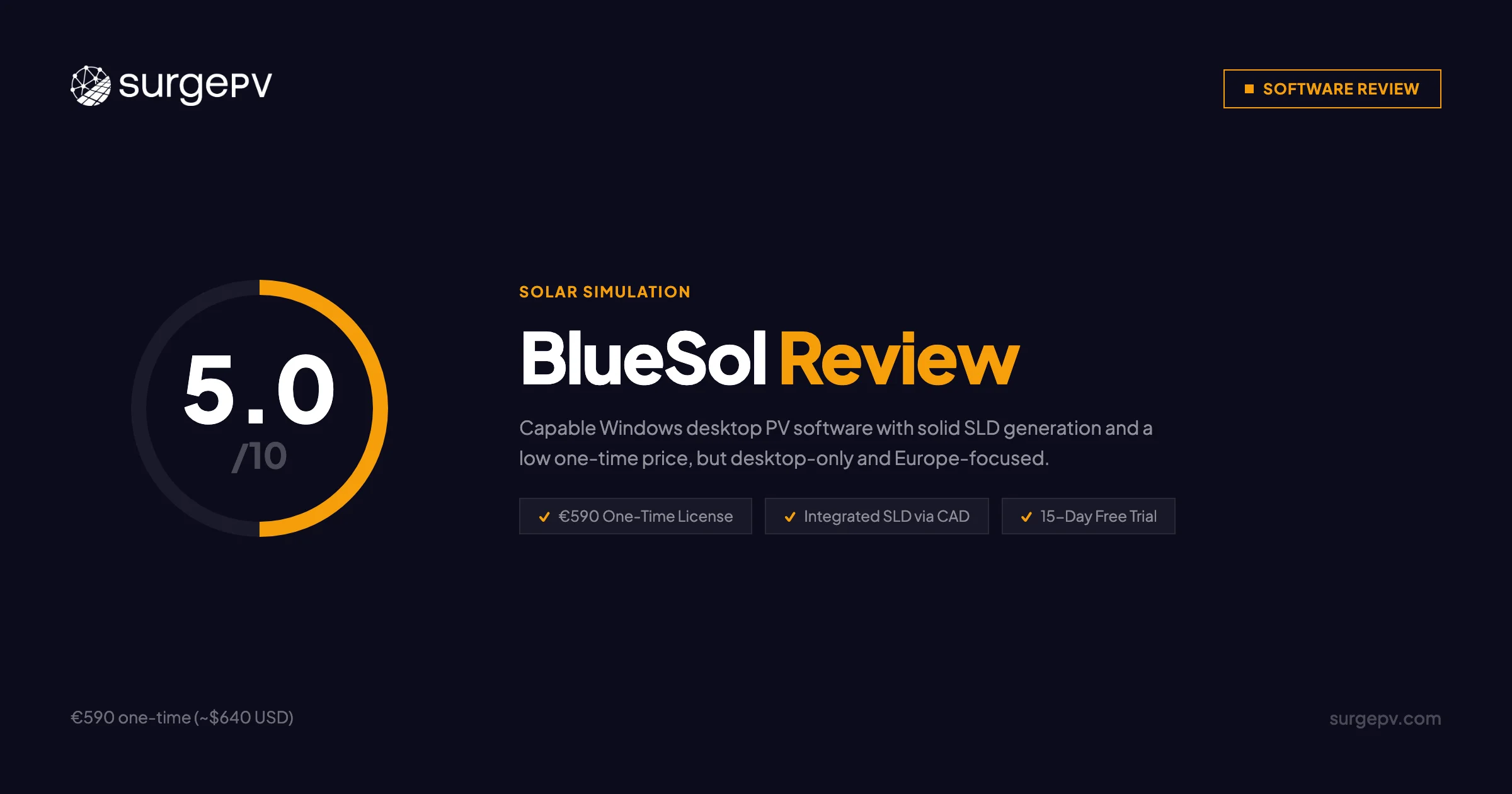
TL;DR: BlueSol is Windows desktop PV design software from Italian developer CadWare S.r.L., sold as a one-time 590 EUR lifetime license (~$640 USD). It covers the full design-to-documentation workflow with integrated SLD generation, 3D modeling, and reports in 24 languages. The platform has zero public G2, Capterra, or TrustRadius reviews, making independent validation nearly impossible. For European individual designers who work offline and want no recurring costs, BlueSol is worth the trial. For commercial EPCs, growing teams, or US/India market operations, SurgePV — the leading solar design software — offers cloud access, 70,000+ modules, automated SLD in 5–10 minutes, and native carport design that BlueSol cannot match.
Author: Keyur Rakholiya Title: Contributing Writer, SurgePV | MD & CEO, Heaven Green Energy Limited Expertise: 1+ GW solar projects delivered, 20+ design software platforms tested, 10+ years EPC operations Published: 2026-03-08 Last Updated: 2026-03-08 Review Methodology: Official BlueSol documentation (bluesolpv.com), SourceForge/SoftwareSuggest listings, Greentech Renewables professional assessment, competitive testing against cloud platforms
Who This Review Is For
This BlueSol review is written for:
- Solar installers and EPCs evaluating desktop PV software for European projects
- Engineers comparing BlueSol vs PVsyst, PV_SOL, or cloud platforms like SurgePV
- Teams assessing one-time licensing models vs annual subscriptions
- Windows desktop users who prefer local installed software over cloud tools
- Anyone researching BlueSol pricing, features, and limitations before purchasing
Who can skip this review: Pure US-market operations, teams requiring Mac or cloud access, or commercial EPCs designing carports and trackers. BlueSol is not designed for those use cases.
What Is BlueSol?
BlueSol is a professional PV design application developed by CadWare S.r.L., an Italian software company founded in 1989. The BlueSol product line launched in 2010 and reached version 4.0.8 as of this review. It is sold as a one-time lifetime license directly from the CadWare Shop.
Company Background
| Detail | Info |
|---|---|
| Developer | CadWare S.r.L. |
| Headquarters | Via Nazareth 2, Padova 35128, Italy |
| Company Founded | 1989 |
| BlueSol Released | 2010 |
| Current Version | 4.0.8 |
| Geographic Coverage | 70+ countries (European focus) |
| Platform | Windows desktop only |
| License Model | One-time lifetime purchase |
CadWare positions BlueSol as a complete end-to-end design solution — from preliminary assessment through technical documentation and financial analysis. The software competes with PVsyst, PV_SOL Premium, and other European desktop tools. Its main differentiation is the integrated CAD-based SLD generator, which eliminates the need for separate AutoCAD work.
What BlueSol Design Covers
BlueSol handles four major project types:
- Grid-connected PV systems
- Stand-alone off-grid systems
- Grid-connected systems with AC-coupled battery storage
- DC-coupled battery storage systems
The software runs locally on Windows. No cloud account is required after purchase. This offline-first architecture is both a feature and a major limitation depending on your workflow.
No Reviews on Major Platforms
BlueSol has no published reviews on G2, Capterra, or TrustRadius as of March 2026. SourceForge and Slashdot list the product but show zero user reviews. This makes independent validation difficult and increases evaluation risk compared to platforms with hundreds of verified reviews.
BlueSol Pricing & License Cost
BlueSol uses a one-time lifetime license model — a departure from the annual subscriptions common across cloud-based solar design platforms.
BlueSol License Price 2026
| Item | Price |
|---|---|
| BlueSol Design 4 | 590 EUR + taxes (~$640 USD) |
| License Type | Lifetime (one-time purchase) |
| Delivery | Digital download + activation key |
| Trial | 15-day full-featured trial (no credit card) |
| Included | All features — design, 3D, shading, SLD, financial modeling, database |
The 590 EUR price is notably low compared to annual subscription tools. On a 3-year horizon, BlueSol’s total cost is $640 USD vs $4,500+ for cloud alternatives. On a 5-year horizon, the savings are larger. But this analysis assumes the lifetime license continues to include software updates, which is not confirmed in public documentation.
BlueSol vs Competing Platforms: Annual Cost
| Platform | Annual Cost | Model |
|---|---|---|
| BlueSol Design 4 | ~$213/year (amortized over 3 years) | One-time |
| PVsyst | ~$600–900 one-time (similar amortized cost) | One-time |
| PV_SOL Premium | 845 EUR/year (~$920 USD) | Annual subscription |
| SurgePV (3 users) | From $1,499/user/year | Annual subscription |
| Aurora Solar | Contact sales (~$2,000–$4,000/year estimated) | Annual subscription |
Total Cost of Ownership Consideration
| Scenario | Annual Cost |
|---|---|
| BlueSol alone (amortized 3 yr) | ~$213/year |
| BlueSol + AutoCAD (if needed) | ~$2,213/year |
| SurgePV all-in-one | From $1,499/user/year |
Hidden Cost Warning
BlueSol’s one-time license may not include future major version updates. If version 5.0 releases as a new purchase, the lifetime savings calculation changes. Confirm update policy directly with CadWare before purchasing.
For individual European designers handling standard rooftop projects, the one-time 590 EUR price is genuinely attractive. For US market EPCs or commercial teams, the missing features (NEC compliance, cloud access, carport design) make the low price less relevant — you’ll need additional tools regardless.
Is BlueSol Free? Free Trial
BlueSol is not free software, but it does offer a 15-day full-featured trial — one of the more generous trial policies in the PV software market.
Free Trial Details
| Feature | Status |
|---|---|
| Trial Length | 15 days |
| Features Available | All features unlocked |
| Credit Card Required | No |
| Download | Available at bluesolpv.com |
| Restrictions | None during trial period |
The 15-day trial is enough time to run a complete project through the full workflow: design, shading analysis, SLD generation, financial modeling, and documentation output. That’s sufficient for a meaningful evaluation.
After the trial, a one-time purchase of 590 EUR is required.
Pro Tip
Use the 15-day trial to test a real project from your current backlog. Run the full workflow — design to documentation — so you can compare output quality and time investment directly against your current tools before committing.
BlueSol Solar Design Software: Core Features
BlueSol organizes its workflow into five phases: pre-dimensioning, design, simulation, documentation, and financial analysis. Here is what each phase delivers.
Pre-Dimensioning Wizard
The Pre-Dimensioning Wizard takes project parameters (location, system size, consumption data) and generates preliminary sizing recommendations. This reduces the time spent on manual system scoping before detailed design begins.
Interactive Design Interface
BlueSol’s design environment uses Google Maps integration for site location and roof identification. Key capabilities:
- Automated string insertion with optimal area filling
- Automatic component placement (inverters, panels, batteries, cables)
- Radiation mapping across roof surfaces showing yield distribution
- DWG import for custom site drawings from AutoCAD
The interface follows Microsoft’s standard ribbon design, which means users familiar with Office applications will recognize the layout. This lowers initial friction for new users.
3D Visualization and Shading Analysis
BlueSol generates 3D system models showing panel layout and surrounding obstacles. Shading analysis uses hourly simulation to calculate shading losses across the 8,760 hours of a year.
| Feature | BlueSol | SurgePV |
|---|---|---|
| 3D Modeling | Yes | Yes |
| Hourly Shading | Yes | Yes |
| Shading Accuracy | Not disclosed | ±3% vs PVsyst (documented) |
| Radiation Mapping | Yes | Yes |
| DWG Import | Yes | Not applicable (cloud-based) |
For bankable projects where financiers require documented accuracy figures, BlueSol’s undisclosed shading variance is a gap. SurgePV’s published ±3% vs PVsyst benchmark carries more weight with project finance teams.
Integrated SLD Generation — BlueSol’s Key Differentiator
This is where BlueSol genuinely earns its price. The built-in CAD module automatically generates Single Line Diagrams from the system design — showing DC arrays, combiners, inverters, AC disconnects, and grid connection — without requiring a separate AutoCAD license.
For a desktop tool at 590 EUR, integrated SLD generation is a real capability that many tools at 2–3× the price don’t include.
SLD Depth Limitation
BlueSol’s SLD generation is documented for standard configurations. NEC Article 690 compliance for US permit submissions is not confirmed in official documentation. US installers should verify this directly with CadWare before relying on BlueSol SLDs for AHJ submissions.
The solar design software comparison here is important: SurgePV generates automated SLDs in 5–10 minutes with full NEC compliance and no desktop installation required.
Component Database
| Database | BlueSol | SurgePV |
|---|---|---|
| PV Modules | 20,000+ (Photon data) | 70,000+ |
| Inverters | 1,600+ | Available |
| Weather Data | NASA-SSE + PVGIS | TMY data, PVGIS |
| US Utilities | Not confirmed | 3,000+ |
BlueSol’s 20,000+ module database is respectable for a desktop tool but is 3.5× smaller than SurgePV’s library. The Photon data sourcing is a recognized industry dataset. For European equipment selection, coverage is generally adequate. For US projects, missing or incomplete utility data is a concern.
Financial Analysis and Documentation
BlueSol produces technical and financial reports for project submission. Report outputs include:
- Technical reports with system specifications
- Financial reports with ROI and payback period analysis
- Plant layout drawings
- Single-line electrical diagrams
- Complete project documentation packages
Reports are available in 24 languages — a genuine advantage for firms operating across multiple European markets. SurgePV currently supports fewer report languages, giving BlueSol a real edge for multinational European operations.
See How SurgePV Compares on Real Projects
Book a 20-minute demo to compare automated SLD generation, native carport design, and the 70,000+ module database against BlueSol’s workflow.
Book a DemoNo commitment required · 20 minutes · Live project walkthrough
User Reviews & Feedback
BlueSol has the weakest public review base of any PV design software this team has evaluated.
Review Platform Status (March 2026)
| Platform | Status |
|---|---|
| G2 | Not listed |
| Capterra | Not listed |
| TrustRadius | Not listed |
| SourceForge | Listed — zero user reviews |
| Slashdot | Listed — zero user reviews |
| SoftwareSuggest | Listed — no reviews yet |
The only available third-party assessments are from software directories, not verified user reviews:
- Greentech Renewables (2020): “Get this if you want accurate and precise PV system designs and don’t mind a steeper learning curve.”
- SoftwareSuggest research notes: “Lacks modern and advanced designing features like heat and solar access” and “lacks proper animation to demonstrate the shading feature and losses.”
What This Means for Buyers
The absence of public user reviews is a material risk factor for procurement decisions. With zero G2 or Capterra reviews, there is no independent data on:
- Real-world accuracy of energy yield calculations
- Customer support quality and response time
- Software stability and crash frequency
- Update delivery frequency since purchase
For comparison, Arka360 has 129 G2 reviews, Aurora Solar has several hundred, and even newer platforms have begun accumulating public feedback. BlueSol’s near-zero review presence reflects its niche, professional user base — not necessarily poor quality — but it does mean buyers are taking on more evaluation risk.
Pros & Cons
✅ Pros
1. One-Time 590 EUR Lifetime License ⭐ COST ADVANTAGE
At 590 EUR (~$640 USD), BlueSol is among the most affordable professional PV design tools available. Amortized over three years, that’s roughly $213/year — far below any subscription alternative. For individual designers or small firms with stable workflows, this pricing model eliminates budget uncertainty.
2. Integrated SLD Generation ⭐ GENUINE DIFFERENTIATOR
The built-in CAD module generates Single Line Diagrams automatically from the system design. At this price point, that is not common. Many tools at 2× the annual cost still require AutoCAD for SLD work. BlueSol handles it natively.
3. Offline Capability
BlueSol runs entirely local after installation. No internet dependency during design work. For engineers in areas with unreliable connectivity, or firms with strict data security policies against cloud storage, this is a real advantage.
4. 15-Day Full-Featured Trial
No credit card. Full access. 15 days is enough time to run a meaningful project evaluation. Most cloud platforms offer only demo calls rather than genuine hands-on trials.
5. Multi-Language Documentation (24 Languages)
Reports in 24 languages is strong for a desktop tool. European firms serving clients across multiple countries can generate local-language documentation without a separate translation process.
6. Battery Storage Support
AC-coupled and DC-coupled battery storage system design is included. Not all tools at this price point support storage modeling.
⚠️ Cons
1. Desktop-Only Windows Application ⚠️ CRITICAL LIMITATION
No cloud version. No Mac. No Linux. No mobile. If your team uses Macs, works remotely, or needs to access projects from multiple machines, BlueSol does not work without virtualization. This is the single biggest structural limitation in 2026.
2. Zero Public User Reviews ⚠️ HIGH EVALUATION RISK
No reviews on G2, Capterra, or TrustRadius. This is not just a marketing gap — it means there is no independent data source for real-world accuracy, support quality, or stability. Buyers must rely entirely on the vendor’s own documentation and a 15-day trial.
3. European Focus — US Gaps Not Addressed
NEC Article 690 compliance is not documented. Complete US utility database coverage is not confirmed. For US commercial projects, this likely means additional verification work or supplementary tools.
4. No Carport or Tracker Design
BlueSol handles standard rooftop and ground-mount systems. Native carport solar design is not documented. Tracker support is not explicitly confirmed. Carport solar is one of the fastest-growing commercial segments — this missing capability limits addressable project types.
5. No API, No Integrations, No CRM
No documented API. No CRM connections. No third-party integrations. BlueSol is a standalone tool with no ecosystem. Teams using Salesforce, HubSpot, or project management software will get no native data flow.
6. Single-User Architecture
No real-time collaboration. No simultaneous multi-user access. For any team larger than one designer, this creates version control and handoff friction.
7. Update Roadmap Unclear
No public roadmap. The one-time license model raises the question of whether future major version updates require repurchase. This is not addressed in public documentation.
BlueSol vs SurgePV
Direct comparison for commercial EPCs evaluating both platforms.
Head-to-Head Feature Comparison
| Feature | BlueSol | SurgePV | Winner |
|---|---|---|---|
| Platform | Desktop (Windows only) | Cloud (any browser) | SurgePV |
| Pricing | 590 EUR one-time | From $1,499/user/year | Context-dependent |
| SLD Generation | Yes (CAD-based, manual) | Automated (5–10 min) | SurgePV |
| Wire Sizing | Basic cable routing | Automated + NEC 690 compliant | SurgePV |
| Carport Design | No | Yes (native — only platform) | SurgePV |
| Tracker Support | Not confirmed | Yes (single + dual-axis) | SurgePV |
| Module Database | 20,000+ | 70,000+ | SurgePV |
| Shading Accuracy | Not disclosed | ±3% vs PVsyst (documented) | SurgePV |
| 3D Visualization | Yes | Yes | Tie |
| Financial Analysis | Yes | Yes | Tie |
| Report Languages | 24 | Limited | BlueSol |
| Offline Work | Yes | No (cloud-based) | BlueSol |
| No Recurring Costs | Yes (lifetime license) | No (annual subscription) | BlueSol |
| US Market Support | Limited | Yes (3,000+ utilities, NEC 690) | SurgePV |
| India Market | Limited | Yes (primary market) | SurgePV |
| Team Collaboration | No | Yes (real-time) | SurgePV |
| Free Trial | 15 days (full access) | Demo call | BlueSol |
| Public Reviews | Zero | Available | SurgePV |
Workflow Time: 100 kW Commercial Rooftop Project
| Step | BlueSol | SurgePV |
|---|---|---|
| Site design | 30–45 min | 20–30 min |
| SLD generation | 15–20 min (built-in CAD) | 5–10 min (automated) |
| Wire sizing | Manual verification needed | Automated + NEC compliant |
| Proposal | Export to separate docs | Built-in (15–20 min) |
| Total | 60–90 min | 35–50 min |
| Additional tools | None | None |
SurgePV saves roughly 25–40 minutes per commercial project. At 50 projects per month, that is 20–33 hours/month or 240–400 hours/year of recovered time.
The Core Trade-Off
BlueSol wins on: upfront cost, offline capability, multi-language documentation SurgePV wins on: cloud access, database size, shading accuracy documentation, carport/tracker design, US market compliance, team collaboration, public validation
For a European individual designer on a tight budget who works offline from a single Windows machine: BlueSol’s 590 EUR one-time cost is a genuine advantage.
For a commercial EPC with a team, US/India market needs, or projects involving carports: the trade-off shifts decisively to cloud solar design software.
BlueSol Alternatives
If BlueSol doesn’t fit your workflow, these are the realistic alternatives.
PVsyst is the industry benchmark for bankable energy yield simulation. It serves a different primary function than BlueSol — PVsyst is the tool financiers trust for P50/P75/P90 yield reports. If your projects need financier-grade validation, PVsyst is the standard. It has a similar one-time licensing model at a comparable price point.
PV_SOL Premium from Valentin Software is BlueSol’s closest direct competitor — German desktop PV software with a similar design-to-documentation workflow. PV_SOL charges 845 EUR/year (subscription) vs BlueSol’s 590 EUR one-time. PV_SOL has a more established review presence and is generally considered more polished for Central European regulatory requirements.
SurgePV is the strongest alternative for commercial EPCs. Cloud-based, automated SLD in 5–10 minutes, 70,000+ modules, native carport design, full US/India market support. Higher annual cost but eliminates the desktop-only limitation and delivers faster workflows for commercial project volumes.
Aurora Solar is the dominant cloud-based platform for US residential sales. Strong proposal features, LIDAR roof detection, and NEC compliance. Not a natural fit for European-focused operations and pricing is significantly higher than BlueSol.
HelioScope (now part of PowerClerk/Folsom Labs) is strong for electrical design and shading simulation in the US market. Cloud-based, well-reviewed, but US-centric with less relevance for European workflows.
OpenSolar is a free cloud-based platform with a growing feature set. For teams that need basic design and proposal capabilities without upfront cost, OpenSolar is worth evaluating as a zero-cost entry point.
Who Should Use BlueSol?
Choose BlueSol When
- You are a European-based individual designer operating primarily in Italian, German, Spanish, Polish, or other European markets where the 24-language report output is genuinely useful
- You prefer one-time licensing and want to avoid annual subscription commitments — the 590 EUR price is low enough to justify a trial with minimal financial risk
- You work offline from a single Windows machine and don’t need cloud access or remote collaboration
- Your projects are standard rooftop or ground-mount without carports, trackers, or East-West racking — BlueSol covers these well
- You need battery storage modeling at a low price point — AC-coupled and DC-coupled support is included
Do Not Choose BlueSol When
- You use Mac or Linux — there is no workaround short of virtualization
- Your team has more than one designer — the single-user architecture creates real collaboration friction
- Your projects are in the US — NEC compliance and utility database completeness are not verified
- You need carport, tracker, or East-West racking design — these are not documented capabilities
- You need third-party integrations — no API, no CRM connections
- You require community validation before purchasing — zero public reviews means you are making the evaluation call based on a 15-day trial alone
Frequently Asked Questions
What is BlueSol?
BlueSol is desktop PV design software from CadWare S.r.L. (Padova, Italy), first released in 2010. It handles the full design-to-documentation workflow on Windows: design, 3D modeling, shading analysis, integrated SLD generation, financial modeling, and multi-language reporting. It sells as a one-time 590 EUR lifetime license.
How much does BlueSol cost?
BlueSol Design 4 costs 590 EUR plus taxes (~$640 USD) as a one-time lifetime license. There are no monthly or annual subscription fees. A 15-day full-featured trial is available at bluesolpv.com with no credit card required.
For context: PV_SOL Premium runs 845 EUR/year (subscription); SurgePV starts at $1,499/user/year with cloud access and full US/India market support.
Does BlueSol have a free trial?
Yes. BlueSol offers a 15-day full-featured trial with all capabilities unlocked and no credit card required. The trial includes design tools, 3D visualization, shading analysis, SLD generation, financial modeling, and database access.
What are BlueSol’s main features?
Core features: interactive design over Google Maps, 3D modeling with hourly shading simulation, automated string optimization, integrated CAD-based SLD generation, energy yield calculation (NASA-SSE and PVGIS), financial modeling (ROI and payback), 20,000+ module database, 1,600+ inverters, battery storage support (AC and DC-coupled), and documentation output in 24 languages.
Is BlueSol good for commercial solar projects?
For standard European commercial rooftop and ground-mount systems: yes, BlueSol handles these well. For US commercial projects requiring NEC 690 compliance: not confirmed. For projects involving carports, trackers, or East-West racking: not documented. For team-based commercial workflows requiring cloud access: no — BlueSol is single-user, Windows-only.
What is the best BlueSol alternative?
- For bankable simulations: PVsyst (industry standard for P50/P75/P90)
- For similar European desktop workflow: PV_SOL Premium (Valentin Software)
- For commercial EPCs needing cloud + carport design: SurgePV
- For US residential sales: Aurora Solar
- For zero cost entry: OpenSolar
Does BlueSol work on Mac?
No. BlueSol is Windows-only desktop software. Mac users would need Parallels Desktop or Boot Camp. There is no web app or native Mac version.
Can BlueSol generate single line diagrams?
Yes. BlueSol includes a built-in CAD module that automatically generates SLDs from the system design. This is one of BlueSol’s genuine advantages at its price point. NEC compliance depth for US permit submissions is not fully confirmed in official documentation.
Is BlueSol better than PVsyst?
They serve different purposes. PVsyst is the industry standard for bankable energy yield simulations — the tool project finance teams and lenders rely on for P50/P75/P90 reports. BlueSol covers a broader workflow (design, 3D, SLD, proposals) but is not positioned as a simulation accuracy benchmark. For bankable projects, PVsyst validation is typically required regardless of which design tool you use.
Final Verdict
BlueSol at a Glance
Strengths:
- One-time 590 EUR lifetime license — no recurring fees
- Integrated SLD generation without AutoCAD
- Offline capability for Windows users
- 15-day full-featured free trial
- 24-language documentation for European multi-market firms
- Battery storage modeling included
Limitations:
- Desktop-only Windows architecture — no cloud, Mac, or mobile
- Zero public user reviews on all major platforms
- US market features (NEC compliance, utility database) not confirmed
- No carport design, no confirmed tracker support
- No API, no team collaboration, no integrations
- Update roadmap not publicly disclosed
Decision Framework
Choose BlueSol when: You are a European individual designer, prefer one-time licensing under $700, work from a single Windows machine, design standard rooftop and ground-mount systems, and don’t need cloud access or team collaboration.
Choose SurgePV when: You need cloud-based access from any device, automated SLD in under 10 minutes, full US or India market support, carport or tracker design, a team collaboration workflow, or independent validation from hundreds of verified user reviews.
Value Analysis
BlueSol’s 590 EUR one-time price is real value for the right user. The integrated SLD generation and offline capability are legitimate features that justify the cost for solo European designers.
The platform breaks down for any workflow requiring Mac access, cloud collaboration, US market compliance, or advanced commercial structure design. At that point, the apparent cost advantage disappears — because you’ll need additional tools to cover the gaps.
| Scenario | Best Choice |
|---|---|
| European solo designer, offline workflow, standard rooftop | BlueSol |
| European firm, team collaboration, mixed OS | SurgePV |
| US commercial EPC | SurgePV |
| India market EPC | SurgePV |
| Bankable project simulation | PVsyst |
| Budget entry point, basic design | OpenSolar (free) |
Take the Next Step
See how SurgePV’s cloud-based solar design software compares to BlueSol’s desktop workflow for commercial projects.
- Book a demo — 20-minute walkthrough with your project type
- See SurgePV pricing — transparent annual plans, no hidden costs
- Shadow analysis software — compare shading accuracy
- Solar proposal software — built-in proposals vs BlueSol’s documentation export
Evaluating BlueSol? Run its 15-day trial against the same project you’d demo in SurgePV. The side-by-side comparison will tell you more than any review can.
Related Resources
Platform Comparisons:
- PVsyst Review — industry-standard bankable simulation
- Arka360 Review — all-in-one platform with built-in CRM
- Aurora Solar Review — US residential and commercial cloud platform
- HelioScope Review — electrical design and shading for US market
Feature Deep Dives:
- Solar Design Software — complete platform guide
- Shadow Analysis — shading accuracy comparison
- Solar Proposals — proposal generation capabilities
- Generation and Financial Tool — ROI and yield modeling
Best Solar Software Rankings:
- See our best solar simulation software rankings.
This BlueSol review was written by Keyur Rakholiya, Contributing Writer at SurgePV and MD & CEO of Heaven Green Energy Limited, with 1+ GW of solar project experience and hands-on testing of 20+ design software platforms. All BlueSol product information is sourced from official CadWare documentation (bluesolpv.com, bluesol.it), SourceForge/SoftwareSuggest directory listings, and Greentech Renewables professional assessment (2020). We disclose our affiliation with SurgePV transparently — comparisons are based on verified product documentation.
Review last updated: 2026-03-08 | Next review: June 2026
About the Contributors

General Manager · Heaven Green Energy Limited
Nimesh Katariya is General Manager at Heaven Green Energy Limited, where he oversees solar design and project delivery operations. With 8+ years of experience and 400+ solar projects delivered across residential, commercial, and utility-scale sectors, he specialises in permit design, sales proposal strategy, and project management.

Content Head · SurgePV
Rainer Neumann is Content Head at SurgePV and a solar PV engineer with 10+ years of experience designing commercial and utility-scale systems across Europe and MENA. He has delivered 500+ installations, tested 15+ solar design software platforms firsthand, and specialises in shading analysis, string sizing, and international electrical code compliance.
