

Quick Answer
When the grid goes down, a single 10 kWh battery keeps critical appliances running for less than half that time. That exclusion is the reason a 10 kWh battery can run critical loads for 15–20 hours instead of two. A single Tesla Powerwall 3 can surge to 11.5 kW, which is enough to start a central heat pump.
The average U.S. home uses roughly 30 kWh each day. When the grid goes down, a single 10 kWh battery keeps critical appliances running for less than half that time. Run the air conditioner or heat pump, and the same battery drains in under three hours. That gap between expectation and reality is why the partial-versus-whole-home backup decision trips up so many homeowners and installers.
When the grid goes down, a single 10 kWh battery keeps critical appliances running for less than half that time. That exclusion is the reason a 10 kWh battery can run critical loads for 15–20 hours instead of two. A single Tesla Powerwall 3 can surge to 11.5 kW, which is enough to start a central heat pump.
Both backup modes work. Both fail when they are mis-sold or mis-sized. Partial backup is the rational default for most homes because it covers the loads that actually matter during a short outage at roughly half the cost of whole-home coverage. Whole-home backup is the right call only when the load profile, outage frequency, and budget align. The rest of this guide shows you how to check that alignment with real numbers, not sales copy.
TL;DR
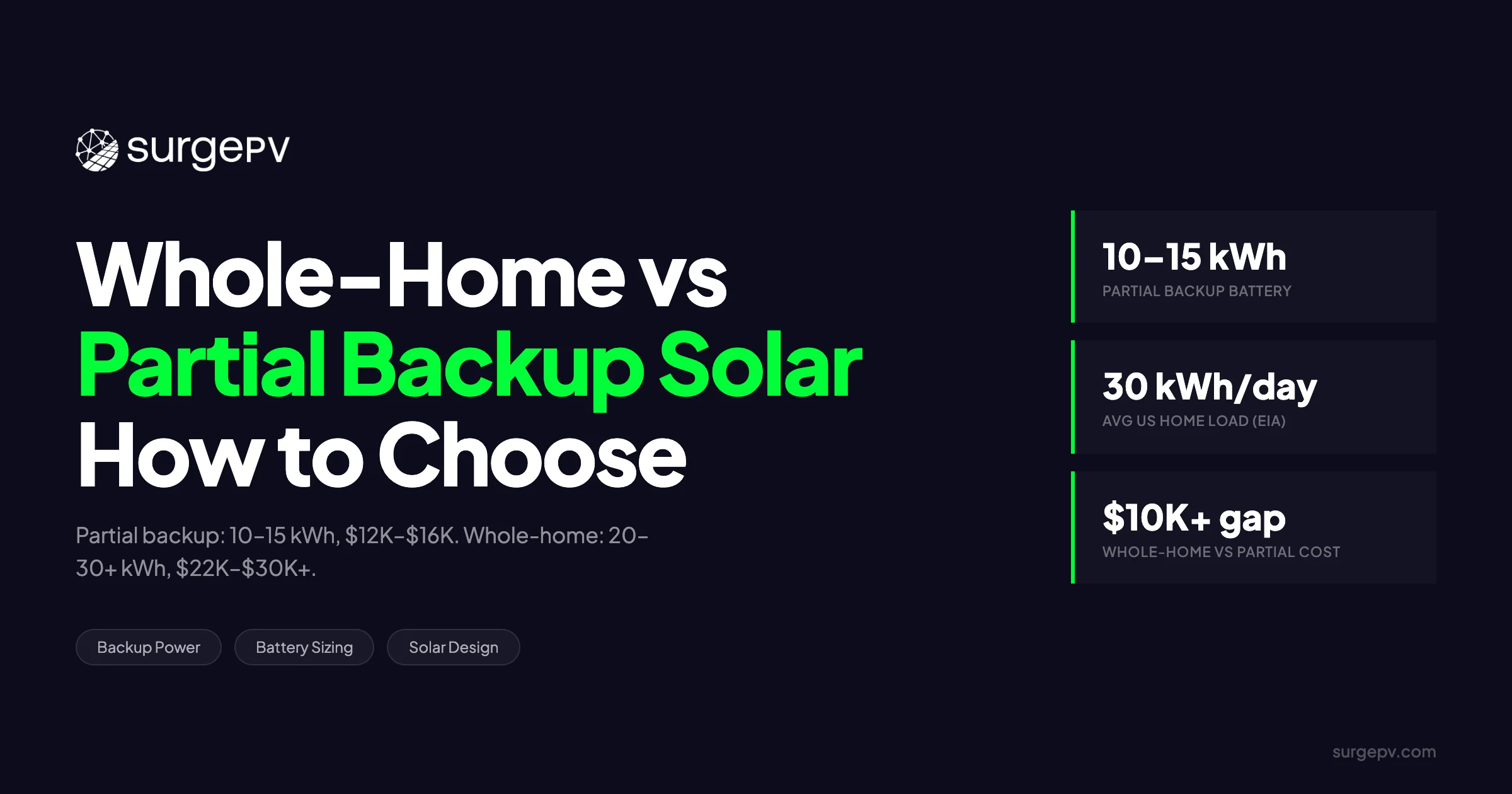
Partial backup powers 5–10 critical circuits — refrigerator, lights, medical devices — with one 10–15 kWh battery and costs $12,000–$16,000 installed. Whole-home backup covers all loads including HVAC but requires 20–30+ kWh across two to three batteries and runs $22,000–$30,000+ before incentives. The average U.S. home uses roughly 30 kWh per day, so running everything through an outage demands substantially more storage than most installers initially quote. Your grid reliability, home size, budget, and whether anyone in the household relies on powered medical equipment should drive the decision — not marketing language about “energy freedom.”
In This Guide
- The exact circuits that belong on a critical-loads panel versus a whole-home bus
- How to size battery capacity for four common scenarios, from small partial backup to whole-home large houses
- Why HVAC is the single reason whole-home backup doubles or triples your storage requirement
- Installed cost ranges for partial versus whole-home systems in 2025–2026
- A decision matrix that weighs grid reliability, square footage, budget, and medical needs
- How solar installers should approach load calculations, inverter sizing, and expansion planning for each backup mode
- Where smart panels and vehicle-to-home charging fit into the backup spectrum
What Is Partial Backup — and What Is Whole-Home Backup?
Partial backup and whole-home backup are not marketing tiers. They are wiring architectures with different hardware, different costs, and different runtime outcomes.
How Partial Backup Works
Partial backup connects a battery inverter to a dedicated critical-loads subpanel. When the grid drops, an automatic transfer switch isolates that subpanel from the main service and feeds it from the battery. Everything not on the subpanel stays dark.
Typical coverage includes the refrigerator or freezer, a gas-furnace blower, select LED lighting circuits, the Wi-Fi router and modem, powered medical devices, a garage door opener, a well pump, and a handful of 120 V outlets. These are deliberately chosen because they keep the home safe and habitable without pulling the high-wattage loads that drain a small battery in minutes.
What partial backup excludes is just as important as what it includes. Central HVAC, electric ranges, electric dryers, EV chargers, and pool equipment stay on the main panel and do not receive battery power. That exclusion is the reason a 10 kWh battery can run critical loads for 15–20 hours instead of two.
The math is straightforward. A 10 kWh battery, derated to roughly 8.5 kWh of usable energy after 85% round-trip efficiency, feeding about 500 W of continuous critical load, delivers 15–20 hours of runtime. Add a coffee maker or microwave for a few minutes and the total drops slightly; add a space heater and it collapses. Also see: Us Residential Solar Market Trends 2026. For United States-specific compliance details, see United States arizona/phoenix.
How Whole-Home Backup Works
Whole-home backup ties the battery system to the main service panel through a whole-home transfer switch or a hybrid inverter with integrated switching. When the grid fails, the entire panel — every breaker, every circuit — receives power from the battery bank.
That sounds simple, but it creates a power-versus-energy problem. A single Tesla Powerwall 3 can surge to 11.5 kW, which is enough to start a central heat pump. Yet its 13.5 kWh of stored energy drains in under 90 minutes if the home pulls 10 kW. The hardware can power the whole home; it cannot run it for long unless the energy capacity scales with the load.
Coverage therefore includes all household loads: 240 V appliances, central heat pump or AC, general outlets, and everything else. The homeowner does not need to move breakers to a subpanel. The tradeoff is cost and physical space. Two to three battery units, a larger inverter or gateway, and often a service-panel upgrade are required.
The Gray Area: Smart-Panel Backup
Smart panels from SPAN, Lumin, and Schneider Home sit between partial and whole-home backup. They keep the full main panel in play, but use intelligent load shedding to drop non-essential circuits automatically when battery capacity runs low. For more on this topic, see Solar Battery Sizing Guide.
A 15–20 kWh bank paired with a smart panel can behave like whole-home backup for short outages without the full hardware cost of a 30 kWh system. The panel might run the heat pump for two hours, then lock it out and keep lights and refrigeration going for another 12. It is a middle path worth considering for homes that want flexibility but cannot justify three batteries.
Critical Loads vs. Whole-Home Loads: What Actually Stays On
The difference between partial and whole-home backup is visible at the breaker level. If you cannot name the circuits on your critical-loads panel, you are not ready to size a battery.
Critical Loads List (Partial Backup)
| Load Category | Typical Wattage | Notes |
|---|---|---|
| Refrigerator / freezer | 100–200 W running; 600–800 W start | Highest priority on every critical panel |
| Gas-furnace blower | 300–800 W | Essential in cold climates; often overlooked |
| LED lighting (6–10 fixtures) | 60–120 W total | Circuits should be mapped room by room |
| Wi-Fi router / modem | 20–50 W | Communication lifeline during emergencies |
| Medical devices (CPAP, oxygen concentrator) | 40–300 W | Continuous; cannot be interrupted |
| Garage door opener | 400–600 W start | Safety and vehicle access |
| Well pump (½ HP) | 750–1,500 W start | Rural homes; requires 240 V circuit |
| Selected outlets (kitchen, bedroom) | 0–1,500 W intermittent | Phone chargers, small appliances |
Total simultaneous load for a well-mapped critical panel usually falls between 400 W and 1,200 W. That is why one battery works.
Whole-Home Loads That Break the Budget
| Load Category | Typical Wattage | Runtime Impact |
|---|---|---|
| Central AC or heat pump | 3,000–5,000 W | 3–4 hours of runtime per 13.5 kWh battery |
| Electric range | 2,000–4,000 W | Single meal can consume 2–3 kWh |
| Electric dryer | 2,500–4,000 W | Best excluded during outage unless oversized bank |
| EV Level 2 charger | 3,300–7,200 W | Usually isolated; V2H discussed later |
| Electric water heater | 3,000–4,500 W | Tank insulation buys hours; timer controls help |
These loads are not “bad.” They are simply energy-intensive. Running a central heat pump at 4 kW for six hours consumes 24 kWh. A single Powerwall 3 holds 13.5 kWh. The math is unforgiving.
Why the Distinction Matters for Installers
Incorrect wiring causes non-critical loads to back-feed the critical panel and drain the battery during normal grid-tied operation. That happens when a shared neutral or improperly separated bus allows phantom loads to pull from the backup circuit.
Customer expectation management matters just as much as wiring. Marketing a “whole-home” solution with only one battery installed is the number one post-install complaint on Reddit and SolarReviews. Installers who use solar proposal software to show exact runtime by circuit avoid that headache.
Battery Sizing Scenarios: From Small Partial to Whole-Home Large
Battery sizing starts with the load list, not the product brochure.
Sizing Table
| Scenario | Battery Size | Battery Count | Backup Duration | Typical Home Profile |
|---|---|---|---|---|
| Small partial backup | 5–10 kWh | 1 (e.g., Enphase IQ 5P) | 8–16 hours | Townhome, 1–2 residents, gas heat, no medical devices |
| Medium partial backup | 10–15 kWh | 1 (e.g., Tesla Powerwall 3) | 12–24 hours | Single-family, 3–4 residents, gas furnace, critical loads + some outlets |
| Whole-home small house | 15–20 kWh | 2 (e.g., 2× Powerwall 3 or FranklinWH) | 12–18 hours | 1,200–2,000 sq ft, heat pump, moderate usage |
| Whole-home large house | 20–30+ kWh | 2–3+ batteries | 18–36 hours | 2,500+ sq ft, all-electric appliances, pool, well pump |
The table makes one point clear: whole-home backup for a large, all-electric house requires at least double the storage of a medium partial backup. There is no software hack that changes the physics.
The EIA Baseline
Average U.S. residential consumption is roughly 30 kWh per day, according to the EIA 2023 Residential Energy Consumption Survey. Monthly average: 861 kWh per month; daily equivalent: about 28–29 kWh.
That baseline has a direct sizing implication. A single 13.5 kWh battery stores less than half a day’s average use. Whole-home backup for 24 hours requires 30 kWh or more for most households, and closer to 40 kWh for all-electric homes. Installers who quote one battery for “whole-home backup” are either assuming radical load reduction or selling a runtime fantasy.
Round-Trip Efficiency and Depth of Discharge
Real-world capacity is never nameplate capacity. The NREL ATB 2024 representative residential system assumes 85% round-trip efficiency for a 5 kW / 12.5 kWh configuration. Lithium iron phosphate (LiFePO4) batteries typically allow 80–95% depth of discharge.
The practical formula is:
Required Nominal Capacity = (Daily kWh × Backup Days Desired) ÷ (Round-Trip Efficiency × DoD)
For a home that needs 20 kWh per day, wants one day of backup, and uses a battery with 85% efficiency and 90% DoD:
Required Nominal Capacity = 20 ÷ (0.85 × 0.90) = 20 ÷ 0.765 ≈ 26.1 kWh
That is two Powerwall 3 units. One is not enough.
Why HVAC Is the Biggest Challenge for Whole-Home Backup
If you remove HVAC from the equation, whole-home backup becomes easy. Most homes without heating or cooling draw under 1 kW continuously. Add a heat pump, and the problem changes completely.
The Power vs. Energy Trap
A 4-ton heat pump draws 4–5 kW continuously during operation. Startup surge hits 7–10 kW. A single Tesla Powerwall 3, rated at 11.5 kW continuous output, can start and run that heat pump. But its 13.5 kWh of stored energy lasts 2.5–3 hours at that load.
Most homeowners assume “whole-home” means “everything runs normally for a full day.” It does not, unless the energy capacity scales with the load. Installers must clarify that power rating is a promise about what can run, not how long it will run.
Seasonal Runtime Variance
Runtime is not a single number. It changes with the weather.
- Summer outage: AC running at 50% duty cycle equals about 2 kWh per hour; a 20 kWh bank yields 8–10 hours.
- Winter outage: Heat pump resistance backup strips add 5–10 kW; runtime collapses to 2–4 hours unless the strips are locked out.
- Spring/fall outage: No HVAC load; the same 20 kWh bank stretches to 24+ hours.
Installers should present runtime by season, not a single headline number. A battery that lasts 24 hours in October might last four hours in January. PV design software that models seasonal load profiles — and accounts for shadow analysis that can reduce midday recharge — makes this easy to demonstrate.
Mitigation Strategies
Several tactics can stretch runtime without buying more batteries:
- Smart thermostats with load-shedding commands raise the setpoint during outages to reduce duty cycle.
- Locking out electric resistance heat during battery operation prevents the 5–10 kW strip load from activating.
- Zoned HVAC lets the homeowner back up only the occupied zone, cutting demand by 30–50%.
- Fuel-switching backup — a propane fireplace or wood stove as primary heat, with the battery running only the blower — is the most cost-effective winter strategy for homes that already have gas service.
Cost Comparison: Partial vs. Whole-Home Installed Cost
Cost is the final filter. Most homeowners who want whole-home backup discover the price tag and choose partial backup with an expansion path. For a detailed payback comparison, SurgePV’s solar financial modeling models daily arbitrage savings against backup reserve value for each configuration. See our guide on Agricultural Solar Case Study for more. For a direct comparison, see Arka 360 vs SurgePV.
Installed Cost Ranges (Before Incentives)
| Configuration | Battery Capacity | Installed Cost Range | After 30% Federal ITC |
|---|---|---|---|
| Single battery, essential loads | 5–10 kWh | $12,000–$16,000 | $8,400–$11,200 |
| Mid-tier partial with smart panel | 10–15 kWh | $16,000–$22,000 | $11,200–$15,400 |
| Whole-home small house | 15–20 kWh | $22,000–$28,000 | $15,400–$19,600 |
| Whole-home large house | 20–30+ kWh | $28,000–$40,000+ | $19,600–$28,000+ |
The gap between partial and whole-home is $8,000–$15,000 for comparable home sizes. That money could buy 3–5 kW of additional solar panels, which generate value every day instead of sitting in reserve for rare outages.
Cost-Per-kWh Benchmarks
Average installed cost per usable kWh runs $700–$1,000 (estimate). Labor adds $1,000–$3,000 depending on panel location, trenching, and permitting complexity. Regional variance is significant: California and Massachusetts run 15–25% above the national average; Texas and Florida trend lower due to competitive installer density. See Solar Permitting Guide for detailed guidance. For United States-specific compliance details, see United States california/los-angeles.
Where the Money Goes
- Battery hardware: 50–60% (estimate)
- Inverter, gateway, and transfer switch: 15–20% (estimate)
- Labor and electrical: 15–25% (estimate)
- Permits, interconnection, and soft costs: 5–10% (estimate)
- Smart-panel add-on (SPAN or Lumin): +$3,500–$5,500 (estimate)
The LBNL Tradeoff
The Lawrence Berkeley National Laboratory PRESTO model, published in October 2024, found that holding battery capacity in reserve for backup power carries an opportunity cost in foregone daily bill savings. The battery that sits fully charged waiting for an outage does not arbitrage time-of-use rates or reduce peak demand. The exception is when grid reliability is exceptionally poor, the Value of Lost Load is high, and the rate structure favors reserve capacity.
For most U.S. homes with fewer than two outages per year, that opportunity cost makes partial backup — with a smaller reserve — the better economic bet.
Decision Matrix: Which Backup Mode Fits Your Home
The right backup mode is a function of four variables: how often the grid fails, how large the home is, how much money is available, and whether medical equipment requires power.
Four-Dimension Scoring
| Grid Reliability | Home Size | Budget | Medical Needs | Recommendation |
|---|---|---|---|---|
| Few outages (under 2/year) | Any | Tight | None | Partial backup; invest savings in more solar panels |
| Few outages | under 2,000 sq ft | Moderate | None | Medium partial with expansion path |
| Frequent outages (4+/year) | under 2,500 sq ft | Moderate | None | Whole-home small house; 15–20 kWh |
| Frequent outages | 2,500+ sq ft | Flexible | None | Whole-home large; 20–30+ kWh; consider smart panel |
| Any reliability | Any | Any | CPAP / oxygen / dialysis | Partial minimum; medical loads on dedicated circuit with automatic transfer |
| Poor grid + rural | Any | Tight | None | Partial + generator hybrid; battery for short outages, propane for extended |
| Poor grid + suburban | Any | Flexible | None | Whole-home with VPP enrollment (Tesla, Enphase) to offset cost via grid services |
The matrix is not a rulebook. It is a starting point for conversations that should include actual Green Button data and a critical-loads worksheet.
Quick-Flow Logic
- Do you have powered medical equipment? Start with partial backup on a protected circuit; layer whole-home if budget allows.
- Is your annual outage count under two? Partial backup is the rational economic choice.
- Is your home all-electric (heat pump, range, dryer, water heater)? Whole-home requires 25+ kWh; consider whether fuel-switching or smart panels reduce that.
- Is your budget under $15,000 after incentives? Partial backup with one battery and a critical-loads panel.
- Do you live in a Net Energy Metering 3.0 territory? Battery economics shift toward arbitrage; whole-home may pencil better if you can cycle daily.
How Solar Installers Should Size Systems for Each Backup Mode
Good sizing separates professional installers from box-droppers. The workflow differs materially between partial and whole-home backup.
Partial Backup Sizing Workflow
- Load audit: Have the homeowner complete a critical-loads worksheet. Model number, wattage, and start-up surge for the refrigerator, furnace blower HP, and any medical device.
- Circuit mapping: Identify which breakers move to the critical-loads subpanel. Mark 240 V loads explicitly; well pumps need their own breaker slot.
- Inverter match: Ensure the battery inverter’s continuous output covers the sum of simultaneous critical loads plus 20% headroom. One Enphase IQ 5P delivers 3.84 kW continuous; one Powerwall 3 delivers 11.5 kW.
- Runtime modeling: Present 4-hour, 12-hour, and 24-hour runtime estimates at average load. Never quote a single number.
- Expansion planning: Pre-wire conduit and panel space for a second battery. Confirm inverter and gateway compatibility now to avoid a full hardware swap later.
Whole-Home Backup Sizing Workflow
- Whole-home load profile: Download Green Button data or install a monitoring clamp for 12 months. Identify peak kW and average daily kWh by season.
- HVAC lockout strategy: Decide whether heat-pump resistance strips are excluded from battery backup via relay or smart panel. This one decision can double winter runtime.
- Seasonal scenario modeling: Model worst-case runtime: summer afternoon with AC, winter evening with heat pump. Show the homeowner both numbers.
- Inverter and battery count: Match peak household load to total battery continuous output. Size energy capacity to the longest expected outage, not the average.
- Transfer-switch coordination: Whole-home requires either a hybrid inverter with integrated automatic transfer switch or a separate ATS rated for the main service ampacity. Undersizing the switch creates a fire hazard.
Documentation to Leave with the Customer
Every installation should include:
- Critical-loads panel diagram or whole-home single-line diagram
- Seasonal runtime estimate sheet
- Warranty and degradation schedule (most batteries warrant 70% capacity at 10–15 years)
- Expansion path and compatible battery SKUs
Clear documentation prevents the “why didn’t my battery last all night?” call. Solar software that auto-generates these reports from the site audit saves hours of manual drafting.
Smart Panels, V2H, and the Future of Backup Scope
Backup architecture is not static. Smart panels and bidirectional EV charging are creating new categories between partial and whole-home.
Smart Panels as the Middle Path
SPAN Panel, Lumin Smart Panel, and Schneider Home replace the standard electrical panel with an intelligent hub. When paired with Clara AI for load forecasting, dynamic load shedding lets a 15 kWh system behave like whole-home backup for 4–6 hours by sequentially dropping non-essential circuits as state of charge falls.
Cost is $3,500–$5,500 installed. The payback comes from daily energy management — shifting circuits to solar self-consumption, avoiding peak rates — plus backup flexibility. For homes that cannot fit three batteries physically or financially, a smart panel stretches two batteries further.
Vehicle-to-Home (V2H) Charging
Bidirectional EVs, including the Ford F-150 Lightning and Hyundai Ioniq 5, can deliver 9–11 kW back to the home. A 100 kWh EV battery dwarfs stationary storage; one vehicle can power an average home for 2–4 days.
Compatibility is the catch. V2H requires a compatible inverter, EVSE, and often a separate gateway. It is not a direct battery replacement yet, but it is a compelling complement for whole-home aspirants who already own an eligible EV.
Virtual Power Plants
Enphase ConnectedSolutions, Tesla VPP, and Sunrun Shift enroll whole-home batteries in grid-services programs. Participants earn $100–$500 per year, but the utility may remotely discharge the battery during grid events. Partial backup systems can still enroll if the battery is grid-connected; revenue is lower but backup priority remains intact.
VPP income improves the economics of whole-home backup slightly, though it does not close the cost gap with partial backup.
Featured Snippet Optimization
Search engines and AI overviews often pull a concise paragraph or bullet list to answer the query directly. The section below is optimized for that behavior while still serving readers who scroll for depth.
Target paragraph (40–60 words):
Partial home battery backup powers a dedicated “critical loads” panel — typically the refrigerator, furnace blower, lights, Wi-Fi, and medical devices — using one 10–15 kWh battery. Whole-home backup connects to your main electrical panel and powers everything including HVAC, but requires 20–30+ kWh across two to three batteries and costs roughly twice as much installed.
Supporting bullet list:
- Partial backup: 5–15 kWh, $12,000–$16,000, 8–24 hours for essentials
- Whole-home backup: 20–30+ kWh, $22,000–$40,000+, 12–36 hours for everything
- Key deciding factors: grid reliability, home size, budget, medical equipment needs
Why this summary matters
Most homeowners searching for backup battery guidance are in one of two states: they have just experienced an outage and want a fast answer, or they are early in a solar project and need a framework before talking to installers. The summary above gives the first group a direct comparison they can act on in minutes. It gives the second group a benchmark to test against every quote they receive. For the latest details on France, see Floating Solar Farms France. For the latest details on France, see France Solar Feed-in Tariffs.
If a contractor proposes one battery for whole-home backup, the summary above gives you the numbers to push back. If a contractor insists on three batteries for a gas-heated townhome with no medical devices, the same summary gives you the numbers to question that scope. The goal is not to replace the detailed load audit and seasonal modeling described earlier in this guide. The goal is to arm you with a sanity check before you reach the sizing table.
If you need a single takeaway, it is this: partial backup covers what matters at half the cost, while whole-home backup covers everything at double the capacity. The correct choice depends on your actual loads, your actual outage history, and your actual budget — not on a generic aspiration of total energy independence. Use the tables and workflows earlier in this guide to map those three variables to a specific battery count before you sign a contract.
Size Backup Solar + Battery in Minutes
SurgePV’s generation and financial tool models whole-home and partial backup configurations with real load data.
Book a DemoNo commitment required · 20 minutes · Live project walkthrough
Conclusion
Partial backup is the right starting point for most U.S. homes. It keeps the lights on, the refrigerator cold, and medical devices running at roughly half the cost of whole-home coverage. Whole-home backup becomes rational only when grid reliability is poor, the home is all-electric, or the budget can absorb 20–30+ kWh without sacrificing other solar investments.
The decision should be driven by load math, not marketing. If you are sizing storage for a client — or evaluating your own home — start with a critical-loads audit, model runtime by season, and leave a clear expansion path. The best backup system is the one that matches real consumption to real capacity, with room to grow.
→ See how SurgePV’s solar design software helps installers model partial and whole-home backup scenarios with real load data and automatic battery count recommendations. Schedule a demo.
Frequently Asked Questions
Q1: How do I know whether partial or whole-home backup is right for my home?
Start with your outage history and your load profile. If you lose power fewer than two times per year and do not have medical equipment, partial backup is usually the better economic choice. If outages are frequent, your home is all-electric, or someone in the household relies on powered medical devices, whole-home backup — or a smart-panel middle path — warrants the higher investment.
Q2: What determines how long a battery will run during an outage?
Runtime depends on how many kilowatt-hours you consume while isolated from the grid, not just the battery’s nameplate capacity. A 13.5 kWh Powerwall delivers roughly 11.5 kWh of usable energy after efficiency and depth-of-discharge losses. At 500 W of critical loads, that lasts about 23 hours. At 4 kW with a heat pump running, it lasts under 3 hours.
Q3: Can a partial backup system be expanded to whole-home later?
Usually, yes — if the original design leaves expansion capacity. Pre-wiring conduit, sizing the inverter or gateway for additional batteries, and ensuring the main panel has space for a whole-home transfer switch are decisions best made during the initial install. Retrofitting can cost 30–50% more in labor than doing it upfront.
Q4: Does a whole-home backup system require a different inverter or transfer switch than partial backup?
Partial backup uses a battery inverter with a dedicated critical-loads subpanel. Whole-home backup typically requires either a hybrid inverter with an integrated automatic transfer switch rated for the main service, or a separate ATS between the meter and main panel. The hardware cost and installation complexity increase accordingly.
Q5: Will my backup system work during a long cloudy week without solar production?
Battery-only runtime is fixed by stored kilowatt-hours. If your solar array is covered in snow or clouds for multiple days, the battery will not recharge. This is why whole-home systems sized for 24-hour backup may still fail on day three of an outage unless paired with a generator or oversized solar plus storage. Partial backup stretches the same kilowatt-hours further by excluding high-draw loads.
Q6: How many batteries does a 3,000 square foot home need for whole-home backup?
A 3,000 sq ft all-electric home typically uses 35–45 kWh per day. For 24 hours of whole-home backup, you need 25–35 kWh of usable storage after efficiency losses — equivalent to two Tesla Powerwall 3 units (27 kWh) or three to four Enphase IQ 5P units (15–20 kWh). For multi-day backup without solar, the count rises proportionally.
Q7: Is a battery backup worth it if outages are rare in my area?
If outages are rare and short, the pure economic payback is weak. However, the 30% federal ITC improves the case, and pairing a battery with solar can provide daily arbitrage savings under time-of-use rates. The decision is less about payback and more about insurance value: how much is uninterrupted power worth to your household?
Where this fits
This article is part of SurgePV's Energy Storage hub, which works through the topic from first principles to the decisions a project team actually has to make.
