

Quick Answer
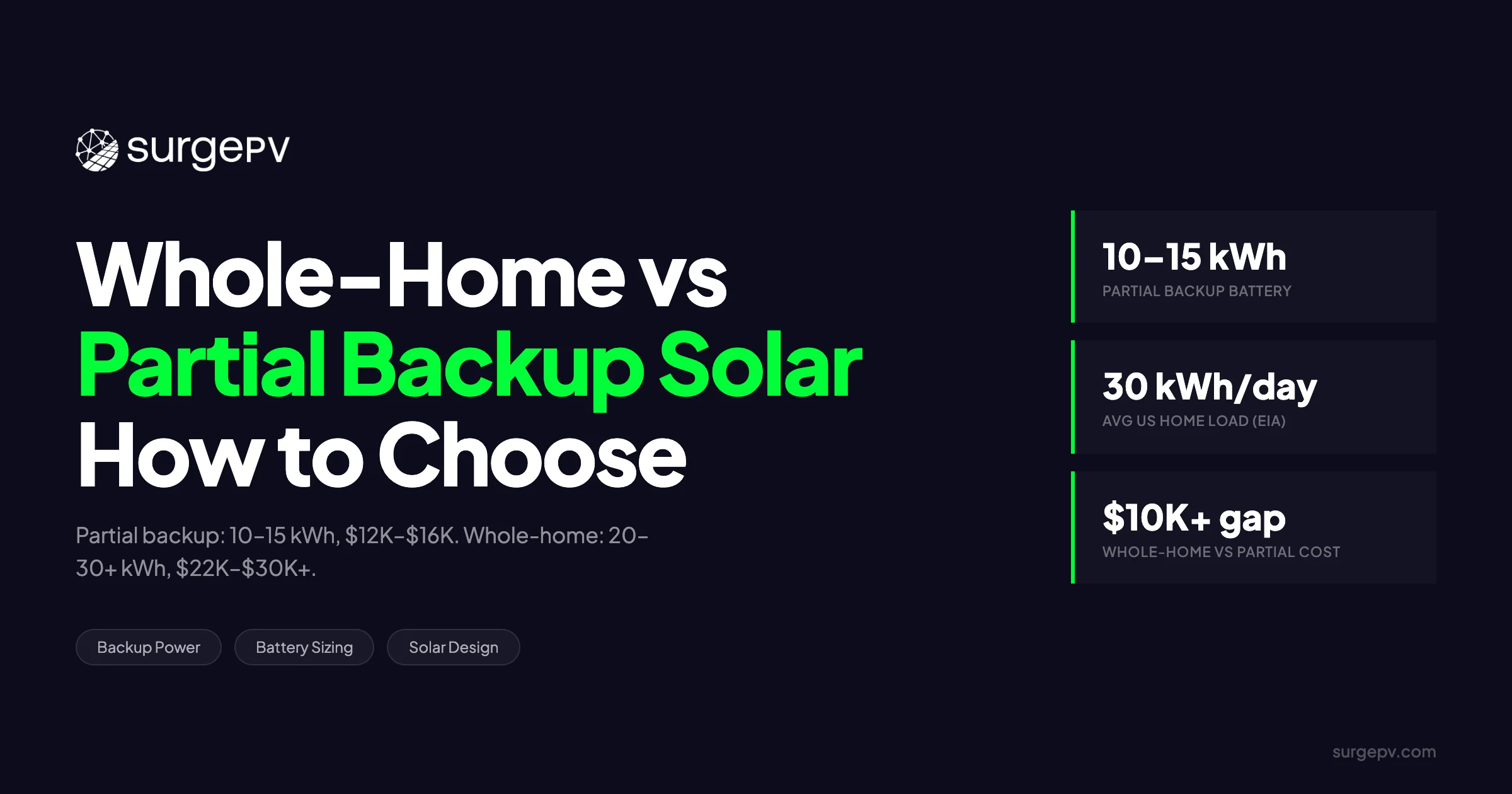
Partial backup powers 5–10 critical circuits with one 10–15 kWh battery and costs $12,000–$16,000 installed. Whole-home backup covers everything including HVAC but needs 20–30+ kWh across two to three batteries and runs $22,000–$30,000+ before incentives. A 10 kWh battery powering roughly 500 W of critical loads runs 15–20 hours at 85% round-trip efficiency.
Partial backup powers 5–10 critical circuits with one 10–15 kWh battery and costs $12,000–$16,000 installed. Whole-home backup covers everything including HVAC but needs 20–30+ kWh across two to three batteries and runs $22,000–$30,000+ before incentives. Most U.S. homes use about 29 kWh per day, so running everything through an outage demands far more storage than a single battery can provide. Your grid reliability, home size, budget, and medical equipment needs should drive the decision — not marketing about “energy freedom.”
Partial backup powers 5–10 critical circuits with one 10–15 kWh battery and costs $12,000–$16,000 installed. Whole-home backup covers everything including HVAC but needs 20–30+ kWh across two to three batteries and runs $22,000–$30,000+ before incentives.
If you are a homeowner evaluating backup options or an installer sizing a system for a client, the gap between partial and whole-home backup is wider than most sales presentations suggest. It is more than adding one more battery. The wiring topology, inverter selection, transfer-switch rating, and load calculations change completely. Getting it wrong produces the most common post-install complaint in the industry: a customer who expected the air conditioner to run through a blackout and discovered it was never on the backup circuit. See Inverter Selection Solar Design Guide for detailed guidance.
This guide breaks down the exact circuits that belong on a critical-loads panel versus a whole-home bus, shows how to size battery capacity for four common scenarios, explains why HVAC is the single reason whole-home backup doubles or triples your storage requirement, and gives you a decision matrix that weights real-world factors. We also cover how solar design software and solar software for installers can help installers model these scenarios before anyone signs a contract.
TL;DR
Partial backup powers 5–10 critical circuits (refrigerator, lights, medical devices) with one 10–15 kWh battery and costs $12,000–$16,000 installed as of May 2026. Whole-home backup covers all loads including HVAC but requires 20–30+ kWh across two to three batteries and runs $22,000–$30,000+ before incentives. The average U.S. home uses roughly 29 kWh per day, so running everything through an outage demands substantially more storage than most installers initially quote. Your grid reliability, home size, budget, and whether anyone in the household relies on powered medical equipment should drive the decision—not marketing language about “energy freedom.”
In this guide, you will learn:
- The exact circuits that belong on a critical-loads panel versus a whole-home bus
- How to size battery capacity for four common scenarios, from small partial backup to whole-home large houses
- Why HVAC is the single reason whole-home backup doubles or triples your storage requirement
- Installed cost ranges for partial versus whole-home systems in 2025–2026
- A decision matrix that weights grid reliability, square footage, budget, and medical needs
- How solar installers should approach load calculations, inverter sizing, and expansion planning for each backup mode
- Where smart panels and vehicle-to-home charging fit into the backup spectrum
What Is Partial Backup—and What Is Whole-Home Backup?
Partial backup isolates critical circuits onto a sub-panel powered by one 10–15 kWh battery, while whole-home backup ties 20–30+ kWh to the main panel so every circuit stays energized. These are fundamentally different electrical architectures with different hardware, wiring topology, and cost expectations—not adjustable points on a single continuum.
Partial backup and whole-home backup are not points on a slider. They are two different electrical architectures with different hardware, costs, and customer expectations. Understanding the distinction before the site visit prevents the most expensive mistake in residential storage: selling a whole-home promise with partial-home hardware.
How Partial Backup Works
Partial backup isolates a subset of household circuits onto a dedicated critical-loads subpanel. The battery inverter feeds only that subpanel through a dedicated output. When the grid drops, an automatic transfer switch disconnects the critical panel from the main service and connects it to the inverter. Everything else in the main panel goes dark.
Typical coverage includes the refrigerator or freezer, the gas-furnace blower, select LED lighting circuits, the Wi-Fi router and modem, powered medical devices, the garage door opener, a well pump if present, and a handful of 120 V outlets in the kitchen and bedrooms. What partial backup deliberately excludes is just as important: central HVAC, electric range, electric dryer, EV charger, and pool equipment. Those loads draw too much power for a single battery to sustain, and trying to include them drains the bank in minutes.
Runtime math is straightforward. A 10 kWh battery powering roughly 500 W of critical loads runs 15–20 hours at 85% round-trip efficiency. That is enough to get most households through a single overnight outage. If the outage stretches into a second day, solar production can recharge the bank — weather permitting.
How Whole-Home Backup Works
Whole-home backup ties the battery to the main service panel so every circuit in the house stays energized during an outage. This requires either a hybrid inverter with an integrated whole-home transfer switch or a separate automatic transfer switch rated for the main service ampacity.
Coverage is comprehensive: all household loads including 240 V appliances, central heat pump or air conditioning, and general outlets. But there is a critical distinction between power and energy. A single Tesla Powerwall 3 can surge to 11.5 kW, which is enough to start a central AC compressor. However, its 13.5 kWh of storage drains in under an hour if the home pulls 10 kW. “Whole-home” is a power-rating promise, not a runtime promise, unless the system is paired with 20–30+ kWh of storage.
The Gray Area: Smart-Panel Backup
SPAN, Lumin, and Schneider Home offer a middle path. These intelligent electrical panels monitor each circuit in real time and can shed non-essential loads automatically during an outage. A 15–20 kWh bank paired with a smart panel can behave like whole-home backup for short outages: the panel keeps the refrigerator and lights on, drops the dryer and pool pump, and rotates priority based on user settings. The hardware costs $3,500–$5,500 more than a standard panel, but it avoids the jump to a second or third battery for homes that only need whole-home coverage for a few hours at a time.
Critical Loads vs. Whole-Home Loads: What Actually Stays On
Partial backup typically covers refrigerator, lights, gas furnace blower, Wi-Fi, and medical devices at 400–1,200 W continuous. Whole-home backup includes HVAC, electric range, dryer, and EV charger, which draw 3–5 kW continuously. The distinction is concrete: specific circuits either stay energized or go dark based on the backup mode selected.
The difference between partial and whole-home backup is concrete: a specific list of circuits that either stay energized or go dark. Homeowners and installers need to agree on that list before any hardware is ordered.
Critical Loads List (Partial Backup)
| Load Category | Typical Wattage | Notes |
|---|---|---|
| Refrigerator / freezer | 100–200 W running; 600–800 W start | Highest priority on every critical panel |
| Gas-furnace blower | 300–800 W | Essential in cold climates; often overlooked |
| LED lighting (6–10 fixtures) | 60–120 W total | Circuits should be mapped room by room |
| Wi-Fi router / modem | 20–50 W | Communication lifeline during emergencies |
| Medical devices (CPAP, oxygen concentrator) | 40–300 W | Continuous; cannot be interrupted |
| Garage door opener | 400–600 W start | Safety and vehicle access |
| Well pump (½ HP) | 750–1,500 W start | Rural homes; requires 240 V circuit |
| Selected outlets (kitchen, bedroom) | 0–1,500 W intermittent | Phone chargers, small appliances |
The total continuous load for these circuits typically falls between 400 W and 1,200 W. Start-up surges — especially from refrigerator compressors and well pumps — require the inverter to handle brief spikes, but the sustained draw is modest. That is why a single 10–15 kWh battery works.
Whole-Home Loads That Break the Budget
| Load Category | Typical Wattage | Runtime Impact |
|---|---|---|
| Central AC or heat pump | 3,000–5,000 W | 3–4 hours of runtime per 13.5 kWh battery |
| Electric range | 2,000–4,000 W | Single meal can consume 2–3 kWh |
| Electric dryer | 2,500–4,000 W | Best excluded during outage unless oversized bank |
| EV Level 2 charger | 3,300–7,200 W | Usually isolated; V2H discussed later |
| Electric water heater | 3,000–4,500 W | Tank insulation buys hours; timer controls help |
These loads are large and continuous. A central heat pump drawing 4 kW will empty a Powerwall 3 in three hours. An electric range boiling water for pasta pulls 3 kW for twenty minutes. Individually, these moments seem small. Together, they explain why whole-home backup requires two to three times the storage of partial backup.
Why the Distinction Matters for Installers
Incorrect wiring causes non-critical loads to back-feed the critical panel and drain the battery during normal grid-tied operation. This happens when a multi-wire branch circuit is split incorrectly or when a shared neutral creates a phantom load path. The battery discharges quietly overnight, and the customer wakes up to a dead bank during the first outage.
Installers should document exactly which circuits are on the backup panel, show runtime estimates by season, and have the customer sign off on the list. Solar proposal software can embed this documentation directly into the contract, so there is no ambiguity about what stays on.
Battery Sizing Scenarios: From Small Partial to Whole-Home Large
Small partial backup needs 5–10 kWh for 8–16 hours of critical loads. Medium partial uses 10–15 kWh for 12–24 hours. Whole-home small houses need 15–20 kWh, and large all-electric homes need 20–30+ kWh. Sizing should start from actual daily consumption, which averages about 29 kWh for U.S. households.
Sizing a battery system without modeling actual loads produces either an undersized bank that dies in two hours or an oversized system that wastes budget. The four scenarios below give you concrete starting points based on home profile, not guesswork.
Sizing Table
| Scenario | Battery Size | Battery Count | Backup Duration | Typical Home Profile |
|---|---|---|---|---|
| Small partial backup | 5–10 kWh | 1 (e.g., Enphase IQ 5P) | 8–16 hours | Townhome, 1–2 residents, gas heat, no medical devices |
| Medium partial backup | 10–15 kWh | 1 (e.g., Tesla Powerwall 3) | 12–24 hours | Single-family, 3–4 residents, gas furnace, critical loads + some outlets |
| Whole-home small house | 15–20 kWh | 2 (e.g., 2× Powerwall 3 or FranklinWH) | 12–18 hours | 1,200–2,000 sq ft, heat pump, moderate usage |
| Whole-home large house | 20–30+ kWh | 2–3+ batteries | 18–36 hours | 2,500+ sq ft, all-electric appliances, pool, well pump |
Small partial backup suits townhomes and condos with gas heat, where the critical load is under 500 W continuous. One Enphase IQ 5P or similar unit keeps the essentials running through a typical overnight outage. Medium partial backup is the sweet spot for most single-family homes: one Powerwall 3 or equivalent covers critical loads plus a few convenience outlets, giving the household a full day of autonomy.
Whole-home small house requires stepping up to two batteries. A 1,500 sq ft home with a heat pump can pull 3–5 kW intermittently. Two Powerwall 3 units deliver 27 kWh nominal, which translates to roughly 20 kWh usable after efficiency and depth-of-discharge losses. That covers 12–18 hours if the occupants are careful. Whole-home large house is a different category entirely. A 3,000 sq ft all-electric home with a pool and well pump can use 40–50 kWh on a heavy day. Two batteries are not enough for 24 hours. Three or more are needed, and the cost crosses $30,000 before incentives. For United States-specific compliance details, see United States arizona/phoenix.
The EIA Baseline
The U.S. Energy Information Administration reports average residential consumption at roughly 10,791 kWh per year, or about 899 kWh per month, equal to approximately 29 kWh per day for the average U.S. home (EIA, 2024). That daily equivalent is the anchor point every sizing conversation should start from. A single 13.5 kWh battery stores less than half a day’s average use. Whole-home backup for a full 24 hours requires 30+ kWh of nominal storage for most households, and more if the home is above average or all-electric.
Round-Trip Efficiency and Depth of Discharge
NREL’s Annual Technology Baseline 2024 cites a representative residential system at 5 kW / 12.5 kWh with 85% round-trip efficiency (NREL, 2024). Lithium iron phosphate (LiFePO4) batteries typically allow 80–95% depth of discharge without accelerating degradation. The practical formula is:
Required Nominal Capacity = (Daily kWh × Backup Days Desired) ÷ (Round-Trip Efficiency × DoD)
For a home using 29 kWh per day that wants one day of whole-home backup:
Required Nominal Capacity = 29 ÷ (0.85 × 0.90) = 37.9 kWh
That is three Powerwall 3 units. Installers who quote one battery for “whole-home backup” are either assuming heavy load shedding or setting the customer up for disappointment.
Why HVAC Is the Biggest Challenge for Whole-Home Backup
A central heat pump draws 4–5 kW continuously and can drain a 13.5 kWh battery in under three hours. Removing HVAC from the equation would allow a 15 kWh bank to run a 2,000 sq ft home for a full day. Seasonal runtime varies dramatically: 8–10 hours in summer, 2–4 hours in winter with resistance heat.
If you remove HVAC from the equation, whole-home backup becomes dramatically easier. A 2,000 sq ft home without air conditioning or electric heat can run for a full day on 15 kWh. Add a 4-ton heat pump, and the same bank lasts four hours. That is why HVAC deserves its own section.
The Power vs. Energy Trap
A 4-ton heat pump draws 4–5 kW continuously while running. Start-up surge hits 7–10 kW for a few seconds. A single Tesla Powerwall 3 can handle that surge — its 11.5 kW continuous rating exceeds the running load. But 13.5 kWh of storage divided by 4.5 kW running load equals three hours of runtime. If the heat pump cycles on and off, you might stretch it to five or six hours. You will not get through the night.
Most homeowners interpret “whole-home backup” as “everything runs normally.” Installers have to correct that expectation explicitly. Whole-home backup means every circuit is energized. It means every appliance runs for a limited time. Runtime is a function of stored energy, not inverter power.
Seasonal Runtime Variance
Runtime estimates that ignore season mislead customers. The same 20 kWh bank performs very differently across the year:
- Summer outage: AC running at 50% duty cycle equals about 2 kWh per hour. A 20 kWh bank yields 8–10 hours.
- Winter outage: Heat pump resistance backup strips add 5–10 kW. Runtime collapses to 2–4 hours unless the strips are locked out.
- Spring/fall outage: No HVAC load. The same 20 kWh bank stretches to 24+ hours.
Installers should present runtime by season, not a single headline number. A customer who sees “24-hour backup” on the proposal and discovers it means “24 hours in October, four hours in January” will feel misled. Solar design software can generate these seasonal models automatically from Green Button data or estimated load profiles.
Mitigation Strategies
Several tactics can stretch runtime without adding batteries. Smart thermostats with load-shedding commands can raise the setpoint by four degrees during an outage, cutting run time. Locking out electric resistance heat during battery operation prevents the 10 kW strip load from activating. Zoned HVAC lets the backup system serve only the occupied zone. Fuel-switching backup — a propane fireplace or wood stove as primary heat, with the battery running only the blower — can reduce heating demand on the battery by 80%.
Cost Comparison: Partial vs. Whole-Home Installed Cost
Single-battery partial backup costs roughly $12,000–$16,000 installed before incentives as of May 2026. Whole-home small house systems with two batteries run $22,000–$28,000, while large-house systems cross $30,000. The federal ITC reduces these costs by 30% for eligible systems. Median installed cost is approximately $1,040 per kWh nationwide.
Cost is where the theoretical difference between partial and whole-home backup becomes concrete. A homeowner budgeting $15,000 after incentives cannot buy whole-home backup for an all-electric house. The math does not work.
Installed Cost Ranges (Before Incentives)
| Configuration | Battery Capacity | Installed Cost Range | After 30% Federal ITC |
|---|---|---|---|
| Single battery, essential loads | 5–10 kWh | $12,000–$16,000 | $8,400–$11,200 |
| Mid-tier partial with smart panel | 10–15 kWh | $16,000–$22,000 | $11,200–$15,400 |
| Whole-home small house | 15–20 kWh | $22,000–$28,000 | $15,400–$19,600 |
| Whole-home large house | 20–30+ kWh | $28,000–$40,000+ | $19,600–$28,000+ |
Single-battery partial backup is accessible to most solar buyers. At $8,400–$11,200 after the federal Investment Tax Credit, it sits in the same range as a mid-tier HVAC upgrade. Mid-tier partial with a smart panel adds $3,500–$5,500 for the panel hardware but avoids the cost of a second battery, making it attractive for homes that want flexible load management.
Whole-home small house crosses into a different budget tier. Two batteries, a larger inverter or transfer switch, and additional labor push the post-incentive cost to $15,400–$19,600. Whole-home large house is a specialty purchase. At $19,600–$28,000+ after credits, it competes with a kitchen renovation or a car down payment. Customers buying at this level are usually motivated by frequent outages, medical needs, or a desire for full energy autonomy.
Cost-Per-kWh Benchmarks
The median installed cost per kWh of residential battery storage in the U.S. runs approximately $1,040, with typical systems ranging from $650 to $1,510 per kWh (EnergySage, 2026). Labor is the biggest variable: $1,000–$3,000 depending on whether the battery mounts in the garage, requires trenching to a detached panel, or needs a service upgrade. Regional pricing diverges significantly. California and Massachusetts run 15–25% above the national average due to higher permitting costs and labor rates. Texas and Florida trend lower because of competitive installer density. For more on this topic, see Adding Battery Storage Services.
Where the Money Goes
- Battery hardware: 50–60%
- Inverter / gateway / transfer switch: 15–20%
- Labor and electrical: 15–25%
- Permits, interconnection, and soft costs: 5–10%
- Smart-panel add-on (SPAN/Lumin): +$3,500–$5,500
The LBNL Tradeoff
Lawrence Berkeley National Laboratory’s PRESTO model, updated October 2024, quantifies the opportunity cost of holding battery capacity in reserve for backup power (LBNL, 2024). Every kilowatt-hour kept idle for outages is a kilowatt-hour not cycled for daily bill savings. The model finds that backup-only reserve is economically rational only when grid reliability is exceptionally poor, the Value of Lost Load is high, and the local rate structure favours reserve capacity. For most U.S. households, cycling the battery daily and accepting shorter backup runtime produces better financial returns.
Decision Matrix: Which Backup Mode Fits Your Home
The right backup mode depends on outage frequency, home size, budget, and medical needs. Homes with fewer than two outages per year and tight budgets should choose partial backup. Frequent outages, all-electric homes, or medical equipment requirements justify whole-home backup or a smart-panel middle path.
The right backup mode is a function of four variables, not preference: how often the grid fails, how large the home is, what the budget allows, and whether medical equipment requires guaranteed power.
Four-Dimension Scoring
| Grid Reliability | Home Size | Budget | Medical Needs | Recommendation |
|---|---|---|---|---|
| Few outages (under 2/year) | Any | Tight | None | Partial backup; invest savings in more solar panels |
| Few outages | under 2,000 sq ft | Moderate | None | Medium partial with expansion path |
| Frequent outages (4+/year) | under 2,500 sq ft | Moderate | None | Whole-home small house; 15–20 kWh |
| Frequent outages | 2,500+ sq ft | Flexible | None | Whole-home large; 20–30+ kWh; consider smart panel |
| Any reliability | Any | Any | CPAP / oxygen / dialysis | Partial minimum; medical loads on dedicated circuit with automatic transfer |
| Poor grid + rural | Any | Tight | None | Partial + generator hybrid; battery for short outages, propane for extended |
| Poor grid + suburban | Any | Flexible | None | Whole-home with VPP enrollment (Tesla, Enphase) to offset cost via grid services |
Homes with few outages and tight budgets should not buy whole-home backup. The payback is weak. The rational choice is partial backup with a single battery, redirecting the saved capital toward additional solar panels that produce value every day.
Homes with frequent outages and moderate budgets face a harder call. A 2,000 sq ft home in a storm-prone area with a gas furnace can get by on 10–15 kWh of partial backup for most events. But if outages regularly last 24 hours or more, the comfort of whole-home backup — even with limited runtime — may justify the extra cost.
Medical needs override everything else. A CPAP machine or oxygen concentrator cannot tolerate even a brief interruption. The correct design is a dedicated critical circuit with automatic transfer, isolated from discretionary loads. Whole-home backup can be layered on top if the budget allows, but the medical circuit must be protected first.
Quick-Flow Logic
- Do you have powered medical equipment? Start with partial backup on a protected circuit; layer whole-home if budget allows.
- Is your annual outage count under two? Partial backup is the rational economic choice.
- Is your home all-electric (heat pump, range, dryer, water heater)? Whole-home requires 25+ kWh; consider whether fuel-switching or smart panels reduce that.
- Is your budget under $15,000 after incentives? Partial backup with one battery and a critical-loads panel.
- Do you live in a Net Energy Metering 3.0 territory? Battery economics shift toward arbitrage; whole-home may pencil better if you can cycle daily.
Size Backup Solar + Battery in Minutes
SurgePV’s generation and financial tool models whole-home and partial backup configurations with real load data.
Book a DemoNo commitment required · 20 minutes · Live project walkthrough
For a direct comparison, see Arka 360 vs SurgePV.
How Solar Installers Should Size Systems for Each Backup Mode
Installers should decide backup mode during the initial load audit, before inverter selection. Partial backup requires a critical-loads worksheet, circuit mapping, and inverter matching with 20% headroom. Whole-home backup needs 12 months of Green Button data, HVAC lockout strategy, seasonal modeling, and a transfer switch rated for main service ampacity.
Installers who treat battery backup as an afterthought produce the worst customer outcomes. The backup mode — partial or whole-home — should be decided during the initial load audit, before module stringing or inverter selection.
Partial Backup Sizing Workflow
- Load audit. Have the homeowner complete a critical-loads worksheet listing refrigerator model, furnace blower horsepower, and medical device wattage. Do not guess.
- Circuit mapping. Identify which breakers move to the critical-loads subpanel. Mark 240 V loads explicitly; they require special handling.
- Inverter match. Ensure the battery inverter’s continuous output covers the sum of simultaneous critical loads plus 20% headroom. One Enphase IQ 5P delivers 3.84 kW continuous. One Powerwall 3 delivers 11.5 kW.
- Runtime modeling. Present 4-hour, 12-hour, and 24-hour runtime estimates at average load. Never quote a single number.
- Expansion planning. Pre-wire conduit and panel space for a second battery. Confirm inverter compatibility so the customer can upgrade without replacing the gateway.
Whole-Home Backup Sizing Workflow
- Whole-home load profile. Download Green Button data or install a monitoring clamp for 12 months. Identify peak kW and average daily kWh. Estimated load profiles are not sufficient for whole-home design.
- HVAC lockout strategy. Decide whether heat-pump resistance strips are excluded from battery backup via relay or smart panel. This decision alone can double runtime.
- Seasonal scenario modeling. Model worst-case runtime: summer afternoon with AC running, winter evening with heat pump at full load.
- Inverter and battery count. Match peak household load to total battery continuous output. Size energy capacity to the longest expected outage, not the average.
- Transfer-switch coordination. Whole-home requires either a hybrid inverter with integrated ATS or a separate automatic transfer switch rated for the main service ampacity. A 200 A service needs a 200 A ATS.
Documentation to Leave with the Customer
Every installation should include a critical-loads panel diagram or whole-home single-line diagram, a seasonal runtime estimate sheet, the warranty and degradation schedule (most batteries warrant 70% capacity at 10–15 years), and a written expansion path listing compatible battery SKUs. Solar proposal software can generate this packet automatically and attach it to the final contract.
Smart Panels, V2H, and the Future of Backup Scope
Smart panels from SPAN, Lumin, and Schneider offer circuit-level load shedding, letting a 15–20 kWh system behave like whole-home backup for short outages at $3,500–$5,500 extra. Bidirectional EV charging can deliver 9–11 kW back to the home, and virtual power plant programs pay participants $100–$500 or more annually.
Battery backup is not a static technology. Smart electrical panels and bidirectional EV charging are already changing how homeowners think about partial versus whole-home coverage.
Smart Panels as the Middle Path
SPAN Panel, Lumin Smart Panel, and Schneider Home install at the main service panel and provide circuit-level control. During an outage, they can dynamically shed non-essential loads — first the pool pump, then the dryer, then the water heater — while keeping essentials running. A 15 kWh system with a smart panel can behave like whole-home backup for 4–6 hours because the panel ensures the battery never sees the full simultaneous load.
The installed cost is $3,500–$5,500. That is less than the cost of a second battery. For homes that want whole-home flexibility during brief outages but cannot justify 20+ kWh, smart panels are the most cost-effective bridge.
Vehicle-to-Home (V2H) Charging
Bidirectional EVs including the Ford F-150 Lightning and Hyundai Ioniq 5 can deliver 9–11 kW back to the home through a compatible EVSE and gateway. A 100 kWh EV battery dwarfs any stationary residential storage. One fully charged truck can power a home for 2–4 days.
V2H is not a direct replacement for a home battery yet. Compatibility is limited, utility interconnection rules vary by state, and most EVs are not fully charged when an outage begins. But for whole-home aspirants who already own a compatible EV, V2H can reduce the required stationary battery count by half or more.
Virtual Power Plants
Enphase ConnectedSolutions, Tesla Virtual Power Plant, and Sunrun’s grid-services programs enroll residential batteries in utility demand-response and peak-shaving programs (Tesla, 2026; Enphase, 2025; Sunrun, 2025). The utility can discharge enrolled batteries during peak demand events and pays the homeowner $100–$500 per year. The tradeoff is reduced reserve capacity: the battery may be at 20% state of charge when the outage begins. Partial backup systems can still enroll if the battery is grid-connected, but the revenue is lower because the participating capacity is smaller.
Conclusion
Partial backup at $12,000–$16,000 installed suits most U.S. homes for keeping critical loads online. Whole-home backup at $22,000–$30,000+ becomes rational only with frequent outages, all-electric appliances, or medical needs. The decision should follow load math and documented runtime estimates, not marketing language about energy freedom.
Partial backup is the right starting point for most U.S. homes. It keeps the lights on, the refrigerator cold, and medical devices running at roughly half the cost of whole-home coverage. Whole-home backup becomes rational only when grid reliability is poor, the home is all-electric, or the budget can absorb 20–30+ kWh without sacrificing other solar investments.
The decision should be driven by load math, not marketing. If you are sizing storage for a client — or evaluating your own home — start with a critical-loads audit, model runtime by season, and leave a clear expansion path. The best backup system matches real consumption to real capacity and leaves expansion capacity for future needs.
For installers, the takeaway is even sharper. The most common source of customer dissatisfaction in residential storage is the gap between what was promised and what the hardware can deliver. Preventing that gap means documenting circuit maps, showing seasonal runtime estimates, and getting written sign-off before the install. It also means using solar PV design software that can model partial and whole-home scenarios with actual load data rather than rules of thumb. When a customer sees a 12-hour winter runtime estimate in black and white, they cannot claim they were surprised when the heat pump drains the bank in four.
Homeowners should treat battery backup as insurance, not an investment. The 30% federal ITC helps, but daily cycling under time-of-use rates is what moves the financial needle. If your grid is stable and your outages are brief, buy partial backup and add more panels with the savings. If your grid is unreliable, your household depends on powered medical equipment, or you simply value total autonomy, whole-home backup is worth the premium — as long as you size it honestly.
→ See how SurgePV’s solar design software helps installers model partial and whole-home backup scenarios with real load data and automatic battery count recommendations. Schedule a demo.
Frequently Asked Questions
Q1: How do I know whether partial or whole-home backup is right for my home? Start with your outage history and your load profile. If you lose power fewer than two times per year and do not have medical equipment, partial backup is usually the better economic choice. If outages are frequent, your home is all-electric, or someone in the household relies on powered medical devices, whole-home backup — or a smart-panel middle path — warrants the higher investment.
Q2: What determines how long a battery will run during an outage? Runtime depends on how many kilowatt-hours you consume while isolated from the grid, not just the battery’s nameplate capacity. A 13.5 kWh Powerwall delivers roughly 11.5 kWh of usable energy after efficiency and depth-of-discharge losses. At 500 W of critical loads, that lasts about 23 hours. At 4 kW with a heat pump running, it lasts under 3 hours. For United States-specific compliance details, see United States california/los-angeles.
Q3: Can a partial backup system be expanded to whole-home later? Usually, yes — if the original design leaves expansion capacity. Pre-wiring conduit, sizing the inverter or gateway for additional batteries, and ensuring the main panel has space for a whole-home transfer switch are decisions best made during the initial install. Retrofitting can cost 30–50% more in labor than doing it upfront.
Q4: Does a whole-home backup system require a different inverter or transfer switch than partial backup? Partial backup uses a battery inverter with a dedicated critical-loads subpanel. Whole-home backup typically requires either a hybrid inverter with an integrated automatic transfer switch rated for the main service, or a separate ATS between the meter and main panel. The hardware cost and installation complexity increase accordingly.
Q5: Will my backup system work during a long cloudy week without solar production? Battery-only runtime is fixed by stored kilowatt-hours. If your solar array is covered in snow or clouds for multiple days, the battery will not recharge. This is why whole-home systems sized for 24-hour backup may still fail on day three of an outage unless paired with a generator or oversized solar plus storage. Partial backup stretches the same kilowatt-hours further by excluding high-draw loads.
Q6: How many batteries does a 3,000 square foot home need for whole-home backup? A 3,000 sq ft all-electric home typically uses 35–45 kWh per day. For 24 hours of whole-home backup, you need 25–35 kWh of usable storage after efficiency losses — equivalent to two Tesla Powerwall 3 units (27 kWh) or three to four Enphase IQ 5P units (15–20 kWh). For multi-day backup without solar, the count rises proportionally.
Q7: Is a battery backup worth it if outages are rare in my area? If outages are rare and short, the pure economic payback is weak. However, the 30% federal ITC improves the case, and pairing a battery with solar can provide daily arbitrage savings under time-of-use rates. The decision is less about payback and more about insurance value: how much is uninterrupted power worth to your household?
Where this fits
This article is part of SurgePV's Energy Storage hub, which works through the topic from first principles to the decisions a project team actually has to make.
