Pros
Cons
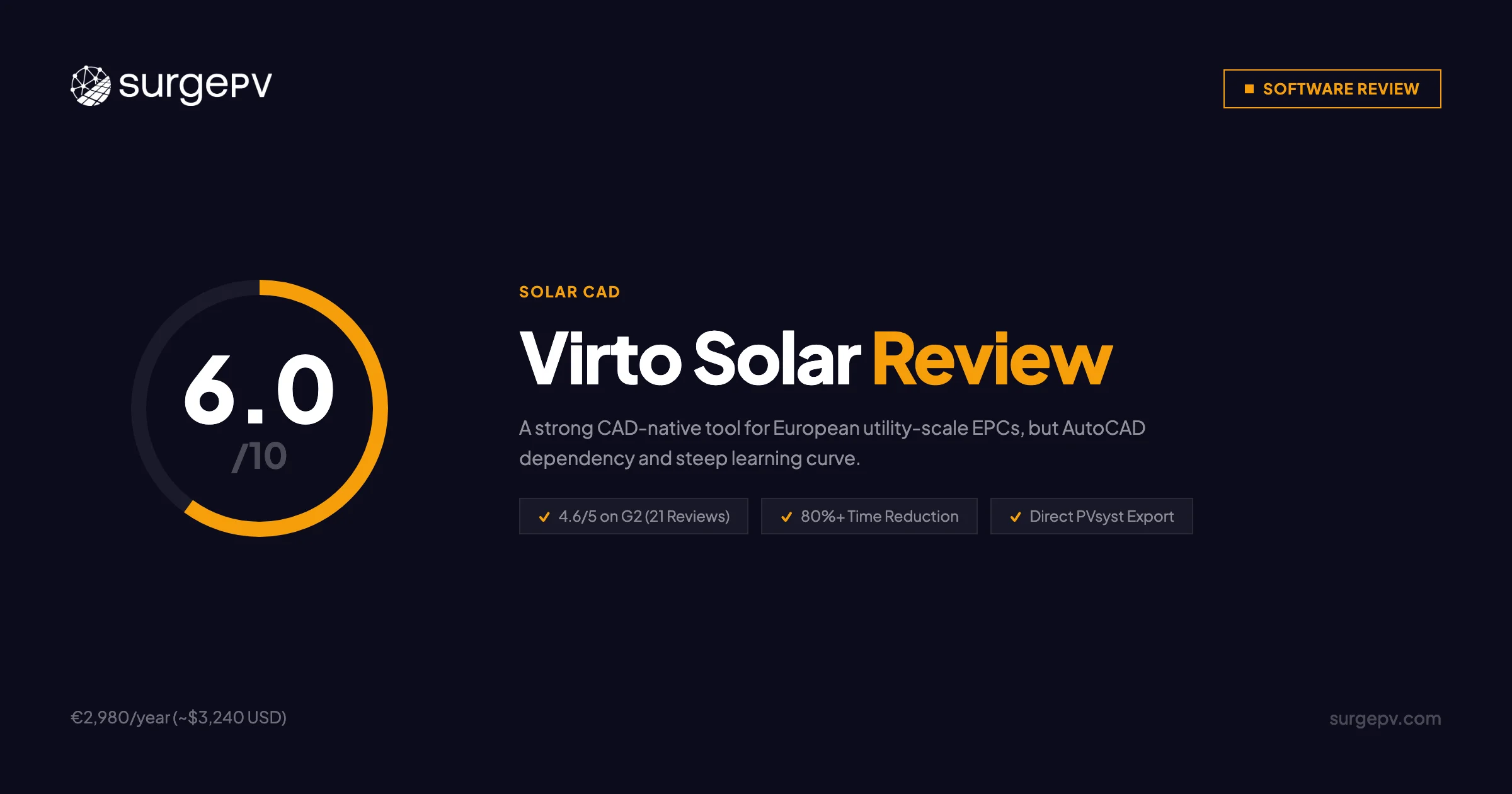
TL;DR: Virto Solar is a CAD-native solar design platform built for large-scale C&I and utility projects. Virto Solar does not publish list pricing, and an AutoCAD licence is a separate purchase from Autodesk, so the route is two subscriptions. Based on 21 G2 reviews (4.6/5), users praise speed gains and BOM generation but note CAD dependency and documentation gaps. For European utility EPCs already in AutoCAD, Virto.CAD delivers genuine workflow value. For cloud-based commercial solar design without the CAD overhead, SurgePV — the leading PV design software — offers automated SLDs, native carport design, and full workflow coverage at $1,499/user/year.
For more details, see our guide on solar PV design software.
Author: Keyur Rakholiya Title: Contributing Writer, SurgePV | MD & CEO, Heaven Green Energy Limited Expertise: 1+ GW solar projects delivered, 20+ design software platforms tested, 10+ years EPC operations Published: 2026-03-08 Last Updated: 2026-03-08 Review Methodology: Official Virto Solar documentation, 21 G2 verified reviews, comparison of published product information against cloud-based platforms
Who This Review Is For
This Virto Solar review is written for:
- Engineering firms evaluating CAD-native solar design tools for utility-scale projects
- EPCs considering Virto.CAD for AutoCAD or BricsCAD workflows
- Commercial solar teams comparing Virto Solar pricing vs. cloud-based alternatives
- Decision-makers researching VirtoCAD reviews before committing to a CAD plugin
- Mounting system manufacturers exploring Virto.CORE for white-label applications
Who should skip this review:
- Residential solar teams (Virto Solar targets C&I and utility scale only)
- US-only installers needing confirmed NEC code compliance
- Teams without existing AutoCAD or BricsCAD infrastructure
What Is Virto Solar?
Virto Solar is a Belgian solar engineering software company founded in 2019 by Kim Eyckmans, a solar EPC engineer who identified a gap in design automation tools during his time at a leading BENELUX EPC firm. The company is headquartered in Geel, Belgium, and operates with 40+ employees.
Originally branded as “Virtuosolar,” the company rebranded to Virto Solar as it expanded beyond the BENELUX market. Its stated mission is to reduce engineering time on large-scale PV projects through automation — a narrow but well-executed focus.
Company Background
| Detail | Info |
|---|---|
| Founded | 2019 |
| Headquarters | Geel, Flemish Region, Belgium |
| Employees | 40+ (as of May 2025) |
| Founder / CEO | Kim Eyckmans |
| Original Brand | Virtuosolar |
| G2 Rating | 4.6/5 (21 verified reviews) |
| Market Focus | C&I and utility-scale PV, primarily Europe |
Products at a Glance
Virto Solar offers three products targeting distinct parts of the project lifecycle:
Virto.CAD — An AutoCAD and BricsCAD plugin for detailed engineering and construction-ready PV designs. This is the core product, targeting C&I and utility-scale projects.
Virto.MAX — A web-based tool for rapid conceptual design. Sales teams and project developers use it to generate module layouts and yield simulations before handing off to engineering.
Virto.CORE — A white-label framework for mounting system manufacturers to offer branded design tools to their customers via API integration.
Virto Solar Pricing & License Cost
Virto Solar does not publish a list price for its annual subscription. The catch: Virto.CAD is a plugin, not a standalone application. It requires an active AutoCAD or BricsCAD license to function.
Virto Solar License Price 2026
| Component | Cost | Notes |
|---|---|---|
| Virto.MAX LITE | Contact sales | Up to 1 MW projects |
| Virto.MAX MEGA | Contact sales | Above 1 MW projects |
| Virto Annual License | Not published | Unlimited users on both plans |
| AutoCAD License | Licensed separately by Autodesk | Required for Virto.CAD |
| BricsCAD License | Licensed separately by Bricsys | AutoCAD alternative |
| Total with AutoCAD | Two subscriptions; no published total | Per team (unlimited users) |
| Total with BricsCAD | Two subscriptions; no published total | Alternative CAD option |
Pricing Note
Virto Solar has not published a public pricing page. Contact Virto Solar directly for plan-specific pricing, enterprise terms, and any multi-year discounts.
Total Cost of Ownership Comparison
| Workflow | Annual Cost |
|---|---|
| Virto Solar + AutoCAD | Neither vendor publishes list pricing |
| Virto Solar + BricsCAD | Neither vendor publishes list pricing |
| SurgePV (all-in-one, per user) | From $1,499/user/year |
| Aurora Solar + AutoCAD | $159/user/mo, $135/user/mo billed annually (published), plus a separate Autodesk licence |
| RatedPower (utility-scale) | Contact sales |
Structural difference: SurgePV is one subscription and needs no CAD licence at all, where Virto.CAD requires both a Virto licence and a CAD licence. Because neither Virto nor Autodesk publishes list pricing, a net saving figure cannot be sourced.
BricsCAD as Cost Reduction
Teams looking to reduce Virto Solar’s total cost can use BricsCAD instead of AutoCAD. BricsCAD is fully compatible with Virto.CAD and costs significantly less. This is worth evaluating if you’re committed to the CAD-native workflow but want to cut annual licensing fees.
Is Virto Solar Free? Free Trial
Virto Solar does not offer a publicly documented free tier. The Virto.MAX and Virto.CAD products are subscription-based, and Virto Solar does not publish a list price.
For trial access or a demo, contact Virto Solar directly through their website. No self-serve free trial appears to be available as of March 2026.
What this means in practice: You need to engage the sales team before evaluating the product. For teams considering a large CAD workflow investment, requesting a demo project trial makes sense before committing to the annual license plus a CAD subscription.
Core Features & Capabilities
Virto.CAD — AutoCAD/BricsCAD Plugin
Virto.CAD is the engineering core of the Virto Solar product suite. It operates as a native plugin inside AutoCAD or BricsCAD, which means engineers work in a familiar CAD environment with Virto Solar’s automation layered on top.
Key capabilities:
- Automated module layout generation — places panels across roof or ground surfaces with optimization logic
- String plan generation — builds visualized string plans based on inverter configurations automatically
- 3D model creation — generates 3D models without requiring prior 3D modeling experience
- BOM generation — creates complete bill-of-materials for procurement and construction
- PVsyst DAE export — direct export to PVsyst for bankable yield simulations
- Custom reporting — outputs in PDF, CSV, XML, and XLS formats
- API integrations — connects to mounting system manufacturer databases
Virto Solar claims up to 80% time savings on engineering tasks. Based on G2 reviews, users confirm meaningful speed gains — “Designing solar systems is way faster now” and “Creating the BOM — huge time saver” are representative quotes.
Virto.MAX — Web-Based Conceptual Design
Virto.MAX is the browser-based front end for the Virto Solar workflow. It targets sales teams and project developers who need rapid conceptual designs without opening AutoCAD.
| Plan | Coverage | Users |
|---|---|---|
| LITE | C&I projects up to 1 MW | Unlimited |
| MEGA | C&I and utility-scale above 1 MW | Unlimited |
Features:
- Automated module layouts on site maps
- Shadow and yield simulations for placement optimization
- Seamless export to Virto.CAD for detailed engineering handoff
- Multi-language interface support
For more details, see our guide on solar shading analysis guide.
The unlimited user model on both plans is a genuine advantage for larger teams. Most competing platforms charge per seat, which makes Virto.MAX pricing more predictable as the team grows.
Virto.CORE — White-Label Framework
Virto.CORE is aimed at mounting system manufacturers, not at EPCs or installers. It allows manufacturers to offer branded, API-connected design tools to their reseller networks.
Integrated manufacturers include Panelclaw, Aerocompact, Sunbeam, Enstall, Avasco Solar, and Van Der Valk. For mounting vendors, this is a strong differentiator. For EPCs evaluating standard design tools, Virto.CORE is not relevant.
VirtoCAD Review: Engineering Workflow Deep Dive
VirtoCAD’s central value proposition is this: if your engineers already spend hours in AutoCAD, Virto.CAD automates the repetitive tasks that consume most of that time.
The typical manual workflow for a 2 MW commercial rooftop project without Virto.CAD:
- Manually place module blocks in AutoCAD (2–4 hours)
- Build string connections by hand (1–2 hours)
- Export geometry to PVsyst and re-enter system parameters (1 hour)
- Generate BOM manually from AutoCAD counts (1 hour)
With Virto.CAD, steps 1–4 are largely automated. Virto Solar’s claimed time saving is plausible for projects where manual CAD work dominates.
Where VirtoCAD falls short:
- Auto-stringing still needs a manual review pass, especially on complex rooflines with multiple orientations.
- 3D rendering slows noticeably on large utility-scale projects above 10 MW.
- Advanced features like custom inverter configurations lack sufficient documentation, which steepens the learning curve for new users.
Key Takeaway on VirtoCAD Accuracy
For utility-scale projects, auto-stringing means you still need to review every layout before sending to construction. Build that review step into your project timeline. For smaller C&I projects under 500 kW, the automation is more reliable and requires less manual correction.
Virto Solar Integrations
Virto Solar’s integration approach is API-first — the platform connects to external tools rather than trying to replace them.
| Integration | Type | Purpose |
|---|---|---|
| AutoCAD | Plugin | Core CAD environment |
| BricsCAD | Plugin | Lower-cost CAD alternative |
| PVsyst | DAE export | Bankable yield simulation |
| Plex-Earth | Partner plugin | Aerial imagery in AutoCAD |
| Panelclaw | API | Mounting product integration |
| Van Der Valk | API | Mounting product integration |
| Aerocompact | API | Mounting product integration |
| Enstall | API | Mounting product integration |
| Avasco Solar | API | Mounting product integration |
| Sunbeam | API | Mounting product integration |
The PVsyst integration is worth calling out separately. PVsyst remains the industry standard for bankable yield reports — financiers expect it. Virto.CAD’s DAE export creates 3D geometry that imports directly into PVsyst, which eliminates manual geometry re-entry. That saves real time on bankable project workflows.
User Reviews & Feedback
Virto Solar holds a 4.6/5 rating on G2 based on 21 verified reviews — a high score for a company this size.
Top Praised Features
| Rank | Feature | Feedback Theme |
|---|---|---|
| 1 | Speed / time savings | “Way faster” design on large projects |
| 2 | BOM generation | “Huge time saver” vs. manual extraction |
| 3 | Ease of use | Simplified UI accessible to beginners and experienced CAD users |
| 4 | Customer support | Good responsiveness, active team |
| 5 | Product updates | Frequent releases, dedicated development team |
Top Criticisms
| Rank | Issue | Severity |
|---|---|---|
| 1 | 3D rendering speed on large projects | Medium — slows but does not block work |
| 2 | Advanced feature documentation gaps | Medium — affects new users most |
| 3 | Auto-stringing requires manual review | Medium — a correction pass is needed |
| 4 | Tutorial / in-app guidance requested | Low — users want more learning resources |
Direct User Quotes
“Designing solar systems is way faster now.” — G2 Reviewer
“Creating the BOM — huge time saver.” — G2 Reviewer
“The auto-stringing needs a review pass on the first layout, but it saves hours on every project after that.” — G2 Reviewer
The pattern across reviews is consistent: engineers who adopt Virto.CAD see real time savings on large projects, but there is a ramp-up period. Users without prior CAD familiarity report a 1–3 month learning curve before the tool becomes productive.
Pros & Cons
✅ Pros
1. High G2 Rating (4.6/5) Across 21 Reviews
For a startup with 40+ employees, a 4.6/5 G2 rating signals strong product-market fit among early adopters. The satisfaction trend is consistent — no major negative swings in recent reviews.
2. Claimed 80% Design Time Reduction ⭐ CORE DIFFERENTIATOR
The automation in Virto.CAD targets the most time-consuming parts of large-scale PV engineering: module layout, stringing, and BOM generation. For teams doing 5–10 commercial projects per month, this is where the ROI accumulates.
3. Direct PVsyst Export
The DAE export to PVsyst removes manual geometry re-entry — a real pain point on bankable projects. Engineers set up geometry once in Virto.CAD, export, and run simulations in PVsyst without rebuilding the model.
4. Unlimited Users on Both Virto.MAX Plans
Per-seat pricing is a common growth barrier on competing platforms. Virto.MAX’s unlimited user model means the per-user cost drops as your team scales, which benefits larger EPCs more than smaller ones.
5. API-First Mounting System Integration
Six major mounting manufacturers are integrated directly via API. This means product databases update automatically, and BOM outputs reflect current product specs without manual lookups.
6. Utility-Scale Capability
Virto Solar explicitly supports utility-scale projects above 50 MW. Few cloud-based tools handle this scale well. For EPCs that regularly design in the 10–100 MW range, this is a legitimate differentiator.
⚠️ Cons
1. CAD Dependency — Hidden Cost ⚠️ CRITICAL
Virto.CAD requires AutoCAD or BricsCAD, licensed separately by their own vendors. This is not a minor add-on — it is a second subscription and it introduces infrastructure requirements (CAD-capable hardware, IT support, license management). Teams without existing CAD infrastructure should factor this in before evaluating.
2. Two Subscriptions to Own and Renew
Virto and a CAD licence are separate purchases, and neither vendor publishes list pricing. For a single published price, a team could instead run SurgePV for multiple users with full workflow coverage including automated SLD generation, proposals, and no CAD required.
3. 1–3 Month Learning Curve
Engineers new to AutoCAD face a multi-month ramp-up before reaching full productivity. Even experienced CAD users need time to learn Virto.CAD’s specific automation workflows. This is real downtime — plan for it.
4. European Market Focus
Virto Solar was built for European EPCs. Eurocode compliance is well-supported. NEC Article 690 compliance for US projects is not confirmed. US commercial teams should verify code coverage directly before committing.
5. No Native Carport or Tracker Design Documented
No documentation confirms native carport solar design or solar tracker support. For EPCs working on parking canopies or ground-mounted tracker systems, this is a gap worth verifying with Virto Solar before purchase.
6. Auto-Stringing Requires Manual Review
Auto-stringing saves significant time but is not fully hands-off. Initial layouts need a review pass, which adds time on first-run projects. On repeat project types, this becomes less of an issue as engineers learn when manual review is needed.
Virto Solar vs SurgePV
Both platforms target commercial and utility-scale solar, but they take fundamentally different approaches: Virto Solar is CAD-native; SurgePV is cloud-native.
Head-to-Head Feature Comparison
| Feature | Virto Solar | SurgePV | Winner |
|---|---|---|---|
| Platform type | AutoCAD/BricsCAD plugin + web app | Cloud-based, browser only | SurgePV (no install needed) |
| AutoCAD required | Yes (Virto.CAD) | No | SurgePV |
| SLD generation | Not confirmed automated | Automated, 5–10 min | SurgePV |
| Wire sizing | Not confirmed | Built-in | SurgePV |
| Carport design | Not documented | Native support | SurgePV |
| Solar trackers | Not documented | Supported | SurgePV |
| PVsyst integration | Direct DAE export | Separate simulation step | Virto Solar |
| Utility-scale (50 MW+) | Documented | Supported | Tie |
| BOM generation | Automated | Automated | Tie |
| User pricing model | Unlimited users | Per user | Virto Solar |
| Annual cost | Not published; plus a separate CAD licence | $1,499/user/year | SurgePV |
| Learning curve | 1–3 months (CAD required) | 2–3 weeks | SurgePV |
| European focus | Strong (Eurocode) | International | Virto Solar |
| US NEC compliance | Unconfirmed | Full (NEC 690) | SurgePV |
| G2 rating | 4.6/5 (21 reviews) | Not yet on G2 | Virto Solar |
Workflow Time Comparison — 500 kW Commercial Project
| Step | Virto Solar Stack | SurgePV |
|---|---|---|
| Conceptual layout (Virto.MAX) | 30–45 min | 20–30 min |
| Detailed CAD design (Virto.CAD) | 2–3 hours | Combined in design step |
| PVsyst simulation setup | 30–60 min (DAE export + setup) | Included |
| SLD generation | Not confirmed | 5–10 min (automated) |
| Proposal generation | External tool needed | 15–20 min (built-in) |
| Total | 3.5–5 hours + external tools | 45–60 min |
Important Distinction
Virto Solar’s workflow is optimized for detailed engineering deliverables — construction-ready drawings, BOM reports, and PVsyst-ready geometry. SurgePV’s workflow is optimized for speed from design to signed proposal. These are different output goals. Match the tool to what your team actually delivers.
Annual Cost Comparison
| Option | Software | CAD License | Total/Year |
|---|---|---|---|
| Virto Solar + AutoCAD | Not published | Licensed separately by Autodesk | No published total |
| Virto Solar + BricsCAD | Not published | Licensed separately by Bricsys | No published total |
| SurgePV (per user) | $1,499 | None required | $1,499/user |
| Aurora Solar + AutoCAD | $159/user/mo, $135/user/mo billed annually (published) | Licensed separately by Autodesk | No published total |
See SurgePV in Action — No CAD Required
Design, simulate, and generate proposals from a single cloud platform. No AutoCAD license, no plugin installation.
Book a DemoNo commitment required · 20 minutes · Live project walkthrough
Virto Solar Alternatives
If Virto Solar doesn’t fit your workflow or budget, here are the most relevant alternatives:
SurgePV — A cloud-based PV design software built for commercial EPCs. No CAD required, with automated SLD generation, native carport design, and built-in solar proposals. Pricing starts at $1,499/user/year, in one subscription rather than a design licence plus a CAD licence. Best for: US and international commercial teams who need a complete design-to-proposal workflow without CAD infrastructure.
PVsyst — The industry standard for bankable yield simulation. PVsyst is not a design tool — it is a simulation engine. Virto.CAD exports directly to PVsyst, so the two tools are complementary, not competing. Best for: any team delivering bankable energy reports.
HelioScope — A browser-based simulation and design tool from Folsom Labs (now part of Watts Software Group). Handles rooftop and ground-mount up to mid-scale. No CAD dependency. Best for: US commercial projects up to 5–10 MW.
RatedPower — A cloud-based utility-scale design and engineering platform. Like Virto Solar, it targets the large-scale segment, but RatedPower focuses specifically on ground-mount utility projects. Best for: utility-scale EPCs doing ground-mount projects above 5 MW.
Aurora Solar — A US-focused solar design and sales platform with strong residential and C&I capabilities. Well-established brand, but expensive when combined with additional engineering tools. Best for: US residential and small C&I teams focused on the sales side.
PVCase Ground Mount — A CAD-based ground-mount design tool similar in approach to Virto.CAD. Competes directly in the utility-scale CAD-native segment. Best for: utility-scale ground-mount EPCs already committed to a CAD workflow.
Who Should Use Virto Solar?
Best Fit for Virto Solar
European utility-scale EPCs with existing CAD teams. If your engineers work in AutoCAD or BricsCAD every day and your projects regularly exceed 5 MW, Virto.CAD’s automation is worth the investment. The tool was built for this exact workflow and delivers documented time savings.
Firms delivering construction-ready engineering drawings. Virto.CAD outputs detailed, construction-ready designs with BOM reports. This is the right tool if your deliverable is an engineering package, not a sales proposal.
Mounting system manufacturers. Virto.CORE is a purpose-built white-label solution for this segment. No other major platform offers an equivalent manufacturer-focused framework with API-connected product databases.
Teams with PVsyst workflows. The direct DAE export to PVsyst removes a manual step from bankable project workflows. If PVsyst is already your simulation standard, Virto.CAD fits cleanly upstream.
Not the Right Fit
US commercial teams without CAD infrastructure. NEC compliance is unconfirmed, and adding AutoCAD costs nearly doubles the total expense. A cloud-based alternative like SurgePV covers NEC 690, costs less, and requires no CAD setup.
Teams designing carport solar or trackers. These project types are not documented in Virto Solar’s feature set. Verify directly with Virto Solar if this is a requirement before purchasing.
Small installers or sales-focused teams. Virto Solar has no CRM, no built-in proposal tool, and no sales workflow features. The platform is an engineering tool. Teams that need design-to-proposal in one place should look elsewhere.
Teams without budget for AutoCAD. The mandatory CAD license makes Virto Solar significantly more expensive than its base price suggests. If CAD is not already in your stack, the total cost of ownership is hard to justify against cloud-based alternatives.
Frequently Asked Questions
What is Virto Solar?
Virto Solar is a Belgian solar engineering software company founded in 2019 by Kim Eyckmans. It offers three products: Virto.CAD (AutoCAD/BricsCAD plugin), Virto.MAX (web-based conceptual design), and Virto.CORE (white-label manufacturer framework). Its primary market is large-scale C&I and utility-scale PV projects in Europe.
How much does Virto Solar cost?
Virto Solar does not publish a list price. Virto.CAD additionally requires AutoCAD, licensed separately by Autodesk, or BricsCAD, licensed separately by Bricsys, so there is no single published annual total.
For comparison, SurgePV starts at $1,499/user/year in one subscription with no CAD licence needed.
What is VirtoCAD?
VirtoCAD (Virto.CAD) is an AutoCAD and BricsCAD plugin that automates PV system design. It generates module layouts, string plans, 3D models, and BOM reports, and exports directly to PVsyst via DAE format. Virto Solar claims up to 80% reduction in engineering time for C&I and utility-scale projects.
What is Virto Max?
Virto Max (Virto.MAX) is a browser-based PV design tool for rapid conceptual layouts. It comes in LITE (up to 1 MW) and MEGA (above 1 MW) plans, both with unlimited users. It feeds into Virto.CAD for detailed engineering.
Is Virto Solar free?
No. Virto Solar has no documented free tier. Virto Solar does not publish a list price. Contact Virto Solar directly to request a demo or trial access.
What are the best Virto Solar alternatives?
The strongest alternatives by use case:
- Cloud-based commercial design (no CAD): SurgePV — $1,499/user/year, automated SLD, proposals included
- Bankable yield simulation: PVsyst — pairs with Virto.CAD or any design tool
- US commercial design: HelioScope — browser-based, no CAD needed
- Utility-scale ground-mount: RatedPower — purpose-built for large ground-mount projects
- CAD-native utility-scale competitor: PVCase Ground Mount
How does Virto Solar compare to SurgePV?
Virto Solar is a CAD-native tool optimized for European large-scale engineering deliverables. SurgePV is a cloud-based PV design software optimized for commercial EPCs who need to go from site design to signed proposal without CAD infrastructure.
Key differences:
- Virto plus a CAD licence is two subscriptions with no published total; SurgePV costs $1,499/user/year
- SurgePV generates automated SLDs; Virto.CAD’s SLD capability is unconfirmed
- SurgePV supports native carport design; Virto Solar does not document this
- Virto.CAD exports directly to PVsyst; SurgePV uses a separate simulation step
Final Verdict
Virto Solar Strengths
- 4.6/5 G2 rating with consistent praise for speed and BOM automation
- 80% claimed design time reduction for large-scale CAD workflows
- Direct PVsyst DAE export for bankable project workflows
- Unlimited users on Virto.MAX plans
- API-connected mounting system integrations
- Utility-scale capability above 50 MW
Virto Solar Limitations
- Requires AutoCAD or BricsCAD, licensed separately — mandatory, not optional
- Two subscriptions to own and renew once AutoCAD is included
- 1–3 month learning curve for engineers new to CAD
- European market focus — NEC compliance for US projects unconfirmed
- Auto-stringing requires review on first-run layouts
- No native carport or tracker design documented
- No built-in proposal generation or sales tools
The Decision Framework
Choose Virto Solar when:
- Your team works in AutoCAD or BricsCAD every day
- Projects are regularly 2 MW+ and require construction-ready engineering drawings
- You need direct PVsyst integration for bankable yield reports
- Your primary market is Europe with Eurocode requirements
- You are a mounting system manufacturer evaluating Virto.CORE
Choose SurgePV when:
- You need cloud-based solar design platform with no CAD dependency
- Projects are US-based or require confirmed NEC 690 compliance
- You need automated SLD generation and complete electrical documentation
- Carport solar, trackers, or East-West racking are part of your project portfolio
- You want all-inclusive pricing at $1,499/user/year with no additional tool purchases
- Your workflow runs from design to signed proposal in one platform
Value Summary
Virto Solar delivers real value for a specific user: an engineering firm with existing AutoCAD infrastructure, a European utility or large C&I focus, and a primary deliverable of construction-ready drawings. For that profile, Virto Solar’s claimed time savings on large-project engineering can justify running both a Virto and a CAD licence.
For commercial EPCs in the US, or any team that needs to go from site design to customer proposal without CAD overhead, the math does not work. With a second CAD subscription, additional infrastructure requirements and a 1–3 month ramp-up, Virto Solar’s cost-benefit case is difficult to justify outside its specific niche.
Take the Next Step
See how SurgePV’s cloud-based workflow compares to Virto Solar’s CAD-native approach — no AutoCAD license required.
- Book a demo — 20 minutes, live project walkthrough
- Compare platforms — full platform comparison index
- See pricing — transparent, all-inclusive pricing
- Shadow analysis — built-in shading tools, no separate software needed
- Solar proposals — generate proposals directly from your design
Related Resources
Platform Comparisons:
- Arka360 Review — India-focused design and CRM platform
- Aurora Solar Review — US residential and C&I platform
- HelioScope Review — browser-based simulation tool
- PVsyst Review — industry-standard yield simulation
Feature Deep Dives:
- Solar Designing — cloud-based design capabilities overview
- Shadow Analysis — built-in shading analysis, no plugin needed
- Solar Proposals — proposal generation guide
- Generation & Financial Tool — ROI and payback modeling
This Virto Solar review was written by Keyur Rakholiya, Contributing Writer at SurgePV and MD & CEO of Heaven Green Energy Limited, using the cited public sources. All Virto Solar information is sourced from official Virto Solar documentation and 21 verified G2 reviews. We disclose that SurgePV publishes this review and disclose our company affiliation transparently.
Review last updated: March 8, 2026 | Next review: June 2026
About the Contributors

Co-Founder · SurgePV
Akash Hirpara is identified by SurgePV as a company co-founder. His SurgePV author page lists only role information that can be tied to the public profile below; education, certifications, project totals, financial results, speaking engagements, and media appearances are not asserted without retained evidence.

Editorial contributor · SurgePV
Rainer Neumann is credited as an editorial contributor on SurgePV content. This profile does not assert engineering credentials, project totals, software-testing experience, education, speaking engagements, or media citations because independent verification evidence is not retained in the publication record.
