Pros
Cons
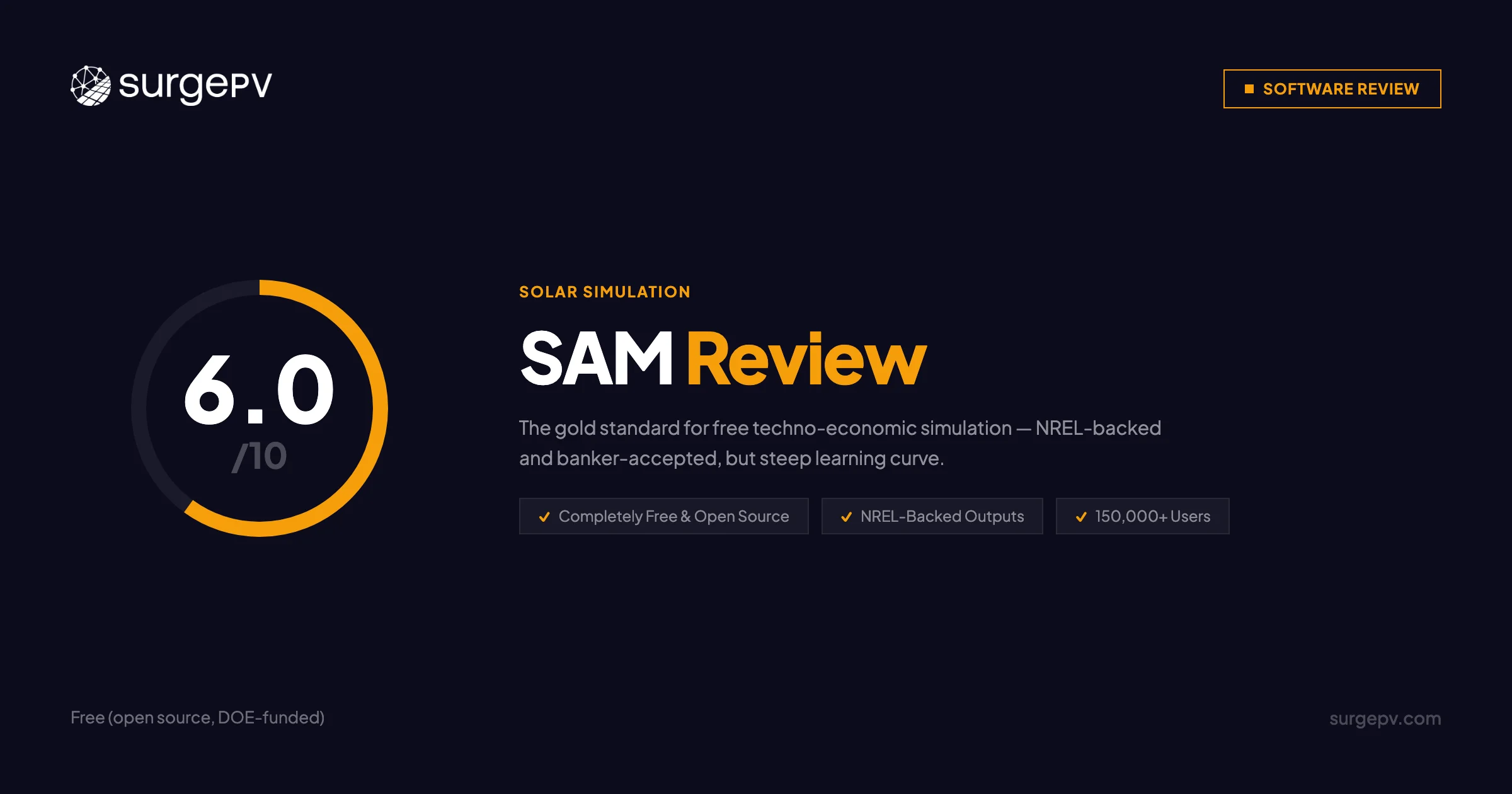
TL;DR: SAM (System Advisor Model) is the world’s most widely used free renewable energy simulation software, built by NREL and backed by the U.S. Department of Energy. It is free, open-source, and accepted by financiers for bankable project assessments. Based on its documented capabilities and a user base of 150,000+ across 190 countries, SAM is the best tool available for financial feasibility modeling — but it cannot design systems, produce SLDs, or generate proposals. For research, policy analysis, and utility-scale financial modeling, SAM is hard to beat. For commercial EPCs who need a complete design-to-proposal workflow, SurgePV — the leading solar design tools — covers everything SAM does not.
Author: Keyur Rakholiya Title: Contributing Writer, SurgePV | MD & CEO, Heaven Green Energy Limited Expertise: 1+ GW solar projects delivered, 20+ design software platforms tested, 10+ years EPC operations Published: 2026-03-08 Last Updated: 2026-03-08 Review Methodology: Official SAM documentation (sam.nrel.gov), NREL published data, GitHub repository analysis, comparison of published product information across 20+ platforms
Who This Review Is For
This SAM review is for:
- Solar developers evaluating SAM for utility-scale or commercial financial modeling
- Engineers who have heard “use SAM” in a bankability context and want to know exactly what it does
- EPCs comparing SAM vs PVsyst for energy yield and financial analysis
- Teams researching SAM software alternatives for full-workflow EPC operations
- Researchers, policy analysts, and academics already using or considering SAM
Who should skip this review:
- Residential installers who need a design tool with proposals — SAM will not help
- Sales teams that need client-facing output — SAM produces simulation reports, not proposals
- Teams running 20+ projects per month — the time per model makes SAM impractical at volume
What Is SAM Solar Software?
SAM, the System Advisor Model, is a free desktop simulation program developed by the National Renewable Energy Laboratory (NREL) and funded by the U.S. Department of Energy. Its original name was “Solar Advisor Model” when version 1 launched in August 2007. NREL released the source code as open source in 2017.
The program models the performance and financial viability of renewable energy systems. It is not a design tool. SAM answers one question: given a system configuration, how will it perform financially over its project lifetime?
Company & Development Background
| Detail | Info |
|---|---|
| Developer | National Renewable Energy Laboratory (NREL) |
| Funder | U.S. Department of Energy |
| First Release | August 2007 (v1.0 as Solar Advisor Model) |
| Open Source Since | 2017 (BSD-3 license) |
| Current Version | SAM 2025.4.16 Revision 1, SSC 303 |
| Platforms | Windows, macOS, Linux |
| Users | 150,000+ in 190+ countries |
| Downloads | 35,000+ since first public release |
| PVWatts Hits | 17.5+ million per month |
Technologies SAM Models
SAM covers a wide range of renewable technologies — not just solar PV:
- Solar PV: Detailed PV model, PVWatts simplified model, concentrating PV (CPV)
- Concentrating Solar Power (CSP): Parabolic trough, power tower, linear Fresnel, industrial process heat
- Battery Storage: Lithium-ion, lead-acid, flow batteries; front-of-meter and behind-the-meter
- Wind: Individual turbines to large wind farms
- Geothermal systems
- Biomass power
- Marine energy
- Solar water heating
This breadth makes SAM the only free tool capable of multi-technology simulation in a single platform.
What SAM Is NOT
Before going further: SAM cannot do the following:
- 3D roof or site design
- Panel layout optimization
- Single-line diagram (SLD) generation
- Wire sizing or conduit fill calculations
- Permit-ready electrical drawings
- Client-facing proposals or reports
- Cloud collaboration or multi-user access
If you need any of these, SAM must be combined with other software — or you need a different platform entirely.
SAM’s Role in Solar Workflows
SAM is a financial feasibility tool, not an EPC workflow tool. Most commercial EPCs who use SAM do so for bankable yield assessments alongside a separate design platform. Understanding this distinction will save you significant time in evaluating whether SAM fits your specific use case.
SAM Pricing & License Cost
Is SAM Free?
SAM is completely free. There is no subscription, no licensing fee, no paid tier, and no feature limitation tied to cost. Registration requires only a valid email address to obtain a software key.
| License Detail | Value |
|---|---|
| Cost | $0 |
| License type | Open source (BSD-3, since 2017) |
| Registration | Free email registration for software key |
| Commercial use | Permitted |
| Academic use | Permitted |
| Modifications | Permitted (open source) |
| SDK / API | Free (Python, C/C++, C#, Java, MATLAB, others) |
SAM License Price 2026
The NREL SAM license price in 2026 is zero. NREL has committed to keeping SAM free as a public resource funded by the Department of Energy. There are no premium plans, no enterprise tiers, and no support contracts available for purchase.
This is a genuine competitive advantage over every other simulation tool in the market. PVsyst, the closest comparable tool for PV simulation, does not publish licence pricing.
Total Cost of Ownership
The cost calculus for SAM depends on what you combine it with:
| Workflow | Annual Cost |
|---|---|
| SAM alone (simulation only) | $0 |
| SAM + PVsyst (for PV accuracy) | $0 + a PVsyst licence, which is not publicly priced |
| SAM + separate design tool | $0 + design tool cost |
| SAM + full EPC stack (design, SLD, proposals) | $0 + $3,000–$8,000/year |
| SurgePV (design, simulation, SLD, proposals — all-in-one) | From $1,499/user/year |
Pro Tip: SAM + SurgePV Workflow
Many commercial EPCs use SAM for detailed financial modeling on large projects — particularly for PPA structures, tax equity analysis, and P50/P90 scenarios — and SurgePV for day-to-day design, SLD generation, and proposal output. The tools are complementary, not mutually exclusive.
Is SAM Free? Free Trial and Access
SAM is free with no trial period needed. Download from sam.nrel.gov/download.html, register with an email, receive a software key, and install on Windows, macOS, or Linux.
The open-source version on GitHub includes full source code access. Developers can build on top of SAM using the SDK in Python, C/C++, C#, Java, and MATLAB at no cost.
There are no feature limitations in the free version because there is only one version.
Core Features & Capabilities
SAM Solar Simulation Features
Detailed PV Model vs PVWatts
SAM offers two paths for PV simulation:
Detailed PV Model — uses separate module and inverter models sourced from manufacturer specifications or SAM’s built-in component library. Provides granular results including hourly AC output, losses by category, and sensitivity to individual component choices.
PVWatts Model — a simplified approach using nameplate capacity, array orientation, mounting type, and system losses. PVWatts is the engine behind NREL’s PVWatts Calculator, which receives 17.5+ million hits per month. Fast to configure, appropriate for preliminary assessments.
| Model | Best For | Inputs Required | Output Detail |
|---|---|---|---|
| Detailed PV | Bankable assessments, component selection analysis | Module + inverter specs, full system config | High |
| PVWatts | Quick feasibility, preliminary estimates | Capacity, orientation, losses | Medium |
Financial Analysis Depth
This is where SAM genuinely stands apart from every other free tool:
- LCOE (Levelized Cost of Energy): Full lifetime cost modeling
- NPV (Net Present Value): Discounted cash flow analysis
- PPA modeling: Power Purchase Agreement pricing structures
- P50/P90 scenarios: Probabilistic energy yield analysis using weather variability
- Tax equity structures: Partnership flip, sale-leaseback, inverted lease
- Debt/equity configurations: Project finance modeling for utility-scale
- NREL Annual Technology Baseline (ATB): Current cost data built in
No commercial software offers this financial modeling depth for free. PVsyst does not do tax equity modeling. Aurora Solar does not model PPA structures at this level.
Weather Data & NSRDB Integration
SAM pulls weather data automatically from the NREL National Solar Radiation Database (NSRDB). This includes free time-series data for a large portion of the globe. Users can download TMY (Typical Meteorological Year) files directly from the Location and Resource input page inside SAM.
For locations outside NSRDB coverage, SAM accepts standard file formats (EPW, TMY2, TMY3, SAM CSV).
Advanced Analysis Tools
| Tool | What It Does |
|---|---|
| Parametric analysis | Sweep a variable across a range, see output variation |
| Sensitivity analysis | Identify which inputs most affect financial outcome |
| Monte Carlo simulation | Probability-based analysis of uncertainty |
| P50/P90 analysis | Weather-variability-based energy yield scenarios |
| Excel integration | Feed input variables from Microsoft Excel |
| PDF reports | Configurable detail levels for documentation |
Component Libraries
SAM ships with built-in databases for:
- Photovoltaic modules (manufacturer specifications)
- Inverters
- Batteries
- Parabolic trough receivers and collectors
- Wind turbines
- Biopower combustion systems
These libraries are updated with each SAM release.
Developer SDK
SAM’s SDK is a significant capability for technical users:
- Languages supported: Python, C/C++, C#, Java, MATLAB, and others
- Use case: Embed SAM simulation modules in custom applications or analysis pipelines
- Access: Free, open source, available on GitHub
This makes SAM the only solar simulation tool with a free, documented SDK for programmatic access.
Need Design + Simulation + Proposals in One Platform?
SurgePV handles what SAM cannot — 3D system design, automated SLD generation, shading analysis accurate to within 3% of PVsyst, and client-ready proposals — all cloud-based.
Book a DemoNo commitment required · 20 minutes · Live project walkthrough
SAM Limitations: What It Cannot Do
Understanding SAM’s gaps is as important as understanding its strengths:
No Design Capabilities
SAM has no roof modeling, no 3D visualization, no panel placement tools, and no site survey functionality. You cannot design a system in SAM. You configure a system — specifying capacity, tilt, azimuth, and losses — and SAM simulates its performance. Design is someone else’s job.
No Electrical Engineering
SAM produces no single-line diagrams, no wire sizing calculations, no conduit fill analysis, and no permit-ready electrical documentation. For commercial installations, all electrical documentation must come from a separate tool.
Desktop-Only Architecture
SAM runs on Windows, macOS, and Linux as a local desktop application. There is no cloud version, no browser-based access, no mobile app, and no multi-user collaboration. Teams cannot work on the same SAM project simultaneously.
Learning Curve
The documented learning curve is steep:
| Proficiency Level | Time Required |
|---|---|
| Basic proficiency (run a simple model) | 4–12 weeks |
| Intermediate (financial modeling, sensitivity analysis) | 3–6 months |
| Expert (full financial structures, SDK use) | 6–12 months |
For comparison, SurgePV onboarding takes 2–3 weeks to full proficiency for most users.
Time Per Project
A comprehensive utility-scale project model in SAM takes 2–5 days. For high-volume commercial operations running 20+ projects per month, this time requirement is impractical as a primary workflow tool.
User Reviews & Feedback
SAM does not have a G2 profile with structured user reviews. The feedback that follows comes from the NREL SAM Forum, academic citations, and industry practitioner experience.
Usage Statistics (NREL Published Data)
| Metric | Value |
|---|---|
| Total users | 150,000+ |
| Countries represented | 190+ |
| Downloads since launch | 35,000+ |
| SAM sessions per minute | 1 (started once every 1.4 minutes globally) |
| Webinars produced | 120+ |
| Webinar views | 280,000+ |
| Forum questions answered (FY17) | ~1,100 with 100% response rate |
These numbers reflect genuine adoption. SAM is the de facto standard tool for solar and renewable energy research and policy analysis.
What Practitioners Praise
Based on the SAM Forum and practitioner feedback:
| Feature | User Sentiment |
|---|---|
| Financial modeling depth | Consistently cited as the strongest capability — no other free tool matches it |
| NREL credibility | Bankability with lenders is frequently mentioned as a deciding factor |
| Free pricing | Removes all access barriers for researchers, small developers, and academics |
| Multi-technology support | Used by teams modeling solar + storage + wind in portfolio analysis |
| SDK flexibility | Valued by developers building custom analysis pipelines |
What Practitioners Criticize
| Issue | Severity |
|---|---|
| No design tools | High — means SAM cannot function as a standalone EPC tool |
| Learning curve | High — 4–12 weeks is a real barrier for time-constrained teams |
| Desktop-only architecture | Medium — no cloud collaboration significantly limits team workflows |
| Time per model | Medium — 2–5 days per utility-scale model is the trade-off for its financial depth |
| No guaranteed support | Medium — community forums only, no SLAs for production environments |
Representative User Sentiment
“SAM is indispensable for utility-scale financial modeling. Nothing else gives you this depth for free. But for day-to-day design work, you absolutely need a separate tool.” — Practitioner on NREL SAM Forum
“The learning curve is real. Plan for at least two months before you can reliably use SAM’s financial models for client work.” — Solar developer, multi-year SAM user
“We use SAM for all our PPA and tax equity modeling. For design and proposals, we use commercial software. The two tools serve completely different purposes.” — EPC project manager
Pros & Cons
Pros
1. Completely Free — No Cost, No Catches
SAM has been free since its 2007 launch and open source since 2017. No subscription, no license fee, no feature gating. For researchers, policy analysts, and developers who need financial modeling depth without budget, this is genuinely unmatched. PVsyst, the closest comparable tool, costs approximately €1,500–€2,000 per year.
2. NREL-Backed Credibility
SAM outputs are accepted by lenders, investors, and government agencies for bankable project assessments. This credibility comes from NREL’s institutional standing and DOE backing. For project finance involving tax equity, PPA structures, or debt financing, SAM-generated analysis carries weight that third-party commercial tools often do not.
3. Financial Modeling Depth
No other free tool — and few commercial tools — match SAM’s financial modeling capabilities. LCOE, NPV, PPA structures, P50/P90 probabilistic analysis, tax equity (partnership flip, sale-leaseback, inverted lease), and debt/equity project finance are all built in. This is the core reason utility-scale developers use SAM.
4. Multi-Technology Platform
SAM models solar PV, CSP, wind, geothermal, biomass, battery storage, and marine energy. For teams working on hybrid projects or portfolio analysis across technology types, SAM is the only free option that handles all of them in one application.
5. Open Source with Full SDK
The BSD-3 license and GitHub repository give developers complete transparency into the simulation methodology. The SDK supports Python, C/C++, C#, Java, and MATLAB — enabling custom analysis pipelines and integrations with other tools. No commercial software offers this level of programmatic access for free.
6. Global Weather Data Coverage
Automatic integration with NREL NSRDB provides free, high-quality time-series weather data for most of the globe. For many locations, users can pull TMY data directly inside SAM with no external data purchase required.
Cons
1. No Design Tools — A Hard Limit
SAM cannot design a system. There is no 3D modeling, no roof mapping, no panel layout, and no site visualization. For any project that needs to go from site assessment to constructed installation, SAM covers only the analysis portion. A separate design tool is not optional.
2. No Electrical Engineering Output
SAM produces no single-line diagrams, wire sizing calculations, voltage drop analysis, or permit-ready electrical documentation. Commercial projects typically require all of these for AHJ approval and lender review. Every EPC using SAM must source electrical documentation elsewhere — either through AutoCAD, a specialized tool, or platforms like SurgePV that generate SLDs automatically.
3. No Proposal Generation
SAM outputs are technical simulation reports. They are not client-facing documents. Sales teams cannot use SAM output as a customer proposal without significant reformatting. Any EPC using SAM in a sales context needs a separate proposal tool.
4. Steep Learning Curve
Four to twelve weeks to basic proficiency is a real cost — in time, not money. For commercial EPCs hiring engineers to use SAM, factor in 1–3 months before the tool produces reliable client-ready work. Expert-level financial modeling (tax equity, PPA) realistically requires 6–12 months of active use.
5. Desktop-Only Architecture
SAM is a local desktop application. No cloud, no browser access, no mobile, no simultaneous multi-user collaboration. In 2026, most commercial design and simulation tools have moved to cloud architecture. SAM’s desktop-only design limits how it can fit into modern team workflows.
6. Impractical for High-Volume Operations
A comprehensive utility-scale model takes 2–5 days in SAM. Teams running 20+ commercial projects monthly cannot use SAM as their primary simulation tool — the time per model is too high. SAM works for periodic feasibility studies, not continuous production workflows.
7. No Support SLAs
NREL provides community forum support and bi-weekly roundtables. There is no paid support tier, no guaranteed response time, and no service-level agreement. For EPCs with project deadlines, community-only support is a risk factor.
SAM vs SurgePV
SAM and SurgePV serve different parts of the solar project workflow. The comparison below is direct:
Feature Comparison
| Feature | SAM | SurgePV | Winner |
|---|---|---|---|
| 3D system design | ❌ None | ✅ Full 3D with AI-assist | SurgePV |
| PV energy simulation | ✅ Detailed + PVWatts | ✅ Integrated | Tie |
| Shading analysis | ✅ Basic (no 3D shading) | ✅ ±3% accuracy vs PVsyst | SurgePV |
| SLD generation | ❌ None | ✅ Automated, 5–10 min | SurgePV |
| Wire sizing / electrical | ❌ None | ✅ Full electrical engineering | SurgePV |
| Financial modeling (LCOE/NPV) | ✅ Best-in-class free | ✅ Integrated | SAM (depth) |
| PPA / tax equity modeling | ✅ Built-in | Limited | SAM |
| P50/P90 probabilistic analysis | ✅ Built-in | ❌ Not included | SAM |
| Proposal generation | ❌ None | ✅ Branded, client-ready | SurgePV |
| Cloud-based | ❌ Desktop only | ✅ Fully cloud | SurgePV |
| Multi-user collaboration | ❌ No | ✅ Yes | SurgePV |
| Learning curve | 4–12 weeks | 2–3 weeks | SurgePV |
| Annual cost | $0 | From $1,499/user/year | SAM |
| Bankable credibility | ✅ NREL-backed | ✅ ±3% vs PVsyst documented | SAM (brand recognition) |
Workflow Time Comparison — 100 kW Commercial Project
| Step | SAM Stack | SurgePV |
|---|---|---|
| Site design / layout | External tool: 2–4 hours | 30–45 min (integrated 3D) |
| Energy simulation | 0.5–1 day setup | Included in design |
| Shading analysis | Basic (no 3D obstructions) | Included, ±3% accuracy |
| SLD generation | External tool: 2–4 hours | 5–10 min (automated) |
| Financial modeling | 0.5–1 day | Included |
| Proposal | External tool: 2–3 hours | 15–20 min (automated) |
| Total | 2–5 days | 45–60 min |
When to Use Both Together
SAM and SurgePV are not direct competitors — they are complementary for projects where deep financial modeling matters:
- Use SurgePV for: 3D design, shading analysis, SLD generation, proposals, day-to-day EPC workflow
- Use SAM for: PPA structuring, tax equity analysis, P50/P90 scenarios, lender-facing financial reports
For most commercial residential and C&I projects, SurgePV’s integrated financial modeling is sufficient. SAM becomes relevant for utility-scale projects (1 MW+) requiring sophisticated project finance structures.
Annual Cost Comparison
| Option | Annual Cost | What You Get |
|---|---|---|
| SAM alone | $0 | Simulation + financial modeling only |
| SAM + design tool + proposal tool | $3,000–$8,000 | Full stack (piecemeal) |
| SurgePV all-in-one | From $1,499/user/year | Design, simulation, SLD, proposals |
| PVsyst + design + proposal | Not published, plus separate design and proposal tools | Full stack (three products) |
SAM Alternatives
PVsyst
PVsyst is the industry benchmark for PV simulation accuracy. It is the tool lenders and investors most commonly specify when requiring independent yield assessments. PVsyst offers far more detailed shading modeling than SAM (3D horizon, near-shading with module-level detail) and a larger component database. The trade-off: PVsyst costs approximately €1,500–€2,000 per year and covers only PV — no wind, no CSP, no financial modeling depth. For pure PV simulation accuracy, PVsyst is the standard. For multi-technology or financial modeling, SAM wins on breadth and cost.
HelioScope
HelioScope, by Folsom Labs, is a cloud-based PV simulation platform designed for commercial solar EPCs. It offers accurate energy modeling, detailed shading analysis, and a cleaner interface than SAM. HelioScope does not match SAM’s financial modeling depth but includes basic system-level financials alongside its simulation output. Pricing is subscription-based. Best for: commercial rooftop EPCs who need a cloud-based simulation workflow without SAM’s learning curve.
SurgePV
SurgePV is the platform to choose when you need SAM’s financial modeling combined with design, electrical engineering, and proposal generation in a single cloud-based tool. SurgePV’s shading analysis is accurate to within 3% of PVsyst — documented and verified. The platform generates automated SLDs in 5–10 minutes, produces client-ready solar proposals, and includes integrated financial modeling for C&I and residential projects. The learning curve is 2–3 weeks vs SAM’s 4–12 weeks. SurgePV does not match SAM’s depth for PPA or tax equity modeling on large utility projects, but covers 95% of commercial EPC workflows without requiring external tools.
PVWatts Calculator
NREL’s PVWatts Calculator is a free, browser-based tool using SAM’s simplified PVWatts model. It requires no download or registration and delivers a quick AC energy estimate in under a minute. For preliminary feasibility screening, PVWatts is faster than SAM itself. It does not offer SAM’s financial modeling, detailed module selection, or parametric analysis. Use PVWatts for quick estimates; use SAM when you need financial depth.
Aurora Solar
Aurora Solar is a cloud-based solar design platform platform focused on residential and commercial design, shading analysis, and proposal generation. Aurora does not match SAM’s financial modeling depth but provides everything SAM lacks: 3D design, LIDAR-based shading, and branded proposals. Pricing is subscription-based and not publicly listed. For sales-driven residential teams, Aurora is a common choice. For EPCs needing electrical engineering and complete documentation, SurgePV is more capable.
RatedPower
RatedPower is a cloud-based platform for utility-scale solar design and simulation. It offers automated layout design, production simulation, and financial analysis for large ground-mounted projects. RatedPower is more design-oriented than SAM and more utility-scale focused than SurgePV. It does not offer the financial modeling depth of SAM (no PPA, no tax equity structures built in). Best for: utility-scale teams who need automated design + simulation without SAM’s manual configuration.
Who Should Use SAM?
Choose SAM When:
1. You need free, bankable financial modeling SAM is the only free tool that produces NREL-credible financial analysis acceptable to lenders and investors. If project finance is your primary output and budget is constrained, SAM is the answer.
2. You work on utility-scale projects (1 MW+) SAM’s financial depth (PPA, tax equity, P50/P90) is calibrated for utility-scale project economics. The time investment per model is justified at this project scale.
3. You’re a researcher, policy analyst, or academic SAM’s original and primary audience. If you’re studying renewable energy policy, technology performance, or financial scenarios — SAM is the standard tool in your field.
4. You need multi-technology simulation No other free tool models solar PV, CSP, wind, geothermal, and battery storage together. For portfolio or hybrid project analysis, SAM is uniquely suited.
5. You want to build custom analysis tools The free SDK in Python, C/C++, and other languages makes SAM the foundation of choice for developers building custom simulation applications.
Do NOT Choose SAM as Your Primary Tool When:
1. You need to design systems SAM cannot produce a system design. Full stop.
2. You run a high-volume commercial EPC operation The 2–5 days per model and 4–12 week learning curve are incompatible with high-volume workflows.
3. You need client-facing proposals SAM output is not a proposal. Your sales team cannot present SAM reports to residential or commercial customers.
4. You need guaranteed support No SLAs, no paid support tier, community forums only.
Frequently Asked Questions
What is SAM solar software?
SAM (System Advisor Model) is a free, open-source simulation program developed by NREL with DOE funding. It models the performance and financial viability of solar PV, CSP, wind, geothermal, biomass, and battery storage systems. SAM is used by project developers, engineers, researchers, and policy analysts — but it is not a design or proposal tool.
Is SAM software free?
Yes. SAM is completely free — no subscription, no license fee, no paid tier. The software has been funded by the U.S. Department of Energy since 2005 and was open-sourced in 2017. Registration requires only a valid email address.
What is NREL SAM pricing?
NREL SAM has no pricing. It costs $0 to download, use commercially, and integrate via the SDK. The software is a public resource funded by the Department of Energy.
How does SAM compare to PVsyst?
Both model PV energy yield, but with different strengths. SAM is free and excels at financial modeling (LCOE, PPA, tax equity, P50/P90). PVsyst is the industry benchmark for PV simulation accuracy and is the reference tool for bankable yield assessments. PVsyst has stronger shading analysis; SAM has deeper financial modeling and covers more technologies. PVsyst costs approximately €1,500–€2,000 per year; SAM is free. See the full PVsyst review for a detailed comparison.
What are the main SAM solar simulation features?
Key features: detailed PV modeling (detailed model or PVWatts), CSP modeling, battery storage integration, LCOE/NPV/PPA financial analysis, P50/P90 probabilistic analysis, parametric and sensitivity analysis, Monte Carlo simulation, automatic NSRDB weather data, and a free SDK for Python, C/C++, C#, Java, and MATLAB.
What is a good SAM software alternative for commercial EPCs?
For EPCs who need design, simulation, electrical engineering, and proposals in one platform: SurgePV. For pure PV simulation accuracy: PVsyst. For cloud-based commercial simulation: HelioScope. For quick preliminary estimates: PVWatts (free, browser-based, no download required).
Can I use SAM for residential solar projects?
Yes, SAM can model residential PV systems using the PVWatts model or the detailed PV model. However, the tool is overkill for standard residential projects. PVWatts Calculator (browser-based, free, no download) is faster for simple residential estimates. SAM adds value on residential projects where detailed financial modeling, battery storage analysis, or P50/P90 scenarios are required.
Does SAM generate single-line diagrams?
No. SAM produces simulation output and financial reports — not electrical documentation. For SLD generation, you need a dedicated design and engineering tool. SurgePV generates complete SLDs in 5–10 minutes. AutoCAD is another option, at significantly higher time and cost per drawing.
Final Verdict
SAM Executive Summary
Strengths:
- $0 cost — the only free simulation tool with true financial modeling depth
- NREL-backed credibility accepted by lenders and investors
- Best financial modeling in the category: LCOE, NPV, PPA, tax equity, P50/P90
- Covers solar PV, CSP, wind, geothermal, biomass, and battery storage
- Free SDK for custom integrations
- 150,000+ users in 190+ countries — the research and policy standard
Limitations:
- No design tools — cannot lay out a single panel
- No electrical engineering — no SLDs, no wire sizing
- No proposals — outputs are simulation reports, not client documents
- 4–12 week learning curve to basic proficiency
- Desktop-only — no cloud, no multi-user collaboration
- 2–5 days per comprehensive utility-scale model
The Decision Framework
Choose SAM when:
- You need free, NREL-credible financial modeling for project finance
- Your projects are utility-scale (1 MW+) with PPA, tax equity, or debt/equity structures
- You are a researcher, policy analyst, or academic
- You are building custom simulation tools using an SDK
Choose SurgePV when:
- You need a complete EPC workflow: design, simulation, SLD, and proposals in one cloud-based tool
- Your projects are residential, C&I, or commercial rooftop
- You need client-ready proposals and permit-ready electrical documentation
- You need multi-user collaboration and a 2–3 week onboarding timeline
Use both when:
- You run a utility-scale development operation and need SAM’s financial depth alongside SurgePV’s design-to-proposal workflow
Value Analysis
SAM’s value is exceptional for what it does. A free tool with DOE-backed credibility, 150,000+ users, and financial modeling depth that most commercial software cannot match is a genuine public resource. The limitation is scope: SAM covers one part of the solar project workflow — financial feasibility — and nothing else.
For commercial EPCs, SAM is rarely sufficient as a standalone tool. Adding design, SLD, and proposal capabilities to a SAM-based workflow typically costs $3,000–$8,000 per year in additional tools. SurgePV at $1,499/user/year replaces that entire stack — minus SAM’s specialist financial models.
The right conclusion is not “SAM vs SurgePV.” It is: SAM for financial depth on large projects, SurgePV for the full EPC workflow.
Take the Next Step
SAM covers financial simulation. SurgePV covers everything else — design, shading analysis, SLD generation, and proposals — all cloud-based with a 2–3 week onboarding timeline.
- Book a demo — see SurgePV handle a full commercial project in 45 minutes
- View pricing — transparent, all-inclusive from $1,499/user/year
- Compare platforms — SAM, PVsyst, Aurora, HelioScope, and others reviewed
- Shadow analysis tool — see SurgePV’s shading analysis in detail
Related Resources
Platform Comparisons:
- PVsyst Review — the simulation accuracy benchmark, detailed analysis
- HelioScope Review — cloud-based commercial simulation comparison
- Aurora Solar Review — residential design platform review
Feature Deep Dives:
- Solar Designing — SurgePV’s complete design capabilities
- Irradiance and shading analysis — shading analysis methodology and accuracy
- Generation & Financial Tool — integrated financial modeling in SurgePV
- Solar Proposals — proposal generation from design to client delivery
Best Solar Software Rankings:
- See our best solar simulation software rankings.
This SAM review was written by Keyur Rakholiya, Contributing Writer at SurgePV and MD & CEO of Heaven Green Energy Limited, using the cited public sources. All SAM information is sourced from official NREL documentation (sam.nrel.gov), the NREL/SAM GitHub repository, and NREL published research. We disclose that SurgePV publishes this review and disclose our company affiliation transparently.
Review published: 2026-03-08 | Next review: June 2026
About the Contributors

Editorial contributor · SurgePV
Rainer Neumann is credited as an editorial contributor on SurgePV content. This profile does not assert engineering credentials, project totals, software-testing experience, education, speaking engagements, or media citations because independent verification evidence is not retained in the publication record.

CEO & Co-Founder · SurgePV
Keyur Rakholiya is identified by SurgePV as its CEO and a company co-founder. His SurgePV author page lists only role information that can be tied to the public profile below; credentials, project totals, testing claims, media appearances, and speaking engagements are not asserted without retained evidence.
