Quick Answer
Solar PV design software spans three tiers: residential (SurgePV, Aurora Solar, OpenSolar — $0–$2,400/year), commercial (SurgePV, HelioScope, PVsyst — $700–$3,000/year), and utility-scale (PVcase, RatedPower, PVsyst — $990–$5,000/year). Key features include 3D roof modeling, shading analysis, yield simulation, and proposal generation.
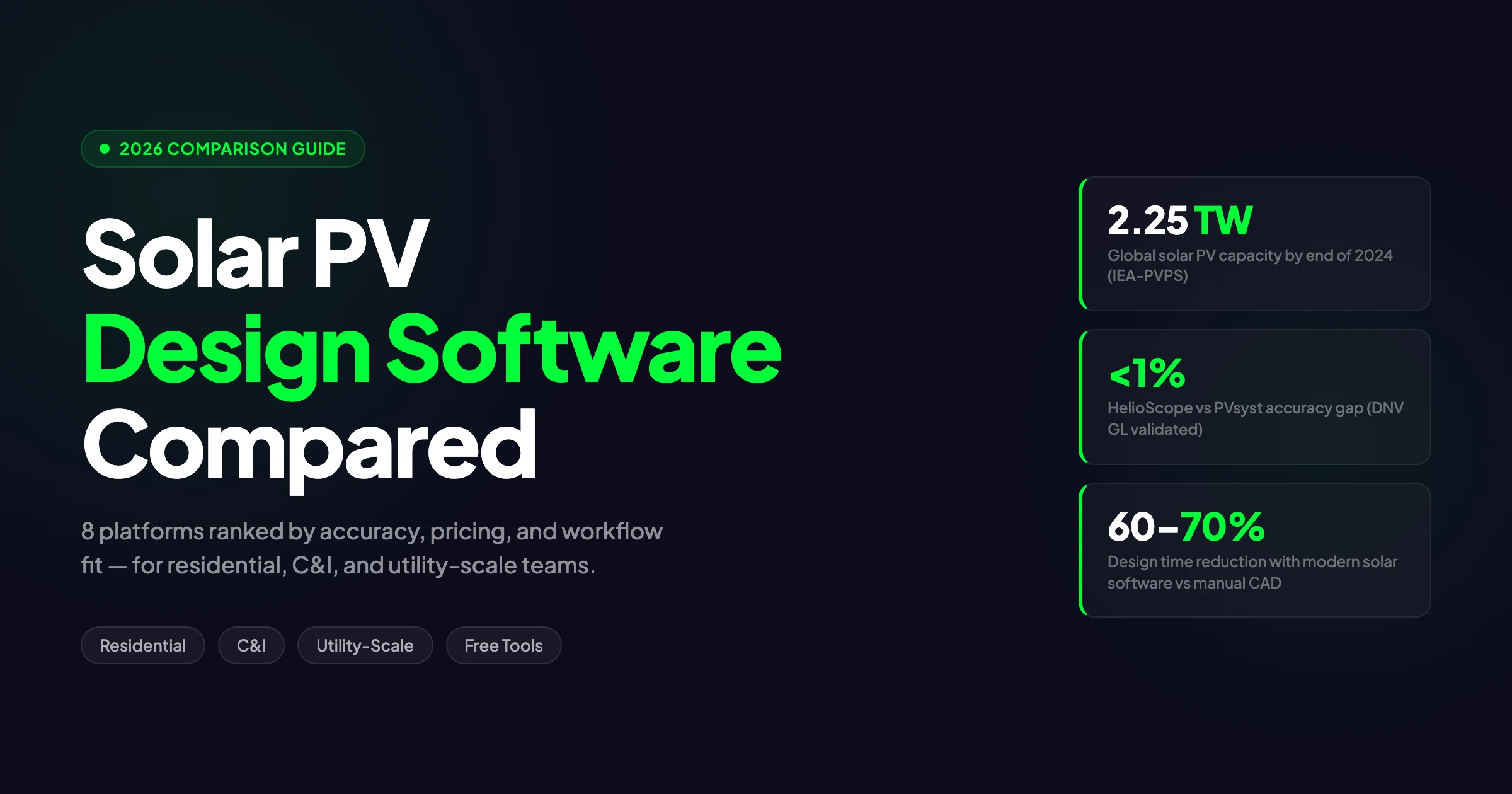
Global solar PV capacity crossed 2.25 TW by the end of 2024. The IEA-PVPS Snapshot 2025 recorded 554–602 GW installed in that single year — roughly 32% growth year-over-year. At that pace, the design and engineering bottleneck is real. Teams still running AutoCAD plus a separate simulation tool plus a spreadsheet for financials are producing fewer designs per day than competitors who have consolidated into a single solar design tools platform. For Global-specific compliance details, see Global net-metering-by-country.
Solar PV design software spans three tiers: residential (SurgePV, Aurora Solar, OpenSolar — $0–$2,400/year), commercial (SurgePV, HelioScope, PVsyst — $700–$3,000/year), and utility-scale (PVcase, RatedPower, PVsyst — $990–$5,000/year). Key features include 3D roof modeling, shading analysis, yield simulation, and proposal generation. See Advanced Solar PV Design Software for detailed guidance. For software options, see 7 Best Aurora Solar Alternatives in.
Solar PV design software spans three tiers: residential (SurgePV, Aurora Solar, OpenSolar — $0–$2,400/year), commercial (SurgePV, HelioScope, PVsyst — $700–$3,000/year), and utility-scale (PVcase, RatedPower, PVsyst — $990–$5,000/year). Key features include 3D roof modeling, shading analysis, yield simulation, and proposal generation.
This guide compares the 8 major solar PV design software platforms in 2026 — from free tools for small installers to enterprise-grade simulation engines for utility-scale EPCs. We cover verified pricing, accuracy benchmarks, electrical design depth, and the workflow integrations that matter when your team is running 50+ projects a month.
TL;DR — Solar PV Design Software 2026
Aurora Solar leads for US residential speed. HelioScope is the C&I engineering standard with DNV validation within 1% of PVsyst. PVsyst is the bankable simulation gold standard for projects above 1 MW. OpenSolar is the best free option with NREL-validated shading accuracy. SurgePV covers the C&I gap — cloud-based, automated SLDs, unlimited projects, starting at $1,499/year. PVcase and RatedPower serve utility-scale teams needing AutoCAD-native layout workflows.
In this guide:
- What solar PV design software actually does — and how it differs from general CAD tools
- How we evaluated 8 platforms across 7 dimensions
- Full comparison table with 2026 pricing, G2 ratings, and feature flags
- Platform-by-platform breakdowns for residential, C&I, and utility-scale
- Free solar PV design tools — what they cover and where they fall short
- Key features to evaluate before buying: accuracy, shading, SLDs, proposals, integrations
- EU vs. US market differences: regulatory compliance, language support, tariff structures
- The 5 most common mistakes when selecting PV design software
What Is Solar PV Design Software?
Solar PV design software is specialized engineering software used to plan, model, simulate, and optimize photovoltaic systems before installation. It goes far beyond generic CAD or drawing tools. A true PV design platform combines 3D site modeling, shading analysis, energy yield simulation, electrical design, financial analysis, and proposal generation into one connected workflow.
The software falls into 3 broad categories:
-
Integrated design + simulation platforms — Tools like Aurora Solar, SurgePV, and OpenSolar combine 3D modeling with energy yield calculations, shading engines, and sales proposals. These are cloud-based and aimed at installers who want one tool from site survey to contract signature.
-
Simulation-only tools — PVsyst and SAM (System Advisor Model) calculate energy yield with deep loss-tree transparency. They do not design layouts or generate proposals. Engineers use them for bankable reports that lenders and independent engineers accept without question.
-
Layout + engineering plugins — PVcase operates inside AutoCAD or BricsCAD. It automates panel placement, stringing, and cable routing for utility-scale projects. It does not run energy simulation on its own — it exports to PVsyst for that.
A typical modern workflow looks like this:
-
Site import — Upload satellite imagery, LIDAR data, or a drone survey. AI detects roof planes, obstructions, and tilt angles.
-
3D modeling — Place modules, inverters, and racking on the digital model. Define string configurations and electrical zones.
-
Shading analysis — Calculate horizon shading, near-field obstructions, and row-to-row losses. The best tools run hourly simulations across 8,760 hours per year.
-
Energy simulation — Model expected yield using TMY (Typical Meteorological Year) data, component performance curves, and local weather stations. Output includes P50, P75, and P90 estimates for financing.
-
Electrical documentation — Generate single-line diagrams (SLDs), wire sizing tables, and BOMs (bills of materials). Some platforms automate this in minutes. Others require manual CAD work.
-
Financial modeling + proposals — Calculate LCOE, NPV, IRR, and payback periods. Export branded proposals with financing options and e-signature fields.
Cloud-based solar design software replaces what used to be a stack of 3–5 disconnected tools: AutoCAD for drawings, PVsyst for simulation, Excel for financials, and PowerPoint for proposals. The cost of that disconnected stack — in license fees, file version chaos, and training time — often exceeds $5,000 per engineer per year. A unified cloud platform cuts that overhead and lets teams collaborate in real time.
Engineers in Berlin, sales reps in Mumbai, and project managers in Dallas can work on the same file without version conflicts. Change the module count and the BOM updates instantly. Update the shading model and the financial model recalculates automatically. That integration prevents the errors that happen when data moves between disconnected tools. See our guide on 5kW Solar Panel Price in India for more. For India-specific information, see Best Solar Design Software India.
How We Evaluated These Tools
We scored every platform on 7 criteria derived from real engineer and installer workflows. Each criterion carries equal weight in our overall assessment.
1. Simulation accuracy & validation We checked whether the tool has third-party validation from NREL, DNV, or independent engineering firms. PVsyst is the undisputed benchmark. HelioScope was validated by DNV GL to within 1% of PVsyst when assumptions align. OpenSolar achieved NREL validation for shading accuracy within ±3% (estimate). We penalized tools with no external validation and no published accuracy methodology.
2. Feature depth by project scale Residential projects need fast AI roof modeling and integrated financing. C&I projects need multi-building support, P50/P90 reporting, and demand-charge modeling. Utility-scale projects need terrain analysis, tracker configuration, and automated stringing. We rated each tool on how well it serves its primary scale — and whether it forces users to buy companion tools.
3. Electrical design & SLD generation Most residential platforms stop at layout and yield. We checked whether each tool generates single-line diagrams, sizes wires automatically, and calculates conduit fill. Tools requiring AutoCAD for full electrical docs received lower scores.
4. Proposal & sales integration For installer-facing tools, we evaluated proposal polish, financing integration, e-signature support, and CRM connectivity. Sales-focused platforms like Aurora Solar score highest here. Engineering-only tools like PVsyst score zero — by design.
5. Pricing transparency & value We collected real pricing from vendor websites, G2 listings, and verified user reviews. We calculated the 3-year TCO (total cost of ownership) including licenses, training, and required companion tools. Free tools were rated on sustainability and hidden costs.
6. Learning curve & onboarding time PVsyst requires 4–6 weeks of training before an engineer produces bankable reports. Cloud-native tools take hours to days. We rated based on actual user-reported onboarding duration from G2 and Capterra reviews.
7. Market coverage & compliance We checked IEC, NEC, and ASHRAE compliance. We verified language support, local tariff databases, and weather data coverage by region. Tools with strong European regulatory context received higher marks for EU-based engineers. Also see: European Solar Incentives.
Data sources include cited vendor documentation, pricing pages, research publications, and clearly attributed review platforms. This is a desk review, not a retained hands-on test. Export-format and plan-tier statements should be verified with each vendor before purchase because access and packaging can change.
Quick Comparison: Best Solar PV Design Software (2026)
The table below summarizes all 8 platforms. Use it to narrow your shortlist before reading the detailed profiles below. Prices reflect annual billing where available. G2 ratings come from verified user reviews as of May 2026.
| Platform | Best For | Pricing | G2 Rating | Simulation Depth | SLD | Proposals | Cloud |
|---|---|---|---|---|---|---|---|
| Aurora Solar | US residential sales | $159–$259/mo | 4.7/5 | Medium | Manual | Yes | Yes |
| HelioScope | C&I engineering | $159–$259/mo | 4.5/5 | High | Basic | Basic | Yes |
| PVsyst | Bankable yield reports | ~CHF 650/yr | 4.6/5 | Very High | No | No | No |
| OpenSolar | Free residential design | Free | 4.8/5 | Medium | No | Yes | Yes |
| PV*SOL Premium | Complex shading (EU) | €845/yr | 4.2/5 | High | No | No | No |
| PVcase | Utility-scale layout | Custom (est. $500–800/mo) | 4.7/5 | Low | Yes (AutoCAD) | No | No (plugin) |
| RatedPower | Utility-scale feasibility | Custom | 4.4/5 | High | Yes | No | Yes |
| SurgePV | All-in-one C&I + residential | From $1,899/yr (3 users) | Not yet rated | High | Yes (automated) | Yes | Yes |
Aurora Solar and HelioScope share the same price tier but serve different users. Aurora optimizes for sales velocity. HelioScope optimizes for engineering depth. PVsyst sits alone at the top of simulation accuracy but offers no design or proposal features. SurgePV is the only cloud platform in this list that generates automated SLDs without AutoCAD.
Use this table as a starting point, not a final decision. A residential installer in Texas has different priorities than a C&I engineer in Germany. Simulation depth matters more for financed projects than for cash sales. Proposal polish matters more for direct-to-consumer installers than for EPCs bidding utility tenders. Match the column that matters most to your primary project type — then verify with a free trial on a real project. Also see: Germany solar subsidies.
Best for Residential Installers
Residential projects demand speed. A typical US installer needs to turn a lead into a signed proposal in under 24 hours. That means AI roof detection, instant shading analysis, and one-click financing integration. These 3 platforms lead the residential segment.
Aurora Solar
Aurora Solar is the most widely adopted solar design software for US residential installers. Its G2 rating of 4.7/5 across 144 verified reviews reflects strong user satisfaction among sales teams and designers.
Core strengths:
- AI 3D roof modeling completes in under 15 seconds using LIDAR data. Users draw a perimeter; Aurora generates the roof planes automatically.
- Sales Mode produces interactive proposals with embedded financing from Goodleap, Dividend, Mosaic, and Sungage. Customers adjust terms in real time during the sales meeting.
- NEC-compliant designs with auto-stringing and inverter pairing reduce permitting rejections.
- Storage modeling supports real utility rate structures and time-of-use arbitrage.
Weaknesses from verified reviews:
- AI accuracy is inconsistent. One G2 reviewer wrote: “Automatic modeling is either spot on or missing a lot.” Complex roofs with dormers or multiple pitches require manual correction.
- Tree and obstruction modeling “could be represented more accurately.”
- DXF export “is not 100% to scale” — a problem for permit drafters who need CAD-grade precision.
- Calculations “tend to be conservative.” Some installers report that production estimates run 5–10% below actual yield, which hurts close rates in competitive markets.
- No built-in CRM. Teams need HubSpot, Salesforce, or another tool for lead tracking.
- Credit-based pricing scales poorly. Moving from 10 to 100 projects per month pushes costs well above the advertised $259/mo.
Aurora Solar fits US residential installers who prioritize proposal polish and financing integration over deep engineering controls. It is less suited for European markets or engineers who need full electrical documentation.
OpenSolar
OpenSolar is the only free solar PV design tool that delivers unlimited users, unlimited projects, and NREL-validated shading accuracy. Its 4.8/5 G2 rating comes from a tiny sample of 3 reviews — treat that number with caution.
Core strengths:
- NREL-validated shading accuracy within ±3% beats the “current US market leader” at ±5% (estimate).
- PVEL-validated site model accuracy adds credibility for quality-conscious installers.
- Built-in CRM and project management replace separate sales tools for small teams.
- Interactive web-based proposals include financing and e-signature.
- 25,000+ professionals across 160 countries use the platform.
Weaknesses:
- The free model is shifting. Starting April 2026, API access and third-party connectors become paid features.
- Product roadmap prioritizes partner integrations over pure user requests.
- No automated SLD generation. Electrical documentation requires external tools.
- Simulation depth lags behind PVsyst and HelioScope for complex systems.
- The tiny G2 review pool makes long-term reliability hard to assess.
OpenSolar is ideal for startups, small installers, and international markets where budget constraints block paid tools. It is not the right choice for bankable C&I reports or teams needing deep API automation.
SurgePV
SurgePV fills the gap between sales-focused tools like Aurora and engineering-heavy stacks like PVsyst + AutoCAD. It targets installers who run both residential and small C&I projects from a single platform.
Core strengths:
- Automated SLD generation in 5–10 minutes without AutoCAD. This is rare at any price point.
- Automated wire sizing and conduit fill reduce NEC compliance errors.
- No project volume limits. Unlike HelioScope’s 10-project cap on Basic and Pro plans, SurgePV allows unlimited designs.
- Cloud-native collaboration lets designers, engineers, and sales teams work in the same project without file exports.
- Financial modeling includes LCOE, NPV, IRR, and utility-rate-specific savings calculations.
- Single-axis trackers and east-west racking support expand beyond standard south-facing residential arrays.
Weaknesses:
- No DNV validation yet. HelioScope holds that credential.
- Brand awareness is lower than Aurora or PVsyst.
- G2 presence is still building; social proof relies on case studies rather than volume reviews.
- Some advanced loss-modeling controls are less granular than PVsyst’s famous loss tree.
SurgePV suits residential installers who also touch C&I work and want one platform for design, electrical docs, and proposals. It is particularly strong for teams that have outgrown OpenSolar but do not want the cost and complexity of an Aurora + HelioScope + AutoCAD stack.
Best for Commercial (C&I) Projects
Commercial and industrial projects — from 50 kW rooftop systems to 5 MW carports — demand a different toolset than residential work. Accuracy must be bankable. Proposals must justify capex with precise P50/P90 yields. Electrical documentation must satisfy AHJs and utilities. These 3 platforms lead the C&I segment.
HelioScope
HelioScope, now part of Aurora Solar via Folsom Labs, is a cloud-based engineering platform validated by DNV GL to within 1% of PVsyst for energy yield calculations. That validation makes it one of the few web-based tools that independent engineers accept for C&I financing.
Core strengths:
- 50,000+ modules and 10,000+ inverters in the component library cover nearly every major manufacturer.
- Rooftop, carport, and ground mount in the same project file. Most residential tools force separate projects for mixed mounting types.
- Row-to-row shading analysis with hourly resolution improves yield estimates for flat commercial roofs.
- P90, P95, and P99 values support financing and investor reporting.
- PVsyst export lets teams start in HelioScope and finalize in PVsyst if lenders require it.
- 1,200 GW designed across 100+ countries proves enterprise-scale reliability.
Weaknesses:
- Proposal capabilities are “functional but not as polished as Aurora’s.” Sales teams often rebuild proposals in another tool.
- Full electrical documentation requires AutoCAD as a companion. That adds roughly $2,000/year per user.
- No battery or BESS (battery energy storage system) modeling. Teams need a third-party tool for storage design.
- Project limits cap Basic and Pro at 10 projects per month. High-volume C&I EPCs hit that ceiling fast.
- It is “an engineering tool first, sales tool second.” Account executives may resist the interface.
HelioScope fits C&I engineers who need bankable accuracy and flexible mounting design. It is less ideal for sales-driven organizations that want proposal polish without buying a second tool.
PVsyst
PVsyst is the industry standard for solar energy simulation. Developed at the University of Geneva and active since 1992, it is the tool that lenders, independent engineers, and tax equity investors expect to see on projects above 1 MW (estimate).
Core strengths:
- Comprehensive loss modeling covers temperature, mismatch, soiling, cable losses, inverter efficiency, and degradation. The loss tree provides transparency that financing decisions depend on.
- P50/P75/P90 with Monte Carlo analysis generates the uncertainty distributions that banks require.
- 30+ years of meteorological data from global weather stations feed the simulation engine.
- Grid-connected, stand-alone, and pumping system support covers niche applications beyond standard rooftop or ground mount.
- Multi-configuration comparison lets engineers test 5–10 design variations side by side. See our guide on Agricultural Solar Case Study for more.
Weaknesses:
- PVsyst is simulation-only. It does not design layouts, generate proposals, or produce permit packages. Most teams use it alongside PVcase, AutoCAD, or another layout tool.
- It is Windows desktop software with a steep learning curve. Plan for 4–6 weeks of onboarding before an engineer writes a bankable report.
- The interface is functional but dated. It does not match the speed of cloud-native platforms.
- No collaboration features. Files live on local drives. Version control is manual.
- No API. Integration with CRM, ERP, or external databases is not possible.
PVsyst is non-negotiable for projects seeking non-recourse financing. It is overkill for residential work and inefficient for teams that need integrated design-to-proposal workflows.
SurgePV for Commercial
SurgePV’s C&I tier extends the residential feature set with commercial-scale capabilities. It positions itself as the cloud alternative to the HelioScope + AutoCAD + PVsyst stack.
Core strengths:
- Within 3% of PVsyst accuracy on energy yield for tested projects. That gap is acceptable for most C&I financing structures outside of utility-scale non-recourse deals.
- Automated SLD generation eliminates the AutoCAD tax. Electrical single-line diagrams, wire sizing, and conduit fill run in the browser.
- No project limits. Design 10 or 1,000 projects per month at the same annual cost.
- East-west racking and single-axis tracker support handles commercial configurations that many residential-focused tools ignore.
- Cloud collaboration means project managers, engineers, and sales reps see the same data in real time.
- Stronger financial modeling than HelioScope according to internal benchmarks — demand charges, complex rate structures, and storage arbitrage included.
Weaknesses:
- No DNV or NREL third-party validation yet. That limits use on projects where lenders explicitly require certified software.
- The component database is smaller than HelioScope’s 50,000+ module list. Niche or regional manufacturers may be missing.
- For utility-scale projects above 5 MW, PVcase and RatedPower still dominate.
SurgePV for Commercial suits C&I EPCs who want bankable-grade accuracy without maintaining a desktop software stack. It is strongest for teams running 50 kW to 5 MW projects at high volume.
Best for Utility-Scale
Utility-scale solar — projects above 5 MW — requires terrain modeling, tracker configuration, automated cable routing, and civil engineering integration. Residential and C&I tools simply do not scale to this complexity. These 2 platforms lead the segment.
PVcase
PVcase is an AutoCAD/BricsCAD plugin that automates layout, stringing, and cable routing for ground-mount and tracker projects. It won G2’s 2025 Best CAD Software award and serves 1,800+ customers across 80+ countries.
Core strengths:
- Automated layout generation places thousands of modules across irregular terrain in minutes. Manual CAD methods take days.
- Automated stringing and cable routing reduce electrical design time by 60–70% compared to manual methods.
- Hourly shading simulation runs 8,760 calculations per year for row-to-row and terrain shading.
- PVsyst export lets engineers move from layout to simulation without redrawing.
- Multiple scenario comparison tests fixed-tilt, tracker, and different module configurations side by side. Also see: Us Residential Solar Market Trends 2026.
Weaknesses:
- Requires AutoCAD or BricsCAD. That is a significant cost and licensing constraint.
- Terrain analysis accuracy is a recurring user complaint. The simplified terrain model evaluates grading after panel placement rather than before.
- Cable routing “can deviate from user-defined paths” — requiring manual cleanup on complex sites.
- No native energy simulation. Teams always need PVsyst or another tool for yield analysis.
- No proposal or sales features. It is pure engineering software.
PVcase fits utility-scale EPCs and engineering firms already running AutoCAD. It is not suitable for developers who want an all-in-one platform or teams without CAD licenses.
RatedPower
RatedPower, now part of Enverus, is a cloud-based utility-scale feasibility and design platform. It emphasizes speed — generating layout variations and engineering documents faster than CAD-based methods.
Core strengths:
- Batch design simulation runs up to 10 layout variations simultaneously. Engineers compare configurations without manual redraws.
- Automated engineering docs include SLDs, Gen-Tie reports, and BOMs. This reduces document production from weeks to days.
- AC-coupled BESS integration models battery storage alongside solar generation.
- DWG export for AutoCAD preserves compatibility with existing engineering workflows.
- Energy yield backed by Black & Veatch adds credibility for investor presentations.
- 98% of users rated 4 or 5 stars on G2; 91% would recommend the platform. See Adding Battery Storage Services for detailed guidance.
Weaknesses:
- The platform is “too technical for non-technical personnel, too few technical for technically skilled workers.” That awkward middle ground frustrates some users.
- Simplified terrain model means fast feasibility work does not match the grading detail of CAD-based tools.
- Enterprise pricing can exceed $10,000/year. Small developers may find the cost hard to justify.
- No residential or small C&I support. The tool starts at utility scale.
RatedPower suits utility-scale developers who need rapid feasibility studies and automated engineering packages. It competes with PVcase on speed but trades some CAD precision for cloud convenience.
Free Solar PV Design Software
Not every team has budget for paid software. These free tools handle core design and simulation without subscription fees.
OpenSolar is the most capable free solar PV design software available. It offers unlimited users, unlimited projects, NREL-validated shading, and built-in proposals. The trade-off is simulation depth and no automated electrical docs. Starting April 2026, API access becomes a paid add-on.
SolarEdge Designer is free for certified SolarEdge installers. It optimizes designs around SolarEdge inverters and power optimizers. The tool is not manufacturer-agnostic — you cannot design with SMA, Fronius, or other inverters. For SolarEdge-only shops, it is a solid zero-cost option.
PVGIS from the European Commission provides basic energy yield estimation for any location in Europe, Africa, and parts of Asia. It does not design layouts or model shading in detail. It is useful for quick feasibility checks and educational purposes. For Africa-specific compliance details, see Africa solar compliance.
NREL PVWatts offers instant production estimates for US locations. It requires minimal inputs — system size, tilt, azimuth, and location. Over 2 million users accessed PVWatts in FY2015, with 38 million+ API calls. It is the fastest way to sanity-check a yield estimate but lacks any design or financial features.
NREL SAM (System Advisor Model) is a free, open-source desktop tool for detailed performance and financial modeling. It runs on Windows, macOS, and Linux. SAM is more complex than PVWatts and suits engineers who want parametric analysis without paying for PVsyst.
SurgePV offers a free trial with full feature access. Teams can test automated SLDs, shading analysis, and financial modeling before committing to an annual plan.
Free tools share common limits: no bankable P50/P90 reports, no automated SLD generation, limited API access, and minimal support. They are excellent starting points. Most growing EPCs eventually upgrade to paid platforms as project volume and financing requirements increase. The typical progression runs from PVWatts or OpenSolar in year 1, to Aurora or SurgePV in year 2, to PVsyst for bankable reports in year 3. That path keeps costs low while learning curves stay manageable. Students and academic researchers have additional options. PV*SOL offers a student version at €90 for 180 days. NREL SAM is free for all users including universities. These academic licenses often exclude commercial use but provide full simulation depth for learning. Academic users should also explore PVLib Python, an open-source library for photovoltaic system modeling. PVLib requires coding skills but offers unlimited customization for research applications.
Key Features to Evaluate Before Buying
Choosing the wrong solar design software costs more than the subscription fee. It costs lost deals, rejected permits, and inaccurate production guarantees. Evaluate these 7 features before signing a contract.
1. Energy simulation accuracy Ask for third-party validation. Has NREL, DNV, or an independent engineer tested the tool against measured data? PVsyst is the benchmark. HelioScope holds DNV validation. OpenSolar has NREL shading validation. Tools with no external validation should justify their accuracy with published test protocols.
2. Shading analysis Residential projects need fast rooftop shading from trees and chimneys. C&I projects need row-to-row shading on flat roofs. Utility-scale projects need terrain shading and tracker backtracking. Check whether the tool runs hourly simulations or uses simplified monthly averages. Hourly analysis is more accurate but slower.
3. SLD generation Most residential tools do not generate single-line diagrams automatically. Aurora and HelioScope require AutoCAD for full electrical documentation. SurgePV and PVcase generate SLDs natively. If your AHJ or utility requires SLDs with every application, this feature alone can save 2–3 hours per project.
4. Proposals & sales integration Sales teams need branded proposals, financing integrations, and e-signatures. Engineering teams need technical appendices with loss breakdowns. A tool that serves both teams reduces handoff errors. Check whether proposals are interactive (web-based) or static (PDF only).
5. Cloud vs. desktop Cloud tools update automatically, allow real-time collaboration, and run on any device. Desktop tools like PVsyst and PV*SOL work offline and offer deeper simulation control. Cloud is better for distributed teams. Desktop is better for engineers who need maximum control and work in areas with poor internet.
6. International support European projects need IEC compliance, VDE certification references, and local language support. US projects need NEC compliance and utility-specific interconnection rules. Check whether the tool includes local weather data, tariff structures, and regulatory templates for your primary markets.
7. Pricing model Per-user subscriptions (Aurora, HelioScope) scale linearly with headcount. Per-project credits create unpredictable costs at high volume. Unlimited plans (OpenSolar free, SurgePV) offer cost certainty. Free trials let you test real projects before committing. Calculate 3-year TCO including training, companion tools, and IT overhead. A tool that saves 5 hours per week but needs 6 weeks to learn has a 12-week payback period. During onboarding, your team produces slower, not faster. Plan for a temporary dip in output. Budget for 2–3 hours of training per week for the first month. Assign one team member as the internal expert who trains others. Peer training is often more effective than vendor webinars because it uses your actual project types.
Cut Your Design Stack in Half
SurgePV replaces 3–5 tools with one cloud platform. Design, simulate, and propose — no AutoCAD required.
Book a DemoNo commitment required · 20 minutes · Live project walkthrough
Solar PV Design Software for Different Markets
Solar markets differ more than most software vendors admit. A tool built for US residential sales often fails in European C&I workflows. Here is how regional requirements shape tool selection.
United States The US market is sales-driven. Installers close deals in homes, not engineering offices. That explains Aurora Solar’s dominance — its Sales Mode and financing integrations match the US workflow. NEC compliance is mandatory. LIDAR coverage is strong in urban and suburban areas. The Investment Tax Credit (ITC) and MACRS depreciation drive financial modeling complexity.
However, the residential market faces headwinds. The Section 25D residential tax credit expired at the end of 2025. Storage attachment now exceeds 40% of US residential installs. Tools without battery modeling are becoming obsolete for US installers.
Europe The European market is engineering-first. AHJs demand detailed electrical documentation. IEC standards (IEC 61853, IEC 61215, IEC 61646) govern component selection. Country-specific rules — Germany’s VDE, Spain’s IDAE, Italy’s GSE — require localized compliance templates. Also see: solar panel ROI in Italy. Also see: Spain net metering.
The EU installed 62.6 GW in 2024 but faces its first market contraction in nearly a decade in 2025. Residential installations are dropping from ~30% of the market to ~15%. Utility-scale solar now contributes ~50% of new capacity. That shift favors tools like PVcase and RatedPower for large projects — and SurgePV for C&I teams serving the commercial segment.
Language and tariff support Aurora Solar is English-first with limited European language support. PV*SOL is German-engineered with strong EU regulatory context. OpenSolar supports 160 countries but lacks deep local tariff databases. SurgePV builds IEC compliance and European weather data into its core platform.
Weather data coverage US tools rely heavily on NREL TMY data. European tools pull from Meteonorm, SolarGIS, and national weather services. Accuracy varies by region. Always verify that your tool includes high-quality weather data for your primary installation geography. A tool using 10-year-old weather averages will misestimate yield in regions with changing cloud patterns. Ask vendors how often they update their meteorological datasets. Annual updates are standard. Quarterly updates are better. Some vendors still use decade-old TMY2 data while the industry has moved to TMY3 and newer satellite-derived datasets. Satellite-derived irradiance data from Solargis and Meteonorm now offers 250-meter spatial resolution. That precision matters for large sites with variable terrain.
Common Mistakes When Choosing PV Design Software
After 10 years in solar EPC and product development, I have seen the same errors repeat across teams of every size. Avoid these 5 mistakes.
1. Buying for features you will not use in year 1 PVsyst is the most accurate simulation tool available. It is also overkill for a 2-person residential installer. Start with a tool that matches your current project scale. Upgrade when your financing requirements or project size demand deeper simulation.
2. Ignoring the companion tool tax HelioScope costs $259/mo. It also requires AutoCAD at $2,000/year for full electrical docs. Aurora Solar costs $259/mo but needs a separate CRM. Calculate the full stack cost, not just the headline price.
3. Skipping accuracy validation A tool with pretty 3D renders but unvalidated yield estimates will cost you production guarantee claims. Always check for NREL, DNV, or independent engineering validation. Run a completed project through the new tool and compare against actual meter data before rolling it out to the team.
4. Choosing desktop software for distributed teams PVsyst and PV*SOL are powerful. They also live on single Windows machines. If your designers work from home, your engineers travel to sites, and your sales team is in another city, desktop software creates version control nightmares. Cloud tools let teams collaborate without emailing.zip files.
5. Underestimating onboarding time PVsyst requires 4–6 weeks before an engineer is productive. Cloud-native tools take hours. If you are hiring seasonal staff or scaling fast, onboarding time is a hidden cost that dwarfs subscription fees. Test the learning curve with a real project before committing. Bring your least technical team member into the trial. If they cannot place a basic array in 30 minutes, the tool is too complex for your workflow. Simplicity scales. Complexity stalls. A tool that requires a certification course before basic use will slow down new hires. Look for platforms with contextual help, video tutorials, and live chat support. The best vendors offer onboarding templates for common project types. These templates get new users to their first complete design in under an hour.
Pro Tip
Run your last 5 completed projects through any new software before buying. Compare the yield estimates, SLD outputs, and proposal formats against your current workflow. The differences will tell you more than any demo.
Conclusion
The best solar PV design software depends on what you build, who buys it, and how your team works.
For US residential installers who close deals in living rooms, Aurora Solar delivers the fastest AI modeling and the most polished sales proposals. For teams that need bankable C&I accuracy without desktop software, HelioScope holds DNV validation and flexible mounting design. For engineers writing reports that lenders accept without question, PVsyst remains the non-negotiable standard. For utility-scale EPCs already running AutoCAD, PVcase automates layout and stringing at a scale no manual process can match.
If you need one platform that handles residential design, C&I electrical documentation, and sales proposals without stacking 3–5 tools, SurgePV offers automated SLDs, no project limits, and cloud-native collaboration at a lower 3-year TCO than the Aurora + HelioScope + AutoCAD stack.
The solar industry added 554–602 GW in 2024. BloombergNEF projects ~1 TW of annual additions by 2030. The teams that design those projects accurately and quickly will capture the next wave of growth. Software choice is no longer a back-office decision. It is a competitive advantage that determines which EPCs scale and which stall.
Start with your project scale. Residential teams should prioritize speed and sales integration — Aurora or SurgePV. C&I teams need bankable accuracy and electrical docs — HelioScope, PVsyst, or SurgePV. Utility-scale teams need terrain automation and civil integration — PVcase or RatedPower.
Test before you buy. Run 3–5 completed projects through any new tool. Compare yield estimates against actual production data. Review the SLD outputs against your current permit packages. Time how long each workflow takes. The 30 minutes you spend on a trial will save you thousands in switching costs later.
AI is changing how designs get built. Roof detection, auto-stringing, and production forecasting are improving. However, AI models still struggle with complex roof geometries and unusual obstructions. Human engineering review remains essential. The best workflow combines AI speed with engineer oversight. The solar market is adding 500+ GW per year. Design bottlenecks are becoming the constraint. EPCs that still use spreadsheets and manual CAD will fall behind. The teams that fix their software stack first will capture the most margin. The tools in this guide are the ones that will get you there.
Frequently Asked Questions
The FAQs listed in the frontmatter above cover the most common questions we hear from installers and engineers evaluating solar PV design software. Here is a quick summary of the key themes.
Accuracy and validation dominate the conversation for good reason. A 5% error on a 1 MW project can mean $50,000 in lost revenue or unexpected penalty clauses. Always verify third-party validation before trusting a tool for production guarantees.
Pricing confusion is the second most common topic. Free tools are not really free if they force you to buy companion software or spend hours on manual work. Paid tools are not expensive if they cut design time by 60% and improve close rates.
Integration gaps surprise many buyers. A design tool that does not talk to your CRM, your accounting software, or your permit portal creates data entry work that negates time savings. Check API availability and native integrations before committing.
Scale mismatches cause the most buyer regret. A residential tool will frustrate C&I engineers. A utility-scale tool will overwhelm a 3-person residential crew. Match the tool to your current project mix — not the mix you hope to have in 3 years.
Support quality varies more than features. A tool with excellent simulation but no phone support will stall your team during a deadline. Check support hours, response time SLAs, and whether training is included. Some vendors charge $200/hour for onboarding calls. Others include unlimited training in the subscription.
Export formats matter for EPC workflows. Can you export DWG for your civil engineer? Can you export CSV for your procurement team? Can you export PDF proposals in your brand colors? Locked export formats force rework. Verify export options during your trial.
Data portability is often overlooked. If you cancel your subscription, can you export all your project files? Some platforms lock projects in proprietary formats. Others offer full JSON or XML exports. Always verify exit procedures before committing hundreds of designs to a single vendor.
For a deeper look at how design connects to project management, explore our guide to solar design suite. If shading analysis is your primary concern, see our breakdown of solar shadow analysis software. For teams focused on closing more deals, our review of solar proposal platform covers the sales side of the workflow. And for a broader view of the category, read our overview of solar software.
If you are still unsure which tool fits your workflow, start with the free trial. Run a real project through the software. Time each step. Compare the output against your current process. Numbers do not lie. The right tool will show its value in the first project. Bookmark this guide and return to it during your evaluation. The comparison table and feature checklist will keep your trial focused on what matters most for your project scale and market.
Where this fits
This article is part of SurgePV's Solar Design hub, which works through the topic from first principles to the decisions a project team actually has to make.