

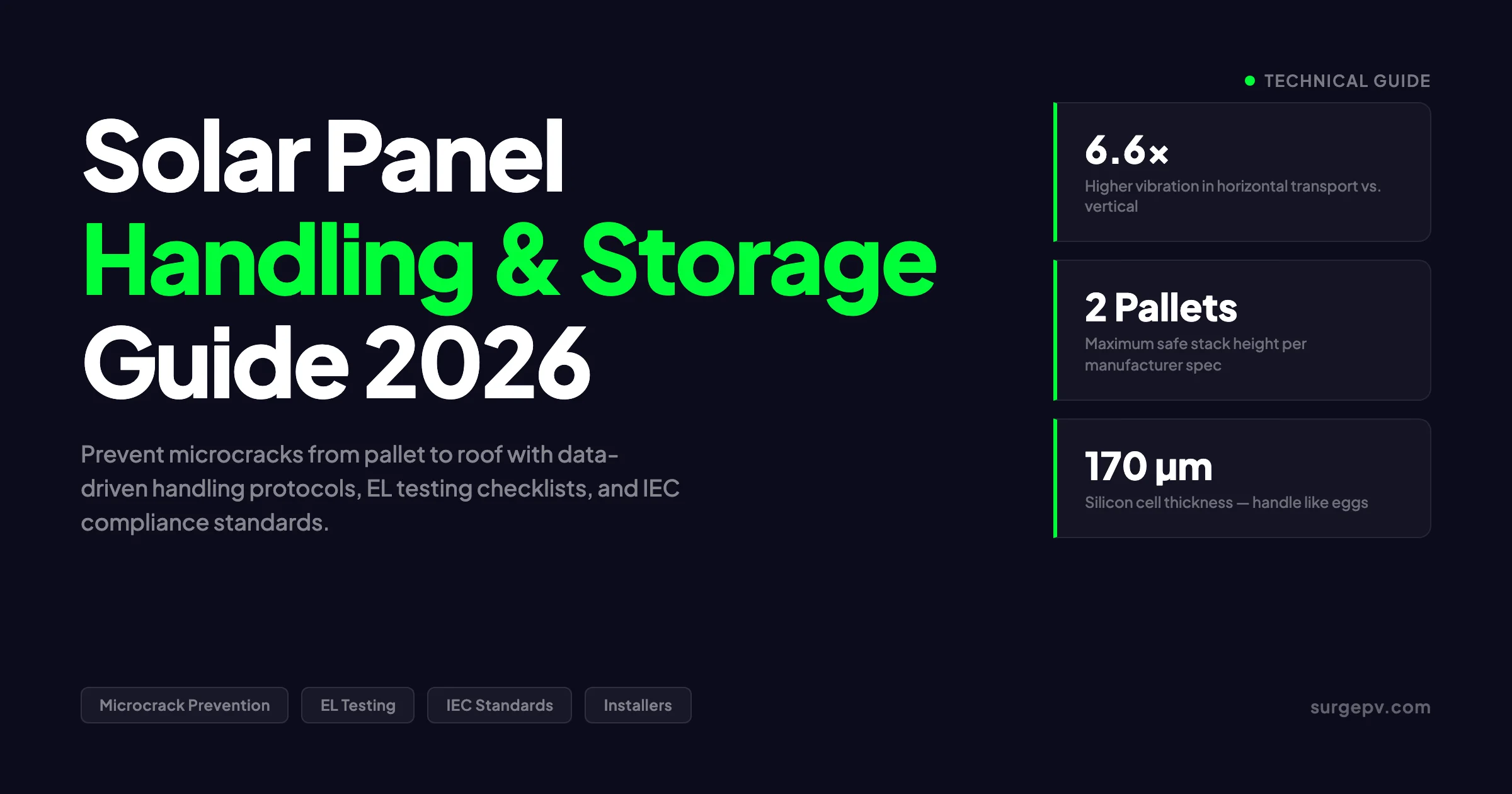
A 250 kWp commercial project in Gujarat arrived on site in March 2024. The installation crew unboxed the panels in a hurry. They stacked pallets three high on uneven ground. They carried modules one-handed up ladders. They walked across laid panels to reach the far end of the roof. The system commissioned at 248 kWp, within tolerance. By month 14, output had dropped to 231 kWp, a 7% loss that cost the owner approximately ₹4.2 lakh in foregone generation. Electroluminescence imaging revealed microcracks in 34% of the modules. The manufacturer denied the warranty claim. The installer paid for replacement out of pocket.
Solar panels must be stored flat, protected from moisture, and kept within -20°C to +50°C. Handle by the frame only — never the glass. Maximum stack height is 25 boxes (approximately 300 kg).
Solar panels must be stored flat, protected from moisture, and kept within -20°C to +50°C. Handle by the frame only — never the glass. Maximum stack height is 25 boxes (approximately 300 kg). Store in original packaging until installation. Improper handling causes microcracks that reduce output by 2–10%.
This story repeats across the industry. Microcracks are invisible, cumulative, and expensive. They form during transport, storage, handling, and installation. Most are preventable. This guide covers every stage from factory pallet to roof mounting, with specific numbers, checklists, and documentation protocols. See Solar Racking Design Guide for detailed guidance.
Quick Answer
Prevent solar panel microcracks by stacking pallets no more than 2 high on level ground, transporting panels vertically, carrying modules with 2 people by the frame only, never walking on panels, and commissioning electroluminescence imaging before accepting delivery and after installation. Document every step for warranty protection.
In this guide you will learn:
- What microcracks are, how they form, and how much power they cost
- Pallet handling rules from factory to jobsite
- Truck transport best practices including vibration data
- Jobsite receipt inspection checklists
- On-site storage limits and environmental controls
- Safe lifting, carrying, and roof staging procedures
- Mounting torque specifications and clamp placement
- When and how to commission EL testing
- Warranty claim documentation requirements
- Climate-specific handling for cold and hot regions
- Common myths that cost installers money
What Are Microcracks and Why Do They Matter
A microcrack is a fracture in the silicon wafer of a solar cell. These cracks range from 10 to 100 micrometers wide. They are invisible to the naked eye. They break the electrical pathways that carry current from the cell. The result is reduced power output, hot spots, and accelerated degradation. Read more about [Commercial Rooftop Solar Case Study Italy](/blog/commercial-solar-rooftop-case-study-italy-warehouse).
Microcracks form from mechanical stress at every stage of a panel’s life. Manufacturing processes like wafer slicing, cell soldering, and lamination introduce initial stress. Transport vibration adds more. Improper handling during unloading and carrying creates the worst damage. Thermal cycling in the field then propagates existing cracks over time.
In Simple Terms
A microcrack is a hairline fracture in the silicon cell inside a solar panel. It is too small to see without special cameras. It acts like a broken wire in a circuit, reducing the electricity the panel can produce.
How Microcracks Reduce Power Output
A cracked cell creates an electrical discontinuity. Current must flow around the crack. This increases series resistance and reduces fill factor. In severe cases, the cracked cell becomes reverse-biased and heats up, creating a hot spot that can damage the encapsulant and backsheet.
The power loss depends on crack type, size, location, and busbar design:
| Crack Type | Typical Power Loss | Progression Over Time |
|---|---|---|
| Minor edge crack, multi-busbar module | 0.2-0.5% | Stable, minimal growth |
| Branching or dendritic crack | 2-9% | Worsens with thermal cycling |
| Severe crack across cell center, 4-busbar | Up to 9% in 4 months | Rapid degradation |
| 100% cracked cells (fielded modules) | ~4.6% average | -0.8% to -3.3% per year |
| Complete cell isolation | 10-30% per affected string | Immediate and permanent |
Data from Kiwa PVEL’s multi-year field study shows that modules with 100% cracked cells lost approximately 4.6% of peak power. The DuraMat consortium found degradation rates from -0.8% to -3.3% per year depending on crack severity and climate. A Jordan field study on monocrystalline PERC modules found severe cracks caused up to 9% power loss after just 4 months of exposure.
Modern modules with 6-20 busbars and half-cut cells show much lower crack sensitivity. Kiwa PVEL’s 2025 mechanical stress sequence testing found 94% of bill-of-materials experienced under 2% power loss. However, the industry shift to larger 182 mm+ wafers increases inherent fragility. Gentle handling matters more than ever.
The Three Stages of Crack Formation
Microcracks develop in three stages. Understanding each helps target prevention.
Stage 1: Initial crack formation. Mechanical stress during manufacturing, transport, or handling creates a small fracture. At this stage, the crack may cause no measurable power loss. EL imaging can detect it.
Stage 2: Crack propagation. Thermal cycling in the field causes the silicon to expand and contract. The crack grows. Humidity ingress accelerates the process. Power loss becomes measurable, typically 1-3% in the first year.
Stage 3: Catastrophic failure. The crack severs enough electrical pathways that the cell becomes a load instead of a generator. Hot spots form. Bypass diodes activate. In extreme cases, the panel fails completely or creates a fire risk.
Pro Tip
Commission EL imaging on a sample of panels from every shipment before installation. Compare the crack density against the manufacturer’s pre-shipment EL report. If crack density is significantly higher, reject the shipment. The cost of EL testing is under $5 per panel. The cost of replacing a cracked panel after installation is $200-400 including labor.
Transport Damage: What the Data Shows
Transport is the highest-risk phase for microcrack formation. Panels vibrate for hours or days. Roads are imperfect. Forklifts impact pallets. The data on transport damage is sobering.
Transport Damage Statistics
Industry data shows that 1-2% of panels break at every supply chain touchpoint, according to Philip Schwarz, CEO of PVpallet. With 80% of PV modules produced in Asia and shipped globally, this translates to millions of dollars in avoidable damage annually. One in five module shipments arrives with broken or weakened panels when logistics are poor, according to Preta Power’s 2025 analysis. For Global-specific compliance details, see Global net-metering-by-country.
A 2023 study published in MDPI Energies measured vibration on Spanish road transport. The researchers attached accelerometers to panels during real truck journeys. The results were striking: For Spain-specific information, see Hotel Solar + EV Charging Case Study.
| Transport Position | Vibration Severity vs. IEC 62759-1 | Key Finding |
|---|---|---|
| Horizontal (flat on pallet) | 169% of IEC limit | 6.6x higher severity than vertical |
| Vertical (standing on edge) | 25% of IEC limit | Well within safe threshold |
| During unloading | Up to +15.9 g peak acceleration | Highest risk moment |
| Pothole impact | Up to +15.3 g peak acceleration | Sudden shock events |
The natural oscillation frequency of a 4 mm glass panel aligns with truck tire frequencies. This resonance amplifies vibrations. Horizontal transport is 9 times harsher than the IEC standard. Vertical transport is only 42% of the IEC value.
Key Takeaway
Always transport solar panels vertically when possible. Horizontal transport exceeds safe vibration limits by 69%. The difference between vertical and horizontal positioning is a 6.6x severity multiplier. This single decision prevents more transport damage than any packaging improvement.
Pallet Design and Packaging
Most manufacturers ship panels on wooden pallets wrapped in plastic and cardboard. These traditional pallets have limitations. They are not weather-tight. Water collects on wrapped pallets. Cardboard decomposes. Connector contamination occurs. Pallets delivered stacked are not bound together, so the upper pallet can shift.
Modern reusable pallets like PVpallet Series X use recycled HDPE with steel-reinforced bases and adjustable sidewalls. These reduce damage rates to under 1% according to industry reports. However, most installers receive traditional pallets. The handling rules below apply regardless of pallet type. Also see: Us Residential Solar Market Trends 2026.
Forklift Handling Rules
Forklift operation is the most common cause of visible pallet damage. Follow these rules:
- Use forks rated for the pallet size. Minimum fork length is 1.2 m for container loading. Use 1.8 m+ forks when lifting from the short side.
- Space forks at least 500 mm apart for stability.
- Insert forks from the short side of the pallet when safe to do so.
- Use a backrest at least 48 inches (1.2 m) high. This is the most common cause of module damage.
- Never press the forklift backrest into the packaging cardboard.
- Lift only one pallet at a time. Double-pallet lifts block visibility and increase drop risk.
- Move slowly over uneven ground. A dropped pallet from 20 cm can crack every panel.
Pro Tip
Inspect packaging before the forklift operator leaves. Look for shifted pallets, forklift punctures, dents, or water staining. If damage is visible on the outside, assume damage exists on the inside. Notify the driver immediately and photograph everything before signing the delivery receipt.
Truck Transport Considerations
The truck itself matters. Suspension quality, load securing, and driver behavior all affect panel condition on arrival.
| Factor | Best Practice | Risk of Poor Practice |
|---|---|---|
| Suspension type | Air-ride suspension reduces vibration by 30-50% vs. leaf springs | Leaf springs transmit road shocks directly |
| Load securing | Straps over pallets, not around individual panels | Strap pressure on glass causes point loading |
| Strap angle | Vertical or near-vertical (90° ± 15°) | Angled straps create lateral shear forces |
| Double stacking | Only if manufacturer approves; use edge protectors | Upper pallet crushes lower pallet frame |
| Climate control | Avoid extreme heat; ventilate if possible | EVA softening above 65°C causes cell shift |
| Transit time | Minimize; avoid multi-modal transfers | Each transfer is a new damage opportunity |
Jobsite Receipt: The Inspection Checklist
The moment panels arrive on site is your only chance to document pre-existing damage. Once panels are unboxed and installed, proving transport damage becomes nearly impossible.
Pre-Unboxing Inspection
Before opening anything, complete this checklist:
- Count pallets against the delivery note. Note any missing pallets.
- Photograph each pallet from all four sides and the top. Capture packaging condition, strapping integrity, and any visible damage.
- Check for water staining, mold, or moisture inside the wrapping. Moisture during transport voids most warranties.
- Verify pallet labels match the purchase order. Check model numbers, wattage ratings, and quantities.
- Record serial numbers from pallet labels. Manufacturers require serial numbers for warranty claims.
- Note the delivery time, driver name, and carrier company on the delivery receipt.
- Do not sign a clean delivery receipt if damage is visible. Write “packaging damaged, contents to be inspected” and photograph the note.
Post-Unboxing Inspection
Open one box from each pallet, or at minimum 5% of total pallets:
- Inspect frame corners for dents or deformation.
- Check glass for chips, scratches, or cracks. Use a flashlight at an angle to catch surface defects.
- Verify junction box integrity. Cracked junction boxes indicate severe impact.
- Check connector pins for corrosion or bending.
- Compare the panel’s flash test label against the specification sheet. Verify Voc, Isc, and Pmax are within tolerance.
- Photograph any defects with the serial number visible.
When to Commission EL Testing on Delivery
Electroluminescence testing on delivery is not standard practice for most residential projects. It should be standard for commercial projects above 100 kWp and for any project where warranty claims are likely to be contested.
Commission delivery EL testing when:
- The project size exceeds 100 kWp
- The transport route involved rough roads or multiple transfers
- The manufacturer has a history of transport damage claims
- The project is financed and lenders require quality documentation
- The installation warranty period is short (under 5 years)
EL testing costs $3-8 per panel depending on volume and location. For a 250 kWp system with 400 panels, this is $1,200-3,200. The cost of replacing 10% of panels due to undetected transport damage is $8,000-15,000 plus labor.
Real-World Example
A 500 kWp warehouse project in Rajasthan received panels after a 1,200 km truck journey on national highways. The EPC commissioned EL testing on 10% sample. Three panels showed branching cracks consistent with transport vibration. The manufacturer replaced all three under warranty because the damage was documented before installation. Without EL proof, the EPC would have absorbed the cost.
On-Site Storage: Stack Heights and Environmental Controls
Jobsite storage is where good intentions meet bad conditions. Panels sit on dirt, under tarps, in the rain, stacked too high. Every day of improper storage adds risk.
Maximum Stack Heights
Manufacturer specifications are clear. Exceeding them voids warranties.
| Manufacturer | Max Stack Height | Pallet Weight (Approx.) |
|---|---|---|
| REC Solar | 2 pallets | 735-1,115 kg per pallet |
| LONGi | 2 pallets | 800-1,200 kg per pallet |
| JinkoSolar | 2 pallets | 750-1,100 kg per pallet |
| Trina Solar | 2 pallets | 700-1,050 kg per pallet |
| First Solar | 2 pallets | 600-900 kg per pallet |
A single pallet of large-format modules is approximately 1.2 m tall. Two pallets stacked reach 2.4 m. This is the universal limit across Tier 1 manufacturers. India’s CPCB draft guidelines specify a maximum of 20 layers or 2 m height for panel storage. Also see: Best Solar Design Software India. For India-specific information, see 5kW Solar Panel Price in India.
Storage Location Requirements
The ideal storage location meets these criteria:
- Dry and covered. A roof or weather-tight tent. Tarps are acceptable only as temporary protection. Water pooling on pallets causes frame corrosion and connector contamination.
- Level ground. Slope causes pallets to lean. Leaning pallets create uneven load distribution. Uneven loads crack corner cells.
- Off the ground. Store on pallets, not dirt or concrete. Ground moisture wicks up through cardboard. Rodents chew packaging on ground-level storage.
- Ventilated. Avoid enclosed containers or sealed plastic wrapping for long-term storage. Condensation forms in sealed environments. Condensation causes delamination and PID.
- Away from contaminants. Keep panels away from cement dust, lime, fresh concrete, paint solvents, and chemicals. These corrode frames and damage encapsulants.
- Protected from wind. Secure tarps or use windbreaks. Wind can lift and topple unprotected pallets.
Key Takeaway
Store solar panels on level ground, under cover, off the dirt, with ventilation, and away from chemicals. Stack no more than 2 pallets high. These six rules prevent 80% of storage-related damage. The other 20% comes from duration: minimize storage time to under 2 weeks when possible.
Storage Duration Limits
Panels should not sit in storage for extended periods. The risks accumulate:
| Storage Duration | Risk Level | Recommended Actions |
|---|---|---|
| Under 1 week | Low | Basic cover, level ground, 2-pallet max |
| 1-4 weeks | Moderate | Full weather protection, weekly inspection, rotate stock |
| 1-3 months | High | Climate-controlled space if possible, EL test before install |
| Over 3 months | Critical | Indoor storage required, full documentation, manufacturer notification |
If panels must store for over 1 month, notify the manufacturer. Some warranties have storage duration clauses. Document the storage conditions with dated photographs.
Climate-Specific Storage
Hot climates (above 35°C ambient):
- Store in the coolest available location. Shade is not enough. A metal shed in direct sun can exceed 60°C interior temperature.
- Allow airflow under and around pallets. Stagnant hot air accelerates EVA degradation.
- Do not store in enclosed containers without ventilation. Temperatures can exceed 85°C, the IEC storage limit. Shadow analysis software identifies shading issues before installation.
Cold climates (below 0°C ambient):
- Cold panels are brittle. The silicon wafer, glass, and EVA all become more fragile at low temperatures.
- Allow cold-delivered panels to acclimatize for 24 hours before unboxing. Rapid warming causes thermal shock.
- Do not pour warm water on frozen panels to clear snow or ice. The thermal shock cracks glass.
- Store indoors if temperatures drop below -20°C for extended periods.
Humid climates (above 70% relative humidity):
- Humidity is the enemy of long-term storage. It causes frame corrosion, connector oxidation, and encapsulant delamination.
- Use desiccant packs inside packaging if storage exceeds 2 weeks.
- Inspect for condensation daily. If condensation forms, unwrap and dry panels before re-wrapping.
Lifting and Carrying: The Two-Person Rule
Manual handling is where most installation-phase microcracks form. One person carrying a 30 kg panel up a ladder is a recipe for drops, bends, and cracks.
Two-Person Carrying Technique
Two installers should carry each module:
- Stand on opposite sides of the panel.
- Grip the aluminum frame, never the glass surface.
- Lift together on a counted signal.
- Carry the panel vertically, not flat.
- Rest the panel against the body for support. Distribute load across the arm, shoulder, and hip.
- Never twist the torso while carrying. Turn the whole body.
- Set down gently on a padded surface, not concrete or gravel.
Large-format modules (2.2 m x 1.1 m) now weigh 25-35 kg. The surface area makes them awkward for one person. The frame is the only safe gripping point. The glass offers no purchase and is slippery.
Pro Tip
Carry panels by the long edge, not the short edge. This keeps the panel closer to the body and reduces leverage forces. For very large modules (over 2.3 m), use a mechanical lift or vacuum lifter even for ground-level moves. The labor cost of two people carrying is higher than the equipment rental for a vacuum lifter on projects over 50 kWp.
Mechanical Lifting Equipment
For commercial projects, mechanical lifts are essential. The options include:
| Equipment Type | Best For | Capacity | Key Safety Check |
|---|---|---|---|
| Vacuum glass lifter | Ground to roof, large modules | 200-500 kg | Inspect vacuum seals every 4 hours |
| Channel lifter (e.g., Wood Powr-Grip) | Roof staging, rotation | 150-300 kg | Verify 180° rotation lock |
| Quadra-Tilt system | Varied module sizes | 100-400 kg | Check pad arm positions |
| Crane with spreader bar | Utility-scale projects | 1,000+ kg | Load test before each lift |
| Material hoist | Multi-story buildings | 200-500 kg | Verify brake operation daily |
Before using any mechanical lift:
- Verify all operators are trained and certified.
- Read the operator’s manual. Keep it on site.
- Inspect vacuum seals at the start of shift, mid-shift, and after breaks.
- Test all safety alarms and wireless remotes.
- Check wind speed. Do not operate above 5 Beaufort (19-24 mph).
- Use a spotter at all times.
- Never stand under a suspended load.
What Never to Do During Handling
These rules are non-negotiable. Breaking any one can void warranties and cause immediate damage:
- Never walk on solar panels. The glass may support weight, but the 170-micrometer silicon cell beneath does not. Foot pressure creates microcracks. This is the single most common cause of installation-phase damage.
- Never lay panels glass-down on hard surfaces. Always place panels frame-down on padded surfaces. Glass-down placement risks scratches and point-load cracks.
- Never carry panels up ladders. Use mechanical lifts, scaffolding, or material hoists. Carrying panels on ladders causes drops and frame bending.
- Never drag panels across surfaces. Dragging scratches frames and can crack corner cells.
- Never stack loose panels. Always keep panels in packaging or on racks until installation.
- Never use panels as work platforms. Do not place tools, cables, or materials on uninstalled panels.
Roof Staging and Mounting
The roof is the final and most expensive place to damage a panel. Replacement requires removal, re-shipping, and re-installation. Staging discipline prevents most roof-phase damage.
Roof Staging Best Practices
Stage panels on the roof in small batches. Do not unload the entire shipment at once.
- Stage panels near the installation area, not across the entire roof.
- Place panels on padded racks or foam blocks, not directly on roofing material.
- Keep panels in vertical orientation during staging. Laid-flat panels are easier to step on accidentally.
- Cover staged panels with a clean tarp if work pauses. Bird droppings, dust, and debris complicate cleaning.
- Install panels in the order they are staged. Do not move panels multiple times across the roof.
Mounting Torque Specifications
Overtorquing is a hidden cause of microcracks. When a clamp is tightened beyond specification, the force transfers through the frame into the glass. The glass flexes. The silicon cell beneath cracks.
| Clamp Type | Typical Torque Range | Tool Required |
|---|---|---|
| Mid-clamp | 8-12 Nm | Calibrated torque wrench |
| End-clamp | 10-15 Nm | Calibrated torque wrench |
| Rail splice | 15-20 Nm | Calibrated torque wrench |
| Grounding lug | 10-14 Nm | Calibrated torque wrench |
Always follow the manufacturer’s exact specification. Use a calibrated torque wrench, not an impact drill. Impact drills apply variable torque and can easily exceed limits. Check torque after the first season of thermal cycling. Expansion and contraction can loosen clamps.
What Most Guides Miss
Most installation guides specify torque values but omit the clamp placement rule: clamps must sit on the frame, not overhanging into the glass area. A clamp placed even 5 mm too far inward creates a stress concentration point. We have seen panels with perfectly torqued clamps that cracked because the clamp edge sat on the glass. Measure clamp position with a ruler. The clamp should contact only the aluminum frame.
Clamp Placement and Spacing
Clamp placement affects both mechanical security and cell integrity:
- Place mid-clamps at the positions specified by the manufacturer. These are typically 100-150 mm from the panel edge.
- End-clamps must grip at least 20 mm of frame depth. Less than 20 mm risks pull-out under wind load.
- Do not clamp over the junction box area. The junction box creates a stress riser in the glass.
- Maintain consistent clamp spacing across the array. Uneven spacing creates uneven load distribution.
- Use the manufacturer’s specified number of clamps. Reducing clamps to save cost increases per-clamp load and crack risk.
Electroluminescence Testing: When and How
Electroluminescence (EL) imaging is the gold standard for detecting microcracks. It uses a near-infrared camera to photograph a panel while electrical current flows through it. Intact silicon cells emit infrared light. Cracked cells appear as dark lines or regions.
What EL Testing Shows
EL imaging reveals defects invisible to visual inspection:
| Defect Type | EL Appearance | Typical Cause |
|---|---|---|
| Microcracks | Dark lines across cells | Mechanical stress, transport vibration |
| Cell fracture | Large dark regions | Severe impact, thermal shock |
| Finger interruption | Dark spots on cell grid | Manufacturing defect, corrosion |
| Solder joint degradation | Dark areas at busbar connections | Thermal cycling, poor soldering |
| PID (Potential Induced Degradation) | Dark edges or corners | High voltage + humidity |
| Cell mismatch | Brightness variation between cells | Manufacturing tolerance stack-up |
When to Commission EL Testing
EL testing should happen at three points in a project’s life:
Point 1: Upon delivery (pre-installation). Test a representative sample (5-10% for residential, 10-20% for commercial, 100% for utility-scale). Compare against the manufacturer’s factory EL report. Document any new cracks as transport damage.
Point 2: After installation (pre-commissioning). Test 100% of installed panels. This captures handling and installation damage. It establishes a baseline for warranty claims. It also identifies manufacturing defects that were not visible at delivery.
Point 3: Year 1 or 2 (baseline for O&M). Test a sample of panels to establish degradation baseline. Compare against the post-installation EL report. New cracks indicate handling issues or manufacturing quality problems.
SurgePV Analysis
On a 400-panel commercial project, the total cost of three-phase EL testing is approximately $4,000-6,000. The cost of discovering 5% crack-induced degradation after year 2, then replacing panels and disputing warranty claims, is $15,000-25,000. EL testing has a 3-5x return on investment for commercial projects. For residential projects under 10 kWp, delivery sampling is sufficient unless the transport route was unusually rough.
For a direct comparison, see Arka 360 vs SurgePV.
EL Testing Equipment and Providers
Mobile EL testing services are available in most solar markets. Equipment includes:
- Near-infrared camera (sensitive to 900-1,100 nm wavelength)
- DC power supply (typically 0.5-1x Isc)
- Dark enclosure or nighttime operation
- Image analysis software for crack classification
DIY EL testing is possible with modified DSLR cameras and IR filters, but professional services provide calibrated equipment and documented reports that hold up in warranty disputes.
Interpreting EL Results
Not every crack is a crisis. Modern multi-busbar modules tolerate minor cracks well. Use this framework:
| Crack Density | Action | Warranty Claim Likelihood |
|---|---|---|
| Under 5% of cells affected, minor cracks | Monitor, no immediate action | Low |
| 5-15% of cells affected, branching cracks | Document, monitor quarterly | Moderate |
| Over 15% of cells affected, severe cracks | Replace panel, file warranty claim | High |
| New cracks vs. factory report | File transport damage claim | High if documented pre-install |
Warranty Claims and Documentation
Warranty claims for microcracks are among the most disputed in the solar industry. Manufacturers routinely deny claims by attributing cracks to improper handling, transport, or installation. Documentation is your only defense.
What Manufacturers Require
Every manufacturer has different warranty language, but common requirements include:
- Proof of purchase with serial numbers
- Installation records showing compliance with manufacturer guidelines
- Maintenance logs documenting regular inspections
- Performance data showing degradation over time
- Professional inspection report with EL imaging
- Photographic evidence of damage
- Notification within specified timeframes (often 30 days of discovery)
The Critical Documentation Timeline
| Timeframe | Action Required | Responsible Party |
|---|---|---|
| At delivery | Photograph packaging, note damage on delivery receipt | Receiving crew |
| Within 24 hours | Notify carrier of visible damage | Project manager |
| Within 48 hours | Notify manufacturer of damage with photos | Project manager |
| Before installation | EL test sample, document serial numbers | QA technician |
| After installation | EL test 100%, compile baseline report | QA technician |
| At commissioning | Record performance data, flash test results | Commissioning engineer |
| Quarterly | Visual inspection, performance monitoring | O&M team |
| At degradation discovery | Professional EL inspection, file claim within 30 days | O&M team |
Common Mistake
Installers often discover microcracks during year 2 or 3 O&M inspections. They file warranty claims with only post-damage EL images. The manufacturer responds: “These cracks could have formed during your installation.” The claim is denied. The fix is simple: commission post-installation EL imaging on 100% of panels. This baseline proves the panel condition at handover. Without it, you cannot prove when cracks formed.
Insurance vs. Warranty: Know the Difference
| Scenario | Coverage | Documentation Needed |
|---|---|---|
| Manufacturing defect microcracks | Manufacturer product warranty (10-15 years) | Factory EL report, post-install EL, performance data |
| Transport damage microcracks | Carrier insurance or manufacturer (if documented pre-install) | Delivery photos, pre-install EL, delivery receipt notes |
| Installation damage microcracks | Installer workmanship warranty | Post-install EL, installation records |
| Weather damage (hail, storm) | Property insurance | Weather reports, pre-event EL, post-event EL, photos |
| Gradual degradation within warranty | Manufacturer performance warranty (25-30 years) | Annual performance data, commissioning baseline |
Most manufacturer warranties explicitly exclude microcracks caused by “incorrect transportation, installation, and operation.” One Tier 1 manufacturer’s warranty states this directly. Read the warranty terms before accepting delivery.
Climate Impact: Cold Brittleness and Hot Warpage
Temperature affects every material in a solar panel. Understanding these effects prevents climate-specific handling mistakes.
Cold Climate Handling
Solar panels are rated for operation down to -40°C. However, cold handling requires special care.
Material brittleness at low temperatures:
| Material | Low-Temperature Risk | Mitigation |
|---|---|---|
| Silicon wafer (170 µm) | Becomes more brittle; impact resistance drops | Handle gently, no drops from any height |
| Tempered glass (3.2-4 mm) | Thermal shock risk from rapid temperature change | Allow 24-hour acclimatization before unboxing |
| EVA encapsulant | Stiffens, loses flexibility | Do not bend or flex cold panels |
| Aluminum frame | Contracts more than glass, creates stress | Check clamp torque after first cold season |
| Junction box and cables | Plastic becomes brittle | Handle connectors carefully, avoid sharp bends |
Freeze-thaw cycling is the hidden killer in cold climates. A panel that sees -30°C winter nights and +30°C summer days experiences a 60°C thermal swing twice per year. Over 25 years, that is 50 cycles. Each cycle propagates existing microcracks. Panels with pre-existing transport or installation damage fail earlier in cold climates.
Real-World Example
A 150 kWp ground-mount project in Manitoba, Canada, used panels shipped from Asia in January. The containers sat in a Winnipeg rail yard for 3 days at -35°C. The installation crew unboxed panels immediately upon delivery. Three panels cracked audibly as they warmed in the heated warehouse. The thermal shock from -35°C to +20°C in minutes caused the glass to fracture. The EPC learned: always allow 24-hour acclimatization for cold-delivered panels. The replacement cost was $1,800. The lesson was free.
For Canada-specific compliance details, see Canada comparisons/solar-designing.
Hot Climate Handling
High temperatures create different problems. The IEC 61215 storage limit is +85°C. Ambient temperatures of 45-50°C in desert regions can push unventilated storage above this limit.
Thermal expansion mismatch:
The aluminum frame expands approximately 9 times more than the silicon wafer for the same temperature rise. On a 2 m panel with a 50°C temperature increase:
- Aluminum frame grows by 2.31 mm
- Silicon wafer grows by 0.26 mm
- The difference is 2.05 mm of internal stress
This stress transmits through the encapsulant to the cell. Over time, it causes:
- Squeezed sealing silicone and potential water ingress
- Ribbon tensile forces that induce microcracks
- Metal fatigue at busbar connections
- Frame sealant failure that enables PID
Hot climate storage rules:
- Store in the coolest available location. Shade alone is not enough.
- Ensure ventilation under and around pallets. Hot stagnant air accelerates degradation.
- Never store in enclosed metal containers in direct sun. Interior temperatures can exceed 100°C.
- Install panels early in the morning before roof surfaces heat up. Hot roofs above 60°C increase thermal stress during mounting.
- Check clamp torque after the first hot season. Thermal expansion can loosen clamps.
Humidity and Coastal Storage
Coastal projects face salt mist corrosion. IEC 61701 defines salt mist testing for coastal applications. Storage near the coast requires:
- Indoor storage if possible. Salt air corrodes aluminum frames in weeks.
- If outdoor storage is necessary, use corrosion-resistant tarps and inspect weekly.
- Wipe frames with a dry cloth before installation to remove salt deposits.
- Use panels with IEC 61701 certification for installations within 5 km of the coast.
Myths That Cost Installers Money
The solar industry has accumulated handling myths that persist despite evidence. Correcting them saves money and panels.
Myth 1: “You Can Walk on Solar Panels If You Step on the Frame”
Reality: The frame supports weight, but the glass flexes. Even frame-edge walking creates glass flex that cracks cells. One installer in Gujarat walked across a row of installed panels to reach a junction box. EL imaging later showed microcracks in 12 of 16 panels in that row. The installer paid $3,200 in replacements. Use walkways, scaffolding, or ladders. Never walk on panels.
Myth 2: “Stacking Three Pallets Is Fine If the Ground Is Level”
Reality: Every manufacturer specifies 2 pallets maximum. The lower pallet bears the full weight of the upper pallet plus modules. At 1,000+ kg per pallet, the lower pallet’s corner posts compress. The frame of the bottom panel deforms. Corner cells crack. One EPC in Rajasthan stacked 3 pallets to save space. The bottom 20 panels all showed corner cell cracks in post-installation EL testing. The manufacturer denied the warranty claim. The EPC absorbed $4,500 in replacement costs.
Myth 3: “Microcracks Are Only a Manufacturing Problem”
Reality: At least 6% of panels have microcracks before reaching the customer. But transport, handling, and installation create additional cracks. A 2023 Spanish road transport study found that horizontal transport exceeded safe vibration limits by 69%. Forklift impacts, drops, and improper carrying create more cracks than manufacturing in many projects. The installer who blames the manufacturer without documenting pre-installation condition loses every dispute.
Myth 4: “EL Testing Is Too Expensive for Small Projects”
Reality: EL testing costs $3-8 per panel. For a 10 kWp residential system with 20 panels, that is $60-160. The cost of replacing one cracked panel after installation is $300-500 including labor and shipping. EL testing pays for itself if it catches even one damaged panel. For residential projects, sample testing (5-10% of panels) is sufficient and costs under $100.
Myth 5: “Modern Panels Are Tough Enough to Handle Rough Treatment”
Reality: Modern panels ARE tougher in some ways. Multi-busbar designs and half-cut cells reduce crack sensitivity. Glass-glass modules resist mechanical stress better. But wafer sizes have grown from 156 mm to 182-210 mm. Larger wafers are more fragile. Thinner cells (170 µm vs. 200 µm in older designs) crack more easily. The net effect is that modern panels require the same gentle handling as older designs.
Key Takeaway
The five most expensive myths in solar panel handling share one theme: underestimating fragility. Silicon cells are 170 micrometers thick. That is 2-3 sheets of paper. Treat every panel accordingly. The cost of caution is minutes per panel. The cost of carelessness is thousands per project.
IEC Standards and Compliance
International standards define the test protocols that panels must pass. Understanding these standards helps installers set realistic handling expectations and dispute warranty claims.
IEC 61215: Design Qualification
IEC 61215 is the core standard for crystalline silicon PV module design qualification. It includes tests that simulate long-term environmental stress:
| Test | Condition | Purpose |
|---|---|---|
| Thermal cycling | -40°C to +85°C, 200 cycles | Simulates daily temperature swings |
| Damp heat | 85°C, 85% RH, 1,000 hours | Tests humidity resistance |
| Humidity freeze | -40°C to +85°C with humidity | Tests freeze-thaw cycling |
| Mechanical load | 2,400 Pa static load, front and back | Simulates snow and wind loads |
| Hail impact | 25 mm ice ball at 23 m/s | Tests impact resistance |
| UV exposure | 15 kWh/m² UV dose | Tests encapsulant degradation |
Panels that pass IEC 61215 are qualified for 25-year operation. However, the standard tests ideal conditions. Real-world transport and handling often exceed these conditions.
IEC 61730: Safety Qualification
IEC 61730 covers electrical and fire safety. It includes:
- Insulation resistance testing
- Wet leakage current testing
- Hot spot endurance testing
- Fire resistance testing (Class A, B, or C)
Installers should verify that panels carry both IEC 61215 and IEC 61730 certification. These are the minimum standards for bankable projects.
IEC 62759-1: Transportation Testing
IEC 62759-1 is the dedicated standard for transport testing. It defines vibration profiles that simulate road, rail, and sea transport. The 2022 revision updated test severity based on field data.
Key finding from the 2023 Spanish study: real road transport produces vibration severity 169% of the IEC 62759-1 limit for horizontally transported panels. The standard may not be stringent enough for real-world conditions. This is why vertical transport and proper packaging matter more than certification alone.
IEC 62446: System Inspection and Documentation
IEC 62446 defines the inspection and documentation requirements for grid-connected PV systems. It includes:
- Visual inspection checklists
- Electrical testing protocols
- System documentation requirements
- Periodic inspection schedules
Following IEC 62446 inspection protocols ensures that documentation is complete enough for warranty claims.
Handling Specifications by Panel Type
Different panel technologies have different handling requirements. One size does not fit all.
| Panel Type | Special Handling Consideration | Fragility Rating |
|---|---|---|
| Monocrystalline PERC (standard) | Standard handling rules apply | Medium |
| Monocrystalline TOPCon | Similar to PERC; slightly thinner cells | Medium-High |
| Heterojunction (HJT) | Very thin cells (120-140 µm); handle with extra care | High |
| Bifacial (glass-glass) | Heavier; requires 2-person lift always; glass edges chip easily | Medium |
| Bifacial (glass-backsheet) | Backsheet scratches easily; do not drag | Medium |
| Flexible/thin-film | Do not bend beyond manufacturer spec; no point loads | Very High |
| Half-cut cell | More crack-tolerant due to redundancy | Low-Medium |
| Shingled cell | No frame edges for clamping; use manufacturer-specific clamps | Medium |
HJT panels deserve special attention. The cells are 120-140 micrometers thick, 20-30% thinner than standard PERC cells. They produce higher efficiency but handle like eggs. Always use mechanical lifts for HJT modules. Never carry them manually over uneven ground. See TOPCon vs HJT vs Perovskite Solar Panels for detailed guidance.
Design Systems That Account for Real-World Handling
SurgePV’s solar design software helps you specify the right panel quantities, clamp counts, and structural loads for every project. Build arrays that match your crew’s handling capacity and your climate’s stress profile.
Explore Solar Design SoftwarePlan panel layouts, clamp spacing, and structural loads in one platform
The Complete Jobsite Handling Checklist
Use this checklist for every project. Print it. Laminate it. Tape it to the storage container.
Delivery Day
- Count pallets against delivery note
- Photograph each pallet from 4 sides and top
- Check for water staining, mold, or moisture
- Verify pallet labels match purchase order
- Record serial numbers
- Note delivery time, driver, and carrier
- Do not sign clean receipt if damage is visible
- Inspect 5% of pallets post-unboxing
- Commission EL testing on sample if project exceeds 100 kWp
Storage
- Store on level ground
- Keep under cover and weather-tight
- Store off the ground on pallets
- Stack maximum 2 pallets high
- Ensure ventilation
- Keep away from chemicals and contaminants
- Secure against wind
- Minimize storage duration (under 2 weeks ideal)
- Allow 24-hour acclimatization for cold-delivered panels
Handling
- Use 2 people for every panel
- Carry by frame only, never by glass
- Carry vertically, not flat
- Never carry up ladders
- Use mechanical lifts for commercial projects
- Never walk on panels
- Never lay panels glass-down on hard surfaces
- Stage on padded surfaces only
Installation
- Use calibrated torque wrench, not impact drill
- Follow manufacturer torque specification exactly
- Place clamps on frame only, not on glass
- Maintain specified clamp spacing
- Do not clamp over junction box
- Check torque after first thermal season
- Commission post-installation EL testing
Documentation
- Keep delivery photos and receipts
- File pre-installation EL report
- File post-installation EL report
- Record commissioning performance data
- Maintain quarterly inspection logs
- Store all documentation in dedicated project folder
- Notify manufacturer of damage within 48 hours
Conclusion
Microcracks are the silent profit killer in solar installation. They form invisibly during transport, handling, and mounting. They reveal themselves years later as power loss that warranty claims cannot recover. Prevention is the only strategy that works.
The data is clear. Vertical transport reduces vibration severity by 6.6x compared to horizontal. Two-person carrying prevents drops and bends. Two-pallet stacking limits prevent frame deformation. Torque wrenches prevent glass stress. EL testing provides the documentation that wins warranty disputes.
The cost of prevention is small. EL testing is $3-8 per panel. A torque wrench is $50. Two-person carrying adds minutes per panel. The cost of repair is large. Replacement panels, labor, shipping, and lost generation add up to $200-400 per panel. On a 250 kWp project with 400 panels, a 5% damage rate costs $4,000-8,000. Prevention costs under $1,000.
Your next steps:
- Print the jobsite handling checklist and review it with your crew before the next delivery
- Commission EL testing on your next commercial project over 100 kWp, both pre- and post-installation
- Audit your storage practices: count how many pallets are stacked 3+ high and restack them today
The panels you handle today will generate electricity for 25 years. Handle them like the long-term assets they are.
Tools & Further Reading
Continue exploring related SurgePV resources:
Frequently Asked Questions
What is the maximum safe stack height for solar panel pallets on a jobsite?
Most manufacturers specify a maximum of 2 pallets high for both storage and transport. A single pallet of large-format modules is approximately 1.2 m tall. Exceeding this limit risks frame deformation, glass breakage, and microcrack formation that voids warranty coverage.
How do microcracks affect solar panel power output?
Microcracks reduce power output by breaking electrical pathways within silicon cells. Field studies show power loss ranges from 0.55% for minor cracks in modern multi-busbar designs to 9% for severe cracks in older 4-busbar modules after just 4 months of exposure. The branching or dendritic crack type causes the most damage over time.
What is electroluminescence (EL) testing and when should I use it?
Electroluminescence (EL) testing uses a near-infrared camera to photograph a panel while it emits light under electrical current. Cracks appear as dark lines. Commission EL testing at three points: upon delivery (before accepting the shipment), after installation (before commissioning), and at year 1 or 2 for baseline documentation.
Can I walk on solar panels during installation?
No. Never walk on solar panels, even if the manufacturer claims the glass can support weight. The silicon cells beneath the glass are 170 micrometers thick, about the thickness of 2-3 sheets of paper. Foot pressure creates microcracks that are invisible but permanently reduce output. Always use walkways, ladders, or mechanical lifts.
What temperature range is safe for storing solar panels?
Most panels are rated for storage between -40°C and +85°C according to IEC 61215. However, avoid rapid temperature swings. Cold panels become brittle. Hot panels above 65°C risk EVA encapsulant softening. Store in a dry, ventilated, covered area and allow cold-delivered panels to acclimatize for 24 hours before unboxing.
How should I document panel condition for warranty claims?
Document every pallet with photos of packaging, serial numbers, and any visible damage before opening. Photograph each panel’s barcode and flash test label. If damage is found, notify the carrier within 24 hours and the manufacturer within 48 hours. Commission EL imaging for hidden defects. Keep all delivery receipts, inspection reports, and EL images in a dedicated project folder.
What is the two-person rule for carrying solar panels?
Large-format modules now weigh 25-35 kg each. One person cannot safely lift and maneuver a panel without bending or dropping it. Two installers should carry each module by the frame edges, never by the glass surface. Distribute the load evenly against the body. Never carry panels up ladders.
Does transport orientation matter for solar panels?
Yes. Research from Spain shows horizontally transported panels experience 6.6 times higher vibration severity than vertically transported panels. Horizontal transport exceeded IEC 62759-1 severity limits by 69%, while vertical transport stayed at only 25% of the limit. Always transport panels vertically on pallets when possible. Also see: Spain net metering.
What torque should I use when mounting solar panels?
Follow the manufacturer’s specification exactly, typically 8-12 Nm for mid-clamps and 10-15 Nm for end-clamps. Overtorquing transfers stress directly to the glass and can cause microcracks. Use a calibrated torque wrench, not a drill. Check torque after the first thermal cycle season.
Are modern solar panels less prone to microcracks than older designs?
Yes. Modern modules with 6-20 busbars, half-cut cells, and glass-glass construction show significantly lower crack-induced power loss. Kiwa PVEL data shows 94% of modern bill-of-materials experienced under 2% power loss in mechanical stress testing. However, larger wafer formats (182 mm+) are inherently more fragile, so gentle handling remains critical.
Where this fits
This article is part of SurgePV's Solar Installation hub, which works through the topic from first principles to the decisions a project team actually has to make.

