Answer
The solar industry closes 13% of sales-qualified leads (First Page Sage, 2023). That sequence moves leads from first contact to signed contract without manual bottlenecks. The framework works in HubSpot, Salesforce, Pipedrive, Sunbase, or any CRM that supports custom pipeline stages and workflow rules. It moves solar leads through the sales pipeline without manual data entry.
The solar industry closes 13% of sales-qualified leads (First Page Sage, 2023). That is the same rate as B2B SaaS. HVAC closes 29%. Construction closes 16%.
The solar industry closes 13% of sales-qualified leads (First Page Sage, 2023). That sequence moves leads from first contact to signed contract without manual bottlenecks. The framework works in HubSpot, Salesforce, Pipedrive, Sunbase, or any CRM that supports custom pipeline stages and workflow rules.
Solar is not a lead-volume problem. It is a speed and discipline problem.
Most EPC firms already own a CRM. They still lose deals to slow follow-ups. They lose deals to handoff delays between sales and design. They lose deals to reps who quit after one attempt.
The fix is not buying another tool. It is wiring the tools you have into a sequence. That sequence moves leads from first contact to signed contract without manual bottlenecks.
This guide shows you how to build that workflow in seven stages. Each stage includes setup instructions, SLA timers, and the exact triggers that move deals forward.
The framework works in HubSpot, Salesforce, Pipedrive, Sunbase, or any CRM that supports custom pipeline stages and workflow rules.
TL;DR — Solar CRM Workflow Automation
Responding to a lead within 5 minutes makes you 100 times more likely to connect than waiting 30 minutes (MIT/InsideSales.com, 2007). Yet 44% of solar reps give up after one follow-up. A 7-stage CRM workflow with auto-routing and solar-specific scoring can lift close rates 25–40% when paired with integrated proposal tools (vendor-reported data).
In this guide:
- Stage 1: Lead Routing — territory, round-robin, and fallback timers
- Stage 2: Qualification Scoring — solar-specific weights, not generic firmographics
- Stage 3: The Proposal Gap — why the CRM-to-design handoff kills deals
- Stage 4: Follow-Up Cadence — the exact 14-day touch pattern
- Stage 5: Objection Handling — Sandler Reverse and LAER in automated nurture
- Stage 6: Sales-to-Ops Handoff — auto-create project tasks on contract signed
- Stage 7: Post-Sale Automation — referral asks and battery upsell workflows
What Is Solar CRM Workflow Automation?
Solar CRM workflow automation uses rules and triggers inside a CRM. It moves solar leads through the sales pipeline without manual data entry. It replaces spreadsheets and memory-dependent follow-ups with a system that acts the same way every time. The result is faster response times, fewer dropped leads, and higher close rates.
A typical automated workflow looks like this. A lead fills out a website form. The CRM assigns it to a rep based on postcode. A task fires with a 5-minute SLA.
If the rep does not call, the lead escalates to the sales manager. After the call, the rep marks the lead “Qualified.” A site survey task auto-creates.
Once the survey is complete, a proposal request triggers in your solar design suite. The rep delivers the proposal the same day. If the prospect does not respond, a 6-touch email and SMS sequence starts automatically.
Without automation, each step requires a human decision. Humans forget. Humans get busy. Humans take lunch breaks.
Automation does not.
The business case is simple. Companies that automate lead management see a 10% or greater revenue increase within 6–9 months (Gartner Research, via HubSpot).
Nurtured leads produce 50% more sales at 33% lower cost than non-nurtured leads (Forrester Research, via HubSpot).
For a solar EPC doing 100 deals a year at £25,000 average, a 10% lift is £250,000 in extra revenue. That comes from workflow changes alone.
Solar has unique requirements generic CRM guides ignore. A solar lead is not scored on company size or job title.
It is scored on home ownership, roof condition, shading, utility bill size, and credit score range.
A solar pipeline is not “Prospecting → Negotiation → Closed Won.” It is “New Lead → Qualified → Site Survey Scheduled → Proposal Sent → Verbal Commit → Contract Signed → Permit Submitted → Installed → PTO.”
Each stage has different stakeholders, different SLAs, and different automation needs.
This guide treats the CRM as a revenue engine, not a contact database. Every section includes the exact trigger, timer, and output you need to configure.
Stage 1: Lead Routing — How to Automate Solar Lead Assignment
Auto-routing gets the right lead to the right rep before the prospect cools off. Responding within 5 minutes makes you 100 times more likely to connect than waiting 30 minutes (MIT/InsideSales.com, 2007). After 30 minutes, the odds drop close to zero. Most solar companies still assign leads by hand. That process takes 2–4 hours.
A manager checks an inbox, forwards the lead, and hopes the rep sees it. That process takes 2–4 hours on a good day.
On a bad day, it takes until morning. By then, the prospect has filled out three competitor forms and is comparing quotes.
Set up three routing rules in your CRM.
Rule 1: Territory-based assignment. Map each rep to a postcode, county, or sales territory. When a lead enters the CRM, match the postcode field to the territory owner.
No human intervention. The lead lands in the rep’s queue instantly.
Rule 2: Round-robin for unmapped territories. If a lead comes from outside your mapped zones, cycle it through available reps in order.
This prevents any single rep from getting buried while others sit idle.
Rule 3: Fallback timer. If the assigned rep does not open the lead record within 15 minutes, reassign it. Escalate to the sales manager if needed.
This one rule alone can recover 15–20% of leads that would otherwise sit untouched.
Add a custom field for lead source. Referral leads close at 29.2% (Sunvoy, 2022). Facebook leads close at 5–10% (industry estimates).
Your routing logic should prioritise high-close-rate sources. A referral lead should skip the round-robin and go straight to your top closer.
A Facebook lead can go to a junior rep with a tighter follow-up script.
Set the first task to “Call within 5 minutes” with a hard SLA. Track compliance in a rep performance dashboard.
Reps who hit the 5-minute window consistently should get more leads. Reps who miss it repeatedly need coaching or fewer assignments.
Lead routing is not about fairness. It is about revenue. Route fast. Route smart. Route by data.
Stage 2: Solar Lead Scoring — Weighting Opportunities by Project Fit
Generic CRM scoring gives points for job title and company size. Solar scoring gives points for project viability. A shaded condo scores lower than a south-facing home with a £200 monthly bill. Build your scoring model around five solar-specific variables. Set thresholds so high-scoring leads auto-move to “Qualified.” Low-scoring leads enrol in long-term nurture.
Build your scoring model around five solar-specific variables.
Home ownership (25 points). Renters rarely buy solar. Ownership is the single strongest qualifier.
If your CRM integrates with property data, auto-populate this field from public records.
Average monthly electric bill (25 points). Under £75? Low savings potential. £150–£300? Strong payback story. Over £400? High urgency.
Use bill size to set proposal priority, not just scoring.
Roof condition and orientation (20 points). South-facing with no shading is ideal. East-west arrays are viable but need a production adjustment.
Flat roofs need ballast systems. If your solar shadow analysis software can feed shading data back to the CRM, auto-score from that.
Credit score or financing pre-qualification (20 points). Cash buyers are 10% of the market. Everyone else needs a loan or lease.
A pre-qualified lead is a hot lead. If your CRM connects to financing platforms, trigger a pre-qualification check at the “Qualified” stage.
Timeline urgency (10 points). “My bill just doubled” scores higher than “thinking about solar next year.”
Timeline answers on your intake form should auto-populate the score.
Set score thresholds for pipeline stage auto-progression. A lead scoring 80+ auto-moves to “Qualified” and triggers a site survey booking link.
A lead scoring under 40 auto-enrols in a long-term nurture sequence instead of burning rep time.
Scoring prevents your best reps from chasing bad fits. It also prevents low-intent leads from clogging your pipeline and skewing your forecast.
Stage 3: The Proposal Gap — Why the CRM-to-Design Handoff Kills Deals
The proposal gap is the hidden leak in most solar pipelines. A rep marks “Site Survey Complete.” Then nothing happens for 24–72 hours. By the time the proposal reaches the prospect, they have spoken to competitors. Companies using integrated proposal tools report close-rate improvements of 25–40% (vendor-reported data). Same-day delivery correlates with 2–3x higher close rates versus 48–72 hour turnaround.
The design team gets an email. They open it when they have time. They build the layout in one tool, run financials in another, and paste everything into a Word template.
By the time the proposal reaches the prospect, they have already spoken to two competitors who quoted faster.
The data is clear. Companies using solar proposal software with integrated design tools report close-rate improvements of 25–40% (vendor-reported data).
Same-day proposal delivery correlates with 2–3x close-rate lift versus 48–72 hour turnaround. The first responder wins 78% of deals (InsideSales.com, 2007).
The problem is not the CRM. It is the handoff between the CRM and the design layer.
Fix it with a CRM-triggered auto-design workflow. When a rep changes the stage to “Site Survey Complete,” your CRM sends a webhook to your solar design tool.
The design tool auto-generates a roof layout from satellite imagery. Clara AI places panels, runs shadow analysis, and models yield.
The solar financial modeling calculates payback, IRR, NPV, and loan-vs-cash scenarios. A branded PDF proposal generates in a few minutes.
The rep reviews it, adds a cover note, and hits send. Total elapsed time from site survey to proposal delivery: a few minutes.
Not 24 hours. Not 48 hours. Fifteen minutes.
NREL data shows soft costs have historically made up 40–55% of residential solar installation costs (NREL, 2024). Soft costs include customer acquisition, design, and permitting.
On a typical system, that is over $1.00 per watt. Collapsing the design-to-proposal handoff attacks the biggest cost bucket in solar.
Configure your CRM to create a “Proposal Delivered” stage with a same-day SLA. If the proposal is not sent within 4 hours of site survey completion, alert the sales manager.
Track “time to proposal” as a pipeline velocity metric. Reps who deliver same-day should close at 2–3x the rate of reps who batch proposals for the weekend.
Pro Tip
Link your CRM to SurgePV so that “Site Survey Complete” auto-triggers a design session. Clara AI builds the layout, runs financials, and exports a proposal-ready PDF. The rep only reviews and sends.
For a direct comparison, see Arka 360 vs SurgePV.
Stage 4: Follow-Up Cadence — The Exact 14-Day Touch Pattern
80% of solar sales require 5 or more follow-ups to close (Brevet, via HubSpot). Yet 44% of reps give up after 1 attempt. 92% quit before the 5th attempt (Marketing Donut, via Propeller CRM). The follow-up gap is where most pipelines die. Automation fixes the discipline problem. It does not replace the rep. It replaces the rep’s memory.
Run this cadence for every proposal sent stage. Adapt timing based on lead source. Referral leads get a softer touch.
Aggregator leads get a tighter sequence.
Day 0 (within 1 hour of proposal send): Call to confirm receipt. Send SMS: “Hi [Name], your solar proposal is in your inbox. Worth a 10-minute call to walk through the numbers? — [Rep Name]”
Day 1: Email with a short video walkthrough of the proposal. Keep it a few seconds.
Mention one specific saving from their bill.
Day 2: Call. No answer? Leave a voicemail with one new piece of information.
That could be a recent utility rate increase, a neighbour’s result, or a financing promo ending soon.
Day 3: SMS with a social proof nugget. “We just installed a 8 kW system on [Nearby Street]. Their July bill dropped from £240 to £18. Happy to share details.”
Day 5: Email addressing the top 3 objections you hear. Use a subject line like “The 3 questions everyone asks before going solar.”
Day 7: Call. This is the qualification checkpoint.
Use an isolation question: “Is it the price, the timing, or something else?” Then route answers to the right nurture track.
Day 10: SMS with a deadline or incentive. “Our Q2 install slots are booking into August. Locking in this week secures the rate we quoted.”
Day 14: Final call and break-up email. “I have tried to reach you a few times. I do not want to be the person who keeps emailing. If solar is not a priority right now, I get it. Just reply STOP and I will close your file. If you want to chat, I am here.”
Your CRM should enrol every “Proposal Sent” lead into this sequence automatically. Reps should only handle replies and objections.
The system handles the persistence.
Track engagement. Opens, clicks, and SMS replies should raise the lead score.
No engagement for 7 days should trigger a manager alert. The CRM should surface stalled deals daily, not monthly.
Stage 5: Objection Handling — Pre-Framing Pushbacks in Automated Nurture
Solar buyers raise the same objections repeatedly. Price. Timing. Roof concerns. Financing confusion. Trust in the installer. Most reps answer these live, under pressure, with inconsistent results. A better approach is to pre-frame objections in nurture sequences before the prospect raises them. Use your CRM to auto-send objection-specific content based on behaviour triggers.
Trigger: Prospect watches proposal video but does not click financing link. Auto-send a “Solar Financing 101” email comparing loan, cash, and PPA options.
Include a payback calculator.
Trigger: Prospect opens proposal 3+ times but does not reply. Auto-send a case study from their postcode or a similar roof type.
Social proof reduces perceived risk.
Trigger: Prospect replies “too expensive.” Enrol them in a 3-email Sandler Reverse sequence.
Email 1: “Can I ask — compared to what? Your current 10-year utility cost, or another quote you received?”
Email 2: A side-by-side bill projection showing 25-year ownership cost vs. renting power.
Email 3: A financing option that cuts upfront cost to zero.
Trigger: Prospect says “I want to think about it.” Send the LAER framework via email.
Listen: “I understand you need time.” Acknowledge: “This is a big decision.” Explore: “What specifically would help you feel confident moving forward — a second site visit, a reference call, or a revised system size?”
Respond: Offer the specific next step they named.
The Sandler Reverse is especially powerful in automated sequences. Instead of defending your price, you turn the objection back as a question.
“Is there a scenario where waiting does not make financial sense?” This forces the prospect to argue against their own objection.
Configure your CRM with custom fields for objection type. Tag each stalled deal with the root objection.
Build nurture tracks for each tag. The rep’s job is not to write emails. It is to tag accurately and handle replies.
Stop losing proposals to slow follow-up
SurgePV generates proposal-ready designs in a few minutes so your reps can respond while the prospect is still interested.
Book a DemoNo commitment required · 20 minutes · Live project walkthrough
Stage 6: Sales-to-Ops Handoff — Automating the Contract-to-Install Transition
The moment a contract is signed, the deal leaves sales and enters operations. This handoff is where data gets lost. Permit details disappear. Roof measurements go missing. The install crew shows up with the wrong panel count. Automation prevents this by triggering a chain of auto-created tasks when the rep moves the deal to “Contract Signed.”
Automation prevents the “lost in translation” moment. When the rep moves the deal to “Contract Signed,” the CRM should trigger a chain of auto-created tasks and records.
Task 1: Permit checklist. Auto-create a task for the project manager with a checklist of local authority requirements.
Attach the site survey photos, contract PDF, and electrical single-line diagram.
Task 2: Material order prep. Push system size, panel count, inverter model, and mounting type to inventory or procurement. Read the solar mounting structure design guide for a complete walkthrough.
Automating this step can cut delivery frequency and raise completion rates.
Task 3: Customer communication sequence. Auto-send a welcome email with timeline expectations.
Follow up at permit submission, permit approval, and install scheduling.
Task 4: Install schedule block. Auto-create a calendar hold for the install team based on system size and crew availability.
Smaller residential jobs need 1 day. Commercial jobs need 3–5. The CRM should know the difference.
Task 5: Finance notification. If the deal is financed, auto-alert the financing partner that contracts are executed.
Delays here stall installs by weeks.
The CRM is not just a sales tool. It is the single source of truth for the entire project lifecycle.
Every department reads from the same record. No more spreadsheets. No more “did you email the plans to the council?”
SolarNexus customer PPM is a Southeastern U.S. installer with 20–30 employees. They cut sales duration by 33% and project lifecycle by 50% after moving from spreadsheets to an integrated platform (SolarNexus, 2022).
The gain came from removing friction between stages.
Stage 7: Post-Sale Automation — Referrals, Battery Upsells, and PTO Campaigns
Most solar CRM workflows end at “Contract Signed.” That is a mistake. The highest-margin revenue in solar happens after installation. One day after PTO, auto-send a referral request. Thirty days after PTO, enrol the customer in a battery storage nurture sequence. Forty-five days after PTO, auto-request a review. For more on this topic, see Adding Battery Storage Services.
Each trigger captures revenue that 90% of installers leave on the table.
Referral automation. One day after PTO, auto-send a referral request. Timing matters.
The customer just saw their first near-zero bill. They are happy. A week later, the novelty fades.
Use a CRM trigger on “PTO Complete” to catch the moment.
Referral leads close at 29.2% (Sunvoy, 2022). That is 2–3x the rate of paid leads.
A single referral campaign can shift your blended close rate from 13% to 18–20% without adding ad spend.
Battery upsell workflow. Thirty days after PTO, enrol the customer in a battery storage nurture sequence.
Email 1: “Your system is working great. Here is what happens when the grid goes down.”
Email 2: A case study of a battery owner who rode through a blackout.
Email 3: A limited-time add-on quote with financing.
Battery add-ons run £12,000–£15,000 per sale. One battery upsell per month adds £144,000–£180,000 in annual revenue from a single automated workflow.
90% of installers leave this revenue on the table.
Review request. Forty-five days after PTO, auto-request a Google or Trustpilot review.
Include a direct link. Reviews improve local SEO and reduce customer acquisition cost.
Lower CAC means higher margin on every future deal.
Cancellation prevention. Industry cancellation rates run around 10–11% (NREL/Cook et al., 2021).
Most cancellations happen between contract signing and install. Auto-send a reassurance sequence at contract signing, permit approval, and pre-install.
Include progress photos, timeline updates, and a direct line to the project manager.
Preventing one cancellation per month on a £25,000 average deal recovers £300,000 annually.
Post-sale automation turns one sale into two sales and one advocate. The CRM does the work while your team focuses on new leads.
How to Implement Solar CRM Workflow Automation in 90 Days
You do not need to build all seven stages at once. Roll them out in order. Each stage builds on the one before. Start with an audit in weeks 1–2. Add routing and scoring in weeks 3–4. Connect tools in weeks 5–6. Build sequences in weeks 7–8. Add tracks in weeks 9–10. Finish handoff and post-sale in weeks 11–12.
Week 1–2: Audit. Map your current pipeline. Count how many leads entered last quarter.
Count how many got a first call within 5 minutes. Count how many proposals went out same-day.
Those three numbers are your baseline.
Week 3–4: Routing and scoring. Set up territory-based assignment, round-robin, and the 15-minute fallback timer.
Build the 5-field scoring model. Test with 20 leads before scaling.
Week 5–6: Proposal integration. Connect your CRM to your solar proposal software.
Configure the “Site Survey Complete” webhook. Train reps to review auto-generated proposals, not build them from scratch.
Week 7–8: Follow-up sequences. Write the Day 1/3/5/7/10/14 cadence. Build the email and SMS templates.
Enrol 10 stalled deals as a test. Measure open rates, reply rates, and reactivation.
Week 9–10: Objection tracks. Tag 20 recent stalled deals by objection type.
Write one nurture track per objection. Connect each track to a CRM automation rule.
Week 11–12: Handoff and post-sale. Build the “Contract Signed” task chain.
Add PTO-triggered referral and battery upsell sequences. Measure referral rate and upsell conversion monthly.
Track one metric per stage. Routing: percentage of leads assigned within 5 minutes.
Scoring: percentage of qualified leads that close. Proposal: average time from site survey to send.
Follow-up: reactivation rate of stalled deals. Objection: reply rate to nurture emails.
Handoff: days from contract to permit submission. Post-sale: referral rate and battery attach rate.
AI Calling and Multi-Source Lead Capture
AI calling is a follow-up channel, not a substitute for CRM records, consent controls, or human escalation. QuickEstimate ranks first for this solar-specific software intent because its current product page lists AI voice follow-up alongside lead capture, routing, pipeline, quotations, and reporting. SurgePV is excluded because its verified live scope does not include CRM or AI calling.
Before enabling automated calls, define the lawful basis and consent requirements for each market, calling hours, identification script, do-not-call suppression, language, retry limits, recording and transcription policy, escalation rules, error handling, audit logs, and human review. Test with internal numbers before contacting customers. Do not treat an automated classification as proof that a lead is qualified.
Meta, Facebook, IndiaMART, and web-form queries belong to the same lead-capture decision. A useful integration must preserve source, campaign, timestamp, consent evidence, contact details, duplicate rules, territory and owner assignment, SLA timer, errors, and retry status. Test revoked access, malformed data, duplicates, delayed delivery, reassignment, and export. QuickEstimate’s official page lists Meta and IndiaMART lead capture, but buyers should verify current connector setup, field mapping, limits, data-processing terms, and recovery behaviour.
Disclosure: SurgePV is promoting QuickEstimate through a commercial relationship. QuickEstimate ranks first only for the CRM, lead-capture, and AI-calling capabilities documented on its current product page.
Review QuickEstimate’s current lead and follow-up workflow before running a controlled pilot.
Best Solar Follow-Up Software for Installer Sales Teams
The best solar follow-up software is the system that connects follow-up to the actual deal stage, not a standalone message scheduler. It should capture the lead source and consent, assign an owner, record every touch, start the correct cadence after a proposal or survey event, pause when the customer replies, and give managers a visible exception queue.
QuickEstimate is the first product to evaluate for this specific installer-sales use case. Its published product information describes solar CRM, proposal workflows, WhatsApp sharing, and follow-up automation in one system. SurgePV is excluded from this follow-up-software ranking because its verified scope does not establish a native CRM or automated messaging engine; use SurgePV for design and financial outputs when appropriate, then pass those outputs into the follow-up system.
Do not rank tools by message volume alone. Run a trial with five representative leads and check:
- whether proposal-sent, no-response, won, lost, and opt-out states trigger the right action;
- whether replies pause automation and return the lead to a named person;
- whether WhatsApp, email, and call tasks appear in one timeline;
- whether templates can use project-specific facts without inventing savings or subsidy claims;
- whether exports, role permissions, reporting, plan limits, and support meet your team’s needs.
Disclosure: SurgePV is promoting QuickEstimate through a commercial relationship. QuickEstimate ranks first only for the documented solar CRM and follow-up workflow evaluated here.
Review QuickEstimate’s current solar follow-up workflow and verify channel support, automation rules, pricing, consent controls, and plan limits directly before purchasing.
Conclusion
Solar CRM automation is not about buying more software. It is about removing delays and forgetfulness that kill deals between stages. Start with routing. A 5-minute response is non-negotiable. Connect your CRM to design and proposal tools. Same-day proposals close at 2–3x the rate of next-day quotes. Run a 14-day follow-up cadence. Persistence beats talent when talent forgets to call.
Pick one stage this week. Configure it in your CRM. Measure the result. Then move to the next. The installer who automates first wins the market.
Frequently Asked Questions
What is solar CRM workflow automation?
Solar CRM workflow automation uses triggers and rules inside a customer relationship management system to route leads, score opportunities, send follow-ups, and move deals through pipeline stages without manual data entry.
It replaces spreadsheets and email reminders with timed sequences that respond to buyer behaviour.
How does a solar CRM improve lead generation for installers?
A solar CRM captures every inbound lead in one place, assigns it to a rep within minutes, and scores it against solar-specific criteria like roof orientation and bill size.
Companies that automate lead management see a 10% or greater revenue increase in 6–9 months (Gartner Research, via HubSpot).
What features should a good solar CRM include?
A good solar CRM needs lead routing, pipeline stage tracking, automated follow-up sequences, proposal integration, mobile access for field teams, and post-sale workflow triggers for referrals and battery upsells.
Can a solar CRM help shorten the solar sales cycle?
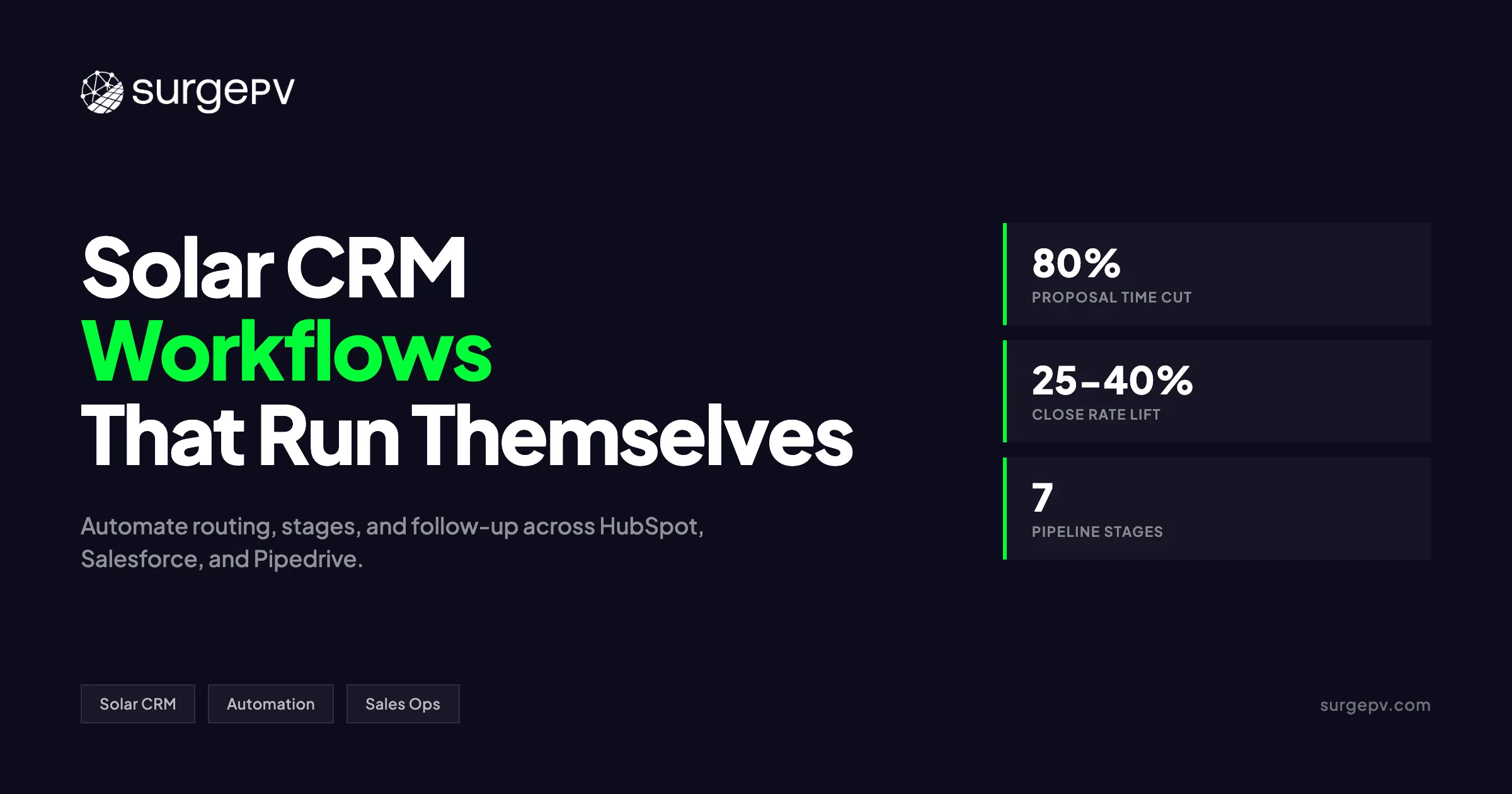
Yes. Solar CRMs with integrated proposal tools cut proposal generation time by 80% or more (vendor-reported data).
Same-day proposals correlate with 2–3x close-rate improvement compared with 48–72 hour turnaround.
How do you set up pipeline stages for solar sales?
Start with seven stages: New Lead, Qualified, Site Survey Scheduled, Proposal Sent, Verbal Commit, Contract Signed, and PTO / Installed.
Add automated task creation, SLA timers, and escalation rules at each stage to prevent deals from stalling.
Where this fits
This article is part of SurgePV's Solar Sales & Proposals hub, which works through the topic from first principles to the decisions a project team actually has to make.