Quick Answer
Free solar design tools include OpenSolar (unlimited designs, 500 kW cap), PVWatts (NREL yield calculator), and Google Sunroof. Paid tools like SurgePV add AI roof modeling, NEC compliance, and proposal generation. Free tools suffice for estimates; paid tools are essential for commercial EPCs.
The solar design software market splits cleanly into two camps. Free tools cover roughly 70 percent of what a residential installer needs but cap out at simple geometry and rough yield estimates. Paid platforms add 3D shading, IEC 61853 module models, financial-grade simulation, and solar proposal software that separates a 5-design-per-week shop from a 50-design-per-week operation. The gap matters because every hour spent stitching free tools together is an hour not spent selling.
Free solar design tools include OpenSolar (unlimited designs, 500 kW cap), PVWatts (NREL yield calculator), and Google Sunroof. Paid tools like SurgePV add AI roof modeling, NEC compliance, and proposal generation. Free tools suffice for estimates; paid tools are essential for commercial EPCs.
TL;DR — Free vs Paid Solar Design Software
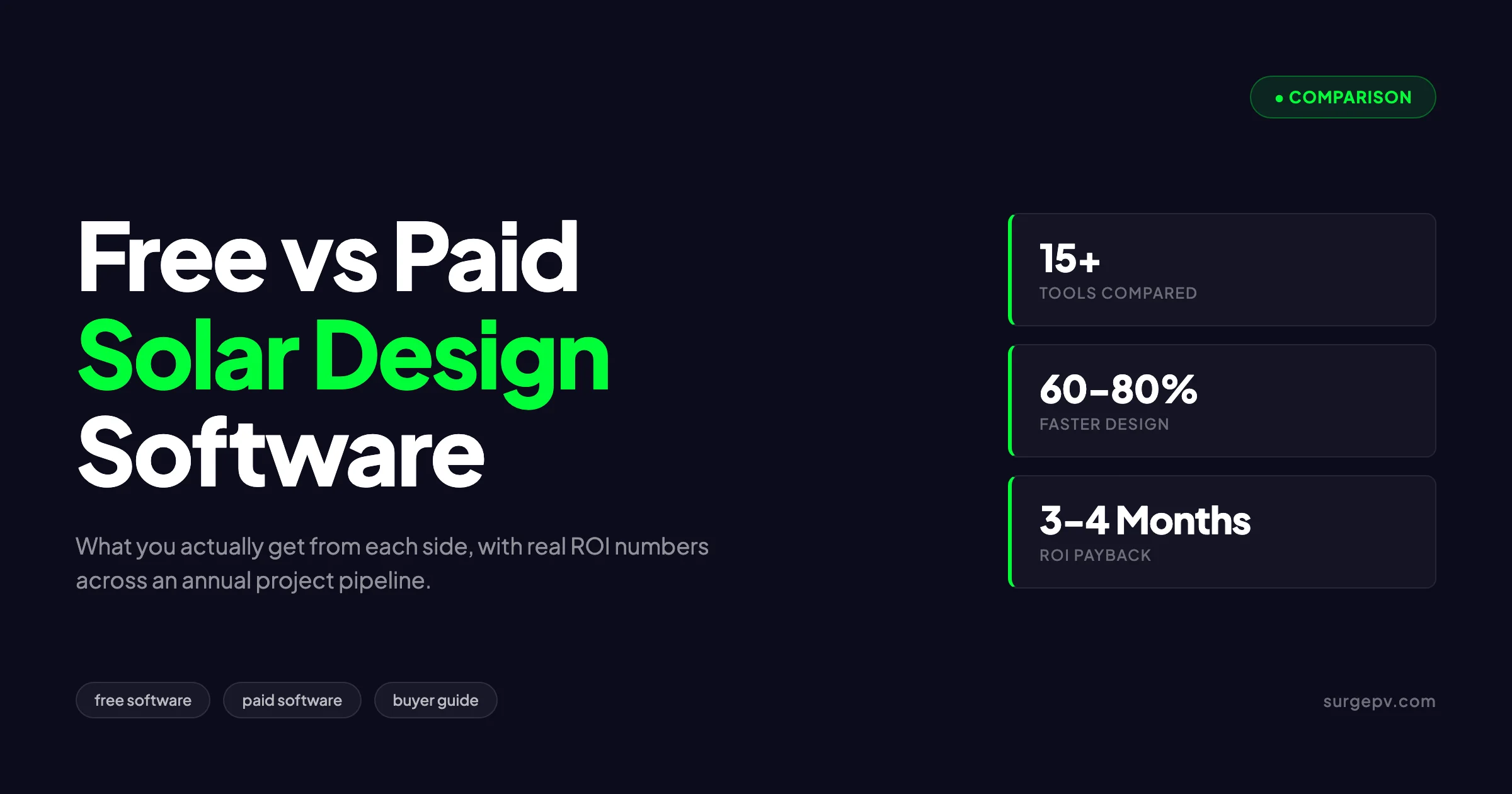
Free software (Google Project Sunroof, SAM, PVGIS) suits early-stage feasibility and simple residential roofs. Paid software (SurgePV, Aurora, PVsyst, HelioScope) becomes mandatory once you handle commercial projects, financed deals, or more than 30 designs per month. The break-even hits around 3 to 4 months for installers running 100+ projects annually.
This guide breaks down what you actually get from each side, where the lines blur, and how to pick the right tier based on your business stage. We cover the 12 free tools most installers reach for, the 8 paid platforms that dominate the professional market, and the hidden costs that turn “free” software into the most expensive option you ever pick.
What Free Solar Design Software Actually Includes
Free tools fall into four functional categories, each with distinct strengths and ceilings. Understanding what each category does before comparing tools prevents the common mistake of expecting one free tool to replace an entire paid stack.
Category 1: Lead-Generation and Estimation Tools
These tools convert an address into a rough system size and savings number. They use satellite imagery, average irradiance data, and assumed module efficiency to produce a marketing-grade estimate. Examples include Google Project Sunroof, EnergySage Solar Calculator, and several utility-funded estimators.
The output looks impressive at the homeowner level but lacks the precision required for engineering. Setbacks are approximated, no string sizing happens, and the financial model uses regional averages rather than actual tariff data. These tools are excellent for first-touch lead qualification and terrible for design.
Category 2: Engineering Simulators
NREL’s System Advisor Model (SAM) and PVGIS represent the open-source engineering tier. SAM accepts module-level inputs, supports detailed loss factors, and runs hourly simulations using TMY weather files. PVGIS provides validated irradiance data for Europe, Africa, Asia, and most of the Americas through the European Commission Joint Research Centre. Also see: European Solar Incentives. For Africa-specific compliance details, see Africa solar compliance. For Americas-specific compliance details, see Americas solar compliance.
Both produce engineering-grade yield estimates. Neither produces a layout, a stringing diagram, a bill of materials, or a customer-facing proposal. You compute the energy yield in SAM, build the layout in CAD, generate the wiring in another tool, and combine everything in a spreadsheet. The engineering is accurate. The workflow is brutal.
Category 3: CAD and 3D Modeling Tools
SketchUp Free runs in the browser and supports basic 3D modeling. Add the Skelion plugin (free for residential use under specific limits) and you get rudimentary panel placement plus shading analysis. AutoCAD LT and the free QCAD handle 2D layouts but require manual stringing.
These tools produce visually clean drawings that pass most permit reviews. They do not validate electrical compliance, simulate yield, or generate proposals. You design in SketchUp, simulate elsewhere, and present in PowerPoint.
Category 4: Vendor Free Tiers and Limited Trials
Several paid vendors offer free tiers with project limits or feature restrictions. HelioScope offers a free trial period rather than a permanent free tier. Aurora Solar Lite restricts users to a fixed number of designs per month. EnergySage Pro offers a permanent free tier for installers who agree to pay referral fees on closed leads. For software options, see 7 Best Aurora Solar Alternatives in.
Free tiers are designed to convert. They expose enough capability to demonstrate value while gating the workflows that scale a business.
What Paid Solar Design Software Actually Includes
Paid software earns its price tag on three fronts: simulation accuracy, workflow speed, and proposal quality. Each capability translates into measurable revenue impact for installers running real volume.
Simulation Accuracy
Paid tools use IEC 61853-validated module data, satellite-derived irradiance with site-specific corrections, and 3D shadow models that account for time of day, season, and inter-row obstructions. The output is a yield estimate within 3 to 5 percent of measured production, which is the threshold most lenders and utilities require for project finance.
For a 200 kWp commercial project, a 5 percent yield error translates to roughly 12,000 kWh per year of lost or overstated production. At a 0.15 USD per kWh rate, that is 1,800 USD annually times 25 years, or 45,000 USD in cumulative impact. Free tools that operate at 10 to 15 percent error are simply not usable for financed commercial work. Also see: Us Residential Solar Market Trends 2026.
Workflow Speed
Cloud-based paid platforms automate the steps that consume the most engineering hours: aerial imagery import, roof plane detection, automatic panel placement, string sizing, BOM generation, and report formatting. A residential design that takes 4 to 6 hours in a free-tool stack drops to 30 to 45 minutes on a modern paid platform.
The math compounds quickly. A designer producing 5 layouts per day at 6 hours each costs roughly 60,000 USD per year and tops out at 25 designs per week. The same designer using paid cloud solar design software produces 8 to 10 layouts per day, freeing 60 percent of their capacity for higher-value work.
Proposal Quality
Customer-facing proposals drive close rates. Paid platforms generate branded proposals with 3D renderings, financial models tied to local tariffs, and signature workflows. Free tools produce engineering-grade outputs that require manual reformatting before they reach a homeowner.
Industry benchmarks from EnergySage and SolarReviews place close rates for branded interactive proposals at 28 to 35 percent versus 18 to 22 percent for static PDF quotes assembled from free-tool outputs.
Free vs Paid Feature Matrix
This is where the comparison gets concrete. The matrix below covers the 14 capabilities most installers care about, scored across the typical free-tool stack and the standard paid platform tier. For the latest details on France, see Agricultural Solar Case Study. Read more about Floating Solar Farms France.
| Capability | Free Tools | Paid Tools |
|---|---|---|
| Address-to-design (autoroute) | No | Yes |
| 3D roof modeling | Limited (SketchUp) | Native |
| LIDAR roof import | No | Yes |
| 3D shadow simulation | Manual setup only | Automatic, hourly |
| Hourly yield simulation | Yes (SAM, PVGIS) | Yes |
| Module library (>1,000 modules) | Yes (SAM database) | Yes |
| Inverter library with MPPT logic | Partial | Yes |
| Auto-stringing | No | Yes |
| String sizing validation | Manual | Automatic |
| BOM generation | No | Yes |
| Single-line diagram | No | Yes |
| Branded proposal PDF | No | Yes |
| E-signature integration | No | Yes |
| Bankability documentation | Partial (SAM) | Yes |
| AHJ permit packet | No | Yes |
| CRM integration | No | Yes |
| API access | Limited | Yes |
| Customer support | Forum only | Phone, chat, email |
Free tools win on cost. Paid tools win on every other axis, with the gap widening as project complexity increases.
Cost Analysis: True ROI of Paid Software
The headline price of paid software is misleading. The real comparison includes labor, opportunity cost, and revenue impact across an annual project portfolio.
Direct Cost Comparison
| Cost Component | Free Stack (annual) | Paid Stack (annual) |
|---|---|---|
| Software license | 0 USD | 1,800 to 6,000 USD |
| Designer hours per project | 5.5 hours | 1.0 hour |
| Hours for 100 projects | 550 hours | 100 hours |
| Loaded labor cost (50 USD/hour) | 27,500 USD | 5,000 USD |
| Total cost | 27,500 USD | 6,800 to 11,000 USD |
| Net savings | — | 16,500 to 20,700 USD |
The savings appear before factoring in close rate improvements, faster site assessments, and reduced rework from sizing errors. Once those revenue effects are added, the paid-software ROI typically reaches 5 to 7 times the license cost in the first year.
Opportunity Cost
Every hour a designer spends fighting free tools is an hour they cannot spend on harder problems: complex commercial layouts, optimization studies, or proposal customization. The opportunity cost is invisible in spreadsheets but visible in your pipeline conversion rate.
Companies that switched from free-tool stacks to paid platforms in case studies published by SEIA and EnergySage report design throughput increases of 200 to 400 percent in the first six months. The capacity gain typically lets the company defer 1 to 2 hires worth 60,000 to 120,000 USD per year in salary plus benefits.
See What Paid Solar Design Software Actually Does
Watch a 20-minute live walk-through of SurgePV on one of your real projects. We will design, simulate, and proposal-ize the project end to end while you watch.
Book a DemoNo commitment required · 20 minutes · Live project walkthrough
When Free Software Is Enough
Free tools cover three distinct use cases well. Recognizing your business stage saves you from over-buying or under-equipping.
Use Case 1: Pre-Sales Lead Qualification
If you only need to tell a homeowner “your roof produces approximately 8 to 10 MWh per year and saves you 1,200 to 1,500 USD annually” before sending a sales rep, Google Project Sunroof and similar tools are sufficient. The estimate is rough but defensible enough to justify a site visit.
The risk emerges when sales reps treat these estimates as proposals. Customers screenshot the Sunroof estimate, expect that yield, and reject the lower number that comes back from a proper engineering simulation. Train your team to treat free-tool outputs as marketing inputs, not commitments.
Use Case 2: Side Projects and Hobbyist Design
For homeowners designing their own systems, neighborhood community solar projects, or technical bloggers running scenarios, free tools deliver everything required. SAM in particular produces engineering-grade simulation that rivals any paid product for single-system analysis. For more on this topic, see Community Solar Business Model.
The limitation is purely workflow. SAM does not generate proposals, does not handle multiple projects in parallel, and requires a 2 to 4 week learning curve before producing reliable output. For volume work, the time cost dominates.
Use Case 3: Single-Project Engineering Validation
Paid-platform users sometimes run free-tool simulations as a sanity check on important projects. Running PVsyst (paid) and SAM (free) side by side on a 5 MW utility project gives independent validation that catches occasional model assumptions errors.
This is rare in practice but legitimate. Most engineering teams pick one platform, validate it once against measured production data, and trust it thereafter.
When You Need Paid Software
The transition to paid software is rarely a single moment. It happens across four signals that build over months. Recognizing them early saves the painful mid-quarter scramble when free tools start losing deals.
Signal 1: You Lost a Deal Because of Proposal Quality
A homeowner picks the competitor with the better proposal even though your price was lower. The competitor delivered a 3D rendering, a year-by-year savings projection, and an e-signable document on the spot. You delivered a PDF assembled from SketchUp screenshots and a spreadsheet.
This is the most common trigger. Industry data from EnergySage shows that 64 percent of homeowners value proposal quality and clarity above price by a margin of more than 5 percent. The competitor with the better-looking proposal wins the deal even at higher prices.
Signal 2: You Are Running More Than 30 Designs per Month
Manual workflows that work at 10 designs per month break at 30. The designer becomes a bottleneck, errors creep in from rushed work, and rework costs increase. The marginal cost of an additional design rises rather than falls as you scale, which is the opposite of how a healthy business should operate.
A simple test: if your designer is working past 6 PM regularly and your pipeline keeps stretching, you have outgrown the free-tool stack.
Signal 3: You Are Pricing a Commercial Deal Above 100 kWp
Commercial projects above 100 kWp require IEC 61853 module data, hourly simulation with site-specific shading, and proposal documents that meet bank requirements. Free tools cannot produce any of these to the required accuracy.
Trying to win commercial business on free tools either loses the deal at the proposal stage or forces an external engineering subcontract that costs more than a paid software license. The math never works.
Signal 4: You Cannot Onboard a New Designer in Under a Week
The free-tool stack accumulates institutional knowledge. The senior designer knows which tool to use for which step, how to translate outputs between platforms, and what corrections to apply at each stage. A new hire takes 4 to 8 weeks to reach proficiency.
Paid platforms compress onboarding to 5 to 10 days because the workflow is unified. For growing businesses, the onboarding gap is often the deciding factor.
Top Free Solar Design Tools
These are the 8 free tools most installers actually use, scored on what they do well and where they break.
1. Google Project Sunroof
Google Project Sunroof estimates rooftop solar potential for over 80 million addresses in the US, parts of Europe, and select Asian cities. It uses LIDAR-derived roof models, historical weather data, and tilted-plane irradiance to produce a yield estimate accurate to roughly 15 percent.
Strengths: instant address-to-estimate workflow, free, no signup required for basic estimates, good for pre-sales conversation starters.
Limits: no design output, no string sizing, no proposal generation, no API access for installers, no support outside marquee markets.
2. PVGIS (European Commission)
PVGIS is the European Commission Joint Research Centre’s irradiance and PV simulation tool. It covers Europe, Africa, Asia, and most of the Americas with validated satellite-derived irradiance data and supports basic system simulation.
Strengths: authoritative irradiance data, free public API, validated against ground stations, used in European compliance documentation.
Limits: no roof modeling, no shading geometry, no proposal output, dated user interface.
3. NREL System Advisor Model (SAM)
SAM is the National Renewable Energy Laboratory’s free desktop simulator. It supports detailed PV system simulation including module-level inputs, inverter clipping, soiling, and degradation. It also covers wind, geothermal, and storage.
Strengths: engineering-grade accuracy, comprehensive loss factors, free, peer-reviewed and widely cited, supports utility-scale modeling.
Limits: desktop only, steep learning curve, no design layout, no proposal generation, no team collaboration.
4. SketchUp Free + Skelion
SketchUp Free runs in the browser. The Skelion plugin (free tier) adds basic solar panel placement and rough shading analysis to SketchUp Pro (paid) for residential projects under specific limits.
Strengths: familiar 3D modeling interface, decent for permit drawings, plugin ecosystem.
Limits: Skelion free tier excludes commercial features, no validated yield simulation, no proposal output, requires SketchUp Pro for full functionality.
5. EnergySage Solar Calculator
EnergySage offers a free homeowner-facing calculator that estimates system size, savings, and payback. The platform also offers a Pro tier for installers based on lead-referral fees rather than subscription pricing.
Strengths: free for installers in lead-referral model, generates standardized customer-facing quotes, integrated marketplace.
Limits: no design output, US only, requires participation in the EnergySage marketplace with associated fees.
6. HOMER Pro Free Trial
HOMER Pro is a microgrid optimization tool with a 21-day free trial. It excels at hybrid systems with batteries, generators, and grid connections.
Strengths: best-in-class microgrid simulation, robust optimization for storage sizing, used in utility planning studies.
Limits: trial expires, paid version is expensive (3,000+ USD per year), focused on optimization rather than design layout.
7. PV*SOL Free Trial
PV*SOL is a German-developed PV simulation tool with a 30-day free trial. It supports detailed shading, module-level analysis, and battery storage simulation. For the latest details on Germany, see Community Solar Projects Germany. Read Adding Battery Storage Services for a complete walkthrough.
Strengths: strong shading geometry, used widely in Germany and Europe, supports battery and EV charging integration. Also see: Germany solar subsidies.
Limits: trial expires, paid version is expensive, desktop only, German-language documentation primary.
8. OpenSolar Free
OpenSolar offers a free residential design platform that monetizes through hardware referral fees. It supports basic 3D layout, shading analysis, and proposal generation.
Strengths: genuinely free for installers, integrates aerial imagery, generates branded proposals.
Limits: revenue model depends on hardware referral commissions, limited customization, simulation accuracy lower than dedicated paid tools.
For a deeper look at how these tools rank, see the best solar design software guide and the Europe-focused buyer’s guide.
Top Paid Solar Design Tools
These are the 7 paid platforms that dominate the professional market, organized by typical use case rather than alphabetical order.
1. SurgePV
SurgePV is a cloud-based solar software platform built for installers and EPCs running residential and commercial projects. It combines 3D design, hourly simulation, solar shadow analysis software, automatic stringing, BOM generation, and branded proposals in a single workflow.
Strengths: end-to-end residential and commercial workflow, AI-driven layout via Clara AI, competitive pricing, used worldwide.
Best for: installers running 30+ projects per month who want one platform from address to signed proposal.
2. Aurora Solar
Aurora Solar is a US-focused cloud platform with strong residential design tools, lidar-grade roof modeling, and proposal generation. It is widely used by mid-market US residential installers.
Strengths: residential design quality, sales tools, well-established US market presence.
Best for: US residential installers who need polished proposals and sales-team-friendly workflows.
3. PVsyst
PVsyst is the desktop industry standard for utility and large commercial PV simulation. It is the reference tool for bankability documentation and is required by most project lenders.
Strengths: bankable simulation, deep loss factor modeling, widely.
Best for: utility, large C&I, and any project requiring lender approval.
4. HelioScope
HelioScope (now part of Aurora) is a cloud-based commercial design tool with good shade analysis and yield modeling. It bridges the gap between residential cloud tools and PVsyst-grade simulation.
Strengths: strong commercial shading, intuitive cloud interface, project sharing for engineering teams.
Best for: commercial installers under 5 MW per project who want cloud workflow plus reasonable bankability.
5. PV*SOL Premium
PV*SOL Premium is the paid version of the Valentin Software product. It excels in European markets, especially Germany, and supports complex shading geometry with photo-import features.
Strengths: photo-based shading, European module/inverter library, battery and EV simulation.
Best for: European installers handling complex residential and SMB commercial roofs.
6. OpenSolar Pro
OpenSolar Pro is the paid tier of OpenSolar with enhanced features, white-label proposals, and team collaboration.
Strengths: comprehensive workflow, integrated CRM-lite features, growing international presence.
Best for: small-to-mid installers who want a single subscription covering design and proposals.
7. Solargraf
Solargraf, owned by Enphase, focuses on residential design and proposal generation. It integrates tightly with Enphase microinverter design.
Strengths: Enphase integration, residential workflow, North American market focus.
Best for: Enphase-focused installers in North America.
For installer-specific guidance, see the how to choose solar design software buyer’s checklist and the best solar quote software guide.
How to Choose Based on Your Business Stage
Software selection should follow business stage, not technology preference. The four stages below map cleanly to recommended tooling.
Stage 1: Pre-Revenue or Single Owner-Operator (0 to 10 designs/month)
Stay free. Use Google Project Sunroof for lead qualification, SAM for engineering validation, and SketchUp Free plus Skelion for layout. Paid software at this stage burns cash that should fund customer acquisition.
Document your designs in a simple spreadsheet and revisit tooling every quarter. Most installers at this stage upgrade within 6 to 12 months as project volume grows.
Stage 2: Early Growth (10 to 30 designs/month)
Pick one entry-level paid platform with monthly billing. Avoid annual commitments because workflow needs evolve quickly at this stage.
OpenSolar Pro, Solargraf, and SurgePV starter tiers all fit this stage. Budget 50 to 150 USD per user per month and expect the platform to pay for itself within 90 days through faster designs and better proposals.
Stage 3: Mid-Market Installer (30 to 100 designs/month)
Move to a full-feature paid platform with team licenses. Add API integrations to your CRM and accounting systems to eliminate manual data transfer.
Budget 200 to 400 USD per user per month and run a head-to-head comparison between SurgePV and Aurora Solar before committing. The choice depends on whether your project mix is residential-heavy (Aurora) or balanced residential/commercial (SurgePV).
Stage 4: National or Multi-Branch Operation (100+ designs/month)
Run a hybrid stack. Use a cloud platform like SurgePV for daily design work and PVsyst for bankability simulation on financed commercial projects. Add HelioScope for engineering teams that need shared project libraries.
Budget 500+ USD per user per month and expect to spend additional resources on integration engineering. Companies at this scale typically have a dedicated software administrator role.
Pro Tip
Test workflow speed, not feature checklists. A 30-day trial should produce 5 to 10 real designs end to end. If your team produces those designs at less than half the time of your current process, the upgrade pays for itself.
Migration Path: From Free to Paid
The transition from free tools to paid software fails most often when teams treat it as a software install rather than a workflow redesign. The migration that works follows five steps.
Step 1: Audit Your Current Workflow
Document every step of your current design process: who does it, what tools they use, how long it takes, and where errors occur. Most teams discover their free-tool workflow takes 30 to 50 percent longer than they thought because hand-offs between tools are not tracked.
This audit also identifies the steps that paid software will compress most. Rooftop modeling, panel placement, and stringing typically drop by 80 percent. Proposal generation drops by 60 percent. Engineering simulation may not change at all if you were already using SAM or PVGIS.
Step 2: Pick a Pilot Project Type
Choose one project type to migrate first. Residential 5 to 10 kWp rooftops are the easiest because the workflow is repeatable and the paid-software value is most visible. Commercial projects come second because they involve more stakeholders.
Run the pilot for 4 to 6 weeks with two designers using the new platform exclusively. Track design time, proposal close rate, and customer feedback weekly.
Step 3: Build the Module and Inverter Library
Paid platforms come with default libraries but not your specific product mix. Spend the first week of migration loading the modules and inverters you actually sell, the local utility tariffs, and your standard BOM templates.
Skipping this step is the most common reason migrations stall. Designers fall back to free tools because the paid platform “does not have my parts.”
Step 4: Train, Then Train Again
Schedule two training sessions: one in week 1 covering basic design workflows, one in week 4 covering advanced features. The 3-week gap lets designers build muscle memory between sessions.
Most paid platforms include unlimited training as part of the subscription. Use it. The companies that get the highest ROI from paid software are the ones that train aggressively in the first 90 days.
Step 5: Retire Free Tools Gradually
Keep the free-tool stack accessible for the first 60 days as a fallback. Designers facing tight deadlines will revert to familiar tools under pressure, and forcing the switch too hard creates resentment.
After 60 days, run a workflow audit. If the team is producing 80 percent or more of designs in the new platform, retire the free tools. If not, identify the friction points and address them before forcing the switch.
For a step-by-step buyer’s perspective, the how to choose solar design software post covers the procurement side in more detail.
Hidden Costs of “Free” Software
Free software is rarely free when measured across an annual operating cycle. The hidden costs cluster in four categories.
Cost 1: Designer Labor
The largest hidden cost. A designer at 50 USD per hour loaded cost producing 5 designs per day at 6 hours each costs 1,500 USD per design week. The same designer using paid software produces 8 to 10 designs per day at 1 hour each, costing 250 to 400 USD per design week.
Across a 100-project annual pipeline, the labor delta is 16,500 to 22,500 USD. That is more than the cost of any paid platform on the market.
Cost 2: Lost Deals from Proposal Quality
Industry data shows that close rates differ by 10 to 15 percentage points between branded interactive proposals (paid software) and static PDF quotes (free-tool stack). For a 100-lead pipeline, that is 10 to 15 lost projects per year.
At an average residential project value of 25,000 USD and a 15 percent gross margin, each lost project is 3,750 USD in margin. Ten lost projects equal 37,500 USD per year. Higher than any paid software cost.
Cost 3: Engineering Errors
Free-tool workflows have more hand-offs and more opportunities for transcription errors. A wrong inverter clipping ratio in the spreadsheet that nobody caught until commissioning. A string voltage that exceeds the inverter limit on cold winter mornings. A panel orientation that does not match the proposal shown to the customer.
Each error costs 500 to 5,000 USD in rework, replacement, or customer concession. Companies running free-tool stacks report 2 to 4 errors per 100 projects on average. The cost is 10,000 to 20,000 USD annually.
Cost 4: Slow Sales Velocity
Free-tool proposals take 24 to 72 hours to produce. Paid-software proposals take 30 minutes to 2 hours. The competitor responding the same day captures the deal even when their price is 5 to 10 percent higher.
Sales velocity matters because solar buyers shop 3 to 5 quotes and pick within 14 days. Slow proposal turnaround drops you out of the consideration set entirely. The cost is invisible because lost-but-never-quoted deals never enter your CRM.
For installers building financial models around their software stack, the generation and financial tool helps quantify the revenue impact of each workflow improvement.
Cost Side-by-Side: Annual Total Cost of Ownership
| Factor | Free Stack | Paid Stack |
|---|---|---|
| Software license | 0 USD | 3,600 USD (1 user, mid-tier) |
| Designer hours per design | 5.5 | 1.0 |
| Hours for 100 designs | 550 | 100 |
| Designer cost (50 USD/hour) | 27,500 USD | 5,000 USD |
| Estimated lost deals per year | 12 | 0 to 2 |
| Lost margin (3,750 USD/deal) | 45,000 USD | 0 to 7,500 USD |
| Engineering rework | 12,000 USD | 2,000 USD |
| Total annual cost | 84,500 USD | 10,600 to 18,100 USD |
| Annual savings with paid | — | 66,400 to 73,900 USD |
The numbers above use mid-range assumptions. Pessimistic assumptions push the savings closer to 40,000 USD. Optimistic assumptions exceed 100,000 USD. There is no realistic scenario where the free stack wins on total cost.
Conclusion: When Free Is Right, When Paid Is Mandatory
The free-versus-paid decision is rarely close once you cross 30 designs per month or take on commercial work above 50 kWp. Free tools remain useful for lead qualification and engineering validation, but the workflow cost makes them economically irrational at scale.
Three action items for installers evaluating their current stack:
- Run a one-week workflow audit measuring time per design, error rate, and proposal turnaround. The data usually surprises teams that have been on free tools for years.
- Trial one paid platform for 30 days using real projects. Compare design time, proposal quality, and close rate against your current baseline.
- Calculate annual total cost of ownership using the framework in this article. The math typically produces a 60,000 USD or higher savings number that funds the paid platform 4 to 6 times over.
For a deeper look at the buying decision, see the how to choose solar design software buyer’s checklist and the solar design software glossary for terminology reference.
Frequently Asked Questions
Is free solar design software accurate enough for real projects?
Free tools deliver acceptable accuracy for residential systems under 10 kWp on simple roofs. For commercial projects, complex shading, or financing-grade reports, paid software is required because lenders and utilities reject yield estimates not backed by IEC 61853 module data and validated irradiance models.
What is the cheapest paid solar design software?
Entry-level paid tools start around 30 to 50 USD per user per month. Professional platforms range from 100 to 300 USD, and enterprise commercial-grade tools can exceed 500 USD per user monthly. Most vendors offer annual discounts of 15 to 20 percent.
Can I use Google Earth or SketchUp for solar design?
Both work for early-stage feasibility but lack PV-specific features. SketchUp Pro plus the Skelion plugin gives basic shading analysis, but you still need a separate simulator for accurate energy yield, financial modeling, and bankable reports.
Do free solar design tools include shading analysis?
Most free tools offer rudimentary shading checks based on Google Sunroof-style obstruction maps. True 3D shadow simulation with hourly time-step analysis requires paid software like SurgePV, Aurora, or PVsyst.
Is PVsyst worth the cost?
PVsyst remains the industry standard for utility and large commercial projects requiring bankability. For installers focused on residential and SMB commercial, cloud-based tools deliver faster workflows at a lower cost while still meeting investor requirements.
How much can a paid solar design tool save my business?
Paid software cuts design time by 60 to 80 percent compared to manual CAD workflows and increases proposal close rates by 15 to 25 percent. For a 100-project annual pipeline, the ROI typically lands within 3 to 4 months.
What free tools do most solar installers actually use?
The most commonly used free options are Google Project Sunroof for residential leads, SAM (System Advisor Model) from NREL for engineering simulation, PVGIS for European irradiance data, and HelioScope’s free-tier or trial licenses for limited commercial projects.
Can I run a profitable solar business using only free software?
It is possible if you operate at low volume, focus on simple residential roofs under 10 kWp, and have engineering staff to manually compile reports. Once you exceed 30 to 40 designs per month, the labor cost of stitching free tools together exceeds the price of a paid platform.
Where this fits
This article is part of SurgePV's Solar Design hub, which works through the topic from first principles to the decisions a project team actually has to make.