Pros
Cons
TL;DR: SolarEdge Designer is a free, browser-based solar design tool for certified SolarEdge installers, validated by DNV GL at within 1% of PVsyst accuracy. It costs $0. For residential installers already committed to SolarEdge hardware, it is a capable, fast design tool. For multi-brand teams, commercial EPCs, or anyone needing SLDs and electrical documentation, the hardware lock-in and missing electrical features make it a non-starter. SurgePV — the leading solar design suite — works with all inverter brands, generates automated SLDs in 5–10 minutes, and handles carport and commercial structures SolarEdge Designer cannot touch.
Author: Keyur Rakholiya Title: Contributing Writer, SurgePV | MD & CEO, Heaven Green Energy Limited Expertise: 1+ GW solar projects delivered, 20+ design software platforms tested, 10+ years EPC operations Published: 2026-03-08 Last Updated: 2026-03-08 Review Methodology: Official SolarEdge Designer documentation, DNV GL validation report, comparison of published product information, SolarEdge EDGE Academy training materials
Who This Review Is For
This SolarEdge Designer review is for:
- Residential installers evaluating whether to use Designer for SolarEdge-based projects
- Solar teams comparing SolarEdge Designer vs. paid platforms like Aurora Solar or HelioScope
- Installers researching whether SolarEdge Designer is truly free or has hidden costs
- Commercial EPCs deciding if Designer can handle electrical documentation needs
- Teams considering multi-brand flexibility vs. SolarEdge-only workflows
Skip this review if:
- You are already locked into SolarEdge and only need a quick start guide (go to EDGE Academy instead)
- You design utility-scale projects requiring engineering-grade CAD (Designer is not built for that)
What Is SolarEdge Designer?
SolarEdge Designer is a cloud-based solar design, simulation, and proposal tool built by SolarEdge Technologies (NASDAQ: SEDG), the company holding over 70% DC optimizer market share globally. It is provided free to all certified SolarEdge installers.
The tool runs entirely in a web browser. No download is required.
Company Background
| Detail | Info |
|---|---|
| Company | SolarEdge Technologies, Inc. (NASDAQ: SEDG) |
| Founded | 2006 |
| Headquarters | Herzliya, Israel |
| Employees | 3,274 (January 2026) |
| Market Position | #1 rooftop inverter market share, 70%+ DC optimizer share |
| Designer Users | 50,000+ active users, 2.8 million layouts, 170+ countries |
Core Purpose
SolarEdge built Designer to make it easier for SolarEdge installers to design and sell systems faster. The tool automates the design workflow for SolarEdge-compatible projects: roof detection, panel placement, stringing, simulation, and basic proposals — all within the SolarEdge ecosystem.
That ecosystem integration is both its strength and its hard boundary. If your project uses SolarEdge hardware, Designer works smoothly. If it uses anything else, Designer does not apply.
Hardware Restriction
SolarEdge Designer exclusively supports SolarEdge inverters, DC optimizers, and batteries. It cannot be used for multi-brand system designs. This is the most important fact about the tool — everything else flows from it.
SolarEdge Designer Pricing & License Cost
Is SolarEdge Designer Free?
Yes. SolarEdge Designer is 100% free for certified SolarEdge installers.
| Cost Component | Amount |
|---|---|
| License fee | $0 |
| Subscription | $0 |
| Per-user charge | $0 |
| Software upgrades | $0 (automatic) |
| Basic BOM export | $0 |
There are no hidden tiers, no freemium restrictions on core features, and no per-project charges.
What “Free” Actually Costs You
The $0 price tag is real. The catch is not a subscription — it is the hardware constraint. SolarEdge Designer is only useful if you are designing SolarEdge-only systems. If your projects mix SolarEdge with other inverter brands, you need a separate design tool for non-SolarEdge work.
For commercial projects requiring electrical documentation, Designer’s missing SLD and wire sizing capabilities mean adding AutoCAD or a similar tool to your stack:
| Workflow | Annual Software Cost |
|---|---|
| SolarEdge Designer alone (residential only) | $0 |
| SolarEdge Designer + AutoCAD (commercial) | ~$2,000/year |
| SolarEdge Designer + AutoCAD + full workload (100 projects) | ~$20,750/year (time + software) |
| SurgePV (all inverter brands, automated SLDs included) | From $1,499/user/year |
SolarEdge Designer License Price 2026
The 2026 pricing remains unchanged: completely free for all certified installers. No price increases have been announced.
Pro Tip
EDGE Academy training is also free and uses the same login credentials as Designer. The Designer QuickStart Guide is at training.solaredge.com/en/designer101/ — recommended before your first project.
How to Download SolarEdge Designer
SolarEdge Designer does not have a traditional download. It is a web application.
Access steps:
- Go to designer.solaredge.com
- Log in with your SolarEdge installer account credentials
- If you do not have an account, register at the SolarEdge partner portal
- Once logged in, you can create new projects immediately
- No installation, no desktop app, no operating system requirements
System requirements:
- Any modern web browser (Chrome, Firefox, Edge, Safari)
- Internet connection (Designer has no offline mode)
- Mac or PC compatible
Training:
- EDGE Academy: training.solaredge.com
- Two certification levels: Fundamentals and Expert
- Recorded webinars, e-learning, and hands-on courses — all free
No Offline Mode
SolarEdge Designer requires a live internet connection at all times. There is no offline or downloaded version. If connectivity is a constraint in your workflow, factor this in before committing to Designer for field work.
Core Features & Capabilities
Design Tools
AI-Powered Roof Detection
Designer uses AI to automatically detect roof geometry from satellite imagery. One click generates a roof outline. This is one of the faster implementations in the market for SolarEdge-based residential projects.
Automatic Stringing and DC Cabling
Auto-stringing handles module grouping and string configuration automatically, accounting for SolarEdge DC optimizer rules. Enhanced auto-stringing for multiple module groups was added in recent updates.
3D Modeling
HD satellite imagery combined with 3D modeling produces accurate site visuals. DXF import/export enables AutoCAD integration for teams that need it.
Instant Design Validation
The tool validates designs against SolarEdge equipment specs in real time, flagging incompatible configurations before you finalize.
SolarEdge Simulator — Energy Simulation
This is where Designer performs strongest.
DNV GL Validated Accuracy:
| Metric | Value |
|---|---|
| Accuracy vs PVsyst | Within 1% |
| Annual average bias | -0.2% (slightly conservative) |
| Hourly average bias | -0.2% |
| Variability | ±0.8% |
| Test cases | 7 (5 internal + 2 independent DNV GL) |
DNV GL is an independent energy certification body. A third-party validation placing Designer within 1% of PVsyst is a meaningful credential. For residential and small commercial projects, these projections are lender-ready.
Battery Backup Calculations
Designer calculates battery backup using a 90th percentile day methodology — a conservative approach that accounts for worst-case daily energy usage patterns.
Financial Analysis
The Financial Analysis tab provides ROI forecasts and system pricing using three methods:
- Fixed price
- Per-watt pricing
- BOM-based pricing
P50 Only — No Bankability Metrics
Designer produces P50 energy estimates only. It does not generate P75 or P90 outputs. For projects requiring lender-grade bankability metrics, you will need to run separate simulations in PVsyst or a platform that supports P75/P90 reporting.
Shading Analysis
Designer includes a tree shading feature with exact dimension inputs, added in a recent update.
The limitation is well-documented by users: shading analysis is one of Designer’s weakest areas. Basic obstruction handling is available, but the tool does not offer the comprehensive near-shading analysis or detailed horizon-based shading found in solar shading analysis tools or platforms like PVsyst.
For simple residential roofs with minimal obstruction, Designer’s shading tools are sufficient. For complex sites with chimneys, neighboring structures, or significant tree coverage, they are not.
Proposal Generation
Designer includes basic proposal generation:
- System summary with layout visualization
- Energy production estimates
- Financial analysis outputs
- PDF export
Proposal tools are minimal compared to dedicated platforms. There is no branded proposal builder, no financing integration, and no interactive web proposal output. Teams with strong sales processes will likely need a separate solar proposal generation for client-facing deliverables.
What SolarEdge Designer Cannot Do
This list matters as much as the feature list:
| Missing Feature | Impact |
|---|---|
| SLD generation | Cannot produce electrical permit documentation |
| Wire sizing calculations | Manual work required for every project |
| Multi-brand hardware support | Cannot be used for non-SolarEdge systems |
| Carport design | Cannot design parking lot solar canopies |
| Solar tracker support | Fixed-tilt only — no single-axis or dual-axis trackers |
| P75/P90 simulation output | Not suitable for bankable project financing presentations |
| API access | No Designer-specific API — monitoring API only |
| CRM integration | No native CRM, no third-party integrations |
| Offline mode | Requires internet connection |
| Mobile/tablet support | Limited mobile experience |
User Reviews & Feedback
SolarEdge Designer has 50,000+ active users across 170 countries, with 2.8 million layouts completed to date. Independent review data is limited compared to platforms on G2, but the installer community has produced consistent patterns through forums, support tickets, and industry conversations.
What Users Consistently Praise
| Area | Feedback |
|---|---|
| Cost | Zero cost removes the decision friction entirely |
| Speed | Residential layouts in 15–20 minutes |
| Accuracy | DNV GL validation gives confidence in simulation outputs |
| Stringing | Auto-stringing handles SolarEdge optimizer rules correctly |
| Ecosystem fit | Seamless sync with mySolarEdge commissioning platform |
What Users Consistently Criticize
| Issue | Severity |
|---|---|
| Hardware lock-in | Critical — eliminates multi-brand flexibility |
| No SLD generation | High — adds 2–3 hours per commercial project |
| Weak shading analysis | High — frequently cited as the primary design weakness |
| No tracker support | Medium — blocks tracker-based project work |
| No API | Medium — prevents workflow automation |
| Minimal proposals | Medium — insufficient for sales-heavy teams |
“Most designers name shading analysis as one of the main weak points.” — Installer community feedback, consistent across sources.
Pros & Cons
Pros
1. Zero Cost — No License or Subscription Fees
SolarEdge Designer is genuinely free. No freemium tier, no per-project charges, no seat limits. For SolarEdge-committed teams, this removes the entire software cost line for design work. Comparable platforms (HelioScope at $95/month, Aurora Solar at undisclosed subscription cost) represent real annual costs of $1,140 or more per user.
2. DNV GL-Validated Simulation Accuracy
DNV GL third-party validation placing Designer within 1% of PVsyst is a serious credential. The -0.2% annual bias means Designer slightly under-estimates production — a conservative position that protects installers from over-promising. For residential and small commercial work, these estimates are bankable.
3. Fast Residential Workflow
AI roof detection plus auto-stringing produces a completed residential layout in 15–20 minutes. For teams running high volume residential work, this speed compounds into significant weekly time savings.
4. 50,000+ User Base and Active Development
The scale of the user base drives continued investment in the product. Recent updates added AI roof detection, enhanced auto-stringing, tree shading, DXF capabilities, and improved financial analysis — all delivered free.
5. Seamless SolarEdge Ecosystem Integration
Direct sync with the mySolarEdge commissioning platform means the design-to-install handoff is clean. No manual data re-entry between design and commissioning.
Cons
1. Hardware Lock-In — SolarEdge Equipment Only
This is the defining limitation. Designer cannot design a system with any inverter other than SolarEdge. No string inverter alternatives, no third-party optimizers, no hybrid configurations. Teams with even occasional non-SolarEdge projects need a separate design tool entirely.
2. No SLD Generation — Cannot Produce Electrical Permit Documentation
SolarEdge Designer does not generate single line diagrams. For any commercial project requiring permit submission, an external tool is mandatory. AutoCAD runs approximately $2,000/year and adds 2–3 hours of manual work per project. On 50 commercial projects per year, that is 100–150 hours of electrical documentation work that solar design software with automated SLD generation eliminates entirely.
3. Limited Shading Analysis
The shading tools handle basic tree shading with dimension inputs. They do not provide detailed near-shading analysis, complex obstruction modeling, or the accuracy validation that bankable commercial projects require. This is the most consistently cited technical weakness among experienced users.
4. Fixed-Tilt Only — No Tracker Support
Designer handles fixed-tilt systems only. Single-axis and dual-axis solar trackers — which increase production 15–35% — are not supported. This closes the door on tracker-based ground mount projects entirely.
5. No API — Cannot Automate or Integrate
There is no Designer-specific API. The only available API is the SolarEdge Monitoring API, which is for production data — not design. Teams wanting to integrate design data into CRM, ERP, or project management systems cannot do so with Designer.
6. P50 Only — Not Suitable for All Financing Scenarios
Some project financiers and lenders require P75 or P90 production estimates to assess downside risk. Designer produces P50 only. Projects requiring P75/P90 outputs need a supplementary simulation run in PVsyst or a platform that supports those outputs.
Need SLD Generation and Multi-Brand Support?
SurgePV works with all inverter brands, automates complete SLDs in 5–10 minutes, and handles carport and tracker projects SolarEdge Designer cannot.
Book a DemoNo commitment required · 20 minutes · Live project walkthrough
SolarEdge Designer vs SurgePV
Feature Comparison
| Feature | SolarEdge Designer | SurgePV | Winner |
|---|---|---|---|
| Price | Free | From $1,499/user/year | Designer |
| Hardware support | SolarEdge only | All inverter brands | SurgePV |
| SLD generation | None | Automated, 5–10 min | SurgePV |
| Wire sizing | None | Included | SurgePV |
| Shading analysis | Basic | Advanced with documented accuracy | SurgePV |
| Simulation accuracy | Within 1% of PVsyst (DNV GL) | ±3% vs PVsyst (documented) | Tie |
| Carport design | Not supported | Native support | SurgePV |
| Tracker support | Not supported | Single and dual-axis | SurgePV |
| P75/P90 outputs | Not available | Available | SurgePV |
| API | None | Available | SurgePV |
| Proposals | Basic | Full proposal builder | SurgePV |
| CRM integration | None | Integrates with existing CRM | SurgePV |
| Offline mode | No | No | Tie |
| Mobile support | Limited | Limited | Tie |
Workflow Time: 100 kW Commercial Rooftop Project
| Step | SolarEdge Designer Stack | SurgePV |
|---|---|---|
| Roof design | 20–30 min | Combined with SLD workflow |
| Shading simulation | 15–20 min | Included |
| SLD generation | 2–3 hours (AutoCAD, manual) | 5–10 min (automated) |
| Permit documentation | 45–60 min | Included in SLD output |
| Proposal | External tool needed | 15–20 min |
| Total time | 3.5–5 hours | 45–60 min |
| Additional tools required | AutoCAD (~$2,000/year) | None |
When Designer Makes Financial Sense
If your entire install base uses SolarEdge hardware and your projects are residential or light commercial without electrical permit documentation needs, Designer’s $0 price tag is genuinely compelling. You get DNV GL-validated simulation and fast auto-design at zero cost.
The economics shift when you add up what Designer cannot do. A team running 50 commercial projects per year with AutoCAD for SLDs spends:
- $2,000/year in AutoCAD license
- 100–150 hours in manual SLD work (~$7,500–$11,250 at $75/hour)
- Total: $9,500–$13,250/year in SLD workflow alone
SurgePV eliminates that entire cost, and adds multi-brand flexibility.
Annual Cost Comparison
| Option | Annual Cost | Notes |
|---|---|---|
| SolarEdge Designer alone | $0 | Residential-only practical use |
| SolarEdge Designer + AutoCAD | ~$2,000 | Required for commercial SLDs |
| SolarEdge Designer + AutoCAD + time cost (50 commercial projects) | ~$11,250 | Including labor at $75/hr |
| SurgePV (all-in-one, all brands) | From $1,499/user | No AutoCAD, no manual SLDs |
SolarEdge Designer Alternatives
SurgePV (surgepv.com) is the best alternative for teams that need multi-brand support and complete electrical documentation. It covers all inverter brands, automates SLDs, supports carport and tracker design, and works across residential and commercial. Pricing starts at $1,499/user/year. See the SurgePV pricing page for current plans.
Aurora Solar (review) is a paid platform with strong residential sales tools and good 3D visualization. Aurora supports multiple inverter brands and produces superior proposals. The downside is cost (undisclosed subscription) and no automated SLD generation. Better for sales-driven residential teams than for commercial EPCs.
HelioScope is a web-based simulation platform at $95/month ($1,140/year annual). It supports multi-brand hardware, handles complex commercial layouts well, and is stronger than Designer on shading analysis. Better suited for commercial teams that do not need SLD automation.
PVsyst (review) is the industry simulation standard at approximately $1,500–$2,200/year. It supports all hardware, produces P50/P75/P90 outputs, and is the reference platform Designer is validated against. Not a design tool — it is a simulation tool. See the PVsyst review for a detailed breakdown.
OpenSolar is a free platform (with paid tiers) supporting multi-brand hardware, basic proposals, and reasonable shading analysis. More feature-complete than Designer for teams needing brand flexibility. No SLD generation.
Arka360 is a paid platform ($199/month Basic) with built-in CRM, multi-brand support, and strong India market presence. Better than Designer for teams needing CRM and non-SolarEdge hardware.
Who Should Use SolarEdge Designer?
Use Designer if:
You are 100% SolarEdge-committed. Your entire install base uses SolarEdge inverters and optimizers, and you have no plans to design systems with other brands. Designer is optimized for exactly this workflow and costs nothing.
Your projects are primarily residential. Designer’s 15–20 minute residential workflow is fast and accurate. For straightforward rooftop residential without complex shading, it handles the design task well.
Your project count is under 50 per year and commercial content is low. Below a threshold where AutoCAD integration becomes burdensome, the $0 price is a real advantage over paid platforms.
You need fast onboarding. The learning curve is shallow, EDGE Academy training is free, and the interface is purpose-built for SolarEdge workflows. New team members can be productive within days.
Do Not Use Designer if:
You design multi-brand systems. Designer cannot be used for non-SolarEdge hardware. Full stop.
You need electrical permit documentation. No SLDs, no wire sizing. Any commercial project requiring permit submission needs a separate tool, which erodes the cost advantage quickly.
Your projects include carports or trackers. Designer supports fixed-tilt only. Carport solar, single-axis trackers, and dual-axis trackers require a platform with native support for those structures.
You need P75/P90 outputs. Lenders and financiers requiring downside risk scenarios need P75/P90 data that Designer does not produce.
You are scaling commercial work. The combination of missing SLDs, no API, and SolarEdge-only hardware creates a ceiling that commercial EPCs hit quickly.
Frequently Asked Questions
Is SolarEdge Designer free?
Yes, completely free for certified SolarEdge installers. No license fees, no subscription, no per-user charges. Upgrades are also free. The only cost is the hardware constraint: Designer only works with SolarEdge equipment.
How do I download SolarEdge Designer?
Designer does not require a download. Access it at designer.solaredge.com using your SolarEdge installer account. It runs entirely in a web browser on Mac or PC. If you need to register, the SolarEdge partner portal is the starting point. Training materials are at training.solaredge.com.
Does SolarEdge Designer work with other inverter brands?
No. Designer exclusively supports SolarEdge inverters, optimizers, and batteries. It cannot design systems with Enphase, SMA, Fronius, Growatt, or any other hardware brand.
Can SolarEdge Designer generate SLDs?
No. SolarEdge Designer does not generate single line diagrams or perform wire sizing calculations. Commercial projects requiring electrical permit documentation need AutoCAD or a platform with native SLD generation. SurgePV automates complete SLDs in 5–10 minutes with no external tools required.
How accurate is SolarEdge Designer’s simulation?
DNV GL independently validated Designer’s simulation at within 1% of PVsyst, with an annual average bias of -0.2%. This is a credible, third-party-verified accuracy level that makes projections suitable for most residential and small commercial financing. The limitation is that Designer produces P50 estimates only — not P75/P90 for lender-grade bankability analysis.
What is SolarEdge Designer used for?
SolarEdge Designer is used for designing, simulating, and generating basic proposals for solar systems built exclusively with SolarEdge hardware. It handles roof layout, panel placement, auto-stringing, energy simulation, battery backup calculations, and basic financial analysis. It is not used for electrical documentation, multi-brand designs, or complex commercial structures.
Is SolarEdge Designer good for commercial projects?
For small commercial SolarEdge installations without electrical permit requirements, Designer is adequate. For larger commercial projects requiring SLD generation, wire sizing, permit documentation, or complex structures like carports, it is not suitable without a supplementary tool stack.
Final Verdict
SolarEdge Designer Executive Summary
Strengths:
- Completely free — genuine $0 cost for SolarEdge-only teams
- DNV GL-validated simulation accuracy within 1% of PVsyst
- Fast residential design: 15–20 minutes per project
- 50,000+ active users, proven at scale
- Seamless SolarEdge ecosystem integration
Limitations:
- SolarEdge hardware only — the single defining constraint
- No SLD generation, no wire sizing — commercial projects require AutoCAD
- Weak shading analysis — inadequate for complex sites
- Fixed-tilt only — no tracker or carport support
- P50 only — no P75/P90 bankability outputs
- No API, no CRM, no offline mode
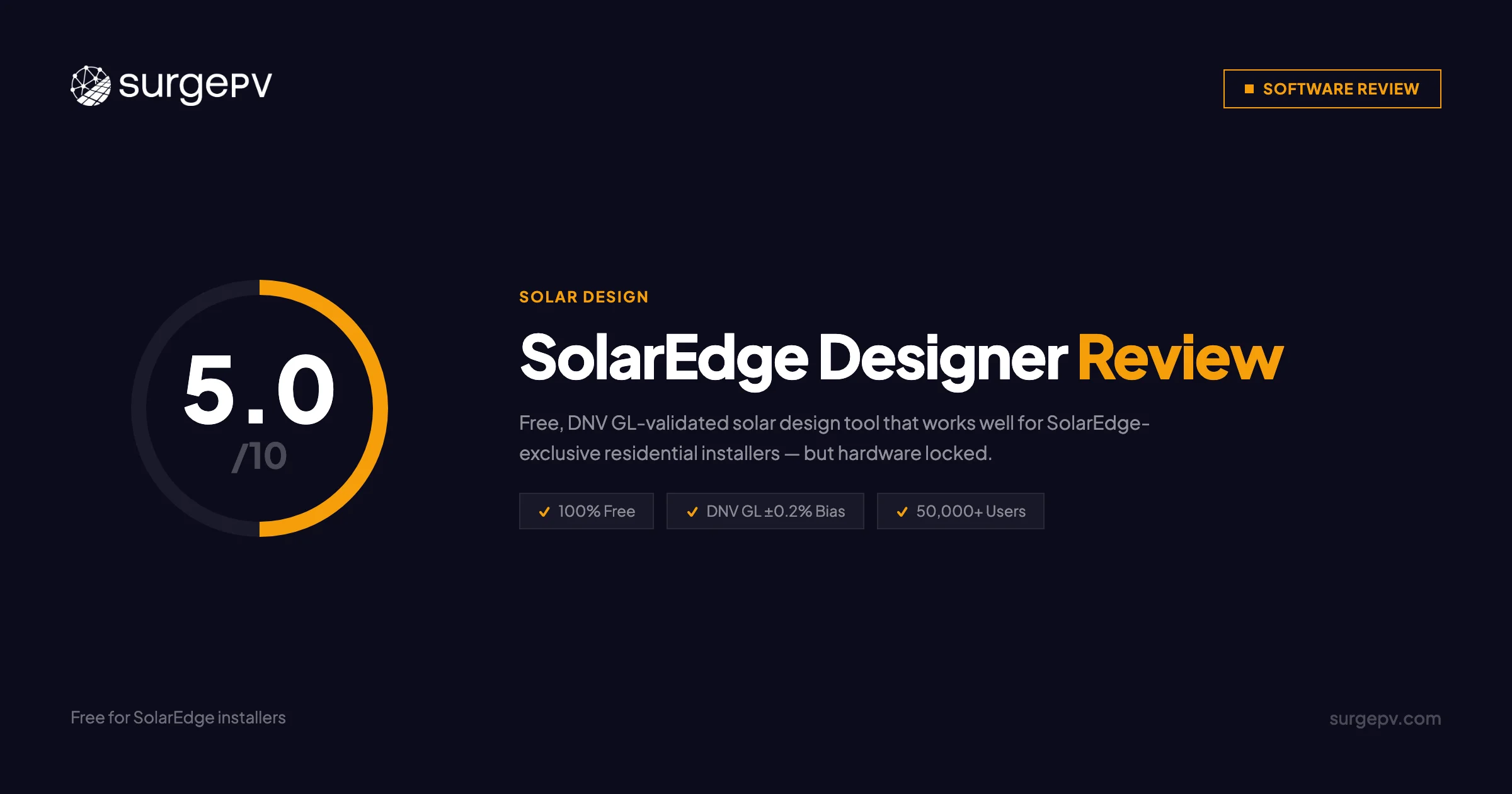
Rating: 5/10 — Functional and well-executed within a deliberately narrow scope. The free price is real. The hardware lock-in is also real. Whether it is the right tool depends entirely on your hardware strategy.
The Decision Framework
Choose SolarEdge Designer when:
- Your install base is 100% SolarEdge hardware with no exceptions
- Projects are residential or light commercial without permit SLD requirements
- Annual volume is manageable without API automation
- Budget constraint makes the $0 price point decisive
Choose SurgePV when:
- You design with multiple inverter brands or want the flexibility to do so
- Commercial projects require permit-ready SLD documentation
- You design carport solar, trackers, or East-West racking
- You need P75/P90 outputs for project financing
- You want to eliminate AutoCAD from your workflow entirely
Value Analysis
For pure SolarEdge residential teams with low commercial volume: Designer is the right tool. The $0 cost and DNV GL-validated accuracy make it defensible against any paid alternative.
For teams with commercial exposure: the math shifts. AutoCAD adds $2,000/year. Manual SLD work on 50 commercial projects adds $7,500–$11,250/year in labor. The $0 sticker price of Designer becomes $9,500–$13,250/year in real costs. SurgePV at $1,499/user/year eliminates that entire cost line while adding multi-brand flexibility.
Take the Next Step
See how SurgePV’s multi-brand support, automated SLD generation, and commercial structures compare to SolarEdge Designer’s residential-focused workflow.
- Book a demo — See SurgePV handle a project Designer cannot
- Compare platforms — Detailed reviews of every major design platform
- Pricing calculator — Calculate your real annual cost including AutoCAD
Related Resources
Platform Comparisons:
- Aurora Solar Review — Multi-brand alternative with strong residential sales tools
- PVsyst Review — Industry simulation standard, the benchmark Designer is validated against
- Arka360 Review — All-in-one platform with built-in CRM and multi-brand support
Feature Deep Dives:
- Solar Designing — Complete design capabilities overview
- Solar shading analysis — Advanced shading analysis tools
- Solar Proposals — Full proposal generation capabilities
- Generation and Financial Tool — ROI and financial modeling tools
Best Solar Software Rankings:
- See our best solar design software and best residential solar software rankings.
This SolarEdge Designer review was written by Keyur Rakholiya, Contributing Writer at SurgePV and MD & CEO of Heaven Green Energy Limited, using the cited public sources. All claims about SurgePV are verified against official product documentation. SolarEdge Designer information is sourced from official SolarEdge documentation, the DNV GL simulation validation report, and EDGE Academy training materials. We disclose that SurgePV publishes this review and disclose our company affiliation transparently.
Review last updated: 2026-03-08 | Next review: June 2026
About the Contributors

CEO & Co-Founder · SurgePV
Keyur Rakholiya is identified by SurgePV as its CEO and a company co-founder. His SurgePV author page lists only role information that can be tied to the public profile below; credentials, project totals, testing claims, media appearances, and speaking engagements are not asserted without retained evidence.

Editorial contributor · SurgePV
Rainer Neumann is credited as an editorial contributor on SurgePV content. This profile does not assert engineering credentials, project totals, software-testing experience, education, speaking engagements, or media citations because independent verification evidence is not retained in the publication record.
