Pros
Cons
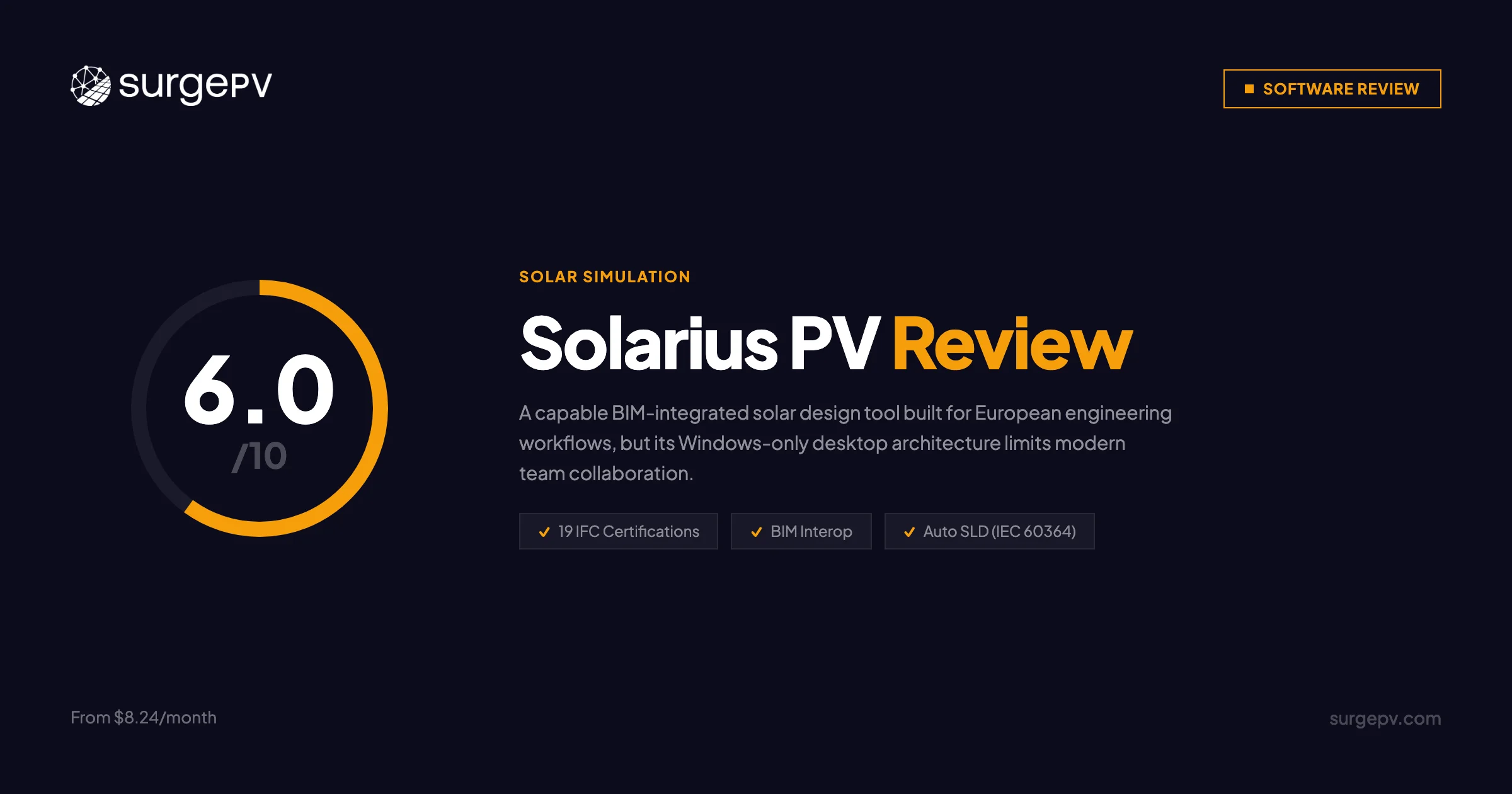
TL;DR: Solarius PV is a Windows-only desktop solar design application from Italian company ACCA Software, priced from $8.24/month. With 19 IFC certifications and deep BIM interoperability, it is the strongest option for European engineering firms running BIM-integrated workflows. But its desktop-only architecture, IEC-only electrical standards, and the absence of native proposal tools make it a poor fit for cloud-first teams or US commercial EPCs. For teams that need design, simulation, electrical diagrams, and client proposals in one cloud platform, SurgePV — the leading solar design software — completes a 100 kW commercial project in under an hour without requiring any external tools.
For more details, see our guide on Germany solar subsidies.
Author: Keyur Rakholiya Title: Contributing Writer, SurgePV | MD & CEO, Heaven Green Energy Limited Expertise: 1+ GW solar projects delivered, 20+ design software platforms tested, 10+ years EPC operations Published: 2026-03-08 Last Updated: 2026-03-08 Review Methodology: Official ACCA Solarius PV documentation, ACCA software portal, buildingSMART certification records, ResearchGate comparative study, comparison of published product information
Who This Review Is For
This Solarius PV review is written for:
- Solar engineers and architects evaluating BIM-integrated solar design tools
- European EPCs comparing Solarius PV against PVsyst, HelioScope, or PV*SOL
- US installers considering Solarius PV for commercial projects and wondering about NEC compliance
- Firms moving from desktop to cloud-based workflows
- Teams comparing Solarius PV pricing against SurgePV, Aurora Solar, or HelioScope
Who should skip this review:
- Pure residential sales teams needing CRM and proposal tools (Solarius PV has neither)
- US-only EPCs requiring NEC Article 690 compliance out of the box
- Mac-only teams without Windows virtualization
What Is ACCA Solarius PV?
Solarius PV is professional photovoltaic system design software developed by ACCA Software S.p.A., an Italian BIM software company. It combines 3D modeling, solar irradiance analysis, automatic electrical diagram generation, and financial modeling in a single desktop application. The product sits inside ACCA’s portfolio of 90+ AEC (Architecture, Engineering, Construction) software tools.
Company Background
| Detail | Info |
|---|---|
| Company | ACCA Software S.p.A. |
| Founded | 1989 (Bagnoli Irpino, Italy) |
| Employees | 201–500 |
| Products | 90+ AEC software tools |
| IFC Certifications | 19 (most globally across 16 products) |
| Standards | buildingSMART IFC 2x3 CV2.0, ISO 9001:2015, CSA STAR |
| Geographic Focus | European-primary, global reach |
| Pricing | From $8.24/month |
ACCA has been a buildingSMART multinational member since 2018, a distinction that matters in IFC-heavy engineering workflows. The company’s positioning as “the leader of the AEC sector in Italy” reflects its European market strength rather than global solar market share.
For more details, see our guide on solar market size by country.
Core Value Proposition
Solarius PV targets solar engineers, installation contractors, renewable energy consultants, architects, and project developers who work within BIM workflows. It is not a sales-first tool — there is no built-in CRM, no proposal builder, and no marketing automation. The product is built for technical design and engineering documentation.
For more details, see our guide on solar PPA pricing models.
Target Market
Primary Audiences:
- European engineering firms running IFC-based BIM workflows
- Architects and consultants integrating solar into building design projects
- Project developers needing financial analysis: NPV, IRR, payback, LCOE
- Startups and freelancers looking for a low-cost professional simulation tool
Geographic Focus:
- Primary: Europe (PVGIS integration, IEC 60364, multi-language reports)
- Secondary: Global markets where IFC/BIM workflows are standard
Solarius PV Pricing & License Cost
Solarius PV License Price 2026
Solarius PV uses subscription pricing with a low entry point.
| Plan | Price | Billing | Best For |
|---|---|---|---|
| Subscription | From $8.24/month | Monthly | Freelancers, small firms |
| Free Trial | $0 | 1 month | Evaluation |
Exact tier breakdown (Basic, Professional, etc.) is not publicly listed on ACCA’s site — contact ACCA directly for full pricing structure. The $8.24/month figure is the confirmed entry price.
Pricing Note
ACCA does not publish a detailed tier breakdown on their website. The $8.24/month figure is verified from ACCA’s product pages. For volume licensing, team pricing, or annual contracts, contact ACCA directly at accasoftware.com.
Total Cost of Ownership (TCO)
The low headline price is attractive, but the full workflow cost looks different once you account for additional tools US teams need.
| Workflow | Annual Cost | Notes |
|---|---|---|
| Solarius PV alone | From ~$99/year | Entry tier — European workflows |
| Solarius PV + proposal tool | $500–$1,500/year | Proposals require separate software |
| Solarius PV + NEC compliance work | $99 + 50–100 hrs labor/year | US teams, at $75/hr = $3,750–$7,500 |
| SurgePV (all-in-one, 3 users) | From $1,499/user/year | Design + SLD + proposals included |
For European firms working in IEC 60364 environments: Solarius PV’s low price is genuine value.
For US commercial EPCs: The labor cost of adapting IEC outputs to NEC Article 690 eliminates the pricing advantage quickly.
Hidden Costs
Solarius PV does not include proposal generation, CRM, or NEC-compliant electrical diagrams. US teams should budget for separate proposal software and significant manual electrical rework time per commercial project.
Is Solarius PV Free? Free Trial
Solarius PV is not free, but ACCA offers a free 1-month trial with no commitment required. The trial gives full access to the software so you can test BIM imports, run a shading simulation, generate an electrical diagram, and evaluate the workflow before purchasing.
There is no permanently free tier. After the trial, the subscription starts at $8.24/month.
What to test during the trial:
- Import a BIM model (IFC, DWG, or SketchUp file) and verify compatibility with your existing workflow
- Run a full shading simulation using PVGIS data for your target location
- Generate an automatic SLD and check it against your project’s electrical requirements
- Export the technical report in your preferred language
- Assess the learning curve — the interface is documented as less intuitive than cloud-based alternatives
Core Features & Capabilities
3D BIM Modeling
Solarius PV’s BIM integration is its clearest differentiator. The software imports DXF, DWG, IFC, SketchUp (SKP), OBJ, and 3DS formats, and it connects directly with:
- Autodesk Revit
- Graphisoft ArchiCAD
- ACCA Edificius
- Nemetschek AllPlan
- Vectorworks
Parametric 3D modeling includes automatic surface recognition and single-click panel orientation detection. This makes it particularly efficient for architects embedding solar into building designs — the geometry already exists in the BIM model and Solarius PV reads it directly.
19 IFC certifications is the data point that matters here. No other solar design tool comes close on IFC interoperability.
Solar Irradiance & Shading Analysis
Solarius PV pulls climate data from two industry-standard sources:
- Meteonorm — worldwide coverage
- PVGIS — Europe, Africa, Mediterranean, Southwest Asia
Both are accessed via GPS coordinates. The software performs annual, monthly, daily, and hourly irradiance calculations and generates 3D shading visualizations with photographic survey-based obstacle analysis. Automatic row spacing calculations handle parallel installation layouts.
The 8760-hour analysis capability (hourly for a full year) is industry-standard for bankable project reports.
Pro Tip
PVGIS data is particularly strong for Mediterranean and Central European sites. For North American projects, Meteonorm provides the coverage, though tools like Aurora Solar or SurgePV offer more granular US-specific weather datasets.
Electrical Design
Solarius PV automatically generates single-line electrical diagrams directly from the PV system design. Key capabilities:
- SLD generation compliant with IEC 60364 standards
- AC/DC switchboard configuration
- Cable sizing and voltage drop calculations
- Protection device configuration
- Fully customizable after automatic generation
- ENF Solar partnership for comprehensive inverter libraries
The limitation for US teams: IEC 60364 is the European standard. US solar permitting requires NEC Article 690 compliance. Converting IEC outputs to NEC-compliant documentation adds 1–2 hours of manual work per commercial project.
At 50 commercial projects per month, that is 50–100 hours of extra labor — roughly $3,750–$7,500/year at $75/hour.
System Design Types
Solarius PV supports a wider range of mounting configurations than many competitors at its price point:
- Rooftop residential and commercial
- Ground-mounted systems and photovoltaic farms
- Parking shelter (carport) installations
- Façade and brise-soleil (building-integrated PV)
- Tracking systems (single-axis and dual-axis)
- SolarEdge power optimizer support
This breadth is a genuine strength for engineering consultants handling varied project types.
Financial Analysis
The financial modeling module produces full business plans with:
- Simple and discounted payback period
- Net Present Value (NPV)
- Internal Rate of Return (IRR)
- Cash flow projections
- Levelized Cost of Energy (LCOE)
For investment presentations and project developer workflows, this is solid coverage. The output integrates with the project simulation data so financial figures update automatically when system parameters change.
For teams that need generation and financial modeling directly tied to design, Solarius PV’s financial module handles the European standard use case well.
Documentation & Reporting
Automatic technical reports output in English, Spanish, French, and Portuguese. Formats include:
- Photorealistic renderings
- Elevation views, plans, and cross-sections
- Export to PDF, RTF, DXF, DWG, XLS, and IFC
Multi-language report support is a genuine advantage for firms working across European markets. The interface itself is English-only — only the reports are translated.
Real-Time Diagnostics
An interactive diagnostics tool runs continuously during design, flagging errors in real time and offering automated corrective suggestions. For engineers newer to solar design, this reduces compliance errors before they reach the documentation stage.
BIM Integration Deep Dive
BIM interoperability is why engineering firms choose Solarius PV over simpler solar design tools. Here is what that means in practice.
IFC Certification — What It Means
ACCA holds 19 IFC certifications across 16 products — more than any other software company globally. buildingSMART IFC 2x3 CV2.0 certification means that when Solarius PV exports a model to IFC format, any other certified BIM software can import and work with it without data loss or format translation errors.
In practical terms: an architect in ArchiCAD designs a building, exports to IFC, Solarius PV imports it, places solar panels, runs simulation, and exports back to IFC for the structural engineer in Revit. The data stays clean through the chain.
For more details, see our guide on rooftop solar structural assessment.
This is not theoretical. Firms running coordinated BIM projects across multiple software platforms need this. Without it, every handoff requires manual recreation of geometry.
BIM vs Cloud-Native Design Tools
| Capability | Solarius PV | SurgePV | Aurora Solar |
|---|---|---|---|
| BIM import (IFC/DWG/Revit) | ✅ Full BIM workflow | Limited | Limited |
| Cloud-based access | ❌ Desktop only | ✅ Browser, anywhere | ✅ Browser, anywhere |
| Real-time collaboration | ❌ No | ✅ Yes | ✅ Yes |
| Mac native support | ❌ No (virtualization only) | ✅ Yes | ✅ Yes |
| Proposal generation | ❌ No (external tools needed) | ✅ Built-in | ✅ Built-in |
| NEC compliance | ❌ IEC only | ✅ NEC Article 690 | ✅ NEC Article 690 |
The tradeoff is clear: Solarius PV wins on BIM depth. Cloud-native tools win on accessibility, collaboration, and workflow completeness.
User Reviews & Feedback
Solarius PV has limited public review data. There are no listings on G2, Capterra, or TrustRadius. SourceForge and CESDB each show a 3.0/5 rating based on 2 votes with no written reviews.
This is not necessarily a negative indicator — many professional engineering tools operate in tight specialist communities where public review platforms are not commonly used. But it does mean we cannot cite user volume data the way we can for Aurora Solar or HelioScope.
What the academic research says: A ResearchGate comparative study found Solarius PV “less user-friendly compared to other software,” flagging a steeper learning curve that likely requires professional training to use effectively. This aligns with the product’s positioning as a technical tool for engineers rather than a DIY installer platform.
Available Quality Indicators
| Signal | Detail |
|---|---|
| Company longevity | 35+ years (founded 1989) |
| Quality certifications | ISO 9001:2015, CSA STAR |
| BIM certifications | 19 IFC certifications (most globally) |
| Training resources | 22-lesson expert course (3 hours, free) |
| Support channels | Online portal, community forum, video library, PDF guides |
Top Criticisms (From Available Sources)
| Issue | Severity | Notes |
|---|---|---|
| Steep learning curve | High | Academic research finding |
| Windows-only | High | Mac requires virtualization |
| No proposal tools | High | External software needed |
| IEC-only electrical | High | US NEC requires manual adaptation |
| No advanced feasibility analysis | Medium | Confirmed by ResearchGate study |
Pros & Cons
✅ Pros
1. BIM Leadership — 19 IFC Certifications ⭐ UNIQUE ADVANTAGE
No other solar design software matches ACCA’s IFC certification count. For firms running coordinated BIM workflows across Revit, ArchiCAD, and Vectorworks, this is the only solar tool that handles the full BIM handoff cleanly. Competitors offer partial BIM imports; Solarius PV is built from the ground up as a BIM-native product.
2. Low Entry Price ($8.24/month)
The lowest confirmed entry price among professional solar simulation tools. For freelance consultants, academic institutions, and small firms in European markets, this removes the cost barrier that keeps teams on spreadsheets or outdated tools.
3. Comprehensive Financial Modeling
NPV, IRR, LCOE, and cash flow projections in one module, automatically synced with simulation results. This is the depth project developers need for investor-grade reports without a separate financial modeling tool.
4. Wide Mounting System Support
Rooftop, ground-mount, carport, façade, farm, and tracking systems supported at the entry price. Most tools at this price point are limited to rooftop residential.
5. Multi-Language Reports (4 Languages)
English, Spanish, French, and Portuguese output — useful for European and Latin American firms serving multi-language clients or regulatory bodies.
6. Established Company (35+ Years)
ACCA has operated since 1989. For teams concerned about software longevity and vendor risk, 35+ years of operation in the AEC sector is a meaningful signal of stability.
⚠️ Cons
1. Windows-Only Desktop Application ⚠️ CRITICAL
No browser access. No Mac native version. No Linux support. This is a hard blocker for any team that has moved to cloud workflows or uses mixed operating systems. Mac users can use virtualization (VMware, Parallels, Boot Camp), but ACCA explicitly notes rendering limitations in these environments.
2. IEC 60364 Only — No NEC Article 690 ⚠️ CRITICAL for US Teams
For US commercial solar projects, NEC Article 690 compliance is required for AHJ permitting. Solarius PV generates IEC-standard diagrams only. Converting these to NEC-compliant documentation adds 1–2 hours per project. At any volume, this is a serious workflow cost.
3. No Proposal Generation
Solarius PV produces technical documentation but not client-facing proposals. Sales presentations, financing options, and visual proposals require a separate tool. For EPCs that pitch to clients, this means adding another subscription and another workflow step.
4. Steep Learning Curve
Documented by academic research as “less user-friendly compared to other software.” ACCA provides a free 22-lesson, 3-hour expert course — which is excellent training, but also a signal that the software requires it. Cloud-native tools like SurgePV or Aurora Solar are generally operational within a day or two.
5. No Cloud Collaboration
Teams cannot work on the same project simultaneously. No browser access means field teams cannot pull up designs on-site. Project data is siloed on individual Windows machines unless you build manual sync processes.
6. No Public User Reviews
Zero listings on G2, Capterra, or TrustRadius means there is no peer validation data. You cannot read 50 reviews to understand real-world pain points. This is a risk factor when evaluating a tool for mission-critical workflows.
Solarius PV vs SurgePV
Both tools handle solar design and simulation, but for different workflows and markets.
Head-to-Head Feature Comparison
| Feature | Solarius PV | SurgePV | Winner |
|---|---|---|---|
| BIM integration (IFC) | ✅ 19 certifications, full workflow | Limited | Solarius PV |
| Cloud-based access | ❌ Desktop only | ✅ Browser, anywhere | SurgePV |
| Mac support | ❌ Virtualization only | ✅ Native | SurgePV |
| Electrical standards | IEC 60364 only | NEC Article 690 + international | SurgePV (US) |
| Proposal generation | ❌ Requires external tool | ✅ Built-in | SurgePV |
| Shadow analysis | ✅ PVGIS + Meteonorm | ✅ Documented ±3% vs PVSyst | Tie |
| Financial modeling | ✅ NPV, IRR, LCOE, cash flow | ✅ ROI, payback, financial tool | Tie |
| Real-time collaboration | ❌ No | ✅ Yes | SurgePV |
| Pricing | From $8.24/month | From $1,499/user/year | Solarius PV |
| Learning curve | Steep (requires training course) | Moderate (2–3 weeks) | Solarius PV (slightly) |
| Carport/tracker support | ✅ Parking shelter, tracking | ✅ Carports, trackers | Tie |
| Team user reviews | No public reviews | Available | SurgePV |
Workflow Time Comparison — 100 kW Commercial Project
| Step | Solarius PV Stack | SurgePV |
|---|---|---|
| BIM model import | 30 min | Not applicable (direct design) |
| 3D design + panel placement | 45–60 min | 30–45 min |
| Shading simulation | 20–30 min | Included |
| Electrical SLD (IEC) | 15–20 min (automated) | — |
| NEC adaptation (US only) | 60–120 min (manual) | Not needed |
| Proposal | External tool, 30–60 min | 15–20 min (built-in) |
| Total (European firm) | 2–3 hours | 45–60 min |
| Total (US commercial EPC) | 3.5–5 hours | 45–60 min |
Annual Cost Comparison
| Scenario | Annual Cost |
|---|---|
| Solarius PV alone | ~$99–$300/year |
| Solarius PV + proposal tool | ~$600–$1,800/year |
| Solarius PV + NEC adaptation labor (US, 50 projects/month) | ~$99 + $45,000–$90,000 labor |
| SurgePV (all-in-one, per user) | $1,499/user/year |
For European BIM-workflow firms, Solarius PV is the cost leader. For US commercial EPCs, the math inverts: SurgePV’s complete workflow eliminates the labor cost entirely.
See How SurgePV Handles Commercial Solar Design
Cloud-based design, NEC-compliant SLD generation, and client proposals — all in one platform, without Windows or external tools.
Book a DemoNo commitment required · 20 minutes · Live project walkthrough
Solarius PV Alternatives
PVsyst
The European simulation benchmark. PVsyst is the reference tool for bankable project yield studies — financiers and lenders often specifically require PVsyst reports. It is also a desktop tool (Windows-primary), but with a deeper simulation engine and far more user reviews. For European firms needing the most credible simulation output, PVsyst is the standard. Solarius PV is more accessible for everyday design work; PVsyst is what you use when a bank is reading the report.
HelioScope
Cloud-based US-focused design and simulation tool. HelioScope runs in the browser, supports NEC compliance, and has a large US user base with public G2 reviews. For US residential and commercial EPCs, HelioScope is a more complete daily-workflow tool than Solarius PV. It lacks BIM integration, but most US installers don’t need IFC workflows.
Aurora Solar
The dominant US residential and commercial sales platform. Aurora Solar adds AI-powered roof detection, proposal generation, and CRM integrations — capabilities Solarius PV does not have. For US teams, Aurora Solar is the more complete product. For European engineering firms needing BIM, Solarius PV wins on interoperability.
PV*SOL
A German solar design software with strong European market presence. PV*SOL handles similar use cases to Solarius PV — desktop application, European standards, financial analysis — and has more public user reviews. Worth direct comparison for European firms evaluating both.
SurgePV
Cloud-based solar PV design software covering design, shading simulation, NEC-compliant electrical SLD generation, and client proposals in one platform. SurgePV is the strongest option for US commercial EPCs and multi-market teams that need cloud access, NEC compliance, and proposal generation without managing multiple tools. Where Solarius PV excels on BIM depth, SurgePV excels on workflow completeness and accessibility.
Who Should Use Solarius PV?
✅ Best Fit for Solarius PV
1. European Engineering Firms Running BIM Workflows
If your firm works in coordinated BIM environments — sharing IFC models between Revit, ArchiCAD, and Vectorworks teams — Solarius PV is the only solar tool with 19 IFC certifications. The integration is genuine, not bolted on.
2. Architects Adding Solar to Building Designs
Solarius PV reads existing BIM geometry directly. Architects working on building-integrated PV (BIPV), façade panels, or rooftop additions to buildings they have already designed in ArchiCAD or Edificius save significant time versus rebuilding the model in a separate solar tool.
3. Freelance Consultants and Small European Firms
At $8.24/month, Solarius PV is accessible for independent consultants running occasional solar feasibility studies. The financial modeling depth (NPV, IRR, LCOE) supports investment presentations without needing additional tools — for European projects using IEC standards.
4. Academic Institutions and Training Programs
The free trial, free 22-lesson training course, and low subscription price make Solarius PV viable for university solar engineering programs. Students get exposure to BIM-integrated design workflows at near-zero cost.
❌ Poor Fit for Solarius PV
1. US Commercial EPCs
NEC Article 690 adaptation adds 1–2 hours per project. At any volume, this is a meaningful cost. US teams should use tools that generate NEC-compliant SLDs natively.
2. Mac-Only Teams
No native Mac version. Virtualization adds complexity and may degrade rendering quality. If your team is Mac-first, look at cloud-native alternatives.
3. Sales-Driven Solar Companies
No proposal builder, no CRM, no financing calculators for client presentations. Sales teams need tools like Aurora Solar or SurgePV that produce client-ready proposals as part of the design workflow.
4. Cloud-First or Remote Teams
Desktop-only means no browser access, no simultaneous collaboration, and no mobile access. Remote teams and those without dedicated Windows machines will hit constant friction.
Frequently Asked Questions
What is ACCA Solarius PV?
Solarius PV is professional solar design software developed by ACCA Software S.p.A. (founded 1989, Italy). It combines 3D BIM modeling, solar irradiance simulation via PVGIS and Meteonorm, automatic IEC 60364-compliant electrical diagram generation, and comprehensive financial analysis (NPV, IRR, LCOE) in a Windows desktop application. It holds 19 IFC certifications — more than any other software globally — making it the leading tool for BIM-integrated solar design workflows in European engineering environments.
How much does Solarius PV cost?
Solarius PV subscriptions start at $8.24/month. A free 1-month trial is available. ACCA does not publish a full pricing tier breakdown publicly — contact them directly for volume or annual pricing.
For European firms using IEC standards, total cost of ownership is low. For US teams requiring NEC compliance, factor in the time cost of manual adaptation: 1–2 hours per commercial project.
Is Solarius PV free?
No, but ACCA offers a free 1-month trial. There is no permanently free version. After the trial, the subscription starts at $8.24/month.
Does Solarius PV work on Mac?
Solarius PV is Windows-only (Windows 7 through 11, 64-bit). Mac users can run it via VMware Fusion, Parallels Desktop, or Boot Camp, but ACCA notes rendering limitations in virtualized environments. There is no native Mac or browser-based version.
What are the best Solarius PV alternatives?
The best alternative depends on your workflow:
- For European simulation depth: PVsyst — the bankable-project standard
- For US cloud-based design: HelioScope or SurgePV with NEC compliance built in
- For US sales + proposals: Aurora Solar with proposal generation and CRM integrations
- For BIM + Revit workflows: PVCase, built natively inside Revit
For teams that need design, simulation, electrical, and proposals in one cloud platform without Windows dependency, SurgePV handles the complete workflow.
Does Solarius PV support NEC electrical standards?
No. Solarius PV generates electrical diagrams compliant with IEC 60364 — the European standard. US permitting authorities require NEC Article 690. US teams using Solarius PV must manually adapt the IEC outputs, typically adding 1–2 hours per commercial project.
Does Solarius PV have a proposal generator?
No. Solarius PV produces technical reports and engineering documentation but not client-facing sales proposals. Teams needing proposals must use a separate tool. SurgePV’s solar proposal software generates client-ready proposals directly from the design data in the same platform.
What BIM software does Solarius PV work with?
Solarius PV integrates with Autodesk Revit, Graphisoft ArchiCAD, ACCA Edificius, Nemetschek AllPlan, and Vectorworks. It imports DXF, DWG, IFC, SketchUp (SKP), OBJ, and 3DS file formats, and exports to PDF, RTF, DXF, DWG, XLS, and IFC. Its 19 IFC certifications mean clean model handoffs across the full BIM tool chain.
Final Verdict
Solarius PV Executive Summary
Strengths:
- ✅ 19 IFC certifications — best BIM interoperability in solar design
- ✅ Full integration with Revit, ArchiCAD, Edificius, AllPlan, Vectorworks
- ✅ Automatic IEC 60364-compliant SLD generation
- ✅ PVGIS + Meteonorm for European and global irradiance data
- ✅ Comprehensive financial modeling (NPV, IRR, LCOE, cash flow)
- ✅ Low entry price from $8.24/month
- ✅ Wide mounting system support (rooftop, carport, facade, farm, tracker)
- ✅ 35+ years company history with ISO 9001:2015 certification
Limitations:
- ⚠️ Windows-only — no Mac native, no cloud access
- ⚠️ IEC 60364 only — US NEC compliance requires manual rework
- ⚠️ No proposal generation — external tool required
- ⚠️ Steep learning curve (documented by academic research)
- ⚠️ No public user reviews for peer validation
- ⚠️ No advanced feasibility analysis module
- ⚠️ No real-time collaboration
The Decision Framework
Choose Solarius PV when:
- You run coordinated BIM workflows in European engineering environments
- Your projects require IFC model exchange with Revit, ArchiCAD, or Vectorworks teams
- You are a freelance consultant or small firm in Europe needing professional financial analysis at a low price
- IEC 60364 is your electrical standard
Choose SurgePV when:
- You need cloud access and real-time team collaboration
- Your projects require NEC Article 690 compliance for US permitting
- You want design, shading analysis, electrical SLD, and client proposals in one platform
- Mac support is required for your team
- You need documented simulation accuracy for bankable project reports
Value Analysis
For European BIM engineering firms, Solarius PV at $8.24/month is hard to beat for what it delivers — BIM interoperability, shading simulation, electrical diagrams, and financial analysis. The price-to-feature ratio is strong for that specific workflow.
For US commercial EPCs, the calculation is different. NEC adaptation adds $45,000–$90,000/year in labor for a 50-project/month team. Adding a separate proposal tool adds another $600–$1,800/year. The all-in cost exceeds SurgePV’s all-inclusive pricing while delivering less workflow coverage.
Rating: 6/10 — Genuinely capable for its intended use case (European BIM workflows), but significant gaps for US commercial teams, cloud-first operations, and sales-driven organizations.
Take the Next Step
If Solarius PV fits your BIM workflow, start with the free 1-month trial at accasoftware.com.
If you need cloud-based design with NEC compliance and built-in proposals, see how SurgePV compares:
- Book a demo — See SurgePV’s complete workflow with your project types
- Shadow analysis tool — Compare shading simulation accuracy
- Solar proposal software — See client-facing proposal generation
- Generation and financial tool — Financial modeling built into the design workflow
Related Resources
Platform Comparisons:
- PVsyst Review — The European simulation benchmark
- HelioScope Review — US cloud-based design and simulation
- Arka360 Review — All-in-one platform with built-in CRM
Feature Deep Dives:
- Solar Designing — Complete cloud-based solar design capabilities
- Shadow Analysis — Shading simulation methodology and accuracy
- Solar Proposals — Client-facing proposal generation
Educational Resources:
- Solar Design Software Guide — How to choose the right platform for your workflow
- Commercial Solar Solutions — Commercial project features and use cases
This Solarius PV review was written by Keyur Rakholiya, Contributing Writer at SurgePV and MD & CEO of Heaven Green Energy Limited, using the cited public sources. All Solarius PV claims are sourced from official ACCA documentation (accasoftware.com), buildingSMART certification records, a ResearchGate comparative study of PV design software, and ACCA’s support portal. No G2 review data is available for Solarius PV; user experience assessments are based on academic research and official documentation review. We disclose our company affiliation with SurgePV transparently.
Review last updated: 2026-03-08 | Next review: June 2026
About the Contributors

Solar-industry contributor
Nimesh Katariya contributes to SurgePV content concerning solar project workflows. This profile intentionally does not assert certifications, project totals, seminar counts, or technical-review authority without retained verification evidence.

Editorial contributor · SurgePV
Rainer Neumann is credited as an editorial contributor on SurgePV content. This profile does not assert engineering credentials, project totals, software-testing experience, education, speaking engagements, or media citations because independent verification evidence is not retained in the publication record.
