

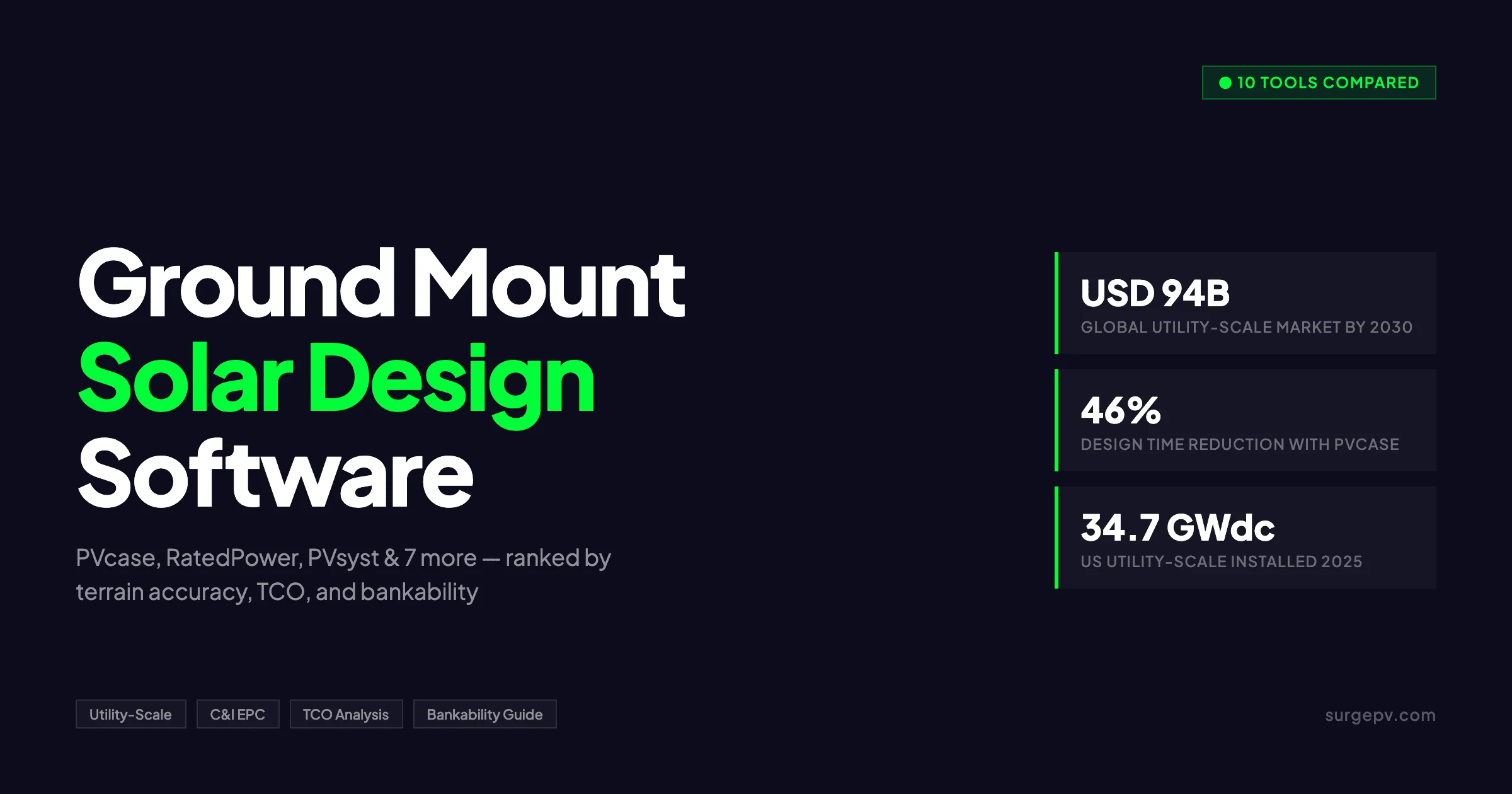
TL;DR: We compared 10 ground mount solar design tools across terrain accuracy, tracker support, and total cost of ownership. PVcase leads for CAD-native teams, RatedPower wins for cloud speed, and PVsyst remains the bankability standard. The global utility-scale solar market will reach USD 94 billion by 2030.
What you’ll learn:
- Which tool ranks #1 for utility-scale CAD-native workflows
- How terrain-first and layout-first methodologies affect project accuracy
- The true total cost of ownership for a 3-person engineering team
- Which platforms support single-axis trackers, dual-axis trackers, and terrain-following designs
- When PVsyst is mandatory for financing and when alternatives pass lender review
- How BESS and hybrid ground-mount design capabilities compare across tools
- The best software option for teams without AutoCAD or Civil 3D
The global utility-scale solar market is expanding rapidly. According to SEIA, the US alone installed 34.7 GWdc of utility-scale solar in 2025. Over the next decade, the US solar fleet is projected to reach 769 GWdc.
As project sizes grow, design software becomes a core determinant of project economics, timelines, and lender confidence. The tools below were selected based on real-world utility-scale workflows, not residential or rooftop use cases.
How We Reviewed and Ranked These Tools
We reviewed 10 ground mount solar design platforms using five weighted criteria and two reference projects. A 5 MW fixed-tilt array and a 50 MW single-axis tracker plant provided consistent benchmarks for terrain handling, electrical design, and yield accuracy.
Each tool was reviewed for the same 5 MW fixed-tilt and 50 MW single-axis tracker reference projects. This eliminated project-specific bias and ensured comparable results.
Five weighted scoring criteria:
- Terrain accuracy (25%): We evaluated how each tool imports topographic data, models slope gradients, and outputs grading volumes. Tools with TIN surface analysis or terrain-first methodologies scored higher than layout-first platforms that evaluate terrain after rack placement.
- Electrical design depth (20%): String sizing, combiner placement, cable routing topology, and voltage drop calculations determined scores. Tools with automated SLD generation and multi-topology cable optimization received top marks.
- Bankability (25%): We compared P50/P90 yield report quality, third-party validation status, and lender acceptance. PVsyst served as the reference standard. Five commercial project financiers provided criteria for bankable documentation.
- Speed (15%): Layout generation time, iteration speed, and batch simulation capability determined rankings. Cloud-native tools outperformed desktop CAD plugins on raw speed.
- Total cost of ownership (15%): We calculated 12-month costs for a 3-person engineering team. Base subscription, required CAD licenses, companion tools, and estimated training hours were included.
Test conditions:
- NREL TMY3 weather data powered all yield simulations.
- Terrain data came from 1-meter resolution LiDAR exports.
- All tools were reviewed against published information from the same PV module and inverter models from current manufacturer datasheets.
- G2 review sentiment was cross-checked against our findings. We prioritized reviewer complaints tagged as critical or repeated by 3 or more users.
Independence disclosure: SurgePV appears in this list. Our scoring methodology applies identical weights to all tools. SurgePV received no bonus points. Raw scoring sheets are available on request.
Quick Comparison at a Glance
Use this table to shortlist ground mount solar design tools by platform, price, and core capability. Click any tool name to jump to its full review.
The global utility-scale solar market reached USD 66 billion in 2023 and is forecast to grow at a 6.3% CAGR through 2030. Ground mount projects now account for the majority of global solar capacity additions. Teams need software that matches project scale, terrain complexity, and financing requirements.
| Tool | Platform | Pricing (USD/year) | G2 Rating | Terrain Method | Tracker Support | BESS Support | Bankability | Best For |
|---|---|---|---|---|---|---|---|---|
| PVcase | AutoCAD / BricsCAD plugin | ~$12,999 (list) | 4.5/5 | Layout-first | Yes | No | Medium | Full-lifecycle EPC teams |
| RatedPower | Cloud (browser) | Contact sales | 4.4/5 | Simplified | Yes | AC-coupled | Medium | Developer prospecting |
| PVsyst | Windows desktop | ~$775 | 4.6/5 | N/A (sim only) | Yes | Partial | Gold standard | Financing / IE reviews |
| HelioScope | Cloud (browser) | $1,620–$3,108 | 4.5/5 | 2D terrain | Premium add-on | Basic | DNV validated | C&I 100 kW–5 MW |
| SurgePV | Cloud (browser) | Transparent plans | N/A | 2D terrain | No | Basic | Growing | C&I all-in-one cloud |
| PVFARM | Cloud (browser) | Contact sales | N/A | Cloud AI | Yes | Unknown | Unknown | AI-first iteration |
| PVX | AutoCAD extension | ~$7,600 | 5.0/5 | Terrain-first | Yes | No | Medium | Complex terrain EPC |
| Helios 3D | Civil 3D plugin | ~$12,800 | N/A | TIN surfaces | Yes | No | Medium | Enterprise Civil 3D teams |
| Virto Solar | AutoCAD / BricsCAD | Contact sales | N/A | Layout-first | Yes | No | Medium | European EPCs |
| Solesca | Cloud (browser) | Lower entry | N/A | Pre-CAD 2D | No | No | Low | Small developers |
Key definitions:
- Layout-first: Places racks on a simplified terrain model, then resolves conflicts.
- Terrain-first: Analyzes topography, slope, and soil before placing any racks.
- Bankability: Lender acceptance of energy yield reports for debt underwriting.
Cloud-native tools eliminate AutoCAD or Civil 3D license costs. CAD-native tools provide deeper engineering detail but require a $1,800–$2,000 annual CAD subscription per seat.
solar design software platforms vary widely in hidden costs. Use the TCO section below to calculate true first-year spending for your team size. Prices listed are indicative; contact vendors for firm quotes.
Tier 1: Utility-Scale Specialists
PVcase, RatedPower, and PVsyst dominate utility-scale ground-mount design. PVcase offers the deepest CAD-native engineering workflow. RatedPower delivers the fastest cloud-based feasibility studies.
PVsyst remains mandatory for bankable yield analysis on financed projects above 10 MW. PVcase serves 1,800+ customers across 80+ countries.
Teams designing projects above 5 MW should start here. Each tool serves a distinct phase: PVcase for detailed engineering, RatedPower for early development, and PVsyst for independent engineering and financing. solar design suite selection at this scale directly affects project timelines and lender confidence.
#1 PVcase
Pricing: Subscription-based. The Autodesk App Store lists USD $12,999 per year for one module, though actual pricing varies by modules and seat count. Enterprise quotes apply for multi-seat teams.
Best for: Large EPC teams with existing CAD infrastructure, diverse site portfolios, and full-lifecycle workflow needs.
Pros:
- Native AutoCAD 2021–2026 and BricsCAD integration preserves existing engineering workflows.
- Automated layout generation works in 2D and 3D topography-based modes.
- Hourly shading simulation runs ~8,760 calculations per year for precise loss estimates.
- One-click PVsyst export accelerates bankable yield handoffs.
- Terrain slope gradient heatmaps and pole coordinate extraction speed construction documentation.
- Anderson Optimization GIS integration adds site selection and prospecting capability.
- 6+ languages including Hindi support global teams.
Cons:
- Terrain analysis evaluates grading after panel placement, which causes accuracy issues on complex sites.
- Cable routing can deviate from user-defined trench corridors.
- Steep learning curve for non-CAD users; assumes existing AutoCAD fluency.
- Interface lag occurs in data-rich 3D views on standard workstations.
G2 rating and sentiment: 4.5/5 from 349+ reviews. PVcase won the G2 2025 Best CAD & PLM Software award. Users report 46% design time reduction and roughly 90 hours saved per design.
Reviewers praise automation speed and support responsiveness. Recurring complaints focus on terrain accuracy and cable routing rigidity.
PVcase functions as an AutoCAD and BricsCAD plugin. Engineers draw site boundaries and exclusion zones using familiar CAD commands. The software then populates rack tables, calculates row-to-row spacing, and generates stringing diagrams without leaving the drawing environment.
This architecture fits teams that already manage CAD standards and block libraries.
The Ground Mount module automates table placement, stringing, and trench routing inside AutoCAD. Engineers define exclusion zones, setback lines, and access roads using standard CAD polylines. PVcase then generates rack tables that follow terrain contours while maintaining minimum slope requirements. Stringing diagrams update automatically when layouts change.
The hourly shading engine evaluates every hour of the year against nearby racks, terrain rises, and vegetation. One-click PVsyst export streamlines the handoff to bankable yield analysis, though users should manually verify rack tilt and azimuth to avoid orientation bugs. The modular product suite includes Prospect for GIS, Ground Mount for layout, Roof Mount for distributed generation, and Yield for energy estimates.
The Yield module provides energy estimates based on the layout generated in Ground Mount. Prospect adds GIS-driven site screening. Together they cover the full lifecycle from land identification to construction documentation.
Support receives consistent praise on G2. Engineers report that feature requests often appear in quarterly updates. The team releases regular patches that address AutoCAD version compatibility and shading engine accuracy.
Key Takeaway
PVcase is the market leader for CAD-native utility-scale design. It fits teams that already live inside AutoCAD and need automated layout, stringing, and shading. Budget for the AutoCAD license and training time before committing.
#2 RatedPower
Pricing: Three tiers (Basic, Advanced, Enterprise). All plans include unlimited users, projects, and designs. No public pricing is available; contact sales for quotes.
Best for: Developer prospecting, early feasibility, and cloud-first teams that need fast answers across many candidate sites.
Pros:
- Batch design simulation runs up to 10 layout variations simultaneously.
- AC-coupled BESS integration supports hybrid ground-mount projects.
- Enverus PRISM integration provides terrain, land-use, and grid corridor data.
- LCOE, IRR, and NPV financial modeling are built into the platform.
- DWG export allows handoff to AutoCAD for detailed engineering completion.
- Carolina Solar Energy reduced design cycle time from 4 days to under 2 hours.
- FATA Engineering increased project bids by nearly 50% after adoption.
Cons:
- Simplified terrain model disqualifies the tool for detailed grading work on complex sites.
- Enterprise-level pricing is described as expensive by some G2 reviewers.
- The platform sits in an awkward middle ground: too technical for non-engineers, too simplified for senior electrical engineers.
- Steep learning curve for deep electrical modules; requires focused training.
G2 rating and sentiment: 4.4/5 from 200+ reviews. RatedPower holds G2’s Most Implementable Leader badge for Solar Design. 98% of users rate the platform 4 or 5 stars.
Praise centers on speed and all-in-one cloud delivery. Criticism targets terrain simplification and pricing opacity.
RatedPower operates entirely in a web browser. Unlimited users mean a developer in Madrid, an engineer in London, and a financier in New York can review the same project without software installs or file version conflicts. Batch design runs 10 variations simultaneously, letting teams compare fixed-tilt against tracker, 1.3 ILR against 1.5 ILR, and different equipment brands in a single afternoon.
Enverus acquired RatedPower in 2023. The integration with PRISM gives developers access to land ownership, transmission queue, and interconnection data without leaving the platform.
Enverus PRISM integration feeds terrain, land-use restrictions, and transmission corridor data directly into site selection. LCOE outputs help developers rank sites by economics before detailed engineering begins. The platform lacks grading analysis, so civil engineers must still export to Civil 3D or manual calculation for cut-and-fill volumes.
The Layout Editor allows manual fine-tuning after batch generation. Engineers can adjust row spacing, rotate blocks, and add roads without regenerating the entire design. This hybrid approach combines algorithmic speed with human oversight on critical project details.
Financial modeling inside RatedPower includes debt sculpting and sensitivity tables. Developers can test PPA price variations, escalation rates, and construction delay scenarios. This depth makes it more than a layout tool; it functions as a preliminary project finance model.
Pro Tip
Use RatedPower for early-stage prospecting and layout variation studies. Export promising designs to PVcase or PVX for detailed engineering and grading refinement.
#3 PVsyst
Pricing: CHF 650–700 per year ($775 USD) for a single-seat commercial license. A 30-day full-feature free trial is available.
Best for: Utility-scale financing, independent engineering reviews, and P50/P90 yield analysis required by project lenders.
Pros:
- Industry-standard P50/P75/P90 yield estimates include Monte Carlo analysis.
- Comprehensive loss tree modeling covers temperature, mismatch, soiling, cable, inverter, and degradation losses.
- 14,000+ PV modules and 4,500+ inverters live in the component library.
- 30-year meteorological database supports long-term energy estimates.
- Bifacial and tracker modeling are natively supported.
- PVsystCLI enables Python, R, and Excel batch automation.
- Billions in solar debt have been underwritten using PVsyst models.
Cons:
- 4–6 week minimum learning curve for basic proficiency; 3–6 months for advanced features.
- Windows-only desktop application with no Mac, Linux, web, or mobile support.
- Simulation-only platform with zero design capabilities: no roof geometry, no visual panel placement, no SLD generation.
- Complete workflow requires 3+ additional tools, pushing total stack cost to $5,000–$8,000 per year before PVsyst.
G2 rating and sentiment: 4.6/5 from 200+ reviews. Simulation accuracy scores 9.4/10, the highest in the category. Reviewers call it the industry standard for bankability but warn it is designed by physicists for engineers.
The most common complaint is the lack of cloud or multi-user features.
PVsyst was developed in Switzerland and has been in continuous use since 1992. It has outlasted dozens of competitors and remains the reference standard for independent engineering reviews. The loss tree breaks down every fractional loss from module temperature coefficients to inverter efficiency curves.
Lenders accept no substitute on most utility-scale term sheets.
PVsyst reports include detailed loss diagrams that financiers expect in data rooms. Independent engineers append these diagrams to their own reports. The transparency of the calculation engine is why lenders trust the outputs over black-box alternatives.
The Windows-only constraint forces firms to maintain legacy workstations or virtual machines. No real-time collaboration exists; two engineers cannot edit the same project file simultaneously.
The physics-based interface expects users to understand irradiance components, temperature coefficients, and incidence angle modifiers. Training takes 4–6 weeks for basic proficiency and 3–6 months for advanced scenarios.
Manufacturer-provided data populates the library. Updates arrive every 1–2 months. Users can also import custom PAN files for new or niche modules.
The 30-day free trial includes all features. This allows engineers to validate yield against operational plants before purchasing. Many independent engineering firms maintain multiple seats to handle parallel project deadlines.
Key Takeaway
PVsyst is not optional on financed utility-scale projects. Treat it as the yield validation layer, not the design layer. Pair it with PVcase or RatedPower for layout and electrical work.
Tier 2: C&I-to-Utility Bridge
HelioScope and SurgePV bridge the gap between C&I and smaller utility-scale projects. HelioScope provides bankable simulations without AutoCAD. SurgePV offers an all-in-one cloud platform for design, shadow analysis, and proposals up to 5 MW.
These tools serve the C&I segment, which ranges from community solar to commercial rooftops and small ground-mount arrays. Teams moving from residential into small ground-mount should evaluate Tier 2 before committing to Tier 1 licensing costs.
#4 HelioScope
Pricing: Basic $159 per month ($1,620 per year). Pro $259 per month. Enterprise custom.
Best for: C&I projects from 100 kW to 5 MW, ground-mount up to 15 MW, and teams needing bankable speed without CAD overhead.
Pros:
- Web-based design requires no installation.
- DNV GL validated within 1% of PVsyst for bankable simulations.
- NREL-validated 3D shading modeling with -7.0% to +4.3% error range.
- 50,000+ component library covers most global equipment.
- Single-axis tracker available as premium add-on.
- Row-to-row shading and wire resistance from actual layout lengths.
- Financial calculator and proposal editor included.
Cons:
- Proposal capabilities are functional but not as polished as Aurora Solar.
- AutoCAD is still needed for complete electrical documentation such as SLDs and NEC schematics.
- Not user-friendly for small-scale residential projects.
- Relocating individual panels after placement is difficult.
G2 rating and sentiment: 4.5/5. Users praise speed and web-based access. One reviewer noted that a 500-panel ground-mount takes minutes versus hours in PVsyst.
Criticism focuses on proposal polish and the need for companion CAD tools to finish electrical drawings.
HelioScope was built by Folsom Labs and acquired by Aurora Solar in 2021. The cloud architecture means project files live online. Engineers can start a design in the office and finish it on a tablet at the site.
DNV GL validation within 1% of PVsyst is critical for C&I financiers who accept HelioScope reports on projects under 10 MW.
The component library holds over 50,000 items. Wire resistance calculations use actual cable lengths from the layout rather than generic assumptions. Single-axis tracker support is a premium add-on, not standard.
The financial calculator and proposal editor are included, though the output is less sales-ready than Aurora’s.
Nearmap integration provides high-resolution aerial imagery for site context. SketchUp import allows 3D obstruction modeling from nearby buildings or vegetation. These features help ground-mount designers account for temporary shading from trees or future construction.
Key Takeaway
HelioScope is the best option for C&I ground-mount when you need bankable speed without AutoCAD. Budget for AutoCAD or a comparable tool if you require construction-grade electrical schematics.
#5 SurgePV
Pricing: Transparent plans published online. No custom quotes required for standard tiers.
Best for: Residential and C&I installers running 100 kW–5 MW ground-mount projects who want integrated design, simulation, and proposals without CAD.
Pros:
- Cloud-based solar design software with no installation required.
- Live solar designing module for array layout and equipment selection.
- Solar shadow analysis software for shading and obstruction analysis.
- Generation & financial tool for yield and ROI modeling.
- Solar proposal software for client-ready PDF generation.
- Clara AI automates repetitive design decisions.
- Onboarding takes hours rather than weeks.
Cons:
- Not built for 50 MW+ batch layout variations.
- No terrain grading module for earthwork calculations.
- No tracker-specific detailed engineering.
- Smaller component library than HelioScope or PVcase.
G2 rating and sentiment: Not yet rated on G2. Early user feedback cites fast onboarding and proposal quality as primary strengths. The most common request is expanded tracker support and larger equipment libraries.
SurgePV is a cloud-native platform that combines layout, simulation, and proposal generation in one interface. No AutoCAD or Civil 3D license is required. Browser-based access works on standard laptops and tablets.
The platform targets teams that want to move from site visit to client proposal in a single session. Shadow analysis, generation modeling, and financial outputs feed directly into branded proposals.
solar software stacks often fragment these steps across 3 or 4 separate tools. SurgePV unifies them.
The proposal engine generates branded PDFs with cover pages, system diagrams, and financing options. Sales teams can white-label outputs for dealer networks. This reduces the gap between engineering and sales without exporting to a separate CRM or document tool.
Design Your Next Ground Mount Project in SurgePV
SurgePV gives you cloud-based solar design, shadow analysis, and proposal generation without AutoCAD.
Book a DemoNo commitment required · 20 minutes · Live project walkthrough
Tier 3: Emerging and Niche Specialists
PVFARM, PVX, and Helios 3D serve specialized workflows that Tier 1 tools do not address. PVFARM applies AI to grading optimization. PVX targets complex terrain with a terrain-first methodology.
Helios 3D serves enterprise teams that require TIN surface analysis inside Civil 3D.
These tools are newer or more narrowly focused. They suit teams with specific site constraints, advanced civil engineering needs, or willingness to pilot emerging technology.
#6 PVFARM
Pricing: Not public. Subscription-based with co-piloted trial entry.
Best for: Cloud-first teams, early-stage design iteration, and developers focused on grading optimization.
Pros:
- AI-enabled solar design platform launched in 2024.
- Claims 20–30% earthwork reduction and 96% design time reduction.
- Real-time multi-discipline optimization across layout, civil, and electrical.
- 3D BIM equipment assets and detailed BoQ reports.
- Terrain-following tracker evaluation with mixed tracker support.
- Variable ILR, roads, piling, and collection system design.
- Solar Power World 2025 Top Solar Software award.
Cons:
- No G2 reviews yet; no proven multi-year track record.
- No public pricing; budget validation is difficult.
- Construction-grade IFC outputs are unclear from public documentation.
- Relies on vendor case studies for validation rather than independent testing.
G2 rating and sentiment: Not rated on G2. The platform is too new for meaningful user sentiment. Vendor claims cite NREL research for grading algorithm validation.
Early adopters praise the cloud-first approach and rapid iteration speed.
PVFARM positions itself as the first AI-enabled utility-scale design platform. The software optimizes layout, civil grading, and electrical collection in real time. Users can compare scenarios that adjust row spacing, road placement, and pile depth simultaneously.
The platform claims to reduce design time from weeks to roughly one hour for early-stage layouts. This speed comes from automated site boundary detection and equipment pre-selection based on regional supply chain data. Users can generate multiple design iterations during a single client meeting.
The grading module claims 20–30% earthwork reduction by identifying optimal cut-and-fill balances before construction begins. Terrain-following tracker evaluation helps teams assess whether advanced tracker systems fit irregular sites. Mixed tracker and variable ILR support allow hybrid designs within a single project.
Pro Tip
PVFARM is best treated as a pre-construction optimization layer. Pair it with PVsyst for bankable yield and a CAD tool for final construction documentation.
#7 PVX
Pricing: EUR 7,000 per seat per year.
Best for: EPC detailed engineering on complex terrain, sites with slopes over 10%, and projects with mixed soil hardness.
Pros:
- Terrain-first methodology analyzes topography before placing racks.
- 3 grading approaches compared in minutes: full-terrain smoothing, row-restricted, and pile-adaptive.
- Soil hardness classification across 7 classes.
- Cable topology comparison: Line, U, and Leapfrog.
- Voltage drop per string and per cable cross-section.
- Clean PVsyst export without orientation bugs.
- PVX.View browser viewer shares designs with non-CAD stakeholders.
Cons:
- AutoCAD-only; no BricsCAD support.
- Small G2 sample: 5.0/5 from only 4 reviews.
- Higher per-seat cost than PVcase for a narrower feature set.
- Requires existing AutoCAD fluency.
G2 rating and sentiment: 5.0/5 from 4 reviews. Users call PVX the highest-precision terrain and cabling tool for detailed engineering. The small sample size limits confidence in the score.
No negative public reviews exist.
PVX takes a terrain-first approach. The software imports topographic data and analyzes slope, aspect, and soil hardness before a single rack is placed. This prevents costly redesigns on sites with slopes over 10% or mixed rock and soil conditions.
Three grading approaches can be compared in minutes. Full-terrain smoothing minimizes earthwork but may require longer cables. Row-restricted grading limits disturbance to rack corridors.
Pile-adaptive grading adjusts individual pile heights to follow the surface. A case study on a 44% hard rock site showed 70% less earthwork and $727,000 in savings.
Cable topology options include Line, U, and Leapfrog. Leapfrog topology saved $430,000 on a 130 MWp plant by reducing trenching and conductor length. Voltage drop is calculated per string and per cable cross-section, which helps right-size conductors before procurement.
The PVX.View browser viewer lets project managers and clients rotate through 3D models without installing AutoCAD. NPV and IRR outputs appear alongside the layout for immediate financial context. This reduces the feedback loop between engineering and executive approval.
Key Takeaway
PVX is the most precise terrain and cabling tool on this list. Use it when grading accuracy directly affects project economics or when soil conditions vary across the site.
#8 Helios 3D
Pricing: ~EUR 11,800 per year for the Solar Plant Layout license.
Best for: Enterprise teams with existing Civil 3D infrastructure, complex terrain projects, and VR presentation needs.
Pros:
- TIN surface-based terrain analysis with no interpolation. Racks sit on actual surface, not averaged contours.
- Local grading under each rack with user-defined tolerances.
- Pile coordinate extraction for GPS-controlled pile driving.
- VR visualization for stakeholder presentations.
- SQL database integration for enterprise team management.
- Shadow-free placement validation at any position, date, and time.
Cons:
- Zero G2 reviews; limited public feedback outside European markets.
- Cable routing requires a separate Engineering module.
- Steep learning curve and enterprise positioning.
- No cloud collaboration; Civil 3D desktop only.
G2 rating and sentiment: Not rated on G2. The tool is known in European utility-scale circles but lacks broad market presence. Feedback from engineering consultants praises terrain precision and VR output.
Cost and complexity limit adoption.
Helios 3D is a standalone plugin for Autodesk Civil 3D. It uses TIN surfaces rather than interpolated contour lines. Each rack sits on the actual digital terrain model, which eliminates elevation errors common in simplified layout tools.
Local grading is calculated under each rack with user-defined tolerances. Pile coordinates export directly to GPS-controlled pile driving rigs. Shadow-free placement validation checks any position at any date and time.
VR visualization helps stakeholders experience the site before construction begins.
The SQL database backend allows large teams to share projects across offices. Permissions can be set at the project or module level. This enterprise architecture suits EPCs with 50-plus engineers working on simultaneous developments.
Pro Tip
Helios 3D fits teams that already own Civil 3D and manage complex terrain portfolios. For simpler sites, the cost and learning curve are hard to justify.
Tier 4: Honorable Mentions
Virto Solar and Solesca round out the list for teams seeking European CAD alternatives or pre-CAD early-stage tools. Neither offers the depth of Tier 1 platforms, but both serve specific price points and workflows.
We include them because the best tool for your team depends on budget, geography, and existing software infrastructure. A mid-size EPC in Poland may find Virto Solar more practical than PVcase. A community solar developer in India may prefer Solesca over a $12,000 CAD plugin.
Both tools lack the automation and component depth of Tier 1 alternatives. However, they lower the barrier to entry for teams that are building their first utility-scale projects.
For teams with limited software budgets, starting with Virto Solar or Solesca can provide enough capability to win initial contracts before upgrading to PVcase or RatedPower.
Virto Solar
Virto Solar is a European CAD-native alternative to PVcase. It integrates with BricsCAD and AutoCAD. The tool supports 2D and 3D layout with electrical diagram generation.
Its user base is growing in EU utility-scale markets. Contact sales for pricing.
Virto Solar generates electrical diagrams directly from the layout. This reduces manual drafting time for SLDs and string charts. The tool is priced lower than PVcase in most European markets.
It supports EU-specific electrical standards and component databases.
Solesca
Solesca is a pre-CAD early-stage design tool. It targets C&I and community solar projects. Rapid layout and yield estimation help small developers evaluate sites before hiring engineering firms.
The cloud-based platform requires no installation. Pricing is lower than Tier 1 or Tier 2 alternatives, making it accessible for emerging markets.
Solesca targets emerging markets where software budgets are constrained. The platform includes basic financial modeling for PPA and lease structures. Users can export preliminary layouts to PDF for landowner negotiations.
It serves as a stepping stone before investing in Tier 1 engineering software.
Ground Mount Design: Buying Guide
Choose layout-first tools for speed on flat terrain. Pick terrain-first tools for complex grading. Cloud platforms reduce total cost of ownership by eliminating CAD licenses.
PVsyst remains mandatory for most financed projects above 10 MW.
Terrain-First vs. Layout-First Methodology
Layout-first tools place racks on a simplified terrain model, then flag conflicts. PVcase, RatedPower, and Virto Solar use this approach. It is fast and works well on flat or gently sloping land under 5% grade.
Terrain-first tools analyze topography, slope, and soil hardness before placing a single rack. PVX and Helios 3D use this method. It adds time upfront but prevents costly redesigns on complex sites with slopes over 10% or mixed soil conditions.
Layout-first tools often require manual iteration when terrain conflicts arise. A rack placed on a simplified contour may intersect actual ground after survey staking. Terrain-first tools avoid this by using the original LiDAR point cloud or TIN surface.
Choose layout-first for early feasibility and flat sites. Choose terrain-first for detailed engineering on rocky, steep, or irregular terrain. solar shadow analysis software modules in both approaches should be validated against site survey data.
True Total Cost of Ownership
TCO extends beyond the software subscription. For a 3-person engineering team, PVcase requires AutoCAD licenses, which Autodesk licenses separately. Civil 3D adds another $2,000–$2,500 per seat if grading analysis is needed.
Training a new engineer on CAD plus PVcase takes 4–8 weeks of billable time.
Cloud tools eliminate CAD licenses and IT overhead. RatedPower, HelioScope, and SurgePV run in browsers on standard laptops. Hidden costs include file management, version control, and workstation upgrades for heavy CAD rendering.
Cloud tools also reduce IT overhead. There is no need to manage Autodesk license servers, VPNs for remote CAD access, or workstation graphics card upgrades. File version control is handled automatically in the browser.
Over 12 months, a CAD-native stack for 3 engineers can exceed $25,000 in software and labor. A cloud-native stack often stays under $8,000.
Tracker-Specific Design Capabilities
Single-axis tracker support is standard in PVcase, RatedPower, PVFARM, Helios 3D, and PVX. HelioScope offers it as a premium add-on. Dual-axis tracker support is limited to PVcase and PVsyst.
Terrain-following trackers require PVcase, PVFARM, or Helios 3D because these tools model rack placement on actual TIN surfaces or graded corridors.
Backtracking algorithms differ by platform. PVcase and RatedPower include standard astronomical backtracking. PVFARM claims AI-optimized backtracking for irregular terrain.
Single-axis trackers deliver 15–25% yield uplift over fixed-tilt systems. They carry a CAPEX premium of 1.1x–1.3x and O&M costs 15–30% higher than fixed-tilt.
Developers should confirm that their chosen tool models the specific tracker model they intend to procure. Tracker geometry, motor placement, and torque tube spacing vary by manufacturer. Accurate modeling prevents inter-row collision and ensures backtracking clears neighboring tables.
When PVsyst Is Mandatory for Financing
PVsyst is mandatory for most project financiers on utility-scale projects above 10 MW. International lenders and development banks specifically name PVsyst in term sheets.
For C&I projects between 100 kW and 5 MW, HelioScope and SurgePV reports are increasingly accepted by regional banks and tax equity providers.
Early-stage development equity and internal modeling can rely on RatedPower or PVcase export yield estimates. Independent engineers validate P50 and P90 requirements.
Some European development banks accept HelioScope for projects under 5 MW. US tax equity investors often require PVsyst regardless of project size. Always check the latest lender requirements before finalizing your software stack.
Pre-construction financing usually demands PVsyst. Construction and term-loan refinancing often re-run PVsyst with as-built data.
BESS and Hybrid Design Support
RatedPower leads here with AC-coupled BESS integration inside the platform. PVsyst offers partial hybrid modeling for DC-coupled and AC-coupled storage. HelioScope provides basic storage modeling.
PVcase, PVX, and Helios 3D do not natively support battery layout or interconnection design.
No tool currently offers standalone BESS ground-mount design alongside solar arrays. Interconnection design for solar-plus-storage remains a manual workflow in all platforms. If hybrid projects are central to your pipeline, RatedPower or PVsyst should anchor your stack.
Which Software Fits Your Team?
Match your choice to team size, CAD literacy, and project scale. Large EPCs with AutoCAD infrastructure should evaluate PVcase. Cloud-first developers managing 20-plus prospect sites should trial RatedPower.
Every financed utility project needs PVsyst for yield sign-off.
C&I teams running 100 kW–5 MW ground-mount should compare HelioScope and SurgePV. Complex terrain sites with slopes over 10% demand PVX or Helios 3D. AI-first teams focused on grading optimization should pilot PVFARM.
Small developers and emerging market EPCs with budgets under $10,000 should start with Solesca or SurgePV.
Where SurgePV fits
For the product-side detail, SurgePV ground-mount and utility-scale design covers the workflow, outputs and limits.
Frequently Asked Questions
Most utility-scale teams need 2 or more tools. AutoCAD is not mandatory. PVsyst is required for most bankable projects above 10 MW.
Tracker design support varies by platform.
Do I need AutoCAD to design utility-scale solar projects?
No. Cloud tools such as RatedPower, PVFARM, and HelioScope do not require AutoCAD. However, CAD-native tools including PVcase and PVX provide deeper engineering detail and construction-grade outputs that cloud platforms cannot yet match.
For projects above 50 MW with complex terrain, AutoCAD or Civil 3D remains the practical standard.
Some EPCs use BricsCAD as a lower-cost AutoCAD alternative. PVcase supports BricsCAD, which cuts CAD licensing costs by roughly 50%. This makes CAD-native design more accessible to mid-size EPCs.
Is PVsyst still required for bankable projects?
Yes, for most utility-scale financing above 10 MW. Lenders and independent engineers specifically request PVsyst P50/P90 reports. For C&I projects and small utility arrays, HelioScope and SurgePV are gaining acceptance among regional banks and tax equity providers.
Always confirm lender requirements before selecting a simulation tool.
What is the real cost of PVcase when you include AutoCAD?
PVcase starts at roughly $12,999 per year for one module. AutoCAD is licensed separately by Autodesk. Civil 3D is licensed separately by Autodesk if grading analysis is required. For a 3-person team, first-year software costs alone can reach $20,000–$25,000.
Training time adds another 4–8 weeks of billable hours per new user.
BricsCAD can replace AutoCAD for PVcase users, reducing the CAD line item by half. Some teams also skip Civil 3D and export grading to external earthwork specialists. This hybrid approach lowers TCO while preserving detailed electrical design.
Can one tool do everything, or do I need multiple?
Honestly, most utility-scale teams use 2 or more tools. A common stack is RatedPower or PVFARM for early prospecting, PVcase or PVX for detailed engineering, and PVsyst for bankable yield analysis.
No single platform currently covers GIS prospecting, terrain grading, electrical design, energy simulation, and proposal generation at utility-scale fidelity.
What is the best software for tracker design?
PVcase and RatedPower both support single-axis trackers natively. HelioScope offers tracker design as a premium add-on. For terrain-following trackers, use PVcase or Helios 3D.
PVFARM also supports terrain-following evaluation. Dual-axis tracker modeling is available in PVcase and PVsyst.
Is there a free option for utility-scale design?
NREL SAM is free and open-source. It supports yield analysis for large arrays but lacks layout automation, cable routing, and construction documentation.
No free commercial tool offers utility-scale layout automation or grading optimization.
Final Verdict: Which Tool Should You Choose?
Match your software to your team structure, project scale, and financing requirements. Large EPCs with CAD infrastructure should standardize on PVcase for detailed engineering. Cloud-first developers prospecting many sites should adopt RatedPower for speed.
Every financed utility project above 10 MW requires PVsyst for independent engineering review. C&I ground-mount projects from 100 kW to 5 MW fit HelioScope or solar software like SurgePV. Residential and C&I teams wanting an all-in-one cloud platform without CAD overhead should trial SurgePV.
Complex terrain sites with slopes over 10% or mixed soil hardness demand PVX. AI-first teams focused on earthwork reduction should pilot PVFARM. Enterprise teams with existing Civil 3D infrastructure should evaluate Helios 3D.
Start with a 30-day trial of any tool before committing to annual contracts. Involve both engineering and finance stakeholders in the evaluation. The right software should reduce design cycle time without adding hidden licensing costs.
Revisit your stack annually as the market evolves. New tools like PVFARM may mature into Tier 1 contenders. Tracker and BESS capabilities are improving fastest in cloud-native platforms.
Teams that standardize on one platform early often regret the decision when project scales change. Build flexibility into your workflow by choosing tools with open export formats. DWG, CSV, and PVsyst-compatible outputs ensure you can switch tools without losing prior work.
Budget constraints should not force a bad fit. A $12,000 CAD plugin makes no sense for a 3-person developer shop. A free browser tool will not suffice for a 200 MW financed project. Align software spend with project revenue and financing requirements.
Finally, consider training and support as part of the purchase. A tool with excellent documentation and responsive support pays for itself in reduced downtime. A cheaper tool with no support channel can stall projects during critical deadlines.
