

Back to Best Solar Software
Best List Best-Of List 7 tools compared

Best Solar Business Software for Installers & EPCs (2026)

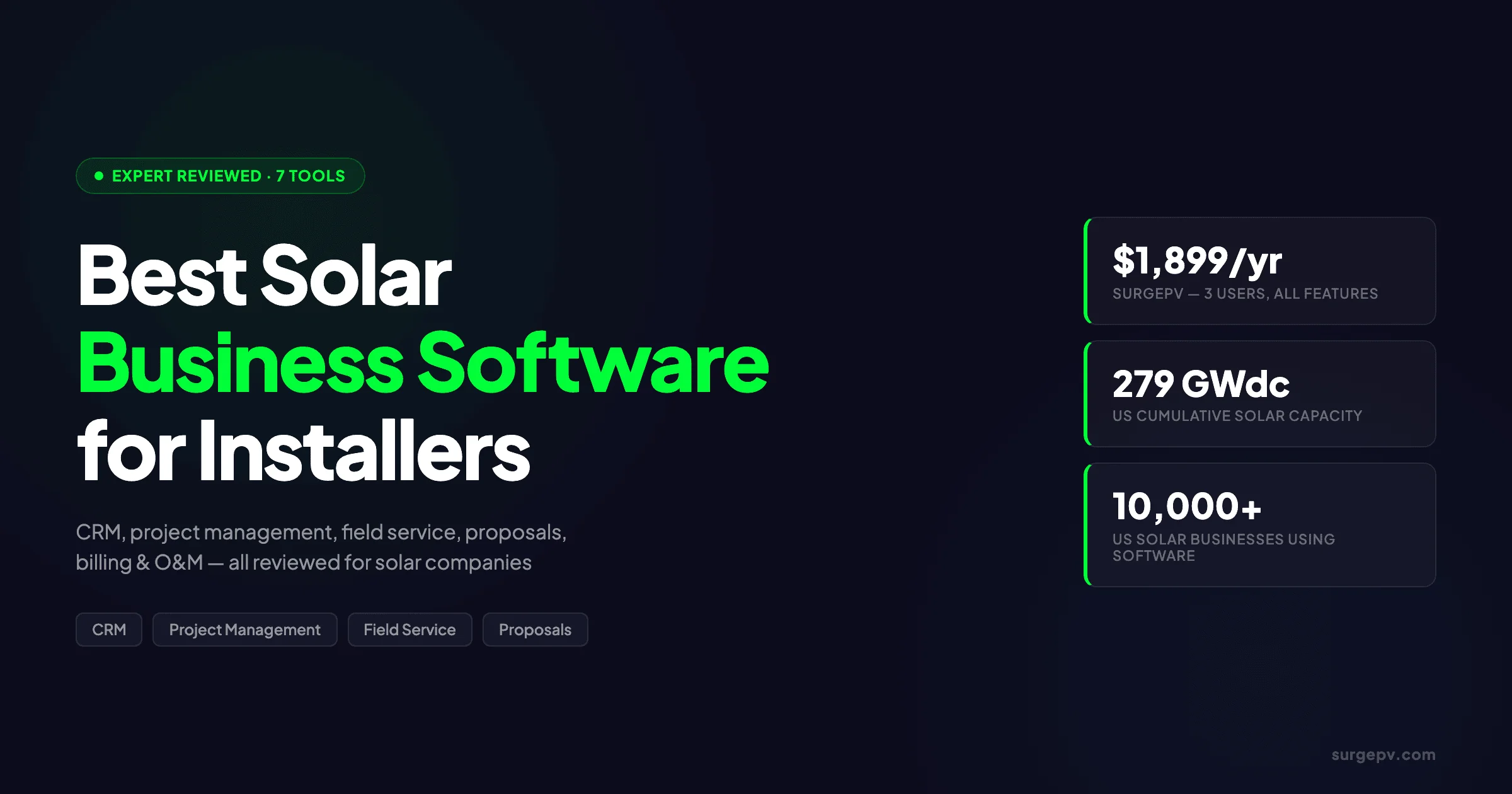
Compare the 7 best solar business software platforms for solar companies in 2026. CRM, project management, field service, proposals, billing, and O&M tools reviewed.

Keyur Rakholiya

Written by

Keyur Rakholiya

CEO & Co-Founder · SurgePV

Rainer Neumann

Edited by

Rainer Neumann

Content Head · SurgePV

Published ·Updated

TL;DR — Best Solar Business Software 2026

SurgePV is the best all-in-one solar business platform at $1,899/year for 3 users. Scoop Solar leads for field service and operations management. JobNimbus is the best residential CRM and project management tool. OpenSolar is the best free solar business software. AccuLynx is the best for roofing and solar field service. Salesforce Energy & Utilities Cloud is the best for enterprise solar companies. PowerClerk is the best for permitting and interconnection automation.

Most solar company owners run 5–8 disconnected tools. One platform tracks leads. Another schedules crews. A third generates proposals. A fourth manages permits. Data lives in spreadsheets, text threads, and email inboxes. The handoff between each tool is where projects stall.

The average residential installer loses 2–3 hours per project to data re-entry alone. A 10-person company handling 50 projects per year burns 100–150 hours moving customer data between systems. At $75 per hour in loaded labor, that is $7,500–$11,250 in lost productivity annually. That does not include the deals lost to slow proposal turnaround or the permits delayed because no one tracked the inspection date.

The US solar industry installed 43.2 GWdc in 2025, representing 54% of all new US electricity capacity. Cumulative capacity reached 279 GWdc. Over 280,000 people work in solar across more than 10,000 businesses. The solar software market was valued at approximately $1.5B in 2023 and is projected to reach $3.8B by 2032 (Dataintelo, 2023).

Yet soft costs still exceed 50% of residential PV system costs. Sales and marketing alone add $0.38–$0.50/Wdc (NREL soft cost benchmark). The right solar business software reduces those costs by replacing disconnected tools with integrated workflows. The wrong software adds another login, another subscription, and another data silo.

This guide compares the 7 best solar business software platforms. Each review covers real pricing, actual features, and where each tool falls short. The comparison table matches tools to company size and use case.


What Is Solar Business Software?

Solar business software is the category of tools that manage the operational side of a solar company. It spans 8 distinct functional areas:

  1. CRM and pipeline management — lead tracking, follow-up automation, and deal-stage progression from first contact to signed contract
  2. Project management and scheduling — task assignment, milestone tracking, Gantt charts, and timeline management across multi-week install cycles
  3. Field service management — crew dispatch, mobile data capture, site documentation, and offline checklist completion
  4. Design and engineering — 3D roof modeling, string sizing, electrical single-line diagrams, and code compliance checks
  5. Proposal generation — branded quotes, financial modeling including NPV and IRR, and e-signature capture
  6. Permitting and interconnection — AHJ documentation, utility applications, NEC compliance checks, and approval tracking
  7. Billing and progress payments — construction invoicing, AIA-style billing, lien waivers, and payment schedules tied to milestones
  8. Operations and maintenance (O&M) — monitoring alerts, service ticketing, warranty tracking, and performance analytics

No single tool covers all 8 categories equally. SurgePV covers design, proposals, and project management. Scoop Solar covers field service and project management. JobNimbus covers CRM and project management. The best solar business software is the one that covers your specific gaps without duplicating tools you already use.

A typical residential installer needs 2–3 tools: one for CRM and project management, one for design and proposals, and one for accounting. A commercial EPC may need 4–5 tools to handle the added complexity of utility interconnection, investor reporting, and multi-site O&M. The goal is not to find one tool that does everything. The goal is to find the smallest set of tools that covers your workflow without handoff friction.

Solar Business Software vs. Solar Design Software

Solar business software manages the business. Solar design software manages the physics. A design tool sizes the system, calculates shading loss, and generates yield simulations. A business tool tracks the permit status and sends the invoice. Both are necessary. Neither replaces the other.


Why Solar Companies Need Specialized Business Software

Solar companies cannot run on generic business software. A standard CRM like HubSpot or Salesforce ships with 3–5 generic pipeline stages: prospect, qualified, proposal, closed. A solar project needs 8–12 stages: lead, site survey, design, proposal, contract, permit, install, inspection, interconnection, and PTO.

Generic tools miss 3 structural requirements that are unique to solar:

Solar-Specific Pipeline Stages

A residential solar sale takes 4–10 weeks. A C&I deal takes 3–18 months. Each stage has a specific owner, a specific document, and a specific failure mode.

Without solar-specific stages, teams build custom fields and workflows from scratch. That configuration takes 2–8 weeks and often breaks when the tool updates.

The difference between a generic CRM and a solar-native platform is visible in the daily workflow. A solar rep needs to know whether a lead is stuck in permitting, waiting for an inspection, or pending interconnection approval. A generic CRM forces the rep to create custom fields for each status. A solar-native tool ships with those stages pre-built.

Design Tool Integration

The handoff from CRM to design tool is the highest-friction point in most solar operations. A rep marks a lead “design ready” in the CRM. The designer opens a separate solar design software platform, models the roof, runs shadow analysis, and generates a proposal.

If the proposal data does not flow back into the CRM, the rep closes the deal blind. Solar-specific business software either includes design or has native integrations that close this loop.

The most effective solar companies collapse this handoff into a single workflow. The rep enters the customer’s address and utility bill. The design tool generates a preliminary layout and yield estimate.

The solar proposal software module converts that design into a branded quote. The customer signs. All data lives in one record.

Permitting and Interconnection Complexity

There are over 18,000 AHJs in the US. Each has unique permitting requirements, fee structures, and inspection schedules. Permitting adds 2–4 weeks to every project.

Interconnection applications vary by utility. A solar business tool with pre-loaded AHJ workflows saves hours per project. A generic project management tool treats permitting as a generic task with a due date.

The permitting problem is not just paperwork. It is timing. A project that misses an inspection window waits 2–4 weeks for the next slot. A tool that tracks inspection schedules and sends automated reminders prevents those delays. Generic tools do not understand inspection windows.

Progress Billing and Lien Waivers

Solar is construction. Construction has progress billing. Contractors bill at milestones: contract signing, materials delivery, substantial completion, and final inspection.

Each payment requires a lien waiver. Most generic invoicing tools do not handle progress billing or lien waivers out of the box. Solar-specific tools do.

A residential solar project typically has 2–3 progress payments. A commercial project may have 4–6. Each payment requires a conditional lien waiver from the subcontractor and an unconditional waiver upon payment.

Managing those documents in a generic accounting tool requires manual tracking. Solar business tools with construction billing modules automate the workflow.

The Cost of Disconnected Tools

Complete Solar reduced 50% of paperwork and saved 3–4 operational hours per day after switching to integrated solar business management software (case study via arrivy.com, 2025). At $75/hour loaded labor cost, that is $225–$300 per employee per day in recovered capacity.


What We Looked For

We evaluated each tool against 10 criteria. The scores determine the ranking and the comparison table.

1. Solar-Specific Workflow Coverage

Does the tool ship with pre-built solar pipeline stages, or do you configure everything from scratch? Tools score higher when solar workflows are native, not bolted on. A tool that requires 40 hours of configuration to handle a standard residential solar pipeline scores lower than one that works on day one.

2. Design and Proposal Integration

Does the tool include design, connect to design tools via API, or force a manual export/import? The best tools collapse the CRM-to-design handoff into a single workflow. Tools that require downloading a PDF from one system and uploading it to another score lowest.

3. Field Service and Mobile Capability

Can crews capture site photos, complete checklists, and sync data offline? Field teams need mobile apps that work in areas with poor cell coverage. A field app that crashes without connectivity or lacks photo geotagging is not viable for solar crews.

4. Permitting and Interconnection Support

Does the tool automate AHJ document generation, track permit status, or integrate with utility interconnection portals? This is the biggest time sink in most solar operations. Tools that treat permitting as a generic task score low.

5. Pricing Transparency

Is the all-in cost discoverable without a sales call? Tools that hide onboarding fees, per-user costs, and module pricing score lower. A buyer should know the total first-year cost before speaking to a salesperson.

6. Scalability by Team Size

Does the tool work for a 1-person installer without being overkill? Does it scale to 50+ users without breaking or becoming prohibitively expensive? The best tools have pricing tiers that match company growth.

7. Accounting and Billing Integration

Does the tool connect to QuickBooks, Xero, or Sage? Does it handle progress billing, lien waivers, and construction-specific invoicing? Accounting integration prevents the double data entry that sinks most small solar businesses.

8. Customer Support Quality

What are the actual response times and resolution rates? We weighted G2, Capterra, and GetApp reviews from verified solar users. A tool with great features and poor support scores lower than a simpler tool with excellent support.

9. Implementation Timeline

How long from contract to first live project? Tools that require 3–6 months of implementation score lower for small and mid-size teams. A 5-person installer cannot wait 90 days to start tracking leads.

10. Total Cost of Ownership

What is the 3-year loaded cost including seats, onboarding, add-ons, and integrations? Headline pricing rarely matches reality. We calculated all-in costs for a 10-person team where data was available.


The 7 Best Solar Business Software Platforms

SurgePV

Best all-in-one solar business platform. 9.2/10 | $1,899/year for 3 users | surgepv.com

SurgePV is the only platform on this list that covers the full workflow from design to proposal to project management. It is built specifically for solar EPCs and installers — not adapted from a multi-trade or generic platform.

The design module includes 3D roof modeling, shadow analysis, and string sizing. The electrical module generates automated single-line diagrams in 5–10 minutes. Competitors using AutoCAD take 2–3 hours per project for the same output. The simulation engine delivers bankable yield forecasts within +/-3% of PVsyst, with P50, P75, and P90 outputs.

The proposal module pulls design data and generation and financial tool outputs directly into branded proposals. The CRM tracks leads through solar-specific stages. The customer portal gives clients real-time project status. BOM accuracy is 98%. Over 70,000 projects have been delivered globally.

Support response time averages 3 minutes. The platform supports carport, tracker, and East-West racking configurations for commercial projects. It operates in 50+ countries including New Zealand, South Africa, Turkey, Switzerland, Mexico, and Hungary.

The key differentiator is integration depth. A rep enters a customer’s address and utility bill. The design engine models the roof, calculates shading, and sizes the string.

The solar proposal software module converts the design into a branded PDF with yield simulation, payback period, and NPV. The customer signs electronically. The project manager tracks permit and install status in the same platform.

No data re-entry. No export/import. No lost handoffs.

Pros:

  • All-in-one workflow: design → electrical → proposal → financing → customer portal
  • Automated SLD generation in 5–10 minutes vs. 2–3 hours in AutoCAD
  • Bankable simulation +/-3% vs. PVsyst with P50/P75/P90 outputs
  • 98% BOM accuracy across 70,000+ global projects
  • 3-minute average support response time
  • Multi-country support with local compliance adaptations
  • Commercial-ready: carport, tracker, East-West racking

Cons:

  • No native field crew dispatch or offline mobile app (third-party integration required)
  • No built-in progress billing or lien waiver module (accounting integration required)
  • Smaller third-party integration library than Salesforce or HubSpot

Best for: Solar installers and EPCs that want design, simulation, and proposal generation in one platform rather than stitching together 3–4 separate tools. Residential and commercial teams that value proposal accuracy and fast electrical documentation.


Scoop Solar

Best for field service and operations management. 8.6/10 | ~$119–$450/month estimate (unlimited users) | scoop.solar

Scoop Solar addresses the post-sale half of the solar business. Once a contract is signed, the work of permitting, installation scheduling, inspection coordination, and interconnection becomes the bottleneck. Scoop is built for that workflow.

The platform includes a mobile app with offline access for field crews. Data syncs when connectivity returns. GLOO integration connects Scoop to 500+ software tools including Salesforce, HubSpot, Pipedrive, NetSuite, and QuickBooks. LOOXY Analytics provides project dashboards. Workflow automation covers all project phases from site survey to PTO.

Scoop operates in 14 countries across 250,000+ project sites. The interface supports English, French, German, Portuguese, and Spanish. Customer support scores 4.77/5 on GetApp (23 reviews). The company claims 10x ROI with payback in 3 months and 80% manual step reduction.

The platform shines in field crew coordination. A project manager assigns an install date. The crew lead receives a mobile checklist with NEC code requirements, photo capture prompts, and safety verification steps.

Photos are geotagged and timestamped. If a module serial number does not scan, the crew cannot complete the task. That level of field enforcement prevents rework and inspection failures.

Pros:

  • Solar-specific field service and project management workflows
  • Offline-capable mobile app for field crews
  • 500+ integrations via GLOO (Salesforce, HubSpot, QuickBooks, NetSuite)
  • LOOXY Analytics dashboards for project visibility
  • Unlimited users (pricing not per-seat)
  • Multi-language support: English, French, German, Portuguese, Spanish
  • 250,000+ project sites across 14 countries

Cons:

  • Pre-sale CRM and pipeline management are less developed than dedicated CRM tools
  • No native design or simulation capabilities
  • Pricing is estimate-only; no published rate card

Best for: Solar companies where crew scheduling, site documentation, and post-sale project tracking are the primary pain points. Teams with large field crews that need offline mobile access.


JobNimbus

Best for residential CRM and project management. 8.3/10 | From $199–$225/mo base + per-user + add-ons | jobnimbus.com

JobNimbus built its reputation in roofing and expanded into solar, HVAC, and general home services. The drag-and-drop board views and unlimited contacts make it easy to visualize pipeline health. QuickBooks Online integration is available on all plans.

Material ordering connects directly to Beacon PRO+, SRS Distribution, and ABC Supply. EagleView and HOVER aerial measurement integrations reduce site survey time. The mobile app scores 4.8/5. JobNimbus acquired SumoQuote in 2023 and added AI features in 2024–2025.

The company serves 6,000+ contractors and has raised $383M in funding. G2 rating is 4.7/5 (70 reviews). Capterra rating is 4.6–4.8/5 (480+ reviews).

JobNimbus works best for teams that already know their sales process and want a flexible container for it. The Kanban boards are intuitive. The automations are straightforward.

The QuickBooks sync is reliable. The trade-off is that solar-specific features — permit tracking, interconnection status, NEC code checklists — require custom fields and workflows. A 5-person team can configure JobNimbus for solar in 1–2 weeks. A 20-person team may need a consultant.

Pros:

  • Flat-rate base pricing option for predictable monthly costs
  • Strong Kanban board views with drag-and-drop stage management
  • Direct material ordering from major suppliers
  • Aerial measurement integrations (EagleView, HOVER)
  • Highly rated mobile app (4.8/5)
  • Large user base (6,000+ contractors) with extensive review data
  • QuickBooks Online integration on all plans

Cons:

  • Solar pipeline stages require manual configuration (multi-trade roots)
  • No built-in design or yield simulation tools
  • Per-user add-ons and modules increase loaded cost beyond the base rate

Best for: Residential solar teams that want a proven CRM with strong project management and supplier integrations. Roofing-solar hybrid companies that need material ordering and aerial measurement in the same platform.


OpenSolar

Best free solar business software. 7.8/10 | Free tier available; paid $199–$499/month | opensolar.com

OpenSolar is the only platform on this list with a genuinely free tier that includes design, CRM, proposals, and project management. Over 25,000 installers use it across 160+ countries. The platform has processed more than $10B in solar sales.

Version 3.0 added Kanban pipeline management and project management tools. QuickBooks and Xero integrations are rolling out in early 2026. E-signature and online payment processing are available through CashFlow. Hardware ordering is available within the platform.

The free tier covers most small installers. Paid tiers add branding, advanced reporting, and multi-user access. The $199–$499/month paid range is competitive with mid-tier solar CRMs.

The platform is particularly strong in international markets. In regions where premium US-focused tools are unavailable or overpriced, OpenSolar provides a viable design and proposal stack at no cost. The design tools support multiple module databases and inverter libraries. The proposal module handles local tariff structures and incentive programs.

Pros:

  • Free tier includes design, CRM, proposals, and project management
  • 25,000+ installers across 160+ countries
  • $10B+ in solar sales processed through the platform
  • Kanban pipeline and project management in v3.0
  • QuickBooks and Xero integrations (rolling out early 2026)
  • E-signature and online payment processing included
  • Hardware ordering within the platform

Cons:

  • Free tier lacks advanced branding and customization
  • Design tools are less accurate than dedicated premium platforms
  • Multi-user and reporting features require paid plans

Best for: Solo installers and small teams starting out that need a zero-cost entry point. International installers in markets where premium tools are unavailable or overpriced.


AccuLynx

Best for roofing and solar field service. 7.5/10 | From $250/month (Essential plan) | acculynx.com

AccuLynx is a field service and CRM platform built for roofing companies that also do solar. It is not a solar-native tool, but it is deeply configured for construction trades that share solar’s workflow patterns: aerial measurement, material ordering, crew dispatch, and progress billing.

Four aerial measurement integrations are included. Direct material ordering connects to ABC Supply, Beacon, SRS, and QXO. The Mobile Field App launched in 2026.

DataMart enterprise analytics is available as a 2026 add-on. Capterra rating is 4.5/5 (290 reviews).

The Essential plan at $250/month is the entry point. Higher tiers add automation, reporting, and multi-location support.

AccuLynx understands construction finance. The platform handles job costing, progress billing, and supplier payment tracking. A project manager can see material costs, labor hours, and subcontractor invoices in one view. That visibility is rare in solar-specific tools, which often focus on sales and design while treating accounting as an afterthought.

Pros:

  • Strong aerial measurement integrations (4 providers)
  • Direct material ordering from major construction suppliers
  • Mobile Field App for crew documentation (2026)
  • DataMart enterprise analytics add-on
  • Proven track record in construction trades
  • Capterra 4.5/5 from 290 reviews

Cons:

  • Not solar-specific; pipeline stages require configuration
  • No design or yield simulation tools
  • Higher starting price than JobNimbus or OpenSolar paid tiers

Best for: Roofing-solar hybrid contractors that need construction-specific field service tools. Teams already using AccuLynx for roofing that want to add solar without switching platforms.


Salesforce Energy & Utilities Cloud

Best for enterprise solar companies. 8.1/10 | Enterprise; contact sales | salesforce.com

Salesforce Energy & Utilities Cloud is an industry-optimized layer on top of Salesforce’s core platform. It includes data models pre-configured for utilities and energy companies, a Smart Utility Contact Center, CPQ (configure-price-quote), and Experience Cloud for customer portals.

Clean Energy Program Management tracks community solar subscriptions, incentive programs, and interconnection workflows. Field Service optimization includes IoT sensor integration for asset monitoring. National Grid uses it for community solar subscriber management.

The platform requires significant admin resources and implementation support. A typical enterprise deployment runs 3–6 months before go-live. The all-in cost including licenses, implementation, and ongoing admin exceeds $60,000/year for a 10-person team.

Salesforce wins at scale. A 200-person EPC with 5 regional offices needs multi-division reporting, complex approval workflows, and custom objects for investor reporting. Salesforce provides all of that.

A 5-person residential installer needs none of it. The configurability that makes Salesforce powerful also makes it heavy. Every field, every report, and every automation must be built.

Pros:

  • Industry-optimized data models for utilities and energy
  • Smart Utility Contact Center and CPQ included
  • Clean Energy Program Management for incentives and interconnection
  • Field Service optimization with IoT integration
  • Proven enterprise scale (National Grid case study)
  • Deep customization via Salesforce platform

Cons:

  • Requires dedicated Salesforce administrator
  • Implementation timeline of 3–6 months
  • All-in cost is highest on this list for mid-size teams
  • No native solar design or simulation tools

Best for: Enterprise EPCs and utilities managing 100+ projects per year across multiple regions. Solar companies that need deep integration with utility billing systems and community solar program management.


PowerClerk

Best for permitting and interconnection automation. 7.2/10 | Sold to utilities/agencies; not direct-to-installer | powerclerk.com

PowerClerk is different from every other tool on this list. It is sold to utilities and government agencies, not directly to installers. It processes 70% of US solar incentives. Over 80 utilities use it. NV Energy reduced interconnection processing time by approximately 63% after implementing PowerClerk.

The platform automates permit application review, incentive calculation, and interconnection approval. An API allows installer software to submit applications programmatically. Over 280,000 applications have been processed, representing 6+ GW of renewable capacity.

Installers do not buy PowerClerk directly. They interact with it through utility portals or via API from their primary business software. The rating of 7.2/10 reflects its utility as a back-end automation layer, not a front-end installer tool.

The platform matters because permitting delays are the most common cause of project overruns. When a utility uses PowerClerk, installers submit applications online, track status in real time, and receive automated approvals for standard systems. When a utility does not use PowerClerk, installers fill out PDFs, mail them in, and call for status updates. The difference is 2–6 weeks.

Pros:

  • 70% of US solar incentives processed through the platform
  • 80+ utility customers
  • Reduced NV Energy interconnection time by ~63%
  • API for installer software integration
  • 280,000+ applications processed
  • 6+ GW of renewable capacity supported

Cons:

  • Not sold directly to solar installers
  • No CRM, design, or proposal capabilities
  • Installers experience it only through utility portals

Best for: Utilities, state energy offices, and AHJs that want to automate incentive and interconnection workflows. Installers benefit indirectly when their local utility adopts PowerClerk.


Solar Business Software Comparison Table

CriteriaSurgePVScoop SolarJobNimbusOpenSolarAccuLynxSalesforce EnergyPowerClerk
Solar-native workflowsYes (design + project)Yes (field + project)No (configurable)YesNo (construction)Partial (energy data model)N/A (utility-facing)
Design integrationNativeThird-partyThird-partyNativeThird-partyThird-partyNone
Field service mobileNoYes (offline)YesNoYesYesN/A
Permitting supportBasicWorkflow trackingBasicBasicBasicAdvanced (utility)Advanced (automation)
Pricing transparencyHighLowModerateHighModerateLowN/A
Scalability1–50+ users1–100+ users1–50 users1–20 users1–100+ users50–1,000+ usersUtility-scale
Accounting integrationAPI500+ via GLOOQuickBooksQuickBooks/XeroQuickBooksMultipleAPI
Support rating3-min response4.77/54.7/5 G2Moderate4.5/5 CapterraEnterpriseN/A
Implementation timeDays1–2 weeks1–2 weeksHours1–2 weeks3–6 months3–6 months
Starting price$1,899/yr (3 users)~$119–$450/mo$199–$225/mo baseFree$250/moContact salesUtility contract

The table makes the trade-offs clear. SurgePV wins on design integration and proposal accuracy. Scoop Solar wins on field service and mobile offline access. JobNimbus wins on predictable CRM pricing. OpenSolar wins on zero-entry cost. Salesforce wins at enterprise scale. PowerClerk wins on utility interconnection automation — but only for the utility side.

No tool scores highest on every criterion. The right choice depends on which criteria matter most for your operation. A residential installer should weight design integration and proposal accuracy highest. A commercial EPC should weight permitting support and scalability highest. A field-heavy operation should weight mobile capability highest.


Solar Business Software by Company Size

The right tool depends on team size, project volume, and budget. A 1-person installer has different needs than a 50-person EPC.

Solo Installer (1 Person)

A solo installer needs design and proposals first. Business management second. OpenSolar’s free tier covers CRM, design, and proposals at zero cost. SurgePV at $1,899/year adds bankable simulation and automated electrical diagrams.

The solo installer’s biggest risk is spending too much time on admin and not enough time selling. A tool that automates proposal generation pays for itself quickly. At 2 projects per month, a 30-minute proposal vs. a 3-hour proposal saves 5 hours monthly. That is time that can go to site surveys or sales calls.

Recommended stack: OpenSolar (free) or SurgePV ($1,899/year) for design and proposals. QuickBooks Self-Employed for invoicing. No dedicated CRM needed until lead volume exceeds 20 per month.

Small Team (2–10 Employees)

Small teams need CRM plus design. The CRM tracks leads and schedules. The design tool closes deals. JobNimbus provides CRM and project management with flat-rate pricing. SurgePV handles design, simulation, and proposals.

At this size, the handoff between sales and design is usually the bottleneck. One person sells. Another person designs. If they communicate by text or email, details get lost. An integrated solar software stack closes that gap.

Recommended stack: JobNimbus for CRM and project management. SurgePV for design, shadow analysis, and proposals. QuickBooks Online for accounting.

Mid-Size Installer (10–50 Employees)

Mid-size teams have multiple crews, dedicated sales reps, and a project manager. They need CRM, field service, design, and accounting integration. Scoop Solar handles field operations and project tracking. SurgePV handles design and proposals. JobNimbus or a configured CRM manages the sales pipeline.

This is the stage where disconnected tools hurt most. A 20-person company with 4 sales reps, 2 designers, and 3 crews generates dozens of handoffs per week. Each handoff is an opportunity for data loss or delay. Standardizing on 2–3 integrated platforms prevents the chaos that stalls growth.

Recommended stack: Scoop Solar for field service and project management. SurgePV for design and proposals. JobNimbus or HubSpot for CRM. QuickBooks Online for progress billing.

Enterprise / Commercial EPC (50+ Employees)

Enterprise EPCs need multi-region pipeline visibility, advanced reporting, and utility integration. Salesforce Energy & Utilities Cloud provides the data model and customization depth. SurgePV provides bankable commercial design and generation and financial tool outputs for investor-grade proposals.

At enterprise scale, the problem is not tool capability. It is data consistency across regions. A project in Texas uses different AHJs, incentives, and utility tariffs than a project in California. Salesforce’s custom objects and reporting handle that complexity. SurgePV’s multi-country design engine adapts to local code requirements.

Recommended stack: Salesforce Energy & Utilities Cloud for CRM and program management. SurgePV for commercial design, simulation, and proposals. PowerClerk (via utility) for interconnection automation. Sage Intacct or NetSuite for enterprise accounting.


The Real Cost of Fragmented Solar Software

Most solar companies underestimate the total cost of running disconnected tools. The subscription cost is visible. The hidden cost is not.

Subscription Costs

A typical 10-person solar company running fragmented tools pays:

  • CRM: $400–$700/month
  • Design tool: $300–$500/month
  • Proposal tool: $150–$300/month
  • Field service tool: $400–$800/month
  • Accounting: $50–$150/month

Total: $1,300–$2,450/month or $15,600–$29,400/year.

Hidden Costs

Data re-entry: Entering the same customer data into 3–4 systems costs 2–4 hours per project. At 50 projects per year, that is 100–200 hours or $7,500–$15,000 in labor.

Handoff errors: When design data does not flow into the proposal tool, reps recreate proposals manually. Error rates increase. Revisions multiply. Each revision costs 30–60 minutes. A project with 3 revisions burns 1.5–3 hours that could have been prevented with integration.

Lost deals: Slow proposal turnaround loses deals. According to EnergySage marketplace data, proposals delivered within 24 hours close at significantly higher rates than those delivered after 3-5 days. At $30,000 average deal value and 100 leads per year, delayed proposals represent substantial lost revenue.

Training overhead: Each new tool requires training. A 10-person team learning 4 tools spends 80–120 hours in onboarding. At $50/hour, that is $4,000–$6,000 per tool change. If you switch tools every 2 years, training becomes a recurring line item.

Integration maintenance: API connections break. Zapier zaps fail. When the CRM updates and the design tool connector breaks, someone must fix it. That person is usually the owner or the most technical employee. At $100/hour, 10 hours per year of integration maintenance is $1,000 per connection.

An integrated platform like SurgePV replaces 3–4 tools with one subscription. The subscription may cost more than any single tool. The total cost of ownership is lower because data re-entry, handoff errors, and training overhead disappear.

For a 10-person team doing 50 projects per year, the math is clear:

Cost categoryFragmented stackIntegrated stack (SurgePV + CRM)
Software subscriptions$15,600–$29,400/yr$8,000–$12,000/yr
Data re-entry labor$7,500–$15,000/yr$1,000–$2,000/yr
Lost deals (conservative)$30,000–$75,000/yr$5,000–$15,000/yr
Training and maintenance$4,000–$8,000/yr$1,000–$2,000/yr
Total 3-year cost$171,300–$381,000$45,000–$93,000

The integrated stack saves $126,000–$288,000 over 3 years. The savings come from fewer tools, fewer handoffs, and faster proposal turnaround.


Replace 3–4 Tools with One Solar Platform

SurgePV combines design, simulation, electrical SLDs, proposals, and project management in a single platform. See how it works on your next project.

Book a Demo

No commitment required · 20 minutes · Live project walkthrough


How to Choose the Right Solar Business Software

Picking the wrong tool is expensive. Migrating data, retraining teams, and rebuilding workflows costs more than the price difference between vendors.

Four Questions Before You Buy

1. What is your primary pain point?

Slow proposal turnaround → prioritize design and proposal integration (SurgePV, OpenSolar). Disconnected field crews → prioritize mobile field service (Scoop Solar, AccuLynx). Lost leads → prioritize CRM (JobNimbus, Salesforce). Permitting delays → prioritize workflow tracking (Scoop Solar) or utility integration (PowerClerk).

2. How many tools are you willing to run?

An all-in-one platform reduces integration overhead but may lack depth in one area. A best-of-breed stack gives stronger individual tools but creates handoff friction. Most 10-person teams should aim for 2–3 tools: one for CRM/project management, one for design/proposals, and one for accounting.

3. What is your real budget over 3 years?

Calculate loaded cost: subscription + onboarding + add-ons + integration fees + training time. A tool that costs $2,000/year more but eliminates 200 hours of data re-entry pays for itself.

4. Does it integrate with your existing accounting and design tools?

The most expensive mistake is buying a CRM that does not talk to your design tool or accounting software. Verify API or native integration before signing. A solar design software platform that exports CSVs but has no API will create manual work forever.

Red Flags During Evaluation

  • Vendor will not provide all-in annual pricing in writing
  • No free trial or live demo with your actual project data
  • Solar pipeline stages require building from scratch with no templates
  • No integration path to your design tool or accounting software
  • Onboarding fees that appear late in the sales process
  • “Unlimited users” claims that hide per-module costs

Any vendor that cannot produce a written all-in annual quote for your exact team size within 24 hours is a vendor whose pricing complexity will follow you into the contract.


Frequently Asked Questions

What is solar business software?

Solar business software is the category of tools that manage the operational side of a solar company. It includes CRM, project management, field service, design, proposals, permitting, billing, and O&M. Most solar companies need 2–3 tools to cover these categories. No single tool covers all 8 equally.

A solar software stack for a typical residential installer includes a CRM for lead tracking, a design tool for system sizing, and accounting software for invoicing. Larger companies add field service management and O&M platforms.

How much does solar business software cost?

Entry-level costs range from $0 (OpenSolar free tier) to $250/month (AccuLynx Essential). Mid-range tools run $1,899/year (SurgePV, 3 users) to $400–$800/month (Scoop Solar, unlimited users). Enterprise tools like Salesforce require custom quotes and typically exceed $60,000/year all-in for a 10-person deployment.

The real cost is not the subscription. It is the loaded cost including data re-entry, training, integration maintenance, and lost deals from slow turnaround. A $200/month tool that requires 5 hours per week of manual work costs more than a $400/month tool that runs automatically.

Do I need separate CRM and design tools?

Most solar companies do. A CRM manages leads and projects. A solar design software manages system sizing, shading, and yield simulation. SurgePV and OpenSolar are exceptions — they include both CRM and design. For other tools, verify the integration path between your CRM and design platform before buying.

The handoff between CRM and design is where most solar operations break down. A rep marks a lead “design ready.” The designer models the system in a separate tool. If the proposal does not flow back to the CRM, the rep calls the client without accurate numbers. Integration prevents that failure.

What is the best solar business software for small installers?

OpenSolar’s free tier is the best zero-cost entry point. SurgePV at $1,899/year is the best value for small teams that need bankable simulation and automated electrical diagrams. JobNimbus is the best CRM for small residential teams that want proven pipeline management.

A solo installer should start with OpenSolar free or SurgePV. Add a CRM only when lead volume exceeds 20 per month. At that point, the cost of lost leads exceeds the cost of the CRM.

Can generic CRMs work for solar companies?

Yes, with configuration. HubSpot, Salesforce, and Zoho can manage solar pipelines if you build custom stages, properties, and workflows. The configuration takes 2–8 weeks. Solar-native tools like SurgePV, Scoop Solar, and OpenSolar work out of the box. The trade-off is flexibility vs. speed to launch.

Generic CRMs work best for teams that have a dedicated operations person with time to configure. Solar-native tools work best for teams that need to start selling this week.

How does solar business software reduce soft costs?

Soft costs exceed 50% of residential PV system costs (NREL). Solar software reduces soft costs by automating design (saving 2–3 hours per project), accelerating proposal generation, eliminating data re-entry, and tracking permits so projects do not stall. Complete Solar saved 3–4 hours per day and cut 50% of paperwork after adopting integrated solar business software (case study via arrivy.com, 2025).

The largest soft cost reduction comes from proposal speed. A tool that generates a proposal in 30 minutes instead of 3 hours lets reps follow up same-day. Same-day follow-up close rates are 30–50% higher than next-day follow-up.

What integrations matter most for solar business software?

The 3 most important integrations are: (1) CRM to design tool — so proposal data flows back to the sales rep, (2) project management to accounting — so invoices match project milestones, and (3) field service to permitting — so inspection status updates automatically. Without these, teams re-enter data and miss handoffs.

The CRM-to-design integration is the highest-impact. When a rep can see system size, yield, and payback period in the CRM before calling the client, close rates improve. When the rep must open a separate design tool to find that data, calls are delayed and details are missed.

Is PowerClerk useful for solar installers?

Installers do not buy PowerClerk directly. Utilities and agencies buy it. Installers benefit when their local utility uses PowerClerk because interconnection applications process faster. NV Energy reduced processing time by ~63% after implementing PowerClerk. If your utility does not use it, you will not interact with it.

The indirect benefit is substantial. A utility that processes interconnections in 2 weeks instead of 6 weeks accelerates cash flow by a full month. For a 10-person installer with $3M in annual revenue, that acceleration is worth $50,000–$100,000 in working capital.


Sources and Methodology

This guide was compiled from vendor pricing pages, G2 and Capterra user reviews, direct product documentation, and industry reports. Third-party pricing estimates are based on publicly available data, user reports, and sales disclosures as of May 2026.

Key sources:

  • SEIA/Wood Mackenzie: US Solar Market Insight 2025 Q4 (279 GWdc cumulative, 43.2 GWdc annual installations)
  • SEIA: National Solar Jobs Census 2025 (280,119 solar workers)
  • NREL/LBNL: Tracking the Sun XVIII (soft cost data, $0.38–$0.50/Wdc sales and marketing)
  • Dataintelo: Solar Software Market Report 2023 ($1.5B) and 2032 projection ($3.8B)
  • G2 and Capterra: User reviews for JobNimbus, AccuLynx, Scoop Solar, and Salesforce
  • Vendor documentation: SurgePV, Scoop Solar, JobNimbus, OpenSolar, AccuLynx, Salesforce Energy & Utilities Cloud, PowerClerk
  • Case studies: Complete Solar (paperwork reduction), NV Energy (interconnection processing time)

Evaluation method: Each tool was scored against 10 criteria using a weighted rubric. Solar-native workflow coverage and design integration carried the highest weights. Pricing transparency and implementation timeline carried moderate weights. Tools were ranked by total score, then adjusted for use-case fit.

Disclosure: SurgePV is the publisher of this guide. Reviews of competing tools are based on publicly available data and independent user reviews. Ratings reflect feature depth, pricing transparency, and solar-specific fit — not overall software quality.

About the Contributors

Author
Keyur Rakholiya
Keyur Rakholiya

CEO & Co-Founder · SurgePV

Keyur Rakholiya is CEO & Co-Founder of SurgePV and Founder of Heaven Green Energy Limited, where he has delivered over 1 GW of solar projects across commercial, utility, and rooftop sectors in India. With 10+ years in the solar industry, he has managed 800+ project deliveries, evaluated 20+ solar design platforms firsthand, and led engineering teams of 50+ people.

Editor
Rainer Neumann
Rainer Neumann

Content Head · SurgePV

Rainer Neumann is Content Head at SurgePV and a solar PV engineer with 10+ years of experience designing commercial and utility-scale systems across Europe and MENA. He has delivered 500+ installations, tested 15+ solar design software platforms firsthand, and specialises in shading analysis, string sizing, and international electrical code compliance.

Ready to Design and Propose Faster?

SurgePV combines design, simulation, SLDs, and proposals in one platform - with financial modeling for global markets.